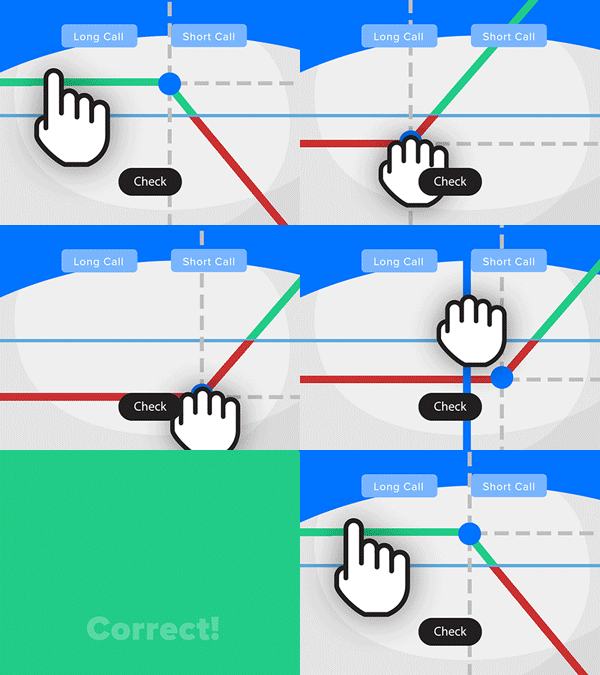
- Solve real problems with our hands-on interface
- Progress from basic puts and calls to advanced strategies
Interactive Options Course
Posted October 12, 2026 at 11:32 am

The article “Automate Trading with Interactive Brokers Python API” was originally published on PyQuant News.
In the fast-paced financial markets, automating trading strategies is a game-changer for traders seeking efficiency and enhanced performance. Interactive Brokers (IB) provides a powerful Python API that allows traders to automate their trading strategies seamlessly. This article delves into the Interactive Brokers Python API, its features, how to use it, and resources for mastering it.
The Interactive Brokers Python API is a robust interface that lets traders interact programmatically with IB’s trading platform. It offers access to market data, account information, and order management, making it ideal for developing and executing automated trading algorithms. Its extensive functionality appeals to both novice and experienced traders aiming to automate their strategies effectively.
To begin automating trading strategies using the IB Python API, follow these steps to set up your environment and execute your first trade.
Before diving into coding, ensure you have an Interactive Brokers account and the necessary software and libraries:
ibapi: Install Python (preferably version 3.x) and the ibapi package, IB’s official Python client library.pip install ibapi
Establishing a Connection
To connect your Python script to the TWS or IB Gateway, use this basic example:
from ibapi.client import EClient
from ibapi.wrapper import EWrapper

class IBApi(EWrapper, EClient):
   def __init__(self):
       EClient.__init__(self, self)

def main():
   app = IBApi()
   app.connect("127.0.0.1", 7497, 0)
   app.run()

if __name__ == "__main__":
   main()
This script sets up a connection to the TWS or IB Gateway running on your local machine. Adjust the connection parameters as needed.
Fetching Market Data
Accessing real-time market data is crucial for informed trading decisions. Here’s how to request data for a specific stock:
from ibapi.contract import Contract

class IBApi(EWrapper, EClient):
   def __init__(self):
       EClient.__init__(self, self)

   def nextValidId(self, orderId):
       self.start()

   def start(self):
       contract = Contract()
       contract.symbol = "AAPL"
       contract.secType = "STK"
       contract.exchange = "SMART"
       contract.currency = "USD"
       self.reqMarketDataType(1)
       self.reqMktData(1, contract, "", False, False, [])

   def tickPrice(self, reqId, tickType, price, attrib):
       print(f"Tick Price. Ticker Id: {{reqId}}, tickType: {{tickType}}, Price: {{price}}")

def main():
   app = IBApi()
   app.connect("127.0.0.1", 7497, 0)
   app.run()

if __name__ == "__main__":
   main()
This script defines a contract for Apple Inc. (AAPL) and requests real-time market data. The tickPrice method handles price updates and prints them to the console.
Placing Orders
Automate trades by placing orders programmatically. Here’s how to place a market order:
from ibapi.order import Order

class IBApi(EWrapper, EClient):
   def __init__(self):
       EClient.__init__(self, self)

   def nextValidId(self, orderId):
       self.nextOrderId = orderId
       self.start()

   def start(self):
       contract = Contract()
       contract.symbol = "AAPL"
       contract.secType = "STK"
       contract.exchange = "SMART"
       contract.currency = "USD"

       order = Order()
       order.action = "BUY"
       order.orderType = "MKT"
       order.totalQuantity = 10

       self.placeOrder(self.nextOrderId, contract, order)

def main():
   app = IBApi()
   app.connect("127.0.0.1", 7497, 0)
   app.run()

if __name__ == "__main__":
   main()
This example places a market order to buy 10 shares of AAPL. The nextValidId method ensures a unique order ID for each trade.
With the basics covered, explore advanced automation techniques like algorithmic trading and backtesting.
Algorithmic trading uses predefined rules and mathematical models to execute trades. Develop algorithms based on technical indicators, statistical models, or machine learning techniques. The IB Python API supports various strategies, including:
Backtesting tests a strategy against historical data to evaluate performance. The IB Python API lets you fetch historical data and simulate trades, providing insights into a strategy’s viability.
def fetch_historical_data(contract, duration, bar_size):
   app.reqHistoricalData(1, contract, "", duration, bar_size, "MIDPOINT", 1, 1, False, [])

class IBApi(EWrapper, EClient):
   def __init__(self):
       EClient.__init__(self, self)

   def nextValidId(self, orderId):
       self.start()

   def start(self):
       contract = Contract()
       contract.symbol = "AAPL"
       contract.secType = "STK"
       contract.exchange = "SMART"
       contract.currency = "USD"

       fetch_historical_data(contract, "1 Y", "1 day")

   def historicalData(self, reqId, bar):
       print(f"Date: {{bar.date}}, Close: {{bar.close}}")

def main():
   app = IBApi()
   app.connect("127.0.0.1", 7497, 0)
   app.run()

if __name__ == "__main__":
   main()
This script fetches one year of daily historical data for AAPL and prints the closing prices. Use this data to backtest and refine your trading strategies.
To further your knowledge of the Interactive Brokers Python API and improve your trading automation skills, explore these resources:
The Interactive Brokers Python API opens up numerous possibilities for traders looking to automate their strategies. Leveraging its comprehensive features and capabilities can enhance efficiency and optimize trading strategies, helping traders stay ahead in the competitive financial markets. With the right resources and dedication to learning, mastering the IB Python API can be a rewarding journey, enabling traders to achieve their financial goals with precision and confidence.
Disclaimer: The information provided in this article is for educational purposes only and does not constitute financial advice. Trading involves risk, and individuals should conduct thorough research and consult with a financial advisor before making any trading decisions.
Already an Interactive Brokers Client?
New to Interactive Brokers?
Information posted on IBKR Campus that is provided by third-parties does NOT constitute a recommendation that you should contract for the services of that third party. Third-party participants who contribute to IBKR Campus are independent of Interactive Brokers and Interactive Brokers does not make any representations or warranties concerning the services offered, their past or future performance, or the accuracy of the information provided by the third party. Past performance is no guarantee of future results.
This material is from PyQuant News and is being posted with its permission. The views expressed in this material are solely those of the author and/or PyQuant News and Interactive Brokers is not endorsing or recommending any investment or trading discussed in the material. This material is not and should not be construed as an offer to buy or sell any security. It should not be construed as research or investment advice or a recommendation to buy, sell or hold any security or commodity. This material does not and is not intended to take into account the particular financial conditions, investment objectives or requirements of individual customers. Before acting on this material, you should consider whether it is suitable for your particular circumstances and, as necessary, seek professional advice.
Please keep in mind that the examples discussed in this material are purely for technical demonstration purposes, and do not constitute trading advice. Also, it is important to remember that placing trades in a paper account is recommended before any live trading.
The third-party code discussed within this article is not investment or trading advice, and is for proof-of-concept, educational, and illustrative purposes only. IBKR makes no representations or warranty regarding its accuracy or completeness. Users are solely responsible for conducting their own independent testing and due diligence before applying any code or concepts in a live or production environment
The order types available through Interactive Brokers LLC's trading platforms are designed to help you limit your loss and/or lock in a profit. Market conditions and other factors may affect execution. In general, orders guarantee a fill or guarantee a price, but not both. In extreme market conditions, an order may either be executed at a different price than anticipated or may not be filled in the marketplace.










Join The Conversation
For specific platform feedback and suggestions, please submit it directly to our team using these instructions.
If you have an account-specific question or concern, please reach out to Client Services.
We encourage you to look through our FAQs before posting. Your question may already be covered!