

Memory Allocation
In TWS/ IB Gateway – “Global Configuration” – “General”, you can adjust the Memory Allocation (in MB)*.
This feature is to control how much memory your computer can assign to the TWS/ IB Gateway application. Usually, higher value allows users to have faster data returning speed.
Normally, it is recommended for API users to set 4000. However, it depends on your computer memory size because setting too high may cause High Memory Usage and application not responding.
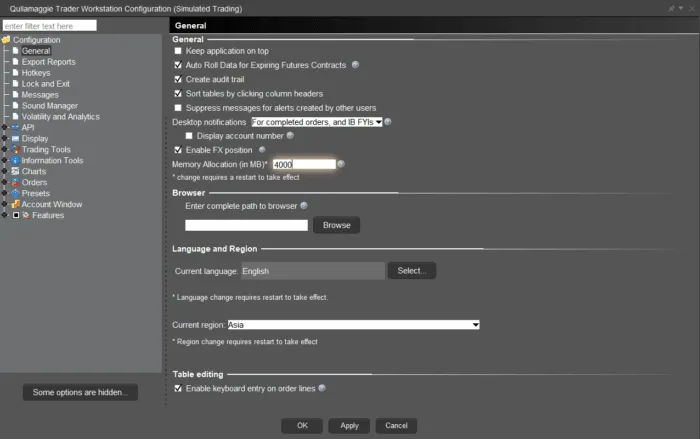
For details, please visit: https://www.ibkrguides.com/traderworkstation/increase-tws-memory-size.htm
Note:
- In IB Gateway Global Configuration – API – settings, there is no “Compatibility Mode: Send ISLAND for US stocks trading on NASDAQ”. Specifying NASDAQ exchange in contract details may cause error if connecting to IB Gateway. For this error, please specify ISLAND exchange.