Uninstall The API
In some instances, users may find they need to uninstall the TWS API. This can be resolved in a few brief steps.
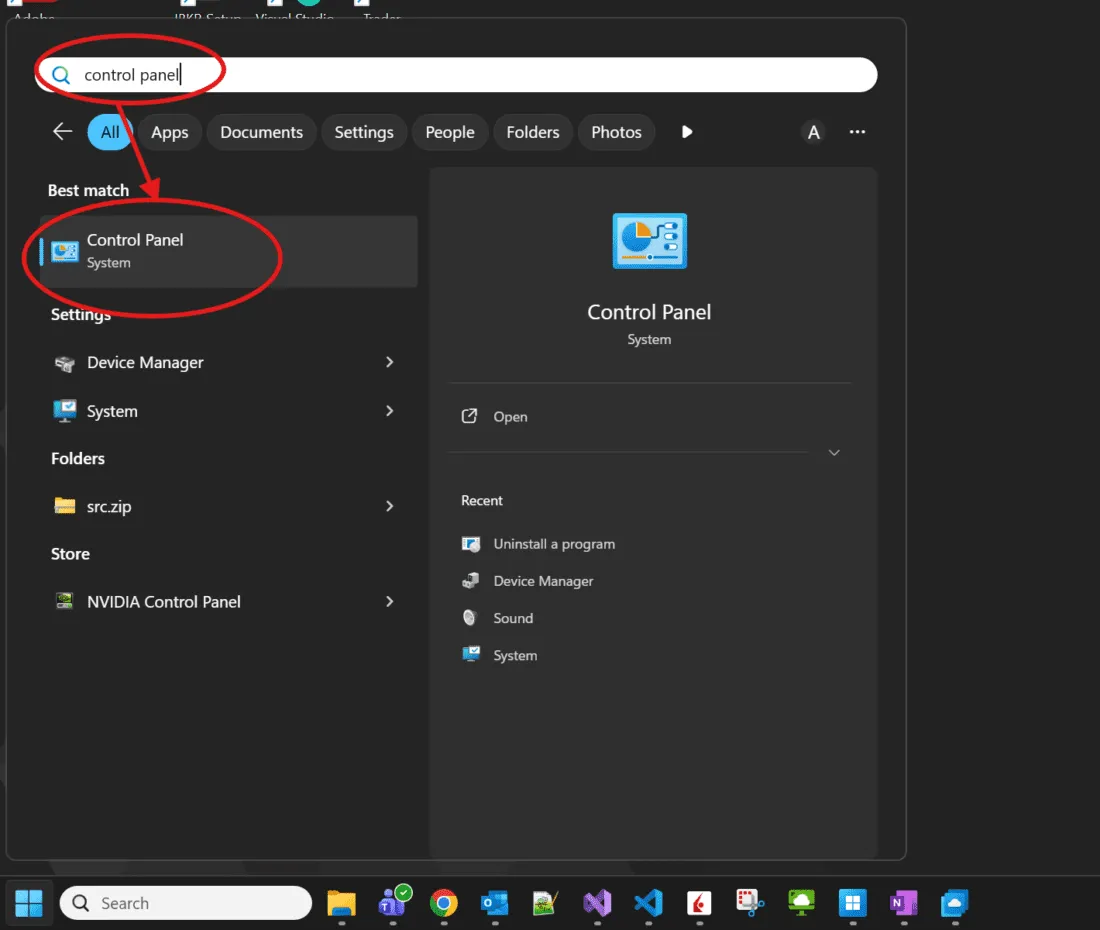
- Click the Windows button
- Begin typing “Control Panel”. This will automatically search for the program.
- Click “Control Panel” from the list of options in the Windows menu.
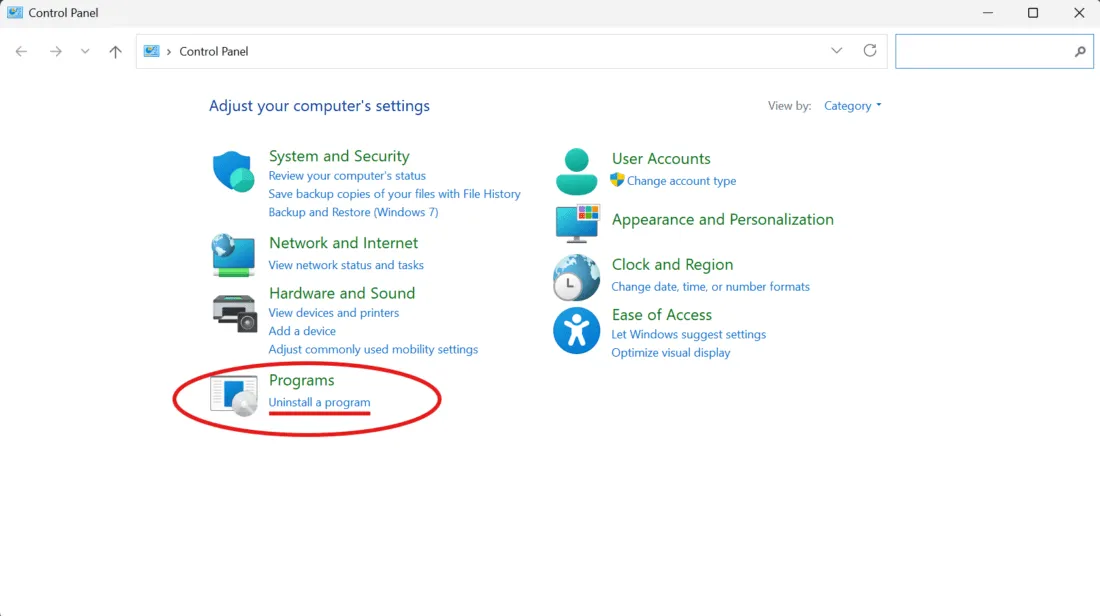
Category View
4(a). From the Control Panel window, select “Uninstall A Program”.
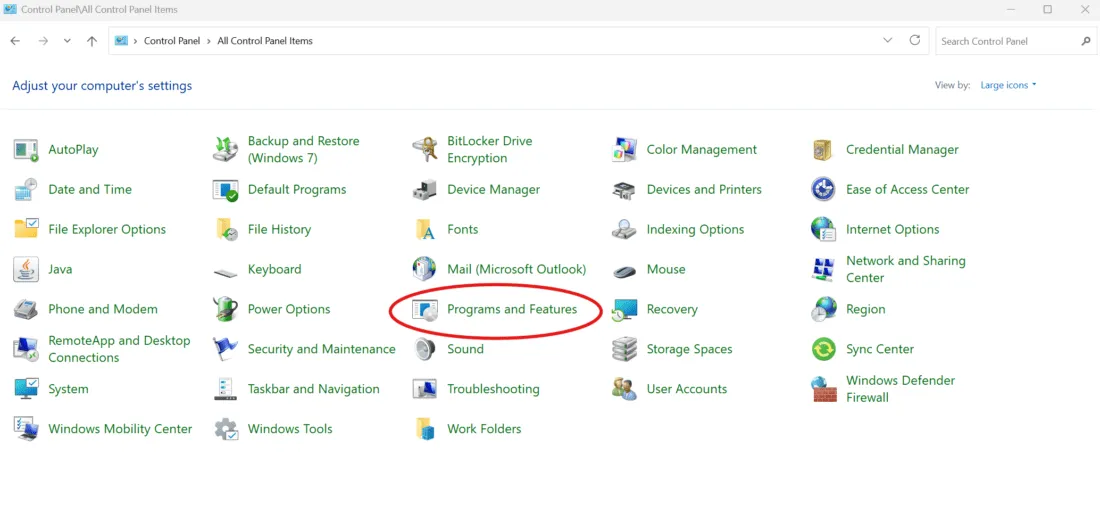
Icon View
4(b). From the Control Panel window, select “Programs and Features”.
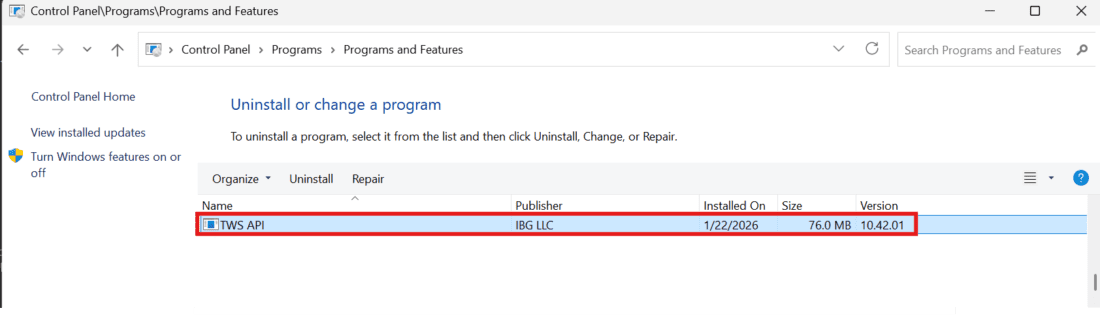
- Select “TWS API” from the list of programs.
- Click “Uninstall” above the list of programs.