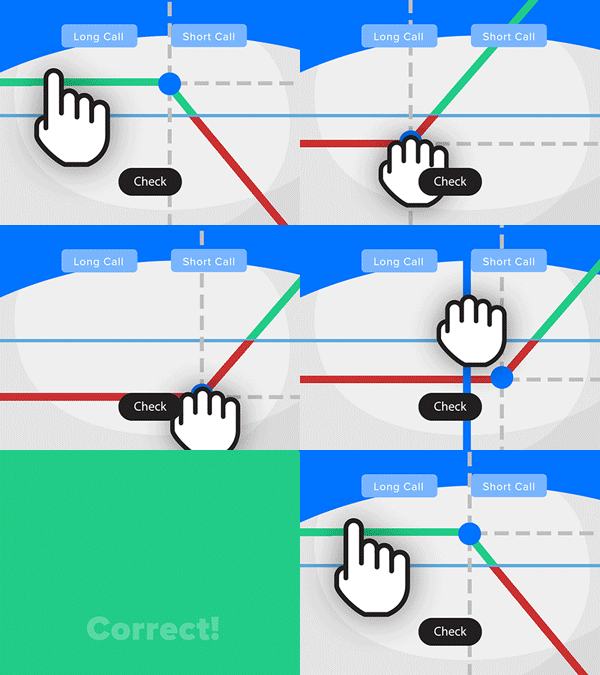
- Solve real problems with our hands-on interface
- Progress from basic puts and calls to advanced strategies
Interactive Options Course
Lesson 1 of 16
Already an Interactive Brokers Client?
New to Interactive Brokers?
The IBKR Desktop is powerful streamlined trading platform offering next generation technology and a user-friendly interface no matter the investors trading experience. In this series, we will show you an array of order types using the IBKR Desktop interface. The three most popular orders are Market, Limit and Stop.
This course will show you how to place these three order types and many more. Some order types are designed for speed of execution while others are intended to achieve a specific price. We will address order type basics, such as the “time-in-force” function and how the day order differs from the good-till-cancelled type.
Mechanics of common order types – when to use specific orders.
Each lesson will focus on a specific type of order and describe in detail the specific functions of each to help you distinguish between them, when to use them and why some order types might better suit your level of trading and investing.
Risk Management, Stop Loss orders and Brackets, Price Improvement. We will also address risk management and how that plays in to using certain order types such as stops and bracket orders. We explain the risks of using market versus limit order types. . We will also address features of IB’s algo order types, designed to help investors achieve price improvement.
Some of the features demonstrated in this series are only available with an “IBKR Pro” account. For information about IBKR Pro and IBKR Lite, view ibkr.com/plans
We encourage you to take advantage of all of the course’s contents, including the quizzes, to truly make the most of your learning.
Following completion of this course, you should have a solid understanding of how to create IBKR Desktop orders while using some of the popular order types to suit your trading preferences.
For specific platform feedback and suggestions, please submit it directly to our team using these instructions.
If you have an account-specific question or concern, please reach out to Client Services.
We encourage you to look through our FAQs before posting. Your question may already be covered!
The analysis in this material is provided for information only and is not and should not be construed as an offer to sell or the solicitation of an offer to buy any security. To the extent that this material discusses general market activity, industry or sector trends or other broad-based economic or political conditions, it should not be construed as research or investment advice. To the extent that it includes references to specific securities, commodities, currencies, or other instruments, those references do not constitute a recommendation by IBKR to buy, sell or hold such investments. This material does not and is not intended to take into account the particular financial conditions, investment objectives or requirements of individual customers. Before acting on this material, you should consider whether it is suitable for your particular circumstances and, as necessary, seek professional advice.
The views and opinions expressed herein are those of the author and do not necessarily reflect the views of Interactive Brokers, its affiliates, or its employees.
The order types available through Interactive Brokers LLC's trading platforms are designed to help you limit your loss and/or lock in a profit. Market conditions and other factors may affect execution. In general, orders guarantee a fill or guarantee a price, but not both. In extreme market conditions, an order may either be executed at a different price than anticipated or may not be filled in the marketplace.
Any stock, options or futures symbols displayed are for illustrative purposes only and are not intended to portray recommendations.








Evrytime i come to this page i get logged out, and how can i get the credits if i participate to the training without logging in???
Hi Antonello, thank you for reaching out. You can login or register here
We hope this helps.
Servus leider hilft das nicht sobald man auf die Lernseite wechselt ist man ausgeloggt. in der Anfangsphase nicht tragisch, allerdings wenn man erlerntes für sich selbst testen möchte ist es nicht gerade hilfreich jedes mal neu einloggen. danke LG
Hallo, vielen Dank für Ihre Kontaktaufnahme. Wir können Ihr Problem nicht reproduzieren. Bei Anmeldeproblemen klicken Sie bitte auf der Anmeldeseite des Kundenportals auf „Benötigen Sie Hilfe?“ und folgen Sie den Anweisungen, um wieder Zugriff zu erhalten.
https://ndcdyn.interactivebrokers.com/sso/Login?RL
Sollte dies nicht funktionieren, wenden Sie sich aus Sicherheitsgründen bitte an unseren Kundenservice. IBKR setzt keine Passwörter zurück, gibt keine Benutzernamen weiter und entsperrt keine Konten per E-Mail oder Chat. Vielen Dank für Ihr Verständnis. Unseren telefonischen Support finden Sie hier: https://spr.ly/IBKR_ClientServicesCampus
How can i accept the website cookies, i thought that i did that already but the pop up still appears.
Hi Miguel, thank you for reaching out and we apologize for the delayed response. Which website are you referring to? We would appreciate the opportunity to turn around your experience.
Able to open videos on Course BKR Desktop Order Types. RED bar is in center of video screen: “Manage Cookies” Not wear and how to clear cookies/
Hello Walt, thank you for reaching out. Please be sure you logged into Client Portal from the IBKR webpage as opposed to accessing it from TWS. If you are unable to complete a request in Client Portal, first clear your cache and cookies on your browser. If the issue persists, please try using a different web browser than the one you used initially. If the issue remains after testing different browsers, please contact IBKR Client Services. Please select Technical Assistance as the ticket category followed by Client Portal. https://spr.ly/IBKR_TicketCampus
We would appreciate the opportunity to turn around your experience.
I’m looking for the ability to trigger a stop-loss for options based on the following two scenarios: (1) the OPTION value reduces by x%, then sell option at MARKET, and (2) the UNDERLYING STOCK value reduces by x%, then sell option at MARKET. I’m having trouble seeing this in the list above. Can you confirm if this is available on IBKR desktop? Thank you. Morgan.
Hello, thank you for contacting us. For your first question, you could calculate the dollar amount of what percentage you would like to set the stop limit price to be and set the stop limit by price.
In regard to your second question, it is not possible to sell the option at market if the value of the underlying stock reduces by a percentage. However, it is possible in TWS. The Stop order allows a choice to enter a dollar amount or set a percentage of the prevailing bid/ask price for the stop amount. Please view this link for more information: https://www.interactivebrokers.com/en/trading/ordertypes.php?m=stopModal
Please reach back out with any more questions. We are here to help!
Please tell me is it possible to change how moltiple trades are exited to have last one to be first one out?
This software is a nightmare — the worst I’ve ever encountered. Completely user-unfriendly and utterly illogical. After months of trying to make sense of its chaotic design, I can confidently say it’s a worthless mess.
We are sorry to learn that your experience was unsatisfactory. We also offer Client Portal which is a user-friendly and simple interface. In Client Portal you can view, trade, and manage your account with our easy-to-use web platform all with a single login. We would appreciate the opportunity to turn around your experience.
If you have a specific suggestion(s) on how we can improve, we would like to hear it! Please review this FAQ on where you can leave your feedback: https://www.ibkr.com/faq?id=32653353
You can also post in the Feature Poll in Client Portal where other IBKR users can comment and vote: https://portal.interactivebrokers.com/portal/#/suggestions
If I log in Client Portal, should I log in again to Trader´s Academy?
Hello, thank you for asking. Traders’ Academy and Investors Marketplace require a screen name separate and distinct from your account username. Please view this FAQ here for more information: https://www.interactivebrokers.com/faq?id=32653357
We hope this helps!
Hello, is there a list which shows what are the courses that can earn CFA credits? Many thanks.
Hello, thank you for asking. None of the classes available on the Traders’ Academy allow you to earn CFA credits. We hope this helps answer your question.
This video looks NOTHING like my IBKR display. Where is the link that shows tutorials on how to place orders in IBKR Lite?