Historical Volume Scaling
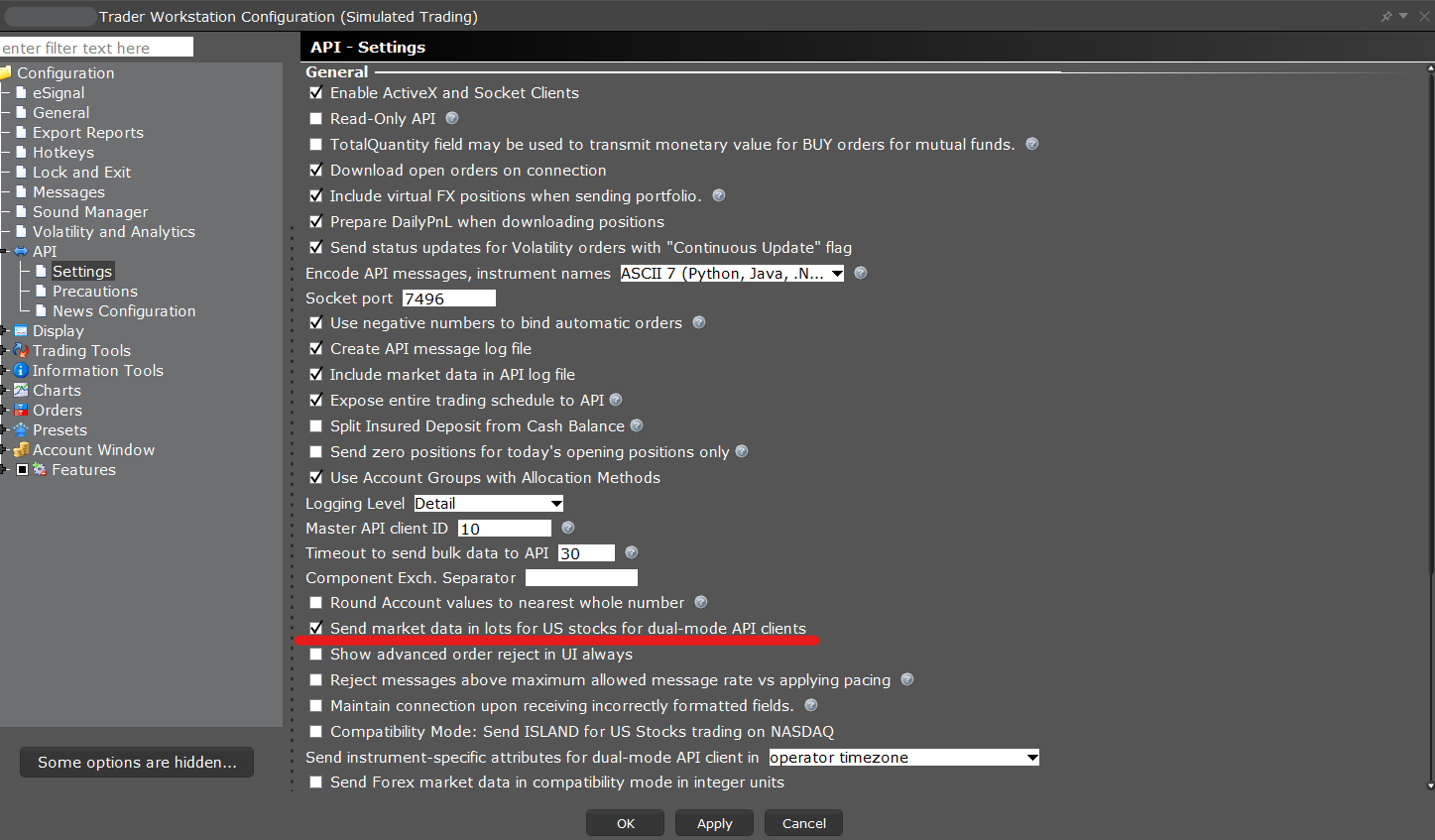
Volume data returned for historical bars can be modified to return in shares or lots.
- Open the Global Configuration window
- Navigate to “API” and then “Settings” on the left pane
- Scroll down to the “Send market data in lots for US Stocks for dual-mode API clients”
If the setting is checked, historical volume data will return as a Round Lot.
If the setting is unchecked, historical volume data will return in Shares.