

Installation
Create and fund an IBKR Pro Account
An IBKR Pro account is required to use the TWS API. If you don’t already have one, creat an account below.
Configure Trader Workstation Settings
-
Launch TWS
-
Log in
-
Open settings (gear icon in top right)
-
Configure the following:
- Enable “ActiveX and Socket Clients”
- Disable “Read-Only API”
- Verify the “Socket Port” value
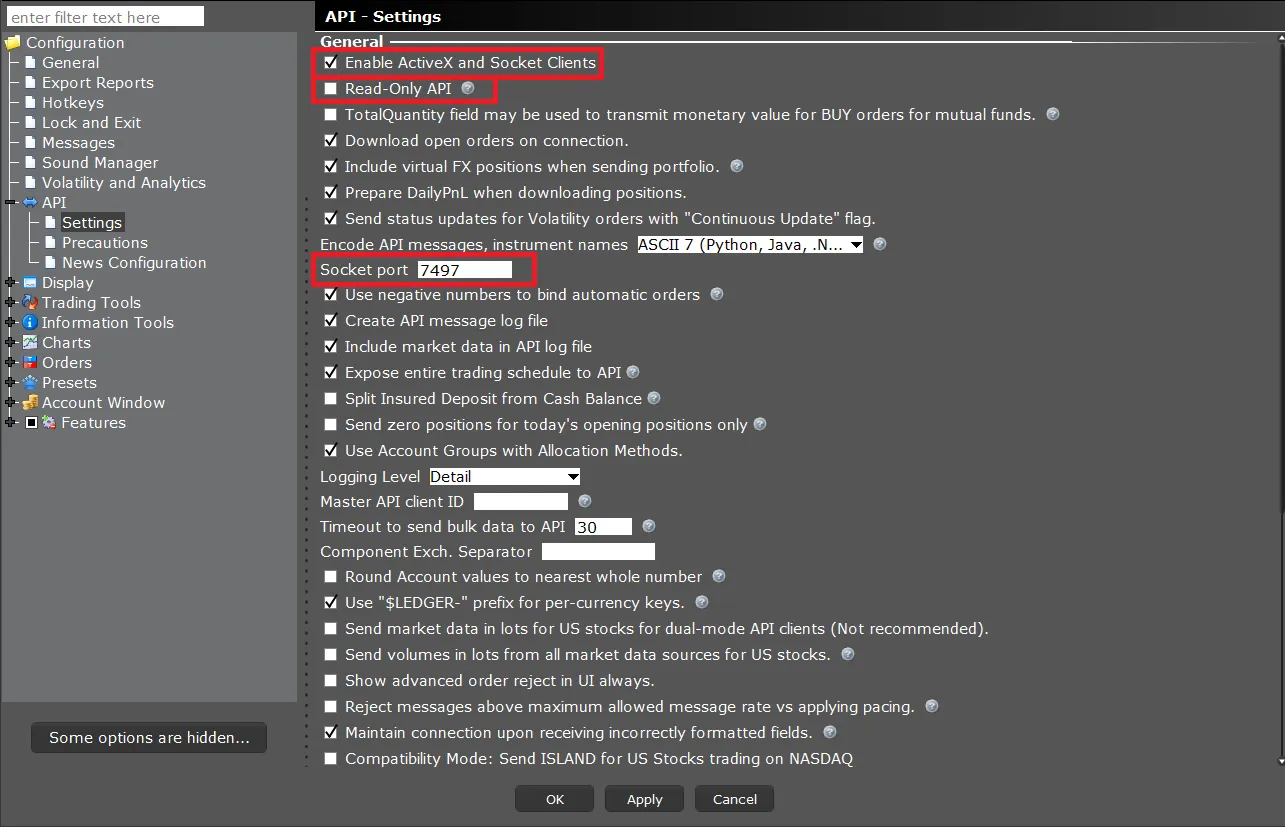
Additional configuration options are detailed here.
Additional configuration for Python
If you are using the TWS API with Python, additional configuration is required. Follow the steps found here.