Update Display Group
EClient.updateDisplayGroup (
requestId: int. Request identifier used for tracking data.
contractInfo: String. An encoded value designating a unique IB contract. Possible values include:
- none: Empty selection
- contractID: Any non-combination contract. Examples 8314 for IBM SMART; 8314 for IBM ARCA
- combo: If any combo is selected Note: This request from the API does not get a TWS response unless an error occurs.
)
Updates the contract displayed in a TWS Window Group.
Python
Java
C++
C#
VB.NET
Note: This request from the API does not get a response from TWS unless an error occurs.
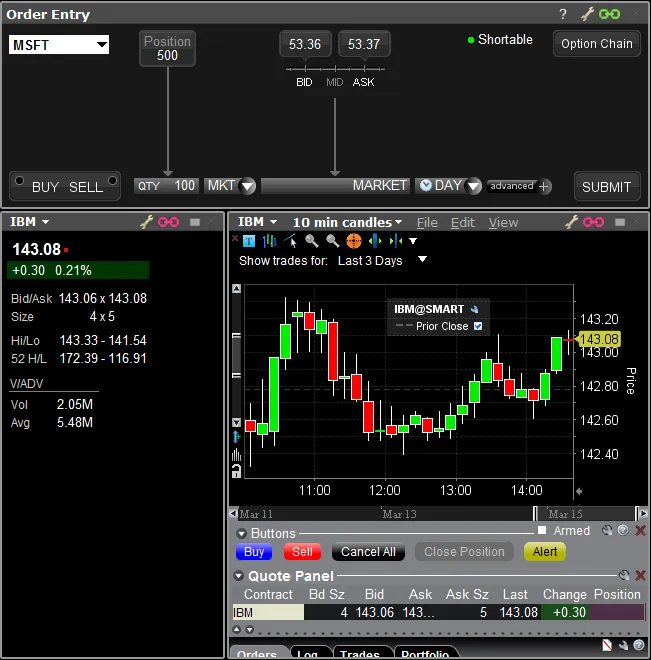
In this sample we have commanded TWS Windows that chained with Group #1 to display IBM@SMART. The screenshot of TWS Mosaic to the right shows that both the pink chained (Group #1) windows are now displaying IBM@SMART, while the green chained (Group #4) window remains unchanged.