Pacing Behavior
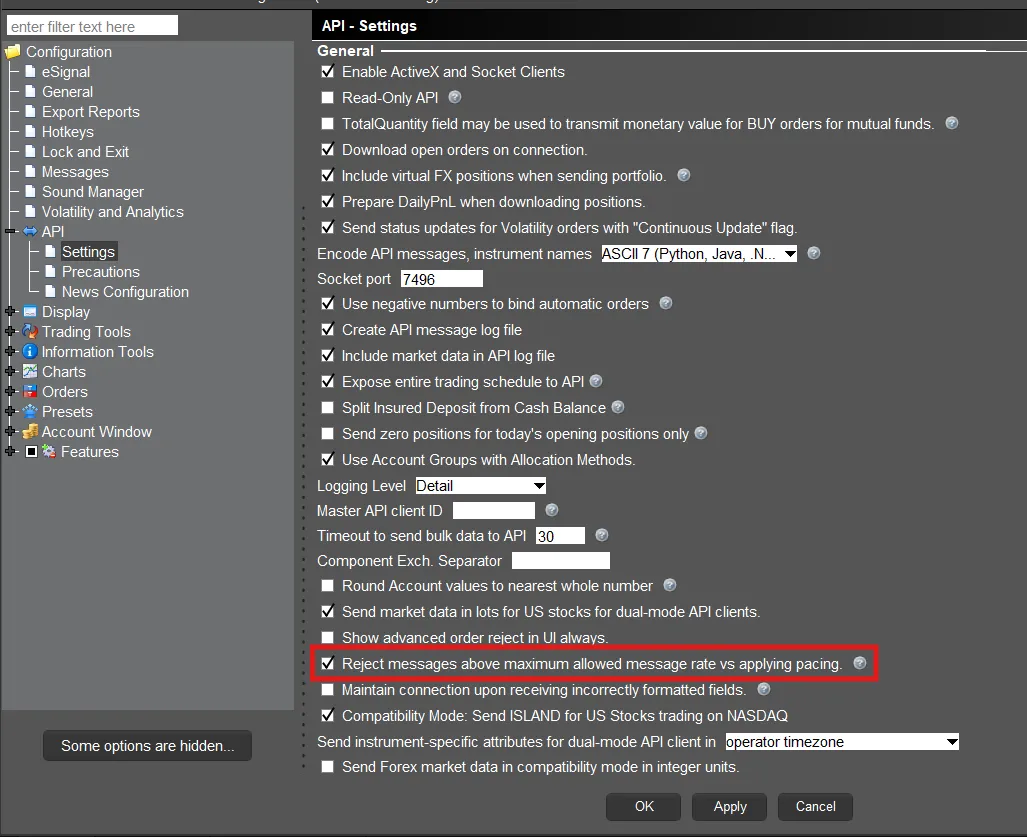
The TWS API supports two formats for users who break the pacing limitations. This behavior is set in the Global Configuration of Trader Workstation or IB Gateway. Under “API” and then “Settings” users will see a setting for “Reject messages above maximum allowed message rate vs applying pacing.”
- If the setting is checked, TWS will notify the user they surpassed the pacing limit using error code 100. If the pacing limits are broken 3 times, the API session will terminate and the user will receive WinError 10053 on Windows or a BrokenPipe error on MacOS or Linux machines.
- If the setting is unchecked, TWS will automatically pace the requests submitted by the user. The system will wait to acknowledge requests in the EReader Thread prior to moving on to new requests.