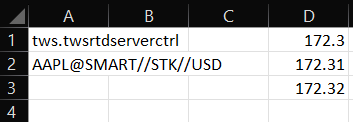
Modifying RTD Request Code
Introduction
Some customers may find that as opposed to generic ticks or live streaming data, they may want to remove or reduce the number of ticks. It is even possible to change RTD to report snapshot data instead. This section will document the process to change these underlying values requested.
Keep in mind, RTD is based on underlying C# code. As such, a working knowledge of C# is required. These modifications will also require a C# compiler and interpreter are installed on your windows machine.
Open The Solution File
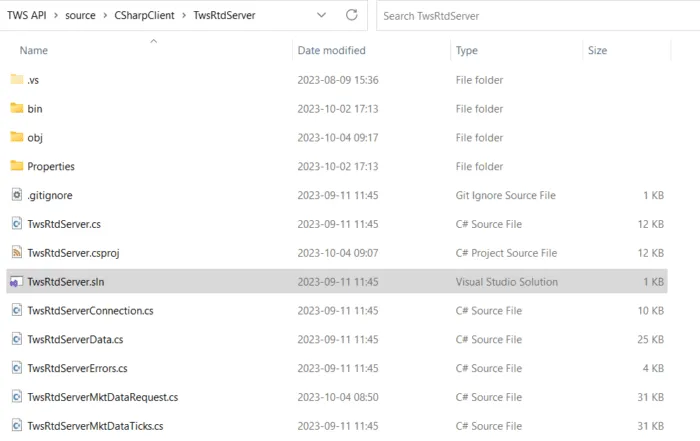
Navigate to the TwsRtdServer source directory and launch the solution file.
This can be found at {TWS API}\source\CSharpClient\TwsRtdServer\TwsRtdServer.sln
Find The Request
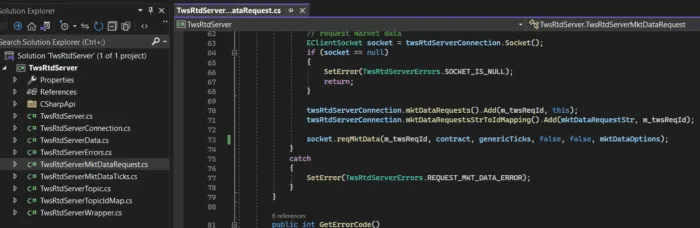
Within the solution file, you will need to navigate to the TwsRtdServerMktDataRequest.cs file. This file contains the request for EClient.reqMktData, which effects the underlying behavior. The request is on line 73.
Update GenericTicks, Snapshot, or RegulatorySnapshot
By default, all generic ticks are requested in the RTD sample. For those who only need minimum values, such as Bid, Ask, Last, and their respective sizes, may want to change the genericTicks variable from monitoring the sample-provided values, and instead return an empty list.

Compile the C# Code
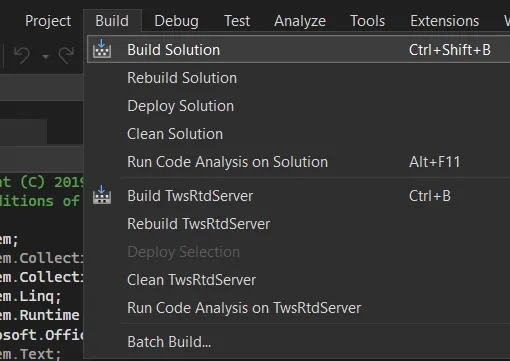
In your platform of choice, you will need to compile your code to be built moving forward. Compiling in debug is recommended for testing, though compiling for Release will provide the best performance once in production.
Test The Result
It is then recommended to test any changes made. Depending on the software used to compile changes, users may be automatically launched into a new file to test with. It is encouraged to test any changes made to see that expected changes are changed correctly, while no other actions are effected.