Account Management IntroductionCopy Location
Copy Location
Interactive Brokers (IBKR) Account Management API is available for Registered Advisors and Introducing Brokers that would like to customize IBKR’s Registration System and Client Portal or control client experience.
Client RegistrationCopy Location
Copy Location
- Create New Account
- View Account Status
- View Registration Tasks
- Complete Registration Tasks
Account MaintenanceCopy Location
Copy Location
- Update Account Information
- Manage Account Settings
- Manage Trade Capabilities
- Fee Administration
Funds and BankingCopy Location
Copy Location
- Cash Transfers
- Configure Recurring Transactions
- Manage Banking Instructions
- Position Transfers
- View Transactions
ReportingCopy Location
Copy Location
- Generate Client Statement(s)
- Retrieve Tax Form
AuthenticationCopy Location
Copy Location
- Connect user to IBKR white branded platform.
The Account Management API can be used in parallel or as a replacement to the IBKR Portal which is our out of the box solution available to registered advisors and introducing brokers free of cost.
AudienceCopy Location
Copy Location
Service is available by request only to advisors/brokers that are registered in a FATF Country. See Setup Process for instructions on how to get started.
ConnectivityCopy Location
Copy Location
IBKR’s Web API implementation follows standard HTTP verbs for communication. It employs a range of HTTP status codes and JSON-formatted messages to convey operation status and error information. To ensure secure communication, all API requests must use HTTPS. Authorization and Authentication for IBKR’s Web API is managed using OAuth 2.0.
AuthenticationCopy Location
Copy Location
IBKR only supports private_key_jwt client authentication as described in RFC 7521 and RFC 7523.
- Client authenticates against the authorization server by presenting a signed JWT token called a client_assertion which the authorization server validates against the public key(s) provided by the client during registration.
- This scheme is considered safer than the standard client id/client secret authentication scheme used in early OAuth 2.0 integrations given that it prevents the client from having to pass the client secret in back-end requests.
Data TransmissionCopy Location
Copy Location
User requests will be sent to IBKR in JSON format using HTTPS.
[POST]and[PATCH]will include JSON request that is encoded in base64.- Maximum request size is 20MB
- There is no restriction on maximum response size
- Only ASCII characters are supported
System AvailabilityCopy Location
Copy Location
| Service Type | Downtime |
|---|---|
| Client Registration and Account Maintenance /gw/api/v1/accounts* /gw/api/v1/statements* /gw/api/v1/tax-documents* /gw/api/v1/enumerations* | Daily between 6pm ET-6:01pm ET. Sundays and Tuesdays between 6pm ET to 6:30pm ET |
| Funds and Banking /gw/api/v1/bank-instructions* /gw/api/v1/client-instructions* /gw/api/v1/instruction* /gw/api/v1/external-asset-transfers* /gw/api/v1/external-cash-transfers* /gw/api/v1/internal* | Daily between 11:45pm ET-12:30am ET Saturdays (any time), Sundays before 3PM ET |
System Status: https://www.interactivebrokers.com/en/software/systemStatus.php
Rate LimitingCopy Location
Copy Location
Interactive Brokers enforces a global request rate limit for the Account Management Web API:
- 10 requests per second per endpoint
- 600 requests per minute per master account (10 requests × 60 seconds)
Authentication Scope
Authentication for the Account Management API operates at the master account level, distinguishing it from the trading API’s user-level authentication structure.
Exceeding Rate Limits
If your application exceeds these established rate limits, the API will respond with a 429 HTTP status code (Too Many Requests).
SupportCopy Location
Copy Location
IBKR has a designated API team that is available for 24/5 support via email and will be primary point of contact during the integration process.
- Account Management API: am-api@interactivebrokers.com
- Trading API: api@interactivebrokers.com
What We ProvideCopy Location
Copy Location
Figuring out where to begin start is the hardest part. To assist with getting started, we have created guides and API references which include everything you need to program your interface for Client Registration, Account Maintenance, Trading, and Portfolio Management. Your designated integration manager will be available for weekly calls throughout the integration process and up to 3 months after going live.
ResourcesCopy Location
Copy Location
To help better understand the API endpoints, we suggest installing postman and install our postman collection and environment.
Setup ProcessCopy Location
Copy Location
IBKR’s account registration system and client portal are carefully engineered to meet our requirements; any request to outsource application workflow requires additional approval. We have summarized steps involved to use API for registration and funding in sequential order.
PreliminaryCopy Location
Copy Location
- Send an email to api-solutions@interactivebrokers.com with the following:
- Firm Name
- Firm Role (ie. Introducing Broker, Financial Advisor OR Third Party Service Provider)
- API Services which you are interested in using (ie. Registration, Funding, Single Sign On, View Portfolio Data, Trading, Reporting)
- Describe intended usage (1-2 sentences)
- A rep from our API team will provide link to complete an integration questionnaire (electronically).
- Upon completing the questionnaire, a representative from our API solutions team will reach out to schedule an introductory call to assess needs and determine services required for a successful integration.
Build and TestCopy Location
Copy Location
Access to QA environment will be granted upon agreement of the integration requirements.
- To setup the QA (sandbox) environment for Registration and Funding API, provide the following to am-api@interactivebrokers.com:
- RSA key
- Size: 3072 or 4096
- Format: PEM
- IP Addresses (CIDR Format)
- Signed Services Agreement
- RSA key
- IBKR will provide QA credential which can be used to access QA.
- Build interface and test IBKR’s APIS.
- Developers tool kit includes quick start guide
- Suggested test cases
Go LiveCopy Location
Copy Location
- If all development work is complete and your team is ready to go live with the API integration, complete following:
- Provide IBKR with RSA Key for production using the IBKR message center.
- RSA key for production cannot be same as key that is used for QA
- Contact your API integration manager with the following:
- Web ticket number associated with RSA Key
- Summary of services which will be offered within platform
- Example: Hybrid registration, account deposits, single sign on for client portal, add trading permissions
- Instructions to access application interface in QA
- Screenshots of registration journey in sequential order (PDF)
- Signed Services Agreement (if this was not done during preliminary steps).
- Provide IBKR with RSA Key for production using the IBKR message center.
- IBKR will review and test interface.
- IBKR will send email with approval status of interface. If approved, IBKR will provide production credentials (Client ID) to your team using the IBKR message center.
- Test connectivity with the production credentials. If successful, provide following to your IBKR API integration manager:
- URL address to the application in the Production Environment.
- Contacts for Production (operations and maintenance).
- Launch to Production
Client RegistrationCopy Location
Copy Location
The accounts endpoint can be used to create a brokerage account with IBKR using the API. For client registration using the API, we offer two options:
- Full Integration: Hosting firm provides all data and forms required to create IBKR brokerage account via API.
- Hybrid: Submit partial application data to IBKR via API to create the account. User will enter remaining application data via the IBKR White Branded application. The application will be prefilled with data that was passed via the API.
- Connect user to IBKR White Branded Registration using Single Sign On. Alternatively, provide user with login URL to access IBKR Portal. Upon accessing IBKR Portal, user will be prompted to complete registration journey.
Available registration options at IBKR including IBKR hosted solutions can be found here.
Full Integration versus HybridCopy Location
Copy Location
It is important to determine which option your team will use for client registration before starting the the technical integration. If you are just getting started or development team has limited capacity, we suggest using our Hybrid option and transition to Full Integration in later phase (if desired).
The table below includes the differences between Full Integration and Hybrid for client registration.
| Type | Full Integration | Hybrid |
|---|---|---|
| Hosting Firm | Counterparty | Counterparty & IBKR |
| Development Work | Yes | Minimal |
| Eligibility | Available to Registered Advisors and Introducing Brokers with approval from IBKR management | Available to Registered Advisors and Introducing Brokers. |
| Customization | Yes- design is managed by hosting firm. | Partial- IBKR platform will reflect your branding (Company name, logo, and color scheme). |
| Cost | Yes, the hosting firm is subject to an upfront and annual fee. Pricing model takes into account the complexity of the integration and scope of services needed. | Yes, the hosting firm [counterparty] is subject to an upfront and annual fee. Pricing model takes into account the complexity of the integration and scope of services needed. |
| Supported Platforms | Determined by hosting firm. | Browser on desktop OR mobile device |
| Supported Customer Types | Individual Joint Retirement (U.S. and Canada) ISA (United Kingdom) JISA (United Kingdom) SMSF (Australia) | Individual Joint Retirement (U.S. and Canada) ISA (United Kingdom) JISA (United Kingdom) SMSF (Australia) Organization (Corporation, LLC, Partnership) Trust |
| Minimum Data | All application data including documents (agreements, disclosures, and completed tax form) if applicable. Table here for required data based on Account Type and Customer Type. | Fully-Disclosed and Advisor Clients: IBKR minimally requires Name, Email, and Country of Residence to create an account. Non-Disclosed: All application data with exception of completed tax form is required. |
Data for Client RegistrationCopy Location
Copy Location
The information necessary to establish a client account through our API varies based on several key factors:
- Customer Type
- FD= Fully-Disclosed Introducing Broker
- FA= Registered Investment Advisor
- OWD= One Way Disclosed Introducing Broker
- NonQI= Non-Disclosed Introducing Broker ; Non Qualified Intermediary
- QI with Trading= Non-Disclosed Introducing Broker; Qualified Intermediary where clients have access to trading
- QI with No Trading= Non-Disclosed Introducing Broker; Qualified Intermediary where clients do not have access to trading via IBKR system (eg. Trades will be placed via FIX).
- Registration Type
- Hybrid
- Full Integration
- Account Type
- Retail = Individual, Joint, Retirement, ISA
- Entity = SMSF, Trust, Organization
- IBKR Entity Driven by entity which master account is associated with. While accounts are accepted from citizens or residents of all countries except citizens or residents of those countries that are prohibited by the US Office of Foreign Assets Control, advisors/brokers may be limited from opening accounts for applicants that reside in the following countries:
- United States: Available to U.S. based IB-LLC brokers and advisors only.
- Canada: Available to IB-CAN brokers and advisors only.
- Hong Kong: Available to IB-HK brokers and advisors only.
- Australia: Available to IB-AU brokers and advisors only.
- Japan: Available to IBLLC brokers and advisors that are FSA Registered only.
- United Kingdom: Available to IB-UK brokers only.
- Singapore: Available to IB-SG brokers and advisors only.
- EEA: Available to IB-IE or IB-CE brokers and advisors only.
| Austria | Cyprus | Finland | Hungary | Lativa | Malta | Portugal | Spain |
| Belgium | Czech Republic | France | Iceland | Liechtenstein | Netherlands | Romania | Sweden |
| Bulgaria | Denmark | Germany | Ireland | Lithuania | Norway | Slovakia | |
| Croatia | Estonia | Greece | Italy | Luxembourg | Poland | Slovenia |
Expand each section to see specific data requirements by Customer Type. Refer to schema for structure of the JSON.
| Object | FD | FA | OWD | NonQI | QI With Trading | QI No Trading |
|---|---|---|---|---|---|---|
| Account Holder(s)* | ||||||
| email* | Y | Y | Y- email address of broker OR client is accepted. | Y- email address of broker OR client is accepted. | Y- email address of broker OR client is accepted. | Y- email address of broker OR client is accepted. |
| name* first, last | Y | Y | Y | Y | Y | Y |
| dateOfBirth | Y | Y | Y | Y | Y | N |
| countryOfBirth | Y | Y | Y | Y | Y | N |
| numDependents | Y | Y | N | N | N | N |
| maritalStatus | Y | Y | N | N | N | N |
| identification ID Document, citizenship | Y | Y | Y | Y | Y | N |
| mailingAddress country*, state, city, street1, postalCode | Y | Y | Y | Y | Y | N |
| residenceAddress country*, state, city, street1, postalCode | Y | Y | Y | Y | Y | Y- country only. |
| phones number, type- Mobile Required | Y | Y | N | N | N | N |
| employmentType | Y | Y | Y | N | N | N |
| employmentDetails If EMPLOYED or SELFEMPLOYED: employer, occupation, employerBusiness, employerAddress | Y | Y | Y | N | N | N |
| taxResidencies* country and tin | Y | Y | Y | Y | N | N |
| Tax Form w8Ben, w9 | Y | Y | Y | Y | N | N |
| withholdingStatement | N | N | N | N | Y | Y |
| IBKR Agreements and Disclosures | Y | Y | N | N | N | N |
| Proof of Address and Proof of ID Documents | Y (If Trulioo Verification is NoMatch) | Y (If Trulioo Verification is NoMatch) | Y (If Trulioo Verification is NoMatch) | Y (If Trulioo Verification is NoMatch) | Y (If Trulioo Verification is NoMatch) | N |
| Account Information | ||||||
| financialInformation netWorth, liquidNetWorth, annualNetIncome | Y | Y | Y | N | N | N |
| sourcesOfWealth | Y | Y | Y | N | N | N |
| investmentExperience yearsTrading, tradesPerYear, knowledgeLevel | Y | Y | N | N | N | N |
| regulatoryInformation account holder or immediate family member controller, employee of a publicly traded company or a registered rep | Y | Y | Y | N | N | N |
| accounts* baseCurrency, margin | Y | Y | Y | Y | Y | Y |
| tradingPermissions* | Y | Y | Y | Y | Y | Y |
| investmentObjectives | Y | Y | N | N | N | N |
| advisorWrapFees* | N | Y | N | N | N | N |
| IRA Beneficiaries | ||||||
| name first, last | Y | Y | – | – | – | – |
| dateOfBirth | Y | Y | – | – | – | – |
| relationship | Y | Y | – | – | – | – |
| ownership | Y | Y | – | – | – | – |
| identification citizenship | Y | Y | – | – | – | – |
| mailingAddress country, state, city, street1, postalCode | N | N | – | – | – | – |
| residenceAddress country*, state, city, street1, postalCode | Y | Y | – | – | – | – |
| Object | FD | FA | ||||
|---|---|---|---|---|---|---|
| Junior Contact Information | Y | Y | ||||
| name* first, last | Y | Y | ||||
| residenceAddress country*, state, city, street1, postalCode | Y | Y | ||||
| mailingAddress country*, state, city, street1, postalCode | Y | Y | ||||
| dateOfBirth | Y | Y | ||||
| countryOfBirth | Y | Y | ||||
| identification ID Document, citizenship | Y | Y | ||||
| taxResidencies* country and tin | Y | Y | ||||
| sourcesOfWealth | Y | Y | ||||
| Tax Form w8Ben | ||||||
| Registered Contact | ||||||
| email* | Y | Y | ||||
| name* first, last | Y | Y | ||||
| dateOfBirth | Y | Y | ||||
| countryOfBirth | Y | Y | ||||
| mailingAddress country*, state, city, street1, postalCode | Y | Y | ||||
| residenceAddress country*, state, city, street1, postalCode | Y | Y | ||||
| identification ID Document, citizenship | ||||||
| phones number, type- Mobile Required | Y | Y | ||||
| employmentType | Y | Y | ||||
| employmentDetails If EMPLOYED or SELFEMPLOYED: employer, occupation, employerBusiness, employerAddress | Y | Y | ||||
| IBKR Agreements and Disclosures | Y | Y | ||||
| Proof of Address and Proof of ID Documents | Y (If Trulioo Verification is NoMatch) | Y (If Trulioo Verification is NoMatch) | ||||
| Account Information | ||||||
| financialInformation netWorth, liquidNetWorth, annualNetIncome | Y | Y | ||||
| investmentExperience yearsTrading, tradesPerYear, knowledgeLevel | Y | Y | ||||
| regulatoryInformation account holder or immediate family member controller, employee of a publicly traded company or a registered rep | Y | Y | ||||
| accounts* baseCurrency, margin | Y | Y | ||||
| tradingPermissions* | Y | Y | ||||
| investmentObjectives | Y | Y | ||||
| advisorWrapFees* | Y | Y | ||||
| title code | Y | Y | ||||
| Object | FD | FA | OWD | NonQI | QI with Trading | QI No Trading |
|---|---|---|---|---|---|---|
| Trustee(s) | ||||||
| trustees authorizedToSignOnBehalfOfOwner, authorizedTrader, primaryTrustee | Y | Y | Y | Y | N | N |
| email* | Y | Y | Y- email address of broker OR client is accepted. | Y- email address of broker OR client is accepted. | Y- email address of broker OR client is accepted. | Y- email address of broker OR client is accepted. |
| name* first, last | Y | Y | Y | Y | Y | Y |
| dateOfBirth | Y | Y | Y | Y | Y | N |
| countryOfBirth | Y | Y | Y | Y | Y | N |
| identification ID Document, citizenship | Y | Y | Y | Y | Y | N |
| mailingAddress country*, state, city, street1, postalCode | Y | Y | Y | Y | Y | N |
| residenceAddress country*, state, city, street1, postalCode | Y | Y | Y | Y | Y | Y- country only. |
| phones number, type- Mobile Required | Y | Y | N | N | N | N |
| employmentType | Y | Y | Y | N | N | N |
| employmentDetails (If EMPLOYED or SELFEMPLOYED) employer, occupation, employerBusiness, employerAddress | Y | Y | Y | N | N | N |
| taxResidencies* country and tin | Y | Y | Y | Y | N | N |
| Proof of Address and Proof of ID Documents | Y (If Trulioo Verification is NoMatch) | Y (If Trulioo Verification is NoMatch) | Y (If Trulioo Verification is NoMatch) | Y (If Trulioo Verification is NoMatch) | Y (If Trulioo Verification is NoMatch) | N |
| Trust Information | ||||||
| identification dateFormed, formationCountry, formationState, name, registrationCountry, registrationNumber, registrationType, typeOfTrust | Y | Y | Y | Y | N | N |
| address country*, state, city, street1, postalCode | Y | Y | Y | Y | N | N |
| financialInformation netWorth, liquidNetWorth, annualNetIncome | Y | Y | Y | N | N | N |
| sourcesOfWealth | Y | Y | Y | N | N | N |
| investmentExperience yearsTrading, tradesPerYear, knowledgeLevel | Y | Y | N | N | N | N |
| regulatoryInformation | N/A- User will answer questions when completing online steps. | N/A- User will answer questions when completing online steps. | Y | N | N | N |
| accounts baseCurrency, margin | Y | Y | Y | Y | Y | Y |
| tradingPermissions | Y | Y | Y | Y | Y | Y |
| investmentObjectives | Y | Y | N | N | N | N |
| advisorWrapFees | N | Y | N | N | N | N |
| Grantors | ||||||
| name first, last | Y | N | – | – | – | – |
| dateOfBirth | Y | N | – | – | – | – |
| relationship | Y | Y | – | – | – | – |
| identification citizenship | Y | Y | – | – | – | – |
| mailingAddress country, state, city, street1, postalCode | N | N | – | – | – | – |
| residenceAddress country*, state, city, street1, postalCode | N | N | – | – | – | – |
| Beneficiaries | ||||||
| name first, last | Y | Y | – | – | – | – |
| ownershipPercentage | Y | Y | – | – | – | – |
| Object | FD | FA | OWD | NonQI | QI with Trading | QI No Trading |
|---|---|---|---|---|---|---|
| Associated Entities | ||||||
| associatedIndividual authorizedToSignOnBehalfOfOwner, authorizedTrader | Y | Y | Y | Y | N | N |
| email* | Y | Y | Y- email address of broker OR client is accepted. | Y- email address of broker OR client is accepted. | Y- email address of broker OR client is accepted. | Y- email address of broker OR client is accepted. |
| name* first, last | Y | Y | Y | Y | Y | Y |
| dateOfBirth | Y | Y | Y | Y | Y | N |
| countryOfBirth | Y | Y | Y | Y | Y | N |
| identification ID Document, citizenship | Y | Y | Y | Y | Y | N |
| mailingAddress country*, state, city, street1, postalCode | Y | Y | Y | Y | Y | N |
| residenceAddress country*, state, city, street1, postalCode | Y | Y | Y | Y | Y | Y- country only. |
| phones number, type- Mobile Required | Y | Y | N | N | N | N |
| employmentType | Y | Y | Y | N | N | N |
| employmentDetails (If EMPLOYED or SELFEMPLOYED) employer, occupation, employerBusiness, employerAddress | Y | Y | Y | N | N | N |
| taxResidencies* country and tin | Y | Y | Y | Y | N | N |
| Proof of Address and Proof of ID Documents | Y (If Trulioo Verification is NoMatch) | Y (If Trulioo Verification is NoMatch) | Y (If Trulioo Verification is NoMatch) | Y (If Trulioo Verification is NoMatch) | Y (If Trulioo Verification is NoMatch) | N |
| Organization Information | ||||||
| organization tradeIntentionType, type, typeOfTrading, usTaxPurposeType | Y | Y | Y | Y | Y | Y |
| taxResidencies* country and tin | Y | Y | Y | Y | N | N |
| identification businessDescription, formationCountry, identification, identificationCountry, name | Y | Y | Y | Y | N | N |
| placeOfBusiness country*, state, city, street1, postalCode | Y | Y | Y | Y | N | N |
| financialInformation netWorth, liquidNetWorth, annualNetIncome | Y | Y | Y | N | N | N |
| sourcesOfWealth | Y | Y | Y | N | N | N |
| investmentExperience yearsTrading, tradesPerYear, knowledgeLevel | Y | Y | N | N | N | N |
| regulatoryInformation | N/A- User will answer questions when completing online steps. | N/A- User will answer questions when completing online steps. | Y | N | N | N |
| accounts baseCurrency, margin | Y | Y | Y | Y | Y | Y |
| tradingPermissions | Y | Y | Y | Y | Y | Y |
| investmentObjectives | Y | Y | N | N | N | N |
| advisorWrapFees | N | Y | N | N | N | N |
*Required for Hybrid; otherwise optional if coordinated with the API Solutions team. If provided for Hybrid, data will be prefilled.
KYC DocumentsCopy Location
Copy Location
Identity and Address VerificationCopy Location
Copy Location
Real-time Trulioo verification is processed upon account creation for selected countries. If Trulioo verification is not successful, OR Trulioo verification is not supported or the country which the applicant resides in, Identity and Address verification is required for approval.
Trulioo is supported for applicants that reside in following countries
| Argentina | China | Malaysia | Russian Federation | Turkey |
| Australia | Denmark | Mexico | Singapore | United Kingdom |
| Austria | France | Netherlands | South Africa | United States |
| Belgium | Germany | New Zealand | Spain | |
| Brazil | Ireland | Norway | Sweden | |
| Canada | Italy | Portugal | Switzerland |
Other countries
- Identity and Address verification will always be required for approval.
Options for Identity and Address VerificationCopy Location
Copy Location
Option 1: Traditional Verification
Collect Proof of ID and Proof of Address documents from the client and submit documents to IBKR documentSubmission.
Registration Tasks
- 8001: Proof of Identity (POI)
- 8002: Proof of Address (POA)
Important to note: For IB-HK Non-Disclosed (QI and NonQI) clients, we only require Proof of Identity (8001).
Processing Time
IBKR has a ‘follow the sun’ model with operators located globally and constantly reviewing and processing supporting documents for new applications. Documents typically processed within 24 hours. Meaning, accounts are approved/opened within 24 hours of the supporting documents being accepted by IBKR.
Causes for delays could be unsupported doc type is submitted or image received is blurry/too dark
Option 2: Instant Verification
Opt to allow clients to verify using Au10tix (third-party application used to verify client’s identity /geo location).
- If Trulioo is NoMatch, IBKR will pass unique URL which can be used to connect user to Au10Tix to complete verification. The URL is valid for 24 hours. If more than 24 hours, a new URL will need to be generated using
/api/v1/accounts/{{accountId}}/kycendpoint.
Workflow:
- Embed Au10Tix URL or provide a QR code with Au10Tix URL within application.
- User accesses Au10Tix URL and will be prompted to complete consent message verifying they are OK for Au10Tix to capture Biometric information.
- If user consents, they will be prompted to take photos of the front and back of their ID’s and take a selfie.
- Au10Tix will process information and complete ID verification.
- If Au10Tix verification fails; user will be required to complete ‘Traditional Verification) and Provide a Proof of Address and Proof of Identity Document.
- If user declines consent, they will be prompted to complete Traditional Verification
Processing Time
Real-Time verification is completed- if Au10Tix verification passes; account will be approved/opened (Real-Time).
Registration Tasks
- 8137: Au10Tix Identity and Address Verification
- 8437: Au10Tix Identity
Important: While partners may implement Traditional Verification as their primary verification method, in certain risk-based scenarios determined by IBKR compliance, Au10Tix verification may be required even if Traditional Verification was initially assigned or completed. This requirement is non-negotiable and is triggered by IBKR’s internal risk assessment protocols. Failure to implement support for both verification methods may result in users being unable to complete the account opening process in certain scenarios. All partners are expected to support both verification paths either through direct API implementation or SSO fallback capability.
Agreements and DisclosuresCopy Location
Copy Location
Fully-Disclosed and Advisor clients are required to sign IBKR customer agreements and disclosures.
- Full Integration: Hosting firm will display IBKR agreements and disclosures within interface and collect electronic signature.
- Hybrid: End use signs IBKR agreements via the IBKR White Branded Platform
This section covers handling agreements and disclosures for clients using Full Integration.
Download IBKR Agreements and DisclosuresCopy Location
Copy Location
Pull using the/gw/api/v1/forms endpoint.
| Name | Type | Description |
|---|---|---|
| getDocs required | T F | T= True (Documents will be pulled) F= False (Documents will not be pulled) |
| fromDate required | YYYY-MM-DD | View forms that are updated as of fromDate |
| toDate required | YYYY-MM-DD | View forms that are updated between fromDate and toDate |
| formNo | String | Form Number. If provided; only single formNo is supported per request. If excluded, endpoint will return all forms that meet the given criteria. |
| projection | DOCS NONE PAYLOAD | Determine output |
Submit Agreements and DisclosuresCopy Location
Copy Location
The /gw/api/v1/accounts/documents endpoint provides mechanism to submit Agreements and Disclosures to IBKR once a day instead of with each application. We store these documents on the servers and will use them for new application requests submitted that day.
- Documents will need to be submitted once a day (before the Applications are submitted). PDFs will be displayed and submitted as is- no changes/edits will be made to the actual PDF files.
- This end-point will not process any Tax Form Documents. Tax Form document should be submitted with every application
- If submitted in the morning, you only need to include the Tax Form attachment for each applicant. Otherwise, you will need to include PDFs with each application (Create Account).
| Name | Type | Description |
|---|---|---|
| fileName | String | File name of the PDF document submitted to IBKR. fileName included within the documents request must match the fileName of the PDF file that is included within the signed request. Acceptable formats: .jpeg, .jpg, .pdf, .png Max size: 10 MB |
| fileLength | String | Length of the PDF form. |
| sha1Checksum | String | SHA-1 is crypto algorithm that is used to verify that a file has been unaltered. This is done by producing a checksum before the file has been transmitted, and then again once it reaches its destination. |
| formNumber | String | Use /gw/api/v1/accounts/{accountId}/tasks to view a list of forms that are required for approval. |
| execTimestamp | YYYYMMDDHHMMSS | Timestamp when agreement was submitted to IBKR. |
| execLoginTimestamp | YYYYMMDDHHMMSS | Timestamp when agreement was submitted to IBKR. |
| mimeType | application/pdf application/pdf image/png image/jpeg (Includes .jpeg, .jpg) | Format of the file. |
| data | String | Includes document encoded in base64. |
{
        "processDocuments":
            {
                "documents": [
                    {
                        "attachedFile": {
                            "fileName": "Form3024.pdf",
                            "fileLength": 432177,
                            "sha1Checksum": "03D899BA757F617C907A1F021D7046AC1DAC8707"
                        },
                        "payload": {
                            "mimeType": "application/pdf",
                            "data": pm.collectionVariables.get('form3024')
                        },
                        "formNumber": 3024,
                        "execLoginTimestamp": 20210929123113,
                        "execTimestamp": 20210929123113
                    }
                ],
                "inputLanguage": "en",
                "translation": false
            }
    }
Processing of IBKR Agreements and DisclosuresCopy Location
Copy Location
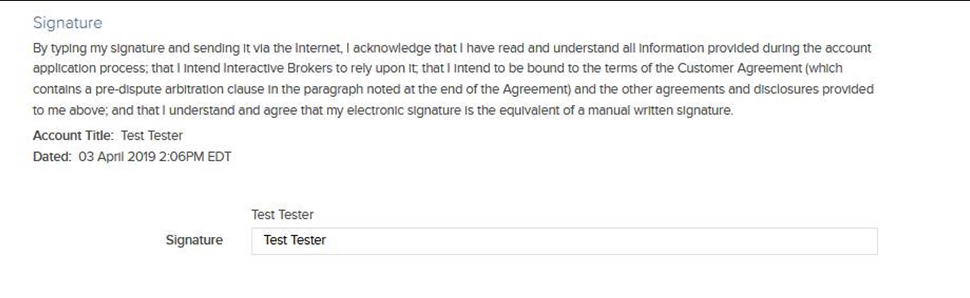
- Hosting firm will display IBKR agreements and disclosures within interface and collect electronic signature.
- Collect a signature for each form OR display all forms on a single page with a single signature box at the bottom and pass that signature within the
documentssection for each form. - Example of IBKR’s Application as a reference

- Collect a signature for each form OR display all forms on a single page with a single signature box at the bottom and pass that signature within the
- The signature, which is collected will be included in the
signedBysection of thedocuments. - Hosting firm will provide copy of the IBKR agreements which were presented to user in the application payload that is submitted to IBKR for client registration.
- No changes should be made to the PDF (We validate the forms using sha1checksum if alterations have been made, error will be triggered and the form will not be accepted.
- If a form is updated, hosting firm has a 7-calendar day grace period to update the form.
Account StatusesCopy Location
Copy Location
The status of an account can be one of the following:
| Status | Description |
|---|---|
| A | Abandoned; deleted application. Only pending or new applications can be abandoned. An account can be abandoned due to inactivity (after 135 days) OR if Broker OR client initiates request to abandon the application. |
| N | Pending application and no funding details have been provided. |
| O | Open; Account has been approved and opened by IBKR. This is considered an active account. |
| C | Closed; Account that was once active OR opened accounts that were and then closed. |
| P | Pending application and funding instructions have been provided. |
| R | Rejected; account was never approved/opened- rejected by Compliance) |
| E | Reopen request is pending. |
| Q | Bulk migration account that is not yet approved by IBKR. |
The status can change from:
| N > P | N > R | P > R | A > P | O > C | E > O |
| N > O | N > A | P > A | A > O | C > O | Q > R |
| N > P | P > O | A > N | A > R | C > E | Q > O |
Close AccountCopy Location
Copy Location
The accountClose can be used to close an opened account based on the accountId. Within the body of the request, include reason for account closure (closeReason).
- Accounts eligible to be closed must have current status of O or Q and must have a cleared balance. If an account is funded at the time which the closure request is submitted, the request will be rejected.
- If status Q account is closed, status will move to R (rejected)
Requests are processed between 8am EST to 11am EST. Requests received outside of these hours will be processed the following day.
PATCH /gw/api/v1/accounts/close

{
  "accountManagementRequests": {
   "accountClose": {
      "accountId": "U1233457",
      "closeReason": "time to go"
    }
  }
Reopen AccountCopy Location
Copy Location
The reopenAccount can be used to reopen an opened account based on the accountId.
- The following accounts are eligible for reopening:
- Fully-Disclosed and Advisor subs that originate using Hybrid
- Current status of C (Closed)
Once the reopen request has been submitted, the end user must log into the IBKR Portal to review application information and sign updated agreements and disclosures. The request will not be processed until this step is completed.
PATCH /gw/api/v1/accounts

{
  "accountManagementRequests": {
   "reopenAccount": {
   "accountId": "U1233457"
    }
  }
Cancel ApplicationCopy Location
Copy Location
The abandonAccount can be used to delete/cancel a pending application based on the accountId. Once the request is processed, the account will no longer appear in IBKR’s CRM as a PENDING account.
- Accounts eligible to be abandoned must have current status of P or N.
PATCH /gw/api/v1/accounts

{
    "accountManagementRequests": {
        "abandonAccount": {
            "accountId": "U12345"
        }
    }
}
Reset ApplicationCopy Location
Copy Location
The resetAbandonedAccount can be used to reset application that was previously marked abandoned based on the accountId. Accounts eligible to be reset must have current status of A and be less than 6 months old. Once the account has been reset, user can proceed with registration process.
PATCH /gw/api/v1/accounts

{
    "accountManagementRequests": {
        "resetAbandonedAccount": {
            "accountId": "U12345"
        }
    }
}
View Status by AccountCopy Location
Copy Location
The /gw/api/v1/accounts/{accountId}/status can be used to query the status by account. In addition to the status of the account, the response will include the following information:
| Attribute | Description |
|---|---|
| dateOpened | Date and time which the account was approved and opened at IBKR. If value is null- this means the account has not been opened yet. |
| dateStarted | Date and time which the account was created with IBKR. |
| dateClosed | Date and time which the account was closed with IBKR. |
| accountId | IBKR account ID. |
| status | Status of the IBKR account. |
| description | Description of the status. A= Abandoned N= New Account O= Open C= Closed P= Pending R= PreClose (Which means rejected) E = Reopen requested Q= Migrated |
| masterAccountId | IBKR account ID which is associated with the advisor/broker which accountId is linked to. |
| state | State of the application; only present if status is N (New Account) OR P (Pending). Incomplete Application = Client Action Needed, use /gw/api/v1/accounts/{accountId}/tasks?type=pending to view pending registration tasksDocuments Required = Client Action Needed, use /gw/api/v1/accounts/{accountId}/tasks?type=pending to view documents required for approval.Under Review with IBKR = Application is PENDING on IBKR, no action needed. Pending Approval = Account is in the approval queue and should be opened by the following business day. Open = Account is opened and there are no pending tasks assigned to the account. |
View Status for Group of AccountsCopy Location
Copy Location
The /gw/api/v1/accounts/status can be used to filter custom group of accounts associated with masterAccountId based on the following criteria:
| Name | Value | Description |
|---|---|---|
| startDate | yyyy-mm-dd | Required if querying list of accounts created within certain time period. |
| endDate | yyyy-mm-dd | Filter by date when account was created. If start date is provided, end date is mandatory |
| status | A N O C P R Q E | Required if querying list of accounts that are certain status. |
Queries returning more than 10,000 results will trigger a timeout error, Implement pagination using ‘limit‘ and ‘offset‘ parameter to manage large result sets.
Account Status ScenariosCopy Location
Copy Location
The endpoint will return both a “status” and “state” that indicate where the account is in the account setup process. The below table will help you understand what these values mean and what actions need to be taken.
| Scenarios | Result when Querying Account Status | Client Action Needed? |
|---|---|---|
| Opened Account & Ready to Trade. | "state": "Open" | No |
| Opened Account with Pending Tasks | "state": "Documents Required", "status": "O" | Yes, use /api/v1/accounts/{{accountId}}/tasks?type=registration to view pending tasks that need to be completed and filter by “isComplete”: “false” |
| Application is Pending Approval. | "state": "Pending Approval", "status": "P" OR "state": "Pending Approval", "status": "N" | No, continue polling for status to monitor when account changes to ‘O (Open) status. |
| Pending Application that is under review with IBKR. | "state": "Under Review with IBKR", "status": "P" OR "state": "Under Review with IBKR", "status": "N" | No, continue polling for status to monitor when account changes to ‘O (Open) status. |
| Pending Application with Pending Tasks that need to be completed. | "state": "Documents Required", "status": "P" OR "state": "Documents Required", "status": "N" | Yes, use /api/v1/accounts/{{accountId}}/tasks?type=pending to view pending tasks required for approval. |
Registration TasksCopy Location
Copy Location
Registration tasks represent tasks required to activate or maintain a brokerage account at IBKR.
- Tasks include steps in the application sequence, client agreements and disclosures, tax form, supporting documents for approval, and additional verification tasks (Enhanced Due Diligence).
- Tasks can be used to track the lifecycle of an account and identify if client action is required to proceed with approval process.
The following attributes will be returned when viewing registration tasks associated with an account:
| Attribute | Description |
|---|---|
| formNumber | 4 digit number which IBKR associates with the registration task. |
| formName | Name of the form. The formNumber and formName will always be 1:1 mapping. |
| onlineTask | True = IBKR form that needs to be completed/Signed by the client. False= External document that needs to be sent to IBKR by the client. |
| requiredForTrading | True = Applicant will not be able to place trades until the online task is completed. False = Applicant can place trades prior to the task being completed. |
| requiredForApproval | True= Account will not be approved/opened until the task has been satisfied. False= Task is not required for approval. |
| action | Describes action associated with the task. to be sent = External Document that needs to be sent by the client to IBKR. to complete = Online steps to be completed via the IBKR Client Portal to sign = IBKR agreements or forms requiring the applicant’s electronic signature. These may be signed through the IBKR Client Portal or submitted via API Pending applications 1. Full Integration – Forms must be submitted to IBKR using ‘DocumentSubmission’ 2. Hybrid Integration – Forms must be signed by the client within the IBKR Client Portal Opened accounts Signed forms may be submitted by IBKR using “DocumentSubmission” via the API or signed by the client within the IBKR Client Portal |
| state | Current state of the task – To Be Sent – External document which needs to be submitted to IBKR. To Be Signed – IBKR agreement/disclosure which needs to be signed by the client. To Be Submitted – IBKR generated document which needs to be submitted to IBKR. To Be Completed – Online task which needs to be completed. Received- Being Processed – Document is being reviewed by IBKR. Rejected .. <Rejection Reason> – External document was rejected by IBKR. Submit new document that meets IBKR’s requirements to proceed with approval process. |
View Registration TasksCopy Location
Copy Location
IBKR will include the status of registration tasks in response file that is returned when creating an account via the API.
documents: Represents tasks that were included and processed when creating account via the API.
pendingTasks: Represents tasks that are required for account approval. Hosting firm is responsible for communicating pending tasks required for approval to the end user.
The gw/api/v1/accounts/{accountId}/tasks can be used to view registration tasks which are associated with an account after an account has been created.
IBKR segregates tasks into two types:
type=pending: View pending (incomplete) registration tasks which are required for account approval.
- If a registration task is assigned to a pending account and the task is not required for account approval, the task will not be returned in response.
- If registration task is assigned to an opened account and the task is required for an account upgrade, the task will not be returned in response.
type=registration :View all tasks associated with an account irrespective of the account status or state of the registration task.
- View date/time which user completed specific registration task.
- View registration tasks which the client needs to complete in order to trade or maintain account with IBKR.
Complete Registration TasksCopy Location
Copy Location
The [PATCH]/api/v1/accounts/ can be used to complete registration tasks for an existing account.
Service can be used to submit the following:
- IBKR agreements/disclosures
- KYC Documents including Proof of Identity, Proof of Address and Proof of Source of Wealth.
- Only single document accepted per formNumber, if document has multiple sides or pages, consolidate into single file prior to submitting to IBKR.
| Name | Type | Usage based on form_no | Description |
|---|---|---|---|
| accountId | String | All | IBKR account ID of the advisor/broker client account documents are being submitted for. |
| fileName | String | All | File name of the PDF document submitted to IBKR. fileName included within the documents request must match the fileName of the PDF file that is included within the signed request. Acceptable formats: .jpeg, .jpg, .pdf, .png Max size: 10 MB |
| sha1Checksum | String | All | SHA-1 is crypto algorithm that is used to verify that a file has been unaltered. This is done by producing a checksum before the file has been transmitted, and then again once it reaches its destination. |
| formNumber | String | All | Use /gw/api/v1/accounts/{accountId}/tasks to view a list of forms that are required for approval. |
| execTimestamp | YYYYMMDDHHMMSS | All | Timestamp of the execution of the agreement by the customer (i.e. time the client signed the agreement). |
| execLoginTimestamp | YYYYMMDDHHMMSS | All | Login timestamp for the session (when the client logged in and acknowledged the agreement. |
| signedBy | String | All | signedBy must match the submitted: name (first + middle initial (if applicable) + last).*Data is case and space sensitive. |
| proofOfIdentityType | All Entities Except for IB-CAN Driver License Passport Alien ID Card National ID Card IB-CAN only Bank Statement Evidence of Ownership of Property Credit Card Statement Utility Bill Brokerage Statement T4 Statement CRA Assessment | 8001 8205 8053 8057 | Description of document submitted to salsify proof of identity. |
| proofOfAddressType | Additional Proof of Identity Document Authorization to Open Account – Certification Authorization to Open Account – Evidence Bank Statement Brokerage Statement Certificate of Good Standing Certificate of Incorporation Certificate of Registration Certified Proof of Address Certified Proof of Identity Check Company Charter Company Ownership Corporate Charter|Articles of Incorporation Court- or Govt-issued document CRS card of Lombardy Current Lease Divorce Settlement Drivers License Employer Confirmation Entitlement to Payments Evidence of Ownership of Property Financial Statement Formation Government-issued Business License Income Tax Return Italian Electronic ID Card – CIE Italian Health Card (Tessera Sanitaria) Letter National ID Ownership Passport Pay Slip Proof of Principal Place of Business and Registration Proof of Sale Proof of Winnings Severance Statement Tax Return Utility Bill Will | 8002 8001 8205 8053 8057 | Description of document submitted to salsify proof of address. |
| validAddress | true false | 8001 | If Driver License is provided as proofOfIdentityType AND validAddress=true, single document can be used to satisfy Proof of Identity and Proof of Address. ] |
| documentType | Check Company Ownership Divorce Settlement Employer Confirmation Entitlement to Payments Letter Ownership Pay Slip Proof of Sale Proof of Winnings Severance Tax Return Will Bank Statement Brokerage Statement Current Lease | 8541 8542 8543 8544 8545 8546 8547 8548 8549 | Acceptable documents will vary based on the formNo. |
| externalIndividualId | String | Identifier at the external entity for the individual executing the agreement. Must be an individual listed on the application. Ignored for INDIVIDUAL applications as agreements must be executed by the Account Holder. Required for JOINT accounts created via ECA for POI/POA submission. For the JOINT holder created via ECA, external id of the account holder needs to be provided for which POI/POA is being submitted. | |
| expirationDate | YYYY-MM-DD | Drivers License OR Passport | Provide expiration date of the ID document. |
| mimeType | application/pdf application/pdf image/png image/jpeg (Includes .jpeg, .jpg) | Format of the file. | |
| data | String | Includes document encoded in base64. |
- Acceptable formats: .jpeg, .jpg, .pdf, .png
- Max upload size: 25 MB
Acceptable documentType based on formNumberCopy Location
Copy Location
| formName | formNumber | documentType |
|---|---|---|
| Proof of Identity and Date of Birth | 8001 | Driver License Passport Alien ID Card National ID Card |
| Proof of Address | 8002 | Bank Statement Brokerage Statement Homeowner Insurance Policy Bill Homeowner Insurance Policy Document Renter Insurance Policy bill Renter Insurance Policy Document Security System Bill Government Issued Letters Utility Bill Current Lease Evidence of Ownership of Property Driver License Other Document |
| Selfie Verification | 8205 | The account holder will need to take a ‘selfie’ holding their Identity document.For ID Document we only accept National ID OR Passport.Driver’s License/Alien card is not accepted. |
| Hong Kong Signature Verification | 8043 | Form8043.pdf |
| PROOF OF SOW-IND-Allowance | 8541 | Bank Statement Pay Slip Employer Confirmation Divorce Settlement Company Ownership |
| PROOF OF SOW-IND-Disability | 8542 | Bank Statement Entitlement to Payments Severance |
| PROOF OF SOW-IND-Income | 8543 | Pay Slip Bank Statement Employer Confirmation |
| PROOF OF SOW-IND-Inheritance | 8544 | Letter Bank Statement Check Will Brokerage Statement |
| PROOF OF SOW-IND-Interest | 8545 | Brokerage Statement Tax Return |
| PROOF OF SOW-IND-MarketProfit | 8546 | Ownership Brokerage Statement Tax Return |
| PROOF OF SOW-IND-Other | 8547 | Proof of Winnings Bank Statement Tax Return Brokerage Statement |
| PROOF OF SOW-IND-Pension | 8548 | Bank Statement Pay Slip |
| PROOF OF SOW-IND-Property | 8549 | Proof of Sale Current Lease |
| Proof of Existence | 8003 | Certificate of Incorporation Formation Certificate of Registration Company Charter Certificate of Good Standing Government-issued Business License Corporate Charter Articles of Incorporation |
| Proof of Principal Place of Business Address | 8004 | Statement Certified Proof of Identity Certified Proof of Address Income Tax Return Additional Proof of Identity Document Proof of Principal Place of Business and Registration Utility Bill Bank Statement Bank Statement Brokerage Statement Current Lease Evidence of Ownership of Property |
| Proof of Name Change | 8039 | Court- or Govt-issued document Passport National ID Drivers License |
| Proof of Change of Name | 8040 | Court- or Govt-issued document |
| Proof of Citizenship | 8138 | Passport National ID |
| Proof of Authorization to Open Account – Certification Task | 8175 | Authorization to Open Account – Certification |
| Proof of Authorization to Open Account – Evidence Task | 8176 | Authorization to Open Account – Evidence |
| Proof of Tax Id | 8360 | CRS card of Lombardy Italian Electronic ID Card – CIE Italian Health Card (Tessera Sanitaria) |
| Proof of Liquid Net Worth | 9975 | Bank Statement Brokerage Statement Financial Statement |
PATCH /api/v1/accounts/

{"accountManagementRequests": {
"documentSubmission":
            {
                "documents": [
                    {
                        "signedBy": [
                            "Jane Doe"
                        ],
                        "attachedFile": {
                            "fileName": "ProofOfId.pdf",
                            "fileLength": 9508,
                            "sha1Checksum": "b6e3235d3d21dc999da2fa24c7009ad0815e7330"
                        },
                        "formNumber": 8001,
                        "validAddress": true,
                        "execLoginTimestamp": 20210929123113,
                        "execTimestamp": 20210929123113,
                        "proofOfIdentityType": "Drivers License",
                        "payload": {
                         "mimeType": "application/pdf",
                         "data": "<DocumentEncodedInBase64>"         }

                    }
                ],
                "accountId":"U123456,
                "inputLanguage": "en",
                "translation": false
            }

}Service supports following questionnaires
- Due Diligence (EDD)
- Knowledge Assessment
The/api/v1/enumerations/questionnaires?form-number=<formNumber> can be used to retrieve list of questions associated questionnaire based on the formNumber. The endpoint indicates if processing of the task is supported using the API.
- IF
apiSupportedTask='true'this indicates the task can be completed using the API.
- IF
apiSupportedTask='false'this indicates the task will need to be completed within IBKR Portal by the master user OR end client.
| Name | Type | Description |
|---|---|---|
| accountId | String | IBKR account ID of the advisor/broker client account documents are being requested for. |
| formNumber | String | Form number associated with the Questionnaire. |
| detail | String | Maximum of 350 Characters. |
PATCH /api/v1/accounts/{
{
    "accountManagementRequests": {
        "questionnaires": {
            "accountId": "U123456",
            "questionnaire": [
                {
                    "formNumber": 9943,
                    "answers": [
                        {
                            "detail": "description",
                            "id": 2396,
                            "questionId": 1620
                        }
                    ]
                }
            ]
        }
    }
}PATCH /api/v1/accounts/
{
"accountManagementRequests": {
"quizQuestionnaires": {
"questionnaire": [
{
"answers": [
{
"id": 4,
"questionId": 1
},
{
"id": 4,
"questionId": 2
},
{
"id": 4,
"questionId": 3
},
{
"id": 4,
"questionId": 4
},
{
"id": 4,
"questionId": 5
},
{
"id": 4,
"questionId": 6
},
{
"id": 4,
"questionId": 7
},
{
"id": 4,
"questionId": 8
},
{
"id": 4,
"questionId": 9
},
{
"id": 4,
"questionId": 10
}
],
"formNumber": 2430
},
{
"answers": [
{
"id": 4,
"questionId": 1
},
{
"id": 4,
"questionId": 2
},
{
"id": 4,
"questionId": 3
},
{
"id": 4,
"questionId": 4
},
{
"id": 4,
"questionId": 5
},
{
"id": 4,
"questionId": 6
},
{
"id": 4,
"questionId": 7
},
{
"id": 4,
"questionId": 8
},
{
"id": 4,
"questionId": 9
},
{
"id": 4,
"questionId": 10
}
],
"formNumber": 2438
},
{
"answers": [
{
"id": 4,
"questionId": 1
},
{
"id": 4,
"questionId": 2
},
{
"id": 4,
"questionId": 3
},
{
"id": 4,
"questionId": 4
},
{
"id": 4,
"questionId": 5
},
{
"id": 4,
"questionId": 6
},
{
"id": 4,
"questionId": 7
},
{
"id": 4,
"questionId": 8
},
{
"id": 4,
"questionId": 9
},
{
"id": 4,
"questionId": 10
}
],
"formNumber": 2432
}
],
"accountId": "U1111111",
"task": [
{
"formNumber": 2431,
"status": false
},
{
"formNumber": 2439,
"status": false
},
{
"formNumber": 2433,
"status": false
}
]
}
}
}- If
citizenship, citizenship2, citizenship3orcountryOfBirthis prohibited country thenprohibitedCountryQuestionnaire(formNumber3442) will be assigned to the account. - List of Prohibited Countries can be obtained using
/api/v1/enumerations/prohibited-countryendpoint.
| Name | Type | Description |
|---|---|---|
| accountId | String | IBKR account ID of the client account which prohibitedCountryQuestionnaire is being submitted for. |
| code | PASSPORT CITIZENSHIP BUSINESSDEALINGS FINANCIALACCOUNTS RESIDENT MULTI BIRTH | PASSPORT: Do you currently hold a passport from a Prohibited Country? CITIZENSHIP: Do you currently hold a citizenship from a Prohibited Country? BUSINESSDEALINGS: Do you currently have business dealings in a Prohibited Country? FINANCIALACCOUNTS: Do you currently have financial accounts in a Prohibited Country? RESIDENT: Do you currently have plans to reside in a Prohibited Country? MULTI: Do you hold citizenship and/or residency status in multiple countries BIRTH: Were you born in any of the following countries <Prohibited Country> |
| externalId | String | externalID associated with the account holder. This should be the same externalID that was included in the request to create the account. |
| status | true false | |
| details | string | Required if status=”true”; provide a description. |
PATCH /gw/api/v1/accounts
{
  "accountManagementRequests": {
    "prohibitedCountryQuestionnaire": {
      "accountId": "accountId",
      "entityId": "247519520",
      "prohibitedQuestionnaireDetails": [
        {
          "code": "PASSPORT",
          "details": "Do you hold passport for the following countries"
        },
        {
          "code": "BIRTH",
          "details": "Were you born in the following countries"
        },
        {
          "code": "CITIZENSHIP",
          "details": "Do you hold citizenship in the following countries"
        },
        {
          "code": "BUSINESSDEALINGS",
          "details": "Do you have business dealings in the following countries"
        },
        {
          "code": "FINANCIALACCOUNTS",
          "details": "Do you have financial accounts in the following countries"
        },
        {
          "code": "RESIDENT",
          "details": "Do you plan to reside in the following countries"
        },
        {
          "code": "MULTI",
          "details": "Do you hold citizenship and/or residency details in multiple countries"
        }
      ]
    }
  }
}
Account InformationCopy Location
Copy Location
The /api/v1/accounts/{{accountId}}/details can be used to view account information based on the accountId.
The endpoint returns same data that is returned in IBKR’s end of day Acct_Status including:
- Application Information (Date Started, Date Approved, Date Opened, Status, Date Funded, Applicant Type, External ID )
- Profile Information (Name, Address, Contact Information, Employment Information, Identification Document Information, Accepted Signatures)
- Fee Configuration and Effective Date
- Account Configuration (Base Currency, Permissions, Special Programs including SYEP and DRIP, MIFID Category, Market Data Subscriptions)
- Trading Capabilities (Requested, Approved, Activated, Margin Type, Options Level)
- Financial Information (Net Worth, Income, Sources of Wealth)
- Appropriateness (Investment Objectives, Knowledge & Experience)
- Risk Score
- User (Username, Last Login, Two Factor Authentication, Last Login)
Update InformationCopy Location
Copy Location
The [PATCH]/api/v1/accounts/ can be used to manage user-level and account-level settings.
- Changes applied at the user level will be applied to all accounts associated with the user.
- Updates are only supported for accounts that are opened.
- Alternatively, information changes can be initiated within the IBKR Portal.
UserCopy Location
Copy Location
MIFIR data pertains to transaction reporting requirements for investment firms operating within European Economic Area (EEA) and the UK. As a client of an Investment Firm that uses the IBKR platform, you may be required to provide additional information to allow the proper transaction reports to be filed.
For more information refer to this link
| Name | Type | Description |
|---|---|---|
| accountId | String | IBKR account ID of the advisor/broker client account which request is being submitted for. |
| title | ACCOUNT HOLDER FIRST HOLDER SECOND HOLDER | Individual Account Type title will always be “ACCOUNT HOLDER” Joint Account Type. title will be one of: FIRST HOLDER SECOND HOLDER |
| identification | Identification | identification node included in XML request should match identification node that was included in Account Opening Request |
PATCH /gw/api/v1/accounts


{
    "accountManagementRequests": {
        "addMiFirData": {
            "accountId": "U12345",
            "title": "ACCOUNT HOLDER",
            "identifications": [
                {
                    "citizenship": "Liechtenstein",
                    "passport": "A11111",
                    "alienCard": "AlienCard",
                    "expire": false
                }
            ]
        }
    }
}- Within the body of the request, provide updated information for the individual. If the information included within the
newAccountHolderDetailsnode does not match with what IBKR has on file, the information will be updated.- If multiple requests are submitted for single account; the new request will override the existing pending request.
- When submitting request to update account information, either
idORexternalIdwill be required.
- For Dual Language applications, details in both Native and Translated are required.
changeAccountHolderDetailsrequests are only supported for Individual AND Joint accounts that are open OR Pending/New application IF 9974 is assigned. If request is submitted for Pending/New application and 9974 is not assigned, the request will not be accepted.- If account information needs to be updated for a Pending/New account, a new application with the updated information will need to be submitted.
- To avoid duplicate accounts, please use
abandonAccountto delete the existing application with incorrect data. - When submitting a new application, a new unique external ID will need to be included. To submit a new application using the original external ID, (updateExternalId) for the existing account.
- Once updated, your team can resubmit the application for the applicant using the original external ID that was used to create the original account.
- New IBKR account ID will be generated once the application has been resubmitted.
- You cannot resubmit application for an externalid that had already been processed unless the externalId has been delinked (updateExternalId) from the original account.
- New IBKR account ID will be generated once the application has been resubmitted.
- To avoid duplicate accounts, please use
- If account information needs to be updated for a Pending/New account, a new application with the updated information will need to be submitted.
| Name | Type | Description |
|---|---|---|
| accountId | String | IBKR account ID associated with the individual. If user has multiple accounts and accountId, information will only be updated for the accountId. |
| referenceUserName | String | Username associated with the individual. If user has multiple accounts and referenceUserName is provided, data will be updated across all accounts. |
| inputLanguage | ||
| translation | ||
| id | String | The id is a unique id which IBKR assigns to each individual that is associated with account. The idcan be used as alternative to externalId. The idcan be obtained by calling GET /api/v1/accounts/{{accountId}}/details. |
| externalId | String | externalId associated with the individual. associated with the user. The externalId can be obtained from <Entities> section of response file for account creation. If there are multiple individuals on an account, each individual will have a unique externalId. |
| newAccountHolderDetails | Array of objects (AssociatedIndividual) | Provide applicant data to be updated within the newAccountHolderDetails. node. |
PATCH /gw/api/v1/accounts

{
    "accountManagementRequests": {
        "changeAccountHolderDetail": {
            "newAccountHolderDetails": [
                {
                    "id": "172032379",
                    "name": {
                        "salutation": "Ms.",
                        "first": "Jane",
                        "last": "Smith"
                    },
                    "referenceUserName": "joesm123",
                    "inputLanguage": "en",
                    "translation": false
                }
            ]
        }
    }
}- Market data subscriptions are terminated if you have not logged into IBKR trading platform for 60 days.
- More information on market data can be found here.
| Name | Type | Description |
|---|---|---|
| referenceUserName | String | User name associated with the account. If you do not have the IBKR user name associated with the account, use /getAccountDetail to query user name based on account ID. |
| service | Use /enumerations/market-data to obtain service ID. | Market data service ID the user is requesting subscription to. |
| action | ADD REMOVE | Set action to ADD or REMOVE the market data subscription. |
PATCH /gw/api/v1/accounts

{
  "accountManagementRequests": {
    "manageMarketDataSubscriptions": {
      "service": [
        460,
        462
      ],
      "referenceUserName": "test12345"
    }
  }
}| Name | Type | Description |
|---|---|---|
| referenceUserName | String | User name associated with the account. If you do not have the IBKR user name associated with the account, use /detail to query user name based on account ID. |
| String | New email address | |
| hasAccess | true false | Indicate if the user has access to the current email address. If the user does not have access to the current email address, the user cannot update the email address using DAM. |
| token | String | Confirmation token sent by IBKR to applicant via email. |
ProcessingCopy Location
Copy Location
Non-Disclosed Clients: Email address will be updated immediately.Copy Location
Copy Location
PATCH /gw/api/v1/accounts

{
  "accountManagementRequests": {
    "updateCredentials": {
      "updateEmail": {
        "email": "newemail@gmail.com",
        "access": true
      },
      "referenceUserName": "ctest9751"
    }
  }
}
Fully-Disclosed and Advisor: User will need to retrieve email confirmation token.Copy Location
Copy Location
Step 1: Send request to update Email
PATCH /gw/api/v1/accounts

"accountManagementRequests": {
    "updateCredentials": [
        {
            "referenceUserName": "ctest9751",
            "updateEmail": {
             "email": "newemail@gmail.com",
            "access": true
            }
        }
    ]
  }
}
Step 2: Upon submitting request to update email, confirmation token for current email address
- IBKR will send confirmation token to users current email address.
- Counterparty instructs user to check email for confirmation token.
- Counterparty sends confirmation token to IBKR
PATCH /gw/api/v1/accounts

"accountManagementRequests": {
    "updateCredentials": [
        {
            "referenceUserName": "ctest9751",
            "updateEmail": {
             "email": "abqa@ibkr.com",
             "token": "12345",
            "access": true
            }
        }
    ]
  }
}
Step 3: Confirmation token for new email address
- IBKR will send confirmation token to users new email address.
- Counterparty instructs user to check email for confirmation token.
- Counterparty sends confirmation token to IBKR
- Email address is updated successfully
PATCH /gw/api/v1/accounts

"accountManagementRequests": {
    "updateCredentials": [
        {
            "referenceUserName": "ctest9751",
            "updateEmail": {
             "email": "abqa@ibkr.com",
             "token": "12345",
            "access": true
            }
        }
    ]
  }
}
- Error will be triggered if any of the following conditions are met
- Request is submitted for ND-NonQI, FA, or FD sub account.
- Effective date is missing or is not the current date (ie. Future or Past Date).
| Name | Type | Description |
|---|---|---|
| accountId | String | IBKR account ID of the advisor/broker client account which request is being submitted for. |
| effectiveDate | YYYY-MM-DD | effectivedate of withholding statement. Current or future date. |
| certW8Imy | true false | Confirm that consistent with the IRS, Form W-8IMY you provided, you certify you are qualified intermediary and have not assumed primary withholding responsibilities under Chapter 3 and 4 and have not assumed primary 1099 reporting and backup withholding responsibility on this account. You have assumed Form 1042 reporting to your customer This account is part of withholding statement for your Form W-8IMY. We wil request a W9 from those customers who you indicate are tax residents. |
| fatcaCompliantType | FATCA_COMPLIANT NON_CONSENTING_US_ACCOUNT NON_COOPERATIVE_ACCOUNT | Indicate if the Account Holder is FATCA compliant account |
| treatyCountry | 3 Digit ISO Code | If the account holder qualifies for treaty benefits under US income tax treaty, please identify treaty. >N/A is acceptable if account holder does not qualify for treaty benefits. >Treaty Countries with United States |
| usIncomeTax | true false | Indicate if the owner of this account is a US Income Tax Resident. |
PATCH /gw/api/v1/accounts

{
  "accountManagementRequests": {
    "updateWithholdingStatement":
        {
            "accountId": "U12345",
            "treatyCountry": "CHN",
            "fatcaCompliantType": "FATCA_COMPLIANT",
            "effectiveDate": "2020-01-02",
            "certW8Imy": true,
            "usIncomeTax": true
        }

  }
}-
w8Ben: US Treasury and IRS require IBKR to request new tax identification form from non-US Persons every 3 years IF tax treaty country (part29ACountryinw8Ben) is set.- The account holder must provide IBKR with a new tax form (Form 5001).Electronic Signature and Requirements for form submission are the same as account opening.Re-certification of this form ensures that account holder will be treated as non-US person for tax purposes.Failure to provide updated tax form by expiration date will result in account being subject to US Tax withholding at 30% on interest, dividends, payments in lieu and royalty. In addition, 28% US Tax withholding will apply to all gross proceeds from sales.
part29ACountry=”N/A”), thew8Bendoes not expire. - Certain
changeAccountHolderDetailrequests require user to submit a new tax form reflecting the updated information. The tax form can be submitted via Web API or via IBKR Hosted Portal.- Profile changes which require user to submit a new tax form:
name (first, last)citizenshipresidenceAddressmailingAddresstaxResidency country/gw/api/v1/accounts/{accountId}/login-messagescan be used to view login messages assigned to a specific account.
- Profile changes which require user to submit a new tax form:
| Name | Type | Description |
|---|---|---|
| accountId | String | IBKR account ID of the advisor/broker client account which request is being submitted for. |
| externalId | String | externalId associated with the individual. |
| entityId | String | Unique ID associated with the individual. ID can be obtained from <Entities> section of response file for create. If there are multiple individuals on an account, each individual will have a unique id. |
| <TaxForm> | w8Ben (Non-US) localTaxForms OR w9 (US Clients) | Enter new tax form details. Validations for this section mimic same validations that are applied when including tax form for client registration. |
| documents | Include document details associated with the tax form. Validations for this section mimic same validations that are applied when including tax form for client registration |
PATCH /gw/api/v1/accounts

{
    "accountManagementRequests": {
        "updateTaxForm": {
            "accountId": "U12345",
            "entityId": "123456",
            "externalId": "Test12346",
            "documents": {
                "formNumber": "5001",
                "execTimestamp": "20161221123500",
                "execLoginTimestamp": "20161221123500",
                "signedBy": "John Doe",
                "attachedFile": {
                    "fileName": "Form5001.pdf",
                    "fileLength": "67700",
                    "sha1Checksum": "D8AA699678D12DE6AC468A864D4FAE7999AA904B"
                },
                "w8Ben": {
                    "name": "John Doe",
                    "explanation": "TIN_NOT_REQUIRED",
                    "part29ACountry": "CAN",
                    "cert": true,
                    "blankForm": true,
                    "taxFormFile": "Form5001.pdf",
                    "proprietaryFormNumber": "5001"
                }
            }
        }
    }
}AccountCopy Location
Copy Location
Currently only LITE/PRO designation is supported. Requests submitted prior to 3pm EST are processed around 5pm EST. Requests submitted after 3pm EST are processed following business day at 5pm EST.
- Users may switch between LITE and PRO up to three times within any 90-day period. Requests exceeding this limit will be rejected and subject to a 90-day processing delay.
- Limit Exceeded Response: Request cannot be processed. You have exceeded the limit of three subscription changes per 90-day period. Please wait 90 days from your first change request before resubmitting.
- Important Note:
- Declined requests must be resubmitted after the 90-day period expires
| Name | Type | Description |
|---|---|---|
| accountId | String | IBKR account ID of the advisor/broker client account which request is being submitted for. |
| value | true false | true: Enable service false: Disable Service |
| type | LiteExecution | Configuration type |
PATCH /gw/api/v1/accounts

{
    "accountManagementRequests": {
        "accountConfiguration" :
            {
                "accountId" : "U12345",
                "type" : "LiteExecution",
                "value" : "true"
            }

    }
}- Individual/Joint/IRA accounts with a net worth of at least $1,000,000 are identified as an Accredited Investor.
- Accredited Investors can update their investor category to Qualified Purchaser or Eligible Contract Participant within IBKR Portal IF their
netWorth> 5M USD or equivalent.
| Code | Usage | Description |
|---|---|---|
| accountId | String | IBKR account ID of the advisor/broker client account which the Investor Category is being changed for. |
| signedBy | String | Signature of the Account Holder. signedBy should be First Name + Middle Initial (If Applicable) + Last Name + Suffix (If Applicable). Data is case and case sensitive. |
| status | true false | true= Yes Fales = No |
| accreditedInvestor | Required | The answers you provided in your account application indicate that you are qualified as an accredited Investor (as defined in Rule 501(a) of Regulation D of the Securities Act of 1933). |
| qualifiedPurchaser | Optional | qualifiedPurchaser: You may be qualified as a Qualified Purchaser (as defined in Section 2(a)(51) of the Investment Company Act of 1940), which would allow you to participate in certain special programs. Would you like to answer a few questions so Interactive Brokers can determine if you may qualify as an ECP? YES/NO |
| investmentCompanyAct | Required if qualifiedPurchaser=true | Are you a natural person who owns at least $5,000,000 in investments (as defined in Rule 2a51-1 under the Investment Company Act of 1940)?YES/NO |
| discretionaryBasis | Required if qualifiedPurchaser=true | Are you a natural person who is acting for his own account or the accounts of other qualified purchasers and who in the aggregate owns and invests on a discretionaryBasis at least $25,000,000 in investments? YES/NO |
| eligibleContractParticipant | Optional | Eligible Contract Participant United States regulations impose restrictions on customers who are not Eligible Contract Participants (ECPs) (as defined in Section 1a(12) of the Commodity Exchange Act), which may limit your trading. Click here to learn more about the benefits of being an ECP. The answers you provided in your account application indicate that you may qualify as an ECP. YES/NO |
| discretionaryBasis | Required if EligibleContractParticipant = True | Are you an individual, acting for your own account, who has more than $10,000,000 invested on a discretionary basis? YES/NO |
| highRisk | Required if discretionaryBasis= False | Are you an individual, acting for your own account, who has invested more than $5,000,000 on a discretionary basis and your transaction activity is intended to hedge the risk of other assets you have (or that you are reasonably likely to have)? YES/NO |
PATCH /gw/api/v1/accounts

{
  "accountManagementRequests": {
    "accreditedInvestor":
        {
            "accountId": "U12345",
            "status": true,
            "signedBy":
                "Test Test"

"qualifiedPurchaser": {
                "status": true,
                "qualifiedPurchaserDetails":
                    {
                        "code": "InvestmentCompanyAct",
                        "status": true
                    },
                    {
                        "code": "DiscretionaryBasis",
                        "status": true
                    }

            },
            "eligibleContractParticipant": {
                "status": true,
                "eligibleContractParticipantDetails": [
                    {
                        "code": "HighRisk",
                        "status": true
                    },
                    {
                        "code": "DiscretionaryBasis",
                        "status": false
                    }

            }
        }

  }
}- Add CLP (Complex Leverage Product) capabilities to an existing account.
| Name | Type | Description |
|---|---|---|
| accountId | String | IBKR account ID of the advisor/broker client account which request is being submitted for. |
PATCH /gw/api/v1/accounts

{
    "accountManagementRequests": {
        "addCLPCapability" :
            {
                "accountId" : "U12345"
            }

    }
}Validations for Fully-Disclosed and Advisor-ClientsCopy Location
Copy Location
- The account holder must be presented with the required form AND sign the required form before the counterparty submits the request to IBKR.
- 4155: Risk Disclosure for Complex or Leveraged Exch-Traded Products
- Eligibility is validated against users age, Investment Experience, and Financial Information.
- For Fully-Disclosed clients; the account holder must have a minimum of two years trading experience with stocks AND either options or futures.
Futures
- 1 year, 1-10 Trades per year
- This will not validate
- Because client has less than two years trading Futures, client must take Futures Exam
- 2 years, 1-10 Trades per year
- This will validate if Knowledge level is Good or Extensive
- Will not validate if Knowledge Level is Limited
Options
- 1 year, 1-10 Trades per year
- This will not validate
- Because client has less than two years trading Options, client must take Options Exam
- 2 years, 1-10 Trades per year
- This will validate if Knowledge level is Good or Extensive
- Will not validate if Knowledge Level is Limited
By default, all clients have access to currency conversion. Leveraged FX allows you to trade currency pairs with leverage. With leveraged FX, you are able to trade larger position sizes with a smaller amount of margin. Leveraged FX trading to eligible clients.
| Name | Type | Description |
|---|---|---|
| accountId | String | IBKR account ID of the advisor/broker client account which request is being submitted for. |
PATCH /gw/api/v1/accounts

{
    "accountManagementRequests": {
        "addLevFxCapability" :
            {
                "accountId" : "U12345"
            }

    }
}Add trading permissions to an opened account.
Processing Time:
- New Regions: Trade Permissions for new regions are effective immediately
- New Products: New Products take 1-2 business day to be processed and reviewed by our compliance team.
| Name | Type | Description |
|---|---|---|
| addTradingPermissions | Array of Objects tradingPermissions | Trading permissions which are being requested. |
| accountId | String | IBKR account ID of the advisor/broker client account which request is being submitted for. |
PATCH /gw/api/v1/accounts

{
    "accountManagementRequests": {
        "addTradingPermissions":
            {
                "tradingPermissions": [
                    {
                        "country": "BELGIUM",
                        "product": "STOCKS"
                    }
                ],
                    "accountId": "U1234",
            }

    }
}PATCH /gw/api/v1/accounts
{
"accountManagementRequests": {
"addTradingPermissions":
{
"tradingPermissions": [
{
"country": "BELGIUM",
"product": "STOCKS"
}
],
"documentSubmission": {
"documents": [],
"accountId": "U1234",
"inputLanguage": "en",
"translation": false
},
"accountId": "U1234",
}
}
}
Disclaimer: For Fully-Disclosed and Advisor-Clients
- If the exchange_group requires a form, the request to AddTradePermissions must be initiated by the client.
- The account holder must be presented with the required form AND sign the required form before the counterparty submits the request to IBKR.
- If the trading bundle does not require a form, you can submit to IBKR directly as the client does not need to sign a disclosure.
- For broker clients, fee changes submitted before 17:00 ET are processed on the same day and will take effect starting from midnight on the following business day.
- For advisor-clients, if the fee is increased or fee type is changed, the client will need to verify/acknowledge the fee increase directly in Account Management/Client Portal.
- Fee templates acknowledged by the client prior to 5:45PM ET will be processed on the same day.
- Fee templates acknowledged by the client after 5:45PM ET will be processed on the following business day.
- If the fee is decreased, the fee will be automatically processed (no client acknowledgement is needed).
| Name | Type | Description |
|---|---|---|
| templateName | String | Name of the fee template being applied. Data is case and space sensitive. The templateName must match the name of the template which was previously created in the advisor/broker portal. Details |
| accountId | String | IBKR account ID of the advisor/broker client account which request is being submitted for. |
PATCH /gw/api/v1/accounts
 {
  "accountManagementRequests": {
   "applyFeeTemplate": {
      "accountId": "U10032411",
      "templateName": "FeePerTradeUnit100"
    }
  }
}
Update the base currency for an opened account. Base currency requests will not be effective until the following business day.
| Name | Type | Description |
|---|---|---|
| accountId | String | IBKR account ID of the advisor/broker client account which request is being submitted for. |
| new_base_currency | Currency code (3 digits). Available currencies can be found here. | New base currency for the account. |
PATCH /gw/api/v1/accounts

{
    "accountManagementRequests": {
        "changeBaseCurrency": {
            "accountId": "U12345",
            "newBaseCurrency": "USD"
        }
    }
}- Used to update and increase Investment Experience, Investment Objectives, and/or Financial Information for existing accounts.
- The service cannot be used to downgrade the knowledge level.
- Processing Time
- Fully-Disclosed and Advisor Clients: Takes 1-2 business day to be processed and reviewed by our compliance team.
| Name | Type | Description |
|---|---|---|
| accountId | String | IBKR account ID of the advisor/broker client account which request is being submitted for. |
| newFinancialInformation | Array of objects financialInformation investmentExperience investmentObjectives sourcesOfWealth | Provide updated information. |
PATCH /gw/api/v1/accounts

{
    "accountManagementRequests": {
    "changeFinancialInformation": [
        {
          "accountId": "U12345",
          "newFinancialInformation": {
            "investmentExperience": [
              {
                "assetClass": "BILL",
                "yearsTrading": 2,
                "tradesPerYear": 5,
                "knowledgeLevel": "Extensive"
              }
            ],
            "investmentObjectives": [
              "Trading",
              "Growth",
              "Speculation",
              "Hedging",
              "Preservation",
              "Income"
            ],
            "additionalSourcesOfIncome": [
                {
                    "sourceType": "CONSULTING",
                    "percentage": 4,
                    "description": "from Spouse"
                },
                {
                    "sourceType": "INHERITANCE",
                    "percentage": 10,
                    "description": "father property"
                }
            ],
            "sourcesOfWealth": [
                {
                    "sourceType": "SOW-IND-Allowance",
                    "percentage": 25,
                    "usedForFunds": false,
                    "description": "Allowance from spouse"
                },
                {
                    "sourceType": "SOW-IND-Disability",
                    "percentage": 50,
                    "usedForFunds": false,
                    "description": "Allowance from spouse"
                },
                {
                    "sourceType": "SOW-IND-Inheritance",
                    "percentage": 23,
                    "usedForFunds": true,
                    "description": "Allowance from spouse"
                }
            ],
            "netWorth": 1700000,
            "liquidNetWorth": 120000,
            "annualNetIncome": 210000,
            "totalAssets": 173000,
            "sourceOfFunds": "string",
            "translated": false
          }
        }
      ]
    }
}Upgrade margin capabilities for an existing account.
- Cash accounts can upgrade to a Margin account.
- To upgrade to a Portfolio Margin account, you must be approved to trade options and your account must have at least USD 110,000 (or USD equivalent) in Net Liquidation Value.
- Processing Time
- Upgrade requests can take 1-2 business day to be processed and reviewed by our compliance team.
| Name | Type | Description |
|---|---|---|
| accountId | String | IBKR account ID of the advisor/broker client account which request is being submitted for. |
| newMargin | RegT REGT PortfolioMargin PORTFOLIOMARGIN | Portfolio Margin: Risk Based Model and can offer anywhere from a 6:1 leverage for a diverse portfolio; and down to a 3:1 leverage for a more concentrated portfolio. Minimum Equity: $100,000 If the account falls below $100,000 the account will be in close only mode. RegT: Rule based margin and offers 4:1 leverage intraday and 2:1 leverage overnight. Minimum Equity: $2,000 |
PATCH /gw/api/v1/accounts

{
    "accountManagementRequests": {
        "changeMarginType": {
            "accountId": "U12345",
            "newMargin": "Margin"
        }
    }
}PATCH /gw/api/v1/accounts
{
"accountManagementRequests": {
"changeMarginType": {
"documentSubmission": {
"documents": [
"signedBy": "John Smith",
"validAddress": true,
"execTimestamp": 10,
"documentType": "Certified Proof of Address",
"expirationDate": "2033-11-22"
],
"accountId": "U12345",
"inputLanguage": "en",
"translation": false
},
"accountId": "U12345",
"newMargin": "xMargin"
}
}
}Disclaimer: For Fully-Disclosed and Advisor-Clients
- The account holder must be presented with the required form AND sign the required form before the counterparty submits the request to IBKR.
Dividend reinvestment (DRIP) is an option where you can elect how you wish to receive your dividends for stocks and mutual funds. Dividend Reinvestment is available to IB LLC, IB AU, IB CAN, IB HK, IB IE, IB JP, IB SG and IB UK clients only.
Information on DRIP can be found here.
| Name | Type | Description |
|---|---|---|
| accountId | String | IBKR account ID of the advisor/broker client account which request is being submitted for. |
PATCH /gw/api/v1/accounts

{
    "accountManagementRequests":{
        "enrollInDrip":{
            "accountId": "U12345",
        }
    }
}
Disclaimer: For Fully-Disclosed and Advisor-Clients
- The account holder must be presented with the required form AND sign the required form before the counterparty submits the request to IBKR.
| Name | Type | Description |
|---|---|---|
| accountId | String | IBKR account ID of the advisor/broker client account which request is being submitted for. |
PATCH /gw/api/v1/accounts

{
    "accountManagementRequests":{
        "leaveDrip":{
            "accountId": "U12345",
        }
    }
}- Processing Time
- Requests submitted prior to 5pm EST will be processed same day.
- Requests submitted after 5pm EST will be processed the following business day.
- Users must wait 90 days from previous unenrollment date before re-enrolling.
| Name | Type | Description |
|---|---|---|
| accountId | String | IBKR account ID of the advisor/broker client account which request is being submitted for. |
PATCH /gw/api/v1/accounts

{
    "accountManagementRequests":{
        "enrollInSyep":{
            "accountId": "U12345",
        }
    }
}- Processing Time
- Requests submitted prior to 5pm EST will be processed same day.
- Requests submitted after 5pm EST will be processed the following business day.
- Users must wait 90 days from previous unenrollment date before re-enrolling.
| Name | Type | Description |
|---|---|---|
| accountId | String | IBKR account ID of the advisor/broker client account which request is being submitted for. |
PATCH /gw/api/v1/accounts

{
    "accountManagementRequests":{
        "leaveSyep":{
            "accountId": "U12345",
        }
    }
}- Processing Time
- Requests submitted prior to 5pm EST will be processed same day.
- Requests submitted after 5pm EST will be processed the following business day.
| Name | Type | Description |
|---|---|---|
| tradingPermission | Array of Objects tradingPermissions | Trading permissions to be removed. |
| accountId | String | IBKR account ID of the advisor/broker client account which request is being submitted for. |
PATCH /gw/api/v1/accounts
{
    "accountManagementRequests": {
        "removeTradingPermissions": [
            {
                "tradingPermissions": [
                    {
                        "assetClass": "STK",
                        "exchangeGroup": "EU-IBET",
                        "country": "BELGIUM",
                        "product": "STOCKS"
                    }
                ]
                "accountId":"U123456"
            }
        ]
    }
}Account alias will appear on account statements, portal, and TWS.
- Processing Time: Changes will be effective immediately. You will need to restart TWS OR Portal to view the new alias.
| Name | Type | Description |
|---|---|---|
| accountId | String | IBKR account ID of the advisor/broker client account which request is being submitted for. |
| accountAlias | String Max # of characters: 80 | Account alias or Nickname |
PATCH /gw/api/v1/accounts

{
    "accountManagementRequests": {
        "updateAccountAlias": [
            {
                "accountId": "U12345",
                "accountAlias": "U111"
            }
        ]
    }
}| Name | Type | Description |
|---|---|---|
| accountId | String | IBKR account ID of the advisor/broker client account which request is being submitted for. |
| representativeId | String | IBKR username of the account representative. User must be listed on the master account which account is associated with. |
| percentage | Number | Total percentage across all representatives should add up to 100%. |
PATCH /gw/api/v1/accounts

{
  "accountManagementRequests": {
    "updateAccountRepresentatives": [
        {
            "accountId": "U12345",
            "representativeDetails": [
                {
                    "representativeId": "ajd0318a",
                    "percentage": 100
                }
            ]
        }
    ]
  }
}SFC regulation requires clients under IBHK with trading permissions to SEHK stocks OR bonds to provide BCAN.
- Only applicable for Non Disclosed (QI and NonQI) – All Customer Types.
| Name | Type | Description |
|---|---|---|
| accountId | String | IBKR account ID of the advisor/broker client account which request is being submitted for. |
| bcan | String | Broker-to-Client-Assigned-Number (bcan). – It must be 10 digits or less without leading 0 and it cannot be 1-99. |
| ceNumber | String | Central entity number (CE#) of broker. It must be 6 digit alphanumeric identifier. |
PATCH /gw/api/v1/accounts

{
  "accountManagementRequests": {
    "updateBcan": [
        {
            "accountId": "U12345",
            "bcan": "1125",
            "ceNumber": "BNO808"
        }
    ]
  }
}| Name | Type | Description |
|---|---|---|
| accountId | String | IBKR account ID of the advisor/broker client account which request is being submitted for. |
| newExternalId | String | New external ID to be assigned to the account. |
PATCH /gw/api/v1/accounts

{
    "accountManagementRequests": {
        "updateExternalId" :
            {
                "accountId" : "U12345",
                "newExternalId" : "Test1234"            }

    }
}Service is available by request only. To use this service, please contact am-api@interactivebrokers.com.
| Name | Type | Description |
|---|---|---|
| accountId | String | IBKR account ID of the advisor/broker client account which request is being submitted for. |
| propertyProfile | String | Name of property being assigned. |
PATCH /gw/api/v1/accounts

{
    "accountManagementRequests": {
        "updatePropertyProfile" :
            {
                "accountId" : "U12345",
                "propertyProfile" : "Standard"            }

    }
}Manage account access to users associated with the master account.
- Only applicable if the user is configured as ‘Specific Sub Accounts’ for the UAR
- This service will allow advisors/brokers to add/remove account access for users at master level that have access to ‘Specific Sub Accounts’
| Name | Type | Description |
|---|---|---|
| accountId | String | IBKR account ID of the advisor/broker client account which request is being submitted for. |
| action | ADD REMOVE | ADD=User will have access to the given account. REMOVE= User will no longer have access to the given account. |
| repId | String | User ID which account access is being updated for. This should be user ID associated with the master account. |
PATCH /gw/api/v1/accounts

{
  "accountManagementRequests": {
    "updateUserAccessRights": [
        {
            "accountId": "U12345",
            "repId": "potest123",
            "action": "ADD"
        }
    ]
  }
}
Client FeesCopy Location
Copy Location
IBKR provides ability for advisors and brokers to charge fee for their services. Advisors/brokers can configure fees on an account by account basis OR manage fees using a client fee template. Client fees can be set during client registration journey and updated/ The fee schedule will be defined within accounts.
- Advisor Managed: Fee schedule needs to be defined during client registration using
advisorWrapFeesORfeesTemplateName. - Broker Clients:
feesTemplateNameis optional. If no fee template is set during registration, the default client fee template will automatically apply to that account.
Fee configurations are effective starting effective date. The effective date for client fees can be obtained by calling /api/v1/accounts/{{accountId}}/details
- If the account opening date is after the effective date, the fee configurations are effective 1 day after the open date.
- If the request approval date is after the effective date, the fee configurations are effective 1 day after the request approval date.
- Fee computations will not exist until effectiveDate (based on above bullet points) & the account is funded.
Fee TemplatesCopy Location
Copy Location
The API can be used to view and manage fee templates for existing accounts.
- Client fee templates make it easy to maintain client fee schedule for multiple accounts. Fee templates can be created and updated directly within Portal > Administration & Tools > Fees & Invoicing > Fee Templates.
Set Fee Template for Existing AccountCopy Location
Copy Location
The applyFeeTemplate can be used to assign a predefined fee template to an existing account. Within the body of the request, define the accountId and the templateName. The templateName represents name of fee template to be applied, the data is case sensitive and must match exact name of template that exists in portal.
- For broker clients, fee changes submitted before 17:00 ET are processed on the same day and will take effect starting from midnight on the following business day.
- If invoicing is applied to an existing accounts (post-approval), the client will need to verify/acknowledge the fee increase directly in Account Management/Client Portal.
- If there are changes (increase or decrease) to markup schedule, the fee will be automatically processed (no client acknowledgement is needed).
- For advisor-clients, if the fee is increased or fee type is changed, the client will need to verify/acknowledge the fee increase directly in Account Management/Client Portal.
- Fee templates acknowledged by the client prior to 5:45PM ET will be processed on the same day.
- Fee templates acknowledged by the client after 5:45PM ET will be processed on the following business day.
- If the fee is decreased, the fee will be automatically processed (no client acknowledgement is needed).
PATCH /gw/api/v1/accounts
 {
  "accountManagementRequests": {
   "applyFeeTemplate": {
      "accountId": "U10032411",
      "templateName": "FeePerTradeUnit100"
    }
  }
}
Login MessagesCopy Location
Copy Location
If client action is required post account creation, IBKR will assign a login message to the user. Once login message is assigned, user will be prompted to complete login message upon accessing IBKR Portal.
Scenarios which IBKR will assign a login message:
- Expired tax form
- Update CRS form
- Verify Account Information
- Email Bounced
The following login messages can be completed using the API:
- ACK_AGREEMENT_UPDATE (Use
DocumentSubmission) - W8INFO (Use
UpdateTaxForm) - LLC_AGREEMENT_UPDATE (Use
DocumentSubmission)
All other login messages will need to be completed within IBKR Portal (not via API).
View Login Messages by AccountCopy Location
Copy Location
The /gw/api/v1/accounts/{accountId}/login-messages can be used to view login messages assigned to a specific account.
View Login Messages for Group of AccountsCopy Location
Copy Location
/gw/api/v1/accounts/login-messages can be used to filter list of accounts with login messages assigned.
- Filter list of accounts with specific login message assigned.
- Filter list of accounts created within certain time range.
| Name | Value | Description |
|---|---|---|
| startDate | yyyy-mm-dd | Required if querying list of accounts created within certain time period. |
| endDate | yyyy-mm-dd | Filter by date when account was created. If start date is provided, end date is mandatory |
| messageType | W8INFO MIFIR_INFO ACK_AGREEMENT_UPDATE LLC_AGREEMENT_UPDATE | W8INFO (Expired Tax Form) MIFIR_INFO (MIFIR Data Required) Optional- used to filter by Login Message Type |
Queries returning more than 10,000 results will trigger a timeout error, Implement pagination using ‘limit‘ and ‘offset‘ parameter to manage large result sets.
Funds and BankingCopy Location
Copy Location
When submitting a funding requests using the API, a clientInstructionId will be set within body of the request. The clientInstructionId is a unique identifier associated with the request which is set by the hosting firm; this value cannot be reused. IBKR’s preference is that the clientInstructionId is established in sequential order ie 1, 2, 3, 4 or 100, 101, 102, 103 not 777, 589, 123. The maximum value is 20 digits.
Status of RequestCopy Location
Copy Location
IBKR returns response within 30 seconds of funding request being submitted. The response will return one of the following status’
PROCESSED: Request has been processed.PENDING: Pending ProcessingREJECTED: IBKR unable to process the request.
The /gw/api/v1/client-instructions/{clientInstructionId} endpoint can be used to poll for status of previously uploaded funding request based on the clientInstructionId associated with the request.
Cancel RequestCopy Location
Copy Location
Cancel transaction that is currently in a PENDING status, this includes active recurring transaction that are scheduled for future date. The /gw/api/v1/instructions/cancel can be used to cancel a transaction; within the body of the request, include the instructionId that is associated with request that needs to be canceled.
| Name | Type | Description |
|---|---|---|
| instructionId | String | IB instruction ID of the request that needs to be canceled. |
| reason | String | Reason for canceling the request. |
| clientInstructionId | Number; max characters 20. | Unique identifier associated with the request. – The clientInstructionId cannot be reused. – IBKR’s preference is that the clientInstructionId is established in sequential order ie 1, 2, 3, 4 or 100, 101, 102, 103 not 777, 589, 123. |
POST /gw/api/v1/instructions/cancel

{
  "instructionType": "CANCEL_INSTRUCTION",
  "instruction": {
    "clientInstructionId": "12001810",
    "instructionId": 43085477,
    "reason": "Testing"
  }
}
Get Transaction HistoryCopy Location
Copy Location
The /gw/api/v1/instructions/query endpoint can be used to view information about historical transactions including cash deposits, cash withdrawals, inbound and outbound position transfers and internal transfers by accountId. The daysToGoBack attribute will be used to set lookback period and can be maximum of 7 days. Optionally, include transactionType to filter for a specific transaction.
Rate Limit: 1 request per 10 minutes.
POST /gw/api/v1/instructions/query

{
  "instructionType": "QUERY_RECENT_INSTRUCTIONS",
  "instruction": {
    "clientInstructionId": "7009001",
    "accountId": "U139838",
    "transactionHistory": {
      "daysToGoBack": 3
    }
  }
}
Available Cash for WithdrawalCopy Location
Copy Location
The /gw/api/v1/external-cash-transfers/query can be used to view the available cash for withdrawal with and without margin loan based on an accountId AND currency. For non-disclosed clients, this endpoint will return available cash to transfer between master and sub account.
Response will return following values:
withdrawableAmount: Cash Amount available for withdrawal (assuming margin loan). Only applicable for Fully-Disclosed and Advisor Clients.withdrawableAmountNoBorrow: Cash Amount available for withdrawal (without margin loan). Only applicable for Fully-Disclosed and Advisor Clients.allowedTransferAmountToMaster: Allowed Transfer Amount to Master assuming margin loan. Only applicable for Non-Disclosed Clients.allowedTransferAmountToMasterNoBorrow: Allowed Transfer Amount(no_borrow) to Master. Only applicable for Non-Disclosed Clients.withdrawableBalanceWithoutOriginHold: The amount available for withdrawal without origination hold.
POST /gw/api/v1/external-cash-transfers/query

{
  "instructionType": "QUERY_WITHDRAWABLE_FUNDS",
  "instruction": {
    "clientInstructionId": "7009005",
    "accountId": "U87440",
    "currency": "USD"
  }
}
Bank InstructionsCopy Location
Copy Location
In this section we will review how to create, view, and delete banking instructions using the Web API. Please be advised options available using the API are limited in comparison to methods that are supported using the IBKR Hosted Application.
Add Bank InstructionsCopy Location
Copy Location
The /gw/api/v1/bank-instructions endpoint can be used to add banking instructions to an existing IBKR brokerage account. The banking instructions can be used to facilitate future fund transfers.
- Counterparty will provide bank account information to IBKR (ach_instruction).
- IBKR will provide a real-time response including a unique IBKR id and PENDING status.
- IBKR verifies the ACH instruction using JPM’s Account Validation Service (AVS) which leverages EWS’ PaymentChek and Account Ownership Authentication services as a data source.
- Verification can take anywhere from 7-15 minutes.
- Notification will be sent via /callback once verification has been completed. Optionally, poll for status using /gw/api/v1/client-instructions/{clientInstructionId} endpoint.
- Once verification has been completed, status will be updated to reflect one of:
- PROCESSED: ACH Instruction was processed. The ACH instructions can be used for DEPOSIT and WITHDRAWAL using the Web API or IBKR Portal (Transfer & Pay).
- PENDING: EWS Verification is in progress.
- PENDING_VERIFICATION: IBKR automatically sends micro amount to the bank account provided. Counterparty will need to submit micro amounts to IBKR using
"instructionType":"TRADITIONAL_BANK_INSTRUCTION_VERIFICATION" - Once this step has been complete, the status will be updated to PROCESSED. The banking instructions can be used to submit deposits and withdrawals using the Web API or IBKR Portal (Transfer & Pay).
- REJECTED : Instruction cannot be verified using EWS. To proceed with ACH, client will need to log into the IBKR Portal to add instructions via IBKR hosted Portal. Optionally, the user can use different funding method will need to be used.
| Name | Type | Description |
|---|---|---|
| clientInstructionId | Number; max characters 20. | Unique identifier associated with the request. – The clientInstructionId cannot be reused. – IBKR’s preference is that the clientInstructionId is established in sequential order ie 1, 2, 3, 4 or 100, 101, 102, 103 not 777, 589, 123. |
| bankInstructionCode | USACH | Static value and will always be USACH |
| achType | DEBIT_CREDIT DEBIT CREDIT | DEBIT_CREDIT: ACH Instructions for deposits and withdrawals. DEBIT: ACH Instructions for deposits only. CREDIT: ACH instructions for withdrawals only. |
| bankInstructionName | String; max 32 characters | Name of the instructions. This is defined by counterparty. |
| bankName | String | Name of the bank. |
| bankRoutingNumber | Numeric value; max 9 characters. | Routing number associated with the bank. |
| bankAccountNumber | String; max 32 characters | Bank account number. |
| bankAccountTypeCode | 1 2 | 1: Checking 2: Savings If unspecified, defaults to checking. |
| currency | USD | Currency of the assets being transferred. Only supports USD at this time. |
| accountId | String; max 32 characters | IBKR account ID associated with the client account. |
POST /gw/api/v1/bank-instructions

{"instructionType": "ACH_INSTRUCTION",
"instruction":

{
"clientInstructionId": "1012983",
"bankInstructionCode": "USACH",
"achType": "DEBIT_CREDIT",
"bankInstructionName": "TestInstr",
"currency": "USD",
"accountId": "U223454",
"clientAccountInfo": {
"bankRoutingNumber": "202012983",
"bankAccountNumber": "101267576983",
"bankName": "JPM Chase",
"bankAccountTypeCode": 1
}
}
}- We use EWS (Early Warning System) to verify ACH Instructions.
- Within 1-3 business days, two random credits (deposits) each less than one dollar and a corresponding debit (withdrawal) will be issued to the clients bank account.
- Client will need to monitor their bank account for these transactions as they will be needed to confirm this funding instruction. Note that these transactions may take place on different days.
- Once the client has these amounts, submit
traditional_bank_instruction_verificationrequest to verify the amounts. Once verified, the client can use ACH instructions for deposit and withdrawal requests.
| Name | Type | Description |
|---|---|---|
| clientInstructionId | Number; max characters 20. | Unique identifier associated with the request. – The clientInstructionId cannot be reused. – IBKR’s preference is that the clientInstructionId is established in sequential order ie 1, 2, 3, 4 or 100, 101, 102, 103 not 777, 589, 123. |
| pendingInstructionId | number | Instruction id of the pending transaction. |
| bankInstructionName | String; max 32 characters | Name of the banking instructions with IBKR. This should match the bankInstructionName that was provided in the achInstruction request. |
| accountId | String; max 32 characters | Client account number at IBKR. |
| bankInstructionCode | ACHUS | Static value and will always be ACHUS |
| creditAmount1 | number | Cash amount that IBKR credited /debited to bank account. The order which the amounts are send does not matter. 3 attempts are allowed for confirming these credit amounts. |
| creditAmount2 | number | Cash amount that IBKR credited /debited to bank account. The order which the amounts are send does not matter. 3 attempts are allowed for confirming these credit amounts. |
POST /gw/api/v1/bank-instructions

{
"instructionType": "TRADITIONAL_BANK_INSTRUCTION_VERIFICATION",
"instruction": {
"clientInstructionId": 7013057,
"bankInstructionCode": "USACH",
"bankInstructionName": "ACH-Tst1Random172",
"accountId": "U117717",
"pendingInstructionId": 43086786,
"creditAmount1": 0.32,
"creditAmount2": 0.46
}
}Electronic Direct Debit Authorization, applicable for individuals that maintain Hong Kong bank account.
The /gw/api/v1/participating-banks endpoint can be used to view list of participating banks which support connection with Interactive Brokers for eDDA transfers and includes bankClearingCode, BIC and bank name.
| Name | Type | Description |
|---|---|---|
| clientInstructionId | Number; max characters 20. | Unique identifier associated with the request. – The clientInstructionId cannot be reused. – IBKR’s preference is that the clientInstructionId is established in sequential order ie 1, 2, 3, 4 or 100, 101, 102, 103 not 777, 589, 123. |
| bankInstructionName | String; max 100 characters | Name of the instructions. This is defined by counterparty. |
| accountId | String; max 32 characters | Client account number at IBKR. |
| bankBranchCode | String; max 3 characters | Branch code associated with bank. |
| bankAccountNumber | String; max 32 characters | Bank account number. |
| bankClearingCode | String; max 3 characters | The bankClearingCode can be obtained using /gw/api/v1/participating-banks endpoint. |
| debtorIdentificationDocumentType | hkid passport chinaId hkMacaoEntryPermit | ID document type |
POST /gw/api/v1/bank-instructions

{
"instructionType": "EDDA_INSTRUCTION",
"instruction": {
"clientInstructionId": 7012743,
"bankInstructionName": "My EDDA Instructions",
"currency": "CNH",
"accountId": "U8072517",
"bankBranchCode": "003",
"bankAccountNumber": "132456",
"bankClearingCode": "003",
"debtorIdentificationDocumentType": "hkId"
}- Create standing wire instructions.
- If all clients have account at a single bank, IB will hard-code the bank on the back-end and only client’s account # will be submitted to IB.
| Name | Type | Description |
|---|---|---|
| clientInstructionId | Number; max characters 20. | Unique identifier associated with the request. – The clientInstructionId cannot be reused. – IBKR’s preference is that the clientInstructionId is established in sequential order ie 1, 2, 3, 4 or 100, 101, 102, 103 not 777, 589, 123. |
| bankInstructionName | String; max 100 characters | Name of the instructions. This is defined by counterparty. |
| accountId | String | Client account number at IBKR. |
| bankInstructionMethod | ACH WIRE SEPA CPA | Static value and will always be ACHUS |
| currency | Currency code (3 digits). Available currencies can be found here. | Currency for the bank instructions. |
| name | String; max 100characters | Name of the financial institution. |
| branchCode | String; max 32 characters | |
| branchCodeType | BSB_AUD BANK_CODE_CAD NONE | Bank state branch code. |
| identifier | String; max 16 characters | |
| identifierType | IFSC BIC | IFSC: The Indian Financial System Code (IFSC) is an 11-character alphanumeric code that identifies a bank branch in India BIC: Bank Identifier Code, is a unique code that identifies a financial institution and is used for international money transfers. BICs are also known as SWIFT codes or SWIFT addresses. |
| clientAccountId | String; max 32 characters | Account number at financial institution |
POST /gw/api/v1/bank-instructions

{
"instructionType": "PREDEFINED_DESTINATION_INSTRUCTION",
"instruction": {
"clientInstructionId": 7013053,
"bankInstructionName": "Test Wire Instructions",
"bankInstructionMethod": "WIRE",
"accountId": "U123456",
"currency": "USD",
"financialInstitution": {
"name": "Test Bank",
"branchCode": "0",
"branchCodetype": "BSB_AUD",
"identifier": "SBIN001000",
"identifierType": "BIC",
"clientAccountId": "132456789"
}
}
}
View Saved Bank InstructionsCopy Location
Copy Location
When initiating deposit or withdrawal, the user can save the banking information, also referred to as the bankInstructionName. If banking information is saved, the user can reference the bank information for future funding requests rather than re-entering the banking information. The /gw/api/v1/bank-instructions/query endpoint can be used to view list of saved banking instructions on file by accountId and bankInstructionMethod. The response will return the corresponding bankInstructionName and, bankRoutingNumber, currency last 4 digits of the bankAccountNumber (if applicable).
POST /gw/api/v1/bank-instructions/query

{
  "instructionType": "QUERY_BANK_INSTRUCTION",
    "instruction": {
    "clientInstructionId": "1012983",
    "accountId": "U46377",
    "bankInstructionMethod": "ACH"
  }
}
Delete Bank InstructionsCopy Location
Copy Location
The /gw/api/v1/bank-instructions can be used to delete banking instructions (bankInstructionName) for an existing account by bankInstructionName, currency, and bankInstructionMethod. Users are limited to 6 active banking instructions at a single time.
POST /gw/api/v1/bank-instructions

{
  "instructionType": "DELETE_BANK_INSTRUCTION",
  "instruction": {
    "clientInstructionId": 7013055,
    "accountId": "U46377",
    "bankInstructionName": "Test Delete",
    "bankInstructionMethod": "WIRE",
    "currency": "USD"
  }
}
Cash TransferCopy Location
Copy Location
With support for over 20 + currencies, IBKR provides clients the flexibility to make deposits or withdrawals in base and non-base currency balances. Specific currency restrictions may apply, this is determined based on individuals country of residence and the selected funding method. Available currencies can be found here.
The /gw/api/v1/external-cash-transfers can be used to manage cash transfers between external bank account and the IBKR brokerage account. Transfer details including method (ACH and WIRE), transaction type (DEPOSIT or WITHDRAWAL), currency, and amount will be defined within the body of the request.
To supplement the sample requests found in the API reference documentation, we’ve provided a details breakdown of body parameters and their usage in the section that follows.
| Name | Type | Description |
|---|---|---|
| accountId | String | IBKR account ID of the advisor/broker client account which funds are being deposited to. |
| instructionType | DEPOSIT WITHDRAWAL | Type of transaction. |
| clientInstructionId | Number; max characters 20. | Unique identifier associated with the request. – The clientInstructionId cannot be reused. – IBKR’s preference is that the clientInstructionId is established in sequential order ie 1, 2, 3, 4 or 100, 101, 102, 103 not 777, 589, 123. |
| amount | number > 0 | Amount being deposited to the clients IBKR Account. |
| bankInstructionMethod | WIRE ACH SEPA | WIRE: Electronic fund transfer through the fed wire system. ACH: Includes US Automated Clearing House, Single Euro Payment Area, Canadian Electronic Funds Transfer. |
| currency | Currency code (3 digits). Available currencies can be found here. | Currency of the funds being sent to IBKR. |
| bankInstructionName | String; maximum of 150characters. | Name of the previously created instruction (saved bank/account number. Only required for ACH initiated by IBKR. |
| identifier | String; maximum of 64characters. | Bank Account Number |
| sendingInstitution | String; maximum of 128 characters. | Bank Name |
| specialInstruction | String; maximum of 128 characters. | Any special instructions associated with the deposit. |
| iraContributionType | ROLLOVER LATE_ROLLOVER EMPLOYER_SEP_CONTRIBUTION DIRECT_ROLLOVER CONTRIBUTION SPOUSAL_CONTRIBUTION | ROLLOVER: Amount is distributed from a retirement account and ‘rolled over’ to the same or other retirement account LATE_ROLLOVER: Late rollover EMPLOYER_SEP_CONTRIBUTION: Simplified employee pension – employer contribution DIRECT_ROLLOVER: Direct rollover from a qualified plan CONTRIBUTION: Regular IRA contributions SPOUSAL_CONTRIBUTION: Spousal IRA contributions |
| iraTaxYearType | CURRENT PRIOR | Current: Current Tax Year Prior: Prior Tax Year |
| fromIraType | NONE TRADITIONAL ROLLOVER ROTH SEP EDUCATION TRADITIONAL_INHERITED ROTH_INHERITED SEP_INHERITED RETIREMENT_SAVINGS_PLAN SPOUSAL_RETIREMENT_SAVINGS_PLAN TAX_FREE_SAVINGS_ACCOUNT | |
| instructionName | String | Name of the recurring transaction. |
| frequency | MONTHLY QUARTERLY YEARLY | Frequency which the transaction will take place. |
| startDate | YYYY-MM-DD | Date which recurring transaction will start. |
| endDate | YYYY-MM-DD | Date which the recurring transaction will end. |
| fedIncomeTaxPercentage | Number > 0 | |
| stateIncomeTaxPercentage | Number > 0 | |
| stateCd | 2 digit state code. | |
| iraWithholdType | DIRECT_ROLLOVER ROTH_DISTRIBUTION NORMAL EARLY DEATH EXCESS_CY EXCESS_PY EXCESS_SC |
Deposit FundsCopy Location
Copy Location
Deposit cash into the brokerage account for trading. The funding process and time for funds to arrive will vary based on the method. Please be advised that methods available via the Web API are limited in comparison to options that are supported within the IBKR Hosted Portal.
Wire DepositCopy Location
Copy Location
Wire deposit is the quickest method to fund the brokerage account. Wire deposits arrive immediately to four business days, depending on your bank. Non-U.S. banks are generally at the longer end of the range. Credit to account is immediate upon arrival.
- Fees: Determined by your bank, generally fees do apply.
- Trading Hold: Funds are immediately available for trading after arriving at IBKR.
- Withdrawal Hold: Funds are available for withdrawal after three business days.
A two-step process is used to complete a bank wire:
Step 1: Create deposit notification so that IBKR is aware of the incoming funds. This important step helps ensure the proper routing of your funds if we do not receive your IBKR account number / account title from the wire template you setup at your bank.
Step 2: Contact bank to request bank wire and supply the bank with IBKR’s wiring instructions.
- IBKR wire instructions will vary based on the currency AND account ID which the account is associated with. Wire instructions can be obtained using
/api/v1/enumerations/wire-instructions.
POST /gw/api/v1/external-cash-transfers
{
  "instructionType": "DEPOSIT",
  "instruction": {
    "clientInstructionId": 7013045,
    "accountId": "U46377",
    "currency": "USD",
    "amount": 100,
    "bankInstructionMethod": "WIRE",
    "sendingInstitution": "Chase Bank",
    "identifier": "123456",
    "specialInstruction": "My Deposit",
    "bankInstructionName": "Instruction",
  }
}
ACH DepositCopy Location
Copy Location
U.S. residents with linked bank account can seamlessly deposit funds to their IBKR brokerage account using ACH initiated at IBKR.
- Fees: Free
- Trading Hold: For initial deposit, the first deposit is available to trade four business days after initiating the deposit in Client Portal. Subsequent deposits may be available immediately (depending on tenure, deposit history and account balance). Otherwise, four business days to trade.
- Withdrawal Hold: Funds are available for withdrawal to the originating bank account after five business days. If you wish to withdraw the funds to an account other than the originating bank account, the hold period is 44 business days.
More information on ACH can be found here.
POST /gw/api/v1/external-cash-transfers
{
  "instructionType": "DEPOSIT",
  "instruction": {
    "clientInstructionId": 7013045,
    "accountId": "U46377",
    "currency": "USD",
    "amount": 100,
    "bankInstructionMethod": "ACH",
    "bankInstructionName": "My Checking Account",
  }
}
Withdraw FundsCopy Location
Copy Location
Withdrawal requests can be initiated via the Web API if standing bank instructions are on file.
- Withdrawal limit is 100K USD. Withdrawal requests for more than 100K USD will need to be summited via the IBKR hosted portal.
- IBKR allows two free withdrawals request per calendar month. After the second withdrawal (of any kind), IBKR will charge the fees listed below for any subsequent withdrawal.
- Information on processing time and fees can be found here.
Wire WithdrawalCopy Location
Copy Location
At the present, IBKR infrastructure only supports creation of wire withdrawal instructions within IBKR Hosted (not via API). Once instructions have been created, ongoing withdrawal requests can be submitted for standing instruction using the API.
Add Wire Instructions via IBKR Portal
- Advisors and brokers enrolled in Streamlined program can create manage banking instructions on behalf of client within IBKR Portal Broker.
- End user can create banking instructions directly within IBKR Portal under Transfer & Pay > Transfer Funds. Alternatively, connect user to IBKR Portal using Single Sign On (SSO) and set deep link.
POST /gw/api/v1/external-cash-transfers

{ "instructionType": "WITHDRAWAL",
 "instruction": {    "clientInstructionId": 7013048,
    "accountId": "U46377",
    "bankInstructionName": "Test Withdrawal",
    "bankInstructionMethod": "WIRE",
    "amount": "123.45",
    "currency": "USD",
    "dateTimeToOccur": "2023-11-20T09:12:13Z"
  }
ACH WithdrawalCopy Location
Copy Location
U.S. residents with linked bank account can seamlessly withdraw funds from IBKR brokerage account to bank account via ACH.
POST /gw/api/v1/external-cash-transfers

{
  "instructionType": "WITHDRAWAL",
  "instruction": {
    "clientInstructionId": 7013048,
    "accountId": "U46377",
    "bankInstructionName": "Test Withdrawal",
    "bankInstructionMethod": "ACH",
    "amount": "500.12",
    "currency": "USD",
    "dateTimeToOccur": "2023-11-20T09:12:13Z"
  }
}
Wire InstructionsCopy Location
Copy Location
This /api/v1/enumerations/wire-instructions can be used to retrieve the necessary banking details and wire transfer instructions required to deposit funds into your IBKR trading account. The response will include recipient bank information, account details, and any specific reference codes needed to ensure proper crediting of your deposit.
| Name | Value | Description | Usage |
|---|---|---|---|
accountId | IBKR Client Account Number | Required | |
| currency | Currency code (3 digits). Available currencies can be found here. | Currency which wire instructions are needed for. | Required |
Important Notes:
- Wire instructions are subject to change and will vary based on currency
- It is recommended that you call this endpoint prior to depositing funds to IBKR to ensure you have the most current and accurate wire transfer details
POST /api/v1/enumerations/wire-instructions?currency=USD&accountId=U123456
{
    "enumerationsType": "wire-instructions",
    "jsonData": [
        {
            "currency": "USD",
            "accountNameAndBeneficiary": "Interactive Brokers LLC, One Pickwick Plaza, Greenwich, Connecticut, 06830, United States",
            "accountNumber": "12345678(Account Number)",
            "routingNumber": "12345678(ABA Code)",
            "bankSWIFTCode": "CHASUS33XXX",
            "bankTitleAndAddress": "JPMORGAN CHASE BANK, N.A., 383 Madison Avenue, New York, 10017, United States",
            "alternateAccountInfo": "",
            "paymentReference": "U123456/ IBLLC Test Test Account"
        }
    ]
}
Recurring TransactionsCopy Location
Copy Location
When initiating a deposit or withdrawal request, include recurDetail with transaction details to configure recurring transaction.
instruction_name: This is the name of the saved recurring transaction and will be displayed within Client Portal under ‘Recurring Transactions’ page.frequency: Schedule the transaction to recur at monthly, quarterly or annual intervals.start_date: Entered in the formatYYYY-MM-DD, this indicates the first date that the recurring transaction should be processed.end_date: Theend_dateis optional and indicates the last date that the recurring transaction should be processed. If null, the transaction will recur indefinitely canceled.
The transaction information entered will be saved and the transaction will recur at the frequency and on the start_date which was entered. In the event the transaction falls on a US non-business day under normal circumstances, we will process the request on the business day prior to the recurring transaction date. In the even this processing leads to multiple withdrawals during the same month, the account holder will be assessed withdrawal fees.
POST /gw/api/v1/external-cash-transfers

{
  "instructionType": "DEPOSIT",
  "instruction": {
    "clientInstructionId": 7013047,
    "accountId": "U46377",
    "currency": "USD",
    "amount": 100,
    "bankInstructionMethod": "WIRE",
    "sendingInstitution": "Sending Institution name",
    "recurDetail": {
      "instruction_name": "Arkansas-Test-Instr",
      "start_date": "2023-10-16",
      "frequency": "MONTHLY"
    }
  }
}
Cancel Recurring TransactionCopy Location
Copy Location
Recurring transactions that are initiated using the API can be canceled by calling /gw/api/v1/instructions/cancel endpoint. Within the body of the request, include the instructionId of the recurring transaction to be canceled. The instructionId is a unique value assigned by IBKR at creation of the recurring transaction.
Optionally, instructions can be managed within IBKR Portal under Transfer & Pay > Saved Information.
POST /gw/api/v1/instructions/cancel

{
  "intructionType": "cancel_instruction",
  "instruction": {
    "clientInstructionId": "12001810",
    "instructionId": 43085477,
    "reason": "Testing"
  }
}
View Recurring InstructionsCopy Location
Copy Location
The /gw/api/v1/bank-instructions/query endpoint can be used to view active recurring instruction details by accountId. Details include type, method, amount, currency, frequency, start date, and end date.
POST /gw/api/v1/bank-instructions/query

{
  "instructionType": "get_bank_instruction_details",
  "instruction": {
    "clientInstructionId": "1012983",
    "accountId": "U399192"
  }
}
View Recurring TransactionsCopy Location
Copy Location
View historical transactions associated with a recurring instruction. The look back period is set by numberOfTransactions. Response will include the recurring instruction details and status of the individual recurringTransactionStatus.
POST /gw/api/v1/bank-instructions/query

{
  "instructionType": "QUERY_RECURRING_EVENTS",
  "instruction": {
    "clientInstructionId": "1012983",
    "ibReferenceId": 206603050,
    "numberOfTransactions": 100
  }
}
Open BankingCopy Location
Copy Location
Our Open Banking integration provides a streamlined way to manage bank connections and transfers between your bank account and your IBKR brokerage account. We partner with Plaid to handle secure bank authentication and connection management.
We offer a hybrid integration approach rather than a full direct API integration:
- Bank connection management is handled by our partner Plaid
- Transfer execution is facilitated through our API endpoints
- Standing instructions are managed within your IBKR account
Add Open Banking InstructionsCopy Location
Copy Location
Connect users to the IBKR portal using Single Sign On to add new Open Banking instructions to their account.
plaintext
Use Case: First-time setup or adding additional bank accounts
Flow:
- Hosting firm will call the
/api/v1/sso-browser-sessionsand providecredentialandipof the end user. - IBKR returns a response URL with SID (unique token).
- SID is only valid for 60 seconds and can only be accessed from the IP which was included in the original request.
- Hosting firm appends
ACTION=TransferFunds&type=DEPOSIT&method=OPEN_BANKING¤cy=<GBPorEUR>to the URL - Hosting firm invokes the URL into the users browser, new window opens and the user lands on IBKR funding page where they can add open banking instructions
https://www.clientam.com/sso/resolver?ACTION=TransferFunds&type=DEPOSIT&method=OPEN_BANKING¤cy=<GBPorEUR>&SID=<TokenHere> Initiate Open Banking DepositCopy Location
Copy Location
Initiate a deposit via Plaid when standing Open Banking instructions are already in place by calling the /gw/api/v1/external-cash-transfers endpoint.
Prerequisites:
- User must have existing standing Open Banking instructions in their IBKR account
- Bank account must be previously connected
- Hosting firm has provided the URI to IBKR API representative.
Flow:
- Hosting firm calls the
/gw/api/v1/external-cash-transfersendpoint providing IBKR with deposit details. - IBKR returns unique URL address
- Hosting firm invokes URL into users browser. User lands in Plaid interface.
- User authenticates and confirms deposit
- Funds transfer is initiated
| Name | Type | Description |
|---|---|---|
| accountId | String | IBKR account ID of the advisor/broker client account which funds are being deposited to. |
| instructionType | DEPOSIT | Type of transaction. |
| clientInstructionId | Number; max characters 20. | Unique identifier associated with the request. – The clientInstructionId cannot be reused. – IBKR’s preference is that the clientInstructionId is established in sequential order ie 1, 2, 3, 4 or 100, 101, 102, 103 not 777, 589, 123. |
| amount | number > 0 | Amount being deposited to the clients IBKR Account. |
| bankInstructionMethod | OPEN_BANKING | WIRE: Electronic fund transfer through the fed wire system. ACH: Includes US Automated Clearing House, Single Euro Payment Area, Canadian Electronic Funds Transfer. |
| currency | Currency code (3 digits). Available currencies can be found here. | Currency of the funds being sent to IBKR. |
| bankInstructionName | String; maximum of 150characters. | Name of the previously created instruction (saved bank/account number. Only required for ACH initiated by IBKR. |
| identifier | String; maximum of 64characters. | Bank Account Number |
| serviceProvider | PLAID | Name of the service provider. |
| linkDisplayName | String; maximum of 128 characters. | Name of the client displayed on Plaid’s UI |
| completeRedirectUri | URI address | Return URL (pre-configured in Plaid dashboard) |
{
    "instructionType": "DEPOSIT",
    "instruction": {
        "clientInstructionId": 43454545,
        "accountId": "U1234567",
        "currency": "EUR",
        "amount": 1300,
        "bankInstructionMethod": "OPEN_BANKING",
        "openBanking": {
            "serviceProvider": "PLAID",
            "plaidOptions": {
                "linkDisplayName": "Test displayname",
                "completionRedirectUri": "wonderdust://complete"
            }
        },
        "bankInstructionName": "Test Bank"
    }
}{
"status": 202,
"instructionSetId": 882059,
"instructionResult": {
"depositDetails": {
"openBanking": {
"serviceProvider": "PLAID",
"providerResponse": {
"paymentId": "payment-id-sandbox-dc9f2de9-6c6d-4c04-b09c-c7fb8314afc7",
"hostedlinkUrl": "https://secure.plaid.com/hl/ls16p0n6orpq489p4s37o3rr16pqq9n3p2",
"linkToken": "link-sandbox-61c5a1be-cd93-4c9f-82b8-ee61cdd4a8c7"
}
}
},
"ibReferenceId": 320905649,
"clientInstructionId": 601361111111301,
"instructionType": "DEPOSIT",
"instructionStatus": "PENDING",
"instructionId": 703819361
}
}Initiate WithdrawalCopy Location
Copy Location
When you add Open Banking instructions to your IBKR account, IBKR automatically creates a set of standing withdrawal instructions. This one-time setup enables seamless ongoing transfers. This means withdrawal requests can be submitted without requiring user interaction with Plaid or IBKR.
bankInstructionMethodwill be one of the following:LVP(IB-UK)SEPA
Prerequisites:
- Standing withdrawal instructions must be set up in IBKR account
POST /gw/api/v1/external-cash-transfers

{ "instructionType": "WITHDRAWAL",
 "instruction": {    "clientInstructionId": 7013048,
    "accountId": "U46377",
    "bankInstructionName": "Test Withdrawal",
    "bankInstructionMethod": "SEPA",
    "amount": "123.45",
    "currency": "EUR",
    "dateTimeToOccur": "2023-11-20T09:12:13Z"
}TIP: The /gw/api/v1/bank-instructions/query endpoint can be used to view list of saved banking instructions on file by accountId and bankInstructionMethod. The response will return the corresponding bankInstructionName and, bankRoutingNumber, currency last 4 digits of the bankAccountNumber.
Internal TransferCopy Location
Copy Location
Internally transfer cash/positions between IBKR accounts based on eligibility.
Processing Time: Our system does not allow internal transfers on Saturdays (any time), Sundays before 3PM EST, and on any evening between 11:45PM-12:30AM EST. Requests submitted outside of these times are processed in real-time.
Transfer Cash InternallyCopy Location
Copy Location
The /gw/api/v1/internal-cash-transfers can be used to transfer cash internally between IBKR accounts based on eligibility.
- Non-Disclosed: Transfer cash between Non-Disclosed Master and Non-Disclosed Sub.
- Fully-Disclosed: Transfer cash from Fully-Disclosed master to sub account.
- All Accounts: Internal transfers supported between existing IBKR accounts IF both source and destination account have matching account titles, country of residence, tax ID, and are associated with the same IB Entity.
Requests submitted outside of downtime are processed in real-time and will be immediate (max of 15 seconds), if request is unable to be processed in 15 seconds, the request will move to a PENDING status. Optionally, include dateTimeToOccur to schedule transaction for set time in the future.
| Name | Type | Description |
|---|---|---|
| sourceAccountId | String | Account which funds are being sent from. |
| clientInstructionId | Number; Max characters 20. | Unique identifier associated with the request. – The clientInstructionId cannot be reused. – IBKR’s preference is that the clientInstructionId is established in sequential order ie 1, 2, 3, 4 or 100, 101, 102, 103 not 777, 589, 123. |
| instructionType | INTERNAL_CASH_TRANSFER | Type of Transaction. |
| amount | number > 0 | Amount of cash being transferred. |
| targetAccountId | String | Account which funds are being sent to. |
| currency | Currency code (3 digits). Available currencies can be found here. | Currency of the funds being sent to IBKR. |
| dateTimeToOccur | 2016-04-13T23:15:00+04:00 (UTC plus 4 hours) 2016-04-13T23:15:00-04:00 (UTC minus 4 hours) | Date which the transfer should take place. *This is optional. |
| clientNote | String; Maximum of 64 characters. | Note associated with the internal cash transfer request. Note will be reflected on the client statement. This field is optional. |
POST /gw/api/v1/internal-cash-transfers

{
  "intructionType": "INTERNAL_CASH_TRANSFER",
  "instruction": {
    "clientInstructionId": "1012983",
    "sourceAccountId": "U46377",
    "targetAccountId": "U15667",
    "amount": 123.45,
    "currency": "GBP",
    "dateTimeToOccur": "2018-03-20T09:12:13Z"
  }
}
Transfer Positions InternallyCopy Location
Copy Location
The /gw/api/v1/internal-asset-transfers can be used to transfer positions internally between IBKR accounts based on eligibility.
- All Accounts: Internal transfers supported between existing IBKR sub accounts IF both source and destination account have matching account titles, country of residence, tax ID, and are associated with the same IB Entity.
- Non-Disclosed and Omnibus: Internal transfer supported between sub accounts that are linked to the same master account.
ProcessingCopy Location
Copy Location
Our system processes 200 requests every 5 minutes, this is an asynchronous process. If a bulk request of 600 transfer requests submitted. This will take 15 minutes to be processed (total of 3 batches). Users may be subject to additional fee if submitting more than 1000 internal position transfer requests daily.
| Name | Type | Description |
|---|---|---|
| clientInstructionId | Number; max characters 20. | Unique identifier associated with the request. – The clientInstructionId cannot be reused. – IBKR’s preference is that the clientInstructionId is established in sequential order ie 1, 2, 3, 4 or 100, 101, 102, 103 not 777, 589, 123. |
| instructionType | INTERNAL_POSITION_TRANSFER | Type of transaction |
| securityId | String | CUSIP/ISIN number of the security being transferred. |
| transferQuantity | Number | Number of shares being transferred in/out |
| assetType | STK | Product type. Internal transfer for Non-STK products (ie. Options, Bonds) are only supported using CONID (not ISIN). We do not require asset_type to be specified when submitting internal transfer using CONID. |
| securityIdType | CUSIP ISIN CASH | Used to determine securityId type that was provided. Either ISIN or CUSIP. |
| conId | String | Unique Contract ID assigned by Interactive Brokers. |
| currency | Currency code (3 digits). Available currencies can be found here. | Currency of the assets being transferred. |
| country | Alpha-3 code (ISO) | Country which the contra broker is located. |
| sourceAccountId | String | Account which funds are being sent from. |
| targetAccountId | String | Account which funds are being sent to. |
2 options for submitting request (securityId OR conId)
Option 1: Using securityId
POST /gw/api/v1/internal-asset-transfers
{
  "instructionType": "INTERNAL_POSITION_TRANSFER",
  "instruction": {
    "clientInstructionId": 7013044,
    "sourceAccountId": "U399192",
    "targetAccountId": "U87440",
    "position": 106,
    "transferQuantity": 6,
    "tradingInstrument": {
      "tradingInstrumentDescription": {
        "securityIdType": "ISIN",
        "securityId": "459200101",
        "assetType": "STK"
      },
      "currency": "USD"
    }
  }
}
Option 2: Using conId
POST /gw/api/v1/internal-asset-transfers

{
  "instructionType": "INTERNAL_POSITION_TRANSFER",
  "instruction": {
    "clientInstructionId": 7013043,
    "sourceAccountId": "U399192",
    "targetAccountId": "U87440",
    "position": 106,
    "transferQuantity": 6,
    "tradingInstrument": {
      "conId": 21323,
      "currency": "USD"
    }
  }
}
Position TransfersCopy Location
Copy Location
Transfer positions between IBKR brokerage account and external account using the /gw/api/v1/external-asset-transfers endpoint. Transfer methods available will vary based on country of residence and currency of assets being transferred.
Enter an FOP transfer, in which all of your assets are transferred from a third-party broker to your account (inbound), or from your IBKR account to a third-party broker. Account Name, Tax Identification Number and Client Type (i.e. individual, joint), must exactly match the third-party broker account in order for the transfer to take place.
Inbound Transfer (Transfer positions to IBKR): Transfer is initiated by delivering broker. The API can be used to create notification so IBKR is aware of the incoming transfer. The FOP receive notification at IBKR will expire after 5 business days if securities are not received. Once the notice has expired IBKR will not accept the shares.
Outgoing Transfer (Transfer positions out of the IBKR account): From your account to another US bank or broker that is a member of the DTC (outbound transfer).
For more information on FOP, refer to this link.
| Name | Type | Description |
|---|---|---|
| clientInstructionId | Number; max 20 characters. | Unique identifier associated with the request. – The clientInstructionId cannot be reused. – IBKR’s preference is that the clientInstructionId is established in sequential order ie 1, 2, 3, 4 or 100, 101, 102, 103 not 777, 589, 123. |
| instructionType | FOP | Type of transaction. |
| direction | IN OUT | Indicate if this is an incoming our outgoing transfer. IN = Incoming to IBKR OUT= Transferring out to third party Broker. |
| accountId | String | IBKR Account Number of the client account that is initiating the transfer. |
| contraBrokerAccountId | String | Client account number at the third party broker. |
| contraBrokerDtcCode | Use /gw/api/v1/enumerations/{enumerationType} for the value. | DTC Number of the third party institution. |
| securityId | String | CUSIP/ISIN number of the security being transferred. |
| quantity | Number | Number of shares being transferred in/out |
| asset_type | BILL BOND CASH FUND OPT STK WAR | Product type. |
| securityIdType | CUSIP ISIN CASH | Used to determine securityId type that was provided. Either ISIN or CUSIP. |
| conId | String | Unique Contract ID assigned by Interactive Brokers. |
| currency | USD | Currency of the assets being transferred. |
2 options for submitting request (securityId OR conId)
Option 1: Using securityId (CUSIP or ISIN)
POST /gw/api/v2/external-asset-transfers
{
  "instructionType": "FOP",
  "instruction": {
    "clientInstructionId": 7013039,
    "direction": "IN",
    "accountId": "U46377",
    "contraBrokerAccountId": "12345678A",
    "contraBrokerDtcCode": "534",
    "quantity": 1000,
    "positions": [
      {
        "tradingInstrumentDescription": {
          "securityIdType": "CUSIP",
          "securityId": "46090E103",
          "assetType": "STK"
        },
        "quantity": 2
      },
      {
        "tradingInstrumentDescription": {
          "securityIdType": "CUSIP",
          "securityId": "46090E101",
          "assetType": "STK"
        },
        "quantity": 2
      }
    ],      "currency": "USD"
    }
  }
}
Option 2: Using conId
POST /gw/api/v2/external-asset-transfers

{
  "instructionType": "fop",
  "instruction": {
    "clientInstructionId": 7013038,
    "direction": "IN",
    "accountId": "U46377",
    "contraBrokerAccountId": "12345678A",
    "contraBrokerDtcCode": "534",
    "quantity": 1000,
    "positions": [
      {
        "conid": 272093,
        "quantity": 1
      },
      {
        "conid": 272092223,
        "quantity": 1
      }
    ],
  }
}
DWAC or Deposit/Withdrawal at Custodian is an electronic method for transferring securities between transfer agent and your account facilitated by the DTC (Depository Trust company).
For more information on DWAC, refer to this link.
| Name | Value | Description |
|---|---|---|
| clientInstructionId | Number; max 20 characters. | Unique identifier associated with the request. – The clientInstructionId cannot be reused. – IBKR’s preference is that the clientInstructionId is established in sequential order ie 1, 2, 3, 4 or 100, 101, 102, 103 not 777, 589, 123. |
| instructionType | DWAC | Type of transaction. |
| direction | IN OUT | Indicate if this is an incoming our outgoing transfer. IN = Incoming to IBKR OUT= Transferring out to third party Broker. |
| accountId | String; maximum 32 characters. | IBKR Account Number of the client account that is initiating the transfer. |
| contraBrokerAccountId | String; maximum 20 characters. | Client account number at the third party broker. |
| contraBrokerTaxId | String; maximum 25 characters. | Tax ID associated with Contra. |
| securityId | String | CUSIP/ISIN number of the security being transferred. |
| quantity | Number | Number of shares being transferred in/out |
| assetType | BILL BOND CASH FUND OPT STK WAR | Product type. |
| securityIdType | CUSIP ISIN CASH | Used to determine securityId type that was provided. Either ISIN or CUSIP. |
| conId | String | Unique Contract ID assigned by Interactive Brokers. |
| currency | Currency code (3 digits). Available currencies can be found here. | Currency of the assets being transferred. |
| referenceId | String | Unique Contract ID assigned by Interactive Brokers. |
| accountTitle | String; maximum 140 characters. | Account title of the receiving account at IBKR. |
POST /gw/api/v1/external-asset-transfers

{
  "instructionType": "DWAC",
  "instruction": {
    "clientInstructionId": 7013036,
    "direction": "IN",
    "accountId": "U1001095",
    "contraBrokerAccountId": "12345678A",
    "contraBrokerTaxId": "123456789",
    "quantity": 1000,
    "accountTitle": "Special Company Holding LLC",
    "referenceId": "refId",
    "tradingInstrument": {
      "conId": 12123,
      "currency": "USD"
    }
  }
}The Automated Customer Account Transfer Service (ACATS) in the U.S facilitates the transfer of US stocks, warrants, options US mutual funds, US bonds and cash held at another brokerage firm to us through the National Securities Clearing Corporation’s (NSCC). The API currently only supports a FULL transfer. Partial transfer are supported within IBKR Portal.
- Processing Time: US securities and USD Cash transfer between 4 and 8 days and can be traded immediately. See More Information for withdrawal restrictions. Non-US securities may take longer.
- Fees: IBKR will pass through any fees that are charged by your current broker. See notes in More Information.
For more information on ACATS, refer to this link.
| Name | Type | Description |
|---|---|---|
| clientInstructionId | Number; max 20 characters. | Unique identifier associated with the request. – The clientInstructionId cannot be reused. – IBKR’s preference is that the clientInstructionId is established in sequential order ie 1, 2, 3, 4 or 100, 101, 102, 103 not 777, 589, 123. |
| instructionType | EXTERNAL_POSITION_TRANSFER | Type of Transaction. |
| type | FULL | Type will always be FULL. |
| subType | ACATS | Method used to initiate the transfer. Details: Overview of transfer methods. |
| brokerId | Use /gw/api/v1/enumerations/{enumerationType} for the value. | DTC Number of the sending institution. |
| brokerName | Use /gw/api/v1/enumerations/{enumerationType} for the value. | Name of the sending institution. |
| accountAtBroker | String | Client account number at sending institution. |
| accountId | String | IBKR Account Number of the client account that is initiating the transfer. |
| signature | String | Signature should match applicants first name middle initial (if applicable) last name suffix (if applicable) *Data is case and space sensitive. |
| sourceIRAType | If transfer is between two IRA accounts, specify the IRA type. |
POST /gw/api/v1/external-asset-transfers

{
  "instructionType": "EXTERNAL_POSITION_TRANSFER",
  "instruction": {
    "clientInstructionId": 7013060,
    "type": "FULL",
    "subType": "ACATS",
    "brokerId": "0226",
    "brokerName": "Wall Street Financial Group",
    "accountAtBroker": "SOL12345",
    "sourceIRAType": "RO",
    "accountId": "U1225448",
    "signature": "John Tester"
  }
}
ATON transfer lets you transfer US or Canadian stocks, options and cash held at another brokerage firm to us through Account Transfer on Notification (ATON), the Canadian equivalent of ACATS
- Processing Time: Most assets transfer between 3 to 8 business days, but it varies depending on your broker.
- Fees: Your current broker may charge a fee for the outgoing transfer. See notes in More Information.
For more information on ATON, refer to this link.
| Name | Type | Description |
|---|---|---|
| clientInstructionId | Number; max 20 characters. | Unique identifier associated with the request. – The clientInstructionId cannot be reused. – IBKR’s preference is that the clientInstructionId is established in sequential order ie 1, 2, 3, 4 or 100, 101, 102, 103 not 777, 589, 123. |
| instructionType | EXTERNAL_POSITION_TRANSFER | Type of Transaction. |
| type | FULL | Type will always be FULL. |
| subType | ACATS | Method used to initiate the transfer. Details: Overview of transfer methods. |
| brokerId | Use /gw/api/v1/enumerations/{enumerationType} for the value. | DTC Number of the sending institution. |
| brokerName | Use /gw/api/v1/enumerations/{enumerationType} for the value. | Name of the sending institution. |
| accountAtBroker | String | Client account number at sending institution. |
| accountId | String | IBKR Account Number of the client account that is initiating the transfer. |
| signature | String | Signature should match applicants first name middle initial (if applicable) last name suffix (if applicable) *Data is case and space sensitive. |
POST /gw/api/v1/external-asset-transfers

{
  "instructionType": "EXTERNAL_POSITION_TRANSFER",
  "instruction": {
    "clientInstructionId": 7013060,
    "type": "FULL",
    "subType": "ATON",
    "brokerId": "3265",
    "brokerName": "Wall Street Financial Group",
    "accountAtBroker": "SOL12345",
    "accountId": "U1225448",
    "signature": "John Tester"
  }
}For a basic FOP, IBKR will coordinate with the Canadian, European, Middle East/African, Asia/Pacific financial institution on settlement instructions to transfer global equities, fixed income, structured products, and options on a free-of-payment basis.
To expedite the transfer process, pass settlement instructions for transfer request to IBKR via the API. The settlement data will be included within nonDisclosedDetail. This service is available by request only, contact your IBKR representative if interested in using this service.
- Inbound Transfer (Transfer positions to IBKR): Transfer is initiated by delivering broker. The API can be used to create notification so IBKR is aware of the incoming transfer.
- Outgoing Transfer (Transfer positions out of the IBKR account): From your account to another bank or broker.
| Name | Type | Description |
|---|---|---|
| clientInstructionId | Number; max 20 characters. | Unique identifier associated with the request. – The clientInstructionId cannot be reused. – IBKR’s preference is that the clientInstructionId is established in sequential order ie 1, 2, 3, 4 or 100, 101, 102, 103 not 777, 589, 123. |
| instructionType | COMPLEX_ASSET_TRANSFER | Type of transaction. |
| direction | IN OUT | Indicate if this is an incoming our outgoing transfer. IN = Incoming to IBKR OUT= Transferring out to third party Broker. |
| accountId | String; maximum 32 characters. | IBKR Account Number of the client account that is initiating the transfer. |
| securityId | String | CUSIP/ISIN number of the security being transferred. |
| quantity | Number | Number of shares being transferred in/out |
| assetType | BILL BOND CASH FUND OPT STK WAR | Product type. |
| securityIdType | CUSIP ISIN CASH | Used to determine securityId type that was provided. Either ISIN or CUSIP. |
| conId | String | Unique Contract ID assigned by Interactive Brokers. |
| currency | Currency code (3 digits). Available currencies can be found here. | Currency of the assets being transferred. |
| accountType | INDIVIDUAL JOINT ORG TRUST | Account Type (at Financial Institution) |
| brokerName | Use /api/v1/enumerations/complex-asset-transfer to get accepted values. | Name of Financial Institution |
| tradeDate | YYYY-MM-DD | Current or future date. Trade date cannot exceed settleDate. Date should not be more than 30 days in advance. |
| settleDate | YYYY-MM-DD | Cannot be prior to current date. |
| depositoryId | String | ID at Depository. |
| psetBic | String | Place of Settlement |
| reagDeagBic | String | ID code of delivering agent. |
| buyrSellBic | String | ID Code of Buyer or Seller. |
| memberAccountId | String | Account ID for market. |
| safekeepingAccount | String | Safekeeping Account |
| brokerAccountId | String | Client account number at the third party broker. |
| country | Alpha-3 code (ISO) | Country which the contra broker is located. |
| contractName | String; max of 64 characters. | Name of the contact at the contra broker. |
| contactEmail | String; max of 64 characters. | Email of the contact at the contra broker. Note: We use REGEX to validate the email. Validations outlined here. |
| contactPhone | String; max of 16 characters. | Phone number of the contact at the contra broker. Note: We use Google API to validate the Phone Number. Validations outlined here. |
2 options for submitting request (securityId OR conId)
Option 1: conID based request
POST /gw/api/v2/external-asset-transfers

{
  "instructionType": "COMPLEX_ASSET_TRANSFER",
  "instruction": {
    "clientInstructionId": "7013040",
    "direction": "IN",
    "accountId": "U399192",
    "contraBrokerInfo": {
      "accountType": "ORG",
      "brokerName": "JP MORGAN",
      "depositoryId": "DTC0352",
      "brokerAccountId": "3456567678578",
      "country": "US",
      "contactName": "John Smith",
      "contactEmail": "a@gmail.com",
      "contactPhone": "2039126155"
    },
    "positions": [
      {
        "conid": 272093,
        "quantity": 1
      },
      {
        "conid": 272092223,
        "quantity": 1
      }
    ]
  }
}
Option 2: securityId based request
POST /gw/api/v2/external-asset-transfers

{
  "instructionType": "COMPLEX_ASSET_TRANSFER",
  "instruction": {
    "clientInstructionId": "7013042",
    "direction": "IN",
    "accountId": "U399192",
    "contraBrokerInfo": {
      "accountType": "ORG",
      "brokerName": "JP MORGAN",
      "depositoryId": "DTC0352",
      "brokerAccountId": "3456567678578",
      "country": "US",
      "contactName": "John Smith",
      "contactEmail": "a@gmail.com",
      "contactPhone": "2039126155"
    },
    "positions": [
      {
        "tradingInstrumentDescription": {
          "securityIdType": "CUSIP",
          "securityId": "46090E103",
          "assetType": "STK"
        },
        "quantity": 2
      },
      {
        "tradingInstrumentDescription": {
          "securityIdType": "CUSIP",
          "securityId": "46090E101",
          "assetType": "STK"
        },
        "quantity": 2
      }
    ]
  }
}
2 options for submitting request (securityId OR conId)
Option 1: conID based request
POST /gw/api/v2/external-asset-transfers
{
  "instructionType": "COMPLEX_ASSET_TRANSFER",
  "instruction": {
    "clientInstructionId": "7013041",
    "direction": "IN",
    "accountId": "U399192",
    "contraBrokerInfo": {
      "accountType": "ORG",
      "brokerName": "JP MORGAN",
      "depositoryId": "DTC0352",
      "brokerAccountId": "3456567678578",
      "country": "US",
      "contactName": "John Smith",
      "contactEmail": "a@gmail.com",
      "contactPhone": "2039126155"
    },
    "positions": [
      {
        "conid": 272093,
        "quantity": 1
      },
      {
        "conid": 272092223,
        "quantity": 1
      }
    ],
    "nonDisclosedDetail": {
      "tradeDate": "2018-03-20T09:12:13Z",
      "settleDate": "2018-03-20T09:12:13Z",
      "psetBic": "OCSDATWWXXX",
      "reagDeagBic": "TMBECH22XXX",
      "buyerSellBic": "TMBECH22XXX",
      "memberAccountId": "OCSD212100",
      "safeKeepingAccountId": "OCSD212100"
    }
  }
}
Option 2: Security Id based request
POST /gw/api/v2/external-asset-transfers
{
  "instructionType": "COMPLEX_ASSET_TRANSFER",
  "instruction": {
    "clientInstructionId": "7013041",
    "direction": "IN",
    "accountId": "U399192",
    "contraBrokerInfo": {
      "accountType": "ORG",
      "brokerName": "JP MORGAN",
      "depositoryId": "DTC0352",
      "brokerAccountId": "3456567678578",
      "country": "US",
      "contactName": "John Smith",
      "contactEmail": "a@gmail.com",
      "contactPhone": "2039126155"
    },
    "positions": [
      {
        "tradingInstrumentDescription": {
          "securityIdType": "CUSIP",
          "securityId": "46090E103",
          "assetType": "STK"
        },
        "quantity": 2
      },
      {
        "tradingInstrumentDescription": {
          "securityIdType": "CUSIP",
          "securityId": "46090E101",
          "assetType": "STK"
        },
        "quantity": 2
      }
    ],
    "nonDisclosedDetail": {
      "tradeDate": "2018-03-20T09:12:13Z",
      "settleDate": "2018-03-20T09:12:13Z",
      "psetBic": "OCSDATWWXXX",
      "reagDeagBic": "TMBECH22XXX",
      "buyerSellBic": "TMBECH22XXX",
      "memberAccountId": "OCSD212100",
      "safeKeepingAccountId": "OCSD212100"
    }
  }
}
If brokerName= 'IB' OR ‘INTERNAL‘, accountTitle AND accountIdAtCurrentBroker are required.
There are 2 options for submitting request (securityId OR conId)
Option 1: conID based request
POST /gw/api/v2/external-asset-transfers

{
  "instructionType": "complex_asset_transfer",
  "instruction": {
    "clientInstructionId": 7013041,
    "direction": "IN",
    "accountId": "U399192",
    "quantity": 10,
     "accountIdAtCurrentBroker": "U123456",
    "contraBrokerInfo": {
      "accountType": "ORG",
      "brokerName": "INTERNAL",
      "depositoryId": "1234",
      "brokerAccountId": "as3456567678578N",
      "country": "United States",
      "contactName": "as",
      "contactEmail": "a@gmail.com",
      "contactPhone": "2039126155"
      "accountTitle": "My Account Title"

    },
    "positions": [
      {
        "conid": 272093,
        "quantity": 1
      },
      {
        "conid": 272092223,
        "quantity": 1
      }
    ],
    "nonDisclosedDetail": {
      "tradeDate": "2018-03-20T09:12:13Z",
      "settleDate": "2018-03-20T09:12:13Z",
      "psetBic": "OCSDATWWXXX",
      "reagDeagBic": "TMBECH22XXX",
      "buyerSellBic": "TMBECH22XXX",
      "memberAccountId": "OCSD212100",
      "safeKeepingAccountId": "OCSD212100"
    }
  }
}
Option 2: Security Id based request
POST /gw/api/v2/external-asset-transfers
{
  "instructionType": "complex_asset_transfer",
  "instruction": {
    "clientInstructionId": 7013041,
    "direction": "IN",
    "accountId": "U399192",
    "quantity": 10,
     "accountIdAtCurrentBroker": "U123456",
      "contraBrokerInfo": {
      "accountType": "ORG",
      "brokerName": "INTERNAL",
      "depositoryId": "1234",
      "brokerAccountId": "as3456567678578N",
      "country": "United States",
      "contactName": "as",
      "contactEmail": "a@gmail.com",
      "contactPhone": "2039126155",
       "accountTitle": "My Account Title"},
   "positions": [
      {
        "tradingInstrumentDescription": {
          "securityIdType": "CUSIP",
          "securityId": "46090E103",
          "assetType": "STK"
        },
        "quantity": 2
      },
      {
        "tradingInstrumentDescription": {
          "securityIdType": "CUSIP",
          "securityId": "46090E101",
          "assetType": "STK"
        },
        "quantity": 2
      }
    ],
    "nonDisclosedDetail": {
      "tradeDate": "2018-03-20T09:12:13Z",
      "settleDate": "2018-03-20T09:12:13Z",
      "psetBic": "OCSDATWWXXX",
      "reagDeagBic": "TMBECH22XXX",
      "buyerSellBic": "TMBECH22XXX",
      "memberAccountId": "OCSD212100",
      "safeKeepingAccountId": "OCSD212100"
    }
  }
}| Error Code | Error Message Example: |
|---|---|
| Upload Validity Checks | |
| ERROR_BROKER_NAME_NOT_FOUND | Error: Broker name HSBCSCB not found. Please query for /api/v1/enumerations/complex-asset-transfer} retrieve a list of all accepted brokers. |
| NON_DISCLOSED_VALIDATION_FAILED_FOR_COMPLEX_ASSET_TRANSFER | Incomplete information for non-disclosed client, null/empty value detected in some of these fields for pset BIC: CIKBBEBBXX – reagDeagBic, buyrSellBic, memberAccountId, safekeepingAccount. |
| CORRUPT_DATA_INVALID_ACCT | Account UXXXXX does not exist |
| ERROR_ACCOUNT_CP_NOT_RELATED | Account UXXXXX not related to counterparty <CounterPartyNameHere> |
| UNSUPPORTED_CHARACTERS_ERROR | value contains illegal character(s). Character set not supported. |
| CORRUPT_DATA_DUBPLICATE_CP | counterPartyTranId 1195814 already exists for counterparty <CounterPartyNameHere> |
| Processing Validity Checks | |
| Error Code: | Error Message Example: |
| NOT_OPEN_ACCOUNT | Account UXXXXX is not open |
| COMPLEX_ASSET _TRANSFER_NOT_ALLOWED | isTransferAllowed is fales for acctid:UXXXXX transfer_method:FOP quantity:80 isFullTransfer:false Direction:OUT clearingBrokerID:JP MORGAN ibConId:34234 |
Status of Position Transfer RequestCopy Location
Copy Location
For fop AND complexAssetTransfer, the response returned by IBKR will include clearingState AND status. The status returns the overall status of the clearingState reflects stage in the transfer process.
| clearing_state | status | Notes |
|---|---|---|
| REJECTED | REJECTED | Transfer request was rejected. |
| POSTED | PROCESSED | The asset deliveries on your transfer request are now in progress. Market instructions have been placed and settlement will occur once matched with your recipient broker. |
| SETTLED | PROCESSED | Your transfer request is complete. |
| PROCESSED | PROCESSED | The transfer request has been processed. |
| PARTIALLYSETTLED | PENDING | Some of the assets on your transfer request have settled. |
| APPROVED | PENDING | Your transfer request has been approved for processing. |
| SETTLEMENT_INSTRUCTIONS_TRANSMITTED | PENDING | Transfer instruction submitted to counterparty. |
| FULLYENTERED | PENDING | Your transfer request has been received and is being reviewed by the Transfers Department. If you have not already notified your receiving broker, please do so now. |
| BROKER_CONTACTED | PENDING | We have contacted your broker/bank and are awaiting their response to confirm your transfer request. They must agree to the transfer details before we can proceed. If you have not already instructed them, please do so now. |
| ACKNOWLEDGED | PENDING | IBKR has received the transfer request. |
Bulk TransactionsCopy Location
Copy Location
Internal Cash Transfer (Bulk)Copy Location
Copy Location
The /gw/api/v1/internal-cash-transfers:bulk can be used to transfer cash internally between IBKR accounts based on eligibility.
- Up to 100 transfer requests can be included within single instruction set.
- Batch processing every 30-60 seconds unless
dateTimeToOccuris specified. Transfer will be processed fordateTimeToOccur. For instant transfers, useinternal_cash_transfer.
| Name | Type | Description |
|---|---|---|
| sourceAccountId | String | Account which funds are being sent from. |
| clientInstructionId | Number; Max characters 20. | Unique identifier associated with the request. – The clientInstructionId cannot be reused. – IBKR’s preference is that the clientInstructionId is established in sequential order ie 1, 2, 3, 4 or 100, 101, 102, 103 not 777, 589, 123. |
| instructionType | INTERNAL_CASH_TRANSFER | Type of Transaction. |
| amount | number > 0 | Amount of cash being transferred. |
| targetAccountId | String | Account which funds are being sent to. |
| currency | Currency code (3 digits). Available currencies can be found here. | Currency of the funds being sent to IBKR. |
| dateTimeToOccur | 2016-04-13T23:15:00+04:00 (UTC plus 4 hours) 2016-04-13T23:15:00-04:00 (UTC minus 4 hours) | Date which the transfer should take place. *This is optional. |
| clientNote | String; Maximum of 64 characters. | Note associated with the internal cash transfer request. Note will be reflected on the client statement. This field is optional. |
[POST] /v1/clients/{client-id}/internal-cash-transfers:bulk
{
"instructionType": "INTERNAL_CASH_TRANSFER",
"instructions": [
{
"clientInstructionId": 1,
"sourceAccountId": "U345",
"targetAccountId": "U87440",
"amount": 123.45,
"currency": "GBP",
"dateTimeToOccur": "2018-03-20T09:12:13Z"
},
{
"clientInstructionId": 2,
"sourceAccountId": "U345",
"targetAccountId": "U87440",
"amount": 123.45,
"currency": "GBP",
"dateTimeToOccur": "2018-03-20T09:12:13Z"
},
{
"clientInstructionId": 3,
"sourceAccountId": "U399192",
"targetAccountId": "U87440",
"amount": 123.45,
"currency": "GBP",
"dateTimeToOccur": "2018-03-20T09:12:13Z"
},
{
"clientInstructionId": 4,
"sourceAccountId": "U399192",
"targetAccountId": "U87440",
"amount": 123.45,
"currency": "GBP",
"dateTimeToOccur": "2018-03-20T09:12:13Z"
}
]
}
Internal Position Transfer (Bulk)Copy Location
Copy Location
The /gw/api/v1/internal-asset-transfers:bulk can be used to transfer positions internally between IBKR accounts based on eligibility.
- Up to 100 transfer requests can be included within single instruction set.
- Our system processes 200 requests every 5 minutes, this is an asynchronous process. If a bulk request of 600 transfer requests submitted. This will take 15 minutes to be processed (total of 3 batches). Users may be subject to additional fee if submitting more than 1000 internal position transfer requests daily.
| Name | Type | Description |
|---|---|---|
| clientInstructionId | Number; max characters 20. | Unique identifier associated with the request. – The clientInstructionId cannot be reused. – IBKR’s preference is that the clientInstructionId is established in sequential order ie 1, 2, 3, 4 or 100, 101, 102, 103 not 777, 589, 123. |
| instructionType | INTERNAL_POSITION_TRANSFER | Type of transaction |
| securityId | String | CUSIP/ISIN number of the security being transferred. |
| transferQuantity | Number | Number of shares being transferred in/out |
| assetType | STK | Product type. Internal transfer for Non-STK products (ie. Options, Bonds) are only supported using CONID (not ISIN). We do not require asset_type to be specified when submitting internal transfer using CONID. |
| securityIdType | CUSIP ISIN CASH | Used to determine securityId type that was provided. Either ISIN or CUSIP. |
| conId | String | Unique Contract ID assigned by Interactive Brokers. |
| currency | Currency code (3 digits). Available currencies can be found here. | Currency of the assets being transferred. |
| country | Alpha-3 code (ISO) | Country which the contra broker is located. |
| sourceAccountId | String | Account which funds are being sent from. |
| targetAccountId | String | Account which funds are being sent to. |
2 options for submitting request (securityId OR conId)
Option 1: Using securityId (CUSIP or ISIN)
POST /v1/clients/{client-id}/internal-asset-transfers:bulk

{
  "instructionType": "INTERNAL_POSITION_TRANSFER",
  "instructions": [
    {
      "clientInstructionId": 7013005,
      "sourceAccountId": "U399192",
      "targetAccountId": "U87440",
      "transferQuantity": 6,
      "tradingInstrument": {
        "tradingInstrumentDescription": {
          "securityIdType": "ISIN",
          "securityId": "45229200101",
          "assetType": "STK"
        },
      }
    },
    {
      "clientInstructionId": 7013006,
      "sourceAccountId": "U399192",
      "targetAccountId": "U87440",
      "transferQuantity": 6,
      "tradingInstrument": {
        "tradingInstrumentDescription": {
          "securityIdType": "ISIN",
          "securityId": "459200101",
          "assetType": "STK"
        },
        "currency": "USD"
      }
    },
    {
      "clientInstructionId": 7013043,
      "sourceAccountId": "U399192",
      "targetAccountId": "U87440",
      "transferQuantity": 6,
      "tradingInstrument": {
        "tradingInstrumentDescription": {
          "securityIdType": "ISIN",
          "securityId": "45229200101",
          "assetType": "STK"
        },
      },
    }
  ]
}
Option 2: Using conId
POST /v1/clients/{client-id}/internal-asset-transfers:bulk

{
  "instructionType": "INTERNAL_POSITION_TRANSFER",
  "instructions": [
    {
      "clientInstructionId": 7013005,
      "sourceAccountId": "U399192",
      "targetAccountId": "U87440",
      "transferQuantity": 6,
      "tradingInstrument": {
        "conid": 21323,
        "currency": "USD"
      }
    },
    {
      "clientInstructionId": 7013006,
      "sourceAccountId": "U399192",
      "targetAccountId": "U87440",
      "transferQuantity": 6,
        "tradingInstrument": {
        "conid": 111222,
        "currency": "USD"
      }
    },
    {
      "clientInstructionId": 7013043,
      "sourceAccountId": "U399192",
      "targetAccountId": "U87440",
      "transferQuantity": 6,
      "tradingInstrument": {
        "conid": 21323,
        "currency": "USD"
      },
    }
  ]
}
External Asset Transfers (Bulk)Copy Location
Copy Location
The/v1/clients/{client-id}/external-asset-transfers:bulk can be used to submit multiple external position transfer requests.
- Up to 100 transfer requests can be included within single instruction set.
To submit multiple transfer requests within a single API call, include each transfer instruction as a separate object within the instructions array. Each instruction must contain a unique clientInstructionId to distinguish it from the others.
The example below demonstrates this pattern using a Free of Payment (FOP) transfer. The same structure applies across all supported transfer types: ACATS, COMPLEX_ASSET_TRANSFER, FOP, and ATON.
Refer to the Position Transfers; section for full schema details.
Example below for FOP-
POST /gw/api/v2/external-asset-transfers
{
  "instructionType": "FOP",
  "instruction": {
    "clientInstructionId": 222222,
    "direction": "IN",
    "accountId": "U46377",
    "contraBrokerAccountId": "12345678A",
    "contraBrokerDtcCode": "534",
    "quantity": 1000,
    "positions": [
      {
        "tradingInstrumentDescription": {
          "securityIdType": "CUSIP",
          "securityId": "46090E103",
          "assetType": "STK"
        },
        "quantity": 2
      },
      {
        "tradingInstrumentDescription": {
          "securityIdType": "CUSIP",
          "securityId": "46090E101",
          "assetType": "STK"
        },
        "quantity": 2
      }
    ],      "currency": "USD"
    }
  }
{
  "instructionType": "FOP",
  "instruction": {
    "clientInstructionId": 1111111,
    "direction": "IN",
    "accountId": "U46377",
    "contraBrokerAccountId": "12345678A",
    "contraBrokerDtcCode": "534",
    "quantity": 1000,
    "positions": [
      {
        "tradingInstrumentDescription": {
          "securityIdType": "CUSIP",
          "securityId": "46090E103",
          "assetType": "STK"
        },
        "quantity": 2
      },
      {
        "tradingInstrumentDescription": {
          "securityIdType": "CUSIP",
          "securityId": "46090E101",
          "assetType": "STK"
        },
        "quantity": 2
      }
    ],      "currency": "USD"
    }
  }
}ReportingCopy Location
Copy Location
IBKR offers comprehensive reporting capabilities to meet your business requirements. This section provides detailed guidance on accessing various reports through our API.
- Activity Statements: Activity Statements reflect all account activity including cash transactions, dividends, corporate actions, and trades.
- Tax Forms: Access tax documents for the last 5 years.
- Trade Confirmations: Trade confirmation generated in real-time for all executions.
Activity StatementsCopy Location
Copy Location
Activity statements show summary of account activity for a given time period. This includes net asset value, PnL data and transaction details. The API can be used to view available statements and generate statements in PDF format.
Available StatementsCopy Location
Copy Location
The gw/api/v1/statements/available can be used to query list of available statements based on accountId. The endpoint will return available statements for up to 2 years and year to date for daily, monthly and annual statements.
- Statements are available from date which account is funded.
- The reporting window closes at 5:15PM EST for commodities and 8:20PM EST for securities. Statements will be available around midnight (EST).
For daily, response will return first date available to last date available.
GET gw/api/v1/statements/available?accountId=U123456

{
    "data": {
        "dataType": "String",
        "value": {
            "daily": {
                "endDate": "20241007",
                "startDate": "20220101"
            },
            "monthly": [
                "202201",
                "202202",
                "202203",
                "202204",
                "202205",
                "202206",
                "202207",
                "202208",
                "202209",
                "202210",
                "202211",
                "202212",
                "202301",
                "202302",
                "202303",
                "202304",
                "202305",
                "202306",
                "202307",
                "202308",
                "202309",
                "202310",
                "202311",
                "202312",
                "202401",
                "202402",
                "202403",
                "202404",
                "202405",
                "202406",
                "202407",
                "202408",
                "202409"
            ],
            "annual": [
                "2022",
                "2023"
            ]
        }
    }
}
Generate StatementsCopy Location
Copy Location
The gw/api/v1/statements can be used to generate standard statements in PDF format for given time period. The startDate and endDate will be used to set the time period.
- Maximum range is 365 days per request.
- Statements are only available from date which account is funded.
Additional formats (Excel, CSV, HTML) and Custom Statements are available for download within IBKR Portal.
| Name | Type | Description |
|---|---|---|
| accountId | string | The IBKR accountId which statement is being requested for. |
| accountIds | Array of strings | array of accountId’s |
| startDate | YYYYMMDD | From date |
| endDate | YYYYMMDD | Last reporting date to be included. |
| multiAccountFormat | consolidate concatenate customConsolidate | consolidate: A single statement with consolidated data for all sub accounts in a merged format. concatenate: Includes all sub accounts as separate sections, in a format similar to selecting multiple accounts customConsolidate: A single statement with consolidated data for custom group of sub accounts in a merged format. |
| cryptoConsolIfAvailable | true false | Default is false. If request contains any accounts with crypto segment, will turn request into Crypto Consolidated |
| mimeType | application/pdf | Output format of the statement. |
| language | en tw cn fr de es it ru ja pt | two character ISO language code Default: “en” tw= Chinese Traditional cn= Chinese Simplified fr= French de= German es= Spanish it= Italian ru= Russian ja= Japanese pt = Portuguese |
| gzip | true false | Default is false, If set to true, the response will be compressed (gzip). |
| Period | startDate | endDate | Example |
|---|---|---|---|
| Annual | YYYY | YYYY | POST gw/api/v1/statements{ accountId: "U12345", startDate: "2023", endDate: "2023", mimeType: "application/pdf" } |
| Monthlies | YYYYMM | YYYYMM | POST gw/api/v1/statements{ accountId: "U12345", startDate: "202304", endDate: "202304", mimeType: "application/pdf" } |
| Custom Date Range | YYYYMMDD | YYYYMMDD | POST gw/api/v1/statements{ accountId: "U12345", startDate: "20230401", endDate: "20230425", mimeType: "application/pdf" } |
Tax FormsCopy Location
Copy Location
View available tax forms and generate historical or current tax forms by account ID.
Available Tax FormsCopy Location
Copy Location
The gw/api/v1/tax-documents/available can be used to query list of available tax forms based on accountId.
- Tax Form availability
- Form 1099 (Consolidated) will be available February 15 for the immediately preceding year.
- Form 1099-R for IRA accounts will be available by January 31 for the immediately preceding year.
- Form 5498 for IRA accounts will be available by May 31 for the immediately preceding year.
For more information on available tax forms, please visit our main website.
GET gw/api/v1/tax-documents/available?accountId=U123456&year=2022

{
"data": {
"dataType": "String",
"value": {
"forms": [
{
"isForm": true,
"taxFormName": "1099",
"formats": [
"PDF"
]
}
]
}
}
}
Generate Tax DocumentsCopy Location
Copy Location
The gw/api/v1/tax-documents can be used to generate tax documents in PDF, HTML or CSV format for given tax year.
| Name | Type | Description |
|---|---|---|
| accountId | string | The IBKR accountId which tax form is being requested for. |
| year | YYYY | Tax Year |
| format | HTML CSV | Format of tax form |
| type | 1099 1099R 1042S 8949 All | Type of tax form to be generated. |
| gzip | true false | Default is false, If set to true, the response will be compressed (gzip). |
| Example |
|---|
POST gw/api/v1/tax-documents{"accountId": "UXXXX", |
Trade ConfirmationsCopy Location
Copy Location
Real-time trade confirmations are generated for all executions.
Available Trade ConfirmationsCopy Location
Copy Location
The gw/api/v1/trade-confimations/available can be used to view dates which trade confirmations are available for based on accountId. The endpoint will only return dates which account placed trades and will return available dates for up to 2 years.
For daily, response will return first date available to last date available.
GET gw/api/v1/trade-confirmations/available?accountId=U123456

{
    "data": {
        "dataType": "String",
        "value":["20230428","20230731","20231031","20240102","20240430","20240731","20241031","20241231","20250411","20250430"]
    }
}
Generate Trade ConfirmationCopy Location
Copy Location
The gw/api/v1/trade-confirmations can be used to generate standard trade confirmations in PDF format for given time period. The startDate and endDate will be used to set the time period.
- Maximum range is 365 days per request.
- Trade confirmations are only available for days which trades are placed.
Additional formats (Excel, CSV, HTML) are available for download within IBKR Portal.
| Name | Type | Description |
|---|---|---|
| accountId | string | The IBKR accountId which statement is being requested for. |
| accountIds | Array of strings | array of accountId’s |
| startDate | YYYYMMDD | From date |
| endDate | YYYYMMDD | Last reporting date to be included. |
| multiAccountFormat | consolidate concatenate customConsolidate | consolidate: A single statement with consolidated data for all sub accounts in a merged format. concatenate: Includes all sub accounts as separate sections, in a format similar to selecting multiple accounts customConsolidate: A single statement with consolidated data for custom group of sub accounts in a merged format. |
| cryptoConsolIfAvailable | true false | Default is false. If request contains any accounts with crypto segment, will turn request into Crypto Consolidated |
| mimeType | application/pdf | Output format of the statement. |
| language | en tw cn fr de es it ru ja pt | two character ISO language code Default: “en” tw= Chinese Traditional cn= Chinese Simplified fr= French de= German es= Spanish it= Italian ru= Russian ja= Japanese pt = Portuguese |
| gzip | true false | Default is false, If set to true, the response will be compressed (gzip). |
POST gw/api/v1/trade-confirmations{ accountId: "U12345", startDate: "20230401", endDate: "20230425", mimeType: "application/pdf" }| startDate | endDate | Example |
|---|---|---|
| YYYYMMDD | YYYYMMDD | POST gw/api/v1/trade-confirmations{ accountId: "U12345", startDate: "20230401", endDate: "20230425", mimeType: "application/pdf" } |
Single Sign OnCopy Location
Copy Location
The /api/v1/sso-browser-sessions endpoint can be used to create Single Sign On (SSO) session to seamlessly connect user to the IBKR Client Portal. The IBKR Client Portal is a browser based interface where users can view portfolio information, manage account settings, manage orders, initiate funding, and access account statements. The portal will reflect hosting firms branding (logo, company name, color theme) IF white branding is configured. Parameters for target page are case and space sensitive.
WorkflowCopy Location
Copy Location
- Hosting firm will call the
/api/v1/sso-browser-sessionsand providecredentialandipof the end user.credential:IBKR username associated with the user.ip:Static IP is required and must be the actual customer’s computer (their IP-REMOTE_ADDR).- Example
POST /api/v1/sso-browser-sessions
{ "ip": "206.106.137.230", "credential": "potest123"}
- IBKR returns a response URL with SID (unique token). Hosting firm invokes the URL with SID token into the users browser, new window opens and the user lands in IBKR White Branded Portal.
- SID is only valid for 60 seconds and can only be accessed from the IP which was included in the original request.
- Error will be triggered IF unique SID is accessed more than once, entered after 60 seconds, OR if IP which SID is accessed from is different from IP that was passed in the original request to create single sign on session.
- Example of IBKR Response
https://www.clientam.com/sso/resolver?<SID=<asdfsadf>
- Optionally, set ‘Target’ page by appending ACTION to URL
- See details here to set target page including available actions.
- Example of URL if target page is set for Statements
https://www.clientam.com/sso/resolver?ACTION=Statement&SID=<asdfsadf>
- Example of URL if target page is set for Statements
- See details here to set target page including available actions.
LimitationsCopy Location
Copy Location
- SSO is only supported for browsers (Desktop or Mobile Browser). SSO is not supported for natively installed mobile applications.
- When an account is initially created, IBKR will assign a temporary password to the account. One time setup where the user is required to reset the temporary password after the account has been created.
- Authentication using the IBKR credential (username) and password is required when adding withdrawal instructions and initiating withdrawal requests using the IBKR hosted portal.
Set Target PageCopy Location
Copy Location
By default, when you create an SSO session for an opened account, your users will land on the Client Portal home page. However, you can direct users to a specific target page by adding the ACTION parameter to your start call.
If you set a target page, the IBKR navigation panel will be displayed by default, allowing users to access other features within the Portal beyond just the target page.
For a more streamlined experience, we offer an “IFRAME” option that removes the IBKR navigation panel. To create IFRAME, simply include showNavBar=false in your SSO URL.
| SSO- Standard | SSO with IFRAME |
|---|---|
ACTION=TransferFunds&method=WIRE&type=WITHDRAWAL¤cy=USD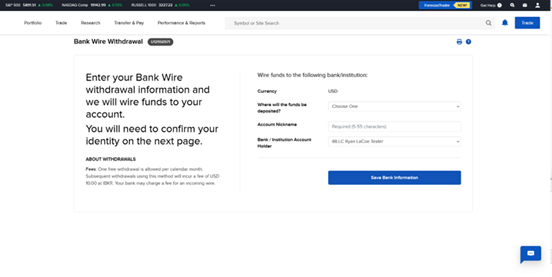 | ACTION=TransferFunds&method=WIRE&type=WITHDRAWAL¤cy=USD&showNavBar=false |
Request ParametersCopy Location
Copy Location
| Parameter | Type | Usage |
|---|---|---|
| ACTION | Varies based on action, see table below. | Optional- If not set OR invalid, user is directed to the Client Portal home page. |
| showNavBar | true false | Optional- If missing OR set to true, user will land on Client Portal home page. If set to false, navigation bar will not be displayed and this will create ‘IFRAME’. showNavBar=false is only supported for select features. IF set for unsupported feature, user will land on Client Portal home page. |
Common Target PagesCopy Location
Copy Location
| Landing Page | ACTION | IFRAME Supported? |
|---|---|---|
| Account Settings | ACTION=AccountSettings&SID=<> | Y |
| Auto Select Account (for Linked Accounts) | If the autoSelect parameter is passed with an account ID, portal will select that account on the landing page (if the account is available for selection). Example where U1234 = Account ID ACTION=autoSelect=U1234&noPickerClear=T Example if using auto select for Funding: ACTION=TransferFunds&autoSelect=U1234&noPickerClear=T | N |
| Link Existing Account to master | forwardTo=AA_LINKAGE&masterAccountId=<InsertMasterAccountIDHere> | N |
| Client Profile | ACTION=AccountSettings&config=Profile&SID=<> | Y |
| Recurring Investments | ACTION=RecurringInvestment&SID=<> | Y |
| Saved Banking Instructions | ACTION=FUNDING_INSTRUCTIONS&SID=<> | N |
| Statements | ACTION=Statement&SID=<> | Y |
| Trading Permissions | ACTION=AccountSettings&config=TradingPermissions&SID=<> | Y |
| Transaction History | Funding: ACTION=TransactionHistory&SID=<> All Transactions: ACTION=RpTransactionHistory&SID=<> | Y |
| Transfer Funds | ACTION=TransferFunds&SID=<> The following parameters can be set IF ACTION=TransferFunds type: DEPOSIT or WITHDRAWAL method: ACH, BPAY_NOTIFICATION, BILL_PAY_NOTIFICATION, CHECK_NOTIFICATION, DIRECT_DEPOSIT, EDDA, EFT, LVP, OPEN_BANKING, WIRE, WISE_BALANCE, WISE_BANK_NOTIFICATION,, WISE_OUTBOUND, currency: USD, CAD, HKD, CNH, EUR, GBP, AUD A few examples below: Deposit (Display all saved instructions): ACTION=TransferFunds&type=DEPOSIT¤cy=USD&SID=<> ACH Deposit: ACTION=TransferFunds&method=ACH&type=DEPOSIT¤cy=USD&SID=<> EFT Deposit: ACTION=TransferFunds&method=EFT&type=DEPOSIT¤cy=CAD&SID=<> Open Banking Plaid Europe: ACTION=TransferFunds&type=DEPOSIT&method=OPEN_BANKING¤cy=<GBPorEUR> Wire Deposit: ACTION=TransferFunds&method=WIRE_NOTIFICATION&type=DEPOSIT¤cy=XXX Wise Balance: ACTION=TransferFunds&method=WISE_BALANCE&type=DEPOSIT¤cy=XXX Wise Deposit: ACTION=TransferFunds&method=WISE_BANK_NOTIFICATION&type=DEPOSIT¤cy=XXX Withdrawal (Display all saved instructions): ACTION=TransferFunds&type=WITHDRAWAL¤cy=USD&SID=<> ACH Withdrawal: ACTION=TransferFunds&method=ACH&type=WITHDRAWAL¤cy=XXX EFT Withdrawal: ACTION=TransferFunds&method=EFT&type=WITHDRAWAL¤cy=CAD&SID=<> Local Bank Transfer: ACTION=TransferFunds&method=LVP&type=WITHDRAWAL¤cy=XXX SEPA Withdrawal: ACTION=TransferFunds&method=SEPA&type=WITHDRAWAL¤cy=XXX Wire Withdrawal: ACTION=TransferFunds&method=WIRE&type=WITHDRAWAL¤cy=XXX Wise Withdrawal: ACTION=TransferFunds&method=WISE_OUTBOUND&type=WITHDRAWAL¤cy=XXX | Y |
| Transfer Positions | ACTION=TransferPositions&SID=<> The following parameters can be set IF ACTION=TransferPositions type: POSITION_INBOUND, POSITION_OUTBOUND, INTERNAL method: ACATS, ATON, FOP, DRS, DWAC, ASSET_TRANSFER A few examples below: Incoming ACATS Transfer: ACTION=TransferPositions&type=POSITION_INBOUND&method=ACATS&SID=<> Incoming US FOP: ACTION=TransferPositions&type=POSITION_INBOUND&method=FOP&SID=<> Internal Transfer: ACTION=INTERNAL&SID=<> Outgoing Basic Non-US FOP: ACTION=TransferPositions&type=POSITION_OUTBOUND&method=ASSET_TRANSFER&SID=<> | Y |
| Target | ACTION | Limitations |
|---|---|---|
| Account Alias | ACTION=AccountSettings&config=AccountAlias&SID=<> | |
| Account Confirmation Letter | ACTION=RM_ACCOUNT_CONFIRMATION_LETTER&SID=<> | |
| Account Inheritance | ACTION=AccountSettings&config=AccountBeneficiary&SID=<> | |
| Account Type | ACTION=ACCOUNT_TYPE&SID=<> | |
| Account Type | ACTION=AccountSettings&config=AccountType&SID=<> | |
| Activity Notifications | ACTION=AM_NOTIFICATIONS&SID=<> | |
| Add External Account | ACTION=ADD_EXTERNAL_ACCOUNTS&SID=<> | |
| Administrator Search | ACTION=TA_VIEW_ADM_MKT_PLACE&SID=<> | |
| Advertise Services | ACTION=MpApply&SID=<> | |
| Advisor Authorizations | ACTION=AccountSettings&config=AdvisorAuthorizations&SID=<> | |
| Advisor Search | ACTION=ADVISORS_MKT_PLACE_SEARCH&SID=<> | |
| Alert Notification | ACTION=ALERT_NOTIFICATION&SID=<> | |
| Alert Notification | ACTION=UserSettings&config=AlertNotification&SID=<> | |
| ASIC Short Positions Reporting | ACTION=AccountSettings&config=AsicShortPosition&SID=<> | |
| Audit Trail | ACTION=AccountSettings&config=AuditTrail&SID=<> | |
| Base Currency | ACTION=AccountSettings&config=BaseCurrency&SID=<> | |
| Bill Pay | ACTION=BILL_PAY&SID=<> | |
| Cash Management | ACTION=CASH_MGMT&SID=<> | |
| CFDs and Metals | ACTION=AccountSettings&config=UklAccountCreation&SID=<> | |
| Chat under Support | ACTION=CS_CHAT&SID=<> | |
| Close Account | ACTION=CLOSE_ACCOUNT&SID=<> | |
| Close Account | ACTION=AccountSettings&config=CloseAccount&SID=<> | |
| Commission Pricing Structure | ACTION=COMM_PRICE_STRUCTURE&SID=<> | |
| Contact IB | ACTION=CS_CONTACT_IB&SID=<> | |
| Contract Details | ACTION=CONTRACT_DETAILS&SID=<> | |
| Contract Search | ACTION=CS_CONTRACT_SEARCH&SID=<> | |
| Corp Action | ACTION=CS_CORP_ACTION&SID=<> | |
| Debit Card Signup for Clients | ACTION=AccountSettings&config=ClientDebitcardConfig&SID=<> | |
| Declared Investor Status | ACTION=AccountSettings&config=SingaporeInvestorCategory&SID=<> | |
| Dividend Election | ACTION=AccountSettings&config=DividendReinvestment&SID=<> | |
| Email Address | ACTION=CHANGE_EMAIL&SID=<> | |
| Email Address | ACTION=UserSettings&config=EmailAddress&SID=<> | |
| EMIR & LEI Information | ACTION=AccountSettings&config=Emir&SID=<> | |
| Excess Funds Sweep | ACTION=AccountSettings&config=ExcessFundsSweep&SID=<> | |
| Exposure Fee | ACTION=RM_EXPOSURE_FEE&SID=<> | |
| Financial Info | ACTION=FINANCIAL_INFO&SID=<> | |
| Financial Profile | ACTION=AccountSettings&config=FinancialInfo&SID=<> | |
| Financial Transactions | ACTION=FINANCIAL_TRANS_HISTORY&SID=<> | |
| Find Services | ACTION=MpSearch&SID=<> | |
| Flex Queries | ACTION=RM_FLEX_QUERIES&SID=<> | |
| Flex Queries Delivery | ACTION=FLEX_QUERIES_DELIVERY&SID=<> | |
| Flex Queries Delivery | ACTION=UserSettings&config=FlexQueriesDelivery&SID=<> | |
| Flex Web Service | ACTION=AccountSettings&config=FlexWebService&SID=<> | |
| FYI Notifications | ACTION=AccountSettings&config=IbfyiNotification&SID=<> | |
| Goal Tracker | ACTION=GoalTracker&SID=<> | |
| Groups & Households | ACTION=Groups&SID=<> | |
| HFCIP Search | ACTION=TA_HFCI_VIEW&SID=<> | |
| IB FYI | ACTION=TA_FYI&SID=<> | |
| IB Notes | ACTION=AccountSettings&config=IbNotes&SID=<> | |
| IB SLB Tools | ACTION=CS_SLB&SID=<> | |
| IBKR Pricing Plan | ACTION=IBKR_LITE&SID=<> | |
| IBKR Pricing Plan | ACTION=AccountSettings&config=ibkrLite&SID=<> | |
| Institutional Services | ACTION=AccountSettings&config=InstitutionalService&SID=<> | |
| Insured Bank Deposit Sweep Program | ACTION=AccountSettings&config=PROMONTORY_CONFIG&SID=<> | |
| Investor Category | ACTION=AccountSettings&config=InvestorCategory&SID=<> | |
| IP Restrictions | ACTION=UserSettings&config=IpRestriction&SID=<> | |
| IPO Subscription Permission | ACTION=AccountSettings&config=IpoSubscriptionConfig&SID=<> | |
| IRA Activity | ACTION=AccountSettings&config=IraActivity&SID=<> | |
| IRA Conversion | ACTION=AccountSettings&config=IraConversion&SID=<> | |
| IRA Recharacterization | ACTION=AccountSettings&config=IraRecharacterization&SID=<> | |
| Large Trader ID | ACTION=AccountSettings&config=LargeTraderId&SID=<> | |
| Link Account to Advisor/Broker/Administrator | ACTION=LINK_ACCOUNT&SID=<> | |
| Link Account to Advisor/Broker/Administrator | ACTION=AccountSettings&config=Linkage&SID=<> | |
| Manage Administrators | ACTION=AccountSettings&config=AdminManagement&SID=<> | |
| Market Data Assistant | ACTION=CS_MARKET_DATA_ASSISTANT&SID=<> | |
| Market Data Restriction | ACTION=UserSettings&config=MarketDataRestriction&SID=<> | |
| Market Data Subscriptions | ACTION=UserSettings&config=MarketData&SID=<> | |
| Market Overview | ACTION=ACCT_MGMT_MAIN&loginType=1&clt=0&RL=1#/markets&SID=<> | |
| Marketing Preference | ACTION=MKT_PREFERENCE&SID=<> | |
| Marketing Preferences | ACTION=UserSettings&config=MarketingPreference&SID=<> | |
| Message Center | ACTION=CS_WEB_TICKET&SID=<> | |
| Message Center Notification Settings | ACTION=UserSettings&config=MessageCenterNotification&SID=<> | |
| Message Center Notifications | ACTION=CS_MESSAGE_CENTER_NOTIFICATIONS&SID=<> | |
| Mifid Client Category | ACTION=MIFID_CLIENT_CATEGORY&SID=<> | |
| MiFID Client Category | ACTION=AccountSettings&config=MifidClientCategory&SID=<> | |
| Mifir | ACTION=AccountSettings&config=Mifir&SID=<> | |
| Mobile Number | ACTION=UserSettings&config=MobileNumber&SID=<> | |
| Mobile Number Configuration | ACTION=MOBILE_VERIFICATION&SID=<> | |
| Money Manager Search | ACTION=TA_VIEW_MM_MKT_PLACE&SID=<> | |
| New Features Poll (New) / Provide Feedback | ACTION=FEEDBACK&SID=<> | |
| New ticket creation | ACTION=NEW_TICKET&SID=<> | |
| Non-US Dividend Tax Relief | ACTION=AccountSettings&config=DividendTaxRelief&SID=<> | |
| Online Features | ACTION=UserSettings&config=VoterSubscription&SID=<> | |
| Online Features (a.k.a. Voter Registration) | ACTION=UM_VOTER_REGISTRATION&SID=<> | |
| Open an Additional Account | ACTION=AccountSettings&config=AdditionalAccount&SID=<> | |
| Order Ticket | ACTION=ACCT_MGMT_MAIN&loginType=1&clt=0&RL=1#/order-ticket/stock&SID=<> | Requires a minimum of 1200px width. If smaller then we only provide side-car order ticket which doesn’t open on a new page. Meaning, this can only be used when connecting from desktop browser, not mobile. |
| Other Reports | ACTION=RM_MARGIN_REPORTS&SID=<> | |
| Paper Trading Account | ACTION=AccountSettings&config=PaperTrading&SID=<> | |
| Paper Trading Account Reset | ACTION=AccountSettings&config=PaperTradingReset&SID=<> | |
| Paper Trading Configuration | ACTION=TA_PAPER_TRADING&SID=<> | |
| Password | ACTION=UserSettings&config=Password&SID=<> | |
| Password Change | ACTION=PASSWORDCHG&SID=<> | |
| PDT Reset under Support | ACTION=PDTRESET_STATUSCHECKED&SID=<> | |
| Pending Items | ACTION=DOC&SID=<> | |
| Portfolio | ACTION=ACCT_MGMT_MAIN&loginType=1&clt=0&RL=1#/portfolio&SID=<> | |
| Portfolio Analyst | ACTION=PA_DELIVERY&SID=<> | |
| Portfolio Analyst | ACTION=PORTFOLIOANALYST&SID=<> | |
| PortfolioAnalyst | ACTION=RM_PORTFOLIO_ANALYST&SID=<> | |
| PortfolioAnalyst Delivery | ACTION=UserSettings&config=PaDelivery&SID=<> | |
| PRIIPS | ACTION=CS_PRIIPS&SID=<> | |
| Professional Advisor Qualification | ACTION=AccountSettings&config=ProAdvisorQualification&SID=<> | |
| Profile | ACTION=AccountSettings&config=Profile&SID=<> | |
| Promontory | ACTION=promontory&SID=<> | |
| Questionnaire | ACTION=QUESTIONNAIRE&SID=<> | |
| Read-Only Access | ACTION=UserSettings&config=TradingReadOnly&SID=<> | |
| Read-only Setting | ACTION=TA_MOBILE_READONLY&SID=<> | |
| Refer a Friend | ACTION=AccountSettings&config=FriendReferral&SID=<> | |
| Registration Information | ACTION=AccountSettings&config=JurisdictionInfo&SID=<> | |
| Regulatory Information | ACTION=AccountSettings&config=RegulatoryInformation&SID=<> | |
| Required Minimum Distribution Calculator | ACTION=Rmd&SID=<> | |
| Research Subscriptions | ACTION=TA_DATA_SERVICES&SID=<> | |
| Research Subscriptions | ACTION=UserSettings&config=ResearchSubscription&SID=<> | |
| Risk Appetite Questionnaire | ACTION=AccountSettings&config=BondRiskAppetite&SID=<> | |
| Risk Scores | ACTION=RiskScores&SID=<> | |
| Risk Scores | ACTION=AccountSettings&config=AdvisorQuestionnaireEdito&SID=<> | |
| Section 13 | ACTION=AccountSettings&config=Acors&SID=<> | |
| Secure Login Settings | ACTION=SECURE_LOGIN&SID=<> | |
| Secure Login System | ACTION=UserSettings&config=SecureLogin&SID=<> | |
| Securities Class Action Recovery | ACTION=AccountSettings&config=litigationRecovery&SID=<> | |
| Security Questions | ACTION=UserSettings&config=SecurityQuestions&SID=<> | |
| Settings | ACTION=ACCOUNT_SETTINGS&SID=<> | |
| SFTR | ACTION=AccountSettings&config=Sftr&SID=<> | |
| SMS Address | ACTION=UserSettings&config=SmsAddress&SID=<> | |
| SMS Alerts | ACTION=SMS_ALERTS&SID=<> | |
| SMS Alerts | ACTION=UserSettings&config=SmsAlerts&SID=<> | |
| Soft Dollar Configuration | ACTION=AccountSettings&config=SoftDollar&SID=<> | |
| Soft Dollars Disbursement | ACTION=AccountSettings&config=SoftDollarDisbursement&SID=<> | |
| Statements | ACTION=Statement&SID=<> | |
| Statements Delivery | ACTION=UserSettings&config=StatementsDelivery&SID=<> | |
| Stock Yield Enhancement Program | ACTION=AccountSettings&config=SYEP&SID=<> | |
| Support | ACTION=Support&SID=<> | |
| Tax Reports | ACTION=RM_FIFO_COST_BASIS&SID=<> | |
| Tax Reports | ACTION=RM_TAX_FORMS&SID=<> | |
| Third-Party Services | ACTION=AccountSettings&config=ThirdPartyServices&SID=<> | |
| Tools page under support | ACTION=IB_TOOLS&SID=<> | |
| Trade Cancellation Request | ACTION=CS_TRADE_CANCEL&SID=<> | |
| Trade Execution Notification | ACTION=UserSettings&config=ActivityNotification&SID=<> | |
| Trade In Fractions | ACTION=TRADE_IN_FRACTIONS&SID=<> | |
| Trade in Fractions | ACTION=AccountSettings&config=tradeInFrACTIONs&SID=<> | |
| Trader Referral | ACTION=AccountSettings&config=TraderReferral&SID=<> | |
| Trading Permissions | ACTION=AccountSettings&config=TradingPermissions&SID=<> | |
| Trading Restrictions | ACTION=AccountSettings&config=TradingRestrictions&SID=<> | |
| Transfer Existing ISA | ACTION=IsaAccountTransfer&SID=<> | |
| Trusted Contact Person | ACTION=AccountSettings&config=TrustedContact&SID=<> | |
| VAT | ACTION=AccountSettings&config=SalesTax&SID=<> | |
| Virtual FX Tracking | ACTION=AccountSettings&config=VirtualFxPortfolioTracking&SID=<> | |
| White Branding | ACTION=AccountSettings&config=WhiteBranding&SID=<> | |
| Why is it moving | ACTION=ACCT_MGMT_MAIN&loginType=1&clt=0&RL=1#/markets&SID=<> |
Pre-Trade ComplianceCopy Location
Copy Location
The /api/v1/restrictions can be used to apply trade-related rules and restrictions to an account or user, or to an entire account family, including all client/sub-accounts. Updates to PTC restrictions, rules, and associations can be sent to IBKR using RESTful Web API.
/api/v1/restrictions
/api/v1/restrictions/verify: Service is used to validate that the contents included in the CSV file is in good order.
Restrictions will be sent in CSV Format and will be sent in same format that is used to upload CSV files within the IBKR Hosted Platform.
| Name | Value | Description |
|---|---|---|
| userName required | String | IBKR user ID of the individual intiating the request.The user ID must have access rights to ‘Pre Trade Compliance’. |
| requestId required | Non-negative integer value. | Unique identifier associated with the request. requestId will need to be unique for each requestId . If requestId was previously processed, error will be thrown. |
| payload required | String | CSV file encoded in base64. |
JSON Requestconst body = { |
| Name | Value | Description |
|---|---|---|
| success | Boolean | Indicate whether the content of the file is valid or not. true: Indicates the file is valid. false: Indicates the file is not valid and cannot be processed. |
| requestId | Non-Negative integer value | reqId that was processed. |
| message | String | If success=false, the message will have some information about the error. |
JSON ResponseCopy Location
Copy Location
{ "success": "<true|false>", |
SampleCopy Location
Copy Location
Success{"success":true,"requestId":20211635375984312,"message":"OK"} |
Callback NotificationsCopy Location
Copy Location
IBKR will send notifications via RESTful Web API when status of a request changes. The notifications provided via the callback service have the same format as polling for a status (ie. /gw/api/v1/accounts/{accountId}/status) . Notifications are available for Client Registration, Account Information Changes, and Funding Requests that originate using Account Management API and IBKR Portal.
- Callback service is available by request only. To configure the service, provide the following information to am-api@interactivebrokers.com:
- URL which callback notifications should be sent to
- Master account ID which the callback service should be configured for
- IBKR will register the URL and configure the callback service for your account. This can take 2-3 weeks.
- Clients enabled for Callback Notification can still use Polling for Status without any restrictions.
View Callback NotificationsCopy Location
Copy Location
Callback notification is sent as a signed JWT.
- Content-Type header: application/jwt
The api.ibkr.com/oauth2/api/v1/jwks URL can be used to locate corresponding public key that is used to validate the signature.
| Service | request_type | Sample Notification (Accepted) | Sample Notification (Rejected) |
|---|---|---|---|
| POST /gw/api/v1/accounts | ACCT_OPENING | { | { |
| PATCH /gw/api/v1/accounts ‘AddCLPCapability’ | ADD_CLP | { | { |
| PATCH /gw/api/v1/accounts ‘AddLEVFXCapability’ | ADD_LEVFX | { | { |
| PATCH /gw/api/v1/accounts ‘AddTradingPermissions’ | ADD_TRADING | { | { |
| PATCH /gw/api/v1/accounts ‘ChangeFinancialInformation’ | CHANGE_FIN_INFO | { | { |
| PATCH /gw/api/v1/accounts ‘ChangeMarginType’ | CHANGE_MARGIN | { | { |
| PATCH /gw/api/v1/accounts ‘RemoveTradingPermissions’ | REMOVE_TRADING | { | { |
| /gw/api/v1/bank-instructions* /gw/api/v1/client-instructions* /gw/api/v1/instruction* /gw/api/v1/external-asset-transfers* /gw/api/v1/external-cash-transfers* /gw/api/v1/internal* | All ‘POST’ requests | { |
Application SchemaCopy Location
Copy Location
While fields for registration will vary based on various factors including the account type, IB entity, and permissions, the JSON should always include the following:
- customer
- accounts
- users
This section includes information on objects and attributes for client registration, validations, and supported enumerations. List of required fields for client application based on account type can be found here.
EnumerationsCopy Location
Copy Location
The /api/v1/enumerations/{enumerationType} can be used to obtain supported enumerations for select attributes and objects.
Supported Types
| Type | Description | Query Filters (Optional) |
|---|---|---|
acats | Query most up to date values for brokerId and brokerName. Used if funding via US ACATS extPositionsTransfers. | |
aton | Query most up to date values for brokerId and brokerName. Used if funding via ATON Canada extPositionsTransfers. | |
business-and-occupation | List of occupation AND employerBusiness for employmentDetails. | |
complex-asset-transfer | Query most up to date values for brokerName. Used if submitting a ComplexAssetTransfer (Basic FOP) | |
countries | List of country codes that are accepted. Contains information from the ISO-3166 database (https://opendatacommons.org/licenses/by/1-0/) which is made available under the ODC Attribution License. | |
employee-plans | View EPA that are linked to master account (applicable IF offering SEP IRA accounts). | |
employee-track | Query most up to date companyId for account. For affiliationDetails, if company has an existing IBKR Employee Track account. | |
exchange-bundles | Query most up to date list of exchangeGroup for TradingPermissions. | |
fin-info-ranges | Query most up to date range IDs by currency for annualNetIncome, netWorth, liquidNetWorth. | currency ibEntity |
market-data | View list of market data subscriptions. | |
product-country-bundles | Query most up to date list of product bundles (country and product) for TradingPermissions. | |
prohibited-country | View the list of prohibited countries. An error will be triggered if a prohibited country is provided for any field except Citizenship or Country of Birth. Applicants who reside in, are employed in, maintain tax residency in, or maintain a phone number in a prohibited country are restricted from opening an account with IBKR. | |
questionnaires | Query questions associated with EDD (Enhanced Due Diligence) or AVT (Additional Verification) tasks assigned to an account. | form-number |
quiz-questions | Obtain list of questions associated with IBKR knowledge assessment. | form-number |
security-questions | Obtain list of questions supported for IBKR security questions. | |
states | List of state and province codes that are accepted. Contains information from the ISO-3166 database (https://opendatacommons.org/licenses/by/1-0/) which is made available under the ODC Attribution License. |
AssociatedIndividualCopy Location
Copy Location
AssociatedIndividual represents data for individuals that are associated with the account. Required fields for the individual fill vary based on the association and account type.
- Individual: customer > accountHolder > accountHolderDetails
- Retirement:
- customer > accountHolder > accountHolderDetails
- accounts> iraBeneficiaries > primaryBeneficiaries AND contingentBeneficiaries
- Joint: customer > jointHolder > firstHolderDetails and secondHolderDetails
- Trust: customer > trust > grantors AND beneficiaries
- Organization: customer > organization > associatedEntities > associatedIndividuals AND associatedEntities
RequiredCopy Location
Copy Location
- The
externalId,externalUserId, andexternalIndividualIdare unique identifiers which the counterparty assigns. The identifier can be used as a mapping to map the IBKR account with the account/user information within counterparty’s system. externalIdis present within application multiple times including:customer= Represents the customer which the account is associated withaccountHolderDetails, firstHolderDetails, secondHolderDetails: Represents Individuals associated with the account.accountHolder, jointHolder= Represents the account itselfusers(externalUserIdandexternalIndividualId)= Represents users associated with the account.
| Name | Description |
|---|---|
| externalId required | String; max 64 characters |
Sample
"externalId": "testapplication1234", |
Required
| FD | FA | OWD | NonQI | ND-QI | ND-QI (NT) |
|---|---|---|---|---|---|
| ✓ | ✓ | ✓ | ✓ | ✓ | ✓ |
{"name": {"first": "Jane", "middle": "May", "last": "Doe" ,"salutation":"Mrs."}, |
| Name | Type | Description |
|---|---|---|
| first | String; max characters 50 | Legal first name of the applicant. |
| middle | String; max characters 50 | Middle name of the applicant. |
| last | String; max characters 50 | Legal last name of the applicant. |
| salutation | Mr. Mrs. Ms. Dr. Mx. Ind. | Salutation of the applicant. |
- The
firstandlastare required. If either are missing, error will be thrown.
"email": test@ibkr.com, |
| Name | Type | Description |
|---|---|---|
| String | Email address of the associated person. |
- Regular Expression (REGEX)
^[A-Z0-9][A-Z0-9._%+-]{0,63}@(?:(?=[A-Z0-9-]{1,63}[.])[A-Z0-9]+(?:-[A-Z0-9]+)*[.]){1,8}[A-Z]{2,63}$ - Error thrown if email address is same as master account.
{"residenceAddress": {"street1": "1 Tester Street", "city": "London", "state": "GB-ENG" ,"country":"GBR","postalCode": "SW10 9QL"}, |
| Name | Type | Description |
|---|---|---|
| country | 3 Digit ISO Code | Country which the applicant resides. |
| state | 3166-2 ISO Code | State/Province which the applicant resides. |
| city | String; Max characters 100 | City which the applicant resides. |
| postalCode | String; Max characters 20 | Postal / Zip code. For countries that do not provide postal code, please enter “00000″ |
| street1 | String; Max characters 200 | Street which applicant resides |
| street2 | String; Max characters 200 | Street which applicant resides |
- If the mailing address is different from the address provided in
residenceAddresselement, THEN you will also includemailingAddresselement. - Post Office Box is not accepted for
residentialAddress. - Our system validates
street1andstreet2included withinresidenceAddressattribute to ensure Post Office Box address is not provided.- An error will be thrown if the below combinations are included within
street1ORstreet2:- PB
- PO Box
- Post Office Box
- P.O. Box
- In care of
- General Delivery
- Regular Expression to validate street_1 and street_2:
- English:
(?:P(?:ost(?:al)?)?[\.\-\s]*(?:(?:O(?:ffice)?[\.\\s]*)?B(?:ox|in|\b|\d)|o(?:ffice|\b)(?:[-\s]*\d)|code)|box[-\s]*\d) - Chinese Simplified:
PO Box (?i)\b((邮政信箱) [0-9]*)\bChinese Traditional: PO Box (?i)\b((郵政信箱) [0-9]*)\b
- English:
- An error will be thrown if the below combinations are included within
| FD | FA | OWD | NonQI | ND-QI | ND-QI (NT) |
|---|---|---|---|---|---|
| ✓ | ✓ | ✓ | ✓ | ✓ | ✓ |
Dependent on typeCopy Location
Copy Location
"countryOfBirth": "GBR", |
| Name | Type | Description |
|---|---|---|
| CountryOfBirth | 3 Digit ISO Code | Country which the applicant was born. |
- Accounts are accepted from citizens or residents of all countries except citizens or residents of those countries that are prohibited by the US Office of Foreign Assets Control.
- Click here for a list of all available countries.
- If countryOfBirth is classified as a ‘Prohibited Country’,
prohibitedCountryQuestionnaireis required. - List of Prohibited Countries an be obtained using
/api/v1/enumerations/prohibited-countryendpoint.
"dateOfBirth": "1990-08-14" |
| Name | Type | Description |
|---|---|---|
| dateOfBirth | YYYY-MM-DD | Date of birth of the applicant. The applicant must be 18 years or older to open an account. |
- If the YYY-MM-DD < 18 years error will be triggered and the account will not be created.
- If YYYY-MM-DD < 21 the applicant is restricted to opening a CASH account only.
- UGMA and UTMA accounts are available for minors 18 years of age or younger. An individual or entity who manages an account for a minor until that minor reaches a specific age. Available to US residents only.
- This application must be opened using the front-end application which is available within the IBKR Portal.
- Assets held in a single account managed by a single Custodian user.
- Error will be thrown if
dateOfBirthis any value other than YYYY-MM-DD. The below formats will trigger errors:
"employmentDetails": {} |
| Name | Type | Description |
|---|---|---|
| employer | String; max characters 128 | Name of the employer |
| employerBusiness | Use /api/v1/enumerations/business-and-occupation to get accepted values. | |
| occupation | | |
| country | 3 Digit ISO Code | Country which the employer is located. |
| state | 3166-2 ISO Code | State/Province which the employer is located. |
| city | String; Max characters 100 | City which the employer is located. |
| postalCode | String; Max characters 20 | Postal / Zip code.For countries that do not provide postal code, please enter “00000″ |
| street1 | String; Max characters 200 | Street which employer is located. |
| emplCountryResCountryDetails | String; Max characters 200 | Explain why country of employment is different from country of current residence. |
| description | String; Max characters 200 | Required IF business OR occupation= OTHER*Other is not case/space sensitive. |
| businessDescription | String; Max characters 256 | Required IF employmentType is “SELFEMPLOYED” Business description, including the industry sector you are in, which countries you operate in, the products/services you offer, and the primary source of your revenue. |
employmentType: "EMPLOYED"OR “SELFEMPLOYED”- FA and FD clients with IBLLC, IB-IE, IB-CE, and IB-UK: Full
employerAddress(country, state, city, street1, postalCode) is required - All other clients,
countrywithinemployerAddressis required.
- FA and FD clients with IBLLC, IB-IE, IB-CE, and IB-UK: Full
- If
employmentType:"EMPLOYED" employmentType: "SELFEMPLOYED"employerAddresscan be the same asresidenceAddressORmailingAddress.businessDescriptionis required.
- EmploymentType=”EMPLOYED” OR “SELFEMPLOYED”
- When the country included within
residenceAddressnode is different from the country included withinemployerAddressnode, THENemplCountryResCountryDetailsis required within theemploymentDetailsnode.
- When the country included within
"employmentType": "EMPLOYED", |
| Name | Type | Description |
|---|---|---|
| employmentType | UNEMPLOYED EMPLOYED SELFEMPLOYED RETIRED STUDENT ATHOMETRADER HOMEMAKER | Employment Status of the associated individual. |
- IF
employmentType= EMPLOYED OR SELFEMPLOYED THEN EmploymentDetails are required.
"gender": "MALE", |
| Name | Type | Description |
|---|---|---|
| gender | Male Female | Gender of the Applicant. |
- Required for India and EEA applicants that are required to report MiFIR Data.
- MiFIR Transaction Reporting applies to European Economic Area (“EEA”) Investment Firms. As a client of an investment firm that uses the platform, you may be required to provide additional information to allow the proper transaction reports to be filed. More Information
Acceptable id document is dependent the country which associated individual resides.
"identification": {"citizenship": "MEX", "alienCard": "989444798", "issuingCountry": "MEX"},
"identification": {"citizenship": "AUS", "driversLicense": "989444798", "issuingCountry": "AUS", "expire": true, "expirationDate": "2029-03-22", "rta":"9999999", "issuingState":"AU-QLD"},
"identification": {"citizenship": "MEX", "driversLicense": "989444798", "issuingCountry": "MEX", "expire": true, "expirationDate": "2029-03-22"},
"identification": {"citizenship": "MEX", "nationalCard": "989444798", "issuingCountry": "MEX"},
"identification": {"citizenship": "CHN", "HKTravelPermit": "HO1234567", "issuingCountry": "CHN", "expire": true, "expirationDate": "2029-03-22"},
"identification": {"citizenship": "IND", "panNumber": "AABPK6504E", "issuingCountry": "IND"}
"identification": {"citizenship": "MEX", "passport": "989444798", "issuingCountry": "MEX", "expire": true, "expirationDate": "2029-03-22"},
"identification": {"citizenship": "CAN", "sin": "989444798", "issuingCountry": "CAN"},
"identification": {"citizenship": "USA","SSN": "989444798", "issuingCountry": "USA"}
"identification": {"citizenship": "ESP", "taxId": "989444798", "issuingCountry": "ESP"},
| Name | Type | Description |
|---|---|---|
| citizenship | 3 Digit ISO Code | Citizenship of the applicant. If citizenship is classified as a ‘Prohibited Country’, THEN prohibitedCountryQuestionnaire is required.List of Prohibited Countries an be obtained using /api/v1/enumerations/prohibited-country endpoint. |
| citizenship2 | 3 Digit ISO Code | If the applicant has multiple citizenship, provide the additional citizenship of the applicant. If citizenship2 is classified as a ‘Prohibited Country’, THEN prohibitedCountryQuestionnaire is required.List of Prohibited Countries an be obtained using /api/v1/enumerations/prohibited-country endpoint. |
| citizenship3 | 3 Digit ISO Code | If the applicant has multiple citizenship, provide the additional citizenship of the applicant. If citizenship3 is classified as a ‘Prohibited Country’, THEN prohibitedCountryQuestionnaire is required.List of Prohibited Countries an be obtained using /api/v1/enumerations/prohibited-country endpoint. |
| issuingCountry | 3 Digit ISO Code | Issuing country of the ID document. |
| issuingState | 3166-2 ISO Code | Required if driversLicense issued in Australia is provided. |
| expire | true false | Indicate IF ID document has an ExpirationDate. |
| expirationDate | YYYY-MM-DD | Provide expiration date of the ID document. Cannot be past date. If driversLicense OR passport is provided AND expirationDate is missing, an error will be thrown. |
| rta | String | Only applicable IF ID_Type=DriversLicense AND IssuingCountry=AUS |
| ssn | String | Social Security Number: Required for US Residents and citizens. REGEX:(?!123456789|219099999|078051120)(?!666|000)\d{3}(?!00)\d{2}(?!0{4})\d{4}$ |
| sin | String | Social Insurance Number: Required for Canada Residents and citizens. REGEX: ^\d{9}$ |
| panNumber | String | India PanCard, required for India Residents and citizens. REGEX: [A-Z]{5}\d{4}[A-Z]{1}$ |
| driversLicense | String | Drivers License REGEX by Country: AUS: ^.{0,64}$ NZL: ^[A-Z]{2}\d{6}$ |
| passport | String | Passport REGEX by Country: AUS: ^([a-zA-Z0-9]{7,10})$ CAN: ^[a-zA-Z0-9]{6,10} CHN: (^[A-Za-z0-9]{9})|\d{18}$ IND: ^[a-zA-Z]{1}[0-9]{7} SGP: [A-Za-z0-9]{8,10}$ USA: (^[a-zA-Z]*\d{6,9})|(\d{3}-\d{3}-\d{3})$ |
| nationalCard | String | National Identification Card REGEX by Country: ARG: ^\d{8}$ FRA: ^\d{15}$ FRA: ^([A-Za-z0-9]{9})|(\d{4}([A-Z]|\d){3}\d{5})$ ITA: ^([A-Z]{2}\d{7}|\d{7}[A-Z]{2}|[A-Z]{2}\d{5}[A-Z]{2})$ MEX: ^[A-Z]{4}\d{6}[A-Z]{6}\d{2}$ MYS: ^\d{12}$ RUS: ^\d{9}$ RUS: ^\d{10}$ SAU: ^1|2 ZAF: ^\d{13}$ |
| taxId | String | Tax ID TIN within <taxResidencies>foreignTaxId within <w8Ben> REGEX by Country: AUS: ^(\d{8}|\d{9})$ AUT: ^\d{9}$ BEL: ^\d{11}$ BGR: ^\d{10}$ BRA: ^\d{11}$ CHE: ^756\d{10}$ CHN: ^\d{17}(\d|X)$ CHN: ^(?:[0-9TMHWC][0-9]{16}[0-9A-Za-z]|[0-9TMHWC][0-9]{17}|J[0-9]{14})$ CYP: ^[069]\d{7}[A-Z]$ CZE: ^\d{9,10}$ DEU: ^\d{11}$ DNK: ^\d{10}$ ESP: ^(\d{8}[A-Z]{1})|([A-Z]{1}\d{7}[A-Z]{1})$ EST: ^\d{11}$ FIN: ^((\d{6}A\d{3}|\d{9})[0-9A-Z])$ FRA: ^[0-3]\d{12}$ GBR: ^[A-Z]{2}\d{6}[ABCD]{1}$ GRC: ^\d{9}$ HKG: ^[A-Z]{1,2}[0-9]{6}([0-9]|A)$ HRV: ^\d{11}$ HUN: ^(8\d{9})$ IDN: ^\d{16}$ IRL: ^\d{7}[A-Z]{1,2}$ ISL: ^\d{10}$ ISR: ^\d{9}$ ITA: ^[A-Z]{6}\d{2}[A-Z]\d{2}[A-Z]\d{3}[A-Z]$ KOR: ^\d{13}$ LTU: ^\d{11}$ LUX: ^\d{13}$ LVA: ^\d{11}$ MLT: ^(\d{9}|\d{7}[A-Z])$ MYS: ^(\d{12}|IG\d{9,11})$ NLD: ^\d{9}$ NOR: ^\d{11}$ POL: ^\d{11}$ PRT: ^[1234]\d{8}$ ROU: ^\d{13}$ RUS: ^\d{12}$ SGP: ^[A-Z]\d{7}[A-Z]$ SVK: ^\d{9,10}$ SVN: ^[1-9]\d{7}$ SWE: ^(\d{10}|\d{12})$ TUR: ^\d{11}$ UKR: ^\d{10}$ |
| alienCard | String | Alien Card |
| cardColor | BLUE GREEN YELLOW | Required if MedicareCard is provided. |
| medicareCard | String; 10 digits. | Only applicable for Australia residents. |
| mediCareReference | String; between 1-9 digits. | Required if MedicareCard is provided. |
"w8Ben": { |
| Name | Type | Description |
|---|---|---|
| taxAuthority | CANADA_TAAUSTRALIA_TAIRELAND_TAISRAEL_TA | Tax Certification |
| qualify | True False | Does the account holder qualify for ‘taxAuthority’ treaty benefits |
| treatyCountry | 3 Digit ISO Code | If yes, provide Treaty Country. N/A is accepted for Non-Treaty Countries. Canada Treaty Countries: https://www.canada.ca/en/department-finance/programs/tax-policy/tax-treaties/in-force.html Australia Countries: https://treasury.gov.au/tax-treaties/income-tax-treaties Israel Countries: https://www.gov.il/en/departments/dynamiccollectors/international_agreements |
- IF
sameMailAaddress: “false” THENmailingAddressis required.
| Name | Type |
|---|---|
| country required | 3 Digit ISO Code |
| state required | 3166-2 ISO Code |
| city required | String; Max characters 100 |
| postalCode required | String; Max characters 20 Postal / Zip code. For countries that do not provide postal code, please enter “00000″ |
| street1 required | String; Max characters 200 |
| street2 | String; Max characters 200 |
Example
{"mailingAddress": {"street1": "1 Tester Street", "city": "London", "state": "GB-ENG" ,"country":"GBR","postalCode": "SW10 9QL"}, |
Required
| FD | FA | OWD | NonQI | ND-QI | ND-QI (NT) |
|---|---|---|---|---|---|
| ✓ | ✓ | ✓ | ✓ | ✓ | – |
| Name | Type |
|---|---|
| maritalStatus required | S= Single M= Married W= Widowed D= Divorced C= Common law partner |
Example
"maritalStatus": "S", |
Required
| FD | FA | OWD | NonQI | ND-QI | ND-QI (NT) |
|---|---|---|---|---|---|
| ✓ | ✓ | – | – | – | – |
{"nativeName": {"first": "ון", "middle": "סמית", "last": "סמית" ,"salutation":"Mrs."}, |
| Name | Type | Description |
|---|---|---|
| first | Required- String; max characters 50 | Legal first name of the applicant. |
| middle | String; max characters 50 | Middle name of the applicant. |
| last | Required- String; max characters 50 | Legal last name of the applicant. |
| salutation | Mr. Mrs. Ms. Dr. Mx. Ind. | Salutation of the applicant. |
- Required for Russia and Israel Applicants.
- Error will be thrown IF first OR last are missing or null value is provided.
- Optional for other countries.
"numDependents": 0, |
| Name | Type | Description |
|---|---|---|
| numDependents | Number | Provide number of Individuals the Account Holder Supports (excluding the account holder). Account holder must provide at least half of the person’s total support for the year. |
ownershipPercentage": 100, |
| Name | Type | Description |
|---|---|---|
ownershipPercentage | number |
- Set ownership percentage for each indivdual associated with the account.
- Joint:
ownershipPercentageis ignored unlesstypeistenants_common. - IRA and TRUST:
ownershipPercentageacross all beneficiaries must add up to 100 or else error will be triggered.
- Joint:
"phones": [ {"type": "Mobile", "number": "2034228988", "country": "USA", "isVerified": true} ], |
| Name | Type | Description |
|---|---|---|
| type | Work Home Fax Mobile Business | Individual / Joint/ Retirement: Mobile phone number is required. The user can provide additional phone numbers (ie. Home, Work) if desired. Org: Business phone is optional. |
| number | String; max characters 18 | Phone number. |
| country | 3 Digit ISO Code | Country which phone number is associated to. |
| isVerified | true false | Indicate if mobile phone number has been verified. |
- We use Google API to validate the Phone Number. The API allows for country code to be passed along with the phone number.
- Mobile Phone Number will be used for IBKR’s Two-Factor Authentication.
- Interactive Brokers requires all applicants to be enrolled in two-factor authentication.
- Account holders will be prompted to enroll in two factor authentication within 1 month of the account being opened and funded OR after the third login to the white branded Interactive Brokers Online Portal
- We offer HandyKey (mobile application). The application will be branded with your firms Logo.
- iOS/Android – Configured within Mobile Application
- Details: https://ibkr.info/article/2260
- Two-factor authentication cannot be enabled for clients using RESTful Web API
- We offer HandyKey (mobile application). The application will be branded with your firms Logo.
- Two-factor authentication cannot be enabled by the advisor/broker on behalf even if Supplemental Power of Attorney is enabled.
- For joint accounts, error will be thrown if
numberis same for both account holders.
{"residenceAddress": {"street1": "1 Tester Street", "city": "London", "state": "GB-ENG" ,"country":"GBR","postalCode": "SW10 9QL"}, |
| Name | Type | Description |
|---|---|---|
| country | 3 Digit ISO Code | Country which the applicant resides. |
| state | 3166-2 ISO Code | State/Province which the applicant resides. |
| city | String; Max characters 100 | City which the applicant resides. |
| postalCode | String; Max characters 20 | Postal / Zip code. For countries that do not provide postal code, please enter “00000″ |
| street_1 | String; Max characters 200 | Street which applicant resides |
| street_2 | String; Max characters 200 | Street which applicant resides |
- If the mailing address is different from the address provided in Residence element, THEN you will also include MailingAddress element.
- Post Office Box is not accepted for Residential Address.
- Our system validates street_1 and street_2 included within Residence attribute to ensure Post Office Box address is not provided.
- An error will be thrown if the below combinations are included within street_1 OR street_2:
- PB
- PO Box
- Post Office Box
- P.O. Box
- In care of
- General Delivery
- Regular Expression to validate street_1 and street_2:
- English:
(?:P(?:ost(?:al)?)?[\.\-\s]*(?:(?:O(?:ffice)?[\.\\s]*)?B(?:ox|in|\b|\d)|o(?:ffice|\b)(?:[-\s]*\d)|code)|box[-\s]*\d) - Chinese Simplified:
PO Box (?i)\b((邮政信箱) [0-9]*)\bChinese Traditional: PO Box (?i)\b((郵政信箱) [0-9]*)\b
- English:
- An error will be thrown if the below combinations are included within street_1 OR street_2:
"sameMailAddress": true, |
| Name | Type | Description |
|---|---|---|
sameMailAddress | true false | Indicate if the mailing address is different from the residential address. |
- IF
"sameMailAddress": false,THEN mailingAddress is required
"taxResidencies": [ |
- Provide the tax residency of the associated individual.
- Multiple tax residencies can be provided.
| Name | Type | Description |
|---|---|---|
| tinType | SSN NonUS_NationalId EIN | Individual / Retirement / Joint Type of Tax ID number that is provided. SSN: Required for United States citizens and residents. NonUS_NationalId: Required for all other countries. *For Non-U.S. Applicants, if the applicant does not have a Foreign Tax ID, then this can be excluded. Org / Trust EIN is required |
| country | 3 Digit ISO Code OR Full Country Name | Country where the applicant pays taxes. |
| tin | String | Tax Identification Number. United States citizens and Residents: This is required. Provide SSN of the applicant. All other countries: if the applicant does not have a Foreign Tax ID, then this can be excluded. |
"translated": false, |
| Name | Type | Description |
|---|---|---|
| translated | true false | Indicates if the information is the translated version. It is used only when providing information in a different language and English. Default values is “false”. |
- Indicates if the information is the translated version.
- It is used only when providing information in a different language and English.
- Default values is “false”.
- If
hasTranslationis set totrue,
- Options for submitting tax form:
- Option 1: Advisor/IBroker collects the tax form records on your website and attaches the corresponding blank form in the JSON.
- Option 2: Advisor/IBroker will display the tax form on your website and client completes and signs the tax form electronically. Advisor/IBroker attaches the electronically completed and sign tax form along with the JSON.
"w8Ben": { |
| Name | Type | Description |
|---|---|---|
| part29ACountry | 3 Digit ISO Code | Certify that the beneficial owner is a resident of <part29ACountry> within the meaning of the income tax treaty between United States and that country. > If the account holder is resident of a non-treaty country, enter N/A >If the account holder qualifies for treaty benefits under US income tax treaty, please identify treaty. >Treaty Countries with United States |
| name | String | Name listed on the W8 must = Applicants First Name + Middle Name (if Applicable) + Last Name + Suffix (if Applicable) *Data is case and space sensitive. |
| blankForm | true false | Indicate if the Tax Form provided to IBKR is blank. |
| signatureType | Electronic | Signature type recorded for the Tax Form. |
| taxFormFile | String | File name of the tax form provided to IBKR in the archive file. |
| foreignTaxId | String | The foreign tax ID of the applicant. This should be the same as the TIN which was provided in the TaxResidency node. |
| proprietaryFormNumber | String | Form number if broker/advisor sends proprietary blank forms instead of using the form numbers provided by IBKR. |
| explanation | US_TIN TIN_NOT_DISCLOSED TIN_NOT_REQUIRED TIN_NOT_ISSUED | Required if client does not have a foreign taxID.Explanation for not providing either TIN or Foreign Tax Id:[US_TIN] Account holder possesses US TIN; it will be added to W8 Form. [TIN_NOT_DISCLOSED] Country issues TIN; however, applicant is exempt from disclosing TIN under laws of the country. [TIN_NOT_REQUIRED] Account holder is not legally required to obtain TIN. [TIN_NOT_ISSUED] Country does not issue TIN. |
| cert | true false | Under penalties of perjury, I declare that I have examined the information on this form and to the best of my knowledge and belief it is true, correct, and complete. By clicking each item, I further certify under penalties of perjury that: >I am the individual that is the beneficial owner (or am authorized to sign for the individual that is the beneficial owner) of all the income to which this form relates or am using this form to document myself as an individual that is an owner or applicant of a foreign financial institution >The person named on line 1 of this form is not a U.S. person, > The income to which this form relates is: >not effectively connected with the conduct of a trade or business in the United States, >effectively connected but is not subject to tax under an income tax treaty, or >the partner’s share of a partnership’s effectively connected income, >The person named on line 1 of this form is a resident of the treaty country listed on line 9 of the form (if any) within the meaning of the income tax treaty between the United States and that country, and >For broker transactions or barter exchanges, the beneficial owner is an exempt foreign person as defined in the instructions. >By checking this box you confirm the information on this Form W-8BEN is correct. |
| submitDate | YYYY-MM-DD | For existing client, if firm has existing (valid) tax form on file for the account, include submitDate. submitDate represents date which client initially signed the tax form. |
- Options for submitting tax form:
- Option 1: Advisor/IBroker collects the tax form records on your website and attaches the corresponding blank form in the JSON.
- Option 2: Advisor/IBroker will display the tax form on your website and client completes and signs the tax form electronically. Advisor/IBroker attaches the electronically completed and sign tax form along with the JSON.
"w9": { |
| Name | Type | Description |
|---|---|---|
| cert1 | true false | The number shown on this form is my correct taxpayer identification number (or I am waiting for a number to be issued to me) |
| cert2 | true false | I am not subject to backup withholding because: (a) I am exempt from backup withholding, or (b) I have not been notified by the Internal Revenue Service (IRS) that I am subject to backup withholding as a result of a failure to report all interest or dividends, or (c) the IRS has notified me that I am no longer subject to backup withholding |
| cert3 | true false | I am a U.S. Citizen or other U.S. Person |
| customerType | Individual Joint | Specify the account type |
| name | String | Name listed on the W9 must = Applicants First Name + Middle Name (if Applicable) + Last Name + Suffix (if Applicable)*Data is case and space sensitive. |
| signatureType | Electronic | Signature type recorded for the Tax Form. |
| taxFormFile | String | File name of the tax form provided to IBKR in the archive file. |
| tin | String | The applicant’s SSN. This should be the same as the TIN which was provided in the TaxResidency node. |
| tinType | SSN | Will always be SSN for U.S. citizens and Residents. |
| blankForm | true false | Indicate if the Tax Form provided to IBKR is blank. |
| proprietaryFormNumber | String | Form number if broker/advisor sends proprietary blank forms instead of using the form numbers provided by IBKR. |
Specific to AssociatedIndividual for an Organization or TrustCopy Location
Copy Location
"authorizedPerson": false |
| Name | Type | Description |
|---|---|---|
authorizedPerson | true false | Natural person who is completing the application ad has authority to sign agreements on behalf of the entity which the account is being opened for. |
- Individual will be required to provide corporate resolution or similar document authorization opening of the account and establishing that the person identified on the page can sign on behalf of he account holder and has authority to do so.
- Applicable for
associatedIndividualslisted on an Org.
"authorizedTrader": false, |
| Name | Type | Description |
|---|---|---|
authorizedTrader | true false | Indicate if employee associated with the entity can trade on behalf of the trust. |
- Required if
entityTrusteeis listed for Trust. - If only
entityTrusteeis provided as Trustee, at least oneemployeefor theentityTrusteemust be authorized to trade. - If both
individualANDentityTrusteeare listed as Trustees, value can be set tofalseandindividualwill be set as the authorized trader
"authorizedToSignOnBehalfOfOwner": false, |
| Name | Type | Description |
|---|---|---|
authorizedToSignOnBehalfOfOwner | true false | Indicate if employee associated with the entity can sign on behalf of the owner. |
- Required if
entityTrusteeis listed for Trust. - If only
entityTrusteeis provided as Trustee, at least oneemployeefor theentityTrusteemust be authorized to sign on behalf of the owner. - If both
individualANDentityTrusteeare listed as Trustees, value can be set tofalseandindividualwill be authorized signer.
"primaryTrustee": true, |
| Name | Type | Description |
|---|---|---|
primaryTrustee | true false | Indicate if primary trustee associated with the trust. |
- Applicable for Australian Trust Accounts.
- If Non-Australia trust, this is not required.
- Cannot be more than one primary trustee.
- If
entityTrusteeis provided, primary flag should be included for theemployeeassociated with theentityTrustee - If Individual Trustee, include flag for
individual
"titles": [ |
| Name | Type | Description |
|---|---|---|
| code | Org- Authorized Person DIRECTOR OTHER OFFICER SECRETARY Org- Owner SIGNATORY CEO OWNER Trust Grantor Trustee Beneficiary | Title associated with the individual. |
- For Orgs and Trusts, set title for each individual that is associated with the account.
- For ORG if “
authorizedPerson": true, title code should be one of:- DIRECTOR
- OTHER OFFICER
- SECRETARY
- For Trust, at least one trustee must be specified.
customerCopy Location
Copy Location
"externalId": "tester111111", |
| Name | Type | Description |
|---|---|---|
| externalId | String | The externalId, externalUserId, and externalIndividualId are unique identifiers which the counterparty assigns. The identifier can be used as a mapping to map the IBKR account with the account/user information within counterparty’s system.externalId is present within application multiple times including: customer = Represents the customer which the account is associated withaccountHolderDetails, firstHolderDetails, secondHolderDetails: Represents Individuals associated with the account.accountHolder, jointHolder = Represents the account itselfusers (externalUserId and externalIndividualId)= Represents users associated with the account. |
| type | INDIVIDUAL JOINT IRA TRUST ORG | Type of account. |
| prefix | String | Prefix will be used when creating the user ID. IBKR will assign 3-6 numbers to the end of the prefix. If prefix includes the following, you will receive an error:• symbols or numeric values – Upper case letters – Prefix is less than 3 letters or more than 6 letters |
| String | Primary email address of the applicant. | |
| userName | Alphanumeric – Letters (lower case) and numbers only. – Contains at least 3 letters. Min Characters 9; Max characters 63 – Lower case only, no spaces, no special characters. | By default, IBKR will generate a user ID using the prefix that is specified in the Customer and User node. If the user would like to select the exact user name, this can be done with userName. The /gw/api/v1/validations/usernames/{username} endpoint can be used to verify if usernName is available. This feature is available by request only, to use this service, please contact am-api@interactivebrokers.com. |
| mdStatusNonPro | true false | Indicate if the applicant is classified as Professional or Non-Professional user. Prices for live data will vary based on if the use is Pro OR Non-Professional. mdStatusNonPro=FALSE IF any of the conditions outlined in the below link are met: https://ibkr.info/article/2369 |
| directTradingAccess | true false | Indicate if the applicant will have direct access to placing trades. Required for Non-Disclosed Clients only. |
| meetAmlStandard | true false | Customer meets anti-money laundering standards. Required for Non-Disclosed Clients only. |
| taxTreatyCountry | 3 Digit ISO Code | If the account holder qualifies for treaty benefits under US income tax treaty, please identify treaty. N/A is acceptable if account holder does not qualify for treaty benefits. Treaty Countries with United States |
| legalResidenceCountry | 3 Digit ISO Code | Country of legal residence of the customer. Only relevant for Non-Disclosed Broker Clients. |
| preferredPrimaryLanguage | en de es jp jp zh_CN fr zh_TW he | Specify Preferred Language for Communication sent by IBKR and for IBKR Systems including Portal and TWS. |
| preferredSecondaryLanguage | en de es jp jp zh_CN fr zh_TW he | Specify Second Preferred Language for Communication sent by IBKR and for IBKR Systems including Portal and TWS. |
There are two options for providing financialInformation:
- Option 1: Absolute Number
- Option 2: Provide an interval range (range_id)
Validations will vary based on each option. Expand each section below to view differences.
- Any value over 100 is considered as absolute. Error will be triggered IF the value is less than 100.
- If absolute number is provided:
- System converts the data provided in the
financialInformationnode using thebaseCurrencyspecified within theaccountnode to a range ID. - When validating the
financialInformationagainst the IBKR’s Financial Minimum our system uses the lower bound value for the range_id - Our system converts lower bound value of the range_id from
baseCurrencyto IB Currency to validate eligibility for requested capabilities.- IBLLC = USD
- IB-UK = GBP
- IB-CE, IB-IE = EUR
- IB-HK = HKD
- IB-AU = AUD
- IB-CAN = CAD
- System converts the data provided in the
financialInformation": [ {"netWorth": 750000, "liquidNetWorth": 500000, "annualNetIncome": 50000} |
| Name | Type | Description |
|---|---|---|
| net_worth | Number | The total value of all assets you own, less what you owe (including all mortgages and debts).Your Net Worth cannot be less than your Liquid Net Worth. If absolute value is provided, minimum value accepted is 101; maximum value accepted is 50000001 |
| liquid_net_worth | Number | The total value of any assets you own that can be quickly converted into cash.If absolute value is provided, minimum value accepted is 101; maximum value accepted is 5000001 |
| annual_net_income | Number | The total amount of your earnings for one year minus any taxes or other deductions taken from your pay. These other deductions could include health insurance, retirement contributions, court ordered judgements or support payments.If absolute value is provided, minimum value accepted is 0; maximum value accepted is 1000001 |
| details | String | Maximum of 350 Characters. Provide Description of Sources of Income. |
- Eligibility for Trading Permissions and Account Type (Cash, Margin, Portfolio Margin) is validated against Financial Information Provided. Financial Minimums
- For Applications submitted to IBKR via API,
financialInformationis collected in the currency which is associated with the IBKR entity. - When validating the
financialInformationagainst the IBKR’s Financial Minimum our system uses the lower bound value for the range_id. - Our system converts lower bound value of the range_id from baseCurrency to IB Currency to validate eligibility for requested capabilities.
- IBLLC = USD
- IB-UK = GBP
- IB-CE, IB-IE = EUR
- IB-HK = HKD
- IB-AU = AUD
- IB-CAN = CAD
- range_id can only be used for the following currencies:
| AUD | GBP | KRW | PLN | USD |
| CAD | HKD | MXN | RUB | |
| CHF | ILS | SEK | SGD | |
| EUR | JPY | NZD | TRY |
financialInformation": [ {"netWorth": 8, "liquidNetWorth": 5, "annualNetIncome": 7} |
| Name | Type | Description |
|---|---|---|
| netWorth | range_id: Pull directly using /gw/api/v1/enumerations/fin-info-ranges?currency=<CURRENCY> | The total value of all assets you own, less what you owe (including all mortgages and debts).Your Net Worth cannot be less than your Liquid Net Worth. |
| liquidNetWorth | range_id: Pull directly using /gw/api/v1/enumerations/fin-info-ranges?currency=<CURRENCY> | The total value of any assets you own that can be quickly converted into cash. |
| annualNetIncome | range_id: Pull directly using /gw/api/v1/enumerations/fin-info-ranges?currency=<CURRENCY> | The total amount of your earnings for one year minus any taxes or other deductions taken from your pay. These other deductions could include health insurance, retirement contributions, court ordered judgements or support payments. |
| details | String | Maximum of 350 Characters. Provide Description of Sources of Income. |
- yearsTrading is validated against the age of the applicant. If yearsTrading > Date – 18, you will receive an error.
- Cannot be hard coded.
- We only require the experience for the products the client is requesting.
- We do not require experience for FOP, SSF, WAR, FOP, ETFs, Mutual Funds as these are subcategories.
- i.e. If the applicant only wants to trade Stocks, Mutual Funds and ETFs, we only need the experience for STK.
{ |
| Name | Type | Description |
|---|---|---|
| assetClass | STK BOND OPT FUT CASH MRGN | STK= Stocks (ETFs, ADRs, and Mutual Funds) BOND= Bonds (T-Bills, Municipal/Corporate Bonds) OPT= Options FUT= Futures (includes Single Stock Futures, Futures Options) CASH= Forex (includes currency conversion and leveraged forex) MRGN= Margin (Only applicable for IB-UK/IB-EU/IB-IE/IB-CE accounts requesting Margin). |
| knowledgeLevel | None Limited Good Extensive | Knowledge level the applicant has trading this product. |
| tradesPerYear | Non-Negative Integer Value | Average number of trades per year placed by the applicant for the specified product. |
| yearsTrading | Non-Negative Integer Value | Years of experience the applicant has trading this specific product. |
For Advisor Clients:
- Investment Experience validations are driven by the Advisor-Master.
- If Advisor is only registered for Securities, the sub-account is only eligible for Stocks, Options, Bonds, and Mutual Funds.
For Broker clients:
- STK
- yearsTrading=“0″ AND tradesPerYear < 10:
- knowledgeLevel= None OR Limited
- This will validate.
- knowledgeLevel= None OR Limited
- yearsTrading=“0″ AND tradesPerYear < 10:
- OPT
- years_trading=“1″ AND tradesPerYear < 10:
- This will trigger an error and the application will not be processed.
- Because client has less than two years trading Options, client must take Options Exam
- yearsTrading=“2″ AND tradesPerYear < 10:
- knowledgeLevel= Good OR Extensive: This will validate.
- knowledgeLevel= None OR Limited: This will trigger an error and the application will not be processed.
- years_trading=“1″ AND tradesPerYear < 10:
- BOND
- yearsTrading=“1″ AND tradesPerYear < 10:
- knowledgeLevel= Good OR Extensive: This will validate.
- knowledgeLevel= None OR Limited: This will trigger an error and the application will not be processed.
- yearsTrading=“1″ AND tradesPerYear < 10:
- FUT
- yearsTrading=“1″ AND tradesPerYear < 10:
- This will trigger an error and the application will not be processed.
- Because client has less than two years trading Futures, client must take Futures Exam
- yearsTrading=“2″ AND tradesPerYear < 10:
- knowledgeLevel= Good OR Extensive: This will validate.
- knowledgeLevel= None OR Limited: This will trigger an error and the application will not be processed.
- CASH
- yearsTrading=“1″ AND tradesPerYear < 10:
- This will not validate
- year yearsTrading=“2″ AND tradesPerYear < 10:
- knowledgeLevel= Good OR Extensive: This will validate.
- knowledgeLevel= None OR Limited: This will trigger an error and the application will not be processed.
- yearsTrading=“1″ AND tradesPerYear < 10:
- yearsTrading=“1″ AND tradesPerYear < 10:
- If EmploymentType = EMPLOYED OR SELFEMPLOYED
- SOW-IND-Income must be listed as sourceOfWealth but does not need to be selected as a source used to fund the account.
- Applicant cannot specify the same source multiple times.
- percentage is not required IF usedForFunds=”false”
- Percentage across all sourceOfWealth must = 100%
- Required for all Applicants (ie. EMPLOYED, SELFEMPLOYED, RETIRED, UNEMPLOYMENT, STUDENT, ATHOMETRADER, or HOMEMAKER)
"sourcesOfWealth": [ |
| Name | Type | Description |
|---|---|---|
| sourceType | Individual/ Joint / Retirement SOW-IND-Allowance SOW-IND-Disability SOW-IND-Income SOW-IND-Inheritance SOW-IND-Interest SOW-IND-MarketProfit SOW-IND-Other SOW-IND-Pension SOW-IND-Property Orgs / Trusts SOW-ORG Business SOW-ORG-MarketTradingProfits SOW-ORG-Other SOW-ORG-OwnerEquity SOW-ORG-Property SOW-ORG-RetainedEarnings | Other- Description is required. |
| description | String; maximum of 128 characters. | Describe source of funds. Only required if source_type=“SOW-IND-Other” or “SOW-ORG-Other” |
| percentage | Non-Negative Integer | Only required IF 1) usedForFunds = true AND account is 2) Account is with IB-HK, IB-AU, IB-UK, IB-UKL, IB-IE, IB-CE |
| usedForFunds | true false | Is the source used to fund the account? Yes/No |
FA/FD: Individual, Retirement, Joint (All Entities)
- AFFILIATION: Is the applicant or any immediate family member who resides in the same household, registered as a broker-dealer or an employee, director or owner of a securities or commodities brokerage firm? (Yes/No) affiliationDetailsis required IF true.
FA/FD/OWD: Individual, Retirement, Joint (All Entities except for IB-AU)
- EmployeePubTrade: Are the owners of, or other non-owners listed on, the account Employees of a publicly traded company? (Yes/No)
- ControlPubTraded:Do the owners of, or other non-owners listed on, the account Control a publicly traded company? (Yes/No)
FA/FD: Individual, Retirement, Joint (IB-AU only)
- POLITICALMILITARYDIPLOMATIC: Is the account holder, or an immediate family member of the account holder: (i) a senior government official of any country, (ii) a senior diplomatic staff member or ambassador or high commissioner for Australia or a non-Australian embassy, or (iii) a high ranking member of any country’s armed forces, or (iv) a senior officer (CEO, CFO, or comparable position) of any State-owned enterprise of any country. (Yes/No)
- CONTROLLER: Is the account holder, or an immediate family member, a director or senior employee or officer of any publicly traded company (listed) or of an issuer/manager of any exchange traded financial product? (Yes/No)
OWD: Orgs
- STOCKCONTROL: Is the organization a publicly-held entity whose shares are traded on a regulated exchange? (Yes/No) If Yes, provide Symbol within detail.
- FOREIGN_BANK:Is the organization a foreign bank (formed and located outside the European Union)?(Yes/No)
- MONEY_TRANSMITTER: Is the organization a licensed money transmitter?(Yes/No)
- HIGH_RISK_CONTRIBUTION: Does your organization generate 10% or more of its revenue by conducting business in high risk countries? (Yes/No) If yes, provide countries that apply. (Contact dam@ibkr.com for list of countries).
| Name | Type | Description |
|---|---|---|
| code | AFFILIATION EmployeePubTrade ControlPubTraded POLITICALMILITARYDIPLOMATICCONTROLLER STOCKCONTROL FOREIGN_BANK MONEY_TRANSMITTER HIGH_RISK_CONTRIBUTION | |
| status | true false | Response to the above Regulatory Questions.Yes= trueNo = false |
| detail | String | Required IF any of the following are true: EmployeePubTrade – Enter the stock symbol(s) of the company or companies, separated by commas. Stock symbol(s) must be upper case. ControlPubTraded – Enter the stock symbol(s) of the company or companies, separated by commas. Stock symbol(s) must be upper case. STOCKCONTROL – Enter the stock symbol(s) of the company or companies, separated by commas. Stock symbol(s) must be upper case. HIGH_RISK_CONTRIBUTION – Enter the country(ies), separated by commas. Country must be 3 digit ISO code and all upper case. |
| externalIndividualId | String | External_ID associated with the account holder. |
If ControlPubTraded and/or EmployeePubTrade=”false”
"regulatoryInformation": [ |
If ControlPubTraded and/or EmployeePubTrade=”true”
"regulatoryInformation": [ |
Option 1: Link to an existing IBKR EmployeeTrack Account
| Name | Type | Description |
|---|---|---|
| isDuplicateStmtRequired | true false | Indicates if IBKR should send duplicated statements to customers. For those included on FINRA Rule 3210 or equivalent on his/her jurisdiction, the expected answer is true, as they need to submit one copy to his/her employer compliance office. |
| affiliationRelationship | Other Spouse Parent Child Self | Relationship of the affiliated person to the applicant. |
| personName | String | Name of the affiliated person. |
| companyId | String | If the employer has an EmployeeTrack account with IBKR, you can link the account to the EmployeeTrack account. The Employer will automatically receive duplicate statements for the account. Use /getEnumerations ‘company_id’ to query list of companies with active EmployeeTrack accounts at Interactive Brokers. |
Option 2: Provide Company Details (used if the Employer does not have an EmployeeTrack account with IBKR)
| Name | Type | Description |
|---|---|---|
| is_duplicate_stmt_required | true false | Indicates if IBKR should send duplicated statements to customers. For those included on FINRA Rule 3210 or equivalent on his/her jurisdiction, the expected answer is true, as they need to submit one copy to his/her employer compliance office. |
| affiliation_relationship | Other Spouse Parent Child Self | Relationship of the affiliated person to the applicant. |
| person_name | String; max characters 48 | Name of the affiliated person. |
| company | String; max characters 400 | Name of the company where the affiliated person is employed. |
| company_phone | String; max characters 18 | Phone number of the compliance officer at the company.We use Google API to validate the Phone Number. The API allows for country code to be passed along with the phone number.Google Phone Library to version 8.12.2https://github.com/google/libphonenumber |
| company_email_address | String; max characters 80 | Email address of the compliance officer at the company.We validate the email address using Regular Expression (REGEX)^[A-Z0-9][A-Z0-9._%+-]{0,63}@(?:(?=[A-Z0-9-]{1,63}[.])[A-Z0-9]+(?:-[A-Z0-9]+)*[.]){1,8}[A-Z]{2,63}$ |
| companyMailingAddress | object (Address) | Mailing address for the employer |
| street1 | String; Max characters 200 | |
| street2 | String; Max characters 200 | |
| country | 3 Digit ISO Code | Country which the employer is located. |
| state | 3166-2 ISO Code | State/Province which the employer is located. |
| city | String; Max characters 100 | City which the employer is located. |
| postal_code | String; Max characters 20 | Postal / Zip code. For countries that do not provide postal code, please enter “00000″ |
|
| Name | Type | Description |
|---|---|---|
| effectiveDate | YYYY-MM-DD | Effective date of withholding statement. |
| fatcaCompliantType | FATCA_COMPLIANT NON_CONSENTING_US_ACCOUNT NON_COOPERATIVE_ACCOUNT | Indicate if the Account Holder is FATCA compliant account |
| treatyCountry | 3 Digit ISO Code | If the account holder qualifies for treaty benefits under US income tax treaty, please identify treaty. >N/A is acceptable if account holder does not qualify for treaty benefits. >Treaty Countries with UnitedStates |
accountsCopy Location
Copy Location
Account ConfigurationsCopy Location
Copy Location
"accounts": [ |
| Name | Type | Description |
|---|---|---|
| external_id | String; max characters 64 | Identifier for the account. This will be specified by the counterparty. |
| baseCurrency | Currency code (3 digits). Available currencies can be found here. | Base currency for the account. |
| alias | String; Max number of characters is 80 | Nick name for the account. If you create an account alias, the alias will replace the IBKR Account number on account statements, portal, and TWS. |
| margin | Cash Margin RegT PortfolioMargin | Type of margin rules to be applied to the account. Cash: No margin capabilities. Margin/RegT: Rule based margin and offers 4:1 leverage intraday and 2:1 leverage overnight.Minimum Equity: $2,000 Portfolio Margin: Risk Based Model and can offer anywhere from a 6:1 leverage for a diverse portfolio; and down to a 3:1 leverage for a more concentrated portfolio.Minimum Equity: $100,000If the account falls below $100,000 the account will be in close only mode. Note: Margin Trading is not available for Australia Residents or accounts underneath IB-AU. For IB-AU accounts, it will always be margin=”CASH” |
| Name | Type | Description |
|---|---|---|
| capabilities | CLP LEVFX | CLP= Complex Leveraged Product. LEVFX= Leveraged Forex (Cash Forex) |
"accounts": [ |
- LEVFX allows you to trade currency pairs with leverage. With leveraged FX, you are able to trade larger position sizes with a smaller amount of margin. Leveraged FX trading to eligible clients.
- CLP for for Fully-Disclosed clients; the account holder must have a minimum of two years trading experience with stocks AND either options or futures.
- Futures
- 1 year, 1-10 Trades per year
- This will not validate
- Because client has less than two years trading Futures, client must take Futures Exam
- 2 years, 1-10 Trades per year
- This will validate if Knowledge level is Good or Extensive
- Will not validate if Knowledge Level is Limited
- Options
- 1 year, 1-10 Trades per year
- This will not validate
- Because client has less than two years trading Options, client must take Options Exam
- 2 years, 1-10 Trades per year
- Eligibility for TradingPermissions will vary based on the InvestmentObjectives.
- This cannot be hardcoded.
- To Trade All Products
- Growth + Trading Profits + Speculation + Hedging
- Growth + Speculation + Hedging
- Growth + Speculation
- Growth + Trading Profits
- Hedging + Trading Profits
- Speculation + Hedging
- Speculation + Hedging + Trading Profits
- Bonds Only
- Preservation of Capital only
- Income + Preservation of Capital + Growth= cannot include Options or Forex
- Income + Preservation of Capital + Growth + Hedging= cannot include Options
"accounts": [ |
| Name | Type | Description |
|---|---|---|
| objective | Preservation Income Growth Trading Speculation Hedging | Preservation of Capital: Seek maximum safety and stability for your principal by focusing on securities and investments that carry a low degree of risk. Income: Generate dividend, interest or other income instead of, or in addition to, seeking long-term capital appreciation. Growth: Increase the principal value of your investments over time rather than seeking current income. Investor assumes higher degree of risk. Trading Profits: Increase the principal value of your investments by using shorter term trading strategies and by assuming higher risk. Speculation: Substantially increase the principal value of your investments by assuming substantially higher risk to your investment capital. Hedging: Take positions in a product in order to hedge or offset the risk in another product. |
Permissions can be requested by exchange OR by product and market.
For exchange_group, use/api/v1/enumerations/exchange-bundles endpoint to query list of available permissions.
- To trade Fractional Shares, include
"exchangeGroup": "IB-FRAC-STK".
{ |
For bundle based, specify the country and Product. Table below includes a list of available products and countries.
| Name | Type | Description |
|---|---|---|
| product | BONDS FUTURES FOREX FUTURES OPTIONS MUTUAL FUNDS STOCKS SINGLE STOCK FUTURES OPTIONS STOCK OPTIONS | Product type being requested |
| country | All AUSTRALIA AUSTRIA BELGIUM CANADA FRANCE GERMANY HONG KONG ITALY JAPAN KOREA MEXICO NORWAY SINGAPORE SPAIN SWEDEN SWITZERLAND THE NETHERLANDS UNITED KINGDOM UNITED STATES | Region which user is requesting to trade the product. If ALL is selected, this includes all available regions for the PRODUCT. Available products based on region can be found here. |
{"tradingPermissions": [ {"country": "AUSTRALIA", "product": "STOCKS"}, {"country": "AUSTRIA","product": "STOCKS"}, |
Optional ConfigurationsCopy Location
Copy Location
Fee ManagementCopy Location
Copy Location
"advisorWrapFees": { |
- Required for advisor-clients. Optionally, set fees based on predefined template that was created in Advisor Portal using
feeTemplateName. - Overview on advisor fees can be found here.
| Name | Type | Description |
|---|---|---|
| strategy | NO_FEES AUTOMATED | NO_FEES = No management fees will be applied to the account. Management fees can be added after the account is approved/opened. Please note, if fees are applied after the account is approved/opened, the client will need to sign off on the fee change. AUTOMATED= Only if automated_fees_detail is included. Fees will be billed to the client’s account with blanket client authorization. |
| chargeAdvisor | true false | Indicates whether commissions will be charged to the advisor account. By default, this is set to false. |
| type | ANNUALFLATFEE ANNUALFLATFEE_MONTHLY ANNUALFLATFEE_QUATERLY BLENDEDPERCENTOFEQUITY BLENDEDPERCENTOFEQUITY_EOM BLENDEDPERCENTOFEQUITY_EOQ BLENDEDPERCENTOFEQUITY_MONTHLY BLENDEDPERCENTOFEQUITY_QUARTERLY PERCENTOFEQUITY PERCENTOFEQUITY_EOM PERCENTOFEQUITY_EOQ PERCENTOFEQUITY_MONTHLY PERCENTOFEQUITY_QUARTERLY PERCENTOFNLV_CAP PERCENTOFNLV_CAP_EOPEQTY PERCENTOFNLV_CAP_EOPEQTY_Q PERCENTOFNLV_CAP_Q | Annual Flat Fee; Entered as an annualized amount, applied on a daily, monthly or quarterly basis (apportioned by 252 days). ANNUALFLATFEE ANNUALFLATFEE_MONTHLY ANNUALFLATFEE_QUATERLY Percentage of net liquidation with ranges; Enter up to five separate net asset-value ranges, and an annualized fee percentage for each. BLENDEDPERCENTOFEQUITY BLENDEDPERCENTOFEQUITY_EOM BLENDEDPERCENTOFEQUITY_EOQ BLENDEDPERCENTOFEQUITY_MONTHLY BLENDEDPERCENTOFEQUITY_QUARTERLY Percentage of net liquidation. Entered as an annualized percentage, applied on a daily, monthly or quarterly basis. PERCENTOFEQUITY PERCENTOFEQUITY_MONTHLY PERCENTOFEQUITY_QUARTERLY Percentage of net liquidation, calculated by using the End of Month_/Quarter_ Net Liquidation Value, the rate and the number of business days in a particular month period. PERCENTOFEQUITY_EOM PERCENTOFEQUITY_EOQ Invoice; Specify the maximum percentage of the client’s Net Asset Value that can be deducted as advisory fees each month or quarter. PERCENTOFNLV_CAP PERCENTOFNLV_CAP_Q Period-End Invoice Limit; The Month End Balance and Quarter End Balance invoicing options allow advisors to invoice clients with limits calculated based on the ending value of the previous period. PERCENTOFNLV_CAP_EOPEQTY PERCENTOFNLV_CAP_EOPEQTY_Q |
| maxFee | Non-Negative Integer | Maximum fee to be charged to the client account, displayed as an annualized amount. |
| Name | Type | Description |
|---|---|---|
feesTemplateName | String | Name of the fee template being applied. Data is case and space sensitive. The feesTemplateName must match the name of the template which was previously created in the advisor/broker portal.Details |
"feesTemplateName": "MyFeeTemplate", |
Disclaimer: Fee schedule will automatically be applied once the account is opened and funded.
FundingCopy Location
Copy Location
- During account opening, we support deposit notifications for Checks OR Wires. Our New Accounts team prioritizes applications that are already funded, so we encourage users to include funding instructions in the Application.
- CHECK: The request is indicating a check deposit notification. The client still needs to send the physical check to IBKR. The deposit notification is used by IBKR to match the deposited funds to the account.
- WIRE: The request is indicating a wire deposit notification. The client still needs to contact their bank to initiate the transfer. The deposit notification is used by IBKR to match the deposited funds to the account. For list of wire instructions by currency, please contact dam@ibkr.com.
- Refer to Funding Limitations
"depositNotification": { "wireDetails": { "bankName": "Macquarie" }, "type": "WIRE", "amount": 30000, "currency": "AUD" }, |
| Name | Type | Description |
|---|---|---|
| type | CHECK WIRE | Specify how fund are being sent to IBKR. |
| amount | Non-Negative Integer Value | Amount being deposited to IBKR. If there is a discrepancy between amount included in the request versus actual amount sent to IBKR, the funds will not be automatically credited to the account. The applicant will need to contact our Customer Service team to verify the fund transfer. |
| currency | Currency code (3 digits). Available currencies can be found here. | Currency of the funds being sent to IBKR. |
| bankName | String | Name of the sending institution. Only required for WIRE deposits |
| acctNumber | String | Account number at bank. Only required for CHECK deposits. |
| routingNumber | String; max characters 9 | The routing number listed on the check. Only required for CHECK deposits. |
| checkNumber | String; max characters 16 | The check number listed on the check sent to IBKR. Only required for CHECK deposits. |
- Initiate ACATS transfer to the IBKR Account. ACATS will automatically be initiated once the IBKR Account is approved/opened. During account opening, we support FULL OR Partial Transfers. This guide only provides information on FULL transfers. For information on PARTIAL transfers, please send an email to dam@ibkr.com.
- Usage is optional.
- Limitations and Time to Arrive
"extPositionsTransfers": "accountAtBroker": "SOL12345", "sourceIRAType": "RO", |
| Name | Type | Description |
|---|---|---|
| type | FULL PARTIAL | Indicate if this is a Full OR Partial Transfer. |
| optionPos | true false | Does the account hold option positions? Yes/No |
| ssn | String | SSN listed on the account (This should match the SSN which was listed in Identification element AND TaxResidency element) |
| brokerId | Use /api/v1/enumerations/acats to view values. | DTC Number of the sending institution |
| brokerName | Use /api/v1/enumerations/acats to view values. | Name of the sending Broker |
| signature | String | This should match First Name + Middle Initial (If Applicable) + Last Name. |
| subType | ACATS | Static- will always be ACATS for ACATS transfer |
| accountAtBroker | String | Account number at the sending institution. |
| marginLoan | true false | Does the account hold short positions? Yes/No |
Retirement AccountsCopy Location
Copy Location
"decendent": [ |
| Name | Type | Description |
|---|---|---|
| dateOfDeath | YYYY-MM-DD | Date of Death. |
| SSN | String | Social security number, required for the deceased. |
| citizenship | 3 Digit ISO Code | Citizenship of the deceased. |
| inheritorType | I O T S | I=Individual O= Other T= Trust S= Spouse |
| relationship | Individual Other Trust Spouse |
"employePlan": "U1234456", |
| Name | Type | Description |
|---|---|---|
| employeePlan | String | IBKR Account ID associate with the Employee Plan Administrator. |
- The
/api/v1/enumerations/employee-planscan be used to view list of EPA’s that are linked to the master. - Error will be thrown if the Employee Plan Administrator is not associated with the master account.
- Employer will open an Employer Plan Admin account (EPA) directly with Interactive Brokers
- The advisor/broker master
will submit a one-time linking request to the EPA - EPA will accept
- The SIMPLE IRA account will be linked to the EPA and Advisor.
- Both the advisor/broker and EPA must have an open account with Interactive Brokers
- The EPA manages all contributions into the SIMPLE IRA account
- The advisor/broker can the trade on behalf of the SIMPLE IRA holder
- Advisor/broker can use all designated FA functionality, except initiating a deposit notification
"iraBeneficiaries": { |
| Name | Type | Description |
|---|---|---|
| spousePrimaryBeneficiary | true false | Indicate if the spouse is the primary beneficiary. |
| successor | true false | Indicate if Successor. Only applicable for Canadian TSFA accounts. |
- If MaritalStatus=”M” and spouse_primary_beneficiary=”false” , the Spousal Consent Form (form_no=”4091″) will be required for approval. Spousal Consent Form can be submitted to IBKR using ‘DocumentSubmission ‘ via /update endpoint.Download Spousal Consent Form
- Indicate if retirement account and set retirement type.
|
| Name | Type | Description |
|---|---|---|
| ira | true false | Default is false. If retirement account, set to true. |
| iraType | RI RO RT SP TH RH SH TFSA RRSP SRRSP SIMPLE ISA | Required IF ira:"true"Applicable for United States residents only: RI= Traditional New RO = Traditional Rollover RT = Roth New SP= SEP New TH = Traditional- Inherited RH= Roth- Inherited SIMPLE Details: https://www.interactivebrokers.com/en/index.php?f=14429 Applicable for Canadian residents only: TFSA= Tax Free Savings Account. RRSP = Registered Retirement Savings Plan. SRRSP= Spousal Registered Retirement Savings Plan. Details: https://www.interactivebrokers.ca/en/index.php?f=11792 Applicable for UK Residents ISA= Individual Savings Account Details: https://www.interactivebrokers.co.uk/en/trading/isa-accounts.php |
Trading ConfigurationCopy Location
Copy Location
Available by request only, to use service, contact dam@ibkr.com.
| Name | Type | Description |
|---|---|---|
| value | true false | true: Enable service false: Disable Service |
| type | LiteExecution | Configuration type |
"accountConfiguration": { "type": "LiteExecution", "value": true}, |
- Applicable for accounts facing IB-AU entity.
"accountType":"Trading", |
| Name | Type | Description |
|---|---|---|
| accountType | Investment Trading | Investment: For individual investors with 2K AUD minimum deposit and minimum liquid net worth of 20K AUD. No margin trading, limited options, unleveraged spot forex, and some low leverage derivatives trading allowed. Trading: Individual investors with a minimum of 10K Deposit AUD and minimum liquid net worth of 100K AUD or 20K AUD + 50K AUD minimum income. No trading on margin but limited options and unleveraged spot forex. |
- Dividend reinvestment (DRIP) is an option where you can elect how you wish to receive your dividends for stocks and mutual funds. Dividend Reinvestment is available to IB LLC, IB AU, IB CAN, IB HK, IB IE, IB JP, IB SG and IB UK clients only.
- Information on DRIP can be found here.
"drip": false, |
| Name | Type | Description |
|---|---|---|
| drip | true false | Flag to indicate if the account will subscribe to Dividend Reinvestment Plan. IBKR offers a dividend reinvestment program whereby accountholders may elect to reinvest qualifying cash dividends to purchase shares in the issuing company |
- The Stock Yield Enhancement program provides customers with the opportunity to earn additional income on securities positions which would otherwise be segregated (i.e., fully-paid and excess margin securities) by permitting IBKR to lend out those securities to third parties. Customers who participate in the program will receive cash collateral to secure the return of the stock loan at its termination as well as interest on the cash collateral provided by the borrower for any day the loan exists.
- Information on Stock Yield Program can be found here.
"stockYieldProgram": false, |
| Name | Type | Description |
|---|---|---|
| stockYieldProgram | true false | Flag to indicate if the account will enroll in IBKR’s Stock Yield Enhancement Program. |
"limitedOptions": false |
| Name | Type | Description |
|---|---|---|
| limitedOptions | true false | Indicate if limited options trading is elected . Default is “False” |
- Limited option trading is available with ANY Investment Objective.
- Limited option trading lets you trade the following option strategies:
- Long Call or Put
- Covered Calls
- Short Naked Put: Only if covered by cash
- Call Spread: Only European-style cash-settled
- Put Spread: Only European-style cash-settled
- Long Butterfly: Only European-style cash settled
- Iron Condor: Only European-style cash settled
- Long Call and Puts
- Information on option levels can be found here.
"multiCurrency": true, |
| Name | Type | Description |
|---|---|---|
| multicurrency | true false | Indicate if this account is multi-currency capable. |
- By default, all accounts have access to currency conversion (eg. Multiple Currencies).
SupplementalCopy Location
Copy Location
"accountRep": { "repDetails": { "repId": "potest123", "percentage": 50 },"repId": "w3test123", "percentage": 50 }, |
| Name | Type | Description |
|---|---|---|
| repId | String | Username associated with the account rep. |
| percentage | Number |
- Designate account representative for the account. The account representative represents user at master level.
- Multiple representatives can be assigned to a single account. Percentage across all reps must add up to 100.
- If representative is not user at master level, error will be thrown.
"migration": false, |
| Name | Type | Description |
|---|---|---|
| migration | true false | Indicate if account is a migration account. |
- Only applicable for advisors/brokers that are completing bulk migration.
- Usage of this attribute is available by request only, contact dam@ibkr.com.
"propertyProfile": "Standard", |
| Name | Type | Description |
|---|---|---|
| propertyProfile | String | Name of property being assigned. |
- Assign property profile to an account.
- Available by request only. To use this, contact am-api@interactivebrokers.com.
"sourceAccountId": "ABA123123", |
| Name | Type | Description |
|---|---|---|
| sourceAccountId | String | The account ID associated with individuals account at delivering firm. |
- Only applicable for advisors/brokers that are completing bulk migration.
- Usage of this attribute is available by request only, contact am-api@ibkr.com.
usersCopy Location
Copy Location
"users": [{"externalUserId": "MyTestAccount123","externalIndividualId": MyTestAccount123","prefix": "johnd"} |
| Name | Type | Description |
|---|---|---|
| externalIndividualId | String; max 64 characters | Identifier for the individual associated with this user. Required to create the association within the IBKR database. This is specified by the counterparty and must be unique for each account. If an externalIndividualId has already been used, you will receive an error. *This can be the same externalId that was specified in the Customer node. |
| externalUserId | String; max 64 characters | Identifier for the individual associated with this user. Required to create the association within the IBKR database. This is specified by the counterparty and must be unique for each account. If an externalIndividualId has already been used, you will receive an error. *This can be the same externalId that was specified in the Customer node. |
| prefix | 3-6 lowercase letters. | Prefix will be used when creating the user ID. IBKR will assign 3-6 numbers to the end of the prefix. If prefix includes the following, you will receive an error: • symbols or numeric values • Upper case letters • Prefix is less than 3 letters or more than 6 letters *This should be same prefix entered in the Customer node. |
"mdServices": [ |
| Name | Type | Description |
|---|---|---|
| id | String | Market service ID the user is requesting subscription to. |
- List market data subscriptions which user is requesting based on the id associated with service.
- The
/api/v1/enumerations/market-data?mdStatusNonPro=Fcan be used to view subscriptions based on id. - If
mdStatusNonPro=F,this will include subscriptions for Non-Professional. - If
mdStatusNonPro=T,this will include subscriptions for Professional. - Prices for live data will vary based on if professional or non professional.
- Conditions for Pro vs Non Pro can be found here.
documentsCopy Location
Copy Location
Include forms that are required for opening a brokerage account at IBKR. This includes any agreements, disclosures, Tax Form, and supplemental documents such as Proof of ID and Proof of Address documents.
Required forms will vary based on the account configuration and the account type.
- NonQI / OWD
- Tax Form
- Proof of Identity / Proof of Address if Trulioo is NoMatch.
- Fully-Disclosed / Advisor
- Tax Form
- Proof of Identity / Proof of Address if Trulioo is NoMatch.
- Customer Type (Individual, Joint, IRA etc.)
- Capabilities (Margin, Portfolio Margin)
- Trade Permissions (United States Stocks, United States Options, etc.)
- IBKR Entity the Account is associated with. (ie. IBLLC-US, IB-CAN, IB-UK, IB-IE etc.)
| Name | Type | Usage based on form_no | Description |
|---|---|---|---|
| fileName | String | All | File name of the PDF document submitted to IBKR. fileName included within the documents request must match the fileName of the PDF file that is included within the signed request. Acceptable formats: .jpeg, .jpg, .pdf, .png Max size: 10 MB |
| fileLength | String | All | File length associated with document. |
| sha1Checksum | String | All | SHA-1 is crypto algorithm that is used to verify that a file has been unaltered. This is done by producing a checksum before the file has been transmitted, and then again once it reaches its destination. |
| formNumber | String | All | Use /gw/api/v1/accounts/{accountId}/tasks to view a list of forms that are required for approval. |
| execTimestamp | YYYYMMDDHHMMSS | All | Timestamp of the execution of the agreement by the customer (i.e. time the client signed the agreement). |
| execLoginTimestamp | YYYYMMDDHHMMSS | All | Login timestamp for the session (when the client logged in and acknowledged the agreement. |
| signedBy | String | All | signedBy must match the submitted: name (first + middle initial (if applicable) + last).*Data is case and space sensitive. |
| proofOfIdentityType | All Entities Except for IB-CAN Driver License Passport Alien ID Card National ID Card IB-CAN only Bank Statement Evidence of Ownership of Property Credit Card Statement Utility Bill Brokerage Statement T4 Statement CRA Assessment | 8001 8205 8053 8057 | Description of document submitted to salsify proof of identity. |
| proofOfAddressType | Bank Statement Brokerage Statement Homeowner Insurance Policy Bill Homeowner Insurance Policy Document Renter Insurance Policy bill Renter Insurance Policy Document Security System Bill Government Issued Letters Utility Bill Current Lease Evidence of Ownership of Property Driver License Other Document | 8002 8001 8205 8053 8057 | Description of document submitted to salsify proof of address. |
| validAddress | true false | 8001 | If Driver License is provided as proofOfIdentityType AND validAddress=true, single document can be used to satisfy Proof of Identity and Proof of Address. ] |
| externalIndividualId | String | Identifier at the external entity for the individual executing the agreement. Must be an individual listed on the application. Ignored for INDIVIDUAL applications as agreements must be executed by the Account Holder. Required for JOINT accounts created via ECA for POI/POA submission. For the JOINT holder created via ECA, external id of the account holder needs to be provided for which POI/POA is being submitted. | |
| expirationDate | YYYY-MM-DD | Drivers License OR Passport | Provide expiration date of the ID document. |
| mimeType | application/pdf application/pdf image/png image/jpeg (Includes .jpeg, .jpg) | Format of the file. | |
| data | String | Includes document encoded in base64. |
"documents": [
{
"signedBy": [
"Jane M Doe"
],
"attachedFile": {
"fileName": "Form5002.pdf",
"fileLength": 119331,
"sha1Checksum": "06c13ef0c01e831c1b9f0c2c0550812a4c242b3a",
"payload": {
"mimeType": "application/pdf",
"data": "<DocumentEncodedInBase64>" }
},
"formNumber": 5002,
"isValidAddress": false,
"execLoginTimestamp": 20240307114436,
"execTimestamp": 20240307114436
},
{
"signedBy": [
"Jane M Doe"
],
"attachedFile": {
"fileName": "POIandPOA.pdf",
"fileLength": 170163,
"sha1Checksum": "76bd4f17da8c8ed0d9ff752b5ffc0a1e38c16bd1"
},
"formNumber": 8001,
"expirationDate": "2029-10-29",
"proofOfIdentityType": "Drivers License",
"isValidAddress": true,
"execLoginTimestamp": 20240307114436,
"execTimestamp": 20240307114436
} ],Account TypesCopy Location
Copy Location
In this section, we review in detail the various account types that are supported. Each account type is designed to meet specific user needs and comes with its own set of features, capabilities, and limitations. Understanding the differences between these account types will help you select the most appropriate option for your requirements and ensure you have access to the functionality you need.
Please note that account types supported via API are limited compared to account types that are supported by our front end. Account types supported via the API are based on user demand. If there is an account type that you are interested in using and it is not currently supported, please contact your account representative to discuss your needs.
Supported Customer Types for Registration using the API
| Full Integration | Hybrid |
|---|---|
| Individual Joint Retirement (U.S. and Canada) ISA (United Kingdom) SMSF (Australia) | Individual Joint Retirement (U.S. and Canada) ISA (United Kingdom) SMSF (Australia) Organization (Corporation, LLC, Partnership) Trust |
Individual Savings Account for UK ResidentsCopy Location
Copy Location
IBKR provides UK clients with access to tax-advantaged accounts, including Individual Savings Accounts (ISA) and Junior Individual Savings Accounts (JISA). This section provides guidance on implementing ISA and JISA account creation via the API.
ISA (Individual Savings Account)Copy Location
Copy Location
Account Coupling RequirementsCopy Location
Copy Location
IBKR enforces mandatory account coupling with ISA accounts. When an ISA application is submitted, IBKR automatically creates a General Investment Account (GIA) underneath the IB-UK master.
Important: Agreements for both GIA and ISA must be included within the documents section of the JSON application submitted to IBKR using the /accounts endpoint.
ISA RestrictionsCopy Location
Copy Location
Trading PermissionsCopy Location
Copy Location
- Stock Only – No other asset types permitted
Margin RequirementsCopy Location
Copy Location
- No Margin Trading – Accounts must be configured as CASH
Identification RequirementsCopy Location
Copy Location
- Tax Residency: Must be GBR (United Kingdom)
- National ID: If “
issuingCountry":"GBR“,nationalCardis required
ISA and GIA Coupling DetailsCopy Location
Copy Location
Creation MethodCopy Location
Copy Location
- ISA can only be created using new origination (submitting application using
/accountsendpoint) - ISA cannot be added using
addAdditionalAcct
Account LinkingCopy Location
Copy Location
- ISA and linked GIA will be associated with a single username and password
- Credentials for the GIA account will be included within the
ISASatelliteAccountsection of the response file- Attribute:
satelliteAccountId
- Attribute:
Multiple GIA ScenarioCopy Location
Copy Location
If a user maintains an existing GIA and requests an ISA:
- The user will now have two GIA accounts, each with a different username
- The GIA associated with ISA cannot be linked to the existing GIA
- Each GIA operates independently with separate credentials
Account Closure RulesCopy Location
Copy Location
- The GIA associated with ISA cannot be closed independently of the ISA
- To close: Submit closure request for the ISA, and the linked GIA will automatically be closed
- If a closure request is submitted for the GIA linked to ISA, an error will be thrown
Registration Tasks AssignmentCopy Location
Copy Location
Registration tasks are assigned at the applicant level:
Two Applicants ScenarioCopy Location
Copy Location
- Applicant 1: ISA with Linked GIA
- Applicant 2: Independent GIA
Single Applicant ScenarioCopy Location
Copy Location
Options include:
- GIA + Linked GIA (created using
addAdditionalAcct) - ISA with Linked GIA
Technical ImplementationCopy Location
Copy Location
| Object | FD | FA | ||||
|---|---|---|---|---|---|---|
| Account Holder(s)* | ||||||
| email* | Y | Y | ||||
| name* first, last | Y | Y | ||||
| dateOfBirth | Y | Y | ||||
| countryOfBirth | Y | Y | ||||
| numDependents | Y | Y | ||||
| maritalStatus | Y | Y | ||||
| identification ID Document, citizenship | Y | Y | ||||
| mailingAddress country*, state, city, street1, postalCode | Y | Y | ||||
| residenceAddress country*, state, city, street1, postalCode | Y | Y | ||||
| phones number, type- Mobile Required | Y | Y | ||||
| employmentType | Y | Y | ||||
| employmentDetails If EMPLOYED or SELFEMPLOYED: employer, occupation, employerBusiness, employerAddress | Y | Y | ||||
| taxResidencies* country and tin | Y | Y | ||||
| Tax Form w8Ben, w9 | Y | Y | ||||
| IBKR Agreements and Disclosures | Y | Y | ||||
| Proof of Address and Proof of ID Documents | Y (If Trulioo Verification is NoMatch) | Y (If Trulioo Verification is NoMatch) | ||||
| Account Information | ||||||
| financialInformation netWorth, liquidNetWorth, annualNetIncome | Y | Y | ||||
| sourcesOfWealth | Y | Y | ||||
| investmentExperience yearsTrading, tradesPerYear, knowledgeLevel | Y | Y | ||||
| regulatoryInformation account holder or immediate family member controller, employee of a publicly traded company or a registered rep | Y | Y | ||||
| accounts* baseCurrency, margin | Y | Y | ||||
| tradingPermissions* | Y | Y | ||||
| investmentObjectives | Y | Y | ||||
| advisorWrapFees* | N | Y | ||||
Sample ApplicationsCopy Location
Copy Location
{
"application": {
"customer": {
"accountHolder": {
"accountHolderDetails": [
{
"name": {
"first": "Jane",
"last": "Doe"
},
"dateOfBirth": "1995-04-28",
"countryOfBirth": "GBR",
"maritalStatus": "S",
"numDependents": 0,
"residenceAddress": {
"street1": "1 Tester Lane",
"city": "London",
"state": "GB-ENG",
"country": "GBR",
"postalCode": "SW9 9NY"
},
"phones": [
{
"type": "Mobile",
"number": "+4407584089999",
"country": "GBR"
}
],
"email": "janedoe@tester.com",
"identification": {
"citizenship": "GBR",
"nationalCard": "PA123456D",
"issuingCountry": "GBR",
"expire": false
},
"employmentType": "EMPLOYED",
"employmentDetails": {
"employer": "CHIPOTLE",
"occupation": "EXECUTIVE",
"employerBusiness": "FOOD AND BEVERAGE",
"employerAddress": {
"street1": "1 TESTER Square",
"city": "London",
"state": "GB-ENG",
"country": "GBR",
"postalCode": "W1G 0PW"
}
},
"taxResidencies": [
{
"country": "GBR",
"tin": "PA123456D",
"tinType": "NonUS_NationalId"
}
],
"w8Ben": {
"name": "Jane Doe",
"foreignTaxId": "PA141807D",
"tinOrExplanationRequired": true,
"part29ACountry": "GBR",
"cert": true,
"blankForm": true,
"taxFormFile": "Form5001.pdf",
"electronicFormat": true
},
"externalId": "testapp1234",
"sameMailAddress": true,
"translated": false
}
],
"financialInformation": [
{
"investmentExperience": [
{
"assetClass": "STK",
"yearsTrading": 5,
"tradesPerYear": 4,
"knowledgeLevel": "Extensive"
},
{
"assetClass": "OPT",
"yearsTrading": 5,
"tradesPerYear": 4,
"knowledgeLevel": "Extensive"
}
],
"sourcesOfWealth": [
{
"sourceType": "SOW-IND-Income",
"percentage": 100,
"usedForFunds": true
}
],
"netWorth": 500000,
"liquidNetWorth": 500000,
"annualNetIncome": 250000,
"translated": false
}
],
"regulatoryInformation": [
{
"regulatoryDetail": [
{
"code": "ControlPubTraded",
"status": false
},
{
"code": "EmployeePubTrade",
"status": false
},
{
"code": "AFFILIATION",
"status": false
}
],
"translated": false
}
]
},
"externalId": "testapp1234",
"type": "INDIVIDUAL",
"prefix": "nvest",
"email": "janedoe@tester.com",
"mdStatusNonPro": true
},
"accounts": [
{
"investmentObjectives": [
"Speculation"
],
"tradingPermissions": [
{
"country": "ALL",
"product": "STOCKS"
}
],
"advisorWrapFees": {
"strategy": "NO_FEE"
},
"externalId": "testapp1234",
"baseCurrency": "GBP",
"multiCurrency": false,
"margin": "Cash",
"ira": true,
"iraType": "ISA"
}
],
"users": [
{
"externalUserId": "testapp1234",
"externalIndividualId": "testapp1234",
"prefix": "nvest"
}
],
"documents": [
{
"signedBy": [
"Jane Doe"
],
"attachedFile": {
"fileName": "Form5001.pdf",
"fileLength": 67700,
"sha1Checksum": "D8AA699678D12DE6AC468A864D4FAE7999AA904B"
},
"formNumber": 5001,
"validAddress": false,
"execLoginTimestamp": 1731406668576,
"execTimestamp": 1731406668576
},
{
"signedBy": [
"Jane Doe"
],
"attachedFile": {
"fileName": "Form2109.pdf",
"fileLength": 15697,
"sha1Checksum": "BF01D3C5B2B7BC6CA90A4051636051A828FD735F"
},
"formNumber": 2109,
"validAddress": false,
"execLoginTimestamp": 20240117041717,
"execTimestamp": 20240117041717
},
{
"signedBy": [
"Jane Doe"
],
"attachedFile": {
"fileName": "Form3024.pdf",
"fileLength": 67600,
"sha1Checksum": "274FA053D7E4080F0AD429787B9F94ABDF5498D7"
},
"formNumber": 3024,
"validAddress": false,
"execLoginTimestamp": 20150716015642,
"execTimestamp": 20150716152843
},
{
"signedBy": [
"Jane Doe"
],
"attachedFile": {
"fileName": "Form4319.pdf",
"fileLength": 472704,
"sha1Checksum": "485e44e6bc1e969ee1888fbf12bc957d7d41a182"
},
"formNumber": 4319,
"validAddress": false,
"execLoginTimestamp": 1731406668576,
"execTimestamp": 1731406668576
},
{
"signedBy": [
"Jane Doe"
],
"attachedFile": {
"fileName": "Form4376.pdf",
"fileLength": 118429,
"sha1Checksum": "67D8506963789C3A2DA7B68F134D8F3F2515AFBC"
},
"formNumber": 4376,
"validAddress": false,
"execLoginTimestamp": 1731406668576,
"execTimestamp": 1731406668576
},
{
"signedBy": [
"Jane Doe"
],
"attachedFile": {
"fileName": "Form4547.pdf",
"fileLength": 409788,
"sha1Checksum": "C7A601FD4C746EFC8767FCE886B03782A5C89A1C"
},
"formNumber": 4547,
"validAddress": false,
"execLoginTimestamp": 1731406668576,
"execTimestamp": 1731406668576
},
{
"signedBy": [
"Jane Doe"
],
"attachedFile": {
"fileName": "Form4548.pdf",
"fileLength": 416100,
"sha1Checksum": "5FFF4BFEDD2F75A63EF493BB9F6ADEA63EBAF2A6"
},
"formNumber": 4548,
"validAddress": false,
"execLoginTimestamp": 1731406668576,
"execTimestamp": 1731406668576
}
],
"translation": false
}
}
{
"application": {
"customer": {
"accountHolder": {
"accountHolderDetails": [
{
"name": {
"first": "Jane",
"last": "Doe"
},
"dateOfBirth": "1995-04-28",
"countryOfBirth": "GBR",
"maritalStatus": "S",
"numDependents": 0,
"residenceAddress": {
"street1": "1 Tester Lane",
"city": "London",
"state": "GB-ENG",
"country": "GBR",
"postalCode": "SW9 9NY"
},
"phones": [
{
"type": "Mobile",
"number": "+4407584089999",
"country": "GBR"
}
],
"email": "janedoe@tester.com",
"identification": {
"citizenship": "GBR",
"nationalCard": "PA123456D",
"issuingCountry": "GBR",
"expire": false
},
"employmentType": "EMPLOYED",
"employmentDetails": {
"employer": "CHIPOTLE",
"occupation": "EXECUTIVE",
"employerBusiness": "FOOD AND BEVERAGE",
"employerAddress": {
"street1": "1 TESTER Square",
"city": "London",
"state": "GB-ENG",
"country": "GBR",
"postalCode": "W1G 0PW"
}
},
"taxResidencies": [
{
"country": "GBR",
"tin": "PA123456D",
"tinType": "NonUS_NationalId"
}
],
"w8Ben": {
"name": "Jane Doe",
"foreignTaxId": "PA141807D",
"tinOrExplanationRequired": true,
"part29ACountry": "GBR",
"cert": true,
"blankForm": true,
"taxFormFile": "Form5001.pdf",
"electronicFormat": true
},
"externalId": "testapp1234",
"sameMailAddress": true,
"translated": false
}
],
"financialInformation": [
{
"investmentExperience": [
{
"assetClass": "STK",
"yearsTrading": 5,
"tradesPerYear": 4,
"knowledgeLevel": "Extensive"
},
{
"assetClass": "OPT",
"yearsTrading": 5,
"tradesPerYear": 4,
"knowledgeLevel": "Extensive"
}
],
"sourcesOfWealth": [
{
"sourceType": "SOW-IND-Income",
"percentage": 100,
"usedForFunds": true
}
],
"netWorth": 500000,
"liquidNetWorth": 500000,
"annualNetIncome": 250000,
"translated": false
}
],
"regulatoryInformation": [
{
"regulatoryDetail": [
{
"code": "ControlPubTraded",
"status": false
},
{
"code": "EmployeePubTrade",
"status": false
},
{
"code": "AFFILIATION",
"status": false
}
],
"translated": false
}
]
},
"externalId": "testapp1234",
"type": "INDIVIDUAL",
"prefix": "nvest",
"email": "janedoe@tester.com",
"mdStatusNonPro": true
},
"accounts": [
{
"investmentObjectives": [
"Speculation"
],
"tradingPermissions": [
{
"country": "ALL",
"product": "STOCKS"
}
],
"advisorWrapFees": {
"strategy": "NO_FEE"
},
"externalId": "testapp1234",
"baseCurrency": "GBP",
"multiCurrency": false,
"margin": "Cash",
"ira": true,
"iraType": "ISA"
}
],
"users": [
{
"externalUserId": "testapp1234",
"externalIndividualId": "testapp1234",
"prefix": "nvest"
}
],
"translation": false
}
}
JISA (Junior Individual Savings Account)Copy Location
Copy Location
Unlike ISA, JISA does not enforce account coupling with a GIA. However, JISA applications require two sets of contact information:
1. Account Holder DetailsCopy Location
Copy Location
- The
accountHolderDetailssection reflects the Junior Contact (minor) who owns the account
2. Registered ContactCopy Location
Copy Location
- The
associatedIndividualsection contains information about the individual overseeing or managing the account (parent/guardian)
Technical ImplementationCopy Location
Copy Location
| Object | FD | FA | ||||
|---|---|---|---|---|---|---|
| Junior Contact Information | Y | Y | ||||
| name* first, last | Y | Y | ||||
| residenceAddress country*, state, city, street1, postalCode | Y | Y | ||||
| mailingAddress country*, state, city, street1, postalCode | Y | Y | ||||
| dateOfBirth | Y | Y | ||||
| countryOfBirth | Y | Y | ||||
| identification ID Document, citizenship | Y | Y | ||||
| taxResidencies* country and tin | Y | Y | ||||
| sourcesOfWealth | Y | Y | ||||
| Tax Form w8Ben | ||||||
| Registered Contact | ||||||
| email* | Y | Y | ||||
| name* first, last | Y | Y | ||||
| dateOfBirth | Y | Y | ||||
| countryOfBirth | Y | Y | ||||
| mailingAddress country*, state, city, street1, postalCode | Y | Y | ||||
| residenceAddress country*, state, city, street1, postalCode | Y | Y | ||||
| identification ID Document, citizenship | ||||||
| phones number, type- Mobile Required | Y | Y | ||||
| employmentType | Y | Y | ||||
| employmentDetails If EMPLOYED or SELFEMPLOYED: employer, occupation, employerBusiness, employerAddress | Y | Y | ||||
| IBKR Agreements and Disclosures | Y | Y | ||||
| Proof of Address and Proof of ID Documents | Y (If Trulioo Verification is NoMatch) | Y (If Trulioo Verification is NoMatch) | ||||
| Account Information | ||||||
| financialInformation netWorth, liquidNetWorth, annualNetIncome | Y | Y | ||||
| investmentExperience yearsTrading, tradesPerYear, knowledgeLevel | Y | Y | ||||
| regulatoryInformation account holder or immediate family member controller, employee of a publicly traded company or a registered rep | Y | Y | ||||
| accounts* baseCurrency, margin | Y | Y | ||||
| tradingPermissions* | Y | Y | ||||
| investmentObjectives | Y | Y | ||||
| advisorWrapFees* | Y | Y | ||||
| title code | Y | Y | ||||
Sample ApplicationsCopy Location
Copy Location
{
"application": {
"customer": {
"accountHolder": {
"accountHolderDetails": [
{
"name": {
"first": "Junior",
"last": "Contact"
},
"dateOfBirth": "2022-12-20",
"countryOfBirth": "GBR",
"residenceAddress": {
"street1": "24 TESTER LANE",
"city": "LONDON",
"state": "GB-LND",
"country": "GB",
"postalCode": "BR2 9FR"
},
"identification": {
"citizenship": "GBR",
"nationalCard": "NB123456C",
"issuingCountry": "GBR",
"expire": false
},
"taxResidencies": [
{
"country": "GBR",
"tin": "NB123456C",
"tinType": "NonUS_NationalId"
}
],
"w8Ben": {
"localTaxForms": [
{
"taxAuthority": "CANADA_TA",
"qualified": true,
"treatyCountry": "GBR"
},
{
"taxAuthority": "AUSTRALIA_TA",
"qualified": true,
"treatyCountry": "GBR"
}
],
"name": "Junior Contact",
"foreignTaxId": "NB400056C",
"tinOrExplanationRequired": true,
"part29ACountry": "GBR",
"cert": true,
"signatureType": "Electronic",
"blankForm": true,
"taxFormFile": "Form5001.pdf",
"electronicFormat": true
},
"externalId": "tester123",
"sameMailAddress": false,
"titles": [
{
"code": "Account Holder"
}
],
"authorizedPerson": false
}
],
"associatedIndividual": {
"name": {
"first": "Registered",
"last": "Contact"
},
"dateOfBirth": "1963-12-20",
"countryOfBirth": "GBR",
"residenceAddress": {
"street1": "24 TESTER LANE",
"city": "LONDON",
"state": "GB-LND",
"country": "GB",
"postalCode": "BR2 9FR"
},
"phones": [
{
"type": "Mobile",
"number": "447483849999",
"country": "GBR",
"verified": false
}
],
"email": "DAM41832012@aol.com",
"identification": {
"citizenship": "GBR",
"nationalCard": "NB400056A",
"issuingCountry": "GBR",
"expire": false
},
"employmentType": "EMPLOYED",
"employmentDetails": {
"employer": "Crown Prosecution Service ",
"occupation": "Other",
"description": "CIVIL",
"employerBusiness": "Community/Social Service",
"employerAddress": {
"country": "GBR"
}
},
"externalId": "tester123_rc",
"sameMailAddress": true,
"titles": [
{
"code": "Registered Contact"
}
],
"authorizedPerson": false
},
"financialInformation": [
{
"investmentExperience": [
{
"assetClass": "STK",
"yearsTrading": 11,
"tradesPerYear": 27,
"knowledgeLevel": "Extensive"
}
],
"sourcesOfWealth": [
{
"sourceType": "SOW-IND-Income",
"percentage": 10,
"usedForFunds": true
},
{
"sourceType": "SOW-IND-Pension",
"percentage": 90,
"usedForFunds": true
}
],
"netWorth": 375000,
"liquidNetWorth": 70000,
"annualNetIncome": 41600,
"translated": false
}
],
"regulatoryInformation": [
{
"regulatoryDetail": [
{
"code": "EmployeePubTrade",
"status": false
},
{
"code": "ControlPubTraded",
"status": false
},
{
"code": "AFFILIATION",
"status": false
}
],
"translated": false
}
]
},
"externalId": "tester123",
"type": "INDIVIDUAL",
"prefix": "skm",
"email": "DAM41832012@aol.com",
"mdStatusNonPro": false
},
"accounts": [
{
"investmentObjectives": [
"Growth"
],
"tradingPermissions": [
{
"exchangeGroup": "US-SEC"
},
{
"exchangeGroup": "EURONEXT-FUND"
}
],
"externalId": "tester123",
"baseCurrency": "GBP",
"multiCurrency": true,
"margin": "Cash",
"ira": true,
"iraType": "JISA",
"drip": false
}
],
"users": [
{
"externalUserId": "tester123",
"externalIndividualId": "tester123",
"prefix": "skm"
}
],
"documents": [
{
"signedBy": [
"Registered Contact"
],
"attachedFile": {
"fileName": "Form5001.pdf",
"fileLength": 67700,
"sha1Checksum": "d8aa699678d12de6ac468a864d4fae7999aa904b"
},
"formNumber": 5001,
"validAddress": false,
"execLoginTimestamp": 20250511201657
},
{
"signedBy": [
"Registered Contact"
],
"attachedFile": {
"fileName": "Form3083.pdf",
"fileLength": 557790,
"sha1Checksum": "9C79DB3DF0925D126541817F2BBC7418BBD3EC4E"
},
"formNumber": 3083,
"validAddress": false,
"execLoginTimestamp": 20250511201657
},
{
"signedBy": [
"Registered Contact"
],
"attachedFile": {
"fileName": "Form4070.pdf",
"fileLength": 27117,
"sha1Checksum": "3BF982D0D81F0F6B1BBD37E9789EE6585F46F8DC"
},
"formNumber": 4070,
"validAddress": false,
"execLoginTimestamp": 20250511201657
},
{
"signedBy": [
"Registered Contact"
],
"attachedFile": {
"fileName": "Form9130.pdf",
"fileLength": 252630,
"sha1Checksum": "3F6E0751854D0BB7717AB4E954D97EDF31FEE6EA"
},
"formNumber": 9130,
"validAddress": false,
"execLoginTimestamp": 20250511201657
}
],
"translation": false
}
}
{
"application": {
"customer": {
"accountHolder": {
"accountHolderDetails": [
{
"name": {
"first": "Junior",
"last": "Contact"
},
"dateOfBirth": "2022-12-20",
"countryOfBirth": "GBR",
"residenceAddress": {
"street1": "24 TESTER LANE",
"city": "LONDON",
"state": "GB-LND",
"country": "GB",
"postalCode": "BR2 9FR"
},
"identification": {
"citizenship": "GBR",
"nationalCard": "NB123456C",
"issuingCountry": "GBR",
"expire": false
},
"taxResidencies": [
{
"country": "GBR",
"tin": "NB123456C",
"tinType": "NonUS_NationalId"
}
],
"w8Ben": {
"localTaxForms": [
{
"taxAuthority": "CANADA_TA",
"qualified": true,
"treatyCountry": "GBR"
},
{
"taxAuthority": "AUSTRALIA_TA",
"qualified": true,
"treatyCountry": "GBR"
}
],
"name": "Junior Contact",
"foreignTaxId": "NB400056C",
"tinOrExplanationRequired": true,
"part29ACountry": "GBR",
"cert": true,
"signatureType": "Electronic",
"blankForm": true,
"taxFormFile": "Form5001.pdf",
"electronicFormat": true
},
"externalId": "tester123",
"sameMailAddress": false,
"titles": [
{
"code": "Account Holder"
}
],
"authorizedPerson": false
}
],
"associatedIndividual": {
"name": {
"first": "Registered",
"last": "Contact"
},
"dateOfBirth": "1963-12-20",
"countryOfBirth": "GBR",
"residenceAddress": {
"street1": "24 TESTER LANE",
"city": "LONDON",
"state": "GB-LND",
"country": "GB",
"postalCode": "BR2 9FR"
},
"phones": [
{
"type": "Mobile",
"number": "447483849999",
"country": "GBR",
"verified": false
}
],
"email": "DAM41832012@aol.com",
"identification": {
"citizenship": "GBR",
"nationalCard": "NB400056A",
"issuingCountry": "GBR",
"expire": false
},
"employmentType": "EMPLOYED",
"employmentDetails": {
"employer": "Crown Prosecution Service ",
"occupation": "Other",
"description": "CIVIL",
"employerBusiness": "Community/Social Service",
"employerAddress": {
"country": "GBR"
}
},
"externalId": "tester123_rc",
"sameMailAddress": true,
"titles": [
{
"code": "Registered Contact"
}
],
"authorizedPerson": false
},
"financialInformation": [
{
"investmentExperience": [
{
"assetClass": "STK",
"yearsTrading": 11,
"tradesPerYear": 27,
"knowledgeLevel": "Extensive"
}
],
"sourcesOfWealth": [
{
"sourceType": "SOW-IND-Income",
"percentage": 10,
"usedForFunds": true
},
{
"sourceType": "SOW-IND-Pension",
"percentage": 90,
"usedForFunds": true
}
],
"netWorth": 375000,
"liquidNetWorth": 70000,
"annualNetIncome": 41600,
"translated": false
}
],
"regulatoryInformation": [
{
"regulatoryDetail": [
{
"code": "EmployeePubTrade",
"status": false
},
{
"code": "ControlPubTraded",
"status": false
},
{
"code": "AFFILIATION",
"status": false
}
],
"translated": false
}
]
},
"externalId": "tester123",
"type": "INDIVIDUAL",
"prefix": "skm",
"email": "DAM41832012@aol.com",
"mdStatusNonPro": false
},
"accounts": [
{
"investmentObjectives": [
"Growth"
],
"tradingPermissions": [
{
"exchangeGroup": "US-SEC"
},
{
"exchangeGroup": "EURONEXT-FUND"
}
],
"externalId": "tester123",
"baseCurrency": "GBP",
"multiCurrency": true,
"margin": "Cash",
"ira": true,
"iraType": "JISA",
"drip": false
}
],
"users": [
{
"externalUserId": "tester123",
"externalIndividualId": "tester123",
"prefix": "skm"
}
],
"translation": false
}
}Linked AccountsCopy Location
Copy Location
Additional AccountCopy Location
Copy Location
Allows you to easily create additional accounts of different types for your current clients, which are linked to their existing usernames. This process uses your client’s existing information so you will only be required to provide any account type specific information.
- Individual can create linked account (Individual or Joint).
- If Joint, first holder will be listed as first holder on the new joint.
- First holder on a joint account can create linked account (Individual OR Joint).
- If joint, individual will be listed as the first holder on the joint.
- Second holder on joint account cannot create linked account.
- This user will maintain 2 separate user IDs for each account.
Linked accounts have the following characteristics:
- Clients can access all linked accounts in Client Portal from a single username making management easier.
- Advisors/Brokers can create multiple linked accounts.
- Linked accounts need to be funded independently
There are two options for creating linked accounts:
Option 1: Initiate account linkage request within Portal
Option 2: By request only, create linked account using the API.
Creation of Additional Account via the APICopy Location
Copy Location
The [PATCH]/api/v1/accounts/ can be used to create additional accounts.
| { “accountManagementRequests”: { “addAdditionalAccount”: { “customer”: { “accountHolder”: { “accountHolderDetails”: [ { “name”: { “first”: “Tester”, “last”: “Test” }, “email”: “tester@gmail.com”, “externalId”: “Tester84028289”, “sameMailAddress”: true } ], “financialInformation”: [ { “investmentExperience”: [ { “assetClass”: “STK”, “yearsTrading”: 11, “tradesPerYear”: 101, “knowledgeLevel”: “Extensive” }, { “assetClass”: “OPT”, “yearsTrading”: 11, “tradesPerYear”: 101, “knowledgeLevel”: “Extensive” }, { “assetClass”: “BOND”, “yearsTrading”: 11, “tradesPerYear”: 101, “knowledgeLevel”: “Extensive” } ], “translated”: false } ] }, “externalId”: “Tester84028289”, “type”: “INDIVIDUAL”, “prefix”: “test”, “email”: “tester@gmail.com”, “mdStatusNonPro”: false }, “account”: { “investmentObjectives”: [ “Growth”, “Trading”, “Speculation”, “Hedging” ], “tradingPermissions”: [ { “country”: “UNITED STATES”, “product”: “OPTIONS” }, { “country”: “UNITED STATES”, “product”: “BONDS” }, { “country”: “UNITED STATES”, “product”: “STOCKS” } ], “advisorWrapFees”: { “automatedFeesDetails”: [ { “numContracts”: 1 } ], “strategy”: “NO_FEE”, “chargeAdvisor”: false, “chargeOtherFeesToAdvisor”: false }, "users": [ { "externalUserId": "Tester84028289" } ], "referenceAccountId": "U12345678" }} } |
| { “accountManagementRequests”: { “addAdditionalAccount”: { “customer”: { “accountHolder”: { “accountHolderDetails”: [ { “name”: { “first”: “Tester”, “last”: “Test” }, “email”: “tester@gmail.com”, “externalId”: “Tester84028289”, “sameMailAddress”: true } ], “financialInformation”: [ { “investmentExperience”: [ { “assetClass”: “STK”, “yearsTrading”: 11, “tradesPerYear”: 101, “knowledgeLevel”: “Extensive” }, { “assetClass”: “OPT”, “yearsTrading”: 11, “tradesPerYear”: 101, “knowledgeLevel”: “Extensive” }, { “assetClass”: “BOND”, “yearsTrading”: 11, “tradesPerYear”: 101, “knowledgeLevel”: “Extensive” } ], “translated”: false } ] }, “externalId”: “Tester84028289”, “type”: “INDIVIDUAL”, “prefix”: “test”, “email”: “tester@gmail.com”, “mdStatusNonPro”: false }, “account”: { “investmentObjectives”: [ “Growth”, “Trading”, “Speculation”, “Hedging” ], “tradingPermissions”: [ { “country”: “UNITED STATES”, “product”: “OPTIONS” }, { “country”: “UNITED STATES”, “product”: “BONDS” }, { “country”: “UNITED STATES”, “product”: “STOCKS” } ], “advisorWrapFees”: { “automatedFeesDetails”: [ { “numContracts”: 1 } ], “strategy”: “NO_FEE”, “chargeAdvisor”: false, “chargeOtherFeesToAdvisor”: false }, “iraBeneficiaries”: { “primaryBeneficiaries”: [ { “name”: { “first”: “test”, “last”: “Tester” }, “dateOfBirth”: “1991-12-06”, “residenceAddress”: { “street1”: “1 Tester Ave”, “city”: “Boston”, “state”: “MA”, “country”: “USA”, “postalCode”: “06902” }, “identification”: { “citizenship”: “United States”, “expire”: false }, “externalId”: “Tester84028289”, “sameMailAddress”: true, “authorizedToSignOnBehalfOfOwner”: false, “authorizedTrader”: false, “usTaxResident”: true, “translated”: false, “primaryTrustee”: false, “ownershipPercentage”: 100, “relationship”: “Parent” } ], “spousePrimaryBeneficary”: true, “successor”: false }, “externalId”: “Tester84028289”, “baseCurrency”: “USD”, “multiCurrency”: true, “margin”: “Cash”, “ira”: true, “iraType”: “RI”, “drip”: false }, “users”: [ { “externalUserId”: “Tester84028289” } ], “referenceAccountId”: “U12345678” } } } |
Duplicate AccountCopy Location
Copy Location
Duplicate client accounts are useful for maintaining different trading strategies in different accounts. Duplicate account requests are only supported within Portal, and not via the API.
- Requests need to be submitted within IBKR Portal by the master user.
- Once request has been submitted, client must acknowledge the request within Portal.
Once your request has been processed, the following account settings will be duplicated:
- SMA configuration
- Exchange caps
- Commission
- Flex Queries
- Delivery information
- DVP instructions
ResourcesCopy Location
Copy Location
In this section, you will find resources to help you get started with the API. We’ve assembled everything you need to begin integrating with our API quickly and efficiently.
Postman Collection
Get hands-on experience with our API endpoints immediately using our pre-configured Postman collection. This collection includes:
- Ready-to-use API requests
- Pre-set authentication parameters
- Example payloads for each endpoint
- Environment variables for easy configuration
Developer Tool Kit
- Authentication and authorization methods
- Common integration patterns
Sample Applications
- Endpoint documentation with request/response examples
Sample Responses
- Error handling best practices
PostmanCopy Location
Copy Location
To effectively explore and understand our API endpoints, we recommend using Postman. This industry-standard tool will help you visualize requests and responses, making your development process more efficient.
Download our prepared resources to get started quickly:
Setup InstructionsCopy Location
Copy Location
1. Install Postman
Download and install the latest version of Postman for your operating system.
2. Import Resources
Import our collection and environment files into your Postman workspace:
- Open Postman
- Click “Import” in the upper left corner
- Upload the downloaded collection and environment files
3. Configure Environment Variables
For the API to function properly, update the following essential variables in your selected environment:
| Variable | Description | Your Value |
|---|---|---|
clientPrivateKey | Your Private RSA Key | [Your private key] |
clientPublicKey | Your Public RSA Key | [Your public key] |
clientId | Your Client ID | [Your client ID] |
Important NoteCopy Location
Copy Location
API Credentials Required: The collection and environment will only work with valid API credentials. If you don’t have credentials yet, please contact our support team at am-api@interactivebrokers.com.
Next StepsCopy Location
Copy Location
Once configured, you can explore all available endpoints, test requests, and examine responses to better understand our API functionality.
Developer Tool KitCopy Location
Copy Location
This section provides comprehensive information on how to integrate with our Account Management API and a developer toolkit to get you up and running quickly.
PrerequisitesCopy Location
Copy Location
- An API credential (contact our support team at am-api@interactivebrokers.com to obtain one)
- Basic knowledge of REST API
- A development environment capable of making HTTP requests
The access token is required to access IBKR Web API. Request an access token using [POST]/api/v1/token. These tokens contain a scope parameter which describes what you are allowed to do with a given access token.
For this exercise, we need the following scopes:
accounts.read:View Brokerage Account informationaccounts.write: Create Brokerage Accountbank-instructions.write: Add Banking Instructionstransfers.write: Transfer Fundsstatements.read: View Client Statementinstructions.read:View Fund Transfersso-browser-sessions.write: Create SSO session to IBKR Portal.sso.sessions.write: Placing Trades
{
"url": "https://api.ibkr.com/oauth2/api/v1/token",
"method": "POST",
"timeout": 0,
"headers": {
"Content-Type": "application/x-www-form-urlencoded",
"Cookie": "x-sess-uuid=0.46eb7068.1753288804.ce36eee"
},
"data": {
"client_assertion_type": "{{clientAssertionType}}",
"client_assertion": "{{clientAssertion}}",
"grant_type": "client_credentials",
"scope": "accounts.read accounts.write bank-instructions.read bank-instructions.write clients.read clients.write echo.read echo.write fee-templates.read fee-templates.write instructions.read instructions.write statements.read transfers.read transfers.write sso-sessions.write sso-browser-sessions.write enumerations.read"
}
}To establish a brokerage account for the client within the IBKR platform, submit client data to IBKR using [POST] gw/api/v1/accounts. The required data points for the request will vary based on the account type and customer type.
Authentication & ProcessingCopy Location
Copy Location
IBKR authenticates the provided access token to verify server authorization before proceeding with the account creation request. The system typically processes the request and delivers a response within 30 seconds, though in some instances this may extend to 120 seconds.
Response InterpretationCopy Location
Copy Location
Upon completion, IBKR returns a structured response that will indicate either a successful account creation or an error requiring attention.
Successful Creation
When account creation is successful, the response will contain:
- IBKR Credential
user - IBKR Account Number
accounts.value - Password (if enabled)
password - Pending Registration Tasks Required For Approval
pendingTasks- If present: Account will not be approved/opened until tasks are complete.
Note: The hosting firm is responsible for securely communicating these credentials to the account holder.
Error Resolution
If an error occurs, the account will not be established. The hosting firm must:
- Review the error details
- Make necessary corrections based on the Error Library documentation
- Resubmit the request
Check state of the applications to see if any action is needed. Only accounts with an Open state are available for trading. TIP: Addressing all requirements promptly will help expedite your account activation. Regularly monitor your application status to ensure timely completion of the account opening process.
[GET] /gw/api/v1/accounts/{accountId}/status
- Incomplete Application = Connect user to IBKR Portal using Single Sign On to complete online registration journey.
- Documents Required = Action Needed
- View Pending Tasks Required for Approval:
/gw/api/v1/accounts/{accountId}/tasks?type=pending
- View Pending Tasks Required for Approval:
- Under Review with IBKR = Application is PENDING on IBKR, no action needed.
- Pending Approval = Account is in the approval queue and should be opened by the following business day.
- Open = Account is opened and there are no pending tasks assigned to the account.
Task Requirements for Account ApprovalCopy Location
Copy Location
Tasks fall into two categories:
- Required tasks (
"isRequiredForApproval": true) – Must be completed for account approval - Optional tasks (
"isRequiredForApproval": false) – Not necessary for account approval
Completing Tasks
Option 1: API Method
- Use the PATCH endpoint:
/api/v1/accounts/ - Limitation: Only supports select tasks.
- Best for programmatic completion of supported tasks
Option 2: IBKR Portal via Single Sign On
- Redirect users to complete tasks directly in the IBKR Portal using Single Sign On
- Advantage: Supports all possible tasks; no development as the interface is hosted by IBKR.
Recommended Implementation
- First attempt to complete tasks via API (Option 1)
- If any required tasks are not supported via API, fall back to the IBKR Portal (Option 2)
- Always have Option 2 available as a fallback mechanism for unsupported tasks
This approach provides the most seamless experience while ensuring all required tasks can be completed.
Once your account has been successfully opened, you can proceed with account funding. The specific funding mechanism will depend on your customer type.
Non-Disclosed ClientsCopy Location
Copy Location
For Non-Disclosed clients, all funds must be processed through the Non-Disclosed master account:
- Funding is initiated by an internal transfer of cash or positions from the Non-Disclosed master account to the Non-Disclosed sub-account
Direct ClientsCopy Location
Copy Location
For Direct Clients, including Fully-Disclosed and Advisor, funding is initiated directly at the sub-account level using a cash or position transfer.
Important: If a transfer method is not supported using the front end, it will not be supported using the API
- Request SSO Bearer Token
[POST]/api/v1/sso-sessions: Create a Single Sign On (SSO) session to access IBKR’s Trading Web API- Returns a JSON object containing a reference to the newly created SSO session (including an SSO Bearer Token).
- Initialize Brokerage Session
[POST]/iserver/auth/ssodh/init: This is essential in order to use all /iserver trading & market data endpoints.- Additional background regarding Trading Web API sessions noted here.
- Receive Brokerage Accounts (Optional): Receive a list of Brokerage Accounts the user has trading access to, their respective aliases and the currently selectedAccount via [GET]/iserver/accounts.
- Place Order
-
[POST]/iserver/account/{accountID}/orders: Available order types include (but are not limited to): MKT, LMT, STP, STP LMT, TRAIL, MOC, LOC, VWAP (IBALGO orders), Bracket, OCA, pre-trade allocation group orders (for Financial Advisors), cashQty orders etc.
-
- Log Out
- Log the user out of the Trading Web API session using
[POST]/logout. Any further activity requires re-authentication.
- Log the user out of the Trading Web API session using
Option 1: Query Account Information using Web APICopy Location
Copy Location
[GET]/portfolio/accounts: Real-time data access to view intra-day data including open positions and account balances.-
[GET]/iserver/account/trades: Real-time order monitoring and execution reports.
Option 2: Generate Statements using Web API [POST]/api/v1/statementsCopy Location
Copy Location
- Generates PDF statements for specified date range
- Maximum range: 365 days per request
Option 3: Start of Day and End of Day FilesCopy Location
Copy Location
- We offer users with full suite of reports including account statements, PortfolioAnalyst and flex queries (raw data files).
- Generate on the fly directly within IBKR Portal
- Receive securely delivered via sFTP (contact filedelivery@interactivebrokers.com)
- Retrieve files using Flex Web Service can be used to automate flex query processing.
Implementing comprehensive account maintenance capabilities is essential for effective post-approval client management.
Profile ChangesCopy Location
Copy Location
- changeAccountHolderDetail: Updating client account information, ensuring data accuracy and compliance with KYC requirements.
- updateCredentials: Allows secure updating of email addresses associated with accounts, supporting proper client communications and security protocols.
- updateTaxForm: Facilitates timely updates to tax forms associated with accounts, ensuring accurate tax reporting and compliance with tax authorities.
- completeLoginMessages: Allows users to address pending tasks assigned to the account post approval including acknowledgement or changes to existing IBKR agreements and Disclosures.
- changeFinancialInformation: Allows updates to client financial profile including objectives, experience and sources of wealth.
- changeBaseCurrency: Supports international clients and those with changing currency needs.
Account CapabilitiesCopy Location
Copy Location
- Trading Permissions
addTradingPermissions: Enables clients to access additional products and markets post account approval as their needs evolve. This capability allows for appropriate risk management through controlled access to trading features.removeTradingPermissions: Removal of trading capabilities when needed, supporting both client-requested changes and compliance-driven restrictions.
- Dividend Reinvestment (DRIP)
enrollInDRIP: Enables participation in Dividend Reinvestment Plans, supporting long-term investment strategies and account growth. This capability promotes passive wealth accumulation and client retention.leaveDRIP: Provides flexibility to exit dividend reinvestment programs when client needs or strategies change, supporting client autonomy and account management flexibility.
- Stock Yield Enhancement Program
enrollInSYEP: Allows clients to participate in Stock Yield Enhancement Programs, creating opportunities for additional income through securities lending. This capability supports portfolio optimization and income generation strategies.leaveSYEP:Provides clients with the flexibility to exit Stock Yield Enhancement Programs when their investment strategy changes or when they wish to regain full control over their securities. This supports client autonomy and risk management preferences.
The access token is required to access IBKR Web API. Request an access token using [POST]/api/v1/token. These tokens contain a scope parameter which describes what you are allowed to do with a given access token.
For this exercise, we need the following scopes:
bank-instructions.write: Add Banking Instructionstransfers.write: Transfer Fundsinstructions.read:View Fund Transfer
{
"url": "https://api.ibkr.com/oauth2/api/v1/token",
"method": "POST",
"timeout": 0,
"headers": {
"Content-Type": "application/x-www-form-urlencoded",
"Cookie": "x-sess-uuid=0.46eb7068.1753288804.ce36eee"
},
"data": {
"client_assertion_type": "{{clientAssertionType}}",
"client_assertion": "{{clientAssertion}}",
"grant_type": "client_credentials",
"scope": "accounts.read accounts.write bank-instructions.read bank-instructions.write clients.read clients.write echo.read echo.write fee-templates.read fee-templates.write instructions.read instructions.write statements.read transfers.read transfers.write sso-sessions.write sso-browser-sessions.write enumerations.read"
}
}Verify that banking instructions exist for the specified account before allowing fund transfer.
- Verify Active Banking Instructions for the account: The
/gw/api/v1/bank-instructions/queryendpoint can be used to view list of saved banking instructions on file byaccountIdandbankInstructionMethod. The response will return the correspondingbankInstructionNameand,bankRoutingNumber,currencylast 4 digits of thebankAccountNumber(if applicable).- If instruction is returned, offer user option to use existing instruction
- If no instruction is returned OR user does not want to use instruction on file, Hosting firm will instruct user they need to add instructions to process request.
- Add Banking Instructions
- ACH: The
/gw/api/v1/bank-instructionsendpoint can be used to add banking instructions to an existing IBKR brokerage account. Only available to U.S. residents with linked bank account. - Additional payment types and currencies including Open Banking, Wise, Bill Pay, EFT, etc. will need to be added using the IBKR hosted interface. Seamlessly integrate these options into your platform by leveraging our Single Sign-On (SSO) functionality with IFRAME embedding, allowing IBKR funding screens to display natively within your application interface.
- ACH: The
The /gw/api/v1/external-cash-transfers/query can be used to view the available cash for withdrawal with and without margin loan based on an accountId AND currency. For non-disclosed clients, this endpoint will return available cash to transfer between master and sub account.
Response will return following values:
withdrawableAmount: Cash Amount available for withdrawal (assuming margin loan). Only applicable for Fully-Disclosed and Advisor Clients.withdrawableAmountNoBorrow: Cash Amount available for withdrawal (without margin loan). Only applicable for Fully-Disclosed and Advisor Clients.allowedTransferAmountToMaster: Allowed Transfer Amount to Master assuming margin loan. Only applicable for Non-Disclosed Clients.allowedTransferAmountToMasterNoBorrow: Allowed Transfer Amount(no_borrow) to Master. Only applicable for Non-Disclosed Clients.withdrawableBalanceWithoutOriginHold: The amount available for withdrawal without origination hold.
The /gw/api/v1/external-cash-transfers can be used to manage cash transfers between external bank account and the IBKR brokerage account. Transfer details including method (ACH and WIRE), transaction type (DEPOSIT or WITHDRAWAL), currency, and amount will be defined within the body of the request.
POST /gw/api/v1/external-cash-transfers
{
"instructionType": "DEPOSIT",
"instruction": {
"clientInstructionId": 7013045,
"accountId": "U46377",
"currency": "GBP",
"amount": 100,
"bankInstructionMethod": "ACH",
"bankInstructionName": "British Bank",
}
}POST /gw/api/v1/external-cash-transfers
{
"instructionType": "DEPOSIT",
"instruction": {
"clientInstructionId": 7013045,
"accountId": "U46377",
"currency": "USD",
"amount": 100,
"bankInstructionMethod": "ACH",
"bankInstructionName": "My Checking Account",
}
}POST /gw/api/v1/external-cash-transfers
{
"instructionType": "WITHDRAWAL",
"instruction": {
"clientInstructionId": 7013045,
"accountId": "U46377",
"currency": "USD",
"amount": 100,
"bankInstructionMethod": "WIRE",
"bankInstructionName": "CHASE Bank",
}
}Test CasesCopy Location
Copy Location
- General
- meetAmlStandard is set to false
- mdStatusNonPro is set to false
- prefix is set to teste
- Invalid baseCurrency is provided (Eg. USDD)
- externalId has already been processed
- name
- Name includes special characters, numbers, or white spaces
- Single letter provided for last name
- First name is null
- dateOfBirth
- Applicant is less than 18 years old
- countryOfBirth
- Country of Birth is a prohibited country (eg. AFG)
- Country of Birth is United States (eg. USA)
- residenceAddress
- Country of Residence is a prohibited country (eg. AFG)
- Country of Residence is United States (eg. USA)
- Country of Residence is different from Tax Residency Country and part29aCountry for W8Ben
- State provided as full state name versus the ISO code
- street1 exceeds 200 characters
- Postal code is null
- email
- Email address is null
- Email address is same as the master account
- Invalid email provided (eg. tester@gmail)
- identification
- Country of Citizenship is a prohibited country (eg. AFG)
- Country of Citizenship is United States (eg. USA)
- Invalid ID Type is provided
- expire is set to true AND expirationDate is missing
- expirationDate is past date
- ID Type and ID document is missing
- SSN is provided and issuingCountry is not United States
- employmentType and employmentDetails
- employmentType is null
- employmentType is EMPLOYED and
- employmentDetails is missing
- occupation and/or employerBusiness is null
- occupation and/or employerBusiness = ‘Other’
- employerAddress is missing
- State provided as full state name versus the ISO code
- street1 exceeds 200 characters
- Postal code is null
- country of employment is different from country of residence
- occupation/employerBusiness is not an IBKR enumeration value
- taxResidencies
- tax residency country AND part29ACountry are different
- TIN and w8Ben.foreignTaxId are different
- TIN AND w8Ben.explanation are provided
- SSN is provided as TINType and country is not United States
- w8Ben
- blankForm is set to FALSE AND sha1Checksum reflects sha1Checksum of a blank form.
- part29ACountry is N/A AND explanation is missing
- part29ACountry is null
- name is different from the name.first + name.middle + name.Last
- financialInformation
- liquidNetWorth is greater than netWorth
- netWorth, liquidNetWorth, annualNetIncome is between 101 to 999
- netWorth, liquidNetWorth, annualNetIncome is a negative value
- netWorth, liquidNetWorth, annualNetIncome is null
- regulatoryDetail
- status is set to true AND details is missing
- ControlPubTraded and/or EmployeePubTrade are missing
- documents
- signedBy does not match name.first + name.middleInitial + name.last
- signedBy is missing
- sha1checksum does not match sha1checksum of the form provided
- formNumber is 8001 AND proofOfIdentityType is missing
Sample ApplicationsCopy Location
Copy Location
IndividualCopy Location
Copy Location
{
"application": {
"customer": {
"accountHolder": {
"accountHolderDetails": [
{
"name": {
"salutation": "Mr.",
"first": "John",
"last": "Does",
"middle": "F"
},
"dateOfBirth": "1990-01-25",
"countryOfBirth": "USA",
"maritalStatus": "M",
"numDependents": 0,
"residenceAddress": {
"street1": "1 Tester Street",
"city": "Test City",
"state": "CT",
"country": "United States",
"postalCode": "85755"
},
"phones": [
{
"type": "Mobile",
"number": "2034228988",
"country": "United States",
"verified": false
}
],
"email": "test@gmail.com.com",
"identification": {
"citizenship": "United States",
"ssn": "11223399",
"issuingCountry": "USA",
"legalResidenceCountry": "USA",
"legalResidenceState": "AZ",
"expire": false
},
"employmentType": "EMPLOYED",
"employmentDetails": {
"employer": "Test Employer Name Here",
"occupation": "Analyst",
"employerBusiness": "Computer/Information Technology",
"employerAddress": {
"street1": "22 Tester Road",
"city": "Test City",
"state": "CT",
"country": "USA",
"postalCode": "93929"
}
},
"taxResidencies": [
{
"country": "United States",
"tin": "11223399",
"tinType": "SSN"
}
],
"w9": {
"name": "John F Does",
"customerType": "Individual",
"tin": "11223399",
"tinType": "SSN",
"cert1": true,
"cert2": true,
"cert3": true,
"cert4": true,
"signatureType": "Electronic",
"blankForm": true,
"taxFormFile": "Form5002.pdf",
"proprietaryFormNumber": 5002
},
"externalId": "testexternalId1234AH",
"sameMailAddress": true,
"ownershipPercentage": 100,
"titles": [
{
"code": "Account Holder"
}
],
"authorizedPerson": false
}
],
"financialInformation": [
{
"investmentExperience": [
{
"assetClass": "BOND",
"yearsTrading": 0,
"tradesPerYear": 0,
"knowledgeLevel": "Limited"
},
{
"assetClass": "FUND",
"yearsTrading": 4,
"tradesPerYear": 5,
"knowledgeLevel": "Good"
},
{
"assetClass": "OPT",
"yearsTrading": 0,
"tradesPerYear": 0,
"knowledgeLevel": "None"
},
{
"assetClass": "STK",
"yearsTrading": 7,
"tradesPerYear": 5,
"knowledgeLevel": "Good"
}
],
"sourcesOfWealth": [
{
"sourceType": "SOW-IND-Income",
"percentage": 100,
"usedForFunds": true
}
],
"netWorth": 750000,
"liquidNetWorth": 375000,
"annualNetIncome": 75000,
"translated": false
}
],
"regulatoryInformation": [
{
"regulatoryDetail": [
{
"code": "ControlPubTraded",
"status": false
},
{
"code": "EmployeePubTrade",
"status": false
},
{
"code": "AFFILIATION",
"status": false
}
],
"translated": false
}
]
},
"externalId": "testexternalId1234",
"type": "INDIVIDUAL",
"prefix": "tess",
"email": "test@gmail.com.com",
"mdStatusNonPro": false
},
"accounts": [
{
"investmentObjectives": [
"Growth",
"Trading",
"Hedging"
],
"tradingPermissions": [
{
"country": "UNITED STATES",
"product": "OPTIONS"
},
{
"country": "UNITED STATES",
"product": "STOCKS"
},
{
"country": "UNITED STATES",
"product": "MUTUAL FUNDS"
},
{
"country": "UNITED STATES",
"product": "BONDS"
}
],
"advisorWrapFees": {
"strategy": "NO_FEE",
"chargeAdvisor": false,
"chargeOtherFeesToAdvisor": false
},
"externalId": "testexternalId1234",
"baseCurrency": "USD",
"multiCurrency": true,
"margin": "RegT",
"stockYieldProgram": true,
"drip": false
}
],
"users": [
{
"externalUserId": "testexternalId1234USR",
"externalIndividualId": "testexternalId1234AH",
"prefix": "tess"
}
],
"documents": [
{
"signedBy": [
"John F Does"
],
"attachedFile": {
"fileName": "Form5002.pdf",
"fileLength": 119331,
"sha1Checksum": "06c13ef0c01e831c1b9f0c2c0550812a4c242b3a"
},
"formNumber": 5002,
"execLoginTimestamp": 20240307114436,
"execTimestamp": 20240307114436,
"payload": {
"mimeType": "application/pdf",
"data": pm.collectionVariables.get('form5002')
}
},
{
"signedBy": [
"John F Does"
],
"attachedFile": {
"fileName": "Form1005.pdf",
"fileLength": 170163,
"sha1Checksum": "76bd4f17da8c8ed0d9ff752b5ffc0a1e38c16bd1"
},
"formNumber": 1005,
"execLoginTimestamp": 20240307114436,
"execTimestamp": 20240307114436
},
{
"signedBy": [
"John F Does"
],
"attachedFile": {
"fileName": "Form2109.pdf",
"fileLength": 15697,
"sha1Checksum": "bf01d3c5b2b7bc6ca90a4051636051a828fd735f"
},
"formNumber": 2109,
"execLoginTimestamp": 20240307114436,
"execTimestamp": 20240307114436
},
{
"signedBy": [
"John F Does"
],
"attachedFile": {
"fileName": "Form2192.pdf",
"fileLength": 280855,
"sha1Checksum": "53b136320042b76d0e589252c637dbd6ec88eef2"
},
"formNumber": 2192,
"execLoginTimestamp": 20240307114436,
"execTimestamp": 20240307114436
},
{
"signedBy": [
"John F Does"
],
"attachedFile": {
"fileName": "Form3024.pdf",
"fileLength": 407487,
"sha1Checksum": "e6a7f178e9aae1fdebe469365f24c49fa6ae04cd"
},
"formNumber": 3024,
"execLoginTimestamp": 20240307114436,
"execTimestamp": 20240307114436
},
{
"signedBy": [
"John F Does"
],
"attachedFile": {
"fileName": "Form3044.pdf",
"fileLength": 564118,
"sha1Checksum": "ccb239208b4d467ceaf79149274330497af4fb77"
},
"formNumber": 3044,
"execLoginTimestamp": 20240307114436,
"execTimestamp": 20240307114436
},
{
"signedBy": [
"John F Does"
],
"attachedFile": {
"fileName": "Form3070.pdf",
"fileLength": 58156,
"sha1Checksum": "97346bbb84c99e367fc66cfdf15c1e597af6d07c"
},
"formNumber": 3070,
"execLoginTimestamp": 20240307114436,
"execTimestamp": 20240307114436
},
{
"signedBy": [
"John F Does"
],
"attachedFile": {
"fileName": "Form3071.pdf",
"fileLength": 71516,
"sha1Checksum": "bea92f0a1f38607789ae6a62ff52e452d4c93a55"
},
"formNumber": 3071,
"execLoginTimestamp": 20240307114436,
"execTimestamp": 20240307114436
},
{
"signedBy": [
"John F Does"
],
"attachedFile": {
"fileName": "Form3074.pdf",
"fileLength": 73340,
"sha1Checksum": "3ec3e989d28f650bd6db3fab01327d90636acc31"
},
"formNumber": 3074,
"execLoginTimestamp": 20240307114436,
"execTimestamp": 20240307114436
},
{
"signedBy": [
"John F Does"
],
"attachedFile": {
"fileName": "Form3077.pdf",
"fileLength": 214857,
"sha1Checksum": "45bcf44bb66f4ef2d33d6bce1a567fd324998de6"
},
"formNumber": 3077,
"execLoginTimestamp": 20240307114436,
"execTimestamp": 20240307114436
},
{
"signedBy": [
"John F Does"
],
"attachedFile": {
"fileName": "Form3094.pdf",
"fileLength": 216002,
"sha1Checksum": "7aedd4e80e10ccaf6224bbe77e42f59d82aa1d3f"
},
"formNumber": 3094,
"execLoginTimestamp": 20240307114436,
"execTimestamp": 20240307114436
},
{
"signedBy": [
"John F Does"
],
"attachedFile": {
"fileName": "Form3230.pdf",
"fileLength": 32483,
"sha1Checksum": "294716d58d530fcc8da37074341b35f1850e12fa"
},
"formNumber": 3230,
"execLoginTimestamp": 20240307114436,
"execTimestamp": 20240307114436
},
{
"signedBy": [
"John F Does"
],
"attachedFile": {
"fileName": "Form4009.pdf",
"fileLength": 60572,
"sha1Checksum": "e5cc3f40464a25125b5095e6e66d0b3ffb65cdf5"
},
"formNumber": 4009,
"execLoginTimestamp": 20240307114436,
"execTimestamp": 20240307114436
},
{
"signedBy": [
"John F Does"
],
"attachedFile": {
"fileName": "Form4016.pdf",
"fileLength": 39738,
"sha1Checksum": "352edc6e973041c07b979819aec723d79b5fb6d1"
},
"formNumber": 4016,
"execLoginTimestamp": 20240307114436,
"execTimestamp": 20240307114436
},
{
"signedBy": [
"John F Does"
],
"attachedFile": {
"fileName": "Form4035.pdf",
"fileLength": 160290,
"sha1Checksum": "159b6fe0857275100f126a4df441e260ea6bb7f6"
},
"formNumber": 4035,
"execLoginTimestamp": 20240307114436,
"execTimestamp": 20240307114436
},
{
"signedBy": [
"John F Does"
],
"attachedFile": {
"fileName": "Form4036.pdf",
"fileLength": 221862,
"sha1Checksum": "6dee3536015318203ba52b63c49519c96874354d"
},
"formNumber": 4036,
"execLoginTimestamp": 20240307114436,
"execTimestamp": 20240307114436
},
{
"signedBy": [
"John F Does"
],
"attachedFile": {
"fileName": "Form6112.pdf",
"fileLength": 61662,
"sha1Checksum": "169ce3381a61df47eb5e56a9d5a704714ee62e29"
},
"formNumber": 6112,
"execLoginTimestamp": 20240307114436,
"execTimestamp": 20240307114436
},
{
"signedBy": [
"John F Does"
],
"attachedFile": {
"fileName": "Form6108.pdf",
"fileLength": 72598,
"sha1Checksum": "4bc30e9ff855dea9a957099507410a46f0eb6259"
},
"formNumber": 6108,
"execLoginTimestamp": 20240307114436,
"execTimestamp": 20240307114436
},
{
"signedBy": [
"John F Does"
],
"attachedFile": {
"fileName": "Form9130.pdf",
"fileLength": 163891,
"sha1Checksum": "6636769fe45ab48908880cf29293bfb77b488767"
},
"formNumber": 9130,
"execLoginTimestamp": 20240307114436,
"execTimestamp": 20240307114436
},
{
"signedBy": [
"John F Does"
],
"attachedFile": {
"fileName": "Form9490.pdf",
"fileLength": 35089,
"sha1Checksum": "2510e965d006011d1212f01fdf6fd7441013cd44"
},
"formNumber": 9490,
"execLoginTimestamp": 20240307114436,
"execTimestamp": 20240307114436
},
{
"signedBy": [
"John F Does"
],
"attachedFile": {
"fileName": "Form3076.pdf",
"fileLength": 159700,
"sha1Checksum": "3dd9aeb41d4166f6869d60a82af62b9e6b6338ff"
},
"formNumber": 3076,
"execLoginTimestamp": 20240307114436,
"execTimestamp": 20240307114436
},
{
"signedBy": [
"John F Does"
],
"attachedFile": {
"fileName": "Form4003.pdf",
"fileLength": 93003,
"sha1Checksum": "34787dd4cfbe2ba879776e6d4b4ed64c385acd91"
},
"formNumber": 4003,
"execLoginTimestamp": 20240307114436,
"execTimestamp": 20240307114436
},
{
"signedBy": [
"John F Does"
],
"attachedFile": {
"fileName": "Form5013.pdf",
"fileLength": 221029,
"sha1Checksum": "4d695bbfc4c57fc7f4f639aa941e5aca1d32aa78"
},
"formNumber": 5013,
"execLoginTimestamp": 20240307114436,
"execTimestamp": 20240307114436
},
{
"signedBy": [
"John F Does"
],
"attachedFile": {
"fileName": "Form4059.pdf",
"fileLength": 89346,
"sha1Checksum": "c049df38c0eeee83f9a8c0f1126dcadf67cb25d8"
},
"formNumber": 4059,
"execLoginTimestamp": 20240307114436,
"execTimestamp": 20240307114436
},
{
"signedBy": [
"John F Does"
],
"attachedFile": {
"fileName": "Form4060.pdf",
"fileLength": 111000,
"sha1Checksum": "0f4a3cffc129fe370e803498c384a12a795bceaf"
},
"formNumber": 4060,
"execLoginTimestamp": 20240307114436,
"execTimestamp": 20240307114436
},
{
"signedBy": [
"John F Does"
],
"attachedFile": {
"fileName": "Form6109.pdf",
"fileLength": 56646,
"sha1Checksum": "3bf0373691372865236830ff2e9dffe7600cf5e0"
},
"formNumber": 6109,
"execLoginTimestamp": 20240307114436,
"execTimestamp": 20240307114436
},
{
"signedBy": [
"John F Does"
],
"attachedFile": {
"fileName": "Form3089.pdf",
"fileLength": 96294,
"sha1Checksum": "4277e88904d8787339f000eb51566bad50c33076"
},
"formNumber": 3089,
"execLoginTimestamp": 20240307114436,
"execTimestamp": 20240307114436
},
{
"signedBy": [
"John F Does"
],
"attachedFile": {
"fileName": "Form3203.pdf",
"fileLength": 241316,
"sha1Checksum": "7793a2d7b990a5a3f6fd2b53f3ee7c1fc0bb359e"
},
"formNumber": 3203,
"execLoginTimestamp": 20240307114436,
"execTimestamp": 20240307114436
},
{
"signedBy": [
"John F Does"
],
"attachedFile": {
"fileName": "Form4024.pdf",
"fileLength": 413238,
"sha1Checksum": "0e615e51d2fa872b32373e944d24efc346421870"
},
"formNumber": 4024,
"execLoginTimestamp": 20240307114436,
"execTimestamp": 20240307114436
},
{
"signedBy": [
"John F Does"
],
"attachedFile": {
"fileName": "Form3081.pdf",
"fileLength": 162236,
"sha1Checksum": "5c9acb8e87c208df1995f0010781427ebb4f86ad"
},
"formNumber": 3081,
"execLoginTimestamp": 20240307114436,
"execTimestamp": 20240307114436
},
{
"signedBy": [
"John F Does"
],
"attachedFile": {
"fileName": "Form4010.pdf",
"fileLength": 169702,
"sha1Checksum": "62cc5de4255b429e54670ccc51672a2ea13a5abd"
},
"formNumber": 4010,
"execLoginTimestamp": 20240307114436,
"execTimestamp": 20240307114436
},
{
"signedBy": [
"John F Does"
],
"attachedFile": {
"fileName": "Form4215.pdf",
"fileLength": 154627,
"sha1Checksum": "82479c2070dbfaf17fe779c66bc5bf860c71a72e"
},
"formNumber": 4215,
"execLoginTimestamp": 20240307114436,
"execTimestamp": 20240307114436
},
{
"signedBy": [
"John F Does"
],
"attachedFile": {
"fileName": "Form4216.pdf",
"fileLength": 95119,
"sha1Checksum": "4f38a83cf86f394fbf8cde70d86a4fd687427309"
},
"formNumber": 4216,
"execLoginTimestamp": 20240307114436,
"execTimestamp": 20240307114436
},
{
"signedBy": [
"John F Does"
],
"attachedFile": {
"fileName": "Form4217.pdf",
"fileLength": 93742,
"sha1Checksum": "ecc23717af234613df14bce91703ed99ffe5b3b7"
},
"formNumber": 4217,
"execLoginTimestamp": 20240307114436,
"execTimestamp": 20240307114436
},
{
"signedBy": [
"John F Does"
],
"attachedFile": {
"fileName": "Form4212.pdf",
"fileLength": 509033,
"sha1Checksum": "9b7d10ed4023b31139163e1cbcfa4a1b5b54df03"
},
"formNumber": 4212,
"execLoginTimestamp": 20240307114436,
"execTimestamp": 20240307114436
},
{
"signedBy": [
"John F Does"
],
"attachedFile": {
"fileName": "Form4304.pdf",
"fileLength": 391481,
"sha1Checksum": "70a2a2806fa76aae2881da353966ace24bb8ffb2"
},
"formNumber": 4304,
"execLoginTimestamp": 20240307114436,
"execTimestamp": 20240307114436
},
{
"signedBy": [
"John F Does"
],
"attachedFile": {
"fileName": "Form4404.pdf",
"fileLength": 20547,
"sha1Checksum": "1ce663d10512d4a85d25fad12734c36e496c5f1d"
},
"formNumber": 4404,
"execLoginTimestamp": 20240307114436,
"execTimestamp": 20240307114436
},
{
"signedBy": [
"John F Does"
],
"attachedFile": {
"fileName": "Form4402.pdf",
"fileLength": 32359,
"sha1Checksum": "24509dd479c1b551e544d1cd24de7b15c139286e"
},
"formNumber": 4402,
"execLoginTimestamp": 20240307114436,
"execTimestamp": 20240307114436
},
{
"signedBy": [
"John F Does"
],
"attachedFile": {
"fileName": "Form3354.pdf",
"fileLength": 415582,
"sha1Checksum": "b6d27e47b233d053115904d497577b9999d12afc"
},
"formNumber": 3354,
"execLoginTimestamp": 20240307114436,
"execTimestamp": 20240307114436
},
{
"signedBy": [
"John F Does"
],
"attachedFile": {
"fileName": "Form4399.pdf",
"fileLength": 65693,
"sha1Checksum": "4dadfe7ac41ae2463a4d2c3164e559ee8ba1cf65"
},
"formNumber": 4399,
"execLoginTimestamp": 20240307114436,
"execTimestamp": 20240307114436
},
{
"signedBy": [
"John F Does"
],
"attachedFile": {
"fileName": "Form4587.pdf",
"fileLength": 307426,
"sha1Checksum": "17d109a79a3024243c6cf578d988d43cff31a51b"
},
"formNumber": 4587,
"execLoginTimestamp": 20240307114436,
"execTimestamp": 20240307114436
}
],
"translation": false
}
}{
"application": {
"customer": {
"accountHolder": {
"accountHolderDetails": [
{
"name": {
"first": "John",
"last": "Smith",
},
"residenceAddress": {
"country": "United States"
},
"phones": [
],
"email": "tester@gmail.com",
"externalId": "TestIndividual1234AH",
"titles": [
{
"code": "Account Holder"
}
],
}
],
},
"externalId": "TestIndividual1234",
"type": "INDIVIDUAL",
"prefix": "ibkrte",
"email": "tester@gmail.com",
"mdStatusNonPro": false
},
"accounts": [
{
"tradingPermissions": [
{
"exchangeGroup": "US-Sec"
}
],
"advisorWrapFees": {
"strategy": "NO_FEE",
},
"externalId": "TestIndividual1234",
"baseCurrency": "USD",
"multiCurrency": true
}
],
"users": [
{
"externalUserId": "TestIndividual1234USR",
"externalIndividualId": "TestIndividual1234AH",
"prefix": "ibkrte"
}
],
}
}
{
"application": {
"customer": {
"accountHolder": {
"accountHolderDetails": [
{
"name": {
"salutation": "Mr.",
"first": "John",
"last": "Smith",
"middle": "F"
},
"dateOfBirth": "1948-07-25",
"countryOfBirth": "USA",
"maritalStatus": "D",
"numDependents": 0,
"residenceAddress": {
"street1": "1 Tester Streer",
"city": "Tester City",
"state": "AZ",
"country": "United States",
"postalCode": "85755"
},
"phones": [
{
"type": "Mobile",
"number": "2034228988",
"country": "United States",
"verified": false
}
],
"email": "tester@gmail.com",
"identification": {
"citizenship": "United States",
"ssn": "132112233",
"issuingCountry": "USA",
"expire": false
},
"employmentType": "RETIRED",
"taxResidencies": [
{
"country": "United States",
"tin": "132112233",
"tinType": "SSN"
}
],
"w9": {
"name": "John F Smith",
"customerType": "Individual",
"tin": "132112233",
"tinType": "SSN",
"cert1": true,
"cert2": true,
"cert3": true,
"cert4": true
},
"externalId": "TestIndividual1234AH",
"sameMailAddress": true,
"ownershipPercentage": 100,
"titles": [
{
"code": "Account Holder"
}
],
"authorizedPerson": false
}
],
"financialInformation": [
{
"investmentExperience": [
{
"assetClass": "BOND",
"yearsTrading": 0,
"tradesPerYear": 0,
"knowledgeLevel": "Limited"
},
{
"assetClass": "FUND",
"yearsTrading": 4,
"tradesPerYear": 5,
"knowledgeLevel": "Good"
},
{
"assetClass": "OPT",
"yearsTrading": 0,
"tradesPerYear": 0,
"knowledgeLevel": "None"
},
{
"assetClass": "STK",
"yearsTrading": 7,
"tradesPerYear": 5,
"knowledgeLevel": "Good"
}
],
"sourcesOfWealth": [
{
"sourceType": "SOW-IND-Pension",
"percentage": 100,
"usedForFunds": true,
"description": "None"
}
],
"soiQuestionnaire": {
"details": "Pension"
},
"netWorth": 750000,
"liquidNetWorth": 375000,
"annualNetIncome": 75000,
"translated": false
}
],
"regulatoryInformation": [
{
"regulatoryDetail": [
{
"code": "ControlPubTraded",
"status": false
},
{
"code": "EmployeePubTrade",
"status": false
},
{
"code": "AFFILIATION",
"status": false
}
],
"translated": false
}
]
},
"externalId": "TestIndividual1234",
"type": "INDIVIDUAL",
"prefix": "ibkrte",
"email": "tester@gmail.com",
"mdStatusNonPro": false
},
"accounts": [
{
"investmentObjectives": [
"Growth",
"Trading",
"Hedging"
],
"tradingPermissions": [
{
"exchangeGroup": "US-Sec"
},
{
"exchangeGroup": "US-BOND"
},
{
"exchangeGroup": "US-MUNIES"
},
{
"exchangeGroup": "US-Funds"
},
{
"exchangeGroup": "US-Penny"
},
{
"exchangeGroup": "US-SecOpt"
}
],
"advisorWrapFees": {
"strategy": "NO_FEE",
},
"externalId": "TestIndividual1234",
"baseCurrency": "USD",
"multiCurrency": true,
"margin": "RegT",
"ira": false,
"stockYieldProgram": true,
"drip": false,
"limitedOptions": false
}
],
"users": [
{
"externalUserId": "TestIndividual1234USR",
"externalIndividualId": "TestIndividual1234AH",
"prefix": "ibkrte"
}
],
"translation": false }
}{
"application": {
"customer": {
"accountHolder": {
"accountHolderDetails": [
{
"name": {
"salutation": "Mr.",
"first": "Jane",
"last": "Tester",
"middle": "F"
},
"dateOfBirth": "1948-07-25",
"countryOfBirth": "AUS",
"maritalStatus": "D",
"numDependents": 0,
"residenceAddress": {
"street1": "1 tester Street",
"city": "ORO VALLEY",
"state": "AU-QLD",
"country": "AUS",
"postalCode": "85755"
},
"phones": [
{
"type": "Mobile",
"number": "+61292662000",
"country": "AUS",
}
],
"email": "tester@gmail.com",
"identification": {
"citizenship": "AUS",
"driversLicense": "989444798",
"issuingCountry": "AUS",
"expire": true,
"expirationDate":
"2029-03-22",
"rta":"9999999",
"issuingState":"AU-QLD"
},
"employmentType": "RETIRED",
"taxResidencies": [
{
"country": "AUS",
"tin": "132121212",
"tinType": "NonUS_NationalId"
}
],
"externalId": "TestIndividual20250922",
"sameMailAddress": true,
"ownershipPercentage": 100,
"titles": [
{
"code": "Account Holder"
}
],
}
],
"financialInformation": [
{
"investmentExperience": [
{
"assetClass": "STK",
"yearsTrading": 7,
"tradesPerYear": 5,
"knowledgeLevel": "Good"
}
],
"sourcesOfWealth": [
{
"sourceType": "SOW-IND-Pension",
"percentage": 100,
"usedForFunds": true,
"description": "None"
}
],
"soiQuestionnaire": {
"details": "Pension"
},
"netWorth": 750000,
"liquidNetWorth": 375000,
"annualNetIncome": 75000
}
],
"regulatoryInformation": [
{
"regulatoryDetail": [
{
"code": "CONTROLLER",
"status": false
},
{
"code": "POLITICALMILITARYDIPLOMATIC",
"status": false
},
{
"code": "AFFILIATION",
"status": false
}
],
"translated": false
}
]
},
"externalId": "TestIndividual20250922",
"type": "INDIVIDUAL",
"prefix": "lewipg",
"email": "tester@gmail.com",
"mdStatusNonPro": false
},
"accounts": [
{
"investmentObjectives": [
"Growth",
"Trading",
"Hedging"
],
"tradingPermissions": [
{
"exchangeGroup": "US-Sec"
},
],
"externalId": "TestIndividual20250922",
"baseCurrency": "AUD",
"multiCurrency": true,
"accountType":"Trading",
"margin": "Cash",
"stockYieldProgram": true,
"drip": false,
}
],
"users": [
{
"externalUserId": "TestIndividual20250922",
"externalIndividualId": "TestIndividual20250922",
"prefix": "lewipg"
}
],
"documents": [],
"translation": false,
"paperAccount": false
}
}{
"application": {
"customer": {
"accountHolder": {
"accountHolderDetails": [
{
"name": {
"salutation": "Mr.",
"first": "John",
"last": "Does",
"middle": "F"
},
"dateOfBirth": "1990-01-25",
"countryOfBirth": "AUS",
"maritalStatus": "M",
"numDependents": 0,
"residenceAddress": {
"street1": "1 Tester Street",
"city": "Test City",
"state": "AU-QLD",
"country": "AUS",
"postalCode": "85755"
},
"phones": [
{
"type": "Mobile",
"number": "2034228988",
"country": "AUS",
"verified": false
}
],
"email": "test@gmail.com.com",
"identification": {"citizenship": "AUS", "driversLicense": "989444798", "issuingCountry": "AUS", "expire": true, "expirationDate": "2029-03-22", "rta":"9999999", "issuingState":"AU-QLD"},
"employmentType": "EMPLOYED",
"employmentDetails": {
"employer": "Test Employer Name Here",
"occupation": "Analyst",
"employerBusiness": "Computer/Information Technology",
"employerAddress": {
"street1": "22 Tester Road",
"city": "Test City",
"state": "AU-QLD",
"country": "AUS",
"postalCode": "93929"
}
},
"taxResidencies": [
{
"country": "AUS",
"tin": "11223399",
"tinType": "NonUS_NationalId"
}
],
"w8Ben": {
"name": "John Smith",
"foreignTaxId": "11223399",
"tinOrExplanationRequired": true,
"part29ACountry": "AUS",
"cert": true,
"blankForm": true,
"taxFormFile": "Form5001.pdf",
"proprietaryFormNumber": 5001,
"electronicFormat": true
}
"externalId": "testexternalId1234AH",
"sameMailAddress": true,
"ownershipPercentage": 100,
"titles": [
{
"code": "Account Holder"
}
],
"authorizedPerson": false
}
],
"financialInformation": [
{
"investmentExperience": [
{
"assetClass": "BOND",
"yearsTrading": 0,
"tradesPerYear": 0,
"knowledgeLevel": "Limited"
},
{
"assetClass": "FUND",
"yearsTrading": 4,
"tradesPerYear": 5,
"knowledgeLevel": "Good"
},
{
"assetClass": "OPT",
"yearsTrading": 0,
"tradesPerYear": 0,
"knowledgeLevel": "None"
},
{
"assetClass": "STK",
"yearsTrading": 7,
"tradesPerYear": 5,
"knowledgeLevel": "Good"
}
],
"sourcesOfWealth": [
{
"sourceType": "SOW-IND-Income",
"percentage": 100,
"usedForFunds": true
}
],
"netWorth": 750000,
"liquidNetWorth": 375000,
"annualNetIncome": 75000,
"translated": false
}
],
"regulatoryInformation": [
{
"regulatoryDetail": [
{
"code": "ControlPubTraded",
"status": false
},
{
"code": "EmployeePubTrade",
"status": false
},
{
"code": "AFFILIATION",
"status": false
}
],
"translated": false
}
]
},
"externalId": "testexternalId1234",
"type": "INDIVIDUAL",
"prefix": "tess",
"email": "test@gmail.com.com",
"mdStatusNonPro": false
},
"accounts": [
{
"investmentObjectives": [
"Growth",
"Trading",
"Hedging"
],
"tradingPermissions": [
{
"country": "UNITED STATES",
"product": "OPTIONS"
},
{
"country": "UNITED STATES",
"product": "STOCKS"
},
{
"country": "UNITED STATES",
"product": "MUTUAL FUNDS"
},
{
"country": "UNITED STATES",
"product": "BONDS"
}
],
"advisorWrapFees": {
"strategy": "NO_FEE",
"chargeAdvisor": false,
"chargeOtherFeesToAdvisor": false
},
"externalId": "testexternalId1234",
"baseCurrency": "USD",
"multiCurrency": true,
"margin": "Cash",
"accountType":"Trading",
"stockYieldProgram": true,
"drip": false
}
],
"users": [
{
"externalUserId": "testexternalId1234USR",
"externalIndividualId": "testexternalId1234AH",
"prefix": "tess"
}
],
"documents": [
{
"signedBy": [
"John F Does"
],
"attachedFile": {
"fileName": "Form5001.pdf",
"fileLength": 119331,
"sha1Checksum": "06c13ef0c01e831c1b9f0c2c0550812a4c242b3a"
},
"formNumber": 5001,
"execLoginTimestamp": 20240307114436,
"execTimestamp": 20240307114436,
"payload": {
"mimeType": "application/pdf",
"data": pm.collectionVariables.get('form5001')
}
},
{
"signedBy": [
"John F Does"
],
"attachedFile": {
"fileName": "Form1005.pdf",
"fileLength": 170163,
"sha1Checksum": "76bd4f17da8c8ed0d9ff752b5ffc0a1e38c16bd1"
},
"formNumber": 1005,
"execLoginTimestamp": 20240307114436,
"execTimestamp": 20240307114436
},
{
"signedBy": [
"John F Does"
],
"attachedFile": {
"fileName": "Form2109.pdf",
"fileLength": 15697,
"sha1Checksum": "bf01d3c5b2b7bc6ca90a4051636051a828fd735f"
},
"formNumber": 2109,
"execLoginTimestamp": 20240307114436,
"execTimestamp": 20240307114436
},
{
"signedBy": [
"John F Does"
],
"attachedFile": {
"fileName": "Form2192.pdf",
"fileLength": 280855,
"sha1Checksum": "53b136320042b76d0e589252c637dbd6ec88eef2"
},
"formNumber": 2192,
"execLoginTimestamp": 20240307114436,
"execTimestamp": 20240307114436
},
{
"signedBy": [
"John F Does"
],
"attachedFile": {
"fileName": "Form3024.pdf",
"fileLength": 407487,
"sha1Checksum": "e6a7f178e9aae1fdebe469365f24c49fa6ae04cd"
},
"formNumber": 3024,
"execLoginTimestamp": 20240307114436,
"execTimestamp": 20240307114436
},
{
"signedBy": [
"John F Does"
],
"attachedFile": {
"fileName": "Form3044.pdf",
"fileLength": 564118,
"sha1Checksum": "ccb239208b4d467ceaf79149274330497af4fb77"
},
"formNumber": 3044,
"execLoginTimestamp": 20240307114436,
"execTimestamp": 20240307114436
},
{
"signedBy": [
"John F Does"
],
"attachedFile": {
"fileName": "Form3070.pdf",
"fileLength": 58156,
"sha1Checksum": "97346bbb84c99e367fc66cfdf15c1e597af6d07c"
},
"formNumber": 3070,
"execLoginTimestamp": 20240307114436,
"execTimestamp": 20240307114436
},
{
"signedBy": [
"John F Does"
],
"attachedFile": {
"fileName": "Form3071.pdf",
"fileLength": 71516,
"sha1Checksum": "bea92f0a1f38607789ae6a62ff52e452d4c93a55"
},
"formNumber": 3071,
"execLoginTimestamp": 20240307114436,
"execTimestamp": 20240307114436
},
{
"signedBy": [
"John F Does"
],
"attachedFile": {
"fileName": "Form3074.pdf",
"fileLength": 73340,
"sha1Checksum": "3ec3e989d28f650bd6db3fab01327d90636acc31"
},
"formNumber": 3074,
"execLoginTimestamp": 20240307114436,
"execTimestamp": 20240307114436
},
{
"signedBy": [
"John F Does"
],
"attachedFile": {
"fileName": "Form3077.pdf",
"fileLength": 214857,
"sha1Checksum": "45bcf44bb66f4ef2d33d6bce1a567fd324998de6"
},
"formNumber": 3077,
"execLoginTimestamp": 20240307114436,
"execTimestamp": 20240307114436
},
{
"signedBy": [
"John F Does"
],
"attachedFile": {
"fileName": "Form3094.pdf",
"fileLength": 216002,
"sha1Checksum": "7aedd4e80e10ccaf6224bbe77e42f59d82aa1d3f"
},
"formNumber": 3094,
"execLoginTimestamp": 20240307114436,
"execTimestamp": 20240307114436
},
{
"signedBy": [
"John F Does"
],
"attachedFile": {
"fileName": "Form3230.pdf",
"fileLength": 32483,
"sha1Checksum": "294716d58d530fcc8da37074341b35f1850e12fa"
},
"formNumber": 3230,
"execLoginTimestamp": 20240307114436,
"execTimestamp": 20240307114436
},
{
"signedBy": [
"John F Does"
],
"attachedFile": {
"fileName": "Form4009.pdf",
"fileLength": 60572,
"sha1Checksum": "e5cc3f40464a25125b5095e6e66d0b3ffb65cdf5"
},
"formNumber": 4009,
"execLoginTimestamp": 20240307114436,
"execTimestamp": 20240307114436
},
{
"signedBy": [
"John F Does"
],
"attachedFile": {
"fileName": "Form4016.pdf",
"fileLength": 39738,
"sha1Checksum": "352edc6e973041c07b979819aec723d79b5fb6d1"
},
"formNumber": 4016,
"execLoginTimestamp": 20240307114436,
"execTimestamp": 20240307114436
},
{
"signedBy": [
"John F Does"
],
"attachedFile": {
"fileName": "Form4035.pdf",
"fileLength": 160290,
"sha1Checksum": "159b6fe0857275100f126a4df441e260ea6bb7f6"
},
"formNumber": 4035,
"execLoginTimestamp": 20240307114436,
"execTimestamp": 20240307114436
},
{
"signedBy": [
"John F Does"
],
"attachedFile": {
"fileName": "Form4036.pdf",
"fileLength": 221862,
"sha1Checksum": "6dee3536015318203ba52b63c49519c96874354d"
},
"formNumber": 4036,
"execLoginTimestamp": 20240307114436,
"execTimestamp": 20240307114436
},
{
"signedBy": [
"John F Does"
],
"attachedFile": {
"fileName": "Form6112.pdf",
"fileLength": 61662,
"sha1Checksum": "169ce3381a61df47eb5e56a9d5a704714ee62e29"
},
"formNumber": 6112,
"execLoginTimestamp": 20240307114436,
"execTimestamp": 20240307114436
},
{
"signedBy": [
"John F Does"
],
"attachedFile": {
"fileName": "Form6108.pdf",
"fileLength": 72598,
"sha1Checksum": "4bc30e9ff855dea9a957099507410a46f0eb6259"
},
"formNumber": 6108,
"execLoginTimestamp": 20240307114436,
"execTimestamp": 20240307114436
},
{
"signedBy": [
"John F Does"
],
"attachedFile": {
"fileName": "Form9130.pdf",
"fileLength": 163891,
"sha1Checksum": "6636769fe45ab48908880cf29293bfb77b488767"
},
"formNumber": 9130,
"execLoginTimestamp": 20240307114436,
"execTimestamp": 20240307114436
},
{
"signedBy": [
"John F Does"
],
"attachedFile": {
"fileName": "Form9490.pdf",
"fileLength": 35089,
"sha1Checksum": "2510e965d006011d1212f01fdf6fd7441013cd44"
},
"formNumber": 9490,
"execLoginTimestamp": 20240307114436,
"execTimestamp": 20240307114436
},
{
"signedBy": [
"John F Does"
],
"attachedFile": {
"fileName": "Form3076.pdf",
"fileLength": 159700,
"sha1Checksum": "3dd9aeb41d4166f6869d60a82af62b9e6b6338ff"
},
"formNumber": 3076,
"execLoginTimestamp": 20240307114436,
"execTimestamp": 20240307114436
},
{
"signedBy": [
"John F Does"
],
"attachedFile": {
"fileName": "Form4003.pdf",
"fileLength": 93003,
"sha1Checksum": "34787dd4cfbe2ba879776e6d4b4ed64c385acd91"
},
"formNumber": 4003,
"execLoginTimestamp": 20240307114436,
"execTimestamp": 20240307114436
},
{
"signedBy": [
"John F Does"
],
"attachedFile": {
"fileName": "Form5013.pdf",
"fileLength": 221029,
"sha1Checksum": "4d695bbfc4c57fc7f4f639aa941e5aca1d32aa78"
},
"formNumber": 5013,
"execLoginTimestamp": 20240307114436,
"execTimestamp": 20240307114436
},
{
"signedBy": [
"John F Does"
],
"attachedFile": {
"fileName": "Form4059.pdf",
"fileLength": 89346,
"sha1Checksum": "c049df38c0eeee83f9a8c0f1126dcadf67cb25d8"
},
"formNumber": 4059,
"execLoginTimestamp": 20240307114436,
"execTimestamp": 20240307114436
},
{
"signedBy": [
"John F Does"
],
"attachedFile": {
"fileName": "Form4060.pdf",
"fileLength": 111000,
"sha1Checksum": "0f4a3cffc129fe370e803498c384a12a795bceaf"
},
"formNumber": 4060,
"execLoginTimestamp": 20240307114436,
"execTimestamp": 20240307114436
},
{
"signedBy": [
"John F Does"
],
"attachedFile": {
"fileName": "Form6109.pdf",
"fileLength": 56646,
"sha1Checksum": "3bf0373691372865236830ff2e9dffe7600cf5e0"
},
"formNumber": 6109,
"execLoginTimestamp": 20240307114436,
"execTimestamp": 20240307114436
},
{
"signedBy": [
"John F Does"
],
"attachedFile": {
"fileName": "Form3089.pdf",
"fileLength": 96294,
"sha1Checksum": "4277e88904d8787339f000eb51566bad50c33076"
},
"formNumber": 3089,
"execLoginTimestamp": 20240307114436,
"execTimestamp": 20240307114436
},
{
"signedBy": [
"John F Does"
],
"attachedFile": {
"fileName": "Form3203.pdf",
"fileLength": 241316,
"sha1Checksum": "7793a2d7b990a5a3f6fd2b53f3ee7c1fc0bb359e"
},
"formNumber": 3203,
"execLoginTimestamp": 20240307114436,
"execTimestamp": 20240307114436
},
{
"signedBy": [
"John F Does"
],
"attachedFile": {
"fileName": "Form4024.pdf",
"fileLength": 413238,
"sha1Checksum": "0e615e51d2fa872b32373e944d24efc346421870"
},
"formNumber": 4024,
"execLoginTimestamp": 20240307114436,
"execTimestamp": 20240307114436
},
{
"signedBy": [
"John F Does"
],
"attachedFile": {
"fileName": "Form3081.pdf",
"fileLength": 162236,
"sha1Checksum": "5c9acb8e87c208df1995f0010781427ebb4f86ad"
},
"formNumber": 3081,
"execLoginTimestamp": 20240307114436,
"execTimestamp": 20240307114436
},
{
"signedBy": [
"John F Does"
],
"attachedFile": {
"fileName": "Form4010.pdf",
"fileLength": 169702,
"sha1Checksum": "62cc5de4255b429e54670ccc51672a2ea13a5abd"
},
"formNumber": 4010,
"execLoginTimestamp": 20240307114436,
"execTimestamp": 20240307114436
},
{
"signedBy": [
"John F Does"
],
"attachedFile": {
"fileName": "Form4215.pdf",
"fileLength": 154627,
"sha1Checksum": "82479c2070dbfaf17fe779c66bc5bf860c71a72e"
},
"formNumber": 4215,
"execLoginTimestamp": 20240307114436,
"execTimestamp": 20240307114436
},
{
"signedBy": [
"John F Does"
],
"attachedFile": {
"fileName": "Form4216.pdf",
"fileLength": 95119,
"sha1Checksum": "4f38a83cf86f394fbf8cde70d86a4fd687427309"
},
"formNumber": 4216,
"execLoginTimestamp": 20240307114436,
"execTimestamp": 20240307114436
},
{
"signedBy": [
"John F Does"
],
"attachedFile": {
"fileName": "Form4217.pdf",
"fileLength": 93742,
"sha1Checksum": "ecc23717af234613df14bce91703ed99ffe5b3b7"
},
"formNumber": 4217,
"execLoginTimestamp": 20240307114436,
"execTimestamp": 20240307114436
},
{
"signedBy": [
"John F Does"
],
"attachedFile": {
"fileName": "Form4212.pdf",
"fileLength": 509033,
"sha1Checksum": "9b7d10ed4023b31139163e1cbcfa4a1b5b54df03"
},
"formNumber": 4212,
"execLoginTimestamp": 20240307114436,
"execTimestamp": 20240307114436
},
{
"signedBy": [
"John F Does"
],
"attachedFile": {
"fileName": "Form4304.pdf",
"fileLength": 391481,
"sha1Checksum": "70a2a2806fa76aae2881da353966ace24bb8ffb2"
},
"formNumber": 4304,
"execLoginTimestamp": 20240307114436,
"execTimestamp": 20240307114436
},
{
"signedBy": [
"John F Does"
],
"attachedFile": {
"fileName": "Form4404.pdf",
"fileLength": 20547,
"sha1Checksum": "1ce663d10512d4a85d25fad12734c36e496c5f1d"
},
"formNumber": 4404,
"execLoginTimestamp": 20240307114436,
"execTimestamp": 20240307114436
},
{
"signedBy": [
"John F Does"
],
"attachedFile": {
"fileName": "Form4402.pdf",
"fileLength": 32359,
"sha1Checksum": "24509dd479c1b551e544d1cd24de7b15c139286e"
},
"formNumber": 4402,
"execLoginTimestamp": 20240307114436,
"execTimestamp": 20240307114436
},
{
"signedBy": [
"John F Does"
],
"attachedFile": {
"fileName": "Form3354.pdf",
"fileLength": 415582,
"sha1Checksum": "b6d27e47b233d053115904d497577b9999d12afc"
},
"formNumber": 3354,
"execLoginTimestamp": 20240307114436,
"execTimestamp": 20240307114436
},
{
"signedBy": [
"John F Does"
],
"attachedFile": {
"fileName": "Form4399.pdf",
"fileLength": 65693,
"sha1Checksum": "4dadfe7ac41ae2463a4d2c3164e559ee8ba1cf65"
},
"formNumber": 4399,
"execLoginTimestamp": 20240307114436,
"execTimestamp": 20240307114436
},
{
"signedBy": [
"John F Does"
],
"attachedFile": {
"fileName": "Form4587.pdf",
"fileLength": 307426,
"sha1Checksum": "17d109a79a3024243c6cf578d988d43cff31a51b"
},
"formNumber": 4587,
"execLoginTimestamp": 20240307114436,
"execTimestamp": 20240307114436
}
],
"translation": false
}
}JointCopy Location
Copy Location
Trust AccountsCopy Location
Copy Location
{
"application": {
"customer": {
"trust": {
"identification": [
{
"address": {
"street1": "2 Pickwick Plaza",
"city": "Greenwich",
"state": "SA-08",
"country": "SAU",
"postalCode": "53072"
},
"name": "Test Truster",
"typeOfTrust": "REVOCABLE",
"dateFormed": "2020-08-19",
"formationCountry": "SAU",
"formationState": "SA-08",
"registrationNumber": "111555",
"registrationType": "EIN",
"registrationCountry": "SAU",
"sameMailAddress": true,
"translated": false
}
],
"financialInformation": [
{
"investmentExperience": [
{
"assetClass": "STK",
"yearsTrading": 8,
"tradesPerYear": 100,
"knowledgeLevel": "Extensive"
}
],
"sourcesOfWealth": [
{
"sourceType": "SOW-ORG-RetainedEarnings",
"percentage": 50,
"usedForFunds": true
},
{
"sourceType": "SOW-ORG-Other",
"percentage": 50,
"usedForFunds": true,
"description": "Income"
}
],
"netWorth": 9,
"liquidNetWorth": 7,
"annualNetIncome": 7,
"translated": false
}
],
"trustees": {
"individuals": [
{
"name": {
"first": "Jane",
"last": "Doe"
},
"dateOfBirth": "1985-03-09",
"residenceAddress": {
"street1": "2 Pickwick Plaza",
"city": "Greenwich",
"state": "SA-08",
"country": "SAU",
"postalCode": "53072"
},
"email": "dam@ibkr.com",
"identification": {
"citizenship": "SAU",
"nationalCard": "11122334",
"issuingCountry": "SAU",
"expire": false
},
"employmentType": "EMPLOYED",
"employmentDetails": {
"employer": "Interactive Brokers",
"occupation": "Engineer",
"employerBusiness": "Business_NonFinance",
"employerAddress": {
"country": "SAU"
}
},
"externalId": "TestTrust2022TASP1",
"sameMailAddress": true,
"authorizedToSignOnBehalfOfOwner": true,
"authorizedTrader": true,
"primaryTrustee": true
}
]
},
"beneficiaries": {
"individual": [
{
"name": {
"first": "Jane",
"last": "Doe"
},
"externalId": "TestTrust2022TASP3",
"sameMailAddress": true
},
{
"name": {
"first": "John",
"last": "Doe"
},
"externalId": "TestTrust2022TASP4",
"sameMailAddress": true
}
]
},
"grantors": {
"individual": [
{
"name": {
"first": "Jane",
"last": "Doe"
},
"dateOfBirth": "1985-03-09",
"residenceAddress": {
"street1": "2 Pickwick Plaza",
"city": "Greenwich",
"state": "SA-08",
"country": "SAU",
"postalCode": "53072"
},
"email": "dam@ibkr.com",
"identification": {
"citizenship": "SAU",
"nationalCard": "11122334",
"issuingCountry": "SAU",
"expire": false
},
"employeeTitle": "Dermatologist",
"externalId": "TestTrust2022TASP5",
"sameMailAddress": true,
"authorizedToSignOnBehalfOfOwner": false,
"authorizedTrader": false,
"ownershipPercentage": 50,
"titles": [
{
"value": "Grantor"
}
],
"authorizedPerson": false
}
]
},
"thirdPartyManagement": false
},
"externalId": "TestTrust2022",
"type": "TRUST",
"prefix": "testr",
"email": "dam@ibkr.com",
"mdStatusNonPro": true
},
"accounts": [
{
"investmentObjectives": [
"Trading",
"Growth"
],
"tradingPermissions": [
{
"exchangeGroup": "US-Sec"
}
],
"advisorWrapFees": {
"strategy": "NO_FEE",
"chargeAdvisor": false,
"chargeOtherFeesToAdvisor": false
},
"externalId": "TestTrust2022AC",
"baseCurrency": "USD",
"multiCurrency": true,
"margin": "REGT",
"stockYieldProgram": true,
"alias": "Test Trust",
"drip": false
}
],
"users": [
{
"externalUserId": "TestTrust2022USR",
"externalIndividualId": "TestTrust2022TASP1",
"prefix": "testr"
}
],
"translation": false
}
}
{
"application": {
"customer": {
"trust": {
"identification": [
{
"address": {
"street1": "2 Pickwick Plaza",
"city": "Greenwich",
"state": "SA-08",
"country": "SAU",
"postalCode": "53072"
},
"name": "Test Truster",
"typeOfTrust": "REVOCABLE",
"dateFormed": "2020-08-19",
"formationCountry": "SAU",
"formationState": "SA-08",
"sameMailAddress": true
}
],
"financialInformation": [
{
"translated": false
}
],
"trustees": {
"individuals": [
{
"name": {
"first": "Jane",
"last": "Doe"
},
"email": "dam@ibkr.com",
"identification": {
"citizenship": "SAU",
"issuingCountry": "SAU",
"expire": false
},
"externalId": "TestTrust2022TASP1",
"sameMailAddress": true,
"authorizedToSignOnBehalfOfOwner": true,
"authorizedTrader": true,
"usTaxResident": true,
"primaryTrustee": true
}
]
},
"thirdPartyManagement": false
},
"externalId": "TestTrust2022",
"type": "TRUST",
"prefix": "testr",
"email": "dam@ibkr.com",
"mdStatusNonPro": true
},
"accounts": [
{
"tradingPermissions": [
{
"exchangeGroup": "US-Sec"
}
],
"advisorWrapFees": {
"strategy": "NO_FEE",
"chargeAdvisor": false,
"chargeOtherFeesToAdvisor": false
},
"externalId": "TestTrust2022AC",
"baseCurrency": "USD",
"multiCurrency": true,
"margin": "REGT",
"ira": false,
"alias": "Test Trust",
"drip": false
}
],
"users": [
{
"externalUserId": "TestTrust2022USR",
"externalIndividualId": "TestTrust2022TASP1",
"prefix": "testr"
}
],
"translation": false
}
}Org AccountsCopy Location
Copy Location
{
"application": {
"customer": {
"organization": {
"identifications": [
{
"placeOfBusinessAddress": {
"street1": "1 Tester Road",
"city": "Tester",
"state": "CT",
"country": "USA",
"postalCode": "29209"
},
"phones": [
{
"type": "Business",
"number": "2034228988",
"country": "USA",
"verified": false
}
],
"name": "Test Org USA",
"businessDescription": "Yes",
"identification": "1111222",
"identificationCountry": "USA",
"formationCountry": "USA",
"sameMailAddress": true,
"translated": false
}
],
"financialInformation": [
{
"investmentExperience": [
{
"assetClass": "STK",
"yearsTrading": 10,
"tradesPerYear": 60,
"knowledgeLevel": "Extensive"
}
],
"sourcesOfWealth": [
{
"sourceType": "SOW-ORG-OwnerEquity",
"percentage": 100,
"usedForFunds": true
}
],
"netWorth": 8,
"liquidNetWorth": 8,
"annualNetIncome": 4,
"translated": false
}
],
"associatedEntities": {
"associatedIndividuals": [
{
"name": {
"first": "Joe",
"last": "Doe"
},
"dateOfBirth": "1940-08-09",
"countryOfBirth": "USA",
"residenceAddress": {
"street1": "1 Tester Road",
"city": "Tester",
"state": "CT",
"country": "USA",
"postalCode": "29209"
},
"phones": [
{
"type": "Mobile",
"number": "2034228988",
"country": "USA",
"verified": false
}
],
"email": "tester@ibkr.com",
"identification": {
"citizenship": "USA",
"ssn": "111221111",
"issuingCountry": "USA",
"expire": false
},
"employmentType": "EMPLOYED",
"employmentDetails": {
"employer": "IBKR",
"occupation": "Financial Managers",
"employerBusiness": "Investment Advisory",
"employerAddress": {
"street1": "2 Pickwick Plaza",
"city": "Greenwich",
"state": "CT",
"country": "USA",
"postalCode": "06905"
}
},
"taxResidencies": [
{
"country": "USA",
"tin": "111221111",
"tinType": "SSN"
}
],
"externalId": "OrgTesterOASP12",
"sameMailAddress": true,
"authorizedToSignOnBehalfOfOwner": false,
"authorizedTrader": false,
"titles": [
{
"code": "DIRECTOR"
}
],
"authorizedPerson": true
},
{
"name": {
"first": "Jane",
"last": "Doe"
},
"dateOfBirth": "1972-07-27",
"countryOfBirth": "USA",
"residenceAddress": {
"street1": "1 Tester Road",
"city": "Tester",
"state": "CT",
"country": "USA",
"postalCode": "29209"
},
"phones": [
{
"type": "Mobile",
"number": "2034228988",
"country": "USA",
"verified": false
}
],
"identification": {
"citizenship": "USA",
"ssn": "111221111",
"issuingCountry": "USA",
"expire": false
},
"employmentType": "RETIRED",
"taxResidencies": [
{
"country": "USA",
"tin": "1112222",
"tinType": "SSN"
}
],
"externalId": "OrgTesterOASP1",
"sameMailAddress": true,
"authorizedToSignOnBehalfOfOwner": false,
"authorizedTrader": false,
"ownershipPercentage": 50,
"titles": [
{
"code": "OWNER"
}
],
"authorizedPerson": false
}
]
},
"taxResidencies": [
{
"country": "USA",
"tin": "1111222"
}
],
"typeOfTrading": "FIRM",
"type": "LLC",
"usTaxPurposeType": "C"
},
"externalId": "OrgTester",
"type": "ORG",
"prefix": "testt",
"email": "tester@ibkr.com",
"mdStatusNonPro": false
},
"accounts": [
{
"investmentObjectives": [
"Income",
"Growth"
],
"tradingPermissions": [
{
"country": "UNITED STATES",
"product": "STOCKS"
}
],
"advisorWrapFees": {
"strategy": "NO_FEE",
"chargeAdvisor": false,
"chargeOtherFeesToAdvisor": false
},
"externalId": "OrgTesterAC",
"baseCurrency": "USD",
"multiCurrency": true,
"margin": "MARGIN",
"ira": false,
"stockYieldProgram": true,
"alias": "Tester Org",
"drip": false
}
],
"users": [
{
"externalUserId": "OrgTesterUSR",
"externalIndividualId": "OrgTesterAH",
"prefix": "testt"
}
],
}
}{
"application": {
"customer": {
"organization": {
"identifications": [
{
"placeOfBusinessAddress": {
"street1": "Pickwick Plaza",
"city": "Greewnich City",
"state": "CT",
"country": "USA",
"postalCode": "06905"
},
"name": "Test Org",
"identification": "11122333",
"identificationCountry": "USA",
"formationCountry": "USA",
"sameMailAddress": true }
],
"associatedEntities": {
"associatedIndividuals": [
{
"name": {
"salutation": "Mrs.",
"first": "Tester",
"last": "Test"
},
"dateOfBirth": "1990-05-21",
"residenceAddress": {
"street1": "Pickwick Plaza",
"city": "Greewnich City",
"state": "CT",
"country": "USA",
"postalCode": "06905"
},
"email": "tester@gmail.com",
"identification": {
"citizenship": "USA",
"ssn": "11122333",
"issuingCountry": "USA"
},
"taxResidencies": [
{
"country": "USA",
"tin": "11122333",
"tinType": "SSN"
}
],
"externalId": "OrgTester123ap",
"sameMailAddress": true,
"authorizedToSignOnBehalfOfOwner": false,
"authorizedTrader": false,
"titles": [
{
"code": "SECRETARY"
}
],
"authorizedPerson": true
}
]
},
"taxResidencies": [
{
"country": "USA",
"tin": "11122333"
}
],
"type": "PARTNERSHIP",
"usTaxPurposeType": "C"
},
"externalId": "OrgTester123",
"type": "ORG",
"prefix": "teste",
"email": "tester@gmail.com",
"mdStatusNonPro": false
},
"accounts": [
{
"tradingPermissions": [
{
"exchangeGroup": "US-Sec"
}
],
"advisorWrapFees": {
"strategy": "NO_FEE",
"chargeAdvisor": false,
"chargeOtherFeesToAdvisor": false
},
"externalId": "OrgTester123",
"baseCurrency": "USD",
"multiCurrency": true,
"margin": "Cash",
"drip": false
}
],
"users": [
{
"externalUserId": "OrgTester123usr",
"externalIndividualId": "OrgTester123ind",
"prefix": "teste"
}
],
}
}US Retirement AccountsCopy Location
Copy Location
Canadian Retirement AccountsCopy Location
Copy Location
United Kingdom Savings PlanCopy Location
Copy Location
{
  "application": {
    "customer": {
      "accountHolder": {
        "accountHolderDetails": [
          {
            "name": {
              "first": "Jane",
              "last": "Doe"
            },
            "dateOfBirth": "1995-04-28",
            "countryOfBirth": "GBR",
            "maritalStatus": "S",
            "numDependents": 0,
            "residenceAddress": {
              "street1": "1 Tester Lane",
              "city": "London",
              "state": "GB-ENG",
              "country": "GBR",
              "postalCode": "SW9 9NY"
            },
            "phones": [
              {
                "type": "Mobile",
                "number": "+4407584089999",
                "country": "GBR"
              }
            ],
            "email": "janedoe@tester.com",
            "identification": {
              "citizenship": "GBR",
              "nationalCard": "PA123456D",
              "issuingCountry": "GBR",
              "expire": false
            },
            "employmentType": "EMPLOYED",
            "employmentDetails": {
              "employer": "CHIPOTLE",
              "occupation": "EXECUTIVE",
              "employerBusiness": "FOOD AND BEVERAGE",
              "employerAddress": {
                "street1": "1 TESTER Square",
                "city": "London",
                "state": "GB-ENG",
                "country": "GBR",
                "postalCode": "W1G 0PW"
              }
            },
            "taxResidencies": [
              {
                "country": "GBR",
                "tin": "PA123456D",
                "tinType": "NonUS_NationalId"
              }
            ],
            "w8Ben": {
              "name": "Jane Doe",
              "foreignTaxId": "PA141807D",
              "tinOrExplanationRequired": true,
              "part29ACountry": "GBR",
              "cert": true,
              "blankForm": true,
              "taxFormFile": "Form5001.pdf",
              "electronicFormat": true
            },
            "externalId": "testapp1234",
            "sameMailAddress": true,
            "translated": false
          }
        ],
        "financialInformation": [
          {
            "investmentExperience": [
              {
                "assetClass": "STK",
                "yearsTrading": 5,
                "tradesPerYear": 4,
                "knowledgeLevel": "Extensive"
              },
              {
                "assetClass": "OPT",
                "yearsTrading": 5,
                "tradesPerYear": 4,
                "knowledgeLevel": "Extensive"
              }
            ],
            "sourcesOfWealth": [
              {
                "sourceType": "SOW-IND-Income",
                "percentage": 100,
                "usedForFunds": true
              }
            ],
            "netWorth": 500000,
            "liquidNetWorth": 500000,
            "annualNetIncome": 250000,
            "translated": false
          }
        ],
        "regulatoryInformation": [
          {
            "regulatoryDetail": [
              {
                "code": "ControlPubTraded",
                "status": false
              },
              {
                "code": "EmployeePubTrade",
                "status": false
              },
              {
                "code": "AFFILIATION",
                "status": false
              }
            ],
            "translated": false
          }
        ]
      },
      "externalId": "testapp1234",
      "type": "INDIVIDUAL",
      "prefix": "nvest",
      "email": "janedoe@tester.com",
      "mdStatusNonPro": true
    },
    "accounts": [
      {
        "investmentObjectives": [
          "Speculation"
        ],
        "tradingPermissions": [
          {
            "country": "ALL",
            "product": "STOCKS"
          }
        ],
        "advisorWrapFees": {
          "strategy": "NO_FEE"
        },
        "externalId": "testapp1234",
        "baseCurrency": "GBP",
        "multiCurrency": false,
        "margin": "Cash",
        "ira": true,
        "iraType": "ISA"
      }
    ],
    "users": [
      {
        "externalUserId": "testapp1234",
        "externalIndividualId": "testapp1234",
        "prefix": "nvest"
      }
    ],
    "documents": [
      {
        "signedBy": [
          "Jane Doe"
        ],
        "attachedFile": {
          "fileName": "Form5001.pdf",
          "fileLength": 67700,
          "sha1Checksum": "D8AA699678D12DE6AC468A864D4FAE7999AA904B"
        },
        "formNumber": 5001,
        "validAddress": false,
        "execLoginTimestamp": 1731406668576,
        "execTimestamp": 1731406668576
      },
      {
        "signedBy": [
          "Jane Doe"
        ],
        "attachedFile": {
          "fileName": "Form2109.pdf",
          "fileLength": 15697,
          "sha1Checksum": "BF01D3C5B2B7BC6CA90A4051636051A828FD735F"
        },
        "formNumber": 2109,
        "validAddress": false,
        "execLoginTimestamp": 20240117041717,
        "execTimestamp": 20240117041717
      },
      {
        "signedBy": [
          "Jane Doe"
        ],
        "attachedFile": {
          "fileName": "Form3024.pdf",
          "fileLength": 67600,
          "sha1Checksum": "274FA053D7E4080F0AD429787B9F94ABDF5498D7"
        },
        "formNumber": 3024,
        "validAddress": false,
        "execLoginTimestamp": 20150716015642,
        "execTimestamp": 20150716152843
      },
      {
        "signedBy": [
          "Jane Doe"
        ],
        "attachedFile": {
          "fileName": "Form4319.pdf",
          "fileLength": 472704,
          "sha1Checksum": "485e44e6bc1e969ee1888fbf12bc957d7d41a182"
        },
        "formNumber": 4319,
        "validAddress": false,
        "execLoginTimestamp": 1731406668576,
        "execTimestamp": 1731406668576
      },
      {
        "signedBy": [
          "Jane Doe"
        ],
        "attachedFile": {
          "fileName": "Form4376.pdf",
          "fileLength": 118429,
          "sha1Checksum": "67D8506963789C3A2DA7B68F134D8F3F2515AFBC"
        },
        "formNumber": 4376,
        "validAddress": false,
        "execLoginTimestamp": 1731406668576,
        "execTimestamp": 1731406668576
      },
      {
        "signedBy": [
          "Jane Doe"
        ],
        "attachedFile": {
          "fileName": "Form4547.pdf",
          "fileLength": 409788,
          "sha1Checksum": "C7A601FD4C746EFC8767FCE886B03782A5C89A1C"
        },
        "formNumber": 4547,
        "validAddress": false,
        "execLoginTimestamp": 1731406668576,
        "execTimestamp": 1731406668576
      },
      {
        "signedBy": [
          "Jane Doe"
        ],
        "attachedFile": {
          "fileName": "Form4548.pdf",
          "fileLength": 416100,
          "sha1Checksum": "5FFF4BFEDD2F75A63EF493BB9F6ADEA63EBAF2A6"
        },
        "formNumber": 4548,
        "validAddress": false,
        "execLoginTimestamp": 1731406668576,
        "execTimestamp": 1731406668576
      }
    ],
    "translation": false
  }
}
{
"application": {
"customer": {
"accountHolder": {
"accountHolderDetails": [
{
"name": {
"first": "Junior",
"last": "Contact"
},
"dateOfBirth": "2022-12-20",
"countryOfBirth": "GBR",
"residenceAddress": {
"street1": "24 TESTER LANE",
"city": "LONDON",
"state": "GB-LND",
"country": "GB",
"postalCode": "BR2 9FR"
},
"identification": {
"citizenship": "GBR",
"nationalCard": "NB123456C",
"issuingCountry": "GBR",
"expire": false
},
"taxResidencies": [
{
"country": "GBR",
"tin": "NB123456C",
"tinType": "NonUS_NationalId"
}
],
"w8Ben": {
"localTaxForms": [
{
"taxAuthority": "CANADA_TA",
"qualified": true,
"treatyCountry": "GBR"
},
{
"taxAuthority": "AUSTRALIA_TA",
"qualified": true,
"treatyCountry": "GBR"
}
],
"name": "Junior Contact",
"foreignTaxId": "NB400056C",
"tinOrExplanationRequired": true,
"part29ACountry": "GBR",
"cert": true,
"signatureType": "Electronic",
"blankForm": true,
"taxFormFile": "Form5001.pdf",
"electronicFormat": true
},
"externalId": "tester123",
"sameMailAddress": false,
"titles": [
{
"code": "Account Holder"
}
],
"authorizedPerson": false
}
],
"associatedIndividual": {
"name": {
"first": "Registered",
"last": "Contact"
},
"dateOfBirth": "1963-12-20",
"countryOfBirth": "GBR",
"residenceAddress": {
"street1": "24 TESTER LANE",
"city": "LONDON",
"state": "GB-LND",
"country": "GB",
"postalCode": "BR2 9FR"
},
"phones": [
{
"type": "Mobile",
"number": "447483849999",
"country": "GBR",
"verified": false
}
],
"email": "DAM41832012@aol.com",
"identification": {
"citizenship": "GBR",
"nationalCard": "NB400056A",
"issuingCountry": "GBR",
"expire": false
},
"employmentType": "EMPLOYED",
"employmentDetails": {
"employer": "Crown Prosecution Service ",
"occupation": "Other",
"description": "CIVIL",
"employerBusiness": "Community/Social Service",
"employerAddress": {
"country": "GBR"
}
},
"externalId": "tester123_rc",
"sameMailAddress": true,
"titles": [
{
"code": "Registered Contact"
}
],
"authorizedPerson": false
},
"financialInformation": [
{
"investmentExperience": [
{
"assetClass": "STK",
"yearsTrading": 11,
"tradesPerYear": 27,
"knowledgeLevel": "Extensive"
}
],
"sourcesOfWealth": [
{
"sourceType": "SOW-IND-Income",
"percentage": 10,
"usedForFunds": true
},
{
"sourceType": "SOW-IND-Pension",
"percentage": 90,
"usedForFunds": true
}
],
"netWorth": 375000,
"liquidNetWorth": 70000,
"annualNetIncome": 41600,
"translated": false
}
],
"regulatoryInformation": [
{
"regulatoryDetail": [
{
"code": "EmployeePubTrade",
"status": false
},
{
"code": "ControlPubTraded",
"status": false
},
{
"code": "AFFILIATION",
"status": false
}
],
"translated": false
}
]
},
"externalId": "tester123",
"type": "INDIVIDUAL",
"prefix": "skm",
"email": "DAM41832012@aol.com",
"mdStatusNonPro": false
},
"accounts": [
{
"investmentObjectives": [
"Growth"
],
"tradingPermissions": [
{
"exchangeGroup": "US-SEC"
},
{
"exchangeGroup": "EURONEXT-FUND"
}
],
"externalId": "tester123",
"baseCurrency": "GBP",
"multiCurrency": true,
"margin": "Cash",
"ira": true,
"iraType": "JISA",
"drip": false
}
],
"users": [
{
"externalUserId": "tester123",
"externalIndividualId": "tester123",
"prefix": "skm"
}
],
"documents": [
{
"signedBy": [
"Registered Contact"
],
"attachedFile": {
"fileName": "Form5001.pdf",
"fileLength": 67700,
"sha1Checksum": "d8aa699678d12de6ac468a864d4fae7999aa904b"
},
"formNumber": 5001,
"validAddress": false,
"execLoginTimestamp": 20250511201657
},
{
"signedBy": [
"Registered Contact"
],
"attachedFile": {
"fileName": "Form3083.pdf",
"fileLength": 557790,
"sha1Checksum": "9C79DB3DF0925D126541817F2BBC7418BBD3EC4E"
},
"formNumber": 3083,
"validAddress": false,
"execLoginTimestamp": 20250511201657
},
{
"signedBy": [
"Registered Contact"
],
"attachedFile": {
"fileName": "Form4070.pdf",
"fileLength": 27117,
"sha1Checksum": "3BF982D0D81F0F6B1BBD37E9789EE6585F46F8DC"
},
"formNumber": 4070,
"validAddress": false,
"execLoginTimestamp": 20250511201657
},
{
"signedBy": [
"Registered Contact"
],
"attachedFile": {
"fileName": "Form9130.pdf",
"fileLength": 252630,
"sha1Checksum": "3F6E0751854D0BB7717AB4E954D97EDF31FEE6EA"
},
"formNumber": 9130,
"validAddress": false,
"execLoginTimestamp": 20250511201657
}
],
"translation": false
}
}
{
  "application": {
    "customer": {
      "accountHolder": {
        "accountHolderDetails": [
          {
            "name": {
              "first": "Jane",
              "last": "Doe"
            },
            "dateOfBirth": "1995-04-28",
            "countryOfBirth": "GBR",
            "maritalStatus": "S",
            "numDependents": 0,
            "residenceAddress": {
              "street1": "1 Tester Lane",
              "city": "London",
              "state": "GB-ENG",
              "country": "GBR",
              "postalCode": "SW9 9NY"
            },
            "phones": [
              {
                "type": "Mobile",
                "number": "+4407584089999",
                "country": "GBR"
              }
            ],
            "email": "janedoe@tester.com",
            "identification": {
              "citizenship": "GBR",
              "nationalCard": "PA123456D",
              "issuingCountry": "GBR",
              "expire": false
            },
            "employmentType": "EMPLOYED",
            "employmentDetails": {
              "employer": "CHIPOTLE",
              "occupation": "EXECUTIVE",
              "employerBusiness": "FOOD AND BEVERAGE",
              "employerAddress": {
                "street1": "1 TESTER Square",
                "city": "London",
                "state": "GB-ENG",
                "country": "GBR",
                "postalCode": "W1G 0PW"
              }
            },
            "taxResidencies": [
              {
                "country": "GBR",
                "tin": "PA123456D",
                "tinType": "NonUS_NationalId"
              }
            ],
            "w8Ben": {
              "name": "Jane Doe",
              "foreignTaxId": "PA141807D",
              "tinOrExplanationRequired": true,
              "part29ACountry": "GBR",
              "cert": true,
              "blankForm": true,
              "taxFormFile": "Form5001.pdf",
              "electronicFormat": true
            },
            "externalId": "testapp1234",
            "sameMailAddress": true,
            "translated": false
          }
        ],
        "financialInformation": [
          {
            "investmentExperience": [
              {
                "assetClass": "STK",
                "yearsTrading": 5,
                "tradesPerYear": 4,
                "knowledgeLevel": "Extensive"
              },
              {
                "assetClass": "OPT",
                "yearsTrading": 5,
                "tradesPerYear": 4,
                "knowledgeLevel": "Extensive"
              }
            ],
            "sourcesOfWealth": [
              {
                "sourceType": "SOW-IND-Income",
                "percentage": 100,
                "usedForFunds": true
              }
            ],
            "netWorth": 500000,
            "liquidNetWorth": 500000,
            "annualNetIncome": 250000,
            "translated": false
          }
        ],
        "regulatoryInformation": [
          {
            "regulatoryDetail": [
              {
                "code": "ControlPubTraded",
                "status": false
              },
              {
                "code": "EmployeePubTrade",
                "status": false
              },
              {
                "code": "AFFILIATION",
                "status": false
              }
            ],
            "translated": false
          }
        ]
      },
      "externalId": "testapp1234",
      "type": "INDIVIDUAL",
      "prefix": "nvest",
      "email": "janedoe@tester.com",
      "mdStatusNonPro": true
    },
    "accounts": [
      {
        "investmentObjectives": [
          "Speculation"
        ],
        "tradingPermissions": [
          {
            "country": "ALL",
            "product": "STOCKS"
          }
        ],
        "advisorWrapFees": {
          "strategy": "NO_FEE"
        },
        "externalId": "testapp1234",
        "baseCurrency": "GBP",
        "multiCurrency": false,
        "margin": "Cash",
        "ira": true,
        "iraType": "ISA"
      }
    ],
    "users": [
      {
        "externalUserId": "testapp1234",
        "externalIndividualId": "testapp1234",
        "prefix": "nvest"
      }
    ],
    "translation": false
  }
}
{
  "application": {
    "customer": {
      "accountHolder": {
        "accountHolderDetails": [
          {
            "name": {
              "first": "Junior",
              "last": "Contact"
            },
            "dateOfBirth": "2022-12-20",
            "countryOfBirth": "GBR",
            "residenceAddress": {
              "street1": "24 TESTER LANE",
              "city": "LONDON",
              "state": "GB-LND",
              "country": "GB",
              "postalCode": "BR2 9FR"
            },
            "identification": {
              "citizenship": "GBR",
              "nationalCard": "NB123456C",
              "issuingCountry": "GBR",
              "expire": false
            },
            "taxResidencies": [
              {
                "country": "GBR",
                "tin": "NB123456C",
                "tinType": "NonUS_NationalId"
              }
            ],
            "w8Ben": {
              "localTaxForms": [
                {
                  "taxAuthority": "CANADA_TA",
                  "qualified": true,
                  "treatyCountry": "GBR"
                },
                {
                  "taxAuthority": "AUSTRALIA_TA",
                  "qualified": true,
                  "treatyCountry": "GBR"
                }
              ],
              "name": "Junior Contact",
              "foreignTaxId": "NB400056C",
              "tinOrExplanationRequired": true,
              "part29ACountry": "GBR",
              "cert": true,
              "signatureType": "Electronic",
              "blankForm": true,
              "taxFormFile": "Form5001.pdf",
              "electronicFormat": true
            },
            "externalId": "tester123",
            "sameMailAddress": false,
            "titles": [
              {
                "code": "Account Holder"
              }
            ],
            "authorizedPerson": false
          }
        ],
        "associatedIndividual": {
          "name": {
            "first": "Registered",
            "last": "Contact"
          },
          "dateOfBirth": "1963-12-20",
          "countryOfBirth": "GBR",
          "residenceAddress": {
            "street1": "24 TESTER LANE",
            "city": "LONDON",
            "state": "GB-LND",
            "country": "GB",
            "postalCode": "BR2 9FR"
          },
          "phones": [
            {
              "type": "Mobile",
              "number": "447483849999",
              "country": "GBR",
              "verified": false
            }
          ],
          "email": "DAM41832012@aol.com",
          "identification": {
            "citizenship": "GBR",
            "nationalCard": "NB400056A",
            "issuingCountry": "GBR",
            "expire": false
          },
          "employmentType": "EMPLOYED",
          "employmentDetails": {
            "employer": "Crown Prosecution Service ",
            "occupation": "Other",
            "description": "CIVIL",
            "employerBusiness": "Community/Social Service",
            "employerAddress": {
              "country": "GBR"
            }
          },
          "externalId": "tester123_rc",
          "sameMailAddress": true,
          "titles": [
            {
              "code": "Registered Contact"
            }
          ],
          "authorizedPerson": false
        },
        "financialInformation": [
          {
            "investmentExperience": [
              {
                "assetClass": "STK",
                "yearsTrading": 11,
                "tradesPerYear": 27,
                "knowledgeLevel": "Extensive"
              }
            ],
            "sourcesOfWealth": [
              {
                "sourceType": "SOW-IND-Income",
                "percentage": 10,
                "usedForFunds": true
              },
              {
                "sourceType": "SOW-IND-Pension",
                "percentage": 90,
                "usedForFunds": true
              }
            ],
            "netWorth": 375000,
            "liquidNetWorth": 70000,
            "annualNetIncome": 41600,
            "translated": false
          }
        ],
        "regulatoryInformation": [
          {
            "regulatoryDetail": [
              {
                "code": "EmployeePubTrade",
                "status": false
              },
              {
                "code": "ControlPubTraded",
                "status": false
              },
              {
                "code": "AFFILIATION",
                "status": false
              }
            ],
            "translated": false
          }
        ]
      },
      "externalId": "tester123",
      "type": "INDIVIDUAL",
      "prefix": "skm",
      "email": "DAM41832012@aol.com",
      "mdStatusNonPro": false
    },
    "accounts": [
      {
        "investmentObjectives": [
          "Growth"
        ],
        "tradingPermissions": [
          {
            "exchangeGroup": "US-SEC"
          },
          {
            "exchangeGroup": "EURONEXT-FUND"
          }
        ],
        "externalId": "tester123",
        "baseCurrency": "GBP",
        "multiCurrency": true,
        "margin": "Cash",
        "ira": true,
        "iraType": "JISA",
        "drip": false
      }
    ],
    "users": [
      {
        "externalUserId": "tester123",
        "externalIndividualId": "tester123",
        "prefix": "skm"
      }
    ],
       "translation": false
  }
}{
"application": {
"customer": {
"accountHolder": {
"accountHolderDetails": [
{
"name": {
"first": "Jane",
"last": "Doe"
},
"dateOfBirth": "1990-01-29",
"countryOfBirth": "CZE",
"residenceAddress": {
"street1": "1 Test Street",
"city": "Praha",
"state": "CZ-10",
"country": "CZE",
"postalCode": "100001"
},
"email": Doe.Jane@hotmail.com,
"identification": {
"citizenship": "CZE",
"nationalCard": "910829/5009",
"issuingCountry": "CZE",
"expire": false
},
"taxResidencies": [
{
"country": "CZE"
}
],
"w8Ben": {
"name": "Jane Doe",
"tinOrExplanationRequired": true,
"explanation": "TIN_NOT_DISCLOSED",
"part29ACountry": "CZE",
"cert": true,
"signatureType": "Electronic",
"blankForm": false,
"taxFormFile": "Form5001.pdf",
"electronicFormat": true,
},
"externalId": "CZE_NonQI_Indi_Nov2024",
"sameMailAddress": true
}
]
},
"externalId": "CZE_NonQI_Indi_Nov2024",
"type": "INDIVIDUAL",
"prefix": "testr",
"email": "Doe.Jane@hotmail.com",
"mdStatusNonPro": false,
"meetAmlStandard": "true",
"directTradingAccess": true,
"paperAccount": false
},
"accounts": [
{
"tradingPermissions": [
{
"country": "UNITED STATES",
"product": "STOCKS"
},
{
"country": "UNITED KINGDOM",
"product": "STOCKS"
},
{
"country": "GERMANY",
"product": "STOCKS"
}
],
"externalId": "CZE_NonQI_Indi_Nov2024",
"baseCurrency": "CZK",
"multiCurrency": true,
"margin": "Cash",
}
],
"users": [
{
"externalUserId": "CZE_NonQI_Indi_Nov2024",
"externalIndividualId": "CZE_NonQI_Indi_Nov2024",
"prefix": "testr"
}
],
"documents": [
{
"signedBy": [
"Jane Doe"
],
"attachedFile": {
"fileName": "Form5001.pdf",
"fileLength": 199261,
"sha1Checksum": "bd60f461d19b9b052bb67a67f8e8a2eeaeb644f8"
},
"formNumber": 5001,
"validAddress": false,
"execLoginTimestamp": 20231108103920,
"execTimestamp": 20231108103941
},
{
"signedBy": [
"Jane Doe"
],
"attachedFile": {
"fileName": "ProofOfAddressDocd.pdf",
"fileLength": 329,
"sha1Checksum": "118416bebc7373939b74d848cb072119e6c0fd5f"
},
"formNumber": 8002,
"validAddress": false,
"execLoginTimestamp": 20231108103913,
"execTimestamp": 20231108104004,
"proofOfAddressType": "Government Issued Letters"
}
],
"translation": false,
"paperAccount": false
}
}{
"application": {
"customer": {
"accountHolder": {
"accountHolderDetails": [
{
"name": {
"first": "John",
"last": "Doe",
"middle": "S"
},
"dateOfBirth": "2002-10-25",
"countryOfBirth": "SAU",
"residenceAddress": {
"street1": "1 Tester",
"city": "aleala",
"state": "SA-03",
"country": "SAU",
"postalCode": "93929"
},
"email": "tester@gmail.com",
"identification": {
"citizenship": "SAU",
"nationalCard": "11225554",
"issuingCountry": "SAU",
"expire": false
},
"employmentType": "EMPLOYED",
"employmentDetails": {
"employer": "Test Employer Name Here",
"occupation": "Analyst",
"employerBusiness": "Computer/Information Technology",
"employerAddress": {
"street1": "22 Tester Road",
"city": "Aleala",
"state": "SA-03",
"country": "SAU",
"postalCode": "93929"
}
},
"taxResidencies": [
{
"country": "SAU",
"tinType": "NonUS_NationalId"
}
],
"w8Ben": {
"name": "John S Doe",
"tinOrExplanationRequired": true,
"explanation": "TIN_NOT_ISSUED",
"part29ACountry": "N/A",
"cert": true,
"signatureType": "Electronic",
"blankForm": false,
"taxFormFile": "5001.pdf",
"electronicFormat": true
},
"externalId": "testExternalId3",
"sameMailAddress": true,
"titles": [
{
"value": "Account Holder"
}
],
}
],
"financialInformation": [
{
"sourcesOfWealth": [
{
"sourceType": "SOW-IND-Income",
"percentage": 100,
"usedForFunds": true
}
],
"netWorth": 103,
"liquidNetWorth": 101,
"annualNetIncome": 300000,
"translated": false
}
],
"regulatoryInformation": [
{
"regulatoryDetail": [
{
"code": "ControlPubTraded",
"status": false
},
{
"code": "EmployeePubTrade",
"status": false
}
],
"translated": false
}
]
},
"externalId": "testExternalId3",
"type": "INDIVIDUAL",
"prefix": "tesss",
"email": "tester@gmail.com",
"mdStatusNonPro": true,
"legalResidenceCountry": "SAU",
"meetAmlStandard": "true",
"meetsAmlStandard": "true",
},
"accounts": [
{
"capabilities": [
"CLP"
],
"tradingPermissions": [
{
"country": "UNITED STATES",
"product": "OPTIONS"
},
{
"country": "UNITED STATES",
"product": "STOCKS"
}
],
"externalId": "testExternalId3",
"baseCurrency": "USD",
"multiCurrency": true,
"margin": "Margin",
"stockYieldProgram": true,
"alias": "John S Doe Indvidual",
"drip": false
}
],
"users": [
{
"externalUserId": "testExternalId3",
"externalIndividualId": "testExternalId3",
"prefix": "xneecg"
}
],
"documents": [
{
"signedBy": [
"John S Doe"
],
"attachedFile": {
"fileName": "5001.pdf",
"fileLength": 93167,
"sha1Checksum": "3D45EBC208CB6782C4512876C4E9ECD205E6F4F0"
},
"formNumber": 5001,
"validAddress": false,
"execLoginTimestamp": 20240418000000,
"execTimestamp": 20240418000020,
"payload": {
"mimeType": "application/pdf",
"data": pm.collectionVariables.get('form5001')
}
},
{
"signedBy": [
"John S Doe"
],
"attachedFile": {
"fileName": "Form8001.pdf",
"fileLength": 93167,
"sha1Checksum": "3D45EBC208CB6782C4512876C4E9ECD205E6F4F0"
},
"formNumber": 8001,
"validAddress": false,
"execLoginTimestamp": 20240418000300,
"execTimestamp": 20240418000315,
"payload": {
"mimeType": "application/pdf",
"data": pm.collectionVariables.get('form8001')
},
"proofOfIdentityType": "National ID Card"
},
{
"signedBy": [
"John S Doe"
],
"attachedFile": {
"fileName": "Form8002.pdf",
"fileLength": 93167,
"sha1Checksum": "3D45EBC208CB6782C4512876C4E9ECD205E6F4F0"
},
"formNumber": 8002,
"validAddress": false,
"execLoginTimestamp": 20240418000800,
"execTimestamp": 20240418000840,
"payload": {
"mimeType": "application/pdf",
"data": pm.collectionVariables.get('form8002')
} ,
"proofOfAddressType": "Other Document"
}
],
"translation": false,
"paperAccount": false
}
}
{
  "application": {
    "customer": {
      "accountHolder": {
        "accountHolderDetails": [
          {
            "name": {
              "first": "John",
              "last": "Doe",
              "middle": "S"
            },
            "dateOfBirth": "2002-10-25",
            "countryOfBirth": "SAU",
            "residenceAddress": {
              "street1": "1 Tester",
              "city": "aleala",
              "state": "SA-03",
              "country": "SAU",
              "postalCode": "93929"
            },
            "email": "tester@gmail.com",
            "identification": {
              "citizenship": "SAU",
              "nationalCard": "11225554",
              "issuingCountry": "SAU",
              "expire": false
            },
            "employmentType": "EMPLOYED",
            "employmentDetails": {
              "employer": "Test Employer Name Here",
              "occupation": "Analyst",
              "employerBusiness": "Computer/Information Technology",
              "employerAddress": {
                "street1": "22 Tester Road",
                "city": "Aleala",
                "state": "SA-03",
                "country": "SAU",
                "postalCode": "93929"
              }
            },
            "taxResidencies": [
              {
                "country": "SAU",
                "tinType": "NonUS_NationalId"
              }
            ],
            "w8Ben": {
              "name": "John S Doe",
              "tinOrExplanationRequired": true,
              "explanation": "TIN_NOT_ISSUED",
              "part29ACountry": "N/A",
              "cert": true
            },
            "externalId": "testExternalId123999",
            "sameMailAddress": true,
            "titles": [
              {
                "value": "Account Holder"
              }
            ],
          }
        ],
        "financialInformation": [
          {
            "sourcesOfWealth": [
              {
                "sourceType": "SOW-IND-Income",
                "percentage": 100,
                "usedForFunds": true
              }
            ],
            "netWorth": 103,
            "liquidNetWorth": 101,
            "annualNetIncome": 300000,
            "translated": false
          }
        ],
        "regulatoryInformation": [
          {
            "regulatoryDetail": [
              {
                "code": "ControlPubTraded",
                "status": false
              },
              {
                "code": "EmployeePubTrade",
                "status": false
              }
            ],
            "translated": false
          }
        ]
      },
      "externalId": "testExternalId123999",
      "type": "INDIVIDUAL",
      "prefix": "tesss",
      "email": "tester@gmail.com",
      "mdStatusNonPro": true,
      "legalResidenceCountry": "SAU",
      "meetAmlStandard": "true",
      "meetsAmlStandard": "true",
    },
    "accounts": [
      {
        "capabilities": [
          "CLP"
        ],
        "tradingPermissions": [
          {
            "country": "UNITED STATES",
            "product": "OPTIONS"
          },
          {
            "country": "UNITED STATES",
            "product": "STOCKS"
          }
        ],
        "externalId": "testExternalId123999",
        "baseCurrency": "USD",
        "multiCurrency": true,
        "margin": "Margin",
        "stockYieldProgram": true,
        "alias": "John S Doe Indvidual",
        "drip": false
      }
    ],
    "users": [
      {
        "externalUserId": "testExternalId123999",
        "externalIndividualId": "testExternalId123999",
        "prefix": "xneecg"
      }
    ],

    "translation": false,
    "paperAccount": false
  }
}{
"application": {
"customer": {
"accountHolder": {
"accountHolderDetails": [
{
"name": {
"first": "John",
"last": "Smith"
},
"dateOfBirth": "1973-08-14",
"countryOfBirth": "GBR",
"residenceAddress": {
"street1": "1 Tester Street",
"city": "London",
"state": "GB-ENG",
"country": "GBR",
"postalCode": "SW10 9QL"
},
"phones": [],
"email": "tester@ibkr.com",
"identification": {
"citizenship": "GBR",
"nationalCard": "AB123456C",
"issuingCountry": "GBR",
"expire": false
},
"withholdingStatement": {
"effectiveDate": "2024-11-01",
"fatcaCompliantType": "FATCA_COMPLIANT",
"treatyCountry": "GBR"
}
},
"externalId": "MyExternalId1234",
"type": "INDIVIDUAL",
"prefix": "damtes",
"email": "tester@ibkr.com",
"mdStatusNonPro": true,
"meetAmlStandard": "true",
"directTradingAccess": true,
"legalResidenceCountry": "GBR"
},
"accounts": [
{
"tradingPermissions": [
{
"country": "UNITED KINGDOM",
"product": "STOCKS"
},
{
"country": "UNITED STATES",
"product": "OPTIONS"
}
],
"externalId": "MyExternalId1234",
"baseCurrency": "GBP",
"multiCurrency": true,
"margin": "Cash",
}
],
"users": [
{
"externalUserId": "MyExternalId1234",
"externalIndividualId": "MyExternalId1234",
"prefix": "damtes"
}
],
},
}{
"application": {
"customer": {
"accountHolder": {
"accountHolderDetails": [
{
"name": {
"first": "John",
"last": "Smith"
},
"residenceAddress": {
"country": "GBR"
},
"phones": [],
"email": "tester@ibkr.com",
"externalId": "MyExternalId12345",
"sameMailAddress": true
}
],
"withholdingStatement": {
"effectiveDate": "2024-11-01",
"fatcaCompliantType": "FATCA_COMPLIANT",
"treatyCountry": "GBR"
}
},
"externalId": "MyExternalId12345",
"type": "INDIVIDUAL",
"prefix": "damtes",
"email": "tester@ibkr.com",
"mdStatusNonPro": true,
"meetAmlStandard": "true",
"directTradingAccess": false,
"legalResidenceCountry": "GBR"
},
"accounts": [
{
"tradingPermissions": [
{
"country": "UNITED KINGDOM",
"product": "STOCKS"
},
{
"country": "UNITED STATES",
"product": "OPTIONS"
}
],
"externalId": "MyExternalId12345",
"baseCurrency": "GBP",
"multiCurrency": true,
"margin": "Cash",
}
],
"users": [
{
"externalUserId": "MyExternalId12345",
"externalIndividualId": "MyExternalId12345",
"prefix": "damtes"
}
],
},
}
Sample ResponsesCopy Location
Copy Location
Error HandlingCopy Location
Copy Location
When making requests to our API, you will receive HTTP status codes that indicate the outcome of your request. However, it’s important to understand that a status code of 200 doesn’t always mean your request was successful.
HTTP Status CodesCopy Location
Copy Location
- 200: Your request reached the server and was processed
- Non-200 Codes: Your request did not pass gateway validation (e.g., 400, 401, 404, 500)
200 OKCopy Location
Copy Location
A 200 status code simply means your request successfully reached our application and was processed. However, the actual outcome can be one of two types:
Success Response (200): This indicates that your request not only reached the server but also passed all validation checks and was successfully processed.
Error Response (200 with Error): This indicates that while your request successfully reached the application (passing gateway validation), it failed some business logic or validation check within the application itself.
- The status within response will return
ERROR - Error detail will be included within
error.value
{
    "requestId": 464041722,
    "dateSubmitted": "20250805143508 UTC",
    "fileData": {
        "data": {
            "execution": {
                "executedAt": "20250805143509 UTC",
                "client": "Test client for account I19565014",
                "clientMasterAccount": "I1111111",
                "processFile": "II1111111-08-05_103508896_853839.json"
            },
            "application": {
                "customer": "Jane F Tester",
                "externalId": "testUser12345",
                "status": "Error",
                "error": [
                    {
                        "value": "Unable to determine client IB entity. Kindly provide valid Residence country and Legal Residence Country."
                    }

                    }
                ]
            }
        },
        "name": "II1111111-103509392_144127.json.report"
    }
}
Understanding this distinction is crucial because:
- You cannot rely solely on the HTTP status code to determine if your operation succeeded
- Your code should always check the response body’s structure and status field
- Gateway errors (non-200) indicate problems with your request format, authentication, or server availability
- Application errors (200 with error status) indicate problems with the data or business logic
Error LibraryCopy Location
Copy Location
customerCopy Location
Copy Location
| Error Message | Explanation |
|---|---|
| “Unsupported value. Property:’sourceType’, value:’SOW-IND-inheritance”, | Enter first letter for Inheritance as capital. Refer to https://www.interactivebrokers.com/campus/ibkr-api-page/web-api-account-management/#customer-26 |
| “SourcesOfWealth must include SOW-IND-Income when EmploymentType is EMPLOYED” | Sources Of Wealth must include Income from employment as the individual is employed. |
| “Total Percentage from SourcesOfWealth used to fund the account is 10%. It MUST add to 100%.” | If Sources of wealth doesn’t constitute to 100%, this error is thrown |
| “Investment Experience is missing.” | If ‘investmentExperience’ is missing in payload, this error is thrown |
| “Financial information is missing.” | If ‘financialInformation’ is missing in payload, this error is thrown |
| Source(s) of Wealth is missing. | If sourcesOfWealth are missing, this error is thrown |
| “Regulatory Information is missing.” | If ‘regulatoryInformation’ are missing, this error is thrown |
| “Investment Objectives are Mandatory.” | If ‘investment objectives’ are missing, this error is thrown |
| “Unrecognized property:’isUsTaxResident’”, | If ‘usTaxresident’ are missing, this error is thrown |
| “Unrecognized property:’hasExpirationDate’”, | If ‘hasExpirationDate’ is missing in POI document |
| “Unsupported value. Property:’customerType’, value:’INDIVIDUAL’” | Enter customer type = ‘Individual’ |
| “Unsupported value. Property:’knowledgeLevel’, value:’LMT’” | Enter knowledgelevel= ‘Limited’ |
| “Unsupported value. Property:’knowledgeLevel’, value:’NO Knowledge | Enter knowledgeLevel= ‘Limited’, ‘Good’ or ‘Extensive’ |
| “Unsupported value. Property:’assetClass’, value:’opt’”, | Enter assetClass should be in capital ‘OPT’ |
| “Issuing country in Identification node for Account Holder is missing.” | Enter Issuing country in Identification node (Issuing country of the ID document) |
| “Valid identification is missing for Account Holder. Please provide valid identification such as SSN, SIN, Passport, National Card, Alien Card, or Driver’s License or Tax Id.” | Provide valid ID. Refer to: https://www.interactivebrokers.com/campus/ibkr-api-page/web-api-account-management/#associatedindividual-25 |
| Invalid value for Total Assets in financialInformation node. Total Assets must be a positive value. | Invalid value provided for totalAssets |
| Exception for accounts Incorrect Investment Objective specified. occurred. | If investmentObjectives is invalid/does not match an accepted value this error is thrown. See details here. |
| Incorrect Asset Class specified. | If assetClass attribute inside the investmentExperience is invalid or missing, the following is thrown. |
| Asset Experience is missing. | If assetClass is absent from JSON, this error is thrown |
| Knowledge level is missing for asset class BOND in AssetExperience node. | If knowledgeLevel in assetExperience is missing or blank the following error is thrown |
| Years trading is missing for asset class BOND in AssetExperience node. | If yearsTrading in assetExperience is missing or blank this error is thrown |
| Trades per year is missing for asset class BOND in AssetExperience node. | If tradesPerYear in assetExperience is missing or blank this error is thrown |
| SourcesOfWealth must include SOW-IND-Income when employmentType is EMPLOYED. | If employmentType is Employed, then one SOW type must be “Income” |
| Description is missing for Source Type SOW-IND-Other. | If the description is missing for the “Other” SoW type, this error is thrown |
| Source Type for sourceOfWealth is either missing or is invalid. | If the sourceType for the sourcesOfWealth is missing or an invalid value this error is thrown |
| At least one sourceOfWealth must be used to fund the account. | If there are no sourceofWealth nodes or if they are all set to false for funding the account, this error is thrown |
| Percentage is required ONLY when SourceOfWealth is used to fund the account. | If percentage is included (other than 0) for an SoW that is not being used to fund the account, this error is thrown |
| Exception for accounts * Financial Criteria checks for Capabilities failed: {financial=Liquid Net Worth must be greater than USD 20,000.} occurred. | If the liquidNetWorth value is less than 20,000 then this error is thrown |
| Exception for accounts * Financial Criteria checks for Capabilities failed: {est_net_worth=Your Liquid Net Worth cannot be larger than Net Worth} occurred. | If the netWorth is less than the liquid net worth this error is thrown |
| Invalid values for Net Worth, Liquid Net Worth and Annual Net Income in FinancialInformation node. | If netWorth, liquidNetWorth, or annualNetIncome are missing from financialInformation node this error is thrown |
| NOT valid – null | If an invalid character is entered in the attributes in financialInformation node the following is thrown (including a letter, comma, space instead of only numbers) |
| Customer Type null or invalid (not INDIVIDUAL, UGMA, UTMA, JOINT, TRUST or ORG) | If the type attribute in the customer node is blank or an invalid value this error is thrown |
| Attribute prefix at the Customer level is missing. | If the prefix value is blank or missing this error is thrown |
| NullPointerException | |
| Code is either invalid or is missing in Regulatory Details. | If the code attribute in regulatoryDetail is invalid or blank this error is thrown |
| String index out of range: 0 | If an attribute is blank this error is thrown. Example status is blank within regulatoryDetail. |
| Total Percentage from SourcesOfWealth used to fund the account is 95%. It MUST add to 100%. | If SOW percentage doesnt add to exactly 100%, this error is thrown |
| All usernames starting with the prefix, <insertPrefixHere> are already taken. Please use a different prefix. | Indicate that all valid combinations (000 – 999) have been taken for that specific prefix. Please fix the prefix included within customer and users node and resubmit. |
| Following US Indicia checks came back positive. | For Non-US Applicants, US Indicia check will come back positive IF any of the below conditions are met: ‘United States’ OR ‘USA’ is provided within countryOfBirth IssuingCountry (Identification) Citizenship, Citizenship2, Citizenship3 (Identification) country (mailingAddress OR Residence) phone – Country of permanent or mailing address in AML/account opening documentation different from the country code in box 9 of the W8BEN – Address (permanent or mailing address) where the customer has not claimed tax residency – Address in Guernsey, Jersey, Gibraltar, or Isle of Man but the customer did not indicate tax residency there |
| “Unsupported value. Property:’customerType’, value:’individual |
AssociatedIndividual Copy Location
Copy Location
| Error Message | Explanation |
|---|---|
| Must be at least 18 to open account | Individual must be at least 18 years old to open account. |
| Marital Status Type for Individual is missing | If Marital Status is missing, then this error is thrown |
| Employment Type for Individual is missing. | If employmentType is missing, blank or invalid the error is thrown |
| American SSN is invalid. | If the ssn attribute in Identification node is blank or invalid this error is thrown |
| SSN or EIN must be provided for transfers | if ssn attribute is missing from extPostisionTransfer node this error is thrown |
| Customer <externalID> – State code <stateCode> is not valid | If the state in any node is invalid this error is thrown |
| Name in Native Language is missing for Account Holder | Name in Native Language is missing for Account Holder. |
| Details in NativeName Node must be provided in Native Language for Account Holder. | Values in nativeName node provided in English |
| Name of Individual is missing for Account Holder | Missing Name node |
| Middle Name in English Language for Account Holder is missing. | Middle name is included in nativeName and missing in Name node |
| Date of Birth format for Account Holder is invalid. Expected format is yyyy-mm-dd. | Error will be thrown if DOB is any value other than yyyy-mm-dd.Following formats are validated for all the test cases listed below.97-12-24 (Invalid Year format)24-12-1997 (Invalid order)1997/12/24 (Invalid separator)1997-12-24T07:00:00.000Z (Time stamp included)1997-02-29 (29th in non-leap year)1997-13-24 (Invalid Month)1997-12-24a (Characters in date)1990-12-32 (Invalid day)1990-8-8 0000-00-001990-12-12 |
| Employer country and residence country details is mandatory for Account Holder. | Country of employment is different from the country of residenceAddress and emplcountryRescountryDetail is missing from employmentDetails node. |
| PO Box not accepted as residential address | We validate street1 and street2 to ensure that PO Box is not being provided within residenceAddress. Refer to validations. |
| Mobile Number <insertNumber> is invalid. | Phone Number provided is invalid. We use Google API to validate the Phone Number. The API allows for country code to be passed along with the phone number, details are outlined Phone. Google Phone Library to version 8.12.2 (https://github.com/google/libphonenumber). |
| Foreign Tax Id must be atleast 6 alphanumeric characters in Formw8BEN for Account Holder | foreignTaxId within w8Ben needs to be greater than 6 characters. |
| part29aCountry is a Non treaty Country in Formw8BEN for Account Holder | part29aCountry within w8Ben does not have a tax treaty with the United States. N/A is acceptable for part29aCountry AND treatyCountry. United States Treaty Countries (part29aCountry): https://www.irs.gov/businesses/international-businesses/united-states-income-tax-treaties-a-to-zCanada Treaty Countries (treatyCountry): https://www.canada.ca/en/department-finance/programs/tax-policy/tax-treaties/in-force.htmlAustralia Treaty Countries (treatyCountry): https://treasury.gov.au/tax-treaties/income-tax-treaties |
| Residential and Employer Address for Individual are same. | If "employmentType":“EMPLOYED" or employerAddress cannot be the same as residenceAddress OR mailingAddress otherwise you will receive an error. If the applicant works remotely, please provide the Legal Address of the Employer. "employmentType": "SELFEMPLOYED" THEN employerAddress can be the same as Residence OR mailingAddress. |
| Employer country and residence country details is mandatory for Account Holder | When the country included within residenceAddress node is different from the country included within employerAddress node, THEN emplCountryResCountryDetails is required within the <employmentDetails> node. |
| Unable to determine client IB entity. Kindly provide valid Residence country and Legal Residence Country. | Advisor/broker cannot open an account for the applicant due to the legalResidenceCountry or country within <residence> of the applicant. United States: Available to U.S. based IB-LLC advisors/brokers only. Canada: Available to IB-CAN advisors/brokers only. Hong Kong: Available to IB-HK advisors/brokers only. Australia: Available to IB-AU advisors/brokers only. Japan: Available to IBLLC advisors/brokers that are FSA Registered only. United Kingdom: Available to IB-UK advisors/brokers only. Singapore: Available to IB-SG advisors/brokers only. EEA: Available to IB-IE or IB-CE advisors/brokers only. EEA Countries: Austria, Czech Republic, Germany, Italy, Malta, Romania, Belgium, Denmark, Greece, LatviaNetherlands, Slovakia, Bulgaria, Estonia, Hungary, Liechtenstein Norway Slovenia, Croatia,Finland, Iceland, Lithuania, Poland, Spain, Cyprus |
| Prohibited Country listed Residence / Employer Address / Mailing Address. | [residence/employer address/ mailing Address] <countryCode> for Account Holder is prohibited. |
| Description for Occupation is missing for Account Holder with externalId .. | Error triggered if ‘other’ is provided as employerBusiness OR occupation AND description is missing. See employmentDetails |
| Customer externalId- Country non-existent [name = States] | The error was triggered because invalid country provided. For country, IBKR requires 3 Digit ISO Code. |
| The country of legal residence [United States] is not accepted for clients of this advisor | |
| Employment Type [Employed] for Account Holder is invalid | Employment type must be in Capital letters. For eg: “employmentType”: “EMPLOYED” |
| “The residential country [Australia] or country of legal residence [Australia] is not accepted as clients of advisor with IB entity IBLLC-US.” | Australian accounts must be created under IB-AU brokers |
| “Country in Employer address Node for Account Holder is missing.” | If ‘Country’ Employer address is missing, this error is thrown |
| “City in Residence Node for Account Holder is missing.” | If ‘City’ in Residence node is missing, this error is thrown |
| “Unrecognized property:’residence’”, | If ‘residenceAddress’ is missing in payload, this error is thrown |
| “Unrecognized property:’hasSameMailAddress’”, | If ‘sameMailAddress’ is missing in payload, this error is thrown |
| “Employment Type for Account Holder is missing.” | If ’employmentType’ is missing in payload, this error is thrown |
| “value”: “Mobile Number 0022960414 is invalid.” | If mobile number is Invalid |
| “Date of Birth format for Account Holder is invalid. Expected format is yyyy-mm-dd.” | DOB must be in yyyy-mm-dd Format |
| “Employment Type [Retired] for Account Holder is invalid.” | Employment type must be in Capital letters. For eg: “employmentType”: “RETIRED” |
accountsCopy Location
Copy Location
| Error Message | Explanation |
|---|---|
| “Fee template called [Test template] not found for master [account ID]” | FEE_TEMPLATE_NOT_FOUND response will be returned IF no fee template is applied OR if fee configuration applied is not defined by template. Eg: You can add fee template as ‘No fees’ if no fee template exists. |
| Create account where “Australian Accounts are not allowed under IBLLC-US Advisors” | Australian accounts must be created under IB-AU brokers |
| “Canadian legal resident client cannot be client of this advisor as FA is not based in Canada” | Canadian accounts must be opened under FA based in Canada |
| Error “product”: “STK” | Enter assetclass as ‘Stock’ |
| “Unsupported value. Property:’assetClass’, value:’BONDS’”, | Enter assetclass as ‘Bond’ |
| Account base currency is either missing or is invalid. | If the baseCurrency in the account is invalid or missing this error is thrown |
| Fee details type is mandatory and should be in the list of acceptable values. | If type attribute is missing from the automatedFeesDetails node then this error is thrown |
| Error processing advisor wrap fees: {type=required} | If node automatedFeesDetails in advisorWrapFees node is missing this error is thrown |
| Advisors must specify the fees scheme for the acct | Advisors may charge their clients for services rendered either through automatic billing, electronic invoice or direct billing. You determine the advisor fees at the time of the client’s registration, and may modify these at any time in Account Management. The fee will be specified within the Accounts Node using advisorWrapFees OR Fees. |
| Advisors must specify the fees scheme for the account. | For advisor clients, fee schema needs to be defined within advisorWrapFees OR feeTemplateName. Details can be found here. |
usersCopy Location
Copy Location
| Error Message | Explanation |
|---|---|
| Create account where city is missing. | |
| Already Processed | externalId must be unique for each request. If the externalId has already been processed; you will receive error “Already Processed” Please resubmit the request using a new unique externalId. /getResponseFile can be used to pull application details based on externalId. |
| “External User Id 46781USR in User node is already in use. Please provide a different id.” | If External ID has already been used, this error is thrown. Please create and update a new external ID |
documentsCopy Location
Copy Location
| Error Message | Explanation |
|---|---|
| Unrecognized property:’isAuthorizedToSignOnBehalfOfOwner | If inocrrect format entered. Enter “authorizedToSignOnBehalfOfOwner” as object in payload |
| “Valid MIFIR Document Type for United Kingdom : National ID” | If invalid MIFIR ID is submitted this error thrown. |
| “Foreign Tax Id in W8Ben node for Account Holder should match TIN in TaxResidency | Foreign Tax Id and TIN number must be the same |
| Prohibited Country Questionnaire is mandatory for Account Holder | Triggered if countryOfBirth is a ‘Prohibited Country’and prohibitedCountryQuestionnaire is missing. |
| Prohibited Country Questionnaire is mandatory for Account Holder | If citizenship, citizenship2, citizenship3 or countryOfBirth is prohibited country then prohibitedCountryQuestionnaire is required. |
| Unable to process documents::java.sql.SQLIntegrityConstraintViolationException: ORA-02291: integrity constraint (IBCUST.TOSEND_FKDOCUMENTID) violated – parent key not found | fileName within Documents exceeds 20 characters. |
| Proof of Identity Type (Form 8001) is either missing or is incorrect | proofOfIdentityType within Documents is not valid or is missing. The data is space and case sensitive. |
| Proof of Address Type (Form 8002) is either missing or is incorrect | proofOfAddressType within Documents is not valid or is missing. The data is space and case sensitive. |
| Signature not accepted. | signedBy within Documents must match the submitted: first name middle initial (if applicable) last name suffix (if applicable). The data is case and space sensitive. |
| I/O error file processing | This error is triggered when the fileName included in the documents section of the application is not submitted to IBKR. Resubmit the form to IBKR using DocumentSubmission |
| File has a different SHA-1 check sum in the archived original | This error is triggered when the sha1Checksum stored in the database is different from the sha1Checksum that is stored in the database. Error is triggered when an outdated document is submitted. Instructions to pull forms can be found here. Instructions to resubmit forms can be found here. |
| Local Tax Form is missing for TaxAuthority AUSTRALIA_TA Local Tax Form is missing for TaxAuthority CANADA_TA | This error is triggered when Canada or Australia permissions are requested AND localTaxForms is missing from w8Ben. |
| Expiration Date for Identification Document (Form 8001) is missing. | Expiration Date for Proof of Identity document is required of proofOfIdentityType is Passport OR Drivers License |
| Error Message | Explanation |
|---|---|
| Contains non ASCII character. | Only ASCII Characters are supported. Error will be thrown if Non-ASCII characters are included. |
| Invalid payload for security policy: SIGNED_JWT | Triggered for one of two reasons: 1. Request includes Non-ASCII Characters. 2. JWT is wrapped within JSON structure. We expect JWT Token directly. Meaning, it should be application/jwt instead of application/json. |
Registration OptionsCopy Location
Copy Location
The IBKR systems including Registration, Client Portal, and Emails can be customized (free of cost) to reflect your company branding including logo, company name, and theme file.
Instructions to configure White Branding :
Embed IBKR Hosted Application to WebsiteCopy Location
Copy Location
Embed the Fully Electronic application on your website, when the client clicks on the application link, they will be redirected to the IBKR hosted Application that is White Branded. Client will complete the application (in full) through the IBKR application and submit to
IBKR for processing.
- Display own agreements /pre-qualification questions (if needed)
- Available to Registered Advisors and Introducing Brokers free of cost
- Minimal development work involved
- Registration process 100% Electronic
- Application hosted by IBKR
Configure White Branding for Emails AND Client Portal, The Registration System, Statements, and PortfolioAnalyst
- The IBKR Portal can be customized (free of cost) to reflect your company branding including logo, company name, and theme file. Generate URL to the Application
- From IBKR Portal, select Settings > Client Account Template.
- Select ‘Chain’ icon
- Copy Hyperlink
- Embed Hyperlink to website
- You can ask pre-qualification questions/display your own forms then drive the client to a specific Client Account Template based on the answers.
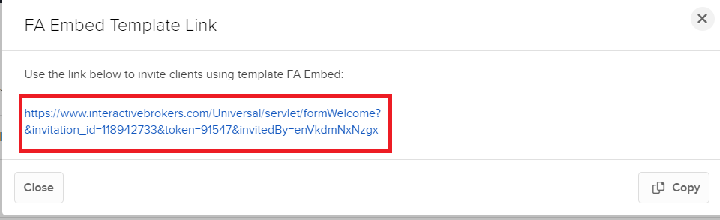
Send Fully-Electronic Application to your ClientCopy Location
Copy Location
Initiate an email invitation to your potential client, who is then required to complete the application online electrically using the Fully-Electronic application.
- Available to Registered Advisors and Introducing Brokers free of cost
- No development work involved
- Registration process 100% Electronic
- Application hosted by IBKR
Tools available to help simplify the Fully-Electronic Application:
- Account Templates: Client account template is used to simplify application. Use Account Template to specify Account Type, Base Currency, Trading Capabilities, Trade Permissions, Financial Information, and Fee Configuration.
- CRM: Use the CRM Tool to Pre-Populate the Fully-Electronic Application. The client will receive an email with the prefilled application. The CRM tool and the use of a client account template would populate 90% of the application. Once completed, the client can submit the application back to Interactive Brokers electronically.
- Add Contacts to IBKR’s CRM manually OR in bulk using import feature.
- Initiate Invite from CRM Contact
- Select ‘Contacts’ > Select Individual Contact > Select icon to send Application Invite > Specify Application Method (Fully-Electronic)
- Use Template?
- If Yes, select Template
- Prospect will receive an email invitation to start the IBKR application.
- When prospect clicks on hyperlink to start the application, the application will be pre-filled with data that was entered in the CRM/Template. The client can modify information if needed.
- The user will be required to enter the following information:
- Create username and password
- Specify 3 security questions and answers
- Answer regulatory information
- Specify funding
- Specify information for second holder (For Joint Accounts Only)
- Once completed, the client can submit the application back to Interactive Brokers electronically.
 icon to send Application Invite > Specify Application Method (Fully-Electronic)
Complete Semi-Electronic Application for your ClientCopy Location
Copy Location
With the Semi-Electronic, you will complete an electronic application online for your potential client. At the end of the process, you will generate a PDF application. Provide the PDF application to prospect client for review and signing (physical signature is required).
- Available to Registered Advisors and Introducing Brokers free of cost
- No development work involved
- Signed Government Issued ID + Physical Signature required for the application
- Application hosted by IBKR
IBKR’s CRM can be used to pre-fill the Semi-Electronic Application.
Mass UploadCopy Location
Copy Location
Mass upload is designed for advisors/brokers that are seeking an efficient way to move 20+ clients over to IBKR in a seamless manner. Rather than completing individual applications for each account, accounts can be opened in bulk by providing application data in Excel Workbook.
- Available to Registered Advisors and Introducing Brokers free of cost
- Registration process 100% Electronic
- Application hosted by IBKR
- Bulk Upload for existing client base
- IBKR will provide FA/Broker with spreadsheets by account type.
- FA/BRoker will complete the spreadsheets with client information and submit to IBKR for Processing.
- IBKR will upload the accounts and provide the FA/Broker with the account credentials.
- Advisor/Broker will provide their clients with the credentials.
- Client will need to log into the IBKR White Branded Portal to review application information and electronically sign the IBKR agreements /disclosures.
Link existing account to Advisor/BrokerCopy Location
Copy Location
An existing IB account can link under the Advisor/Broker directly through Client Portal.
- Available to Registered Advisors and Introducing Brokers free of cost
- Registration process 100% Electronic
- Initiate Linkage Request
- Option 1: Embed URL on your site where user can submit request to link to your master.
- https://ndcdyn.interactivebrokers.com/sso/Login?forwardTo=AA_LINKAGE&masterAccountId=<InsertMasterAccountIDHere>
- Option 2: Mutual client will initiate request to link to the advisor/broker within Client Portal > Settings > Account Settings > Create, Move, Link or Partition an Account.
- Option 1: Embed URL on your site where user can submit request to link to your master.
- Confirm Linkage Request
- An email will be sent to the Advisor/Broker to inform them of the request. The Advisor/Broker must accept the linkage request (in Pending Items) before the account is linked.
Full Integration- Client Registration with Web APICopy Location
Copy Location
Available for Advisors/Brokers that would like to customize the Registration System, Portal, and Funds and Banking System. Account Management web API is used as an alternative to the IB hosted Portal.
- Intended for advisors/brokers who have working knowledge of OAuth 2.0 and JSON.
- Control look, feel, flow of the application
- Registration process 100% Electronic
- Application hosted by Counterparty
- Management approval is required- requests are reviewed on a case by case basis.
- Generally advisors/brokers that plan on bringing over 100 + accounts within the first quarter OR 50M USD are eligible for this service.
- Hosting advisors and brokers are subject to both an upfront and ongoing fee intended to offset the costs incurred by IBKR for vetting the initial request and to conduct an annual review of the hosted application. This annual review is intended to ensure that the hosted application has been updated to reflect changes IBKR has implemented to its own application and that no other changes which would cause IBKR to reject the hosted arrangement have been introduced by the advisor or broker.
- The Advisor/IBroker builds an interface on their website to collect all required IBKR application fields + collect signature for the IBKR agreements /Disclosures
- The Advisor/IBroker sends all data and signed agreements and disclosures to IBKR (in JSON format) using Web API.
- IBKR retrieves the files and provides a response file. Response will have a status of Success or Error. Any errors will be corrected by the Advisor/IBroker and then resubmitted.
- Successful response files will include the IB account #, username, temporary password, and confirmation of the agreements/disclosures that were successfully processed + pending registration tasks (if any) that are required for approval.
- If no registration tasks are included in the response file, the account will be submitted for approval.
- If registration tasks are included, the registration tasks will need to be completed in order for the account to proceed with the approval process.
- The Advisor/IBroker is responsible for providing the account numbers, usernames and temporary passwords to their clients.
- The client will be prompted to reset his or her password and enter three security questions the first time they login to IBKR Portal after the account has been approved and opened.
HybridCopy Location
Copy Location
Provide IBKR with partial account data via Web API. Client will complete the remaining applications steps via the IBKR hosted application (white branded).
- Advisor/Broker can direct the client to IBKR’s login page (white branded) or create single sign on session to complete remaining application steps.
- Intended for advisors/brokers who have working knowledge of JSON and OAuth 2.0.
- Registration process 100% Electronic
- Application hosted by IBKR
- Moderate development work involved
Workflow for Advisor and Fully-Disclosed clients
- Create Account with IBKR
- Submit partial application data to IBKR using accounts endpoint.
- Minimally, we will require Name, Email, Country of Residence to create an account.
- Required Fields
- IBKR will return a real-time response with the account credentials and pending tasks.
- Submit partial application data to IBKR using accounts endpoint.
- Direct user to IBKR Portal to complete remaining application steps.
- Create single sign on session to seamlessly connect user to the IBKR Portal.
- The IBKR Portal can be customized (free of cost) to reflect your company branding including logo, company name, and theme file. This can be configured directly within IBKR Portal.
- Set Password and Complete Email Verification (Optional)
- IBKR authentication with username and password is required IF setting / changing banking instructions OR facilitating withdrawals within the IBKR Hosted Portal.
- API supports creation of ACH instructions for U.S. Based Clients. For all other clients, banking instructions for withdrawals will need to be added within the IBKR Portal; which means password will need to be set on the account.
- IBKR provides 2 options for setting password (if option 2, post approval, skip to step 4).
- Option 1: Set Password During Registration (Suggested)
- Upon accessing IBKR Portal, user will be prompted to enter temporary password (that was included in the response file) + set new password.
IBKR will send email confirmation toke to verify the identity. Email will be branded with your company logo and return email address.
Sample email
Password change has been processed.
- Upon accessing IBKR Portal, user will be prompted to enter temporary password (that was included in the response file) + set new password.
- Option 2: Set Password Post Approval
- Counterparty will direct user to IBKR’s Password Reset Tool to set password.
- User enters IBKR username and date of birth.
- IBKR will send SMS token to verify identity.
- User will set password and complete email verification.
- User completes remaining application steps.
- Application will be pre-filled with information that was included in the XML file to create the account.
- Screen 1: About You
- Screen 2: Configure Your Trading Account
- Screen 3: Agreements and Disclosures
- Screen 4: Application Status
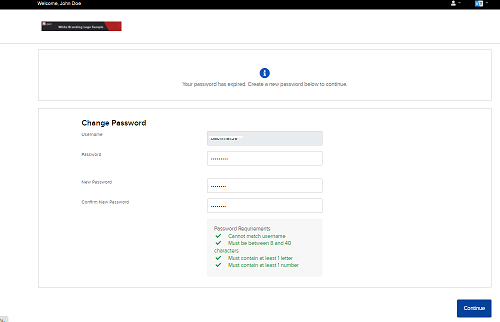
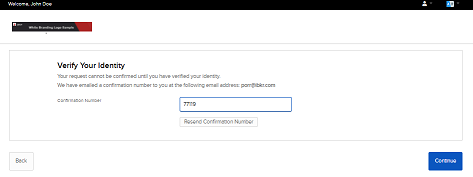
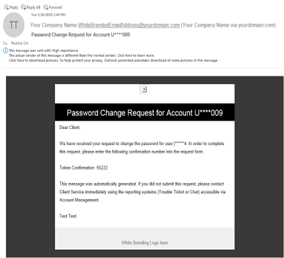
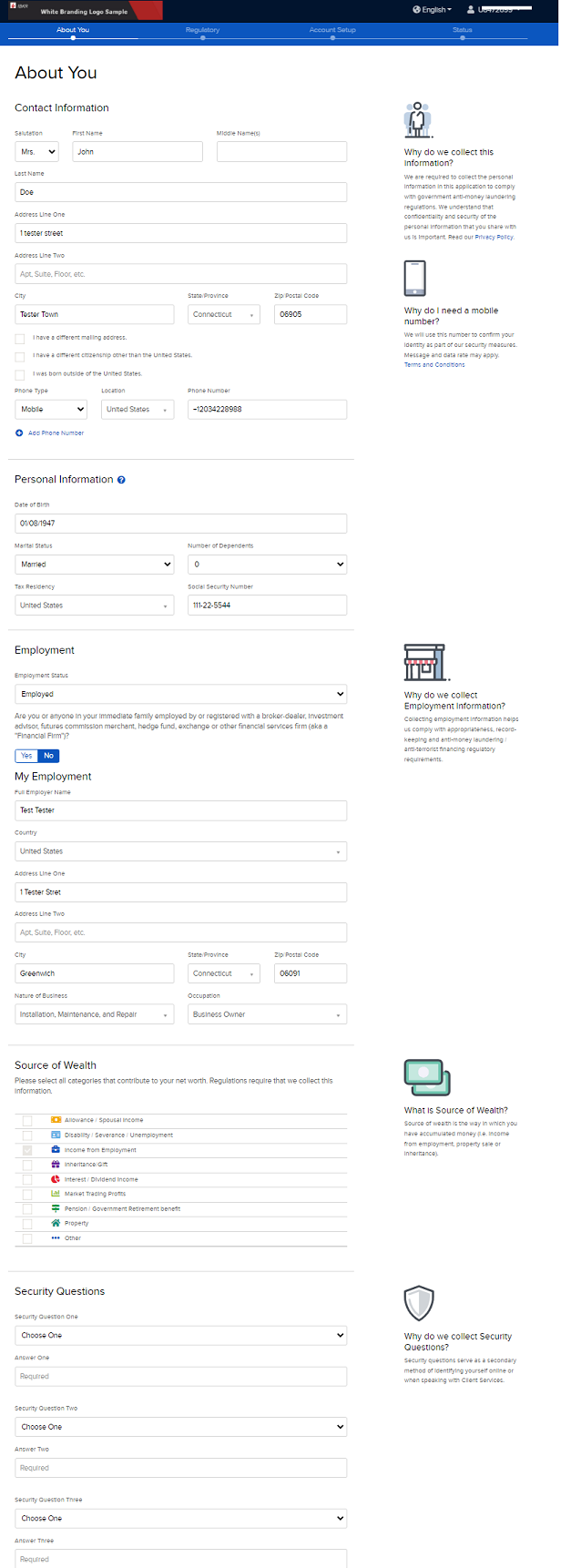
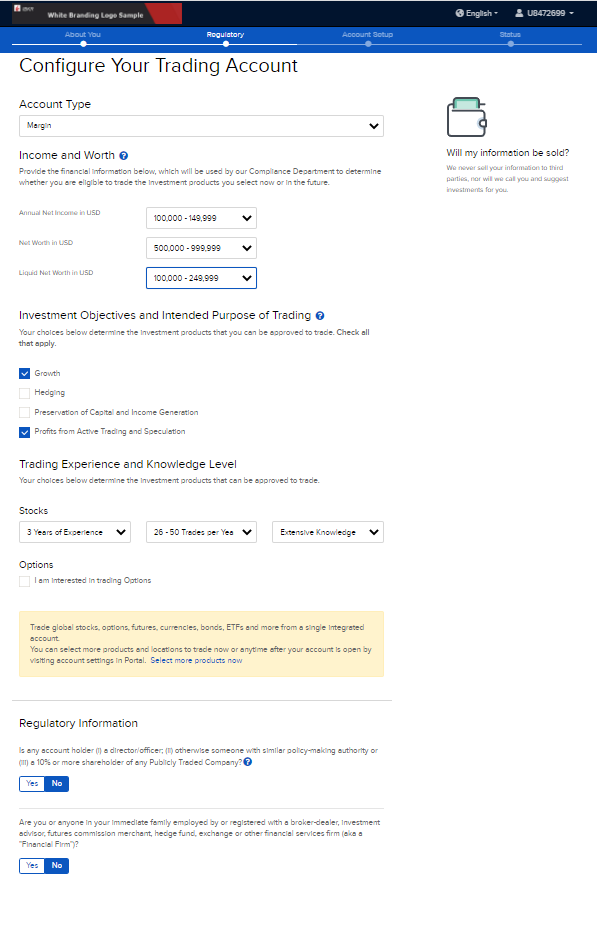
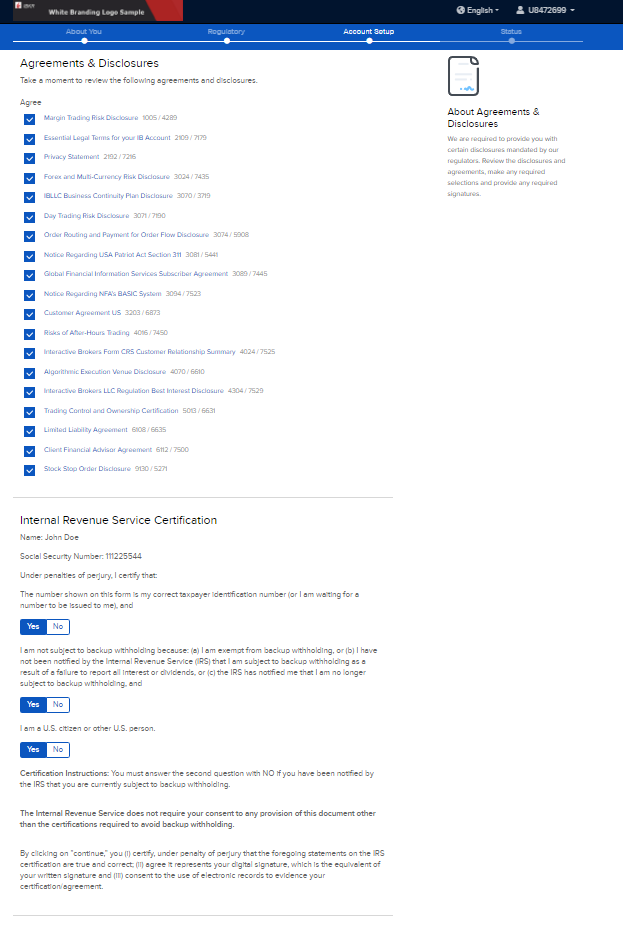
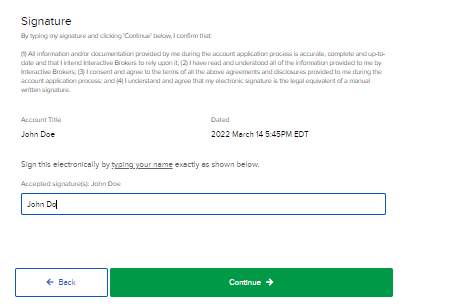
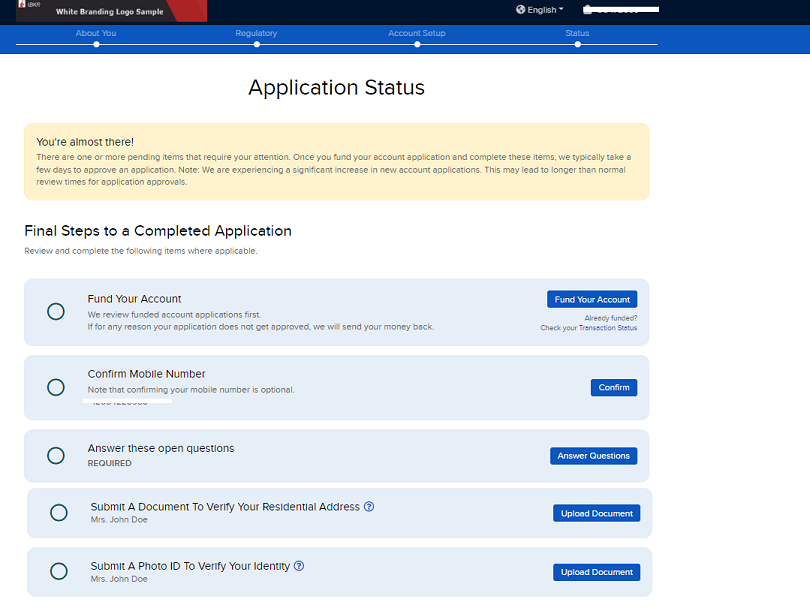
Flow ChartCopy Location
Copy Location
Under construction, check back later!
Legacy DocumentationCopy Location
Copy Location
Please be advised that DAM API using XML is considered legacy and has been discontinued.
- Information pertaining to Legacy Documentation can be found here.
This documentation is solely provided to assist existing clients using the legacy API until their transition is complete. For any questions or assistance with this transition, please contact our API support team at am-api@interactivebrokers.com.