Order Types and Algos

IBKR Pro Clients have access to over 100 Order Types, Algos and Tools
IBKR Order Types, Algos and Tools
IBKR Pro traders use our order types, algos and tools to implement trading strategies and help limit risks, speed execution, support price improvement, provide privacy, time the market and simplify the trading process.
Use the filters below and select a tile to learn more about how an order type, algo or tool can help you trade.
No results found. Please adjust your filter selections.
Algo
Accumulate / Distribute
Platforms: TWS Only
Regions: US & Non-US
Routing: Smart, Directed, IBKR ATS
Video Lessons
Algo
Adaptive Algo
Platforms: Select
Regions: US & Non-US
Routing: IB Algo
Video Lesson
Order Type
All or None
Platforms: All
Regions: US Only
Routing: Smart
Video Lesson
Algo
Arrival Price
Platforms: Select
Regions: US & Non-US
Routing: IB Algo
Video Lesson
Order Type
At Auction
Platforms: TWS Only
Regions: Non-US Only
Routing: Directed
Order Type
Auto Combo Limit
Platforms: TWS Only
Regions: US & Non-US
Routing: Directed
Order Type
Auto Combo Market
Platforms: TWS Only
Regions: US & Non-US
Routing: Directed
Algo
Balance Impact and Risk
Platforms: TWS Only
Regions: US Only
Routing: IB Algo
Video Lesson
Tool
Basket
Platforms: TWS Only
Regions: US Only
Routing: Directed
Video Lesson
Attached Order
Beta Hedge
Platforms: TWS Only
Regions: US & Non-US
Routing: Directed
Tool
Block
Platforms: TWS only
Regions: US Only
Routing: Directed
Order Type
Box Top
Platforms: TWS Only
Regions: US Only
Routing: Directed
Order Type
Bracket
Platforms: Select
Regions: US & Non-US
Routing: Smart, Directed
Video Lesson
Algo
Close Price
Platforms: Select
Regions: US & Non-US
Routing: IB Algo
Video Lesson
Tool
Conditional
Platforms: Select
Regions: US & Non-US
Routing: Smart, Directed
Video Lesson
Tool
Currency Conversion
Platforms: Select
Regions: US & Non-US
Algo
Dark Ice
Platforms: Select
Regions: US Only
Routing: IB Algo
Video Lesson
Attached Order
Delta Hedge
Platforms: TWS Only
Regions: US Only
Routing: Directed
Order Type
Direct Routing
Platforms: All
Regions: US & Non-US
Routing: Directed
Video Lesson
Order Type
Discretionary
Platforms: TWS Only
Regions: US Only
Routing: Smart
Order Type
Fill or Kill
Platforms: Select
Regions: US Only
Routing: Smart, Directed
Order Type
Fractional Shares
Platforms: All
Regions: US & Non-US
Routing: Smart
Video Lesson
Order Type
Funari
Platforms: TWS Only
Regions: Non-US Only
Routing: Directed
Attached Order
FX Order
Platforms: TWS Only
Regions: Non-US Only
Routing: Directed
Video Lesson
Order Type
Good Til Canceled (GTC)
Platforms: All
Regions: US & Non-US
Routing: Smart, Directed
Video Lesson
Order Type
Good Til Date/Time (GTD)
Platforms: Select
Regions: US & Non-US
Routing: Smart, Directed
Order Type
Hidden
Platforms: TWS Only
Regions: US & Non-US
Routing: Smart, Directed
Video Lesson
Order Type
IBKR ATS
Platforms: All
Regions: US Only
Routing: Directed
Video Lesson
Order Type
IBKR ATS Pegged to Best
Platforms: All
Regions: US Only
Routing: Directed
Video Lesson
Order Type
IBKR ATS Pegged to Midpoint
Platforms: All
Regions: US Only
Routing: Directed
Video Lesson
Order Type
IBKR ATS Reroute to SMART
Platforms: All
Regions: US Only
Routing: Directed
Video Lesson
Order Type
IBUSOPT Destination
Platforms: All
Regions: US Only
Routing: Directed
Video Lesson
Order Type
IBUSOPT Pegged to Best
Platforms: TWS Only
Regions: US Only
Routing: Directed
Video Lesson
Order Type
IBUSOPT Pegged to Midpoint
Platforms: All
Regions: US Only
Routing: Directed
Video Lesson
Order Type
Iceberg / Reserve
Platforms: TWS Only
Regions: US & Non-US
Routing: Smart, Directed
Video Lesson
Order Type
Immediate or Cancel (IOC)
Platforms: Select
Regions: US & Non-US
Routing: Smart, Directed
Order Type
Limit
Platforms: All
Regions: US & Non-US
Routing: Smart, Directed, Lite
Video Lesson
Order Type
Limit + Market
Platforms: Select
Regions: US & Non-US
Routing: Smart
Order Type
Limit if Touched
Platforms: Select
Regions: US & Non-US
Routing: Smart, Directed, Lite
Video Lesson
Order Type
Limit on Close
Platforms: All
Regions: US & Non-US
Routing: Smart, Directed, Lite
Video Lesson
Order Type
Limit on Open
Platforms: Select
Regions: US & Non-US
Routing: Smart, Directed, Lite
Order Type
Market
Platforms: All
Regions: US & Non-US
Routing: Smart, Directed, Lite
Video Lesson
Order Type
Market if Touched
Platforms: Select
Regions: US & Non-US
Routing: Smart, Directed, Lite
Video Lesson
Order Type
Market on Close
Platforms: All
Regions: US & Non-US
Routing: Smart, Directed, Lite
Video Lesson
Order Type
Market on Open
Platforms: Select
Regions: US & Non-US
Routing: Smart, Directed, Lite
Order Type
Market to Limit
Platforms: Select
Regions: US & Non-US
Routing: Smart, Directed
Video Lesson
Order Type
Market with Protection
Platforms: Select
Regions: US, Globex
Routing: Directed
Order Type
MidPrice
Platforms: All
Regions: US Only
Routing: Smart
Video Lesson
Algo
Minimize Impact
Platforms: TWS Only
Regions: US Only
Routing: IB Algo
Order Type
One Cancels All (OCA)
Platforms: TWS Only
Regions: US & Non-US
Routing: Smart, Directed
Video Lesson
Order Type
Outside RTH
Platforms: All
Regions: US & Non-US
Routing: Smart, Directed
Video Lesson
Order Type
Overnight Trading
Platforms: All
Regions: US Only
Routing: Directed
Video Lesson
Order Type
Overnight + SMART
Platforms: TWS Only
Regions: US & Non-US
Routing: Smart
Attached Order
Pair Trade
Platforms: TWS Only
Regions: US & Non-US
Routing: Directed
Order Type
Pegged to Benchmark
Platforms: TWS Only
Regions: US & Non-US
Routing: Smart, Directed
Order Type
Pegged to Midpoint
Platforms: Select
Regions: US & Non-US
Routing: Directed, IBKR ATS
Video Lesson
Order Type
Pegged to Stock
Platforms: TWS Only
Regions: US & Non-US
Routing: Smart, Directed
Algo
Percent of Volume
Platforms: Select
Regions: US & Non-US
Routing: IB Algo
Algo
Price Variant Percent of Volume
Platforms: Select
Regions: US & Non-US
Routing: IB Algo
Video Lesson
Order Type
Relative + Market
Platforms: TWS, IBKR Desktop
Regions: US Only
Routing: Smart
Order Type
Relative/Pegged to Primary
Platforms: Select
Regions: US & Non-US
Routing: Smart, Directed, IBKR ATS
Video Lesson
Order Type
Retail Price Improvement
Platforms: Select
Regions: US Only
Routing: Smart
Order Type
Request for Quote (RFQ)
Platforms: TWS Only
Regions: US & Non-US
Video Lesson
Tool
ScaleTrader
Platforms: TWS Only
Regions: US & Non-US
Routing: Smart, Directed
Video Lessons
Algo
Size Variant Percent of Volume
Platforms: Select
Regions: US & Non-US
Routing: IB Algo
Video Lesson
Order Type
Snap to Market
Platforms: Select
Regions: US Only
Routing: Smart, Directed
Video Lesson
Order Type
Snap to Midpoint
Platforms: Select
Regions: US Only
Routing: Smart, Directed
Video Lesson
Order Type
Snap to Primary
Platforms: Select
Regions: US Only
Routing: Directed
Video Lesson
Order Type
Spreads
Platforms: TWS Only
Regions: US Only
Routing: Smart, Directed
Order Type
Stop
Platforms: All
Regions: US & Non-US
Routing: Smart, Directed, Lite
Video Lesson
Order Type
Adjustable Stop
Platforms: All
Regions: US & Non-US
Routing: Smart, Directed
Order Type
Stop Limit
Platforms: All
Regions: US & Non-US
Routing: Smart, Directed, Lite
Video Lesson
Order Type
Stop with Protection
Platforms: TWS Only
Regions: US Only
Routing: Directed
Order Type
Sweep to Fill
Platforms: TWS Only
Regions: US Only
Routing: Smart
Order Type
T + 0 Stock Settlement
Platforms: TWS Only
Regions: US Only
Routing: Smart
Algo
Time Variant Percent of Volume
Platforms: Select
Regions: US & Non-US
Routing: IB Algo
Video Lesson
Order Type
Trailing
Platforms: All
Regions: US & Non-US
Routing: Smart, Directed
Order Type
Trailing Limit
Platforms: All
Regions: US & Non-US
Routing: Smart, Directed
Video Lesson
Order Type
Trailing Limit + Market
Platforms: Select
Regions: US & Non-US
Routing: Smart
Order Type
Trailing Limit if Touched
Platforms: TWS Only
Regions: US & Non-US
Routing: Smart, Directed
Order Type
Trailing Market if Touched
Platforms: TWS Only
Regions: US & Non-US
Routing: Smart, Directed
Order Type
Trailing Relative + Market
Platforms: Select
Regions: US Only
Routing: Smart
Algo
TWAP
Platforms: Select
Regions: US & Non-US
Routing: IB Algo
Video Lesson
Order Type
Volatility
Platforms: TWS Only
Regions: US Only
Routing: Smart
Order Type
Pegged Volatility Orders
Platforms: TWS Only
Regions: US Only
Routing: Smart
Algo
VWAP (Best-Efforts)
Platforms: Select
Regions: US & Non-US
Routing: IB Algo
Third Party Algo
Fox Alpha
Platforms: TWS Only
Regions: US Only
Routing: Directed
Third Party Algo
Fox Blaster™
Platforms: TWS Only
Regions: US Only
Routing: Directed
Third Party Algo
Fox Dark Attack™
Platforms: TWS Only
Regions: US Only
Routing: Directed
Third Party Algo
Fox Dark Sweep
Platforms: TWS Only
Regions: US Only
Routing: Directed
Third Party Algo
Fox River Pyramid™
Platforms: TWS Only
Regions: US Only
Routing: Directed
Third Party Algo
Fox Smart Order Router™
Platforms: TWS Only
Regions: US Only
Routing: Directed
Third Party Algo
Fox Spotlight™
Platforms: TWS Only
Regions: US Only
Routing: Directed
Third Party Algo
Fox Percent of Volume™
Platforms: TWS Only
Regions: US Only
Routing: Directed
Third Party Algo
Fox Alpha TWAP
Platforms: TWS Only
Regions: US Only
Routing: Directed
Third Party Algo
Fox Standard TWAP
Platforms: TWS Only
Regions: US Only
Routing: Directed
Third Party Algo
Fox Alpha VWAP
Platforms: TWS Only
Regions: US Only
Routing: Directed
Third Party Algo
Fox Standard VWAP
Platforms: TWS Only
Regions: US Only
Routing: Directed
Third Party Algo
QB Bolt
Platforms: TWS Only
Regions: US Only
Routing: Directed
Third Party Algo
QB Strobe
Platforms: TWS Only
Regions: US Only
Routing: Directed
Third Party Algo
QB Closer
Platforms: TWS Only
Regions: US Only
Routing: Directed
Third Party Algo
QB Octane
Platforms: TWS Only
Regions: US Only
Routing: Directed
Important Information
The broker simulates certain order types (for example, stop or conditional orders). To provide clients with a consistent trading experience, simulated order types may be used in cases where an exchange does not offer an order type. While simulated orders offer substantial control opportunities, they may be subject to performance issue of third parties outside of our control, such as market data providers and exchanges.
Although the broker attempts to filter external data to ensure the best possible execution quality, they cannot anticipate all of the reasons that a simulated order may not receive an execution, or may receive an erroneous execution. Unsatisfactory (non)executions may result from events, including [i] erroneous, missing or inconsistent market data; [ii] data filters (example: the broker may ignore last sale data that is reported outside the prevailing bid-ask as it often represents untimely or erroneous transactions; this may impact triggering of simulated orders); [iii] transactions subsequently deemed erroneous by an exchange; [iv] market halts and interruptions.
Clients should understand the sensitivity of simulated orders and consider this in their trading decisions.
Please note that exchanges and regulators require brokers to impose various pre-trade filters and other checks to make sure that orders are not disruptive to the market and do not violate exchange rules. Exchanges also apply their own filters and limits to orders they receive.
These filters or order limiters may cause client orders to be delayed in submission or execution, either by the broker or by the exchange. Filters may also result in any order being canceled or rejected. The broker may also cap the price or size of a customer's order before the order is submitted to an exchange.
The broker reserves the sole right to impose filters and order limiters on any client order and will not be liable for any effect of filters or order limiters implemented by us or an exchange.
Please note that GTC orders are not supported for IBAlgos.
Algo Accumulate / Distribute
Products: |
Stocks, ETFs, Options, Futures, FOPs, Currencies, Bonds, Warrants |
Platforms: |
TWS Only |
Regions: |
US and Non-US Products |
Routing: |
Smart, Directed, IBKR ATS |
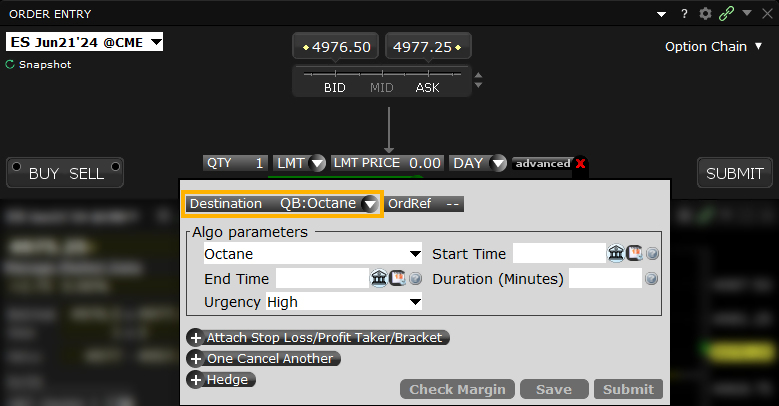
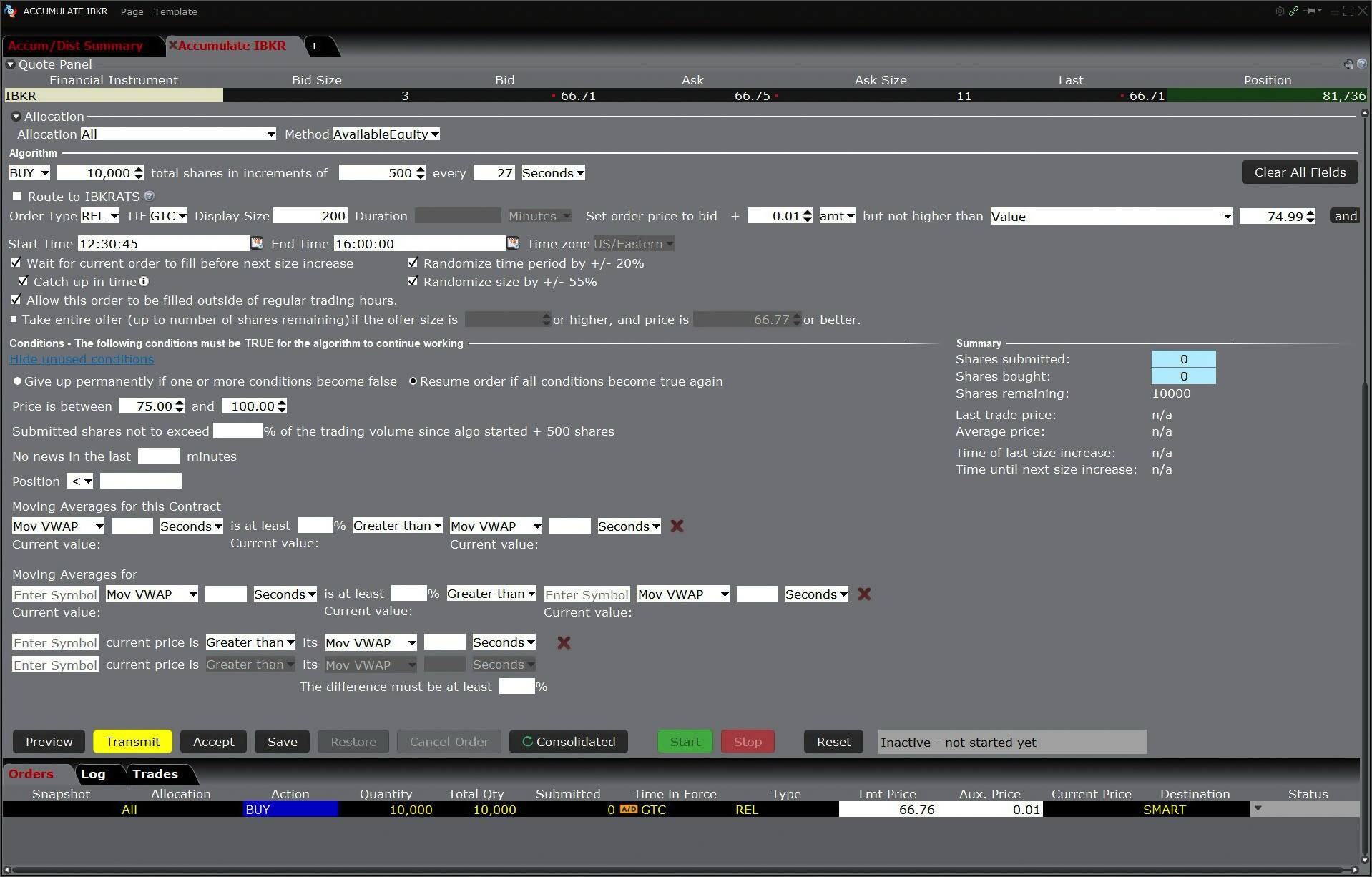
The Accumulate/Distribute algo can help you to achieve the best price for a large volume order without being noticed in the market, and can be set up for high frequency trading. By slicing your order into smaller randomly-sized order increments that are released at random time intervals within a user-defined time period, the algo allows the trading of large blocks of stock and other instruments without being detected in the market. The algo allows limit, market, and relative order types.
Algo Adaptive Algo
Products: |
Stocks, ETFs, Options, Futures |
Platforms: |
TWS, IBKR Desktop, IBKR Mobile |
Regions: |
US and Non-US Products |
Routing: |
IB Algo |
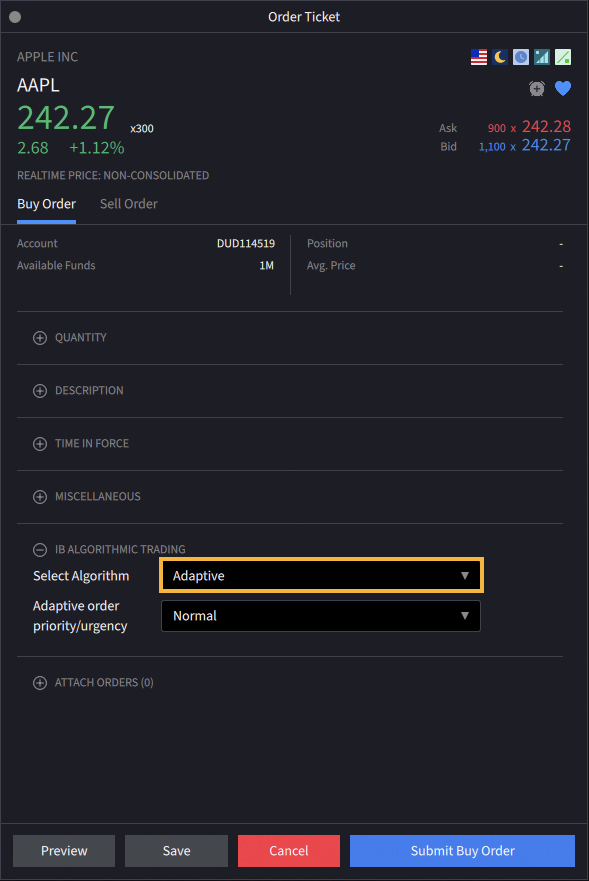
The Adaptive algo order type combines IBKR's smart routing capabilities with user-defined priority settings in an effort to achieve a fast fill at the best all-in price. It can be used as either a market or limit order.
The Adaptive Algo is designed to ensure that both market and aggressive limit orders trade between the bid and ask prices. On average, using the Adaptive algo leads to better fill prices than using regular market or limit orders. This algo order type is most useful to an investor when the spread is wide, but can also be helpful when the spread is only one tick.
Order Type All or None
Products: |
Stocks, ETFs, Options, Bonds, EFPs |
Platforms: |
TWS, IBKR Desktop, IBKR Mobile, Client Portal |
Regions: |
US Products Only |
Routing: |
Smart |
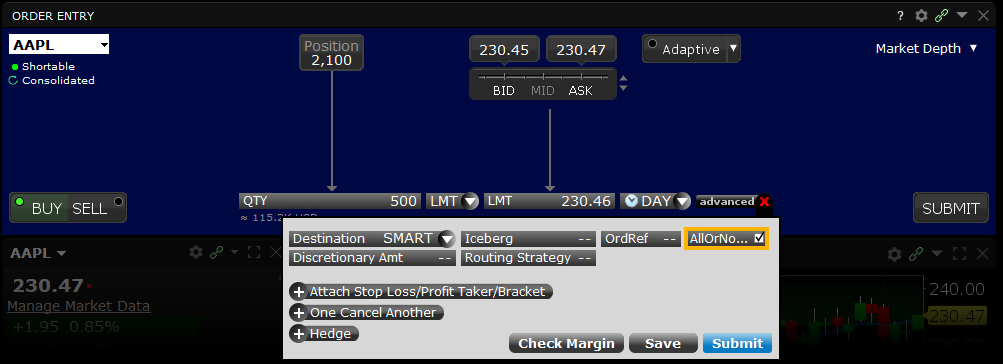
For orders using the All or None (AON) attribute, IBKR will typically route to the native exchange, or hold the order if the AON order type is not supported by the primary exchange. When held, IBKR will attempt to simulate the order as follows:
- For US stock orders: The NBBO must qualify limit price AND the NBBO size must be equal to (or greater than) the order size + 1000 shares.
- For US options orders: The NBBO must qualify limit price AND the NBBO size must be equal to (or greater than) the order size + 10 contracts.
For example, an AON order to buy 1500 shares of ABC at $10.00/share will be held until the NBO qualifies (is less than or equal to $10.00) and the NBO size is equal to or greater than 2500 shares.
The order will remain active until it either executes or is canceled. The AON attribute can be used in conjunction with the basic order types and all times in force.
Mosaic Example
- Select desired option
- Choose LMT
- Enter Quantity
- Enter price limit (LMT) field
- Choose Time-in-Force
- Click Advanced button and check All-or-None box
- Click Submit to transmit your order
In this Mosaic example, the client wishes to sell or write more options in Ticker BAC than are currently on display. Note the size shown on the Bid quantity of 124 contracts is less than the 150 order to be submitted. In order to prevent a partial fill, the client uses an All-or-None order type, which can also be used for stock orders.
Having populated the Option Order Entry panel with the desired call option, select LMT from the Order Type dropdown menu and enter the desired Quantity. Select the price you wish to limit your sell order to and select a desirable time-in-force from the TIF dropdown menu. By clicking on the Advanced tab you will expand the order entry options. Locate the All-or-None field and check the box. This ensures that when your order is transmitted, certain volume-related conditions must be met before the order will attempt to fill. You are now ready to transmit your order by clicking either Submit button in the Advanced field or in the Order Entry panel.
| Assumptions | |
|---|---|
| Action | SELL |
| Qty | 150 |
| Order Type | LMT |
| Limit Price | 0.21 |
| Order Attribute | All or None |
| Market Price | 0.21 |
Classic TWS Example
- Use Customize Layout > Order Columns to display the All or None Order Attribute column
- Click the Ask Price to create a BUY order
- Enter 10 in the Qty field
- Select LMT from the Type field
- Enter your desired Limit price
- Click the T to transmit the order
- Click the All or None check box to make this an All or None order
Order Type In Depth - All-or-None Buy Order
Step 1 – Enter a Limit Order and Apply the All-or-None Order Attribute
You want to place an order to buy 10 Jan11 140 calls of XYZ, but you do not want the order to execute unless the entire order quantity is available. Before you place the order, make sure the All or None column is displayed on the trading screen. Click the check box in the All or None field to tag the order as All-or-None. If the entire quantity becomes available at the specified price or better, the order will be filled. Otherwise, it continues to work until it is canceled.
Step 2 – Order for 10 Options Contracts Transmitted
You've transmitted your order for 10 Jan11 140 calls of XYZ. At this point, the contracts are nether available at your limit price nor for the entire quantity. If the entire quantity becomes available at your Limit Price or better, the order will be filled. Otherwise, it continues to work until it is canceled.
Step 3 – Market Price Falls, Partial Quantity is Available
The price of the XYZ options contracts falls to 3.95, which is your Limit Price. However, only four contracts are available at that price. Because this is an All or None order, your order cannot be filled until the entire quantity becomes available at your desired price.
Step 4 – Entire Quantity is Now Available
Finally, the entire quantity of 10 options contracts becomes available at your limit price, so the order is filled.
| Assumptions | |
|---|---|
| Action | BUY |
| Qty | 10 |
| Order Type | LMT |
| Limit Price | 3.95 |
| Order Attribute | All or None |
| Market Price | 4.00 |
Algo Arrival Price
Products: |
Stocks, ETFs, Currencies |
Platforms: |
TWS, IBKR Desktop, IBKR Mobile |
Regions: |
US and Non-US Products |
Routing: |
IB Algo |
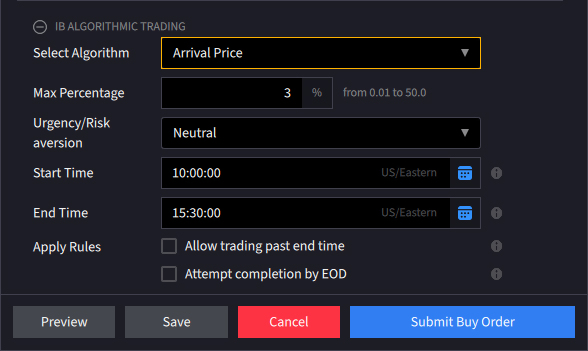
This algorithmic order type will attempt to achieve, over the course of the order, the bid/ask midpoint at the time the order is submitted. The Arrival Price algo is designed to keep hidden orders that will impact a high percentage of the average daily volume. The pace of execution is determined by the user-assigned level of risk aversion and the user-defined target percent of average daily volume. How quickly the order is submitted during the day is determined by the level of urgency – higher urgency executes the order faster, but exposes it to greater market impact. Market impact can be lessened by assigning lesser urgency, which is likely to lengthen the duration of the order. The user can set the max percent of ADV from 1 to 50%. The order entry screen allows the user to determine when the order will start and end regardless of whether or not the full amount of the order has been filled. By checking the box marked Allow trading past end time the algo will continue to work past the specified end time in an effort to fill the remaining portion of the order.
Order Type At Auction
Products: |
Stocks, ETFs, Futures |
Platforms: |
TWS Only |
Regions: |
Non-US Products Only |
Routing: |
Directed |
An auction order is entered into the electronic trading system during the pre-market opening period for execution at the Calculated Opening Price (COP). If your order is not filled on the open, the order is re-submitted as a limit order with the limit price set to the COP or the best bid/ask after the market opens.
Example
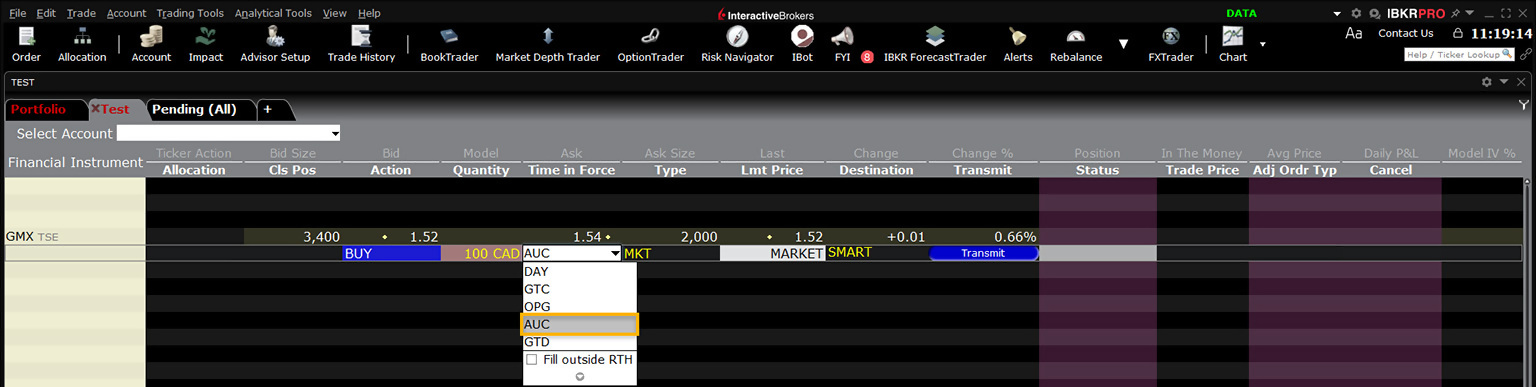
- Select AUC from the Time in Force field.
You want to buy 10 XYZ futures contracts as an auction order at the calculated opening price, which you think will be the best price of the day. Create a buy order row, and selected MTL as the Type and AUC as the time in force. The market to limit order type with the AUC time in force define your order as an auction order. The order will be converted to a limit order at the Calculated Opening Price if it is not filled during the pre-market opening period.
Order Type Auto Combo Limit
Products: |
Stocks, ETFs |
Platforms: |
TWS Only |
Regions: |
US and Non-US Products |
Routing: |
Directed |
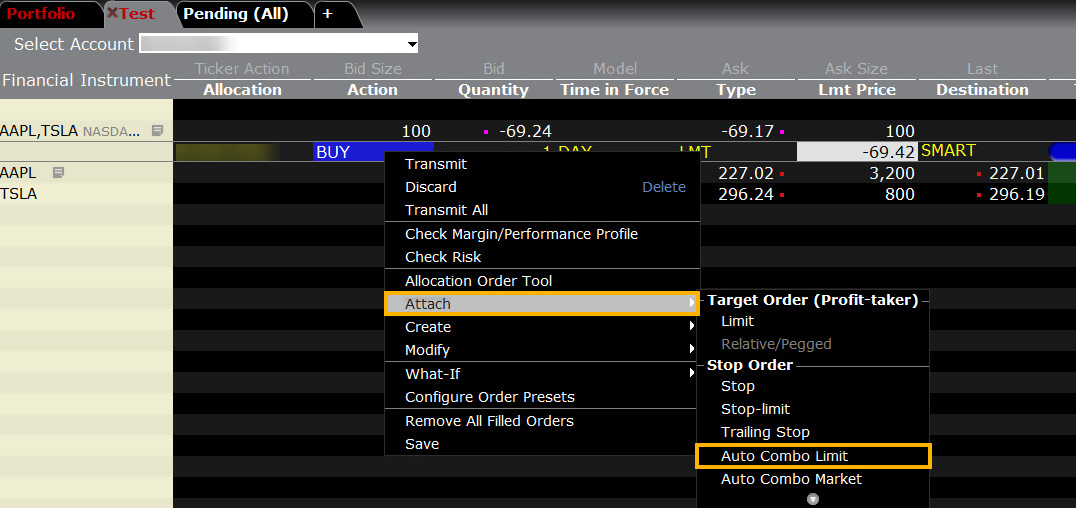
Attach an opposite-side limit order to a complex multi-leg combination order. The limit price is determined using the Combo Order Preset values for the "Target Order." The attached order is a child order and will be linked to the parent order automatically with the OCA (one-cancels-other) tag. This order will be auto-submitted when the parent order fills.
First you will need to create a combination order in TWS. To do so, add a product into a watchlist (such as AAPL), select “Combinations” and choose one of the following options. For this example, we have selected Stock / Stock.
Example
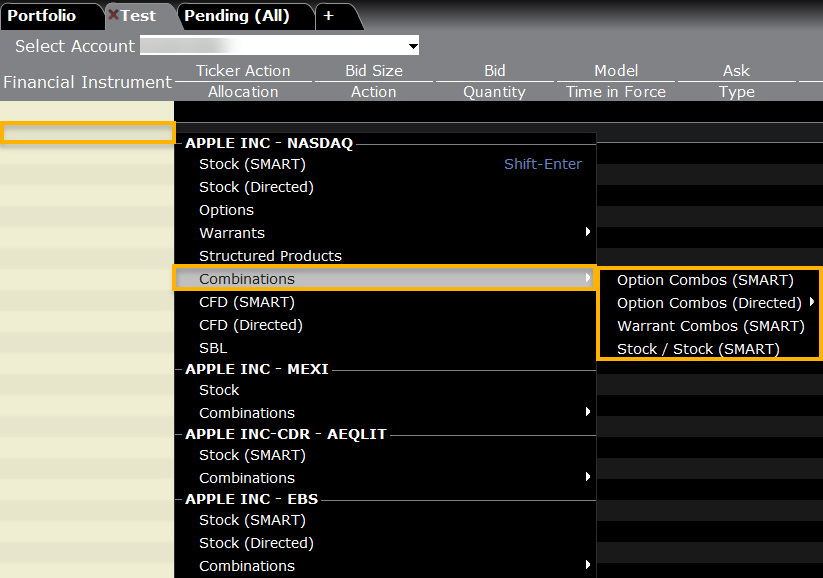
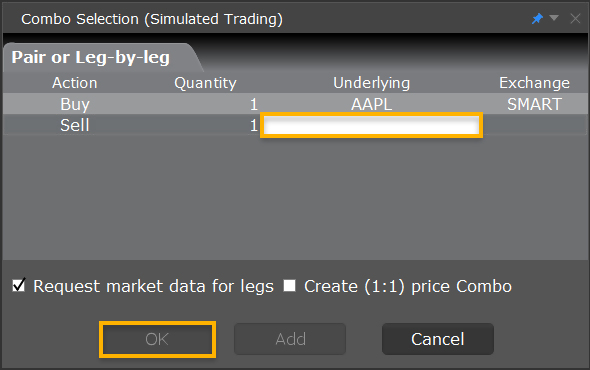
Once the selection has been made, a pop-up will appear on your screen. Add the additional asset to this combo order and Press OK.
Next, you will be navigated back to the watchlist with the combo order populating. Right-click on the combo order and select “Buy”.
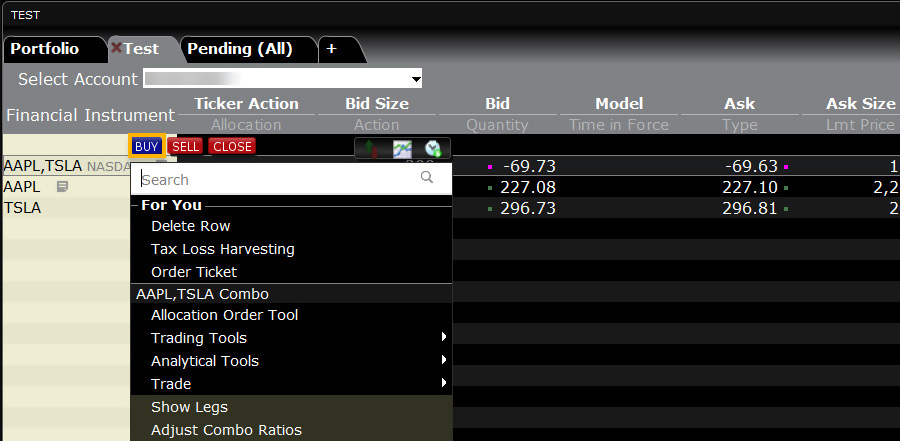
An order line will populate below the combo. Right-click on this order line and select “Attach” followed by "Auto Combo Limit Order."
Order Type Auto Combo Market
Products: |
Stocks, ETFs |
Platforms: |
TWS Only |
Regions: |
US and Non-US Products |
Routing: |
Directed |
Attach an opposite-side limit order to a complex multi-leg combination order. The limit price is determined using the Combo Order Preset values for the "Target Order." The attached order is a child order and will be linked to the parent order automatically with the OCA (one-cancels-other) tag. This order will be auto-submitted when the parent order fills.
First you will need to create a combination order in TWS. To do so, add a product into a watchlist (such as AAPL), select “Combinations” and choose one of the following options. For this example, we have selected Stock / Stock.
Example
Once the selection has been made, a pop-up will appear on your screen. Add the additional asset to this combo order and Press OK.
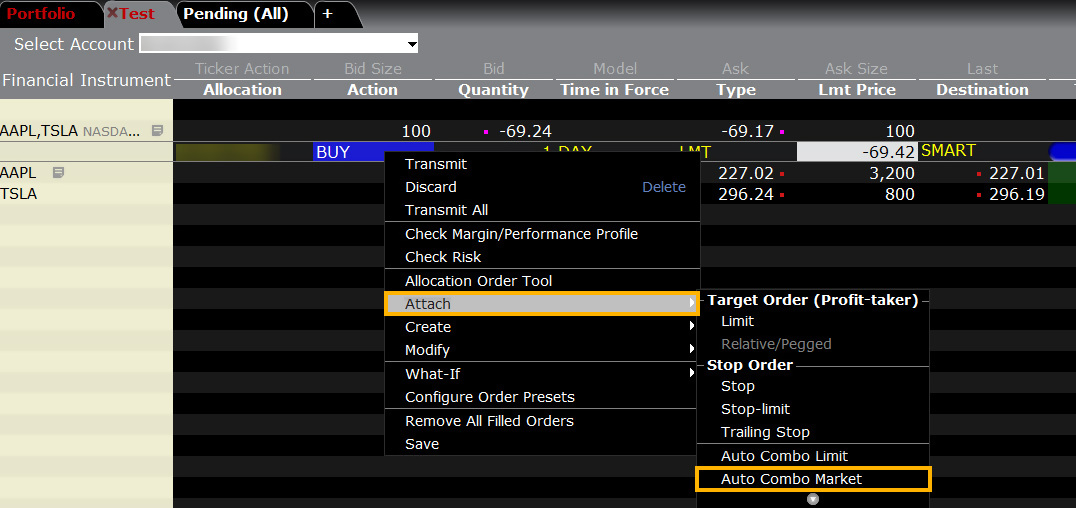
Next, you will be navigated back to the watchlist with the combo order populating. Right-click on the combo order and select “Buy”.
An order line will populate below the combo. Right-click on this order line and select “Attach” followed by "Auto Combo Market Order."
Algo Balance Impact and Risk
Products: |
Options Only |
Platforms: |
TWS Only |
Regions: |
US Products Only |
Routing: |
IB Algo |
Objective
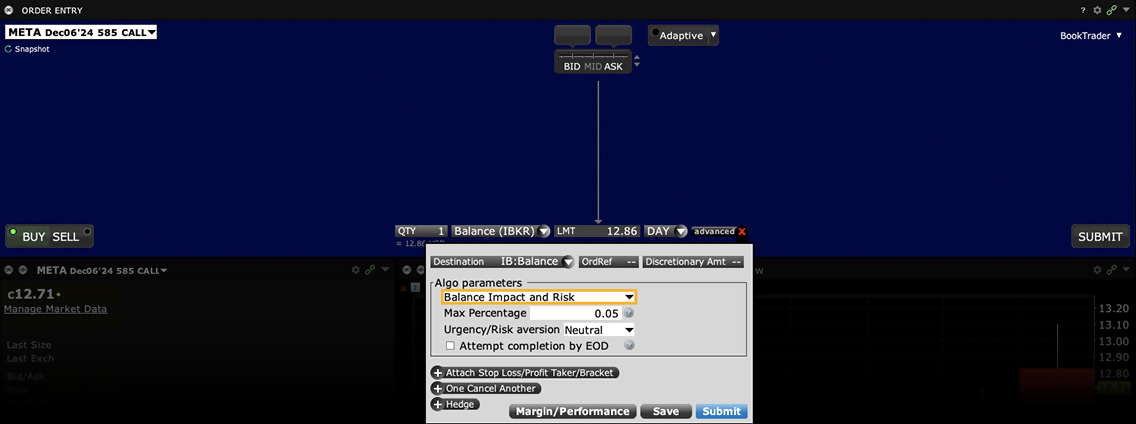
To balance the market impact of trading the option with the risk of price change over the time horizon of the order. This strategy considers the user-assigned level of risk aversion to define the pace of the execution, along with the user-defined target percent of volume.
User Inputs
- Max Percentage of Average Daily Volume
- Urgency/Risk Aversion Level
- Get Done
- Aggressive
- Neutral
- Passive
- Attempt Completion by EOD checkbox
Important Points
- The max percent you define is the percent of the total daily options volume for the entire options market in the underlying.
- The level of trade urgency determines the pace at which the order is submitted over the day.
- A higher urgency executes the order more quickly, opening it to greater market impact; a lower urgency allows the order to fill over time and incur less market impact.
- Note that the algo uses a randomization feature to keep the algo hidden, and by default always attempts to execute quickly. The Urgency/Risk Aversion selections are driven by the size of the order; it is designed for orders that will impact a high percent of the Average Daily Volume and its mechanism may be insignificant for smaller orders.
- If Attempt Completion by End of Day is checked, we will try to complete the order today. Please note that we may leave a portion of the order unexecuted if the risk of the price changing overnight is less than the extra cost of executing the whole order today.
- Available for US Equity and Index Options.
Tool Basket
Products: |
Stocks, ETFs, Options, Futures, FOPs, Currencies, Bonds, Funds, Warrants |
Platforms: |
TWS Only |
Regions: |
US Products Only |
Routing: |
Directed |
TWS BasketTrader can be used to manage baskets of securities or other asset classes. Portfolio managers and investors can build a spreadsheet of tickers for import to TWS or simply add directly to a TWS page and save as a basket. Order size, type and price can be built before saving the entire group as a Basket for execution at a later time, and these values can be modified when you're ready to trade the basket. Because BasketTrader is flexible and configurable, investors can quickly access an established portfolio, rebalance, and manage baskets before submitting orders.
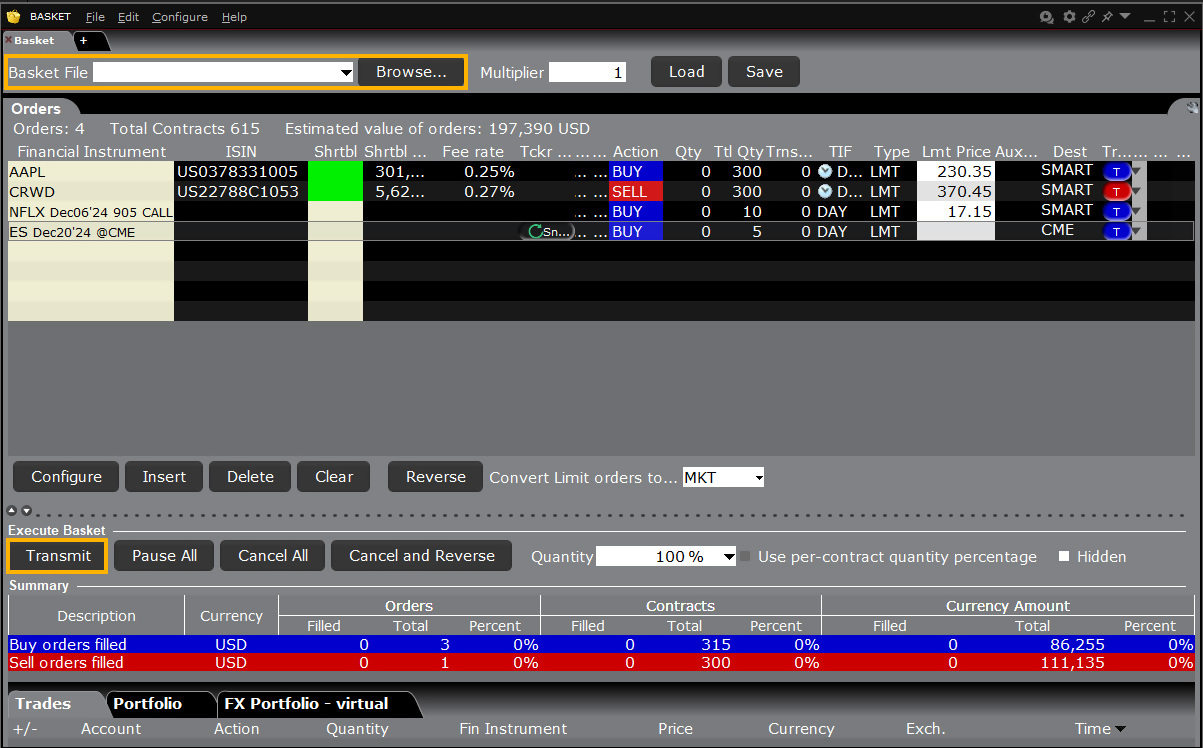
Example
You want to place a group of orders for a number of different instruments at one time. Before you can select and transmit your basket order, you must create and save the basket file:
First, create orders to include in the basket file. Modify the order parameters and define the order attributes as required. Next, on the Trade menu, select Save Orders as Basket. In the dialog box, review or rename the file using a .csv extension (for example, stocks.csv) then click OK. The system uses the Trading page name as the default basket name. Now cancel the orders you created by selecting Cancel Page from the Trade menu.
Next, place your basket order using the BasketTrader. On the Trading Tools menu, select BasketTrader, or click the Basket icon on the trading toolbar. In the Basket File field, select a basket file from the list or click the Browse button to find a basket file that doesn't appear in the list. Modify the Multiplier if necessary. This value multiplies the quantity of each order in the basket. Modify the order parameters if necessary, then submit the entire basket order. You can submit individual orders within the basket using the market data lines on the Orders tab.
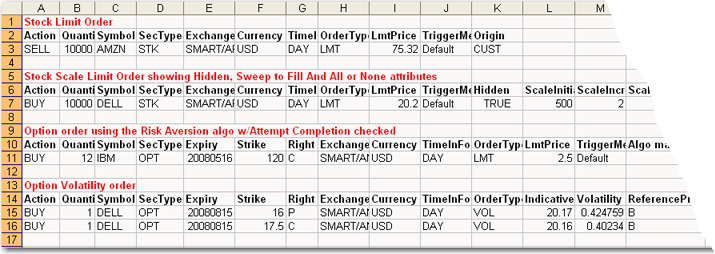
A single Basket order can contain multiple order types on various products, and include any supported time in force or order attribute. The image below shows a limited sample of a basket order file that has been opened in MS Excel.
Attached Order Beta Hedge
Products: |
Stocks, ETFs |
Platforms: |
TWS Only |
Regions: |
US and Non-US Products |
Routing: |
Directed |
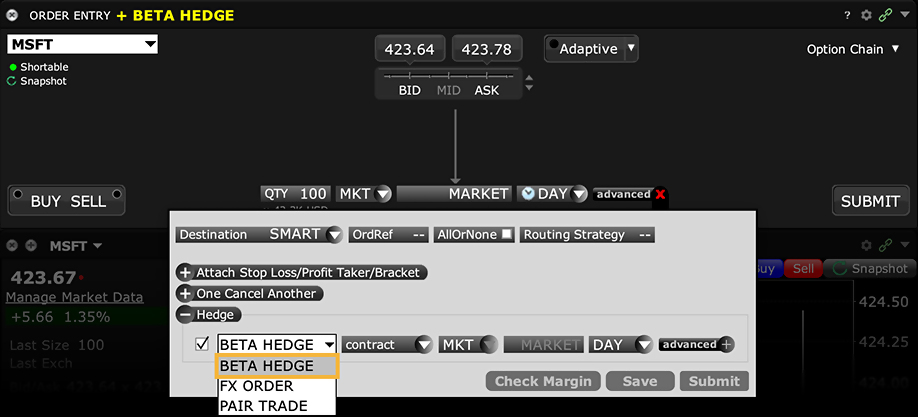
Attached hedge order to a stock with an ETF. Used to reduce risk systematically by purchasing stock with offsetting betas.
Tool Block
Products: |
Options Only |
Platforms: |
TWS Only |
Regions: |
US Products Only |
Routing: |
Directed |
The Block attribute is used for large volume option orders on ISE that consist of at least 50 contracts. To execute large-volume orders over time without moving the market, use the TWS Accumulate/Distribute trading tool.
Example
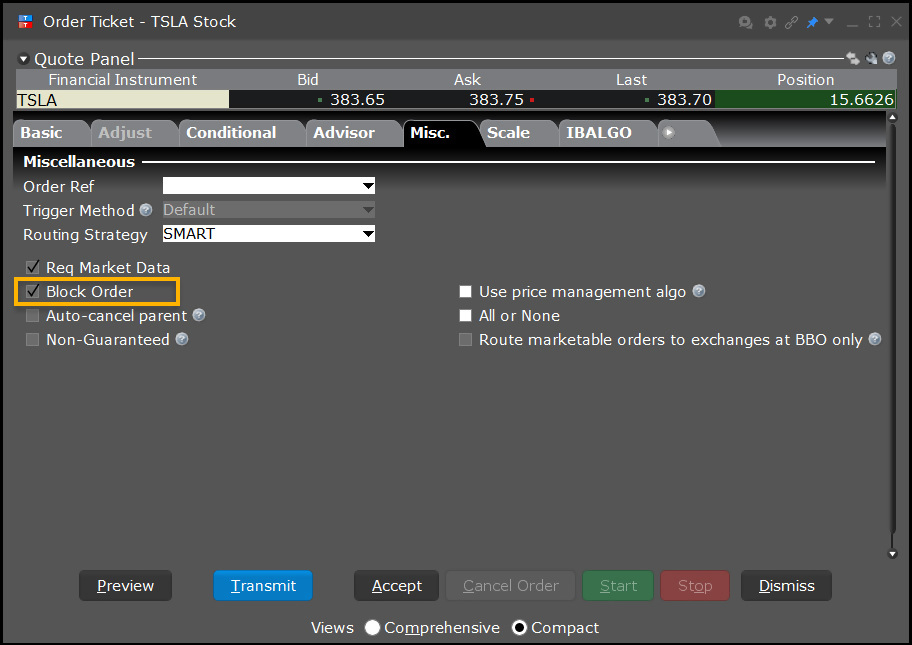
- Select the checkbox in the Block Order field.
You want to buy 10,000 XYZ option contracts for the best possible price. You select the XYZ option ticker line, then open the Order Ticket. In the Exchange field, you select ISE, then in the Price field you enter a limit price. Next you click the Miscellaneous tab and click the Block Order checkbox. This ensures that your order is made public and may result in a price improvement. You click Transmit to submit your order, or Accept to display the order on the trading screen before you submit it.
Order Type Box Top
Products: |
Options Only |
Platforms: |
TWS Only |
Regions: |
US Products Only |
Routing: |
Directed |
A Box Top order executes as a market order at the current best price. If the order is only partially filled, the remainder is submitted as a limit order with the limit price equal to the price at which the filled portion of the order executed.

Example
- Click the Ask Price to create a BUY order
- Enter 3 in the Qty field
- Select BOX from the Destination field
- Select BOX TOP from the Type field
- Click the T to transmit the order
Order Type In Depth - Box Top Buy Order
Step 1 – Enter a Box Top Order
The JAN11 130 XYZ call is currently trading at $6.00 - $6.05. You create a market order to buy three contracts, select BOX as the Destination and BOX TOP in the Type field. The word MARKET appears in the Lmt Price field to indicate that you are willing to buy at the current market price. You transmit the order.
A Box Top order executes as a market order at the current best price. If the order is only partially filled, the remainder is submitted as a Limit order with the Limit Price equal to the price at which the filled portion of the order executed.
| Assumptions | |
|---|---|
| Action | BUY |
| Qty | 3 |
| Order Type | BOX TOP |
| Destination | BOX |
| Market Price | 6.00 – 6.05 |
| Limit Price | MARKET (Current Market Price) |
Step 2 – Order Transmitted and Partially Filled as a Market Order
You've transmitted your Box Top order, and the order is partially filled as a Market order; you buy two contracts at $6.05, the best market price. The remainder of the order, one contract, is canceled and immediately re-submitted as a limit order with the Limit Price automatically set to $6.05. The Limit Price is the price at which the filled portion of the order executed.
| Assumptions | |
|---|---|
| Action | BUY |
| Qty | 3 |
| Order Type | BOX TOP > LMT |
| Market Price | 6.05 |
| Limit Price | 6.05 |
Step 3 – The Remainder of the Order is Submitted as a Limit Order
The canceled portion of your order, a single contract for a JAN11 130 XYZ call, has been resubmitted as a Limit order with the Limit Price set to $6.05, which is the price at which the market order portion of the order was filled. The contract becomes available at the Limit Price, and the order is filled at that price, completing your entire order for three contracts.
| Assumptions | |
|---|---|
| Action | BUY |
| Qty | 1 (2 already filled) |
| Order Type | LMT |
| Market Price | 6.05 |
| Limit Price | 6.05 |
Order Type Bracket
Products: |
Stocks, ETFs, Options, Futures, FOPs, Currencies, Warrants, EFPs, Combos |
Platforms: |
TWS, IBKR Desktop, and IBKR Mobile |
Regions: |
US and Non-US Products |
Routing: |
Smart, Directed |
Bracket orders are designed to help limit your loss and lock in a profit by "bracketing" an order with two opposite-side orders. A BUY order is bracketed by a high-side sell limit order and a low-side sell stop order. A SELL order is bracketed by a high-side buy stop order and a low side buy limit order.
The order quantity for the high and low side bracket orders matches the original order quantity. By default, the bracket order is offset from the current price by 1.0. This offset amount can be changed on the order line for a specific order, or modified at the default level for an instrument, contract or strategy using the Order Presets feature in Global Configuration.
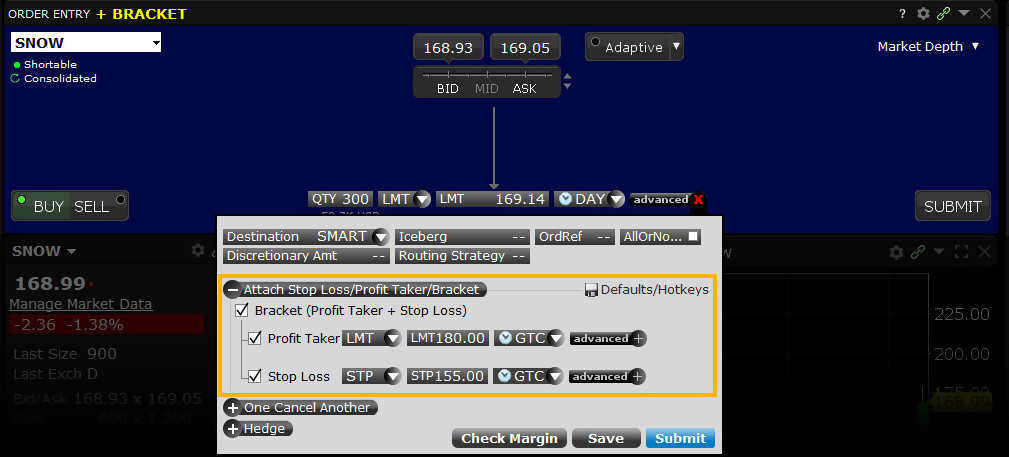
Mosaic Example
In this example, we wish to buy 1,000 shares in ticker TSLA at a price of no more than $219.50. However, at the same time we want to determine a Stop Loss order to sell the shares should the price drop to $218.00. We also wish to place a Profit Taking order in the event that TSLA rises to $221.00 during the session. Enter the desired ticker and click the Buy button, which causes the background to turn blue. Sell orders create a red background. Enter the number of shares to be purchased and select LMT from the Order Type dropdown menu. Next set your limit price at which you are prepared to buy shares. Change the TIF field if required. Users may select the Time-in-Force field to select a Good-til-Cancelled duration for the trade. In this example, we are using a Day order.
Assumptions
| Limit Buy Order | |
| Action | BUY |
| Qty | 1,000 |
| Order Type | LMT |
| Market Price | 219.60 |
| Limit Price | 219.50 |
| Limit Sell Order | |
| Action | SELL |
| Qty | 1,000 |
| Order Type | LMT |
| Market Price | 219.60 |
| Limit Price | 221.00 |
| Stop Sell Order | |
| Action | SELL |
| Qty | 1,000 |
| Order Type | STP |
| Market Price | 219.60 |
| Limit Price | 218.00 |
Next, click on the Advanced button to the right of the TIF field to display more order entry options. Click on the Attach button to the right to reveal Bracket functionality. By checking the Bracket box, users will see that the Profit taker and Stop Loss fields are automatically checked. Enter the desired values for the Profit Taker Limit order. And enter the desired Stop Limit sell order price. Once again, users may change the TIF if necessary before clicking the Submit button to enter the completed order.
Classic TWS Example
Order Type In Depth - Bracket Order
Step 1 – Enter a Limit Buy Order
Bracket orders are an effective way to manage your risk and lock in a profit on an order that has yet to execute. In this example, you want to buy 100 shares of XYZ stock, which has a current Ask price of 30.00. You expect the price to fall to 25.00, then rise to 30.00. By attaching a bracket order, you do not have to return to reevaluate and manage the risk of a position if the Limit order to buy at 25.00 per share is executed.
You click the Ask price of XYZ stock to create a Buy order, then enter the quantity and order type, then enter 25.00 as your Limit price. You do not transmit the order yet because you want to attach a Bracket order.
| Assumptions | |
|---|---|
| Action | BUY |
| Qty | 100 |
| Order Type | LMT |
| Market Price | 30.00 |
| Limit Price | 25.00 |
Step 2 – Attach a Bracket Order
To attach a Bracket order to your Limit Buy order, right click the order row, then select Attach > Bracket Order. A Limit Sell and a Stop Sell order now bracket your original order. You enter 30.00 as the Limit price for the attached Limit Sell order, then you enter 20.00 in the Aux. Price field as the trigger price for the attached Stop Sell order. You transmit the order.
| Assumptions | |
|---|---|
| Market Price | 30.00 |
| Limit Buy Order | |
| Action | BUY |
| Qty | 100 |
| Order Type | LMT |
| Limit Price | 25.00 |
| Limit Sell Order | |
| Action | SELL |
| Qty | 100 |
| Order Type | LMT |
| Limit Price | 30.00 |
| Stop Sell Order | |
| Action | SELL |
| Qty | 100 |
| Order Type | STP |
| Trigger Price | 20.00 |
Step 3 – Bracket Order Transmitted
You've transmitted your Bracket order. The diagram above illustrates the Market Price, the Limit Prices for your original Limit Buy order and the attached Limit Sell order and the Trigger Price for the attached Stop Sell order.
| Assumptions | |
|---|---|
| Market Price | 30.00 |
| Limit Buy Order | |
| Action | BUY |
| Qty | 100 |
| Order Type | LMT |
| Limit Price | 25.00 |
| Limit Sell Order | |
| Action | SELL |
| Qty | 100 |
| Order Type | LMT |
| Limit Price | 30.00 |
| Stop Sell Order | |
| Action | SELL |
| Qty | 100 |
| Order Type | STP |
| Trigger Price | 20.00 |
Step 4 – Market Price Falls, Original Limit Buy Order Fills
As you expected, the price of XYZ shares falls to 25.00, which is the Limit Price for your original Limit Buy order. The order for 100 shares fills at that price. Your two Sell orders now enter the market.
| Assumptions | |
|---|---|
| Market Price | 25.00 |
| Limit Buy Order | |
| Limit Price | 25.00 |
| Limit Sell Order | |
| Action | SELL |
| Qty | 100 |
| Order Type | LMT |
| Limit Price | 30.00 |
| Stop Sell Order | |
| Action | SELL |
| Qty | 100 |
| Order Type | STP |
| Trigger Price | 20.00 |
Step 5A – Market Price Rises, Limit Sell Order Fills
In one possible scenario, the price of XYZ rises to 30.00, which is the Limit Price of your attached Limit Sell order. The order fills at that price and you make $500.00 profit. The other attached order, the Stop Sell order, is canceled.
| Assumptions | |
|---|---|
| Market Price | 30.00 |
| Limit Buy Order | |
| Filled at | 25.00 |
| Limit Sell Order | |
| Limit Price | 30.00 |
| Stop Sell Order is canceled | |
Step 5B – Alternate Scenario: Market Price Falls, Stop Sell Order Fills
In an alternate scenario, the price of XYZ falls to 20.00, which is the Trigger Price of your attached Stop Sell order. A Market order executes at that price and you lose $500.00. The other attached order, the Limit Sell order, is canceled.
| Assumptions | |
|---|---|
| Market Price | 20.00 |
| Limit Buy Order | |
| Filled at | 25.00 |
| Stop Sell Order | |
| Trigger Price | 20.00 |
| Limit Sell Order is canceled | |
Algo Close Price
Products: |
Stocks, ETFs, Options |
Platforms: |
TWS, IBKR Desktop, IBKR Mobile |
Regions: |
US and Non-US Products |
Routing: |
IB Algo |
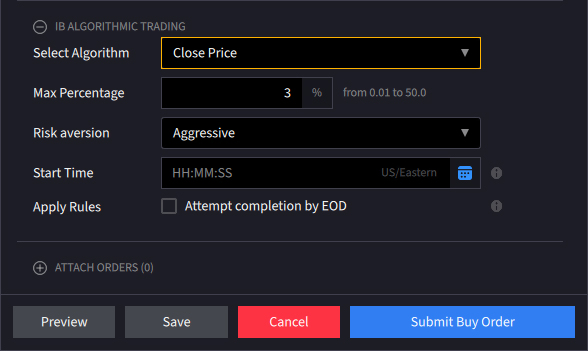
Investors submitting market or limit orders into the closing auction may adversely affect the closing price, especially when the size of the order is large relative to the average close auction volume. In order to help investors attempting to execute towards the end of the trading session we have developed the Closing Price Strategy. This algo breaks down large order amounts and determines the timing of order entry so that it will continuously execute in order to minimize slippage. The start and pace of execution are determined by the user who assigns a level of market risk and specifies the target percentage of volume, while the algo considers the prior volatility of the stock.
Tool Conditional
Products: |
Stocks, ETFs, Options, Futures, FOPs, Currencies, Warrants |
Platforms: |
TWS and IBKR Mobile |
Regions: |
US and Non-US Products |
Routing: |
Smart, Directed |
Conditional orders allow the user to attach one or more stipulations that must be true before the order can be submitted. This might allow an investor to only buy/sell an option if its underlying is trading above or below a specified level. Alternatively, the condition might cause the order to become active only when an index is trading above or below a specific range. The Conditional order type may draw together multiple stipulations that might make it harder for the trade to execute, yet which would safeguard the investor from trading outside of circumstances under which he would prefer not to trade.
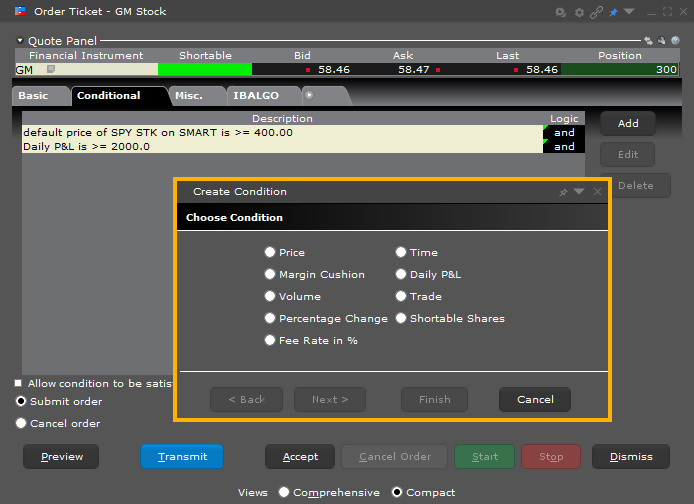
The trader can choose from and combine logical conditions from Price, Time and Volume variables using operators of equal to, greater or less than. Other conditions include Margin Cushion, Trade and Percentage Change. Clients could enter an order to buy 10 call options on MSFT with a specified limit price of 85-cents, but only when its share price ≤ $46.45 and Volume >25mm and the S&P 500 index was ≤ 2,000.
For Good-til-Canceled (GTC) conditional orders, unless the order is executed on the same day as the condition trigger, the condition has to be retriggered again on the following day(s) for the order to become active.
Example
Order Type In Depth - Conditional Buy Order
Step 1 – Create a Limit Buy Order
The JAN11 490 XYZ call is currently trading at $30.20 - 31.00. You want to buy 1 contract, but only if the Ask price of the underlying stock falls to 464.00 per share. You enter a Limit Buy order for 1 contract, then right-click the order line and select Modify > Condition from the menu.
| Assumptions | |
|---|---|
| Action | BUY |
| Qty | 1 |
| Order Type | LMT |
| Market Price | 30.20 - 31.00 |
| Limit Price | 30.95 |
Step 2 – Add Condition to the Order
On the Conditional tab in the Order Ticket, you add a new condition by clicking the Add button and following the steps shown above. You want to buy 1 contract if the price of the underlying stock falls to 464.00 per share so you select Price as the condition, then enter the underlying symbol, trigger method, operator and trigger price.
In this example, we are using the Default trigger method, which for US options is the double bid/ask method, where two consecutive ask price (bid price) values must be less than (greater than) or equal to the trigger price, and the second bid or ask must have greater size if it is at the same price level as the first bid or ask.
You click Transmit to submit the order.
Step 3 – Place Conditional Order for 1 XYZ Option Contract
You've transmitted your Conditional order. When the price of the underlying stock falls to 464.00 per share, your Limit order to buy 1 option contract will be submitted.
Step 4 – Market Price of Underlying Falls, Condition Satisfied
The market price of the underlying XYZ stock falls to 464.00, which is the trigger price for the condition. The condition having been satisfied, a Limit order for 1 XYZ option contract is submitted with a Limit price of 30.95.
| Assumptions | |
|---|---|
| Action | BUY |
| Qty | 1 |
| Order Type | LMT |
| Market Price | 30.20 - 31.00 |
| Limit Price | 30.95 |
| Conditional Settings | |
| Condition | Price |
| Underlying | XYZ |
| Method | Default |
| Operator | <= |
| Price | 464.00 |
Step 5 – Market Price of Option Contract Falls, Limit Order Filled
The market price of the underlying XYZ stock falls to 464.00, which is the trigger price for the condition. The condition having been satisfied, a Limit order for 1 XYZ option contract is submitted with a Limit price of 30.95.
| Assumptions | |
|---|---|
| Action | BUY |
| Qty | 1 |
| Order Type | LMT |
| Market Price | 30.95 |
| Limit Price | 30.95 |
Tool Currency Conversion
Products: |
Stocks, Options, Futures, FOPs, Currencies, Warrants |
Platforms: |
IBKR Mobile, Client Portal |
Regions: |
US and Non-US Products |
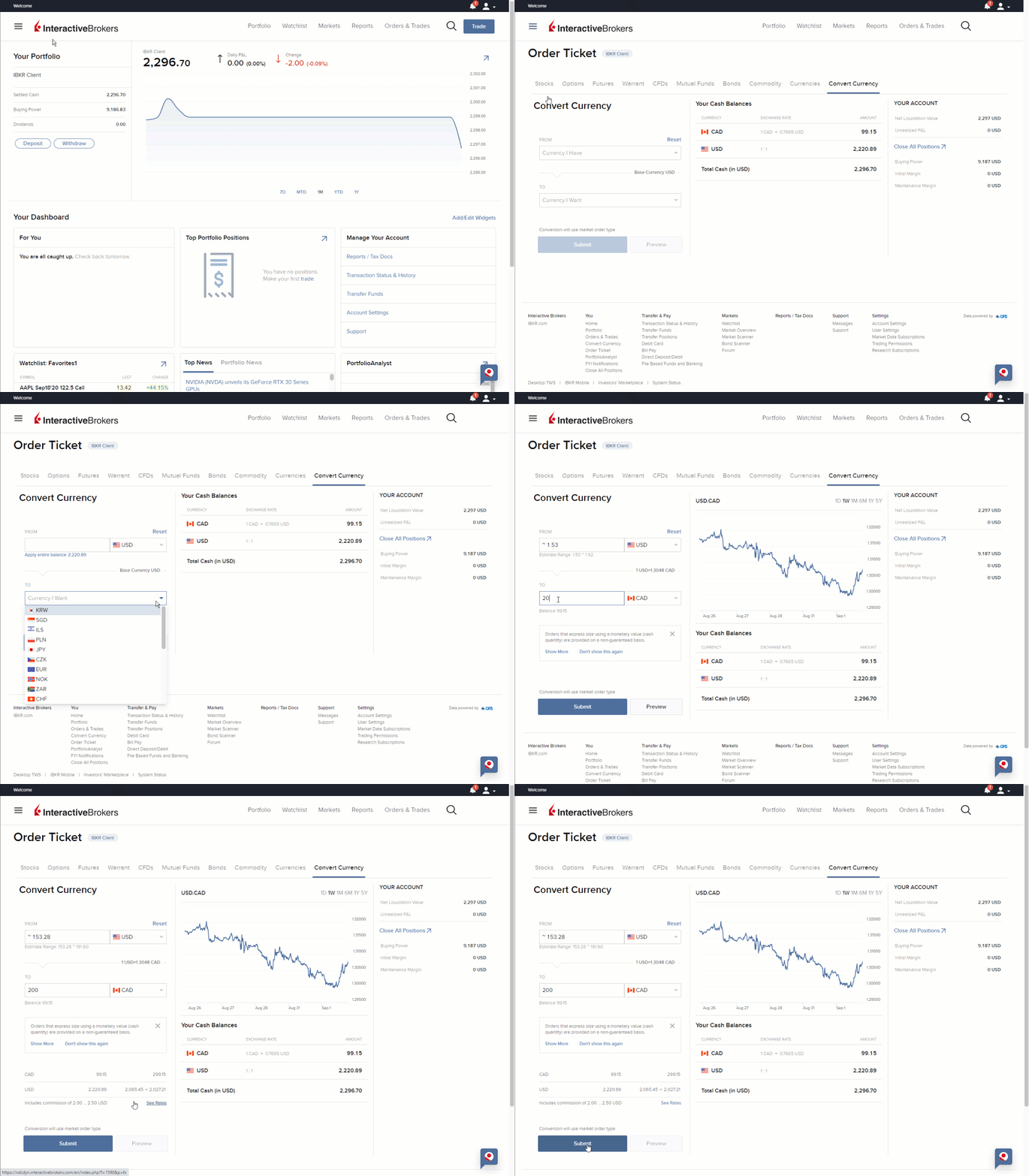
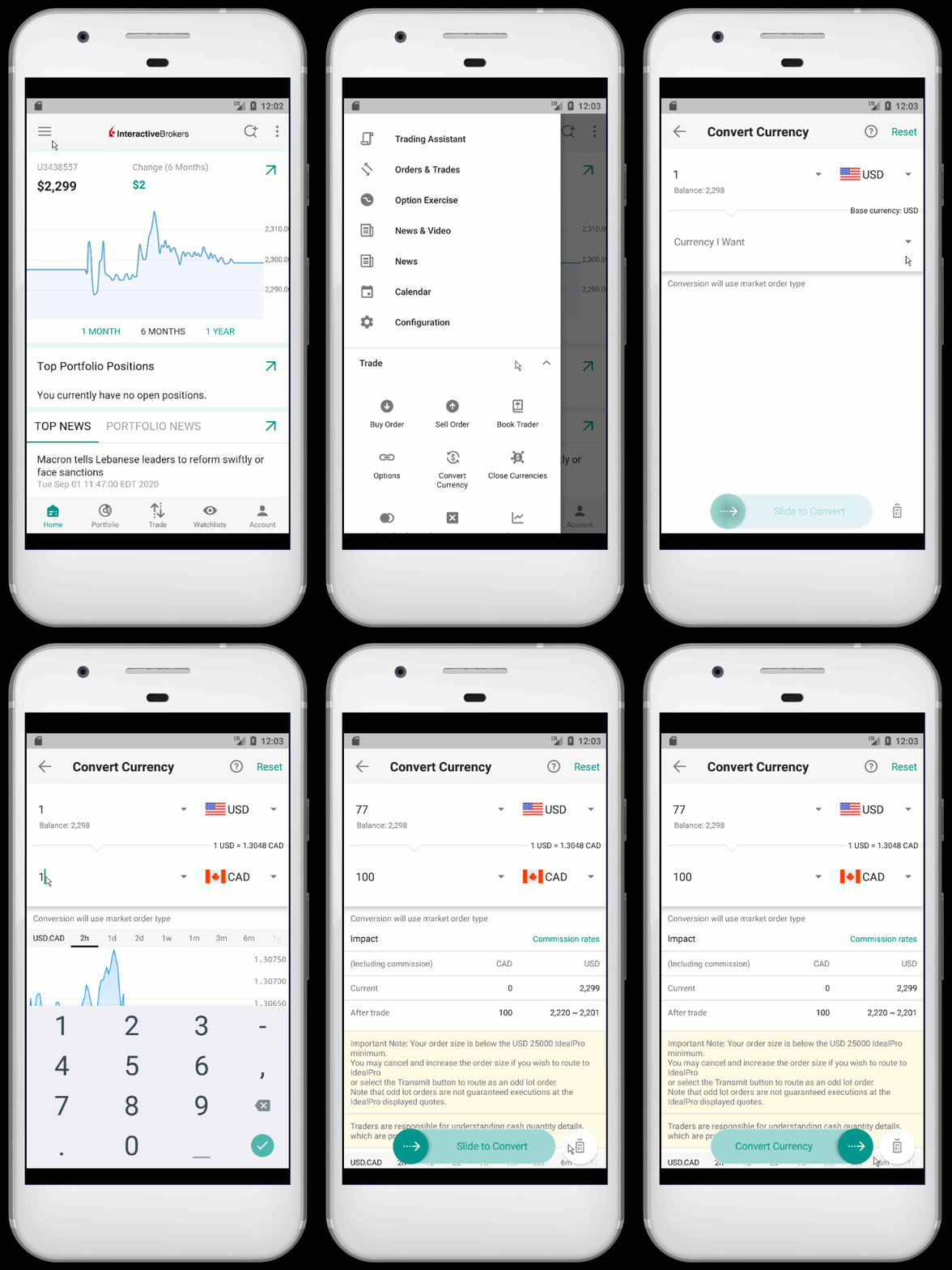
Easily convert cash from one currency to another using the Currency Conversion tool. Simply pick a currency you have, then enter the amount of the currency you want. The system sets up the market order for the conversion. Just preview your order, and submit!
Expand the accordion items below to learn how to use the Currency Conversion tool on different IBKR platforms.

Algo Dark Ice
Products: |
Stocks, ETFs, Futures, Currencies |
Platforms: |
TWS, IBKR Desktop, IBKR Mobile |
Regions: |
US Products Only |
Routing: |
IB Algo |
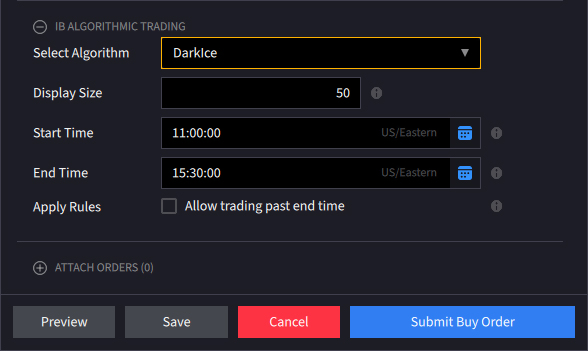
The Dark Ice order type develops the concept of privacy adopted by orders such as Iceberg or Reserve, using a proprietary algorithm to further hide the volume displayed to the market by the order. Clients can determine the timeframe an order remains live and have the option to allow trading past end time in the event it is unfilled by the stated end time. In order to minimize market impact in the event of large orders, users can specify a display size to be shown to the market different from the actual order size. Additionally, the Dark Ice algo randomizes the display size +/- 50% based upon the probability of the price moving favorably. Further, using calculated probabilities, the algo decides whether to place the order at the limit price or one tick lower than the current offer for buy orders and one tick higher than the current bid for sell orders.
Attached Order Delta Hedge
Products: |
Options Only |
Platforms: |
TWS Only |
Regions: |
US Products Only |
Routing: |
Directed |
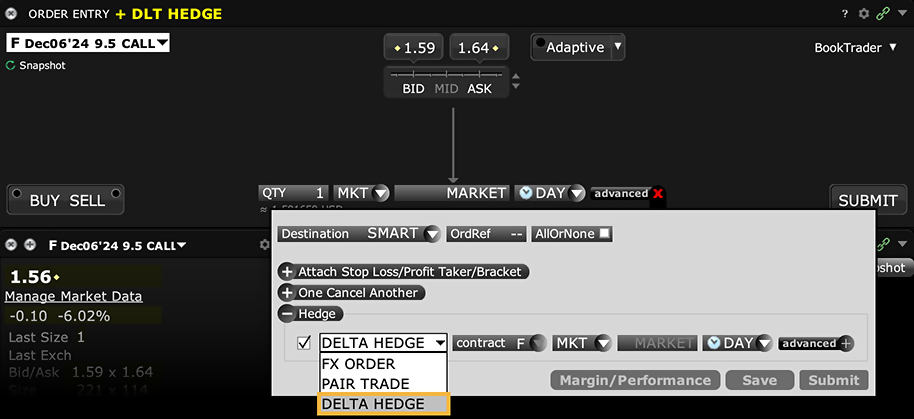
Attach a delta hedge order to an options order, and as an alternative to setting a hedge order attribute in the original Volatility order line.
Order Type Direct Routing
Products: |
Stocks, ETFs, Options, Futures, FOPs, Currencies, Bonds, Funds, Warrants, EFPs, Combos |
Platforms: |
TWS, IBKR Desktop, IBKR Mobile, Client Portal |
Regions: |
US and Non-US Products |
Routing: |
Directed |
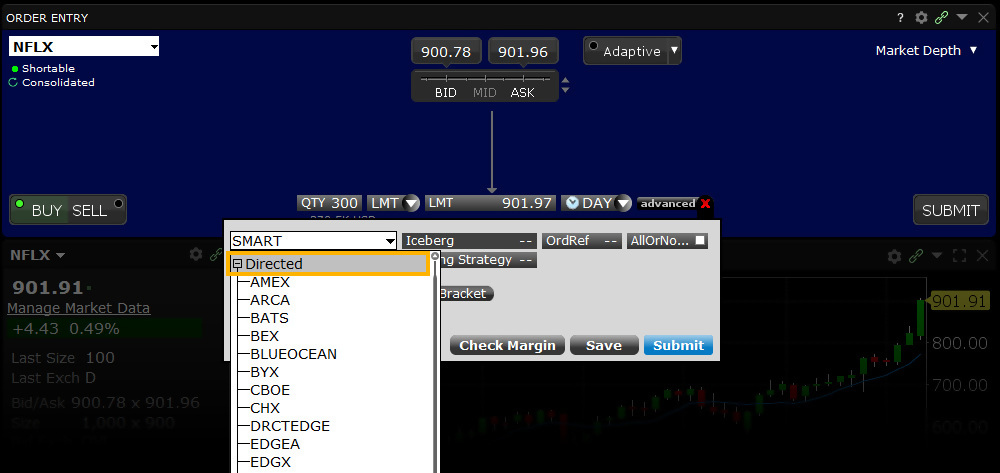
Customers can give specific instructions for an order to be routed to a particular exchange or venue for execution instead of using IBKR's SmartRouting technology. Note that the specified exchange may have exchange fees/rebates.
Order Type Discretionary
Products: |
Stocks, ETFs |
Platforms: |
TWS Only |
Regions: |
US Products Only |
Routing: |
Smart |
A Discretionary order is an order type offered by certain exchanges. This order is a limit order submitted with a hidden, specified 'discretionary' amount off the limit price which may be used to increase the price range over which the limit order is eligible to execute. The market sees only the limit price.
For information about special handling for discretionary orders for US options and Penny Pilot Program US options, please see the Discretionary Order Handling page.
Mosaic Example
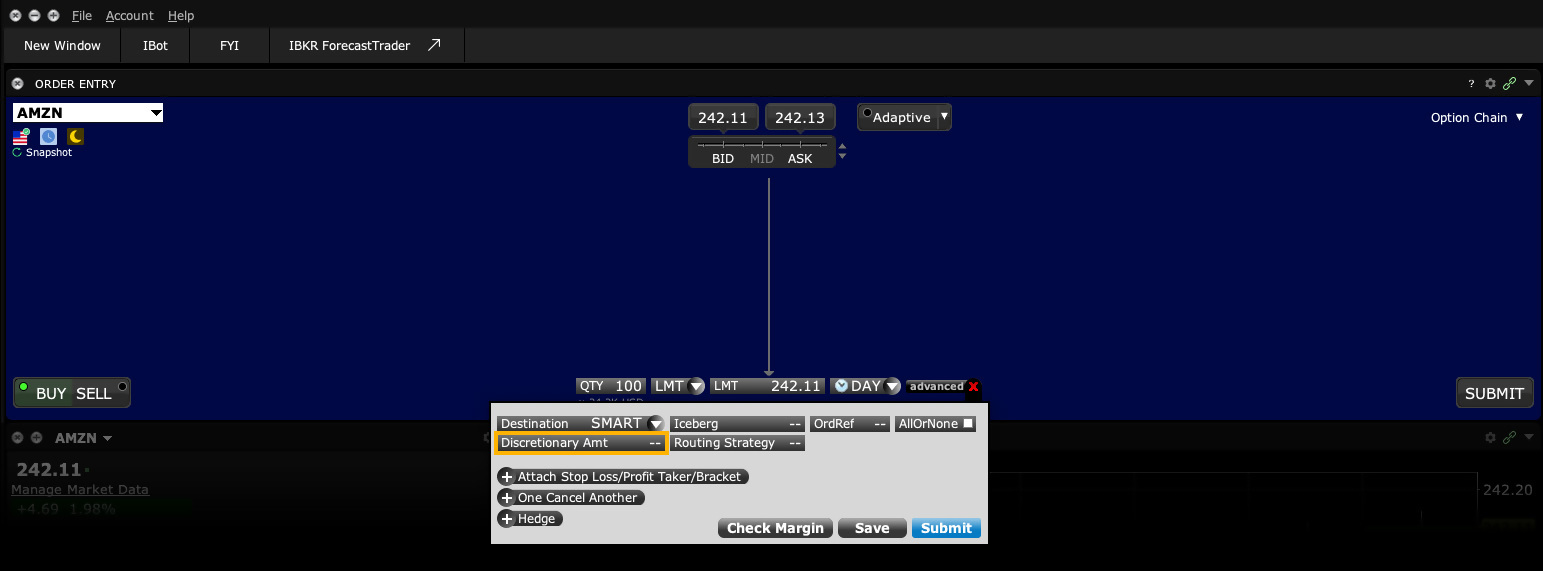
Markets or specific stock prices often move quickly resulting in wider-than-usual spreads. In some cases quotes on some stocks are higher and therefore accommodate a wide spread. In an effort to increase the chances of execution in a stock where a spread exists, clients may use a discretionary order type to add to a limit bid price or subtract from a limit ask price without exposing the price improvement to the market. In this example, the user wishes to purchase 1,000 shares in ticker TSLA at 3-cents more than the National Best Bid (NBB) displayed in the market quote. However, the user's bid size is only displayed at the NBB although the discretionary amount increases the buyer's chance of the trade executing. In addition the buyer wishes to limit the price he is willing to pay to no higher than $218.79.
| Assumptions | |
|---|---|
| Action | BUY |
| Qty | 1,000 |
| Order Type | LMT |
| Market Price | 218.82 |
| Limit Price | 218.79 |
| Discretionary Amount | 0.03 |
Enter the ticker symbol in the Order Entry field and click on the Buy button. This causes the background to turn blue. Sell orders create a red background. Enter the desired purchase value in the Quantity field and select LMT for the Order Type. Change the TIF if desired. In this example we are using a Day order. Clicking the Advanced button displays more parameters for the order. Click on the Discretionary Amount field, which allows the user to enter the desired amount in dollars and pennies over and above the Bid price we are willing to pay. With the NBB of $218.76 and a 3-cent Discretionary amount added to this order, the order might execute in the event the market price of TSLA falls to $218.79. Note that if the NBB rose to $218.77 the order would not fill should the market price decline to $218.80 on account of the limit price of $218.79 in place. With these values entered on the screen, you are ready to click the Submit button to transmit your order.
Classic TWS Example
- Use Customize Layout > Order Columns to display the Discretionary Amt column
- Click the Ask Price to create a BUY order
- Enter LMT in the Type field
- Enter your Limit Price in the Limit Price field
- Enter the Discretionary Amount in the Discretionary Amt field
- Click the T to transmit the order
Order Type In Depth - Discretionary Buy Order
Step 1 – Enter a Discretionary Buy Order
In a fast-moving market, you want to place a limit order to buy 100 shares of XYZ, which is trading at 64.25 per share. To improve the chances of getting filled, you decide to add a discretionary amount to the Limit Price. You click the Ask Price to create a buy order and select LMT as the order type. Then you enter a Limit Price of 64.10 and enter a discretionary amount of 0.10 in the Discretionary Amt field. This is the amount added to the limit price to increase the price range over which the order is eligible to execute.Note that this amount is hidden from the market, which sees only the limit price of 64.10.
Step 2 – Order Transmitted
You've transmitted your limit order with a discretionary amount of 0.10. If the price of XYZ shares falls to within 0.10 of your limit price of 64.10, your order for 100 shares will be filled.
| Assumptions | |
|---|---|
| Action | BUY |
| Qty | 100 |
| Order Type | LMT |
| Market Price | 64.25 |
| Limit Price | 64.10 |
| Discretionary Amt | 0.10 |
Step 3 – Market Price Falls, Order Filled
The market price of XYZ falls to 64.19, which is within the range specified by your discretionary amount. Your limit order for 100 shares is filled at 64.19.
| Assumptions | |
|---|---|
| Action | BUY |
| Qty | 100 |
| Order Type | LMT |
| Market Price | 64.19 |
| Limit Price | 64.10 |
| Discretionary Amt | 0.10 |
Order Type Fill or Kill
Products: |
Options Only |
Platforms: |
TWS, IBKR Desktop |
Regions: |
US Products Only |
Routing: |
Smart, Directed |
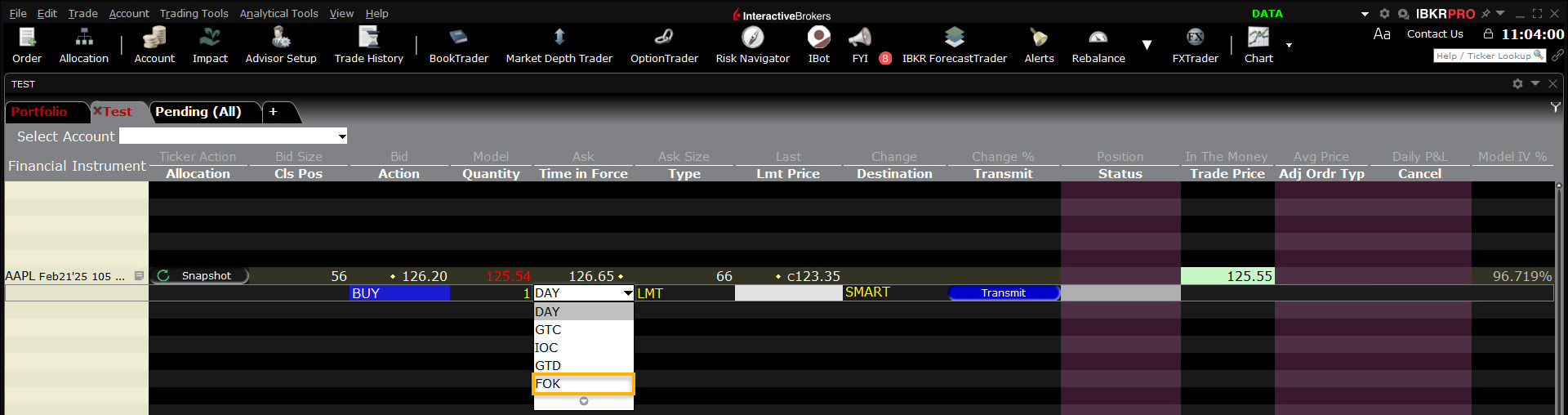
Setting FOK as the time in force dictates that the entire order must execute immediately or be canceled. A trader might see a short-lived opportunity to buy or sell an option that would suit a strategy or fit within a portfolio. However, the time opportunity might be subject to buying or selling a minimum number contracts. The fill-or-kill order type is designed to ensure that the investor does not receive a partial fill that would not suit his current appetite. Failure to fill the entire order upon immediate submission to the market causes the system to cancel the order in its entirety.
Example
- Click the Ask Price to create a BUY order
- Select the FOK in the Time in Force field
- Click the T to transmit the order
Order Type In Depth - Fill or Kill Buy Order
Step 1 – Enter a Fill or Kill Buy Order
At 10:00 AM Tuesday, you want to place an order to 1000 contracts of XYZ option. You want the entire order to fill right away, otherwise you don't want it. Create the buy order, select an order type from the Type field (in this example, we've chosen a limit order), and select FOK as the time in force. If the entire order does not fill immediately once it is accepted by the market, the entire order is canceled.
Step 2 – Buy Order for 1000 Contracts Transmitted
You've transmitted your limit order with the time in force set to Fill or Kill. If the entire order does not fill immediately once it is accepted by the market, the entire order will be canceled.
Step 3 – Order is Filled Immediately
Your limit price and the market price of XYZ are the same, 13.50, when you transmit the order. Your entire order is immediately filled.
| Assumptions | |
|---|---|
| Action | BUY |
| Qty | 1000 |
| Order Type | LMT |
| Market Price | 13.50 |
| Limit Price | 13.50 |
| Time in Force | FOK |
Alternate Scenario – Market Price Moves Away from Limit Price, Order Cannot Be Filled Immediately
In this alternate scenario, the market price of XYZ rises to 13.51, away from your limit price of 13.50. Your entire order cannot be immediately filled so it is canceled.
| Assumptions | |
|---|---|
| Action | BUY |
| Qty | 1000 |
| Order Type | LMT |
| Market Price | 13.51 |
| Limit Price | 13.50 |
| Time in Force | FOK |
Order Type Fractional Shares
Products: |
Stocks, ETFs |
Platforms: |
TWS, IBKR Desktop, IBKR Mobile, Client Portal |
Regions: |
US and Non-US Products |
Routing: |
Smart |
Fractional shares allow IBKR clients to build their portfolio components based on dollar amount, not shares. IBKR clients can pick any eligible US, Canadian or European stock (or ETF, where available) and decide how much they want to invest - it's that easy. If the purchase price doesn't result in a whole number of shares, IBKR will buy or sell fractional shares.
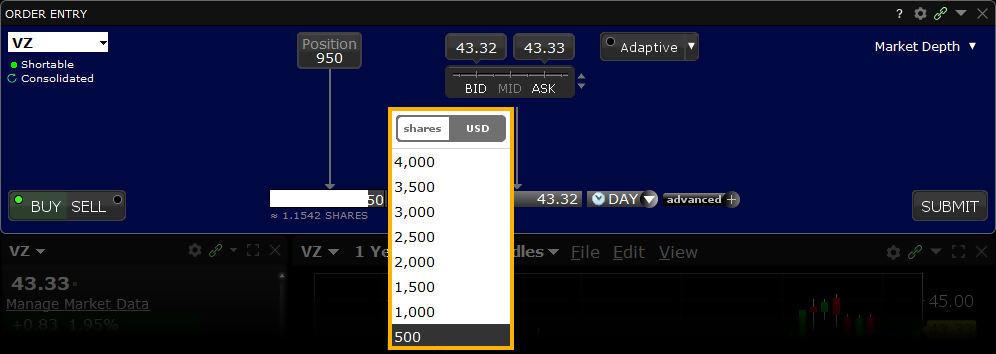
To specify a dollar amount for an order, use the size wand in the Quantity field to toggle from "shares" to currency.
Fractional shares allow IBKR clients to divide their investments among more stocks to achieve a more diversified portfolio and put small cash balances to work quickly to maximize potential returns.
| Pick Your Stock | Pick Your $ Amount | Share Price1 | Number of Shares |
|---|---|---|---|
| NFLX | $25 | $644.50 | 0.0388 |
| TSLA | $25 | $173.79 | 0.1439 |
| GOOG | $25 | $176.03 | 0.1420 |
| AMZN | $25 | $184.69 | 0.1354 |
| $100 | Stock Portfolio |
Any trading symbols displayed are for illustrative purposes only and are not intended to portray recommendations.
[1] Share prices as of June 11, 2024.
Order Type Funari
Products: |
Stocks, ETFs |
Platforms: |
TWS Only |
Regions: |
Non-US Products |
Routing: |
Directed |
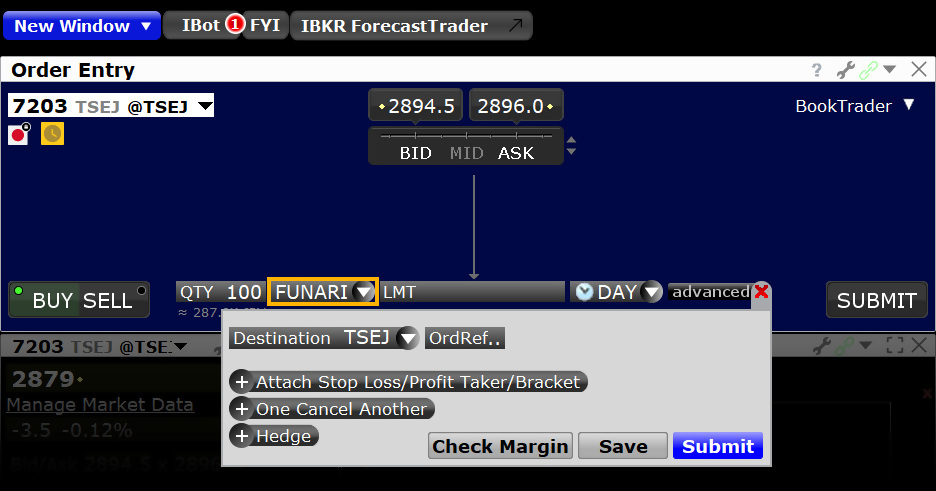
A Funari order is submitted as a limit order at the user-specified limit price, with any unfilled quantity resubmitted as a Market-On-Close order at the end of the trading session. Market-On-Close orders execute as close to the closing price as possible.
Example
- Select FUNARI from the Order Type field
- Order must be directed to TSEJ
Disclosure
IB may simulate market orders on exchanges. For details, see market order handling using simulated orders.
Attached Order FX Order
Products: |
Stocks, ETFs, Options |
Platforms: |
TWS Only |
Regions: |
Non-US Products Only |
Routing: |
Directed |
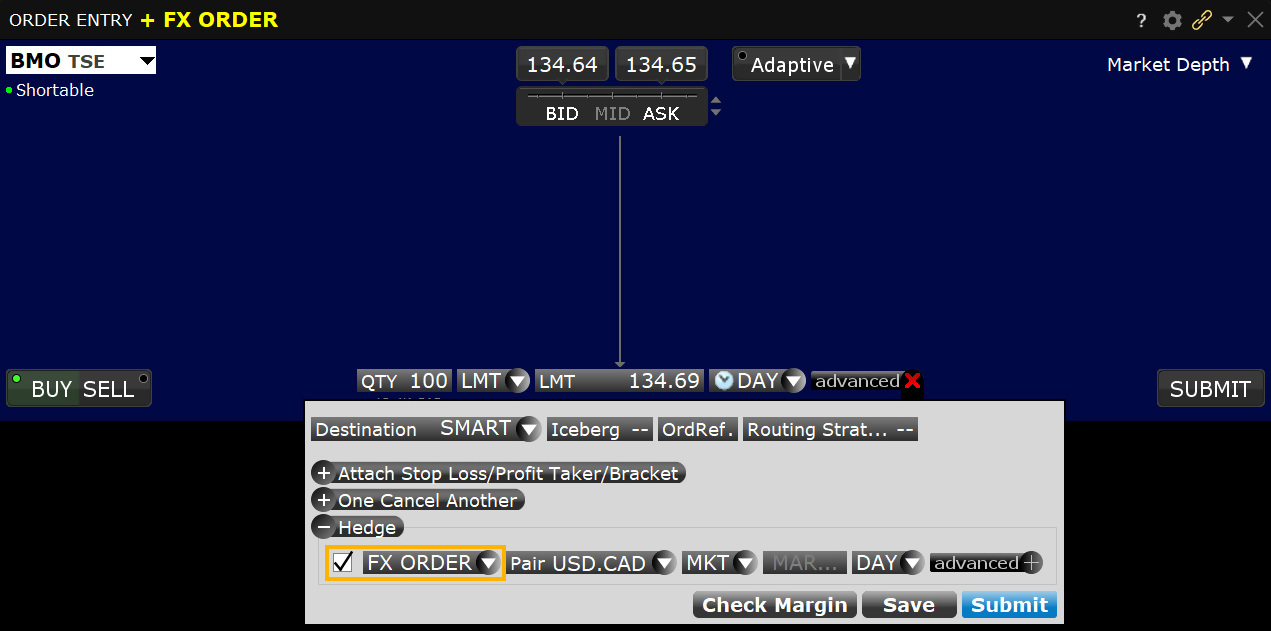
You can elect to attach an FX Order in cases where you are buying a contract in a currency other than your base, and want to convert base currency to the currency of the contract to cover the cost of the trade.
Order Type Good Til Canceled (GTC)
Products: |
Stocks, ETFs, Options, Futures, FOPs, Currencies, Bonds, Warrants, EFPs, Crypto |
Platforms: |
TWS, IBKR Desktop, IBKR Mobile, Client Portal |
Regions: |
US and Non-US Products |
Routing: |
Smart, Directed |
An order that uses the Good-Til-Canceled (GTC) time in force will continue to work until the order fills or is canceled 1. The ability to enter a bid well below the prevailing trading price for most asset classes, or an offer higher than its current level, allows an investor to place a resting order for days, weeks or months in advance without having to repeat the process each day.
The GTC order type allows traders to pinpoint in advance levels at which they would like to enter or exit the market. GTC orders will generally 2 be canceled automatically under the following conditions:
- If a corporate action on a security results in a stock split (forward or reverse), exchange for shares, or distribution of shares.
- If the company issues a dividend where the rate exceeds 3% of the prior day's closing price or if the dividend is an extra/special dividend, regardless of the payment amount.
- If you do not log into your IBKR account for 90 days.
- At the end of the calendar quarter following the current quarter. For example, an order placed during the third quarter of 2011 will be canceled at the end of the fourth quarter of 2011. If the last day is a non-trading day, the cancellation will occur at the close of the final trading day of that quarter. For example, if the last day of the quarter is Sunday, the orders will be cancelled on the preceding Friday.
- Orders that are modified will be assigned a new "Auto Expire" date consistent with the end of the calendar quarter following the current quarter.
Mosaic Example
Order type In Depth – Good-Til-Canceled Order
In this example, we have an existing long position of 7,250 shares in Ticker symbol F, whose shares are quoted at 16.04/05. The investor wishes to leave a Limit order to sell the entire position at a price higher than the prevailing trading price of the stock. By modifying with a good-til-canceled attribute the investor can leave a resting order in the market in the hope his order will ultimately fill at his pre-determined level.
The advantage is that the investor does not have to place the same order day after day until his price level is achieved.
| Assumptions | |
|---|---|
| Action | SELL |
| Qty | 7,250 |
| Order Type | LMT |
| Market Price | 16.05 |
| Limit Price | 16.53 |
| Time in Force | GTC |
Chart – Entering a good-till-cancelled order on ticker symbol F
Click on the Sell button to generate an order ticket to sell shares in Ticker F. Note that the background turns red to denote an order to sell is in process. By Contrast, clicking on the Buy button would create the appearance of a blue background. When clicking on a ticker in your Portfolio window or from another linked window, the security will automatically load in the Order Entry panel. The Quantity field display will show the default value for the share amount but can be changed by clicking on the value field and selecting from the pop-up display. Alternatively users can type the required amount into the field. Enter the number of shares to be sold, or alternatively click on the Position button to sell the entire number of F shares in your portfolio. By clicking this button the Quantity field will adopt the entire position to sell. Next, from the Time-in-Force input field button select LMT as we want to enter a limit price to sell shares.
Click on the Price entry input field to change the limit price. In this example the price entered of $16.53 is significantly higher than the NBBO and above the daily trading range. In other words, it is unlikely to fill during the current session.
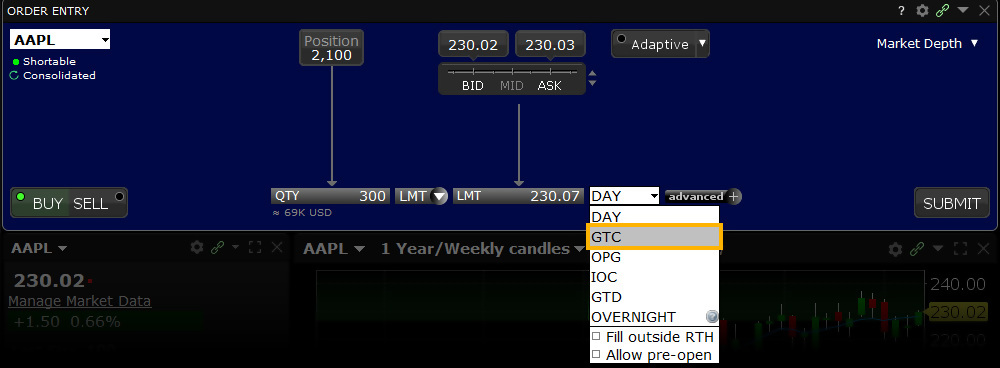
From the Time-in-Force selection box, choose GTC to ensure the order remains in force until filled. Note also that there are options to make the order active outside of regular trading hours (RTH) and allow it to fill in the pre-open session, which can be enabled by placing a check in the appropriate box. The GTC order to offer 7,250 shares at $16.53 each in Ticker F when reached is now ready to place. Click on the Submit button to transmit the trade, which will remain in place unless filled or cancelled by the user.
TWS Example
- Click the Ask Price to create a BUY order
- Select LMT in the Type field
- Select GTC from the Time in Force field
- Enter the quantity in the Qty field
- Enter the Limit Price in the Lmt Price field
- Click T to transmit the order
Order Type In Depth - Good-Til-Canceled Order
Step 1 – Enter a Good-Til-Canceled Limit Order
An order with a good-til-canceled (GTC) time in force keeps the order working until it executes or you cancel it. In this example, it is Monday, June 1 and you want to buy 100 shares of XYZ, which is currently at 127.38 and you want the order to keep working until it fills. You create a limit order for 100 shares with a Limit Price of 127.30 and select GTC as the Time in Force.
Step 2 – Order Transmitted
You've transmitted your limit order, which will work as a live order until it fills or until you cancel it.
| Assumptions | |
|---|---|
| Action | BUY |
| Qty | 100 |
| Order Type | LMT |
| Market Price | 127.38 |
| Limit Price | 127.30 |
| Time in Force | GTC |
Step 3 – Order Will Work Until You Cancel It
Two days have passed. Shares of XYZ have fallen to 127.35 but not to your limit price of 127.30; your order for 100 shares of XYZ has not been filled. At this point, you decide that you no longer want to wait for the market price of XYZ to fall to your limit price, so you cancel the order instead of waiting for it to execute.
| Assumptions | |
|---|---|
| Action | BUY |
| Qty | 100 |
| Order Type | LMT |
| Market Price | 127.35 |
| Limit Price | 127.30 |
| Time in Force | GTC |
Disclosure
- Orders submitted to IBKR that remain in force for more than one day will not be reduced for ordinary dividends. For order adjustment considerations prior to the ex-dividend date, consider using a Good-Til-Date/Time (GTD) or Good-after-Time/Date (GAT) order type, or a combination of the two.
- Stock orders with a time in force attribute set to work beyond one trading session will be flagged as Do Not Reduce (DNR). IBKR will, on a best efforts basis, cancel such GTC orders as described above; however under certain circumstances IBKR may not be able to cancel such orders on a timely basis, including but not limited to when IBKR receives information on a corporate action within 48 hours of the announced effective date, and such GTC orders may continue to remain in force and may be eligible for execution. It is the Customer's responsibility to monitor their account and to act accordingly in the event that a corporate action has been announced.
Order Type Good Til Date/Time (GTD)
Products: |
Stocks, ETFs, Options, Futures, FOPs, Currencies, Bonds, Warrants, EFPs, , Crypto |
Platforms: |
TWS, IBKR Desktop |
Regions: |
US and Non-US Products |
Routing: |
Smart, Directed |
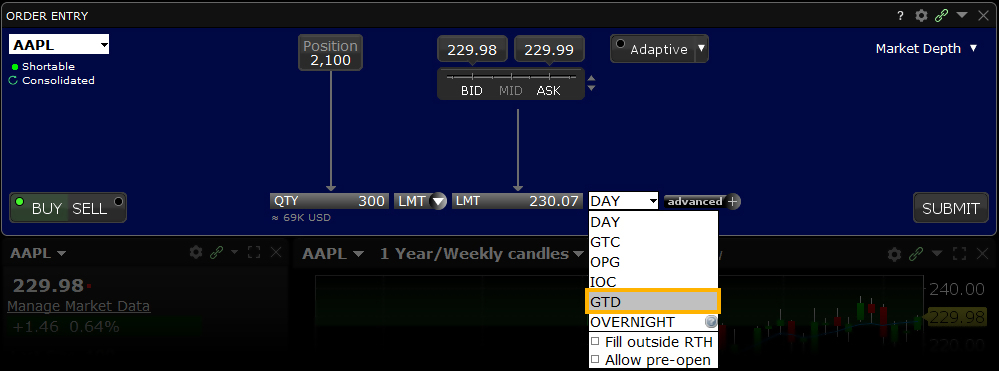
The GTD (Good-til-Date/Time) time in force lets you select an expiration date and time up until which an order will continue to work. Setting this attribute requires both a time in force selection of GTD, a date entry in the Expiration Date field, and a time entry in the Expiration Time field if that level of detail is required. Note that if you only enter a good-till date, the unfilled order will cancel at the close of the market on the specified day.*
Example
- Use Customize Layout > Order Columns to display the Exp. Date and Exp. Time fields
- Click the Ask Price to create a BUY order
- Enter the Limit Price in the LMT Price field
Order Type In Depth - Good–Til-Date/Time Order
Step 1 – Enter a Good-Til-Date/Time Limit Order
You want to submit an order for 100 shares of XYZ which will continue to work (if necessary) until 4:00 pm ET on July 23. First you create a limit buy order by clicking the Ask price of XYZ, then you enter a limit price.
| Assumptions | |
|---|---|
| Action | BUY |
| Qty | 100 |
| Order Type | LMT |
| Market Price | 47.56 |
| Limit Price | 47.54 |
Step 2 – Enter a Date and Time, then Transmit the Order
Next, you complete your order by selecting GTD from the time in force field, then entering a date and time In the Exp Date and Exp Time fields, you use the Calendar icons to select the desired date and time, then you transmit the order. The submitted order will work until it executes, is canceled, or until 4:00 pm ET on July 23, the specified date and time.
Step 3 – Order Transmitted
You've transmitted your good-til-date/time order, which will be held in the IBKR system until it fills, until you cancel it or until 4:00 pm ET on July 23, the specified date and time.
Step 4 – If Not Filled, Order Canceled on Specified Date and Time
At 4:00 pm ET on July 23, your limit order still has not been filled, and you have not canceled it. Because your order includes a good-til-date/time (GTD) time in force, it is therefore canceled.
| Assumptions | |
|---|---|
| Action | BUY |
| Qty | 100 |
| Order Type | LMT |
| Market Price | 47.56 |
| Limit Price | 47.54 |
| Time in Force | GTD |
| Exp. Date | July 23, 20XX |
| Exp. Time | 4:00 PM |
Order Type Hidden
Products: |
Stocks, ETFs, Options, Futures, FOPs, Bonds, Warrants |
Platforms: |
TWS Only |
Regions: |
US and Non-US Products |
Routing: |
Smart, Directed |
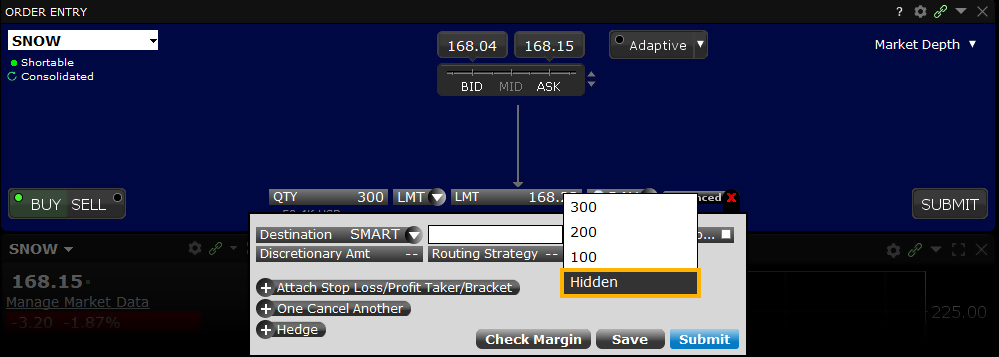
Investors wishing to hide large-size orders can do use by applying the "Hidden" attribute to a large volume order to completely hide the submitted quantity from the market. The Hidden order type is a simple solution to maintaining anonymity in the market when trying to buy or sell large amounts of stocks, options, bonds, warrants, futures or futures options. The Hidden order type is simple to add to the main trading window within TWS and requires a simple check-mark in the box in order to activate. Display the Hidden field from the Layout Manager, and check the Hidden attribute in the order line. Your order is submitted but evidence of the order is hidden from the market.
Example
You want to buy 5000 shares of XYZ but don't want your order to affect or be seen by other traders in the market. Display the Hidden field from the Layout Manager, and check the Hidden attribute in the order line. Your order is submitted but evidence of the order is hidden from the market.
Note:
IB may simulate hidden orders on exchanges. See details on hidden order handling using simulated orders.
Order Type IBKR ATS
Products: |
Stocks, ETFs |
Platforms: |
TWS, IBKR Desktop, IBKR Mobile, Client Portal |
Regions: |
US Products Only |
Routing: |
Directed |
Customers can direct U.S. stock orders to the IBKR ATS destination to add liquidity. Orders directed to IBKR ATS are automatically tagged as "not held" orders, and are posted in IBKR's order book where they are eligible to trade against incoming SmartRouted orders that are marketable against them.
A variety of order types are available for posting liquidity in IBKR ATS, including Pegged-to-Midpoint, Pegged-to-Best, Relative/Pegged-to-Primary, and Pegged-to-Market, as well as priced limit orders.
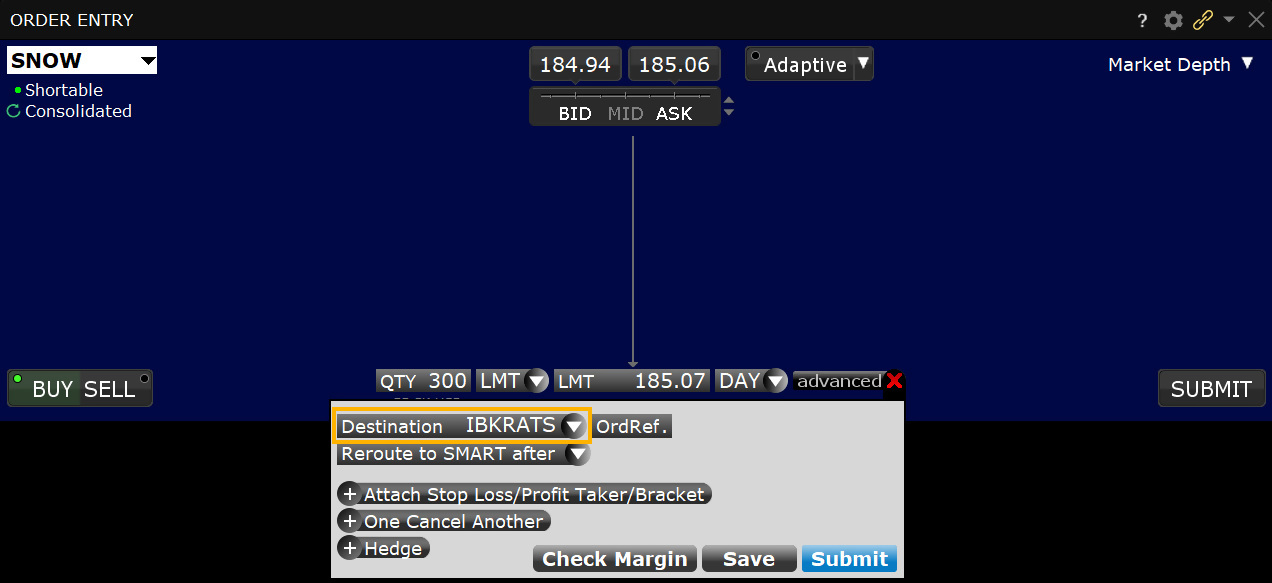
Pegged-to-Midpoint orders directed to IBKR ATS are unique in the industry as they allow for positive and negative offsets, with rounding instructions for when the effective price falls on a whole or half minimum tick increment. This allows for greater customization of your order and allows it to compete more effectively with other Pegged-to-Midpoint orders that are resting in the IBKR ATS.
Also unique in the industry, Pegged-to-Best orders allow for directed orders to IBKR ATS to compete not only with the prevailing NBBO, but also with other orders resting in the IBKR ATS, up to the NBBO midpoint.
Direct IBKR ATS routing can be used in conjunction with a number of IB ALGOS such as Accumulate/Distribute, along with the order types described above.
Directed liquidity-adding orders to IBKR ATS whose effective price would match or cross the opposite side NBBO are repriced to be 1 minimum tick increment away (less aggressive) from the opposite side, except for Pegged-to-Midpoint orders with positive offsets when the NBBO spread is one cent, in which case the order would be repriced to the NBBO midpoint.
All orders directed to the IBKR ATS can be specified to rest in IBKR ATS for a fixed period of time, after which they will be rerouted as a SMART order.
Directed orders to add liquidity to IBKR ATS may also specify a minimum quantity that indicates the minimum size contra side order that the directed order is allowed to interact with. For example, a customer may direct a liquidity-adding order for 10,000 shares with a minimum quantity of 1,000 shares. In this case, only Smart Routed orders with a size greater than or equal to 1,000 shares will be allowed to trade against the directed liquidity adding order.
Order Type IBKR ATS Pegged to Best
Products: |
Stocks, ETFs |
Platforms: |
TWS, IBKR Desktop, IBKR Mobile, Client Portal |
Regions: |
US Products Only |
Routing: |
Directed |
Pegged-to-Best, an order type unique to IBKR, allows clients to direct liquidity-adding orders to the IBKR ATS that compete not only with the near side NBBO, but with other same side liquidity adding orders resting in the IBKR ATS.
The Pegged-to-Best order price will float such that it is always pegged to be one penny more aggressive than the better of the near side NBBO and the best-priced, same side resting liquidity-adding order in the IBKR ATS, up to the NBBO midpoint minus (for a buy) or plus (for a sell) a user-defined number of increments, providing a high probability of trading with IBKR client Smart Routed orders on the opposite side.
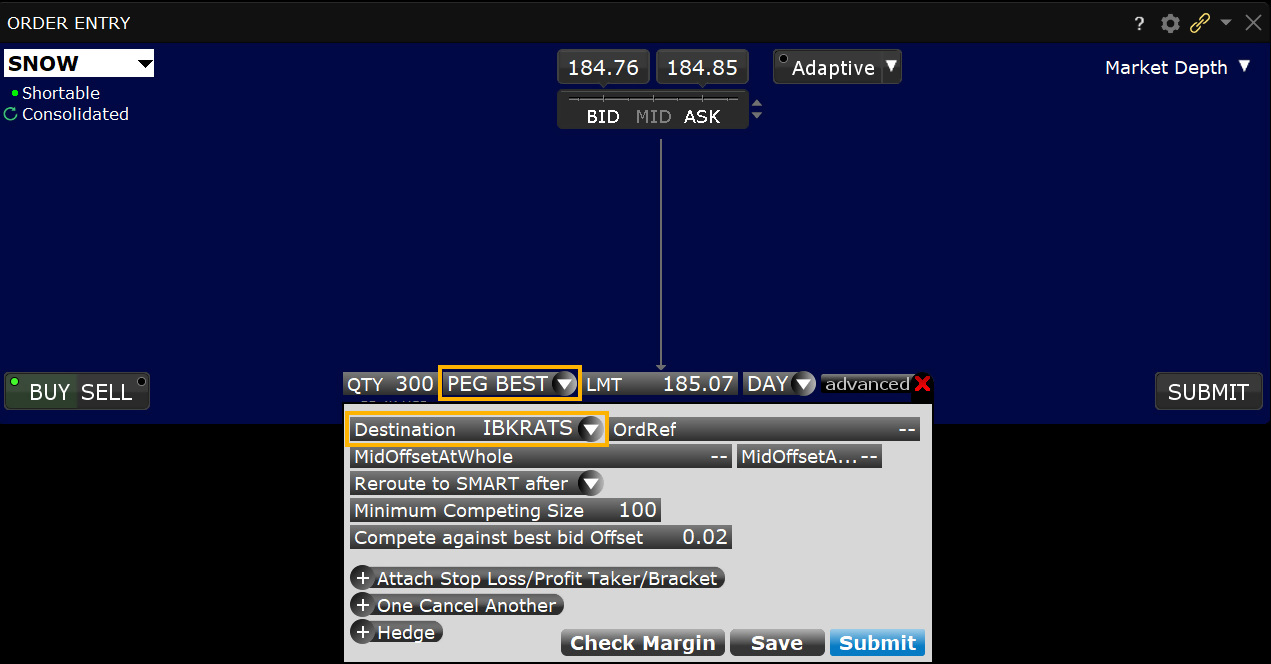
Like all other pegged orders available in the IBKR ATS, Pegged-to-Best orders may contain a limit price that specifies the most aggressive price at which the order may be priced.
Since the Pegged-to-Best order not only competes with the near side NBBO but also with other same-side liquidity-adding orders in the IBKR ATS, customers may specify the minimum cumulative size of those same side orders that are priced equal or better, at which the order is allowed to compete (Minimum Competing Size). This provides the customer with a level of protection against having their orders complete with smaller sized orders. Unless specified by the customer, the default value is 100 shares.
If you choose to set the "Compete again best bid/ask Offset" field to "Up to Mid," we provide two additional fields that allow you to set an offset OFF THE MIDPOINT that will be applied to the order.
If you elect to use an offset, to ensure that your order complies with the sub-penny pricing rule of Regulation NMS - which requires the price for orders over $1.00 to be submitted in increments of no smaller than one cent - we require two offset values:
- The primary offset that you define is applied when the spread is an even number of cents wide (and therefore the mid-price is a whole-penny price). This offset must be in whole-penny increments or zero.
- The secondary offset is automatically applied when the spread is an odd number of cents wide (and therefore the mid-price is a half-penny price). This offset must be in half-penny increments (so that when added to or subtracted from the half-penny midpoint price, the result is a whole-penny price).
For orders where the midpoint falls on the penny, the primary offset is added to (for SELL orders) or subtracted from (for BUY orders) the midpoint to get the order price (i.e., positive offsets make the order less aggressive, negative offsets make it more aggressive). For example, for a buy order with a Bid/Ask of $10.10 - $10.18 and a primary offset of $0.02, the midpoint of $10.14 minus the offset of $0.02 results in an effective order price of $10.12.
In cases where the midpoint falls on the half-cent, the secondary offset (set by default to $0.005 from the primary offset) is automatically used. For example, for a buy order with a Bid/Ask of $10.10 - $10.17 and an offset of $0.01 and a secondary offset of $0.005, the midpoint of $10.135 minus the secondary offset of $0.005 results in an effective order price of $10.13.
Example 1:
NBBO is $50 at $50.10
The Pegged-to-Best order in Example 1 specified a Minimum Competing Size of 200 shares, which means it will only compete at a matching or better price level that has at least 200 cumulative shares, which in this example $50.01.
| Order | Effective Price in IBKR ATS Book | Size | Cumulative Size |
|---|---|---|---|
| BUY Pegged-to-Primary + .02 offset | $50.02 | 100 | 100 |
| BUY Pegged-to-Primary + .01 offset | $50.01 | 100 | 200 |
| BUY Pegged-to-Best with Min Compete Size = 200 shares | $50.02 | 100 | 300 |
Example 2:
NBBO is $50 at $50.09
Customers may also specify the maximum offset to be applied to the Pegged-to-Best order when competing against other same side Pegged-to-Best orders (Compete against best offer Offset). As illustrated in Example 2, that offset is applied against the better of the near side NBBO and the best-priced, same-side, resting liquidity-adding order in the IBKR ATS, excluding other Pegged-to-Best orders.
| Order | Compete Against Best Offer Offset | Effective Price in IBKR ATS Book | Notes |
|---|---|---|---|
| Pegged-to-Primary + .01 offset | N/A | $50.01 | |
| Pegged-to-Best | .04 | $50.045 | Limited By Midpoint |
| Pegged-to-Best | .03 | $50.04 | |
| Pegged-to-Best | .02 | $50.03 | |
| Pegged-to-Best | .01 | $50.02 |
Order Type IBKR ATS Pegged to Midpoint
Products: |
Stocks, ETFs |
Platforms: |
TWS, IBKR Desktop, IBKR Mobile, Client Portal |
Regions: |
US Products Only |
Routing: |
Directed |
Similar to the standard Pegged-to-Midpoint order, the IBKR ATS Pegged-to-Midpoint (w/optional offsets) seeks to fill by resting liquidity at the midpoint of the National Best Bid and Offer (NBBO). But the IBKR ATS order type also lets you compete for liquidity by applying offsets to the mid-price. Additionally, commissions on filled orders may be more favorable than commissions on Pegged-to-Midpoint orders on other exchanges. See the IBKR ATS Fees and Rebates page for details.
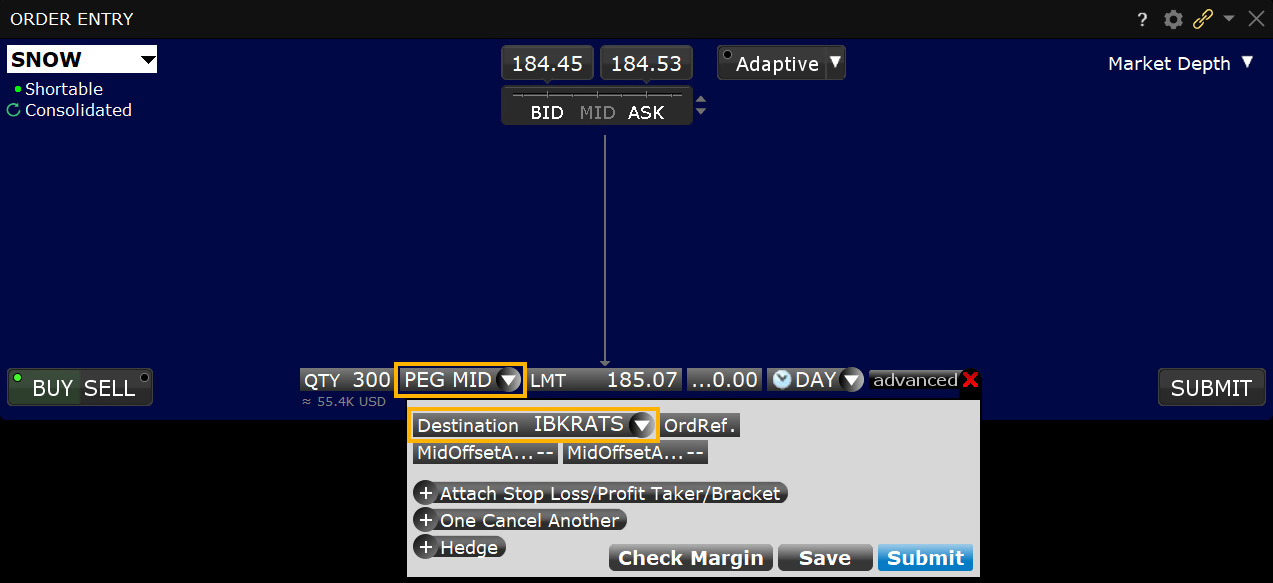
If you elect to use an offset, to ensure that your order complies with the sub-penny pricing rule of Regulation NMS - which requires the price for orders over $1.00 to be submitted in increments of no smaller than one cent - we require two offset values:
- The primary offset that you define is applied when the spread is an even number of cents wide (and therefore the mid-price is a whole-penny price). This offset must be in whole-penny increments or zero.
- The secondary offset is automatically applied when the spread is an odd number of cents wide (and therefore the mid-price is a half-penny price). This offset must be in half-penny increments (so that when added to or subtracted from the half-penny midpoint price, the result is a whole-penny price).
For orders where the midpoint falls on the penny, the primary offset is added to (for SELL orders) or subtracted from (for BUY orders) the midpoint to get the order price (i.e., positive offsets make the order less aggressive, negative offsets make it more aggressive). For example, for a buy order with a Bid/Ask of $10.10 - $10.18 and a primary offset of $0.02, the midpoint of $10.14 minus the offset of $0.02 results in an effective order price of $10.12.
In cases where the midpoint falls on the half-cent, the secondary offset (set by default to $0.005 from the primary offset) is automatically used. For example, for a buy order with a Bid/Ask of $10.10 - $10.17 and an offset of $0.01 and a secondary offset of $0.005, the midpoint of $10.135 minus the secondary offset of $0.005 results in an effective order price of $10.13.
Orders that use an offset also include an automatic price cap at the opposite side of the NBBO minus/plus 1 tick to help keep the order price from becoming too aggressive and ending up on the bid or ask. For a buy order, the opposite side is the offer; for a sell, it's the bid. For example, for a buy order with a Bid/Ask or $10.10 - $10.14 and a primary offset of $0.02, the midpoint of $10.12 minus the offset of $0.02 results in an order price of $10.10 which is equal to the bid. Instead, we cap the order at the opposite side of the NBO ($10.14) minus 0.01 to get an order price of $10.13.
Order Type IBKR ATS Reroute to SMART
Products: |
Stocks, ETFs |
Platforms: |
TWS, IBKR Desktop, IBKR Mobile, Client Portal |
Regions: |
US Products Only |
Routing: |
Directed |
Clients who elect to direct liquidity-providing orders to IBKR ATS can choose to have the trading system reroute the order to SMART after it has rested on IBKR ATS for a user-specified number of minutes.
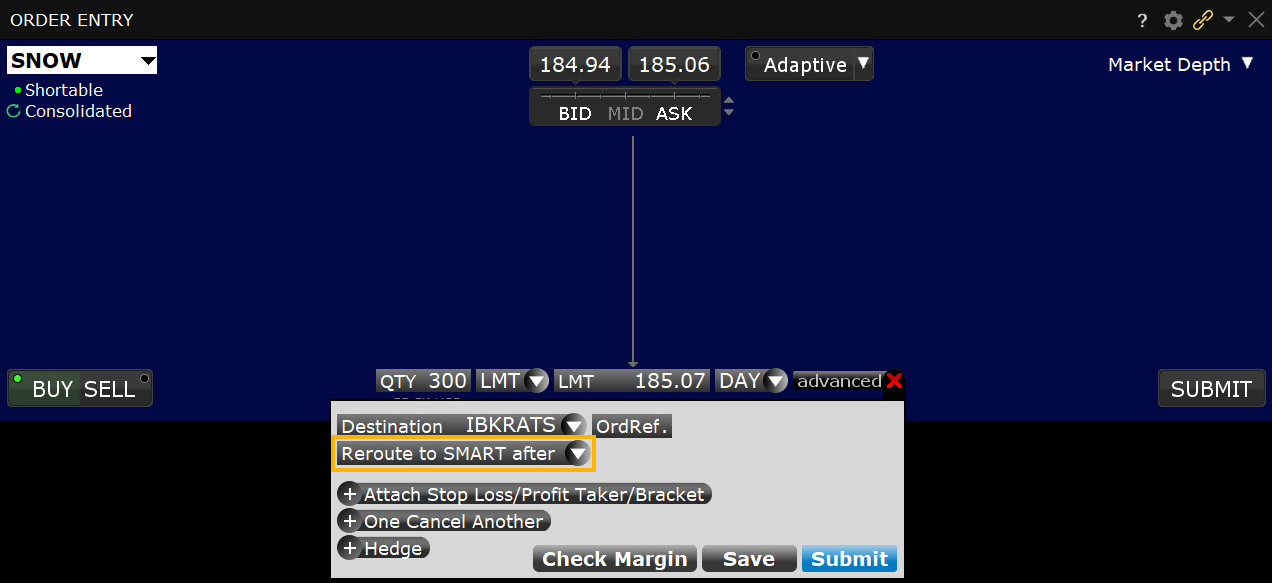
Access this feature anywhere you can choose IBKR ATS as your routing destination, for example in the Mosaic Order Entry tile's Advanced panel when IBKR ATS is selected as the destination and in Accumulate/Distribute when you check "Route to IBKRATS". Simply enter the number of minutes you want the order to rest in the field labeled "Reroute to SMART after..." You can also define a preset number of minutes in Global Configure from the "For Orders Routed to IBKR ATS" section of the Stocks Preset.
Order Type IBUSOPT Destination
Products: |
Options Only |
Platforms: |
TWS, IBKR Desktop, IBKR Mobile, Client Portal |
Regions: |
US Products Only |
Routing: |
Directed |
Why pay the spread to take liquidity for your options orders? IBKR clients can now add liquidity and interact with our retail order flow by direct-routing their US equity and index options orders to the IBUSOPT destination.
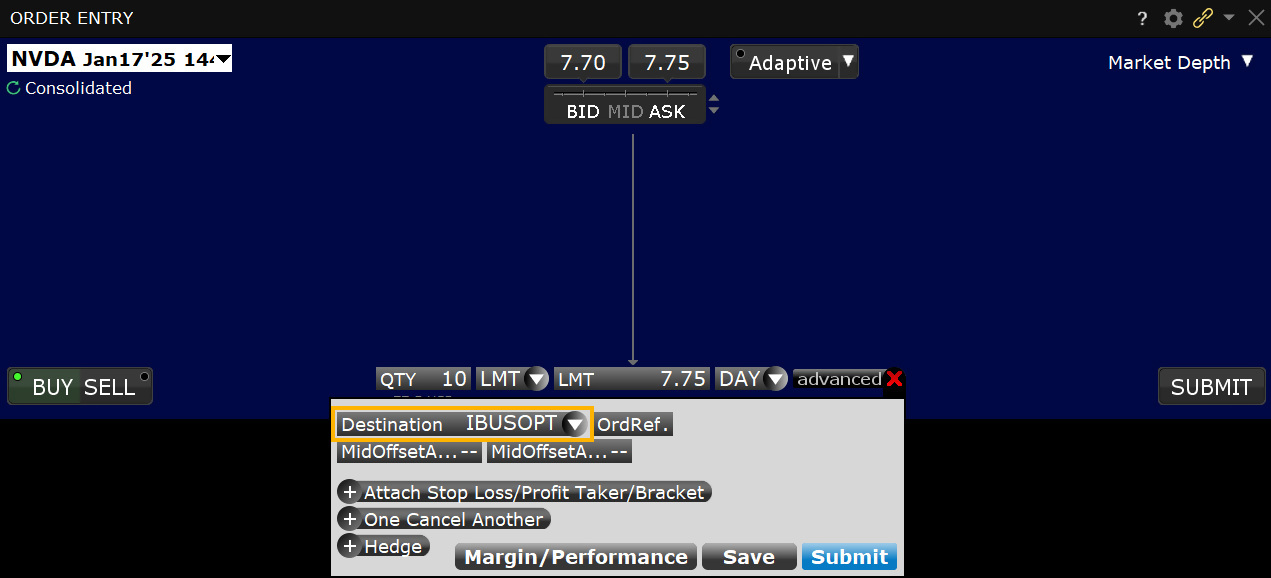
Orders routed to IBUSOPT will be held at this liquidity-providing destination, and will be eligible to participate in an exchange auction to potentially fill against other SMART-routed marketable orders from IBKR clients.
- All IBUSOPT orders will be used to start an auction at the exchange.
- Orders routed to IBUSOPT are not guaranteed to fill.
Order Type IBUSOPT Pegged to Best
Products: |
Options Only |
Platforms: |
TWS Only |
Regions: |
US Products Only |
Routing: |
Directed |
Pegged-to-Best, an order type unique to IBKR, allows clients to direct liquidity-adding orders to IBUSOPT that compete not only with the near side NBBO, but with other same side liquidity adding orders resting in IBUSOPT.
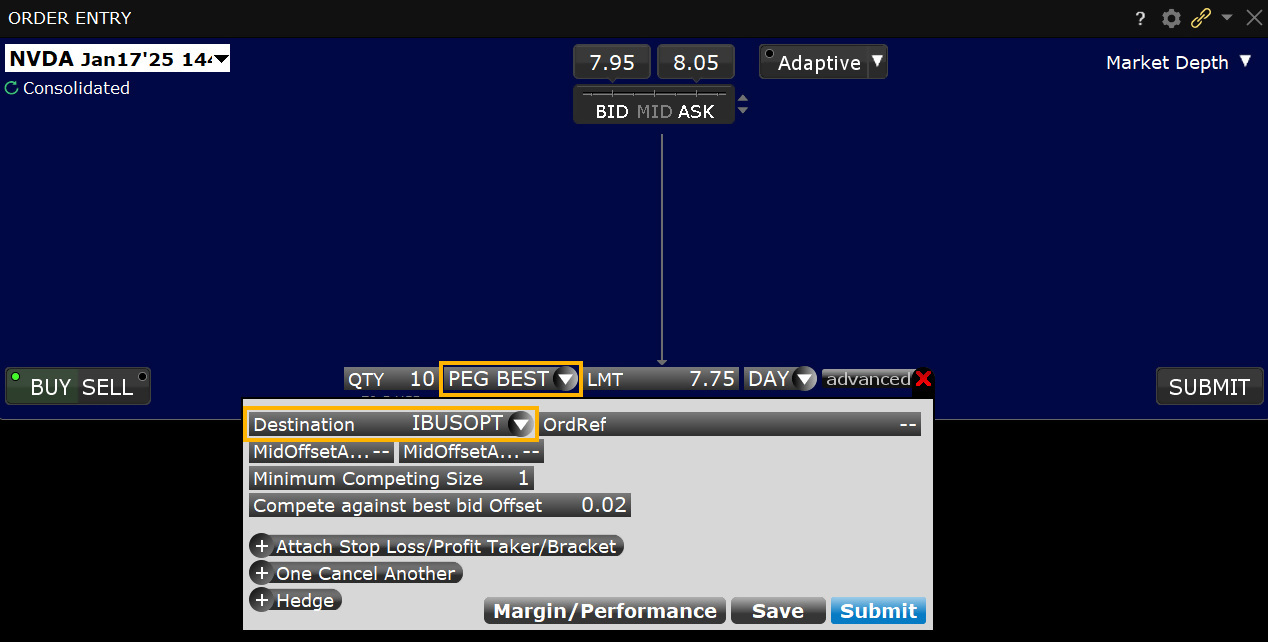
The Pegged-to-Best order price will float such that it is always pegged to be one penny more aggressive than the better of the near side NBBO and the best-priced, same side resting liquidity-adding order in the IBUSOPT, up to the NBBO midpoint minus (for a buy) or plus (for a sell) a user-defined number of increments, providing a high probability of trading with IBKR client Smart Routed orders on the opposite side.
Like all other pegged orders available in IBUSOPT, Pegged-to-Best orders may contain a limit price that specifies the most aggressive price at which the order may be priced.
Since the Pegged-to-Best order not only competes with the near side NBBO but also with other same-side liquidity-adding orders in IBUSOPT, customers may specify the minimum cumulative size of those same side orders that are priced equal or better, at which the order is allowed to compete (Minimum Competing Size). This provides the customer with a level of protection against having their orders complete with smaller sized orders. Unless specified by the customer, the default value is 1 contract.
If you choose to set the "Compete again best bid/ask Offset" field to "Up to Mid," we provide two additional fields that allow you to set an offset OFF THE MIDPOINT that will be applied to the order.
If you elect to use an offset, to ensure that your order complies with the minimum tick rule, we require two offset values:
- The primary offset that you define is applied when the spread is an even number of cents wide (and therefore the mid-price is a whole-penny price). This offset must be in whole-penny increments or zero.
- The secondary offset is automatically applied when the spread is an odd number of cents wide (and therefore the mid-price is a half-penny price). This offset must be in half-penny increments (so that when added to or subtracted from the half-penny midpoint price, the result is a whole-penny price).
For orders where the midpoint falls on the penny, the primary offset is added to (for SELL orders) or subtracted from (for BUY orders) the midpoint to get the order price (i.e., positive offsets make the order less aggressive, negative offsets make it more aggressive). For example, for a buy order with a Bid/Ask of $10.10 - $10.18 and a primary offset of $0.02, the midpoint of $10.14 minus the offset of $0.02 results in an effective order price of $10.12.
In cases where the midpoint falls on the half-cent, the secondary offset (set by default to $0.005 from the primary offset) is automatically used. For example, for a buy order with a Bid/Ask of $10.10 - $10.17 and an offset of $0.01 and a secondary offset of $0.005, the midpoint of $10.135 minus the secondary offset of $0.005 results in an effective order price of $10.13.
Order Type IBUSOPT Pegged to Midpoint
Products: |
Options Only |
Platforms: |
TWS, IBKR Desktop, IBKR Mobile, Client Portal |
Regions: |
US Products Only |
Routing: |
Directed |
Pegged-to-Best, an order type unique to IBKR, allows clients to direct liquidity-adding orders to IBUSOPT that compete not only with the near side NBBO, but with other same side liquidity adding orders resting in IBUSOPT.
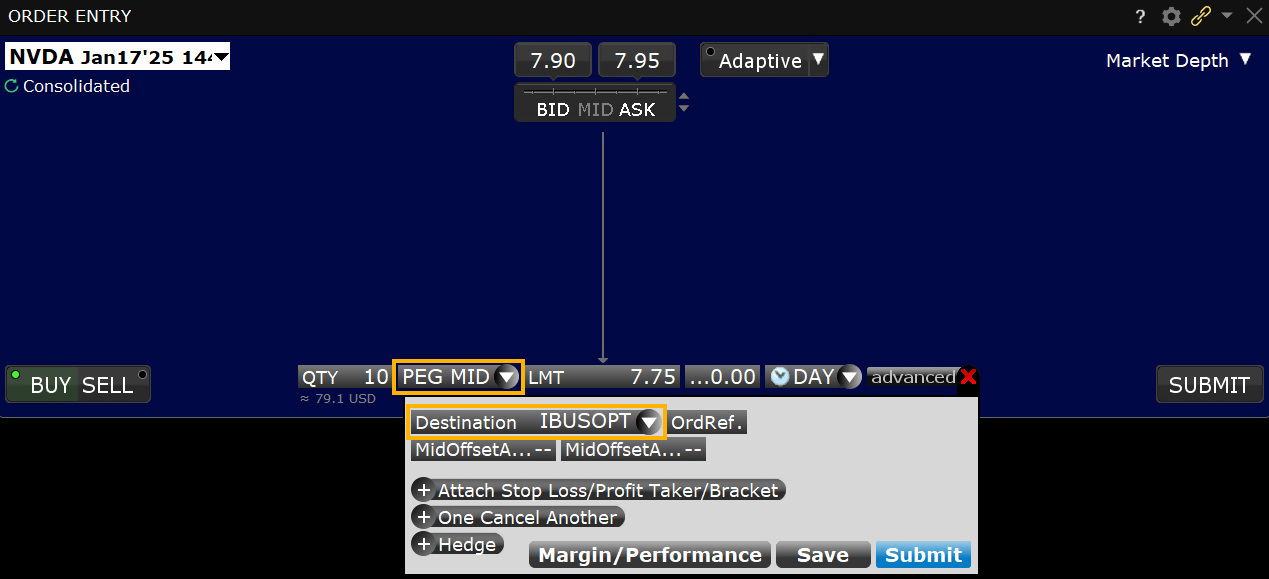
The Pegged-to-Best order price will float such that it is always pegged to be one penny more aggressive than the better of the near side NBBO and the best-priced, same side resting liquidity-adding order in the IBUSOPT, up to the NBBO midpoint minus (for a buy) or plus (for a sell) a user-defined number of increments, providing a high probability of trading with IBKR client Smart Routed orders on the opposite side.
Like all other pegged orders available in IBUSOPT, Pegged-to-Best orders may contain a limit price that specifies the most aggressive price at which the order may be priced.
Since the Pegged-to-Best order not only competes with the near side NBBO but also with other same-side liquidity-adding orders in IBUSOPT, customers may specify the minimum cumulative size of those same side orders that are priced equal or better, at which the order is allowed to compete (Minimum Competing Size). This provides the customer with a level of protection against having their orders complete with smaller sized orders. Unless specified by the customer, the default value is 1 contract.
If you choose to set the "Compete again best bid/ask Offset" field to "Up to Mid," we provide two additional fields that allow you to set an offset OFF THE MIDPOINT that will be applied to the order.
If you elect to use an offset, to ensure that your order complies with the minimum tick rule, we require two offset values:
- The primary offset that you define is applied when the spread is an even number of cents wide (and therefore the mid-price is a whole-penny price). This offset must be in whole-penny increments or zero.
- The secondary offset is automatically applied when the spread is an odd number of cents wide (and therefore the mid-price is a half-penny price). This offset must be in half-penny increments (so that when added to or subtracted from the half-penny midpoint price, the result is a whole-penny price).
For orders where the midpoint falls on the penny, the primary offset is added to (for SELL orders) or subtracted from (for BUY orders) the midpoint to get the order price (i.e., positive offsets make the order less aggressive, negative offsets make it more aggressive). For example, for a buy order with a Bid/Ask of $10.10 - $10.18 and a primary offset of $0.02, the midpoint of $10.14 minus the offset of $0.02 results in an effective order price of $10.12.
In cases where the midpoint falls on the half-cent, the secondary offset (set by default to $0.005 from the primary offset) is automatically used. For example, for a buy order with a Bid/Ask of $10.10 - $10.17 and an offset of $0.01 and a secondary offset of $0.005, the midpoint of $10.135 minus the secondary offset of $0.005 results in an effective order price of $10.13.
Order Type Iceberg / Reserve
Products: |
Stocks, ETFs, Options, Futures, Warrants |
Platforms: |
TWS Only |
Regions: |
US and Non-US Products |
Routing: |
Smart, Directed |
Investors submitting large volume orders for stocks, warrants, futures and options may wish to conceal the full size of their order to avoid anticipatory action from other market participants. The Iceberg/Reserve attribute, applied through the Display Size field, provides a way to submit large volume orders to the market in increments while publicly displaying only a specified portion of the total order size. The Display Size field can be added to a trading page within TWS by configuring the Layout Manager and selecting the appropriate field, which can be user-populated at the time of order input, to display just a fraction of the entire order.
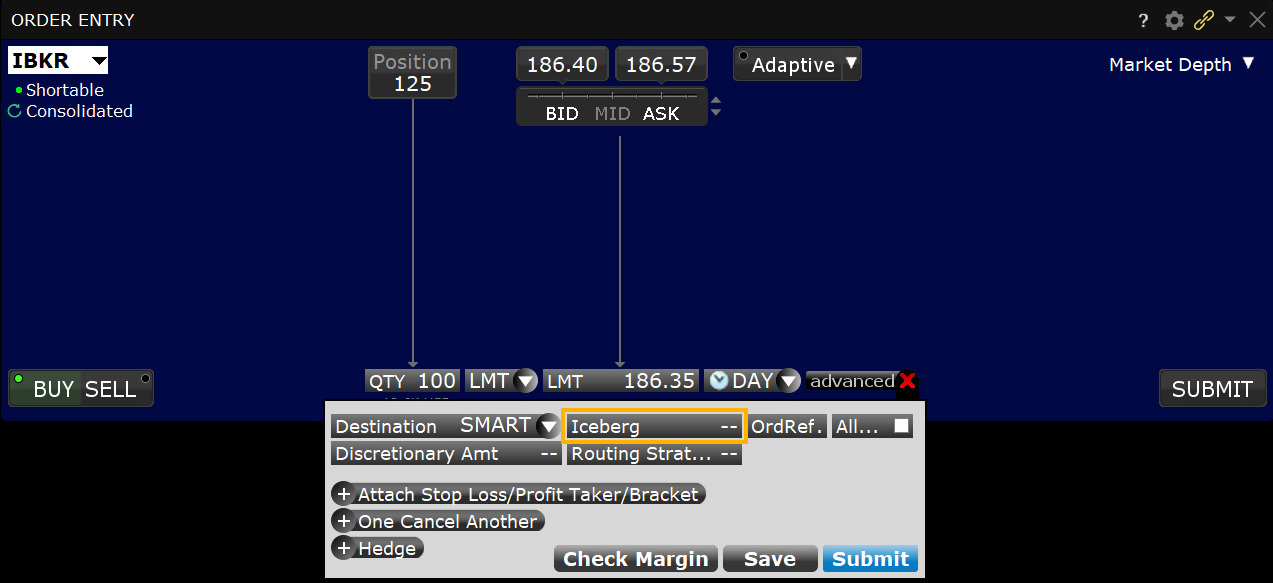
Mosaic Example
In this example we want to sell 10,000 shares of ticker TSLA but we do not want other market participants to know. By using an Iceberg Order Type, the full order can be entered but the user can determine how many shares are displayed at the Ask price. Enter the desired ticker and click on the Sell button in the Order Entry panel. The background will turn red for Sell orders while orders to buy create a blue background by default. Enter the number of shares to be sold in the Quantity field and choose LMT from the Order Type dropdown menu. Next, enter the lowest limit price you are willing to sell you shares at and determine how long you want the order to remain active. In this case we chose a DAY order. Click the Advanced button to reveal more choices for your order.
| Assumptions | |
|---|---|
| Action | SELL |
| Qty | 10,000 |
| Order Type | LMT |
| Market Price | 228.85 |
| Limit Price | 229.4 |
| Iceberg Display | 500.00 |
Within the Advanced Order entry panel, locate the Iceberg field. Clicking in this field displays a selection of values representing the number of shares to be displayed in the Ask field. For Buy orders whatever value is selected will display in the Bid field. You may choose any value or type directly into the field your required value to display. By using the Iceberg feature, users will display only a small portion of the full value of their order. Once you have completed the Iceberg field, click the Submit button in order to transmit your order.
Classic TWS Example
You want to buy 5000 shares of XYZ but want the market to see an order for 200 shares. Make the Display Size column visible by holding your mouse over any order field, clicking the "+" icon and then selecting Display Size from the Quantity group. Enter 200 in the Display Size field and ensure that the order type is a Limit order. The system submits an order for 200, and when that quantity fills another 200 shares are submitted until the entire order fills.
Note that if you use a Market order or if the order is marketable at the limit price, the system will submit up to the total order quantity if it's available and use the Immediate-or-Cancel order attribute.
Order Type Immediate or Cancel (IOC)
Products: |
Stocks, ETFs, Options, Futures, FOPs, Currencies, Bonds, Warrants, EFPs, Crypto |
Platforms: |
TWS, IBKR Desktop |
Regions: |
US and Non-US Products |
Routing: |
Smart, Directed |
The Immediate-or Cancel (IOC) time in force applied to an order dictates that any portion of the order that does not fill immediately will be canceled.
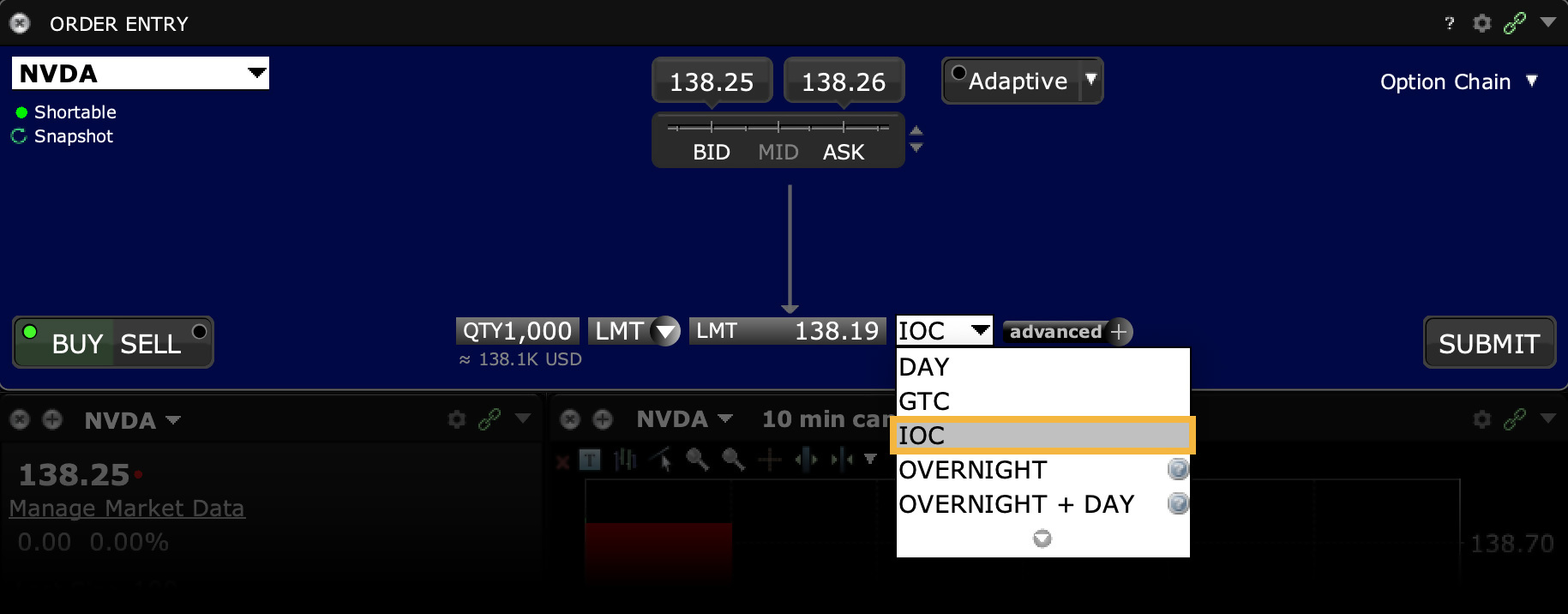
Order Type In Depth - Immediate or Cancel Buy Order
Step 1 – Enter a Limit Buy Order with an Immediate or Cancel Time in Force
You want to buy 1000 shares of XZY stock but you want the order to fill immediately. You don't care if the entire order is not filled right away so you create a limit buy order and set the Time in Force to IOC (Immediate or Cancel). You transmit the order.
Step 2 – Buy Order for 1000 Shares Transmitted
You've transmitted your limit order with the time in force set to Immediate or Cancel. Any portion of the order that does not fill immediately will be canceled.
Step 3 – Part of the Order Fills Immediately, Rest of the Order is Canceled
Part of your order, 400 shares, is immediately filled at 10.40 per share. The rest of your order is canceled.
| Assumptions | |
|---|---|
| Action | BUY |
| Qty | 1000 |
| Order Type | LMT |
| Market Price | 10.40 |
| Limit Price | 10.40 |
| Time in Force | IOC |
Order Type Limit
Products: |
Stocks, ETFS, Options, Futures, FOPs, Currencies, Bonds, Warrants, EFPs, Crypto |
Platforms: |
TWS, IBKR Desktop, IBKR Mobile, Client Portal |
Regions: |
US and Non-US Products |
Routing: |
Smart, Directed, Lite |
A Limit order is an order to buy or sell at a specified price or better. The Limit order ensures that if the order fills, it will not fill at a price less favorable than your limit price, but it does not guarantee a fill.
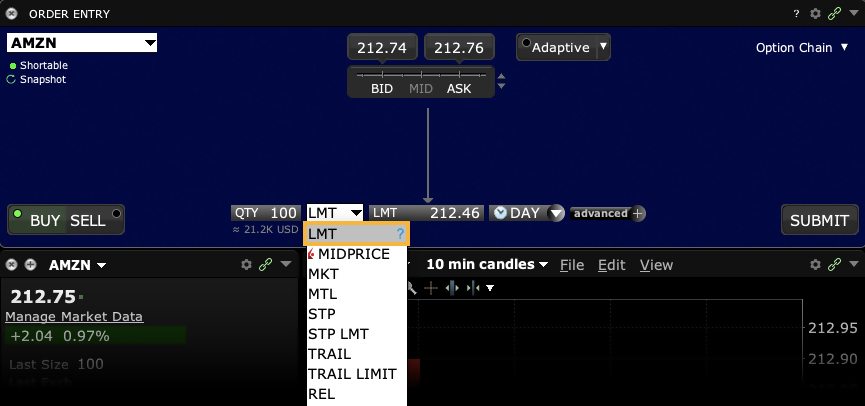
Order Type Limit + Market
Products: |
Options, FOPs |
Platforms: |
TWS, IBKR Desktop |
Regions: |
US and Non-US Products |
Routing: |
Smart |
The LMT + MKT order type is available for certain multi-leg combinations, and when used with a non-guaranteed combination order it could help to increase the chances of all legs in the order being filled. Initially one or more legs are submitted as limit orders, but if the first leg fills or partially fills, the remaining legs are resubmitted as market orders.
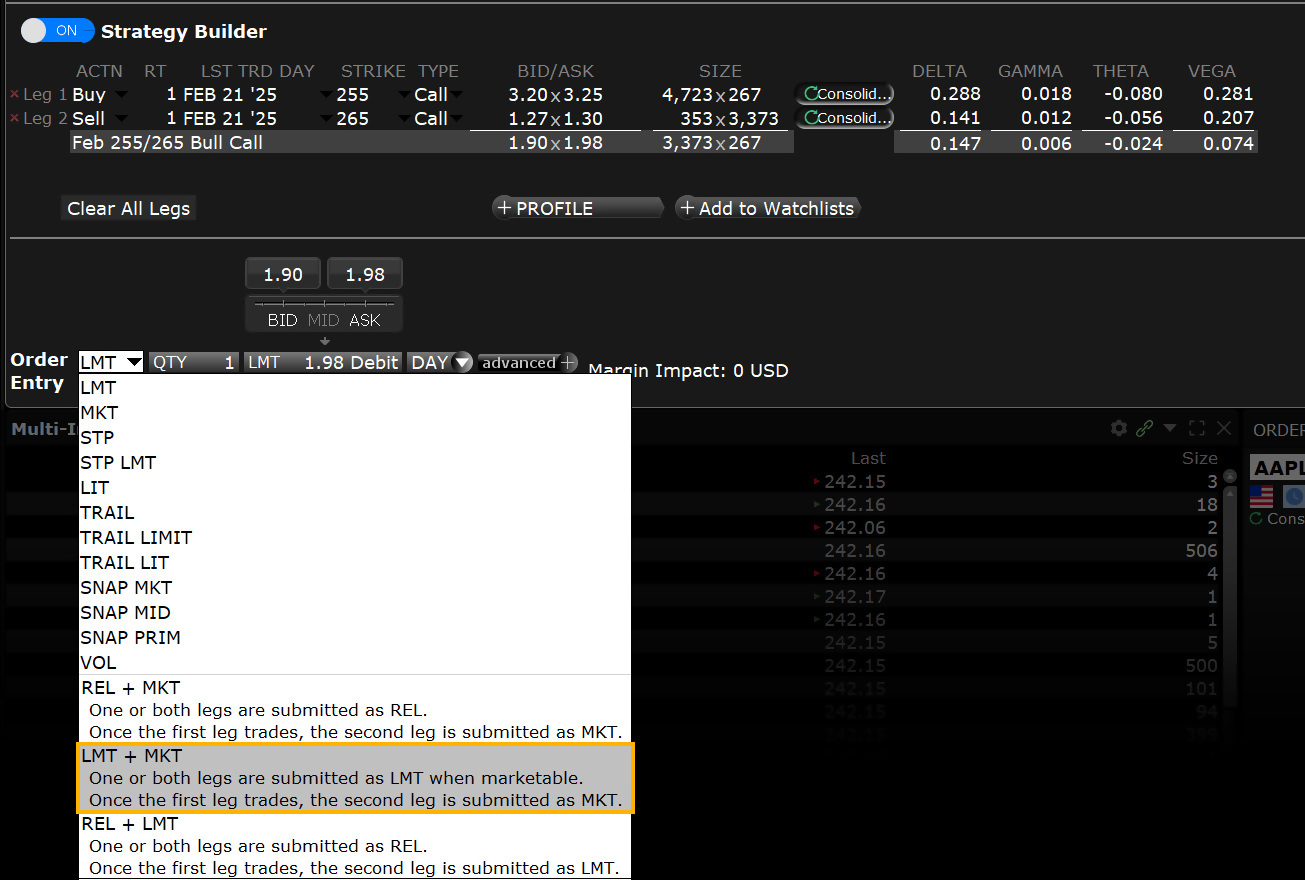
Order Type Limit if Touched
Products: |
Stocks, Options, Futures, FOPs, Currencies, Bonds, Warrants, EFPs |
Platforms: |
TWS, IBKR Desktop, IBKR Mobile |
Regions: |
US and Non-US Products |
Routing: |
Smart, Directed, Lite |
A Limit if Touched is an order to buy (or sell) an instrument at a specified price or better, below (or above) the market. This order is held in the system until the trigger price is touched. An LIT order is similar to a stop limit order, except that an LIT sell order is placed above the current market price, and a stop limit sell order is placed below.
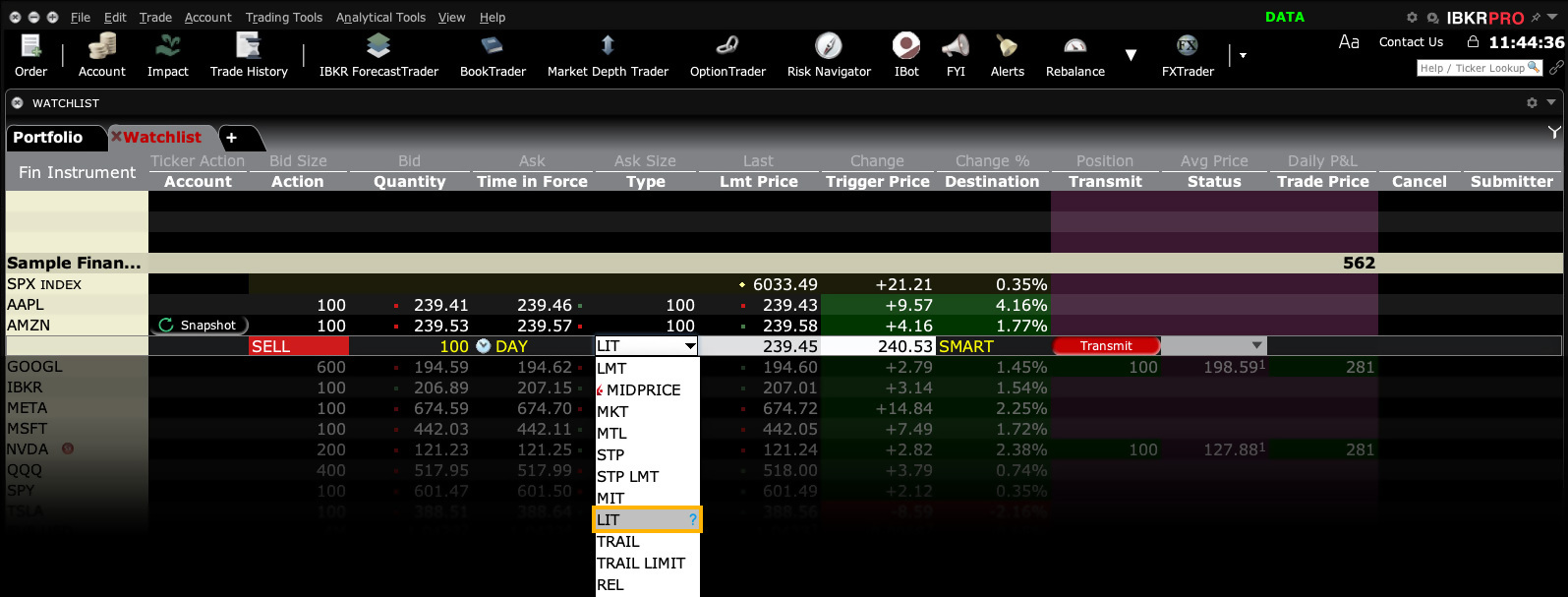
Using a Limit if Touched order helps to ensure that, if the order does execute, the order will not execute at a price less favorable than the limit price.
Limit if Touched Buy Order Example
- Click the Ask Price to create a BUY order
- Select LIT in the Type field
- Enter the price at which you want the order to execute in the LMT Price field
- Enter the trigger price in the Trigger Price field
- Click T to transmit the order
Order Type In Depth - Limit if Touched Buy Order
Step 1 – Enter a Limit if Touched Buy Order
XYZ has a market price of $16.45. You decide to buy 100 shares, but you don't want to pay more than $16.35 and you don't want to enter the market until the price drops to $16.40. Create a BUY order, and select LIT in the Type field to specify a limit if touched order. In the Lmt Price field, enter a limit price of $16.35, and in the Trigger Price field, enter the trigger price of $16.40. Transmit the order, which will be held in the system until the trigger price is touched, and will then be submitted as a limit order. It will only execute at $16.35 or better.
Step 2 – Order Transmitted
You've transmitted your limit if touched order. The order will be held in the system until your trigger price of 16.40 is touched, and will then be submitted as a limit order. It will only execute at $16.35 or better.
| Assumptions | |
|---|---|
| Action | BUY |
| Qty | 100 |
| Order Type | LIT |
| Market Price | 16.45 |
| Limit Price | 16.35 |
| Trigger Price | 16.40 |
Step 3 – Market Price Falls, Limit Order Submitted
The market price of XYZ begins to fall and touches 16.40, which is your trigger price. A limit order to buy 100 shares at 16.35 is submitted.
| Assumptions | |
|---|---|
| Action | BUY |
| Qty | 100 |
| Order Type | LIT |
| Market Price | 16.40 |
| Limit Price | 16.35 |
| Trigger Price | 16.40 |
Step 4 – Market Price Falls, Limit Order Executes
The price of XYZ shares continues to fall until it touches your limit price of 16.35. The order for 100 shares is filled at 16.35 per share.
| Assumptions | |
|---|---|
| Action | BUY |
| Qty | 100 |
| Order Type | LIT |
| Market Price | 16.35 |
| Limit Price | 16.35 |
| Trigger Price | 16.40 |
Limit if Touched Sell Order Example
- Click the Bid Price to create a SELL order
- Select LIT in the Type field
- Enter the price at which you want the order to execute in the Lmt Price field
- Enter the trigger price in the Trigger Price field
- Click T to transmit the order
Order Type In Depth - Limit if Touched Sell Order
Step 1 – Enter a Limit if Touched Sell Order
You're long 100 shares of XYZ with an average price of 64.94 and a current market price of $68.39. You decide to sell your 100 shares, but you want to make a profit of no less than 350.00. You create a SELL order, and select LIT in the Type field to specify a limit if touched order. In the Lmt Price field, enter a limit price of $68.44, and in the Trigger Price field, enter the trigger price of $68.42. Transmit the order, which will be held in the system until the trigger price is touched, and will then be submitted as a limit order. It will only execute at $68.44 or better.
Step 2 – Order Transmitted
You've transmitted your limit if touched sell order. The order will be work as a live order until your trigger price of 68.42 is touched, and will then be submitted as a limit order. It will only execute at $68.44 or better.
| Assumptions | |
|---|---|
| Action | SELL |
| Qty | 100 |
| Order Type | LIT |
| Average Price | 64.94 |
| Market Price | 68.39 |
| Limit Price | 68.44 |
| Trigger Price | 68.42 |
Step 3 – Market Price Rises, Limit Order Submitted
The market price of XYZ begins to rise and touches 68.42, which is your trigger price. A limit order to sell 100 shares at 68.44 is submitted.
| Assumptions | |
|---|---|
| Action | SELL |
| Qty | 100 |
| Order Type | LIT |
| Average Price | 64.94 |
| Market Price | 68.42 |
| Limit Price | 68.44 |
| Trigger Price | 68.42 |
Step 4 – Market Price Rises, Limit Order Executes
The price of XYZ shares continues to rise until it touches your limit price of 68.44. The order for 100 shares is filled at 68.44 per share and you make a profit of $350.00.
| Assumptions | |
|---|---|
| Action | SELL |
| Qty | 100 |
| Order Type | LIT |
| Average Price | 64.94 |
| Market Price | 68.44 |
| Limit Price | 68.44 |
| Trigger Price | 68.42 |
Disclosure
Any stock or option symbols displayed are for illustrative purposes only and are not intended to portray a recommendation.
Order Type Limit on Close
Products: |
Stocks, Futures, Warrants |
Platforms: |
TWS, IBKR Desktop, IBKR Mobile, Client Portal |
Regions: |
US and Non-US Products |
Routing: |
Directed, Lite |
A Limit-on-close (LOC) order will be submitted at the close and will execute if the closing price is at or better than the submitted limit price.
All LOC orders must be received at Island by 15:58:00 EST, but may not be canceled or modified after 15:50 EST.
Summary of NYSE markets (NYSE, NYSE MKT, NYSE Arca) rules for entering/canceling/modifying limit-on-close (LOC) orders.
- All LOC orders must be received at NYSE markets by 15:50 ET.
- Exception: On expiration days, you cannot enter LOC orders after 15:45 ET to establish or liquidate positions related to a strategy involving derivative instruments, even if these orders would offset a published imbalance.
NYSE markets' rules also prohibit the cancellation or reduction in size of any limit-on-close (LOC) order after 15:50 ET.
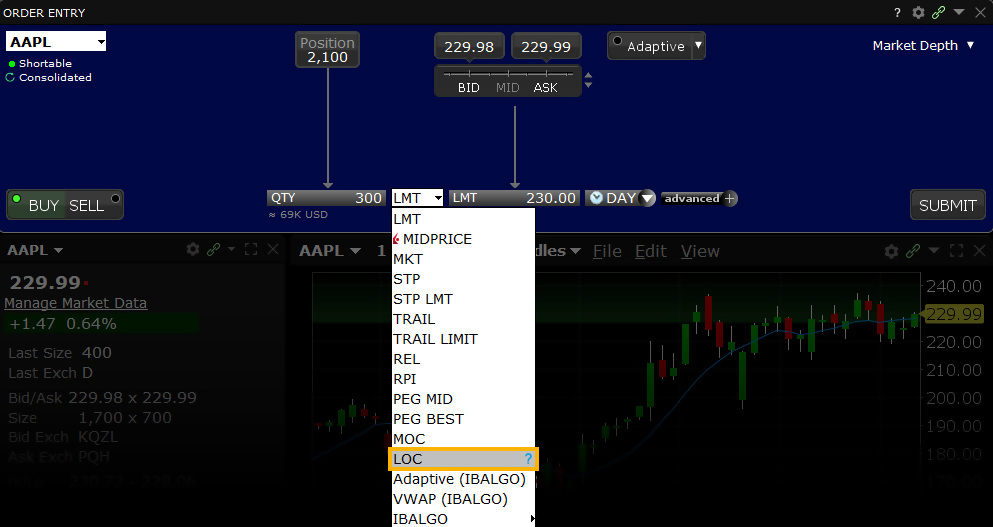
Notes:
Smart routed Limit on close orders are designed to be routed to, and execute on the Primary Listing Exchange of the product.
Order Type Limit on Open
Products: |
Stocks, ETFs, Options, Warrants |
Platforms: |
TWS, Client Portal |
Regions: |
US and Non-US Products |
Routing: |
Directed, Lite |
A Limit-on-Open (LOO) order combines a limit order with the OPG time in force to create an order that is submitted at the market's open, and that will only execute at the specified limit price or better. Orders are filled in accordance with specific exchange rules.
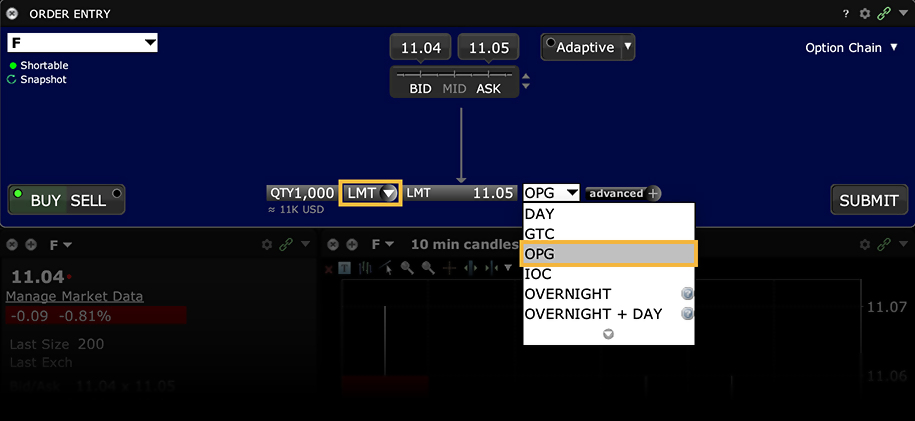
Notes for LOO Orders
- Nasdaq LOO (and MOO) orders generally must be submitted prior to 09:28 ET. LOO orders may be entered until 9:29:30 a.m. ET, but LOO orders entered after 9:28 a.m. ET will be accepted at their limit price unless its limit price is more aggressive than the 9:28 a.m. ET Reference Price or the security's previous day's official Closing Price. In this case, the Late LOO order will be rejected or re-priced to the more aggressive of the two prices. The cancelation or modification of On-Open orders will not be permitted after the imbalance information has been published (9:25 a.m. ET), ensuring the auction preserves its integrity.
- Options Orders: LOO orders for options must be directed to an exchange. The OPG time in force for directed options orders will only be available when you select a routing destination that supports this order type, for example CBOE, CBOE2 or MIAX.
- Option functionality for LOO orders may not be available in the PaperTrader.
Mosaic Example
Investors may wish to enter buy or sell orders before the start of trading if they have noticed that the first print tends to be the lowest price or the highest price of the day. Buying at the open or selling may be a favored strategy for some investors wanting to establish a position for the remainder of the day. To limit risk clients may use the Limit-on-Open order type, which can be submitted before the market opens. Select the desired ticker and click on the BUY button to set-up an order to purchase shares at the opening price. Enter the required number of shares to purchase. In this example, we wish to buy 1,000 shares in ticker AMAT but with a limit price of $21.94, which is midway between the indicated opening price.
| Assumptions | |
|---|---|
| Action | BUY |
| Qty | 1,000 |
| Order Type | LMT |
| Market Price | 21.98 |
| Limit Price | 21.94 |
| Time in Force | OPG |
The Limit-on-Open order type requires selection of the OPG or opening time-in-force attribute. Once complete, the order is ready to submit.
Order Type In Depth - Limit-on-Open Buy Order
Step 1 – Enter a Limit-on-Open Buy Order
XYZ stock has a current Ask price of 38.86. You want to buy 100 shares, but you don't want to pay more than $38.80. You believe that the opening price for this stock has historically proven to be the best price of the day and think you'll have a better chance of filling a limit order if you submit it at the market's open. You create a limit order to buy 100 shares of XYZ, enter your limit price of 38.80 in the Lmt Price field, and in the select OPG Time in Force field to have the order submitted at the next day's open. If the order does not execute the next morning at the limit price or better, the order is canceled.
Step 2 – Order Transmitted
You've transmitted your market-on-open order. The order will be held in the system and submitted when the market opens the next day.
| Assumptions | |
|---|---|
| Action | BUY |
| Qty | 100 |
| Order Type | LMT |
| Limit Price | 38.80 |
| Market Price | 38.86 |
| Time in Force | OPG |
Step 3 – At the Next Market Opening
When the market opens the next day, the price of XYZ is 38.80, which is your limit price. Your order for 100 shares is filled at that opening price.
| Assumptions | |
|---|---|
| Action | BUY |
| Qty | 100 |
| Order Type | LMT |
| Limit Price | 38.80 |
| Market Price | 38.80 |
| Time in Force | OPG |
Notes:
Smart routed Limit on Open orders are designed to be routed to, and execute on the Primary Listing Exchange of the product. The Official Market Center Opening price may differ from the 09:30:00 EST opening print, and in volatile markets the official market center opening print may be delayed. Orders designed to execute during Regular Trading hours only, will not become active until on or after the official market center opening print is received from the primary listing exchange.
Order Type Market
Products: |
Stocks, ETFs, Options, Futures, FOPs, Currencies, Bonds, Funds, Warrants, EFPs |
Platforms: |
TWS, IBKR Desktop, IBKR Mobile, Client Portal |
Regions: |
US and Non-US Products |
Routing: |
Smart, Directed, Lite |
A Market order is an order to buy or sell at the market bid or offer price. A market order may increase the likelihood of a fill and the speed of execution, but unlike the Limit order a Market order provides no price protection and may fill at a price far lower/higher than the current displayed bid/ask.
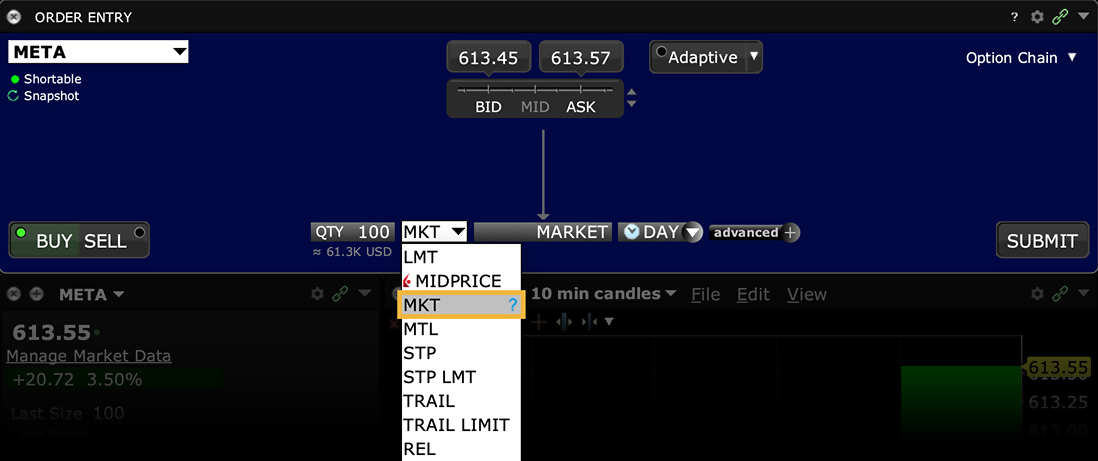
Order Type Market if Touched
Products: |
Stocks, ETFs, Options, Futures, FOPs, Currencies, Bonds, Warrants, EFPs |
Platforms: |
TWS, IBKR Desktop, IBKR Mobile |
Regions: |
US and Non-US Products |
Routing: |
Smart, Directed, Lite |
A Market if Touched (MIT) is an order to buy (or sell) an instrument below (or above) the market. Its purpose is to take advantage of sudden or unexpected changes in share or other prices and provides investors with a trigger price to set an order in motion. Investors may be waiting for excessive strength (or weakness) to cease, which might be represented by a specific price point. MIT orders can be used to determine whether or not to enter the market once a specific price level has been achieved. This order is held in the system until the trigger price is touched, and is then submitted as a market order. An MIT order is similar to a stop order, except that an MIT sell order is placed above the current market price, and a stop sell order is placed below.
Example
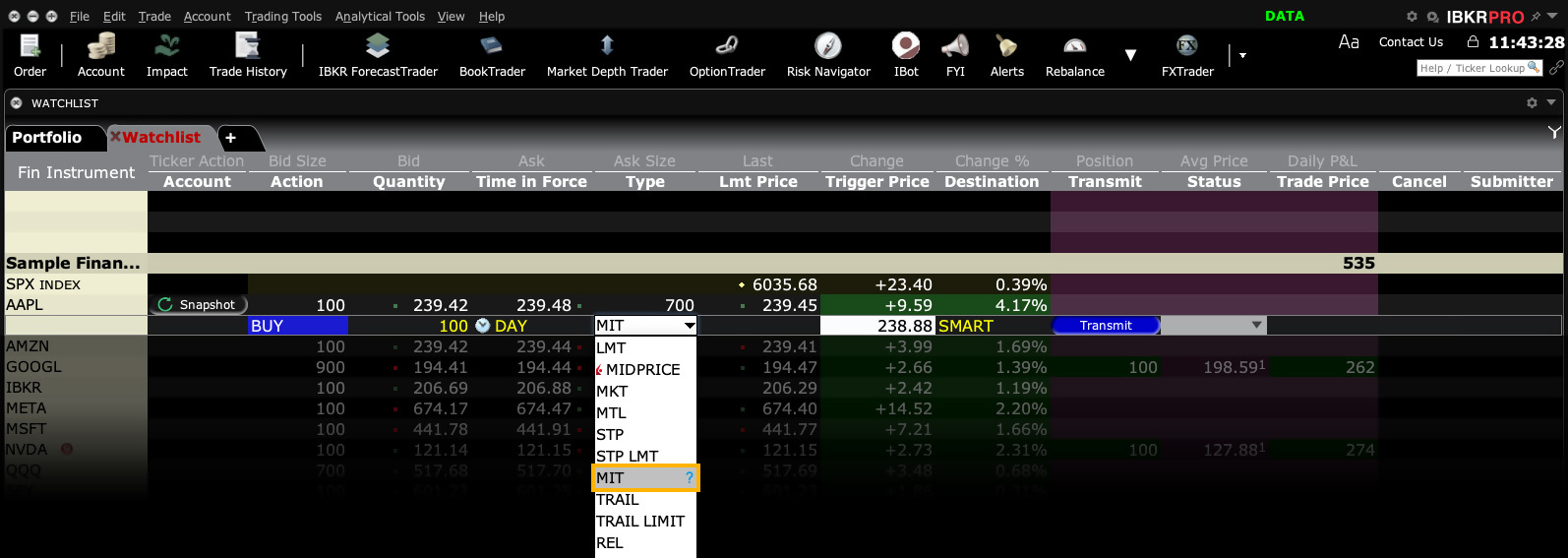
Order Type In Depth - Market if Touched Buy Order
Step 1 – Enter a Market if Touched Buy Order
XYZ has a market price of $16.61. You decide to buy 100 shares, but you don't want to enter the market until/unless the price drops to $16.58. Create a BUY order, and select MIT in the Type field to specify a market if touched order (MIT). In the Trigger Price field, enter the trigger price of $16.58. Transmit the order, which will be held in the system until the trigger price is touched, and will then be submitted as a market order.
Step 2 – Order Transmitted
You've transmitted your market if touched order. The order will be held in the system until your trigger price of 16.58 is touched, and will then be submitted as a market order.
| Assumptions | |
|---|---|
| Action | BUY |
| Qty | 100 |
| Order Type | MIT |
| Market Price | 16.61 |
| Trigger Price | 16.58 |
Step 3 – Market Price Falls, Market Order Submitted
The market price of XYZ begins to fall and touches 16.58, which is your trigger price. A market order to buy 100 shares at 16.58 is submitted and filled.
| Assumptions | |
|---|---|
| Action | BUY |
| Qty | 100 |
| Order Type | MIT |
| Market Price | 16.58 |
| Trigger Price | 16.58 |
Order Type Market on Close
Products: |
Stocks, ETFs, Futures, , Warrants |
Platforms: |
TWS, IBKR Desktop, IBKR Mobile, Client Portal |
Regions: |
US and Non-US Products |
Routing: |
Directed, Lite |
A Market-on-Close (MOC) order is a market order that is submitted to execute as close to the closing price as possible.
Summary of NYSE markets (NYSE, NYSE MKT, NYSE Arca) rules for entering/canceling/modifying market-on-close (MOC)
- All MOC orders must be received at NYSE markets by 15:50 ET, unless entered to offset a published imbalance.
- NYSE markets' rules also prohibit the cancellation or reduction in size of any market-on-close (MOC) order after 15:50 ET.
Summary of Nasdaq rules for entering/canceling/modifying market-on-close (MOC)
- All MOC orders must be received at Island by 15:55:00 EST, but may not be canceled or modified after 15:50 EST.
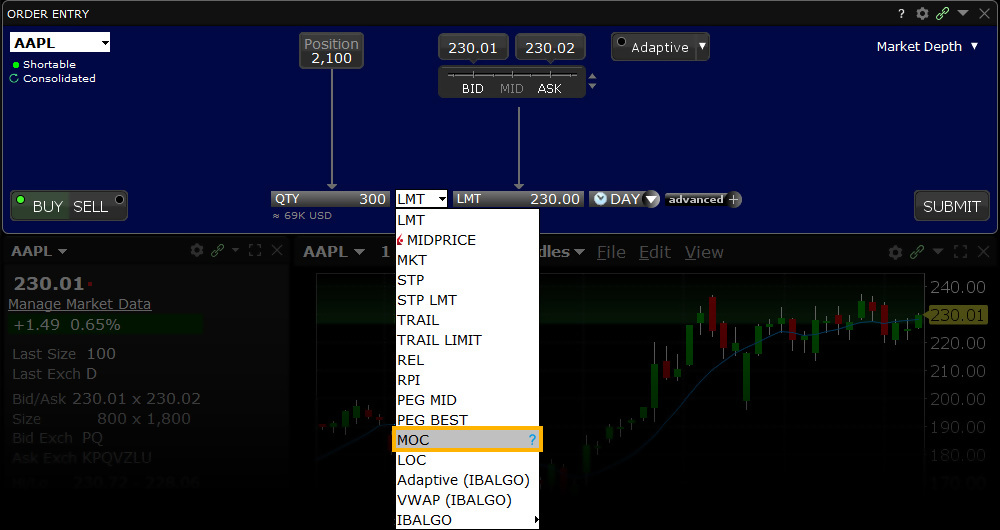
Notes:
Smart routed Market on close orders are designed to be routed to, and execute on the Primary Listing Exchange of the product.
Order Type Market on Open
Products: |
Stocks, ETFs, Options, Warrants |
Platforms: |
TWS, Client Portal |
Regions: |
US and Non-US Products |
Routing: |
Directed, Lite |
A Market-on-Open (MOO) order combines a market order with the OPG time in force to create an order that is automatically submitted at the market's open and fills at the market price.
Notes for MOO Orders
- IB may simulate market orders on exchanges. See details on market order handling using simulated orders.
- Nasdaq MOO (and LOO) orders must be submitted prior to 09:28 ET.
- Options Orders: MOO orders for options must be directed to an exchange. The OPG time in force for directed options orders will only be available when you select a routing destination that supports this order type, for example CBOE, CBOE2 or MIAX.
- Option functionality for MOO orders may not be available in the PaperTrader.
Mosaic Example
In this example we wish to purchase a further 1,000 shares in ticker USO using a Market order type but only as the market opens. Type in the ticker symbol and click the BUY button, which will turn the background blue. SELL order types turn the background red by contrast. Change the Quantity to reflect the 1,000 shares to be bought. Select MKT from the Order Type dropdown menu and then choose OPG from the time-in-force menu. This restricts your order to the market opening only. You are now ready to submit your order in advance of the session opening.
| Assumptions | |
|---|---|
| Action | BUY |
| Qty | 1,000 |
| Order Type | MKT |
| Market Price | 19.83 |
| Limit Price | MKT |
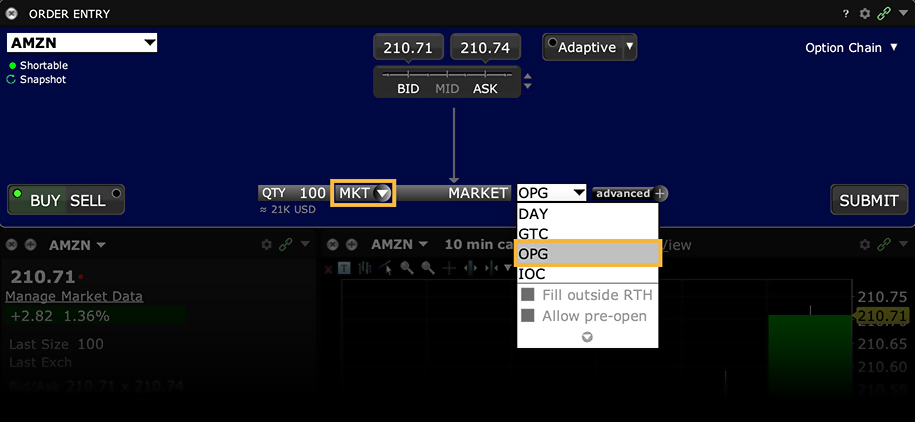
Order Type In Depth - Market-on-Open Buy Order
Step 1 – Enter a Market-on-Open Buy Order
You want to buy 100 shares of XYZ and decide that the opening price for this stock has historically proven to be the best price of the day. Create a BUY order, and select MKT in the Type field to specify a market order. In the Time in Force field, select OPG to have the order submitted at the next day's open. The word MARKET appears in the Lmt Price field to show that you are willing to buy at the market price. Submit the order, which will execute as soon as the market opens the next day.
Step 2 – Order Transmitted
You've transmitted your market-on-open order. The order will be held in the system and submitted when the market opens the next day.
| Assumptions | |
|---|---|
| Action | BUY |
| Qty | 100 |
| Order Type | MKT |
| Limit Price | MARKET |
| Market Price | 45.31 |
Step 3 – At the Next Market Opening
When the market opens the next day, the price of XYZ is 45.28. Your order for 100 shares is filled at that opening price.
| Assumptions | |
|---|---|
| Action | BUY |
| Qty | 100 |
| Order Type | MKT |
| Limit Price | MARKET |
| Market Price at the Open | 45.28 |
Notes:
Smart routed Market on Open orders are designed to be routed to, and execute on the Primary Listing Exchange of the product. The Official Market Center Opening price may differ from the 09:30:00 EST opening print, and in volatile markets the official market center opening print may be delayed. Orders designed to execute during Regular Trading hours only, will not become active until on or after the official market center opening print is received from the primary listing exchange.
Order Type Market to Limit
Products: |
Stocks, ETFs, Options, Futures, FOPs, Warrants, EFPs |
Platforms: |
TWS, IBKR Desktop, IBKR Mobile |
Regions: |
US and Non-US Products |
Routing: |
Smart, Directed |
A Market-to-Limit (MTL) order is submitted as a market order to execute at the current best market price. If the order is only partially filled, the remainder of the order is canceled and re-submitted as a limit order with the limit price equal to the price at which the filled portion of the order executed.
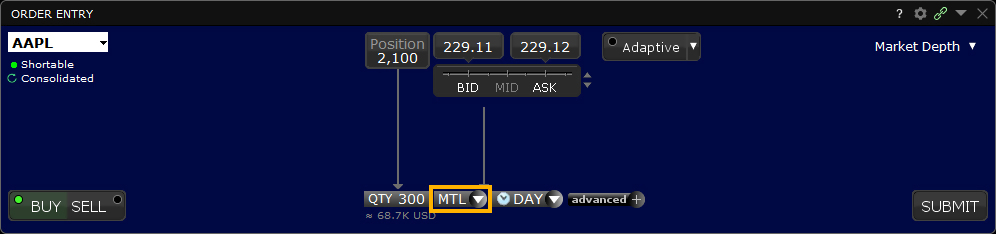
Order Type Market with Protection
Products: |
Futures, FOPs |
Platforms: |
TWS, IBKR Mobile |
Regions: |
US Products and Globex |
Routing: |
Directed |
This order type is useful for futures traders using Globex. A Market with Protection order is a market order that will be cancelled and resubmitted as a limit order if the entire order does not immediately execute at the market price. The limit price is set by Globex to be close to the current market price, slightly higher for a sell order and lower for a buy order.
Please note that this order type is not available in TWS PaperTrader.
Example

Order Type In Depth - Market with Protection Buy Order
Step 1 – Enter a Market with Protection Buy Order
You place a Globex-directed futures order to buy 3 March contracts, with the current market price at $1102.25. Select MKT PRT in the Type field to specify a market-with-protection order. Submit the order. If the entire order does not immediately execute at the market price, the unfilled portion of the order will be cancelled and resubmitted as a limit order.
Step 2 – Order Transmitted
You've transmitted your market with protection order. If the entire order does not immediately execute at the market price, the unfilled portion of the order will be cancelled and resubmitted as a limit order.
| Assumptions | |
|---|---|
| Action | BUY |
| Qty | 3 |
| Order Type | MKT PRT |
| Market Price | 1102.25 |
| Limit Price | MARKET |
Step 3 – Order is Partially Filled as a Market Order
One contract executes at the market price of $1102.25. The rest of your order is cancelled, but will be resubmitted as a buy limit order at a limit price set by Globex, slightly lower than the market price for a buy order.
| Assumptions | |
|---|---|
| Action | BUY |
| Qty | 3 |
| Order Type | MKT PRT |
| Market Price | 1102.25 |
| Filled | 1 contract |
| Order for the remaining two contracts is cancelled and will be resubmitted at the Globex-defined limit price. | |
Step 4 – The Rest of the Order is Filled as a Limit Order
The cancelled portion of your order, two futures contracts, has been resubmitted as a limit order. The order fills at 1102.25.
| Assumptions | |
|---|---|
| Action | BUY |
| Qty | 2 |
| Order Type | LMT |
| Limit Price | 1102.25 |
Algo MidPrice
Products: |
Stocks, ETFs |
Platforms: |
TWS, IBKR Desktop, IBKR Mobile, Client Portal |
Regions: |
US Products Only |
Routing: |
Smart |
The MidPrice order is designed to split the difference between the bid and ask prices, and fill at the current midpoint of the NBBO or better. Set an optional price cap to define the highest price (for a buy order) or the lowest price (for a sell order) you are willing to accept.
To achieve the midpoint price or better, the Midprice algo routes the order to the exchange with the highest probability of filling as a Pegged-to-Midpoint order, or in the case of IEX as a Discretionary Peg (D-Peg) order. If no such exchange is available, the MidPrice order is routed as either a native or simulated Relative order.
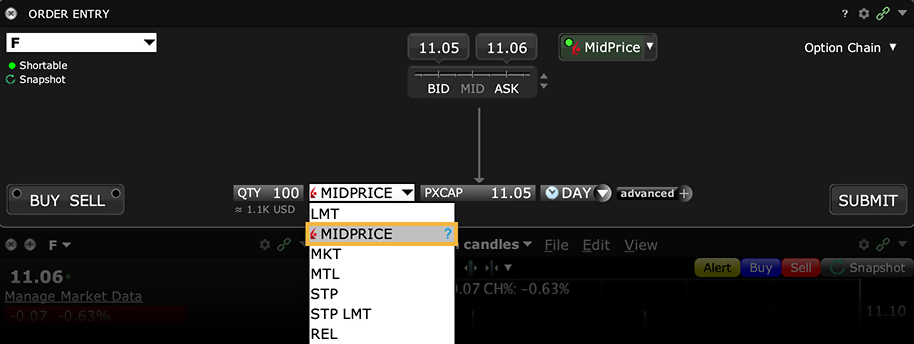
Algo Minimize Impact
Products: |
Options Only |
Platforms: |
TWS Only |
Regions: |
US Products Only |
Routing: |
IB Algo |
Objective
The Minimize Impact algo lets you control your level of participation in the Average Daily Options Volume by setting a Max Percentage value, and attempts to minimize market impact by slicing the order over time to achieve a market average without going over your specified Max Percentage of Average Daily Volume.
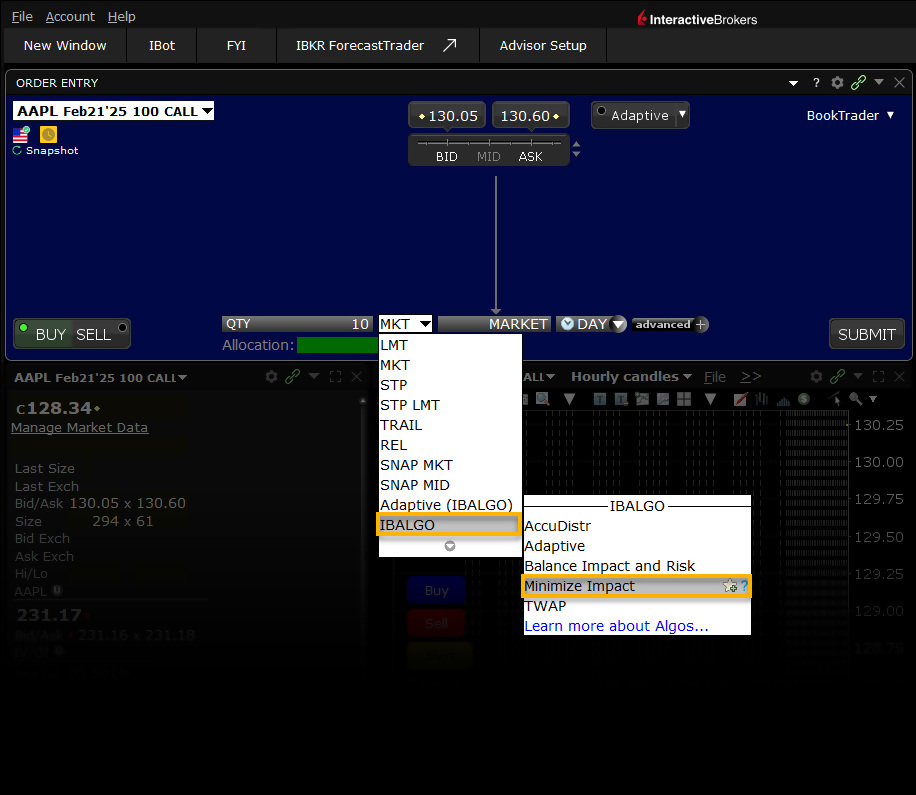
User Inputs
- Max Percentage of Average Daily Options Volume
Important Points
- The max percent you define is the percent of the total daily options volume for the entire options market in the underlying.
- Set the limit price in terms of volatility by using the VOL order type.
- Set the Max Percentage from 1% to 50%. If left blank, the default value is 50%.
- Available for US Equity and Index Options.
Order Type One Cancels All (OCA)
Products: |
Stocks, ETFs, Options, Futures, FOPs, Currencies, Bonds, Warrants, EFPs |
Platforms: |
TWS Only |
Regions: |
US and Non-US Products |
Routing: |
Smart, Directed |
One-Cancels All (OCA) order type allows an investor to place multiple and possibly unrelated orders assigned to a group. The aim is to complete just one of the orders, which in turn will cause TWS to cancel the remaining orders. The investor may submit several orders aimed at taking advantage of the most desirable price within the group. Completion of one piece of the group order causes cancellation of the remaining group orders while partial completion causes the group to rebalance.
An investor might desire to sell 1000 shares of only ONE of three positions held above prevailing market prices. The OCA order group allows the investor to enter prices at specified target levels and if one is completed, the other two will automatically cancel. Alternatively, an investor may wish to take a LONG position in eMini S&P stock index futures in a falling market or else SELL US treasury futures at a more favorable price. Grouping the two orders using an OCA order type offers the investor two chances to enter a similar position, while only running the risk of taking on a single position.
Please note that because the OCA procedure is an automated process, there is no guarantee that requested cancellations and modifications will reach the specific exchange before an order has been executed.
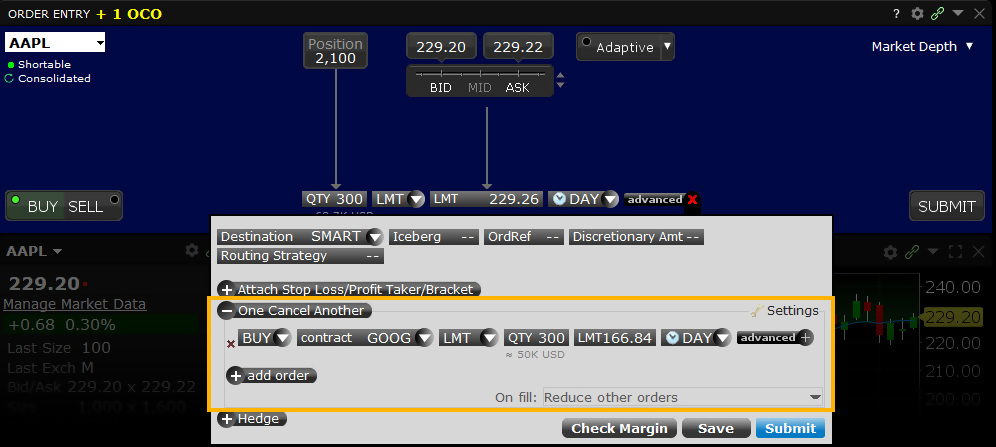
Mosaic Example
In this example, the user hopes for the price of various technology stocks to pull back somewhat at which point the investor would like to buy a total 1,000 shares in one of three tickers. The One Cancel All Order Type permits the user to enter three related orders of which only one will fill. At the time the user enters the order he does not know which limit price might be reached first, but he stands ready to purchase in one of the securities. Enter the first desired ticker, which in this example is MSFT and click on the BUY button. The blue background reminds the user that this is an order to buy. When SELL is selected the default background turns red. The buyer wishes to purchase 1,000 shares in either MSFT, GOOG or YHOO, but importantly wants a position in just one. The Limit price of $47.60 is below the current NBBO displayed on screen. Select LMT for the Order Type in the dropdown menu and enter the Limit Price. In this example we have selected DAY as the time-in-force. Click on the Advanced button to reveal further choices for this order where we will next add the other tickers.
| Assumptions | |
|---|---|
| Action (MSFT) | BUY |
| Qty | 1,000 |
| Order Type | LMT |
| Market Price | 47.79 |
| Limit Price | 47.6 |
| On Fill instruction | Cancel other orders |
| Assumptions | |
|---|---|
| Action (GOOG) | BUY |
| Qty | 1,000 |
| Order Type | LMT |
| Market Price | 552.65 |
| Limit Price | 552.30 |
| On Fill instruction | Cancel other orders |
| Assumptions | |
|---|---|
| Action (YHOO) | BUY |
| Qty | 1,000 |
| Order Type | LMT |
| Market Price | 44.60 |
| Limit Price | 44.40 |
| On Fill instruction | Cancel other orders |
Click on the One Cancels Other expand button to view more order input fields. Click in the Contract field and add the second ticker, in this case, GOOG. Determine the LMT as the Order Type and add the desired Quantity and Limit Price. Select Day as the time-in-force. Next, click on the Add Order expand button to create a duplicate field and add YHOO. Enter the desired details for this element of the order in the same way you did for GOOG. Before transmitting this trade we must make a selection from the box labelled On Fill. Click in the field to reveal the alternatives.
There are three choices. In this example, because we only want to own shares in ONE stock, the selection to choose is Cancel Other Orders. Note that when "Cancel Other Orders" is selected, Overfill Protection is activated automatically. However, the user could choose to Reduce Other Orders such that, as one of the orders starts to fill, the amounts of the grouped orders is reduced commensurately. In this case, the user may end up buying a total of 1,000 shares but in more than one of the securities. Note that electing to reduce other orders WITHOUT using overfill protection will likely see multiple orders being routed to an exchange, potentially resulting in an overfill, or in the case of multiple sell orders where one is tagged as "short sale" in a rejection.
Finally, the choice to provide Overfill Protection dictates that only one of the submitted orders be routed to an exchange at a time. This completely removes the possibility of an overfill for the order. Once you are content with the variety of input choices for your order, transmit the order by clicking on the Submit button.
Classic TWS Example
You want to buy some tech stock at the best possible price, but you only want 100 shares. You could buy 100 shares of YXX at $11.40/share, XYZ at $19.60/share, or YZZ at $16.80, but you don't want more than 100 shares total. Before you place the order, display the OCA Group column on the trading screen. Then create a buy limit order for YXX, selecting LMT in the Type field and entering $11.40 in the Lmt Price field. In the OCA Group field, enter a group name, for example "Tech." Create two more limit orders, one for XYZ at $19.60 and one for YZZ at $16.80, and in the OCA Group box enter the same name, "Tech," to link these orders. After you have created all orders for a group, transmit the OCA order by selecting Transmit Page on the Order menu. You have created a one-cancels-all (OCA) group. If one of the orders executes, the other two orders are automatically canceled. If one of the orders partially executes, the quantity of each of the other orders is reduced proportionately. If an order in the group is canceled, the remaining orders are also canceled.
Order Type Outside RTH
Products: |
Stocks, ETFs, Options, Futures, FOPs, Currencies, Bonds, Funds, Warrants, EFPs |
Platforms: |
TWS, IBKR Desktop, IBKR Mobile, Client Portal |
Regions: |
US and Non-US Products |
Routing: |
Smart, Directed |
You can instruct an order to continue to work after normal trading hours have ended by enabling Outside RTH (outside regular trading hours). You can manage the Outside RTH attribute as a default order preset, and also on a per order basis.
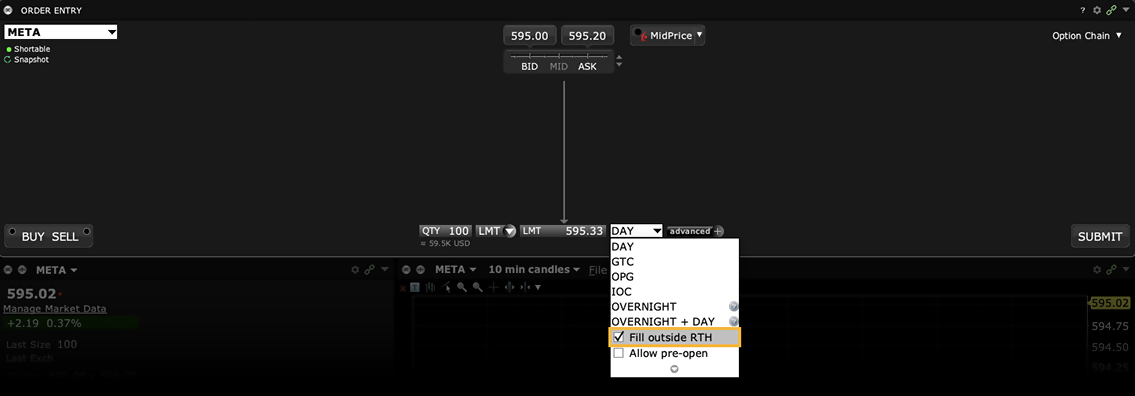
You may set Outside RTH for an order, or set it as the order default for a specific asset type.
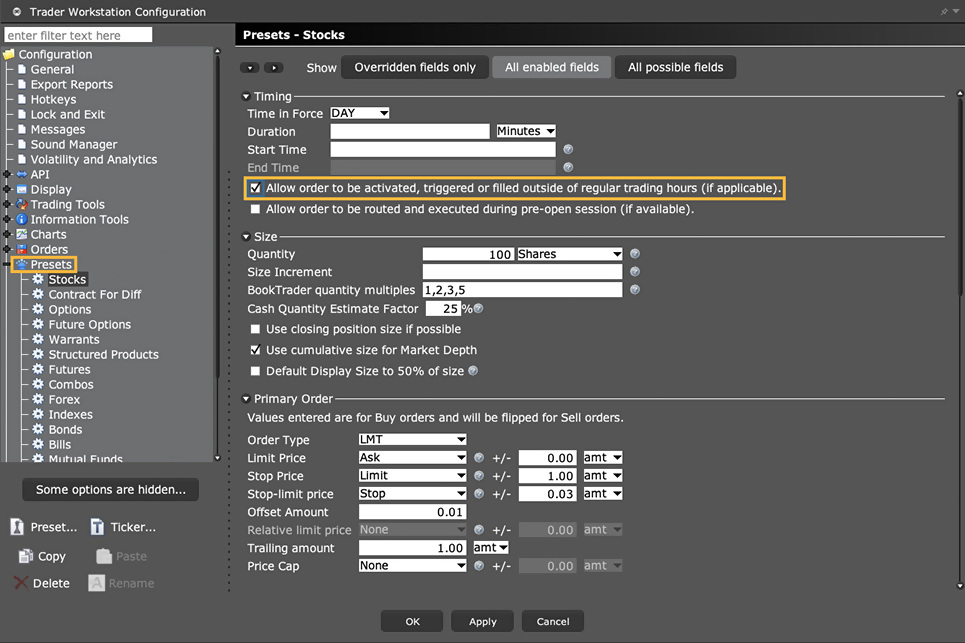
Note: If you want Outside RTH enabled by default, you only need to define the preset in ONE platform. It is then automatically applied across all of your trading platforms.
Order Type Overnight Trading
Products: |
Stocks, ETFs |
Platforms: |
TWS, IBKR Desktop, IBKR Mobile, Client Portal |
Regions: |
US Products Only |
Routing: |
Directed |
Interested in trading US Stocks and ETFs after the exchanges have closed? Interactive Brokers has partnered with liquidity provider Blue Ocean to offer access to streaming quotes beyond the two typical sessions - regular and extended US-trading hours. Interactive Broker clients can trade over 10,000 U.S. stocks and ETFs from 8pm ET to 3:50 am ET Sunday to Friday using the IBKR Overnight destination. Trades executed between 8:00pm and 12:00am will carry a trade date of the following day.
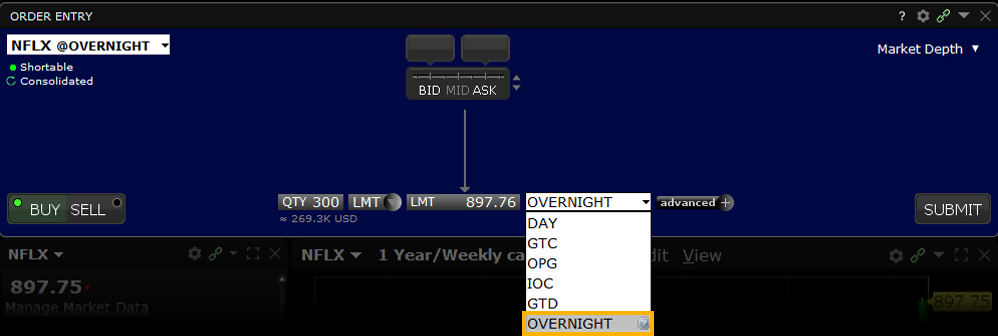
See the exchange listing page by clicking the "Exchange" tab and searching "Overnight" for a complete listing of the available US stocks and ETFs.
Limit order trades can be placed within TWS, Client Portal and Mobile TWS and clients are eligible to trade with their existing US stock trading permission but must enable Overnight trading in the Client portal.
Clients can set the destination to Overnight by setting the Time-in-Force to Overnight Trading. The Overnight order destination combines internal and external liquidity providers to display the live NBBO for all available liquidity.
Order Type Overnight + SMART
Products: |
Stocks, ETFs |
Platforms: |
TWS Only |
Regions: |
US and Non-US Products |
Routing: |
Smart |
IBKR's Overnight + SMART order type allows you to submit orders in the overnight trading session that will also work through 8:00pm the following day as a SMART-routed order.
Attached Order Pair Trade
Products: |
Stocks, ETFs, Options |
Platforms: |
TWS Only |
Regions: |
US and Non-US Products |
Routing: |
Directed |
The attached Pair Trade can be used to hedge one contract against another, generally in the same industry. Offset a price discrepancy between the two contracts with a ratio.
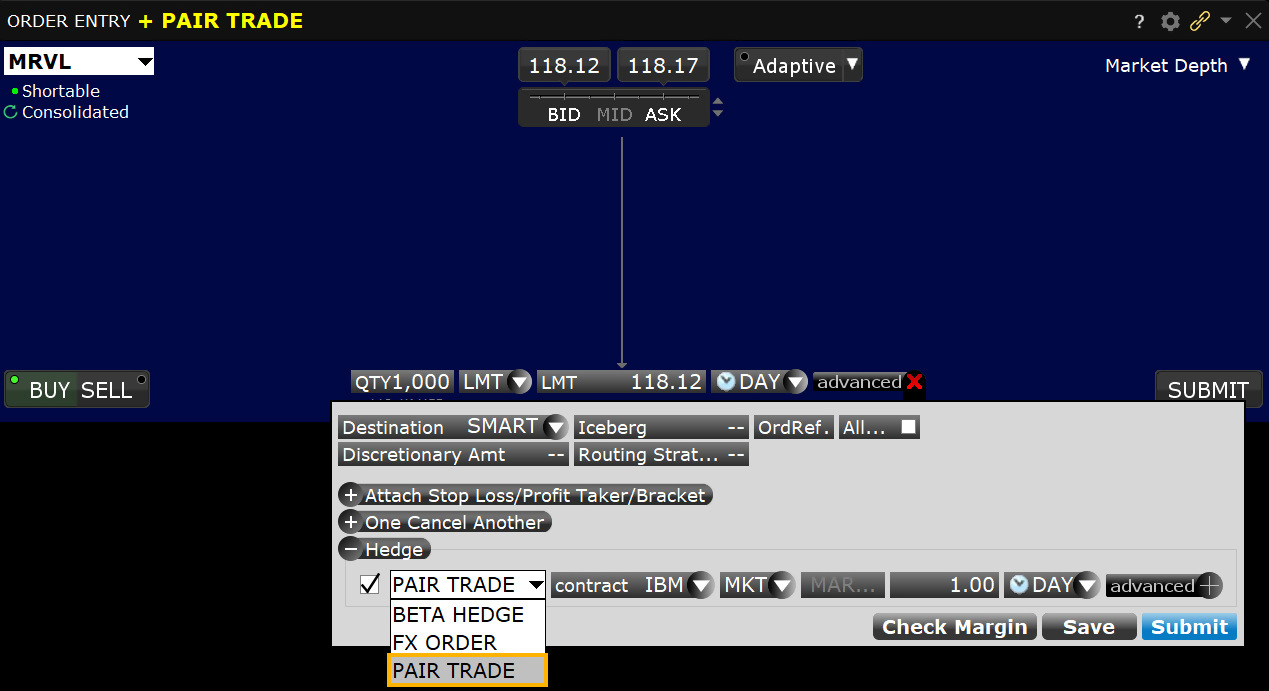
Order Type Pegged to Benchmark
Products: |
Stocks, ETFs |
Platforms: |
TWS Only |
Regions: |
US and Non-US Products |
Routing: |
Smart, Directed |
The Pegged to Benchmark order is similar to the Pegged to Stock order for options, except that the Pegged to Benchmark allows you to specify any asset type as the reference (benchmark) contract for a stock or option order. Both the primary and reference contracts must use the same currency.
The Pegged to Benchmark order continually adjusts the primary order price by the specified offset based on movement in the price of the user-defined reference contract. To determine a change in price, the reference contract price is subtracted from the "Starting" reference price (or the current NBBO midpoint if no starting price is defined). You may also enter a high/low stock price range that triggers a cancel request when reached.
Example
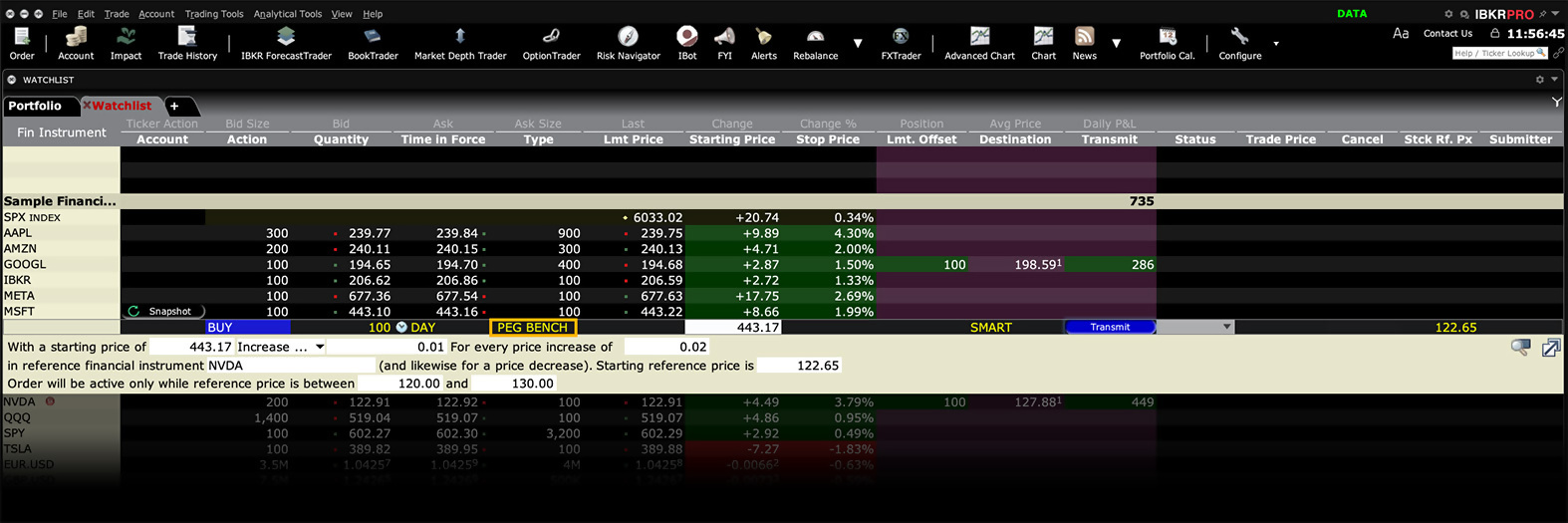
Order Type Pegged to Midpoint
Products: |
Stocks, ETFs, Options |
Platforms: |
TWS and IBKR Desktop |
Regions: |
US and Non-US Products |
Routing: |
Directed (to IBUSOPT for US options), IBKR ATS |
A pegged-to-midpoint order provides a means for traders to seek a price improvement at the midpoint of the National Best Bid and Offer (NBBO). The price automatically adjusts to peg the midpoint as the market moves in any direction.
- For U.S. stock orders you must select direct routing to submit a pegged-to-midpoint order.
- For U.S. equity and index options, you must direct route your order IBUSOPT to use the pegged-to-midpoint order type.
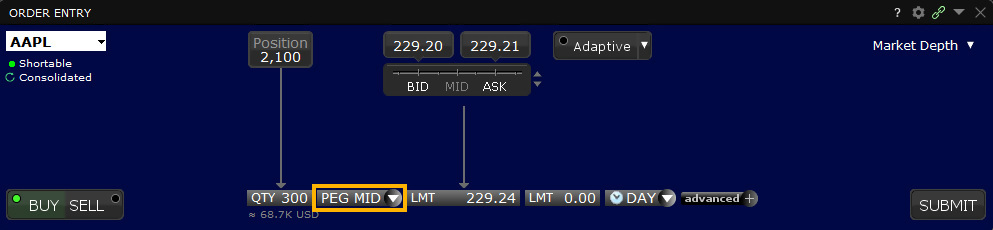
Most venues (including but not limited to NASDAQ/ISLAND) do not accept an offset from the midpoint.
For orders with no offset, you must specify the value "0" or "0.0" in TWS. Note that some exchanges may allow an offset amount in the future.
You can also define a price cap using the Limit Price field, to prevent your order from being executed above or below a specified price level.
Order Type Pegged to Stock
Products: |
Options Only |
Platforms: |
TWS Only |
Regions: |
US and Non-US Products |
Routing: |
Smart, Directed |
A Pegged to Stock order continually adjusts the option order price by the product of a signed user-define delta and the change of the option's underlying stock price. The delta is entered as an absolute and assumed to be positive for calls and negative for puts. A buy or sell call order price is determined by adding the delta times a change in an underlying stock price to a specified starting price for the call. To determine the change in price, the stock reference price is subtracted from the current NBBO midpoint. The Stock Reference Price can be defined by the user, or defaults to the NBBO midpoint at the time of the order if no reference price is entered. You may also enter a high/low stock price range which cancels the order when reached. The delta times the change in stock price will be rounded to the nearest penny in favor of the order.
Example
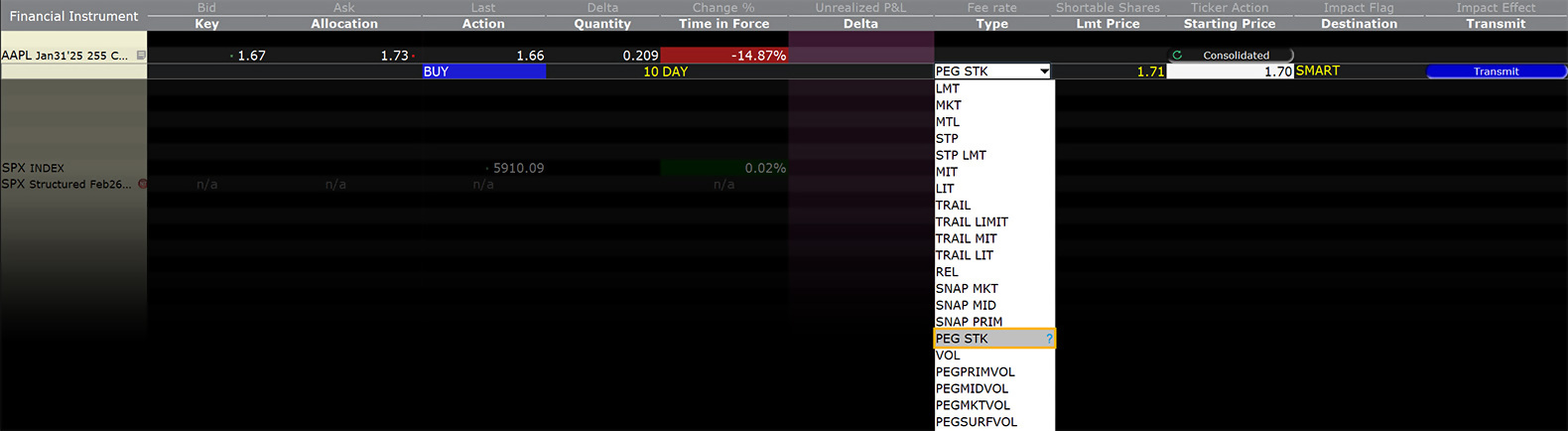
Order Type In Depth - Pegged-to-Stock Buy Order
Step 1 – Enter a Pegged-to-Stock Buy Order
In this example, we show how to use a pegged-to-stock buy order to continually adjust an option order price by the product of a user-define delta and the change of the option's underlying stock price. First, use TWS's Customize Layout feature to display the Stock Reference Price and Delta columns, then click the Ask price of a call option to create a buy order. Select PEG STK from the Type field, then enter the option starting price, stock reference price and delta as shown above. Enter the delta as an absolute value; this will be used by the order as a percent in this example, we enter 50 for 50%). Transmit the order.
Ensure your option is routed to SMART (or an exchange that supports this order type).
| Assumptions | |
|---|---|
| Action | BUY |
| Qty | 100 |
| Order Type | PEG STK |
| Stock Market Price (NBBO) Range | $130.78 – 130.80 |
| Stock Midpoint | 130.79 |
| Option Market Price (NBBO) Range | 7.30 – 7.50 |
| Option Midpoint | 7.40 |
| Option Starting Price (By default, this is set to the Option Midpoint at the time the order is submitted.) |
7.40 |
| Stock Reference Price (By default, this is set to the stock NBBO midpoint at the time the order is submitted.) |
139.79 |
| Delta | 50% |
| Limit Price | 7.40 |
Step 2 – Order Transmitted
Your pegged-to-stock order has been submitted. The bid is entered at the midpoint of the option NBBO, or $7.40. As the price of the underlying moves, the price of the option moves by the delta (in this example, 50%) times the change in the stock price.
| Assumptions | |
|---|---|
| Action | BUY |
| Qty | 100 |
| Order Type | PEG STK |
| Stock Market Price (NBBO) Range | $130.78 – 130.80 |
| Stock Midpoint | 130.79 |
| Option Market Price (NBBO) Range | 7.30 – 7.50 |
| Option Midpoint | 7.40 |
| Option Starting Price | 7.40 |
| Stock Reference Price | 139.79 |
| Delta | 50% |
| Limit Price | 7.40 |
Step 3 – Price Rises
In this scenario, the underlying stock midpoint moves up by $0.10. The option midpoint rises to $7.45, which is the delta multiplied by the change in underlying price, or 50% x 0.10, or 0.05.
| Assumptions | |
|---|---|
| Action | BUY |
| Qty | 100 |
| Order Type | PEG STK |
| Stock Market Price (NBBO) Range | $130.88 – 130.90 |
| Stock Midpoint | 130.89 |
| Option Market Price (NBBO) Range | 7.35 – 7.55 |
| Option Midpoint | 7.45 |
| Option Starting Price | 7.40 |
| Stock Reference Price | 139.79 |
| Delta | 50% |
Step 4 – Price Falls
In this scenario, the underlying midpoint falls by $0.10 to $130.69. The option midpoint falls to $7.35, which is the delta multiplied by the change in underlying price, or 50% x (-0.10) or -0.05.
| Assumptions | |
|---|---|
| Action | BUY |
| Qty | 100 |
| Order Type | PEG STK |
| Stock Market Price (NBBO) Range | $130.68 – 130.70 |
| Stock Midpoint | 130.69 |
| Option Market Price (NBBO) Range | 7.25 – 7.45 |
| Option Midpoint | 7.35 |
| Option Starting Price | 7.40 |
| Stock Reference Price | 139.79 |
| Delta | 50% |
Algo Percent of Volume
Products: |
Stocks, ETFs, Futures |
Platforms: |
TWS, IBKR Desktop, IBKR Mobile |
Regions: |
US and Non-US Products |
Routing: |
IB Algo |
Users can limit the contribution of their order to overall average daily volume in order to minimize impact. Clients can set a value between 1-50% to control their participation between stated start and end times. Order quantity and volume distribution over the day is determined using the target percent of volume you entered along with continuously updated volume forecasts calculated from TWS market data.
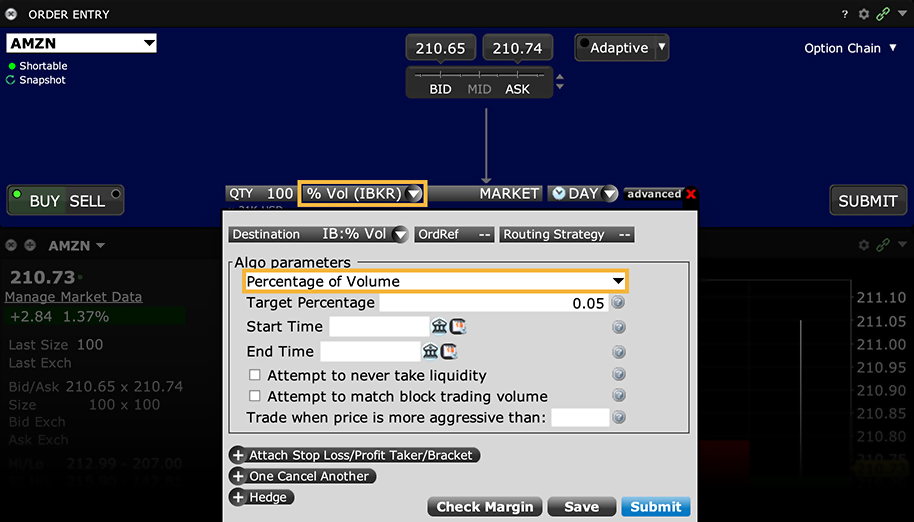
In addition, the algo can be set to avoid taking liquidity, which may help avoid liquidity-taker fees and could result in liquidity-adding rebates. By checking the Attempt to never take liquidity box, the algo is discouraged from hitting the bid or lifting the offer if possible. However, this may also result in greater deviations from the benchmark, and in partial fills, since the posted bid/offer may not always get hit as the price moves up/down. IBKR will use best efforts not to take liquidity when this box is checked, however, there will be times that it cannot be avoided.
Algo Price Variant Percent of Volume
Products: |
Stocks, ETFs, Futures |
Platforms: |
TWS, IBKR Desktop, IBKR Mobile |
Regions: |
US and Non-US Products |
Routing: |
IB Algo |
This algo allows you to participate in volume at a user-defined rate that varies over time depending on the market price of the security. This algo allows you to buy more aggressively when the price is low and be more passive as the price increases, and just the opposite for sell orders. The order quantity and volume distribution over the time during which the order is active is determined using the target percent of volume you entered along with continuously updated volume forecasts calculated from TWS market data.
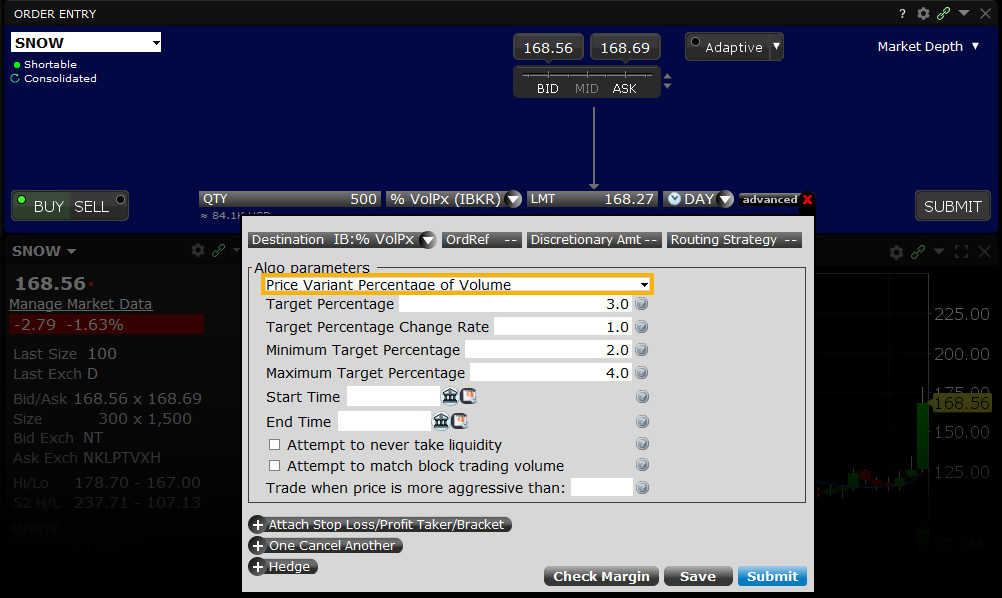
Sell example
Variables:
Target Percentage – 10%
Minimum Target Percentage – 1%
Maximum Target Percentage – 20%
Target Percentage Change Rate – 5%
With ABC Corp. trading at $100.00 per share, an investor wants to sell 6,500 shares in total between 10:00am and 12:00pm. However, the investor wants to step up the pace of selling in the event that the share price strengthens. Conversely, he wants to ease off the selling pressure in the event the share price weakens.
Target Percentage 10.00% – Change Rate 5.00% – Min Participation Rate 1.00% – Max Max Participation Rate 20.00%
| Start Time | End Time | Price | Percent Change In Price | Participation Rate |
|---|---|---|---|---|
| 10:00 | 10:15 | 100.00 | 0.00% | 10.00% |
| 10:15 | 10:30 | 100.25 | 0.25% | 11.25% |
| 10:30 | 10:45 | 101.00 | 1.00% | 15.00% |
| 10:45 | 11:00 | 102.00 | 2.00% | 20.00% |
| 11:00 | 11:15 | 101.50 | 1.50% | 17.50% |
| 11:15 | 11:30 | 100.50 | 0.50% | 12.50% |
| 11:30 | 11:45 | 99.50 | -0.50% | 7.50% |
| 11:45 | 12:00 | 99.00 | -1.00% | 5.00% |
- As price increases the participation rate increases for a sell order
- If price falls the participation rate decreases for a sell order
The investor decides to participate at a pace of exactly 10% of ADV at the outset as shares are trading at $100.00 each.
He also sets the Target Percentage Change Rate to 5%. For every 1% increase (or $1.00 in this case) in the value of ABC Corp. his pace of selling will increase by the amount entered in this field. For a sell order, a 1% increase to $101.00 will step‐up his pace of selling from 10% to 15%. Should the share price advance to $102.00 his participation rate will increase to comprise 20% of ADV.
Users can also add maximum and minimum values for target percentage rates. In this case, for example, a 1% minimum target percentage rate would cause the algo to participate at 1% of ADV in the event the share price falls to $98.00 and below. Likewise a 20% maximum target percentage rate would cause the algo to never comprise more than 20% of ADV at any price above $102.00 during the timeframe input by the user.
Buy example
Variables:
Target Percentage – 15%
Minimum Target Percentage – 6%
Maximum Target Percentage – 20%
Target Percentage Change Rate – 7%
In this example, the investor is a buyer of a large amount of ABC Corp. currently trading at $100.00 per share. He wishes to buy more aggressively if the share price falls, but never wants to form more than 20% of ADV. The user sets the Target Percentage Participation rate at the outset to 15% and sets the Change Rate to 7%. For each 1% change in the share price, the algo will vary the pace of participation by 7%. Although he has set the change rate to 7%, should the share price fall by 1% to $99.00 the algo should accelerate the pace of buying to form 22% of ADV, but the investor has set a ceiling at 20% of volume. Should the share price rise, the algo will ease off its buying pace, such that a 2% jump in the share price ought to see participation slide to 1%. However, be entering a value for the Minimum Target Participation rate ensures that the pace of buying remains at 6% of ADV regardless of the rise in the share price.
Target Percentage 15.00% – Change Rate 7.00% – Min Participation Rate 6.00% – Max Max Participation Rate 20.00%
| Start Time | End Time | Price | Percent Change In Price | Participation Rate |
|---|---|---|---|---|
| 10:00 | 10:15 | 100.00 | 0.00% | 15.00% |
| 10:15 | 10:30 | 100.25 | 0.25% | 13.25% |
| 10:30 | 10:45 | 101.00 | 1.00% | 8.00% |
| 10:45 | 11:00 | 103.00 | 3.00% | 6.00% |
| 11:00 | 11:15 | 101.50 | 1.50% | 6.00% |
| 11:15 | 11:30 | 100.50 | 0.50% | 11.50% |
| 11:30 | 11:45 | 99.50 | -0.50% | 18.50% |
| 11:45 | 12:00 | 99.00 | -1.00% | 20.00% |
- As price increases the participation rate decreases for a buy order
- If price falls the participation rate increases for a buy order
The table explains that as the price increases by 0.25% during the first 15‐minutes, the participation falls from its Target Percentage value of 15% to 13.25%. For a 1% rise in the share price the participation rate dwindles to 8% having fallen by the value of the Change Rate. Note that by the time the share price has risen by 3% to $103.00 the algo has reduced the purchase rate to the minimum allowed by the order input of 6%. As the order progresses, a decline in the share price of 0.5% causes the participation rate to advance back above the target to 18.5%. By the time the share price declines to $99.00 (‐1%) the algo has accelerated the participation rate to its maximum value of 20% of ADV.
Order Type Relative + Market
Products: |
Options Only |
Platforms: |
TWS, IBKR Desktop |
Regions: |
US Products Only |
Routing: |
Smart |
An order type available for certain multi-leg combinations, and when used with a non-guaranteed combination order it could help to increase the chances of all legs in the order being filled. Although the order type uses the term “Relative,” this refers to the behavior of the limit order initially submitted, which is pegged to the bid for a buy and to the ask for a sell similar to a Relative order, in an attempt to add rather than remove liquidity. Initially one or more legs are submitted as limit orders, but if the first leg fills or partially fills, the remaining legs are resubmitted as market orders.
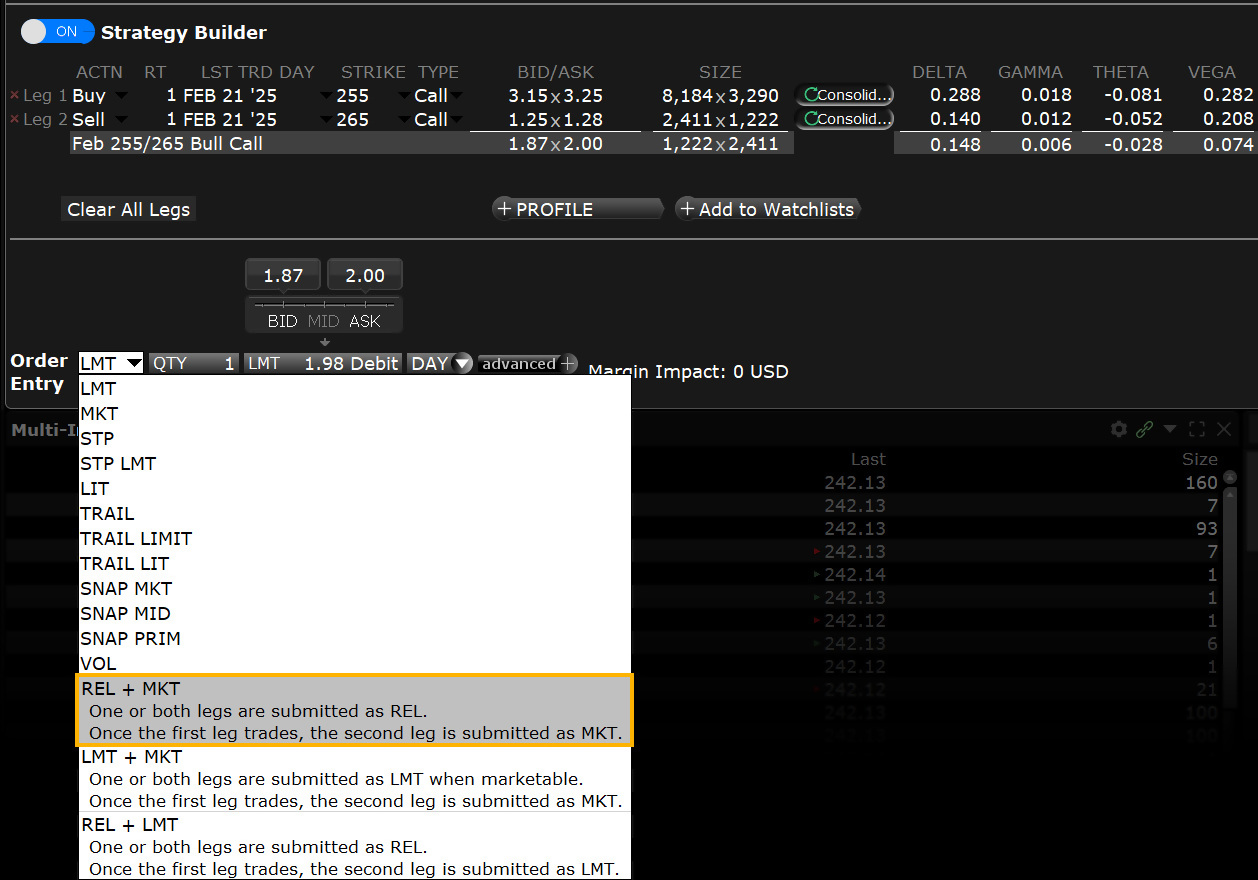
Order Type Relative/Pegged to Primary
Products: |
Stocks, ETFs, Options |
Platforms: |
TWS, IBKR Desktop |
Regions: |
US and Non-US Products |
Routing: |
Smart, Directed*, IBKR ATS |
Relative (a.k.a. Pegged-to-Primary) orders provide a means for traders to seek a more aggressive price than the National Best Bid and Offer (NBBO). By acting as liquidity providers and placing more aggressive bids and offers than the current best bids and offers, traders increase their odds of filling their orders. Quotes are automatically adjusted as the markets move, to remain aggressive.
- Directed orders, including orders sent to IBKR ATS, will float both ways with the market.
- Smart-Routed buy orders are pegged to the NBB by a more aggressive offset. If the NBB moves up, your bid will also move up. If the NBB moves down, there will be no adjustment.
- Smart-Routed sell orders are pegged to the NBO by a more aggressive offset. If the NBO moves down, your offer will also move down. If the NBO moves up, there will be no adjustment.
In addition to the offset, you can define an absolute cap that works like a limit price, and will prevent your order from being executed above or below a specified price level.
For orders routed to IBKR ATS, the system automatically caps the order price at the "opposite" side of the BBO plus/minus 1 tick. For example, if the NBBO is $10.10 - $10.12 and you submit a RELATIVE buy order directed to IBKR ATS and with an $0.02 offset, with no cap the order price would be the bid ($10.10) + offset ($0.02) = $10.12. To keep the order more aggressive, we apply the price cap at the opposite side of the BBO (in this case as the offer) minus 1 tick, or $10.12 - $0.01 = $10.11.
Orders with a "0" offset are submitted as limit orders at the best bid/ask and will move up and down with the market to continue to match the inside quote. You must specify the value "0" or "0.0" in TWS to submit an order with no offset.
If you submit a relative order with a percentage offset, you are instructing us to calculate an order price that is consistent with the offset, but that also complies with applicable tick increments. Therefore we will calculate the order price rounded to the appropriate tick increment (e.g., pennies for a U.S. stock trading at a price over $1.00). Buy orders will be rounded down to the nearest acceptable tick increment and sell orders will be rounded up.
*Orders with a positive offset that are directed to Island will float up and down with the market.
Order Type Retail Price Improvement
Products: |
Stocks, ETFs* |
Platforms: |
TWS, IBKR Desktop |
Regions: |
US Products Only |
Routing: |
Smart |
The Retail Price Improvement (RPI) order is a liquidity-adding order that works within the parameters of the NASDAQ Retail Price Improvement program. This program allows qualified stock orders to fill against eligible, hidden RPI orders that offer price improvement over the current best bid and offer.
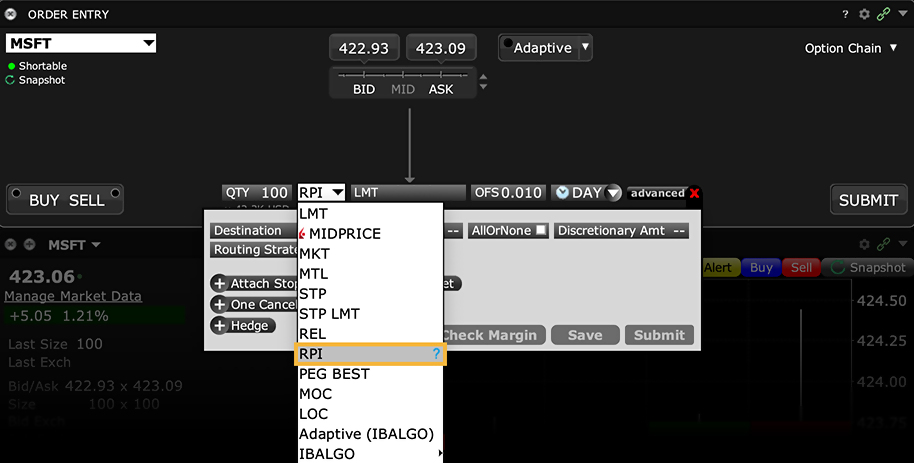
Customers submitting an RPI order must specify an offset (which is the minimum price improvement amount) of at least 0.001. The order's limit price is used as the price cap for the order which, when submitted, acts like a relative order and is pegged to the best bid (for a buy) and the best offer (for a sell) plus or minus the required offset. Once submitted, the RPI order is routed to a separate book at the NASDAQ where it is eligible to interact with qualified orders.
*Supported only for US stocks listed on NASDAQ.
Order Type Request for Quote (RFQ)
Products: |
Options, Futures, FOPs, Bonds |
Platforms: |
TWS Only |
Regions: |
US and Non-US Products |
Example
You want to know the price for XYZ options trading on HKFE. On the ticker, use the right-click menu and select Request Quote.
In the Request Quote dialog box, enter the number of contracts for which you want a quote and click OK. The market data for the selected contract is displayed on the selected ticker line.
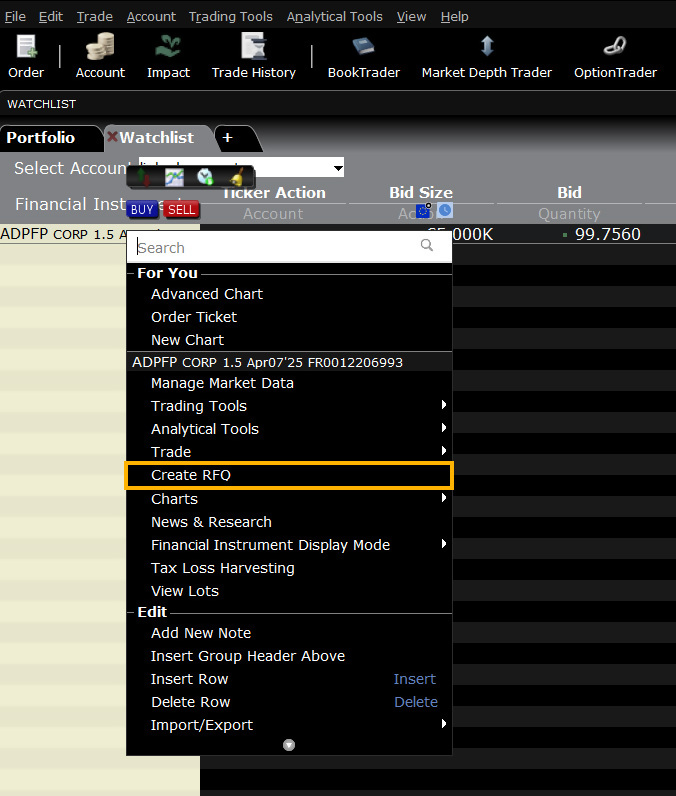
Note:
- SEC rules prohibit U.S. resident customers from trading non-U.S. security options.
Tool ScaleTrader
Products: |
Stocks, ETFs, Options, Futures, FOPs, Currencies, Bonds, Warrants |
Platforms: |
TWS Only |
Regions: |
US and Non-US Products |
Routing: |
Smart, Directed |
The ScaleTrader tool helps to ensure that larger sized trades, including combinations, are not subject to increasingly deteriorating prices. Consider the alternatives. You could submit a basic block order, and watch as acceptable prices at the start of execution rapidly give way to deteriorating prices as the market moves. Or, you could split up your order manually, and submit multiple, smaller orders at various price levels to minimize your footprint, but this requires time, effort and constant monitoring. ScaleTrader uses price and size determinants that you specify to automatically scale your large volume order into smaller, incrementally-priced components, and submits them as limit orders.
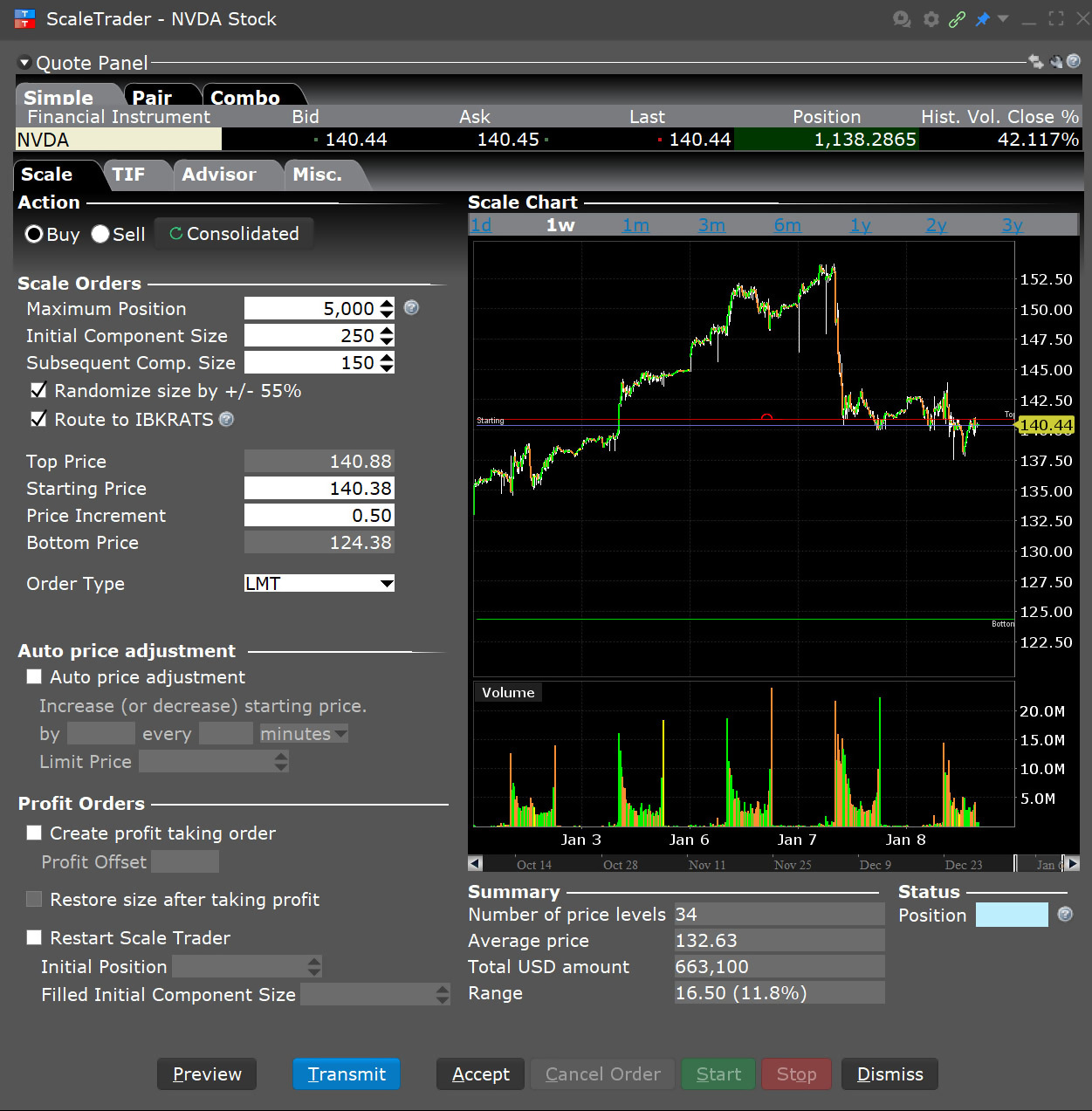
In addition, you can set a "scale offset" amount that ScaleTrader uses to submit opposite-side profit taking orders against your original order components. This allows position traders to pre-define the minimum amount of profitability acceptable for exiting a position. You can track the progress of the trade from the Scale Progress window, accessible from the right-click menu on a scale order line.
If prices move and a component of the order becomes unmarketable, the entire order waits until the component price becomes marketable. You CANNOT modify any component of the order. You may use the Good-Till-Cancelled time in force to allow the order to continue working through an unmarketable component. You may also elect to Restart the scale series if the order is cancelled, and Restore the filled profit order quantity to the original scale order.
ScaleTrader for ForecastEx Contracts
ScaleTrader significantly enhances ForecastEx forecast contract trading by allowing you to systematically provide liquidity while establishing predetermined profit targets through complement opinion orders.
Algo Size Variant Percent of Volume
Products: |
Stocks, ETFs, Futures |
Platforms: |
TWS, IBKR Desktop, IBKR Mobile |
Regions: |
US and Non-US Products |
Routing: |
IB Algo |
This algo allows you to participate in volume at a user-defined rate that varies with time. Define the target percent rate at the start time and at the end time, and the algo calculates the participation rate over time between the two. This allows the order to be more aggressive initially and less aggressive toward the end, or vice versa.
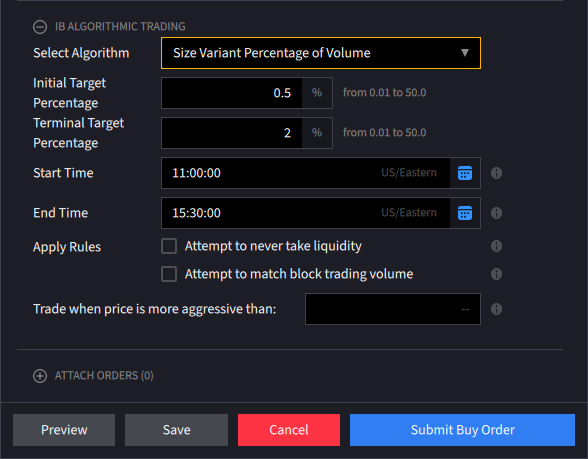
Example A – An investor wants to purchase 50,000 shares in ABC Corp. between 10:00am and 12:00pm ET. He enters an Initial Target Purchase value of 2% and a Terminal Target Percentage of 5%. In this case, as the order continues to fill, the algo constantly evaluates the remaining balance of the order and using updated volume projections, tailors the value of orders submitted to ensure that it remains active through the desired time period.
Start Rate 2.00% – End Rate 5.00% – Order Size 50,000
| Start Time | End Time | Volume Transacted | Start Qty Remaining | Start Qty Executed | Start Rate | Qty Traded |
|---|---|---|---|---|---|---|
| 10:00 | 10:15 | 250,000 | 50,000 | 0 | 2.00% | 5,394 |
| 10:15 | 10:30 | 250,000 | 44,606 | 5,394 | 2.32% | 6,268 |
| 10:30 | 10:45 | 250,000 | 38,338 | 11,662 | 2.70% | 7,282 |
| 10:45 | 11:00 | 250,000 | 31,056 | 18,944 | 3.14% | 8460 |
| 11:00 | 11:15 | 250,000 | 22,596 | 27,404 | 3.64% | 9,829 |
| 11:15 | 11:30 | 250,000 | 12,767 | 37,233 | 4.23% | 11,420 |
| 11:30 | 11:45 | 250,000 | 1,347 | 48,653 | 4.92% | 1347 |
| 11:45 | 12:00 | 250,000 | 0 | 50,000 | 5.00% | 0 |
| Total Volume | 2,000,000 | Possible Fill | 50,000 | |||
- If the order size was 50,000 shares, the rate of 5% would be realized at 12:00
Note how the algorithm takes the starting and ending rates entered by the user and adapts the pace of execution over the life of the order. In the first 15-minute period, the algo is set to purchase 2.0% of volume running at a pace of 250,000 or 5,000 shares. The pace steps up thereafter to 2.30% of volume meaning the algo buys 5,750 shares during the second 15-minute period. The order is completed by 11:45 and just before the terminal rate would have been reached in this case.
Example B – An investor only wants to purchase 10,000 shares in this case. Based upon the 6.5mm ADV experienced by this security and a 2.0% starting rate, the investor would have bought 5,000 shares within the first 15-minute period, at which point the pace of buying would have stepped up to 3.5%. However, it would only take a further 15-minute period to purchase another 5,000 shares, which would complete the order.
Start Rate 2.00% – End Rate 5.00% – Order Size 10,000
| Start Time | End Time | Volume Transacted | Start Qty Remaining | Start Qty Executed | Start Rate | Qty Traded |
|---|---|---|---|---|---|---|
| 10:00 | 10:15 | 250,000 | 10,000 | 0 | 2.00% | 7,447 |
| 10:15 | 10:30 | 250,000 | 2553 | 7447 | 4.23% | 2,553 |
| 10:30 | 10:45 | 250,000 | 0 | 10000 | 5.00% | 0 |
| 10:45 | 11:00 | 250,000 | 0 | 10000 | 5.00% | 0 |
| 11:00 | 11:15 | 250,000 | 0 | 10000 | 5.00% | 0 |
| 11:15 | 11:30 | 250,000 | 0 | 10000 | 5.00% | 0 |
| 11:30 | 11:45 | 250,000 | 0 | 10000 | 5.00% | 0 |
| 11:45 | 12:00 | 250,000 | 0 | 10000 | 5.00% | 0 |
| Total Volume | 2,000,000 | Possible Fill | 10,000 | |||
- If the the order size was 10,000 shares, the rate of 5% would be realized at 10:30
Example C – This investor wants to buy 100,000 shares, which would represent above 1.54% of total ADV. The user enters the start rate of 2.0% and a terminal rate of 5.0% to operate between 10:00am and 12:00pm ET. During the next two hours, for the life of the order, the algorithm makes purchases of 5,000 and above every fifteen minutes. By 12:00pm the participation rate has picked-up to 3.32% based upon prevailing volume and the remaining order balance.
Start Rate 2.00% – End Rate 5.00% – Order Size 100,000
| Start Time | End Time | Volume Transacted | Start Qty Remaining | Start Qty Executed | Start Rate | Qty Traded |
|---|---|---|---|---|---|---|
| 10:00 | 10:15 | 250,000 | 100,000 | 0 | 2.00% | 5,192 |
| 10:15 | 10:30 | 250,000 | 94,808 | 5,192 | 2.16% | 5,597 |
| 10:30 | 10:45 | 250,000 | 89,211 | 10,789 | 2.32% | 6,033 |
| 10:45 | 11:00 | 250,000 | 83,178 | 16,822 | 2.50% | 6,502 |
| 11:00 | 11:15 | 250,000 | 76,676 | 23,324 | 2.70% | 7,009 |
| 11:15 | 11:30 | 250,000 | 69,667 | 30,333 | 2.91% | 7,554 |
| 11:30 | 11:45 | 250,000 | 62,113 | 37,887 | 3.14% | 8,144 |
| 11:45 | 12:00 | 250,000 | 53,969 | 46,031 | 3.38% | 8,777 |
| Total Volume | 2,000,000 | Possible Fill | 54,808 | |||
- If the the order size was 10,000 shares, the rate of 5% would be realized at 10:30
However, only 54,808 shares have been bought by the time the order period is complete representing just over half the amount of the full order.
Order Type Snap to Market
Products: |
Stocks, ETFs, Options, Futures |
Platforms: |
TWS, IBKR Desktop |
Regions: |
US Products Only |
Routing: |
Smart, Directed |
The Snap to Market (SNAP MKT) order is similar to a pegged order, as the original order price is determined by the current bid/ask plus or minus an offset. But unlike the pegged order price, the "snap to" order price doesn't continue to peg as the price moves.
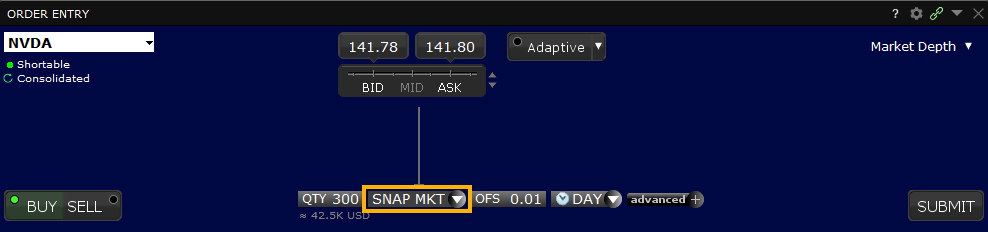
The trader creates the order by selecting SNAP MKT as the order type, then enters an offset amount which computes the active limit price as follows:
Sell order price = Bid price + offset amount
Buy order price = Ask price - offset amount
The Snap to Market order is simulated on all exchanges.
Order Type Snap to Midpoint
Products: |
Stocks, ETFs, Options, Futures |
Platforms: |
TWS and IBKR Desktop |
Regions: |
US Products Only |
Routing: |
Smart, Directed |
The Snap to Midpoint (SNAP MID) order is similar to a pegged order, as the original order price is determined by the current bid/ask plus or minus an offset. But unlike the pegged order price, the "snap to" order price doesn't continue to peg as the price moves.
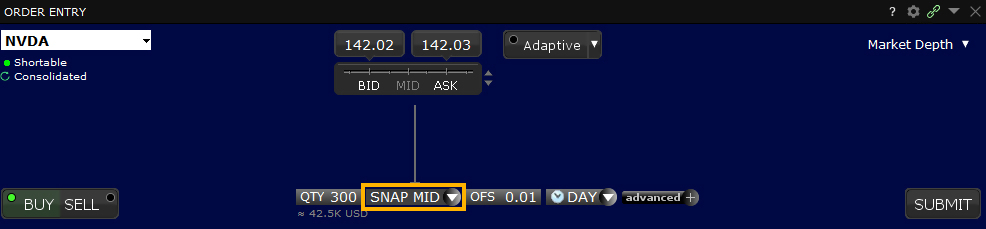
The trader creates the order by selecting SNAP MID as the order type, then enters an offset amount which computes the active limit price as follows:
Sell order price = Midpoint of the Bid/Ask price + offset amount
Buy order price = Midpoint of the Bid/Ask price - offset amount
The Snap to Midpoint order is simulated on all exchanges.
Order Type Snap to Primary
Products: |
Stocks, ETFs, Options, Futures |
Platforms: |
TWS and IBKR Desktop |
Regions: |
US Products Only |
Routing: |
Directed |
The Snap to Primary (SNAP PRIM) order is similar to a pegged order, as the original order price is determined by the current bid/ask plus or minus an offset. But unlike the pegged order price, the "snap to" order price doesn't continue to peg as the price moves.
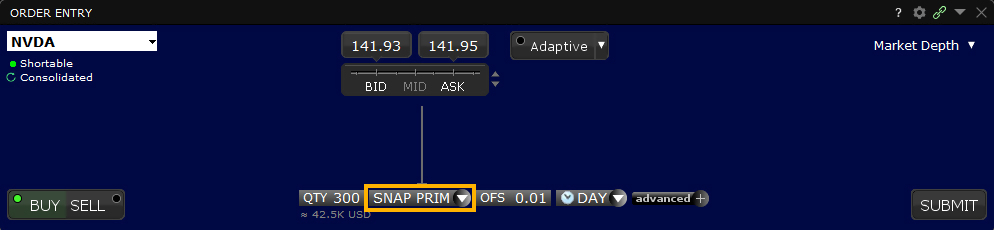
The trader creates the order by selecting SNAP PRIM as the order type, then enters an offset amount which computes the active limit price as follows:
Sell order price = Ask price - offset amount
Buy order price = Bid price + offset amount
The Snap to Primary order is simulated on all exchanges.
Order Type Spreads
Products: |
Stocks, ETFs, Options, Futures |
Platforms: |
TWS Only |
Regions: |
US Products Only |
Routing: |
Smart, Directed |
A spread order is a combination of individual orders (legs) that work together to create a single trading strategy. Spread types include futures spreads, and combinations of option/option, option/stock and stock/stock on the same or multiple underlyings.
When your spread order is transmitted, IBKR SmartRouting will compare native spread prices when available (i.e. ISE) with implied spread prices from all available option and stock exchanges and route each leg independently to the best priced location(s).
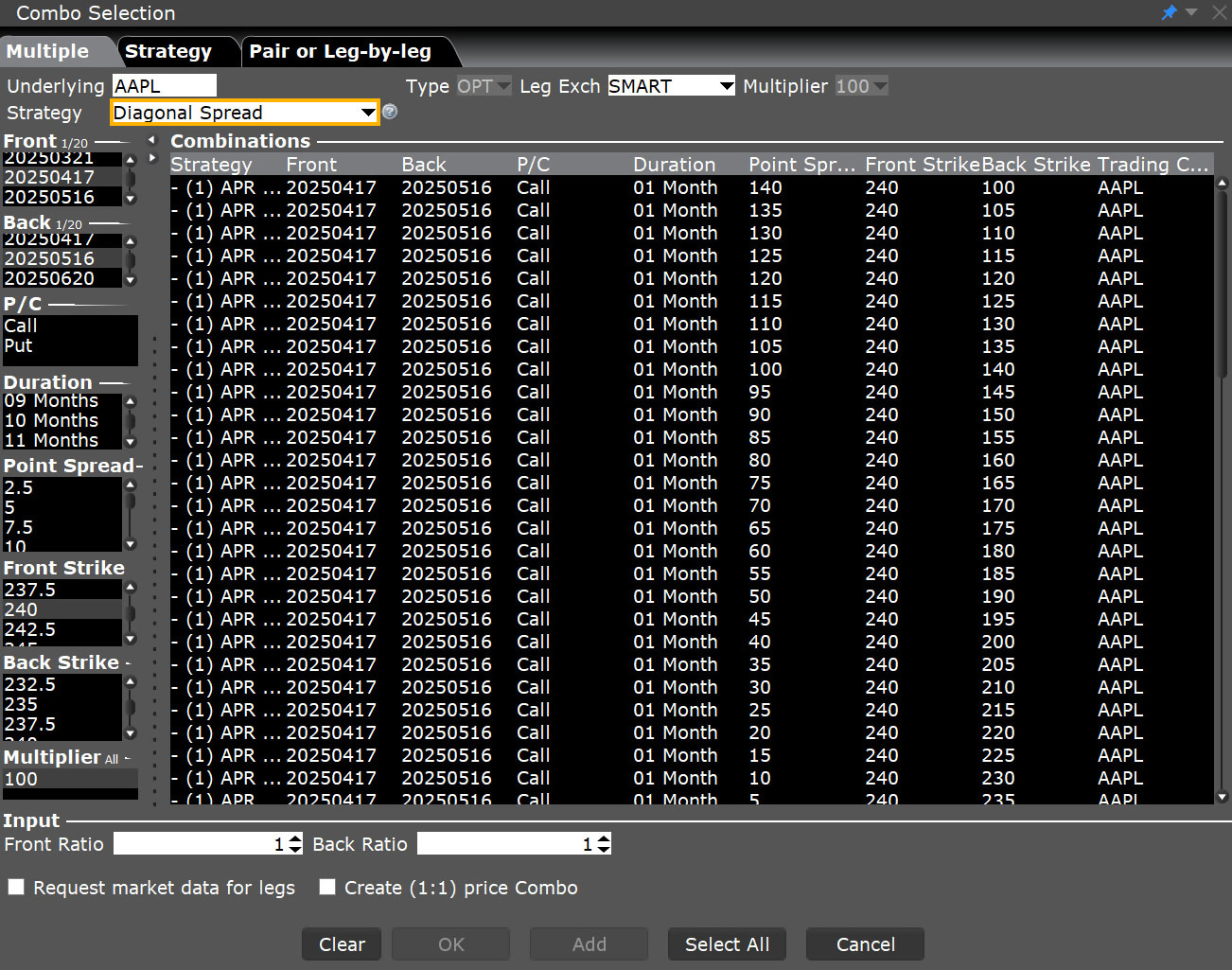
If your order is marketable, IBKR will route the spread order or each leg of the spread independently to the best possible venue(s). Non-marketable spread orders native to the ISE on a single underlying will be temporarily routed to the ISE book, while non-marketable orders that are not native to the ISE will remain at IBKR. From that moment on, IBKR SmartRouting will continuously evaluate changing market conditions and will dynamically route and re-route based on this evaluation to achieve optimal execution.
When using the ComboTrader Generic tab, only two-legged spreads will be considered valid unless the spread is natively traded on at least one exchange. To ensure that your multi-leg spread is valid, use the Strategy templates on the Single or Multiple tabs.
You can create many different kinds of combination spread orders, and there are several ways you can create them in TWS, including via the ComboTrader, the SpreadTrader and the OptionTrader.
Order Type Stop
Products: |
Stocks, ETFs, Options, Futures, FOPs, Currencies, Warrants, EFPs, Combos |
Platforms: |
TWS, IBKR Desktop, IBKR Mobile, Client Portal |
Regions: |
US and Non-US Products |
Routing: |
Smart, Directed, Lite |
A Stop order is an instruction to submit a buy or sell market order if and when the user-specified stop trigger price is attained or penetrated. A Stop order is not guaranteed a specific execution price and may execute significantly away from its stop price. A Sell Stop order is always placed below the current market price and is typically used to limit a loss or protect a profit on a long stock position. A Buy Stop order is always placed above the current market price. It is typically used to limit a loss or help protect a profit on a short sale.
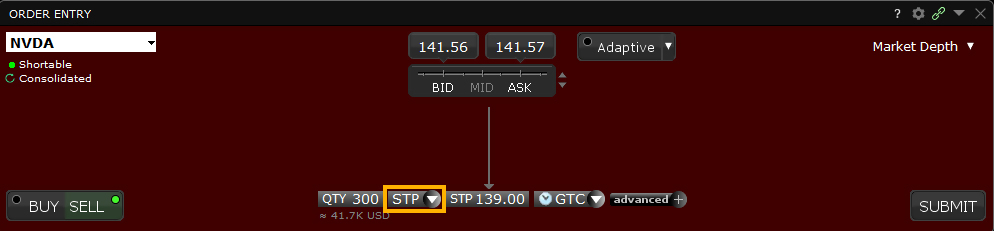
Interactive Brokers may simulate certain order types on its books and submit the order to the exchange when it becomes marketable. The IBKR website contains a page with exchange listings. The linked page for each exchange contains an expandable "Order Types" section, listing the order types submitted using that exchange's native order type and the order types that are simulated by IBKR for that exchange.
See our Exchange Listings.
For stop orders simulated by IB, customers may use IBKR's default trigger methodology or configure their own customized trigger methodology. Customers should be aware that IBKR's default trigger method for stop orders can differ depending on the type of product (e.g., stocks, options, futures, etc.).
To modify the trigger method for a specific stop order, customers can access the "Trigger Method" field in the order preset. Customers may also modify the default trigger method for all Stop orders by selecting the "Edit" menu item on their Trade Workstation trading screen and then selecting the "Trigger Method" dropdown list from the TWS Global Configuration menu item. For more information on modifying the trigger method, as well as a detailed description of the default trigger method for each product type, please see the TWS User's Guide section entitled "Modify the Stop Trigger Method" located here.
Order Type Adjustable Stop
Products: |
Stocks, ETFs, Options, Futures, FOPs, Currencies, Warrants, EFPs |
Platforms: |
TWS, IBKR Desktop, IBKR Mobile, Client Portal |
Regions: |
US and Non-US Products |
Routing: |
Smart, Directed |
You can attach one-time adjustments to stop, stop limit, trailing stop and trailing stop limit orders. When you attach an adjusted order, you set a trigger price that triggers a modification of the original (or parent) order, instead of triggering order transmission.
Preset
- Navigate to File > Global Configuration
- Select Preset
- Select the "All possible fields" tab at the top of the Window
- Scroll down to the "Adjusted Stop Fields" section
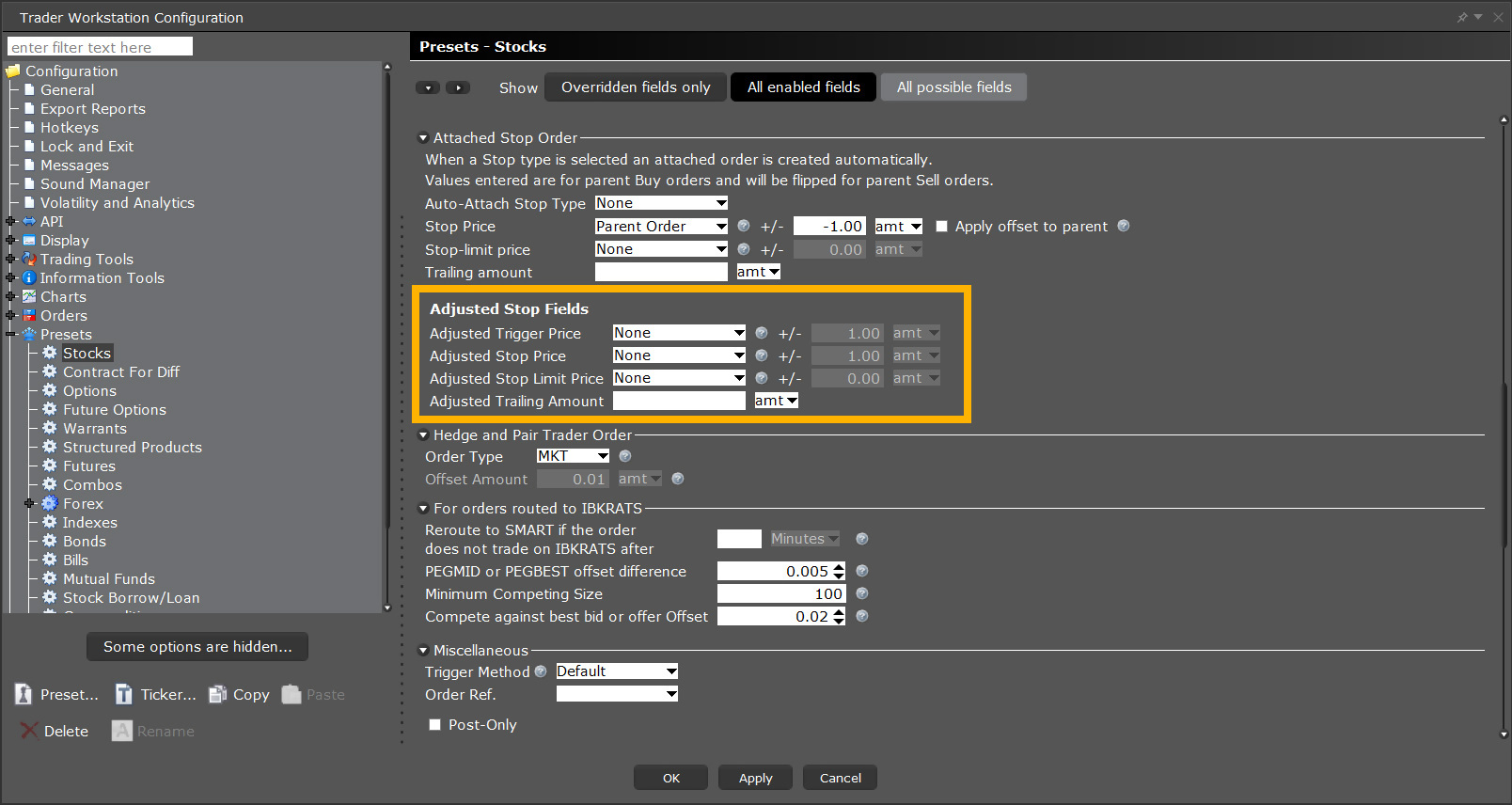
Hotkey
- Navigate to File > Global Configuration
- Select Trading Tools > Select BookTrader > Select Hotkeys
- Select a HotKey that you’d like to update from the "Configured Shortcuts" section
- Select the Configure button on the right-hand side
- Select the Customize tab
If you do not see the "Adjusted Stop Fields" section, you will need to select the Auto-Attach Stop Type drop-down menu and select Adjustable Stop
- This will populate the Adjustable Stop section.
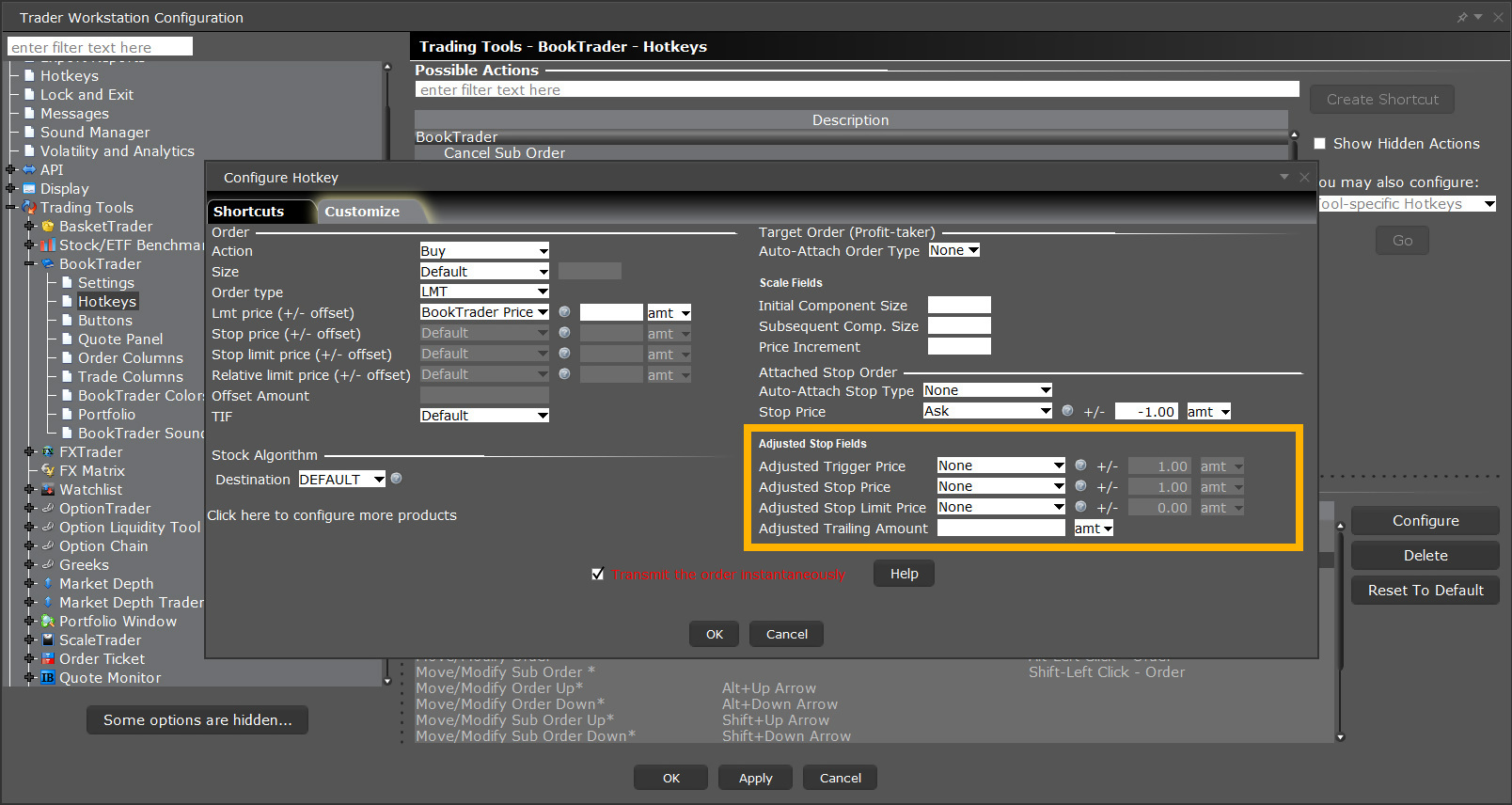
Note that you can adjust any of the parent stop order types to any other stop order type; for example if you set up a Stop Limit, you can attach the one-time adjustment to change the order to a Trailing Stop, or if you start with a Stop order the adjustment can change it to a Trailing Stop Limit order.
In the example below, we show you how to attach an Adjusted Stop Limit order to a Stop order. You can attach adjusted orders using the Order Ticket or by customizing the fields on your trading window. In this example, we use the TWS Order Ticket.
Step 1 – Enter a Stop Order
Here's the scenario: You're long 100 shares of XYZ stock at an Average Price of 36.00 (your entry price). You want to sell those 100 shares but you want to limit your loss to $600.00, so you create a Stop order with a Stop Price of 30.00. If the market price should rise however, you want to adjust your Stop Price to 37.00. You take advantage of the Adjustment feature in TWS to attach an Adjusted Stop Limit order. This will let you first limit your loss, then lock in a profit.
You click the Bid price of XYZ stock, then enter the inputs for the Stop Sell order as shown above.
| Assumptions | |
|---|---|
| Avg Price | 36.00 |
| Market Price | 36.00 |
| Order Type | STP |
| Stop Price | 30.00 |
Step 2 – Attach an Adjusted Stop Limit Order
You set up your Adjusted Stop Limit order by entering values on the TWS Order Ticket as shown above.
| Assumptions | |
|---|---|
| Adjust to Order Type | STP LMT |
| Trigger Price | 40.00 |
| Adjusted Stop Price | 37.00 |
| Adjusted Stop Limit Price | 36.50 |
Step 3 – If the Market Price Falls, the Stop Order is Filled
Your adjusted Stop Sell order has been placed. The market price of XYZ is 36.00 and your Stop Price is 30.00. If the market price suddenly falls to the Stop Price, a Market order is submitted at that price. In this scenario, the attached Adjusted Stop Limit order is never used. See the Stop Orders page for more information on Stop orders.
| Assumptions | |
|---|---|
| Avg Price | 36.00 |
| Market Price | 36.00 |
| Order Type | STP |
| Stop Price | 30.00 |
| Stop Order adjusted to Stop Limit Order | |
| Trigger Price | 40.00 |
| Adjusted Stop Price | 37.00 |
| Adjusted Limit Price | 36.50 |
Step 4 – Market Price Rises to Trigger Price, Order Adjusted
However instead of falling, the market rises and with it, the market price of XYZ rises to 40.00, which is the Trigger Price for your adjusted order. The Stop order becomes a Stop Limit Order with an Adjusted Stop Price of 37.00 and an Adjusted Stop Limit Price of 36.50.
Now that the order has been adjusted to a Stop Limit order, if the market price of XYZ falls again and touches the Adjusted Stop Price of 37.00, a Limit order for 36.50 will be submitted.
| Assumptions | |
|---|---|
| Avg Price | 36.00 |
| Market Price | 40.00 |
| Order Type | STP |
| Stop Price | 30.00 |
| Stop Order adjusted to Stop Limit Order | |
| Trigger Price | 40.00 |
| Adjusted Stop Price | 37.00 |
| Adjusted Limit Price | 36.50 |
Step 5 – Market Price Falls to Adjusted Stop Price, Limit Order Submitted
The market continues to fall and the market price of XYZ falls to the Adjusted Stop Price of 37.00. A Limit order is automatically submitted with a Limit price of 36.50, which is your Adjusted Stop Limit Price.
| Assumptions | |
|---|---|
| Avg Price | 36.00 |
| Market Price | 37.00 |
| Adjusted Order Type | STP LMT |
| Trigger Price | 40.00 |
| Adjusted Stop Price | 37.00 |
| Adjusted Limit Price | 36.50 |
Step 6 – Market Price Falls to Adjusted Stop Limit Price, Order Filled
The market continues to fall and the market price of XYZ falls to the Adjusted Stop Price of 37.00. A Limit order is automatically submitted with a Limit price of 36.50, which is your Adjusted Stop Limit Price.
| Assumptions | |
|---|---|
| Avg Price | 36.00 |
| Market Price | 36.50 |
| Adjusted Order Type | STP LMT |
| Adjusted Stop Price | 37.00 |
| Adjusted Limit Price | 36.50 |
Order Type Stop Limit
Products: |
Stocks, ETFs, Options, Futures, FOPs, Currencies, , Warrants, EFPs |
Platforms: |
TWS, IBKR Desktop, IBKR Mobile, Client Portal |
Regions: |
US and Non-US Products |
Routing: |
Smart, Directed, Lite |
A Stop-Limit order is an instruction to submit a buy or sell limit order when the user-specified stop trigger price is attained or penetrated. The order has two basic components: the stop price and the limit price. When a trade has occurred at or through the stop price, the order becomes executable and enters the market as a limit order, which is an order to buy or sell at a specified price or better.
A Stop-Limit eliminates the price risk associated with a stop order where the execution price cannot be guaranteed, but exposes the investor to the risk that the order may never fill even if the stop price is reached. The investor could "miss the market" altogether.
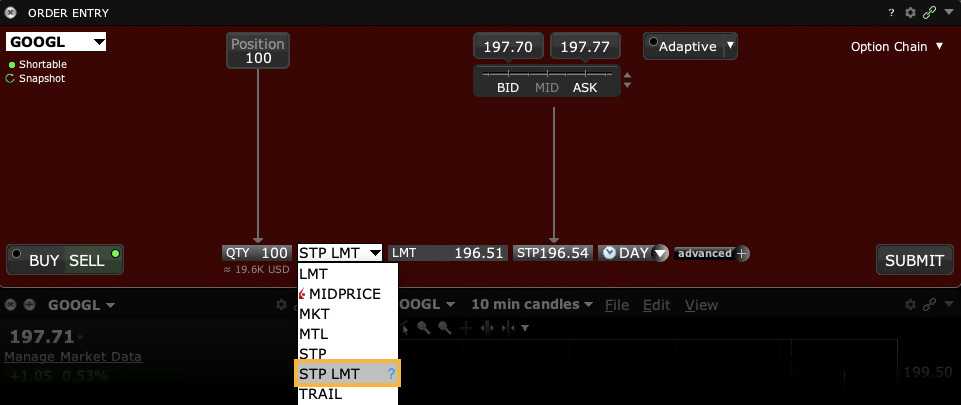
Interactive Brokers may simulate certain order types on its books and submit the order to the exchange when it becomes marketable. The IBKR website contains a page with exchange listings. The linked page for each exchange contains an expandable "Order Types" section, listing the order types submitted using that exchange's native order type and the order types that are simulated by IBKR for that exchange.
See our Exchange Listings.
For stop-limit orders simulated by IB, customers may use IBKR's default trigger methodology or configure their own customized trigger methodology. Customers should be aware that IBKR's default trigger method for stop-limit orders may differ depending on the type of product (e.g., stocks, options, futures, etc.).
To modify the trigger method for a specific stop-limit order, customers can access the "Trigger Method" field in the order preset. Customers can also modify the default trigger method for all Stop orders by selecting the "Edit" menu item on their Trade Workstation trading screen and then selecting the "Trigger Method" dropdown list from the TWS Global Configuration menu item.
Order Type Stop with Protection
Products: |
Futures Only |
Platforms: |
TWS Only |
Regions: |
US Products Only |
Routing: |
Directed |
A Stop with Protection order combines the functionality of a stop limit order with a market with protection order. The order is set to trigger at a specified stop price. When the stop price is penetrated, the order is triggered as a market with protection order, which means that it will fill within a specified protected price range equal to the trigger price +/- the exchange-defined protection point range. Any portion of the order that does not fill within this protected range is submitted as a limit order at the exchange-defined trigger price +/- the protection points. Note, as the Stop with Protection order type is a simulated order type and thus handled on a best efforts basis, it is possible no execution may occur in the event the market price immediately moves away from the trigger price.
Order Type In Depth - Stop with Protection Buy Order
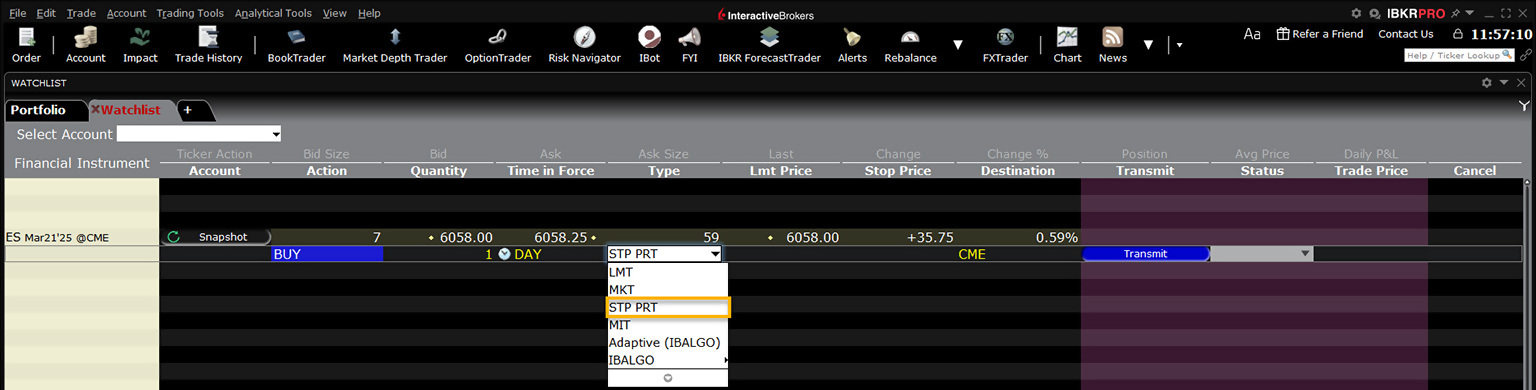
Step 1 – Create the Order
Place an order to buy 3 Dec 2011 Globex futures contracts with a current market price of 1206.00 – 1206.25. Select STP PRT from the Type field.
| Assumptions | |
|---|---|
| Action | BUY |
| Qty | 3 |
| Order Type | STP PRT |
| Market Price | 1206.00 – 1206.25 |
| Stop Price | 1206.75 |
| Globex-defined Limit Price (Trigger + Protection Points) |
1209.75 |
Step 2 – Set the Stop Trigger Price
In the Stop Price field, set the stop trigger price to 1206.75 and transmit the order. Note that the trigger price for the buy order must be greater than the last traded price for the instrument.
Step 3 – Order Transmitted
Once the instrument trades at the Stop Price, your order triggers and will fill within the protected range as defined by Globex. Any portion of the order that does not fill is re-submitted as a limit order at the Globex-defined limit price (Stop Price + Protection Points).
| Assumptions | |
|---|---|
| Action | BUY |
| Qty | 3 |
| Order Type | STP PRT |
| Market Price | 1206.00 – 1206.25 |
| Stop Price | 1206.75 |
| Globex-defined Limit Price | 1209.75 |
Order Type Sweep to Fill
Products: |
Stocks, ETFs, , Warrants |
Platforms: |
TWS Only |
Regions: |
US Products Only |
Routing: |
Smart |
Sweep-to-fill orders are useful when a trader values speed of execution over price. A sweep-to-fill order identifies the best price and the exact quantity offered/available at that price, and transmits the corresponding portion of your order for immediate execution. Simultaneously it identifies the next best price and quantity offered/available, and submits the matching quantity of your order for immediate execution.
Example
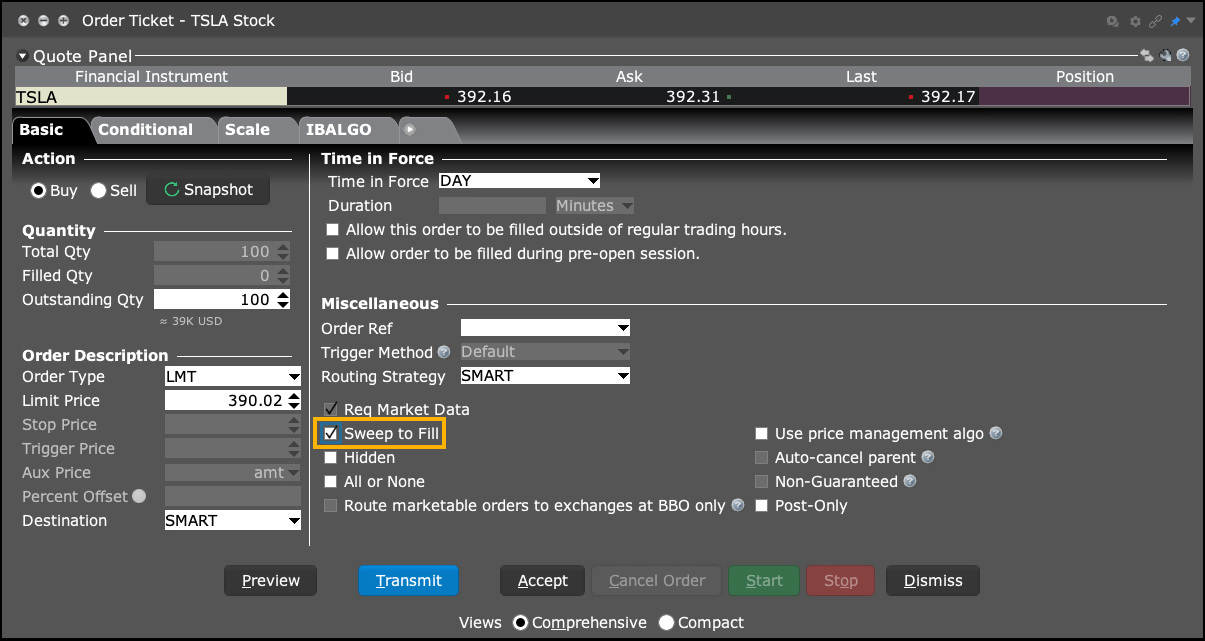
Order Type In Depth - Sweep-to-Fill Buy Order
Step 1 – Enter a Sweep-to-Fill Buy Order
XYZ is trading at $14.18 - $14.22. You want to buy 1000 shares as quickly as possible before the company issues their earnings report, so you decide to place a sweep-to-fill limit order. To do this, first display the Sweep to Fill order column on the trading screen. Next, create a BUY order, select LMT in the Type field and enter 1000 in the Quantity field. Set your limit price to $14.22, and select the checkbox in the Sweep-to-Fill column to indicate that this is a sweep-to-fill order. Transmit the order.
| Assumptions | |
|---|---|
| Action | BUY |
| Qty | 1000 |
| Order Type | LMT |
| Sweep to Fill | Selected |
| Market Price | $14.18 - $14.22 |
| Limit Price | $14.22 |
Step 2 – Order Transmitted
The order is working. Destination A offers 200 shares at an ask price of $14.18/share. Destination B offers 400 shares at an ask price of $14.19/share, and Destination C offers 400 shares at $14.20/share.
Step 3 – Order Fills at Multiple Destinations
Your sweep-to-fill order for 1000 shares of XYZ stock is split into multiple components and simultaneously sent to three destinations that are offering the required quantity. All three components fill at the specified limit price or better:
- 200 shares fill immediately at Destination A for $14.18
- 400 shares fill immediately at Destination B for $14.19
- 400 shares fill immediately at Destination C for $14.20
| Results | |
|---|---|
| Action | BUY |
| Qty | 1000 |
| Order Type | LMT + Sweep-to-Fill |
| Limit Price | $14.22 |
| Destination A | |
| Fill Price | $14.18 |
| Filled Quantity | 200 |
| Destination B | |
| Fill Price | $14.19 |
| Filled Quantity | 400 |
| Destination C | |
| Fill Price | $14.20 |
| Filled Quantity | 400 |
Order Type T + 0 Stock Settlement
Products: |
Stocks, ETFs |
Platforms: |
TWS Only |
Regions: |
US Products Only |
Routing: |
Smart |
Clients who write covered calls can elect to purchase shares that settle in T+0 to satisfy their delivery obligations, instead of using existing shares and potentially incurring a higher tax liability.
A traditional disadvantage of buy-writes has been the possibility of triggering unwanted capital gains tax on previously purchased stock shares in the event the options are assigned. T+0 stock settlement allows you to purchase replacement shares to use against an assignment and potentially preclude capital gains and a higher tax liability. This strategy may be appropriate if you wish to continue to hold shares in your account that were subject to the option assignment.
- Tag US stock shares for early settlement, allowing you to purchase shares after the assignment notice and still have these new shares in your account before the option assignment settles.
- It's easy to tag stocks for early settlement. Simply select TPLUS0 as the order destination before you submit the stock buy order.
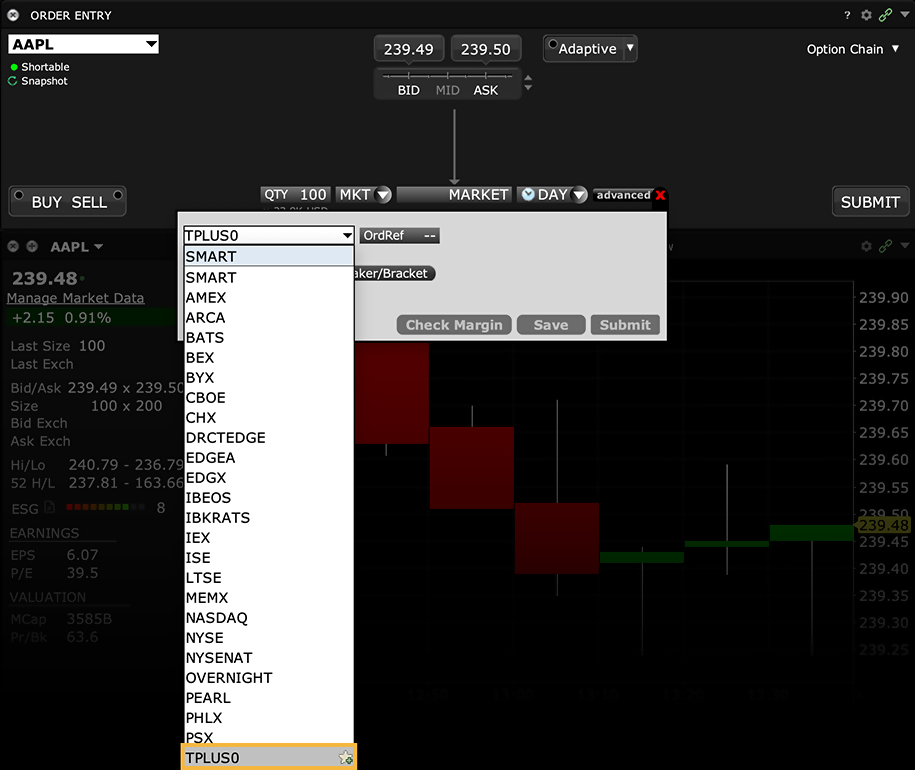
- T+0 Settlement is only available on certain equity securities at our discretion, and these securities may change from time to time. The executing broker reserves the right not to offer T+0 Settlement at any time and for any reason.
- T+0 Settlement trades generally will be executed against an affiliate of the executing broker, which may profit or lose in connection with the transaction.
- T+0 Settlement trades may not be available for particular securities on a particular date or time. For example, the executing broker may not be able to find a counterparty who is willing or able to sell shares for T+0 Settlement.
- You may pay a different or worse price for shares you purchase for T+0 Settlement (i.e., for non-regular way settlement you may pay more than the best price offered in the market for regular way settlement). In addition, certain price protection rules that apply to regular way settlement do not apply to T+0 trades.
- T+0 trades are conditioned on your order satisfying credit, risk and other applicable regulatory requirements.
- Use of T+0 Settlement may be part of a strategy to minimize tax exposure. We do not offer tax advice. You and your tax advisor should evaluate whether use of T+0 Settlement will result in the desired tax consequence.
- The TPLUS0 order destination is not offered during the period which includes the five (5) business days prior through the five (5) business days subsequent to the effective date of any corporate action.
- Before you can select the TPLUS0 destination, you must enable the trading permission United States (T+0 Settlement Program) in Client Portal*.
Algo Time Variant Percent of Volume
Products: |
Stocks, ETFs, Futures |
Platforms: |
TWS, IBKR Desktop, IBKR Mobile |
Regions: |
US and Non-US Products |
Routing: |
IB Algo |
This algo allows you to participate in volume at a user-defined rate that varies with time. Define the target percent rate at the start time and at the end time, and the algo calculates the participation rate over time between the two. This allows the order to be more aggressive initially and less aggressive toward the end, or vice versa.
For example, an investor wants to purchase 10,000 shares in ABC Corp. between 10:00am and 12:00pm ET. He enters an Initial Target Purchase value of 1% and a Terminal Target Percentage of 4%. (NB – the above assumptions hold – ie.1mm ADV per hour).
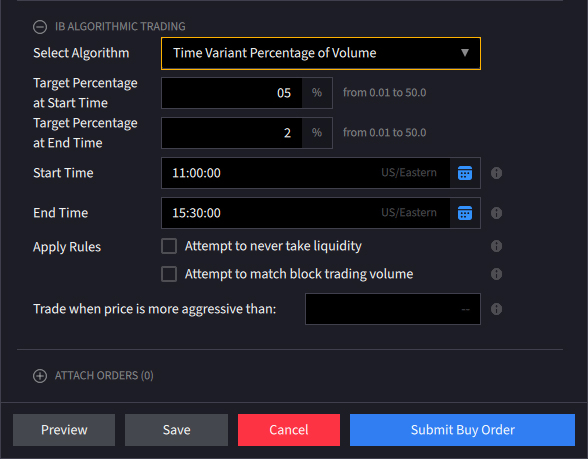
Start Rate 1.00% – End Rate 4.00%
| Start Time | End Time | Volume Transacted | Start Rate | End Rate | Avg Rate | Qty Traded |
|---|---|---|---|---|---|---|
| 10:00 | 10:15 | 250,000 | 1.00% | 1.38% | 1.19% | 2,969 |
| 10:15 | 10:30 | 250,000 | 1.38% | 1.75% | 1.56% | 3,906 |
| 10:30 | 10:45 | 250,000 | 1.75% | 2.13% | 1.94% | 4,844 |
| 10:45 | 11:00 | 250,000 | 2.13% | 2.50% | 2.31% | 5,781 |
| 11:00 | 11:15 | 250,000 | 2.50% | 2.88% | 2.69% | 6,719 |
| 11:15 | 11:30 | 250,000 | 2.88% | 3.25% | 3.06% | 7,656 |
| 11:30 | 11:45 | 250,000 | 3.25% | 3.63% | 3.44% | 8,594 |
| 11:45 | 12:00 | 250,000 | 3.63% | 4.00% | 3.81% | 9,531 |
| Total Volume | 2,000,000 | Possible Fill | 50,000 | |||
- If size of order was 10,000 shares, it would be completed in the first 45 minutes
- If size of order was 50,000 shares, it would be completed at noon
- If size of order was 100,000 shares, it would only be partially executed (50,000 shares)
NOTE: If the order size is 10,000 shares, the last 3,125 shares are transacted at a rate of 1.94% of market volume.
For the two-hour period 2mm shares were traded, putting the daily volume on track for 6.5mm. In the first 15-minutes of his order the investor might have bought 2,969 shares because the algo, starting at a participation rate of 1.00%, would have been working at a rate of 1.38% at the end of that time period. In this case, the investor would be filled on his 10,000 share order within 45-minutes and the final 3,125 shares were bought at a rate of 1.94%. His order would need to have been for 50,000 shares if the terminal rate of 4% was to be achieved.
Order Type Trailing
Products: |
Stocks, ETFs, Options, Futures, FOPs, Currencies, Warrants, EFPs |
Platforms: |
TWS, IBKR Desktop, IBKR Mobile, Client Portal |
Regions: |
US and Non-US Products |
Routing: |
Smart, Directed |
A sell trailing stop order sets the stop price at a fixed amount below the market price with an attached "trailing" amount. As the market price rises, the stop price rises by the trail amount, but if the stock price falls, the stop loss price doesn't change, and a market order is submitted when the stop price is hit. This technique is designed to allow an investor to specify a limit on the maximum possible loss, without setting a limit on the maximum possible gain. "Buy" trailing stop orders are the mirror image of sell trailing stop orders, and are most appropriate for use in falling markets.
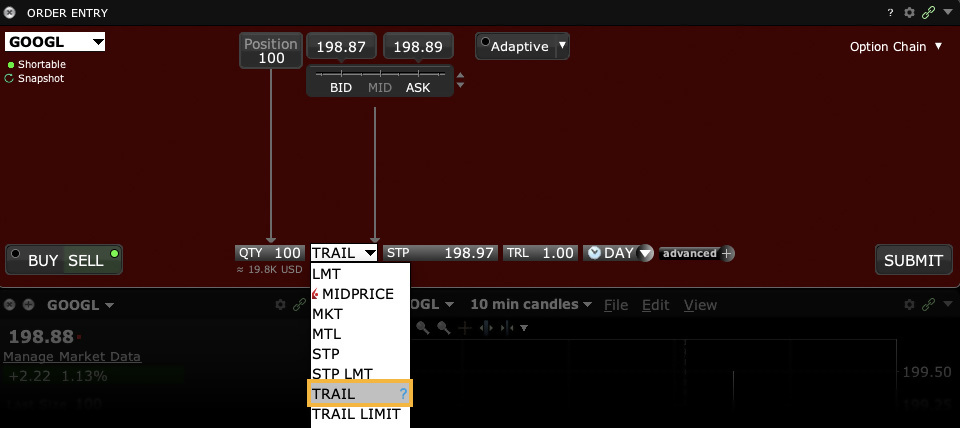
IB may simulate stop orders on exchanges. For details on how IBKR manages stop orders, click here.
Order Type Trailing Limit
Products: |
Stocks, ETFs, Options, Futures, FOPs, Currencies, Warrants, Bonds, EFPs |
Platforms: |
TWS, IBKR Desktop, IBKR Mobile, Client Portal |
Regions: |
US and Non-US Products |
Routing: |
Smart, Directed |
A trailing stop limit order is designed to allow an investor to specify a limit on the maximum possible loss, without setting a limit on the maximum possible gain. A SELL trailing stop limit moves with the market price, and continually recalculates the stop trigger price at a fixed amount below the market price, based on the user-defined "trailing" amount. The limit order price is also continually recalculated based on the limit offset. As the market price rises, both the stop price and the limit price rise by the trail amount and limit offset respectively, but if the stock price falls, the stop price remains unchanged, and when the stop price is hit a limit order is submitted at the last calculated limit price. A "Buy" trailing stop limit order is the mirror image of a sell trailing stop limit, and is generally used in falling markets.
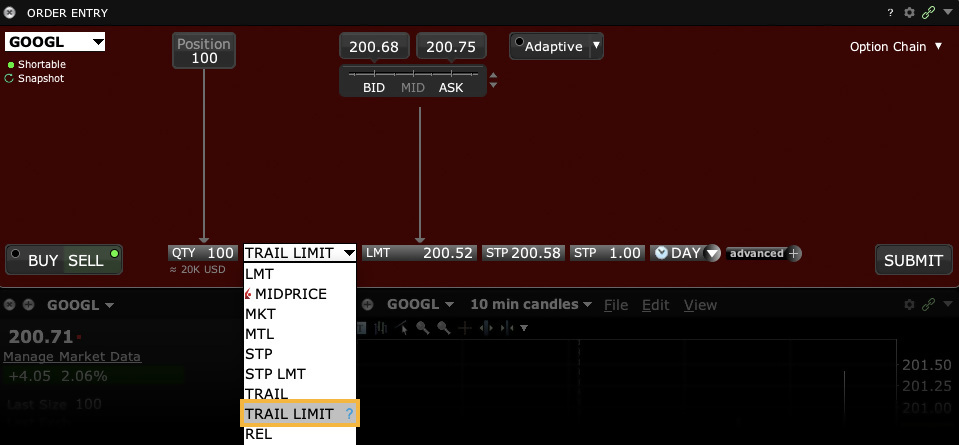
IB may simulate stop-limit orders on exchanges. For details on how IBKR manages stop-limit orders, click here.
Order Type Trailing Limit + Market
Products: |
Options, FOPs |
Platforms: |
TWS, IBKR Desktop |
Regions: |
US and Non-US Products |
Routing: |
Smart |
This order type is available for certain multi-leg combinations. You define the trailing amount, and when the order triggers it behaves the same as the Limit + Market order.
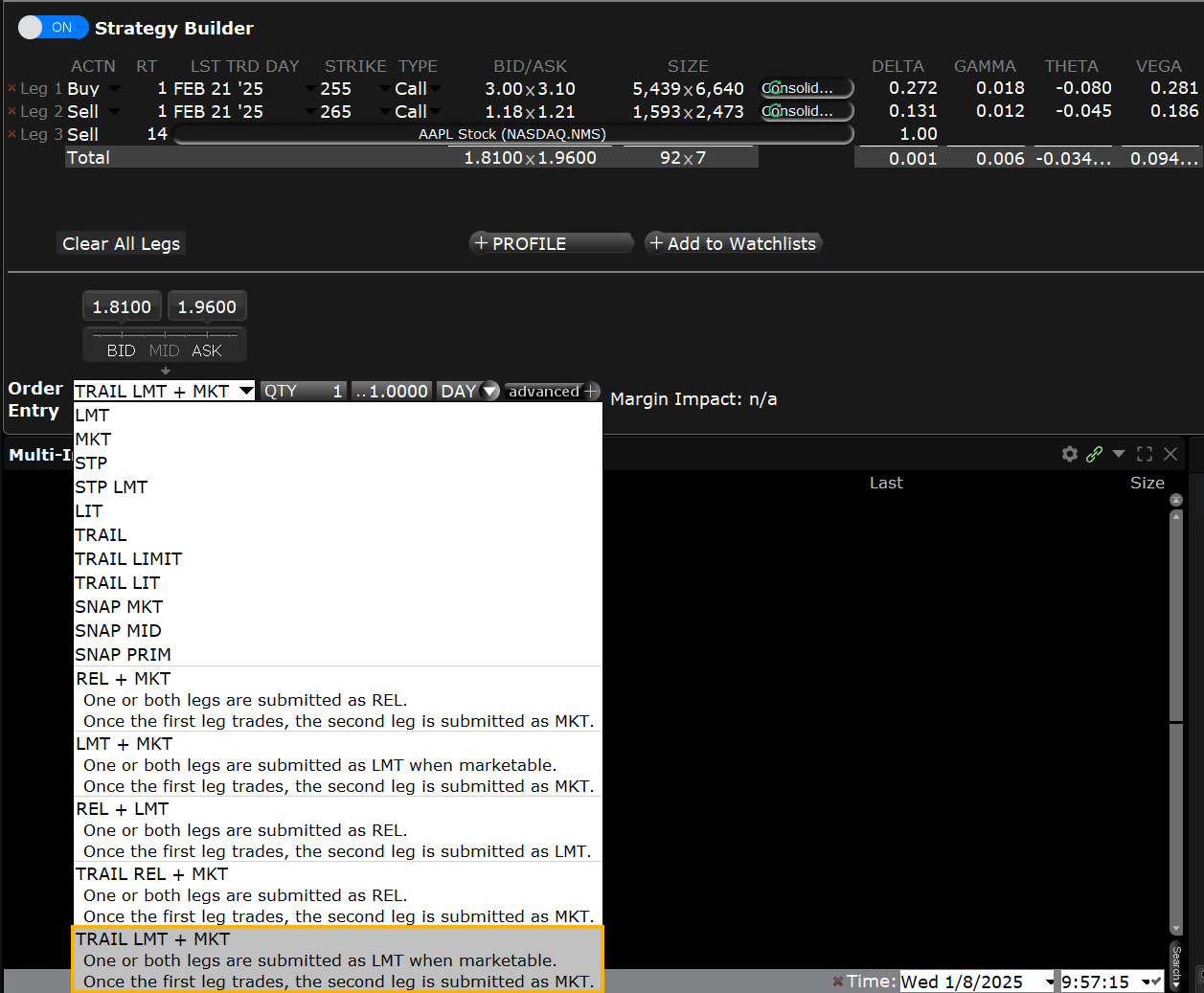
Order Type Trailing Limit if Touched
Products: |
Stocks, ETFs, Options, Futures, FOPs, Currencies, Funds, Warrants, EFPs |
Platforms: |
TWS Only |
Regions: |
US and Non-US Products |
Routing: |
Smart, Directed |
A trailing limit if touched order is entered on the same side of the market as a limit order. This order will initially be set at a price level that is favorable to the current market. As the market moves away from the initial trigger price, the user defined trailing amount and limit offset amount will adjust the trigger price and the limit price to follow the market. If the initial market movement is in a favorable direction and reaches the initial trigger price, the order will be triggered and submitted as a limit order. If the market moves in an unfavorable direction, the order will trail the market movement and will trigger only if there is retracement by the defined trailing amount (for falling markets, retracement is when the market declines followed by an increase to levels previously traded; for rising markets, retracement is when the market rises followed by a decrease to levels previously traded).
Buy Order
A buy trailing limit if touched order moves with the market price, and continually recalculates the trigger price at a fixed amount below the market price, based on the user-defined "trailing" amount. A trailing limit if touched order is similar to a trailing stop limit order, except that the buy order sets the initial stop price at a fixed amount below the market price instead of above. As the market price rises, the trigger price rises by the user-defined trailing amount, but if the price falls, the trigger price remains the same. When the trigger price is touched, a limit order is submitted.
Sell Order
A sell trailing limit if touched order moves with the market price, and continually recalculates the trigger price at a fixed amount above the market price, based on the user-defined "trailing" amount. A trailing limit if touched order is similar to a trailing stop limit order, except that the sell order sets the initial stop price at a fixed amount above the market price instead of below. As the market price falls, the trigger price falls by the user-defined trailing amount, but if the price rises, the trigger price remains the same. When the trigger price is touched, a limit order is submitted.
Example
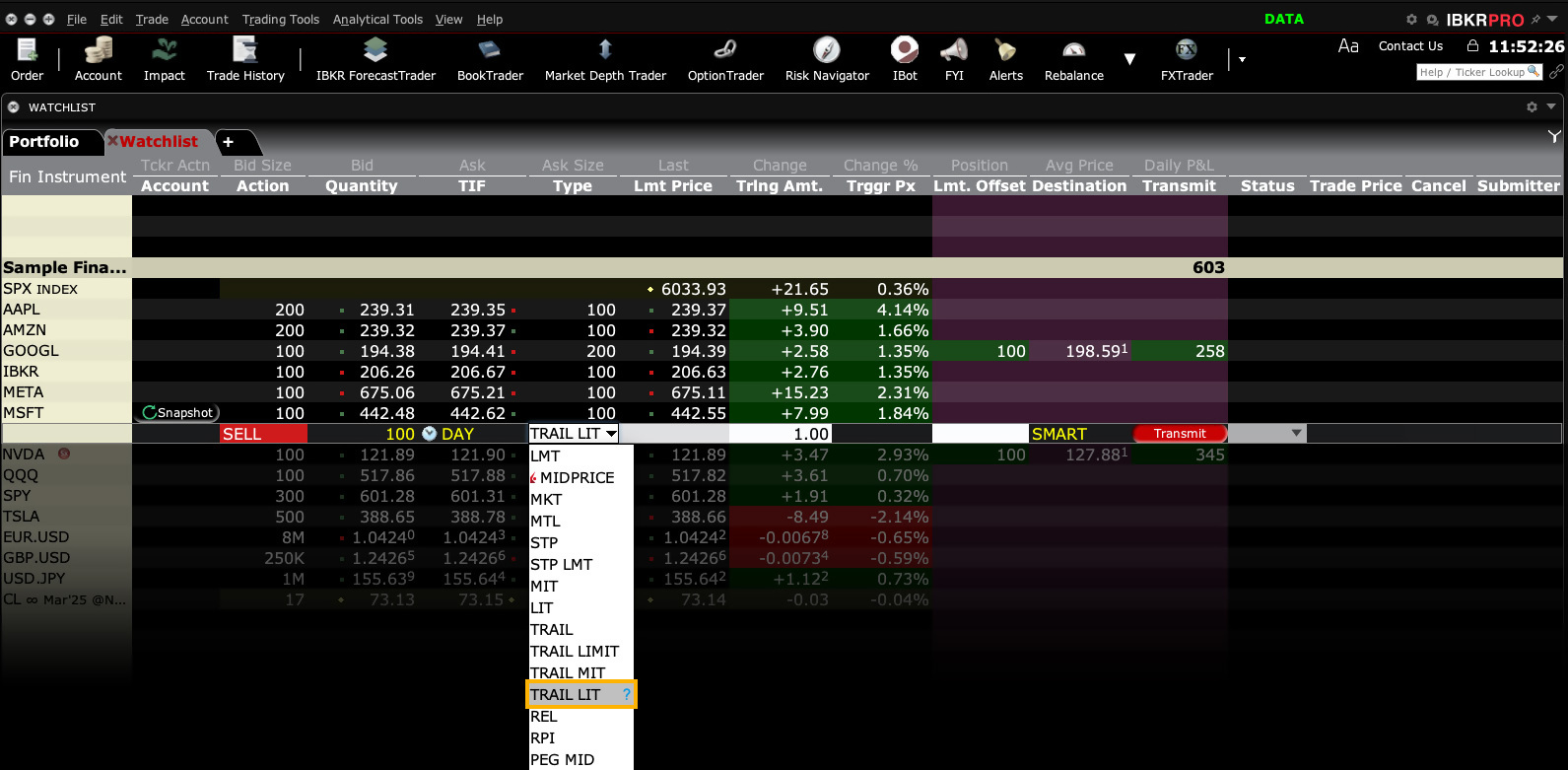
Order Type In Depth - Trailing Limit if Touched Buy Order
Step 1 – Enter a Trailing Limit if Touched Order
You want to purchase 100 shares of XYZ in a rising market. You decide to create a trailing limit if touched order with the trailing amount $1.00 below the current market price of 61.44.
To do this, first create a BUY order, then select TRAIL LIT in the Type field. As soon as you select TRAIL LIT as the type, the Trigger Price and Limit Offset fields appear. Enter 1.00 in the Trailing Amt field. The trailing amount is the amount used to calculate the initial trigger price. Then enter 0.10 in the Limit Offset field. The Limit Offset is used to calculate the limit price (for a buy order, Trigger Price + Limit Offset = Limit Price). Submit the order.
| Assumptions | |
|---|---|
| Action | BUY |
| Qty | 100 |
| Order Type | TRAIL LIT |
| Market Price | 61.44 |
| Trailing Amount | 1.00 |
| Trigger Price (Calculated as Market Price – Trailing Amount) | 60.44 |
| Limit Offset | 0.10 |
| Limit Price (Calculated as Trigger Price + Limit Offset) | 60.54 |
Step 2 – Order Transmitted
You transmit your order. The current market price of XYZ is $61.44 and the initial trigger price is calculated as $60.44, or $61.44– the trailing amount of 1.00. The limit price is calculated as 60.54, or the trigger price + the limit offset of 0.10.
| Assumptions | |
|---|---|
| Action | BUY |
| Qty | 100 |
| Order Type | TRAIL LIT |
| Market Price | 61.44 |
| Trailing Amount | 1.00 |
| Trigger Price (Calculated as Market Price – Trailing Amount) | 60.44 |
| Limit Offset | 0.10 |
| Limit Price (Calculated as Trigger Price + Limit Offset) | 60.54 |
Step 3 – Market Price Rises
As soon as you submit your order, the price of XYZ starts to rise and hits $62.00. The trigger price has adjusted accordingly and is at $61.00, or $62.00 – the $1.00 trailing amount. The limit price has also adjusted accordingly, and is now $61.10, or $61.00 + the limit offset.
| Assumptions | |
|---|---|
| Action | BUY |
| Qty | 100 |
| Order Type | TRAIL LIT |
| Market Price | 62.00 |
| Trailing Amount | 1.00 |
| Trigger Price (Calculated as Market Price – Trailing Amount) | 61.00 |
| Limit Offset | 0.10 |
| Limit Price (Calculated as Trigger Price + Limit Offset) | 61.10 |
Step 4 – Market Price Falls
Suddenly the market price of XYZ drops to $61.50. Your trigger price remains at $61.00 and your limit price remains at 61.10. If the market price continues to drop and touches your trigger price, a limit order to buy 100 shares of XYZ at the last calculated limit price will be submitted.
| Assumptions | |
|---|---|
| Action | BUY |
| Qty | 100 |
| Order Type | TRAIL LIT |
| Market Price | 61.50 |
| Trailing Amount | 1.00 |
| Trigger Price (Calculated as Market Price – Trailing Amount) | 61.00 |
| Limit Offset | 0.10 |
| Limit Price (Calculated as Trigger Price + Limit Offset) | 61.10 |
Step 5 – Market Price Touches Trigger Price, Limit Order Submitted
The market price of XYZ continues to drop and touches your trigger price of $61.00. A limit order to buy 100 shares of XYZ at $61.10 is submitted.
| Assumptions | |
|---|---|
| Action | BUY |
| Qty | 100 |
| Order Type | TRAIL LIT |
| Market Price | 61.00 |
| Trailing Amount | 1.00 |
| Trigger Price (Calculated as Market Price – Trailing Amount) | 61.00 |
| Limit Offset | 0.10 |
| Limit Price (Calculated as Trigger Price + Limit Offset) | 61.10 |
| Limit Order submitted | |
Order Type Trailing Market if Touched
Products: |
Stocks, ETFs, Options, Futures, FOPs, Currencies, Funds, Warrants, EFPs |
Platforms: |
TWS Only |
Regions: |
US and Non-US Products |
Routing: |
Smart, Directed |
A trailing market if touched order is entered on the same side of the market as a limit order. This order will initially be set at a price level that is favorable to the current market. As the market moves away from the initial trigger price, the user defined trailing amount will adjust the trigger price to follow the market. If the initial market movement is in a favorable direction and reaches the initial trigger price, the order will be triggered and submitted as a market order for execution. If the market moves in an unfavorable direction, the order will trail the market movement and will trigger only if there is retracement by the defined trailing amount (for falling markets, retracement is when the market declines followed by an increase to levels previously traded; for rising markets, retracement is when the market rises followed by a decrease to levels previously traded).
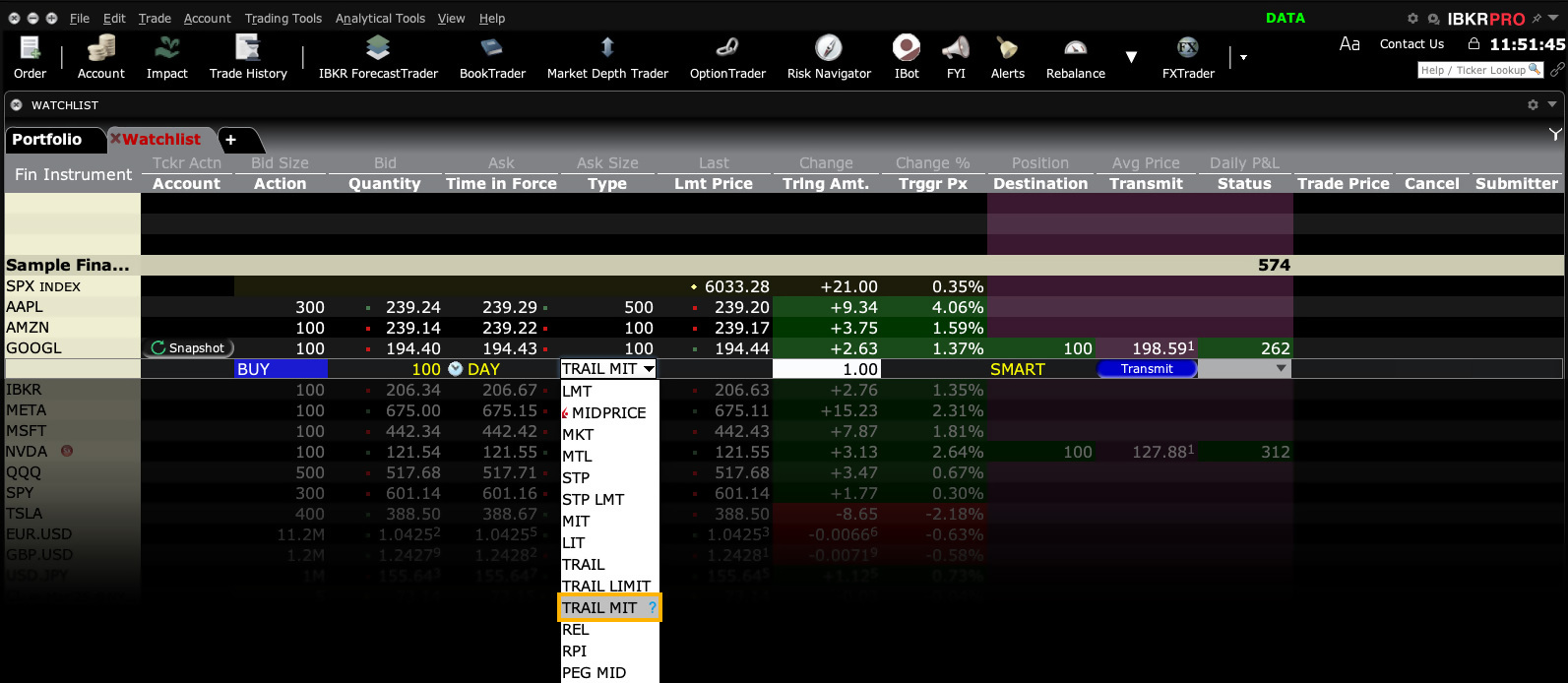
Buy Order
A buy trailing market if touched order moves with the market price, and continually recalculates the trigger price at a fixed amount below the market price, based on the user-defined "trailing" amount. The limit price is also continually recalculated based on the limit offset. A trailing market if touched order is similar to a trailing stop order, except that the buy order sets the initial stop price at a fixed amount below the market price instead of above. As the market price rises, the trigger price rises by the user-defined trailing amount, but if the price falls, the trigger price remains the same. When the trigger price is touched, a market order is submitted.
Sell Order
A sell trailing market if touched order moves with the market price, and continually recalculates the trigger price at a fixed amount above the market price, based on the user-defined "trailing" amount. The limit price is also continually recalculated based on the limit offset. A trailing market if touched order is similar to a trailing stop order, except that the sell order sets the initial stop price at a fixed amount above the market price instead of below. As the market price falls, the trigger price falls by the user-defined trailing amount, but if the price rises, the trigger price remains the same. When the trigger price is touched, a market order is submitted.
Order Type Trailing Relative + Market
Products: |
Options Only |
Platforms: |
TWS, IBKR Desktop |
Regions: |
US Products Only |
Routing: |
Smart |
This order type is available for certain multi-leg combinations. You define the trailing amount, and when the order triggers it behaves the same as the Relative + Market order.
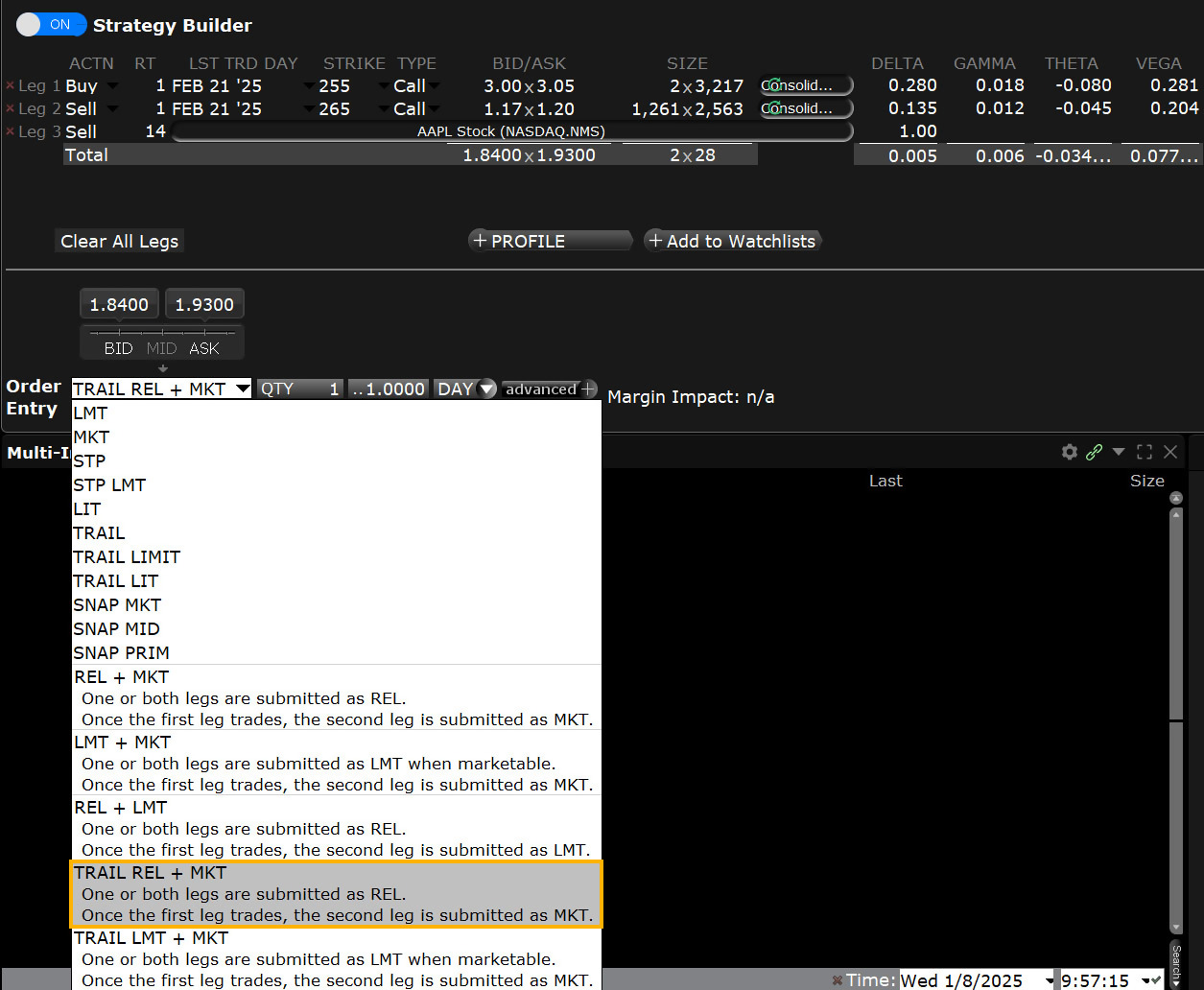
Algo TWAP
Products: |
Stocks, ETFs, Options, Futures, Currencies |
Platforms: |
TWS, IBKR Desktop, IBKR Mobile |
Regions: |
US and Non-US Products |
Routing: |
IB Algo |
This algo aims to achieve the time-weighted average price calculated from the time you submit the order to the time it completes. Incomplete orders at the end of the stated completion time will continue to fill if the box 'allow trading past end time' is checked. Users can set the order to trade only when specified conditions are met. Those user-defined inputs include when the order is marketable, when the midpoint matches the required price, when the same side (buy or sell) matches to make the order marketable or when the last traded price would make the order marketable. For the TWAP algo, the average price calculation is calculated from the order entry time through the close of the market and will only attempt to execute when the criterion is met. The order may not fill throughout its stated duration and so the order is not guaranteed. TWAP is available for all US equities.
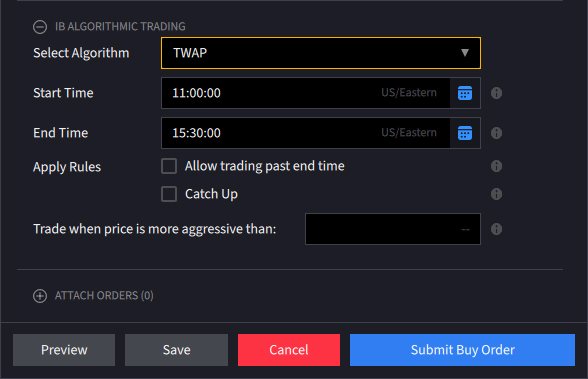
Order Type Volatility
Products: |
Options, FOPs, Combos |
Platforms: |
TWS Only |
Regions: |
US Products Only |
Routing: |
Smart |
Specific to US options, investors are able to create and enter Volatility-type orders for options and combinations rather than price orders. Option traders may wish to trade and position for movements in the price of the option determined by its implied volatility. Because implied volatility is a key determinant of the premium on an option, traders position in specific contract months in an effort to take advantage of perceived changes in implied volatility arising before, during or after earnings or when company specific or broad market volatility is predicted to change.
In order to create a Volatility order, clients must first create a Volatility Trader page from the Trading Tools menu and as they enter option contracts, premiums will display in percentage terms rather than premium. The buy/sell process is the same as for regular orders priced in premium terms except that the client can limit the volatility level they are willing to pay or receive.
Combination orders that meet the following criteria can be submitted as VOL orders:
- Smart-routed.
- All legs on the same underlying.
- Each leg must be independently eligible to use the VOL order type. For example, a BuyWrite order could not be sent as a VOL order since its stock leg would not allow this order type.
- All VOL orders must be DAY orders.
Example
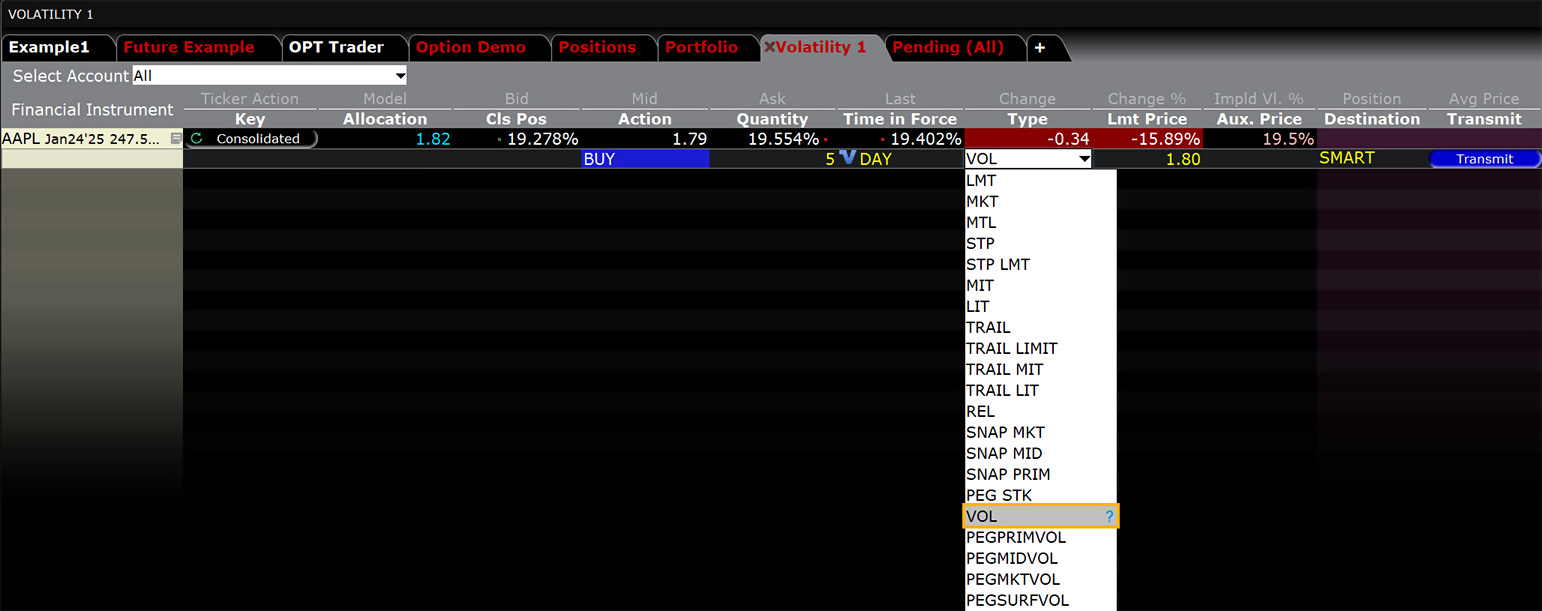
You want to purchase one APR09 XYZ 85.0 call option based on volatility instead of bid/ask prices. To do this, you create a Volatility page in TWS to see bid/ask volatility as calculated by our Model Navigator. To create your Volatility page, select Volatility Trader from the Trading Tools menu. Next, create market data lines on the Volatility page for the APR09 XYZ 85.0 call option, then click the Ask price to create a BUY order. The Order Volatility field becomes editable and you enter a volatility value. The value you enter is used in the calculation to determine the limit price of the option. Finally, you submit your order.
Order Type Pegged Volatility
Products: |
Options, FOPs, Combos |
Platforms: |
TWS Only |
Regions: |
US Products Only |
Routing: |
Smart |
Specific to US options, traders may use Pegged Volatility order types to place orders to buy and sell options according to volatility levels associated with option premiums. Rather than specifying a dollar-and-cent-based premium amount, the trader can create orders for options associated with prevailing IV readings in the market at the time the order is placed. IBKR offers four variations of the Pegged Volatility order type, allowing the investor varying amounts of control over the aggressiveness of the order.
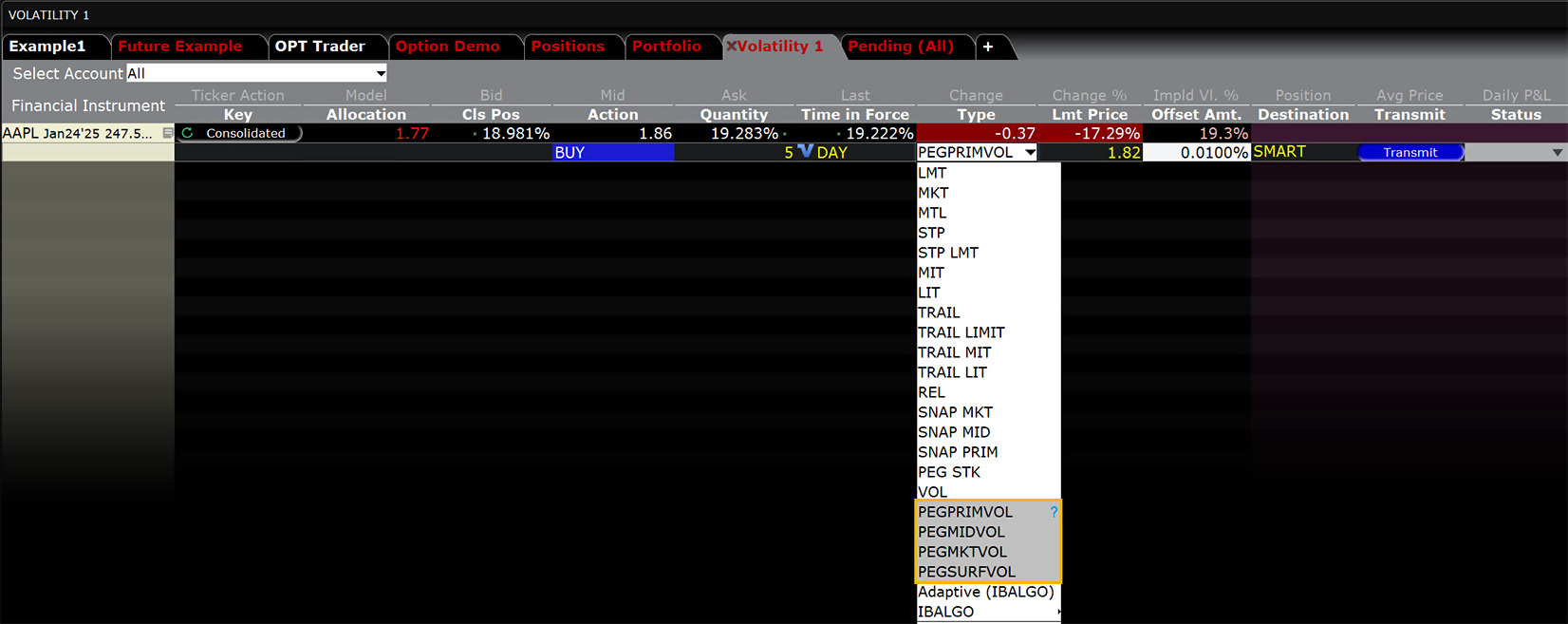
Pegged to Primary – The order is pegged to the same side so that when buying options the order is tied to implied volatility matching the Bid, while sell orders are tied to volatility of the Ask price. In both cases the order can be fine-tuned by specifying an offset amount to become more aggressive than the market.
Pegged to Midpoint – Here, the starting price for either buy or sell order is the midpoint implied volatility reading between the Bid/Ask spread. As this is a mid-market average volatility reading, the target price can be made more or less aggressive by specifying an offset amount.
Pegged to Market – Unlike the Pegged to Primary style, this version pegs the option order to the opposing side. For orders to buy call options the bid is pegged to the Ask while for orders to sell options the price is pegged to the implied volatility reading on the Bid. Orders can be made less aggressive by specifying an offset amount.
Pegged to Surface - Starting prices are pegged to the model implied volatility calculated by our Model Navigator. Buy orders are pegged to the Bid and Sell orders pegged to IV readings for the Ask price.
Algo VWAP (Best-Efforts)
Products: |
Stocks, ETFs, Futures |
Platforms: |
TWS, IBKR Desktop, IBKR Mobile |
Regions: |
US and Non-US Products |
Routing: |
IB Algo |
IBKR's best-efforts VWAP algo seeks to achieve the Volume-Weighted Average price (VWAP), calculated from the time you submit the order to the close of the market.
Best-efforts VWAP algo enables the user to attempt never to take liquidity while also trading past the end time. Because the order may not be filled on the bid or at the ask prices, there is a trade-off with this algo. The order may not fully fill if the user is attempting to avoid liquidity-taking fees and/or maximize liquidity-adding rebates, and may miss the benchmark by asking to stay on the bid or ask. The user can determine the maximum percentage of ADV (up to 50%) his order will comprise. The system will generate the VWAP from the time the order is entered through the close of trading, and the order can be limited to trading over a pre-determined period. The user can request the order to continue beyond its stated end time if unfilled at the end of the stated period. The best-efforts VWAP algo is available for all US equities.
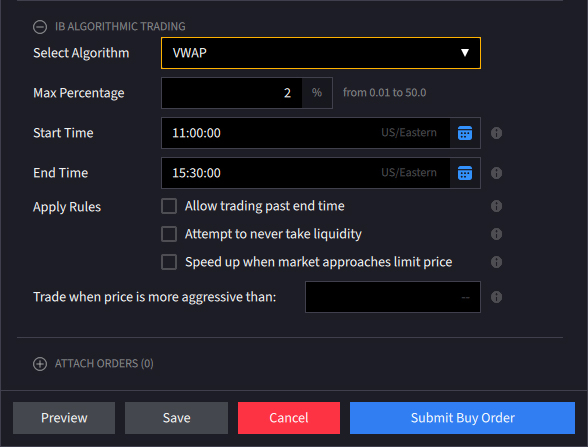
Third Party Algo Fox Dark Sweep
Products: |
Stocks, ETFs |
Platforms: |
TWS Only |
Regions: |
US Products Only |
Routing: |
Directed |
This strategy seeks liquidity in dark pools with a combination of probe and resting orders in an attempt to minimize market impact. Works child orders at better of limit price or current market price. Prioritizes venue by probability of fill.
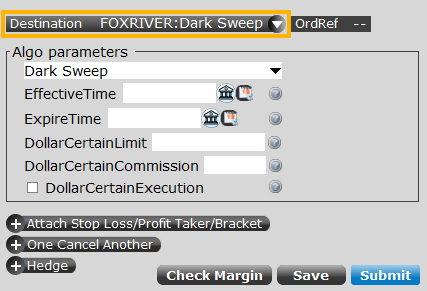
Third Party Algo Fox Alpha
Products: |
Stocks, ETFs |
Platforms: |
TWS Only |
Regions: |
US Products Only |
Routing: |
Directed |
Participation-rate algorithm that uses Fox River alpha signals with the goal of achieving best execution. Allows the user to determine the aggression of the order. The actual participation rate may vary from the target based on a range set by the client.
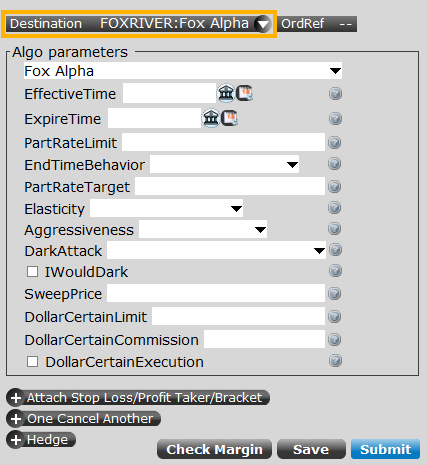
Third Party Algo Fox Blaster™
Products: |
Stocks, ETFs |
Platforms: |
TWS Only |
Regions: |
US Products Only |
Routing: |
Directed |
Participation-rate algorithm that uses Fox River alpha signals with the goal of achieving best execution. Allows the user to determine the aggression of the order. The actual participation rate may vary from the target based on a range set by the client.
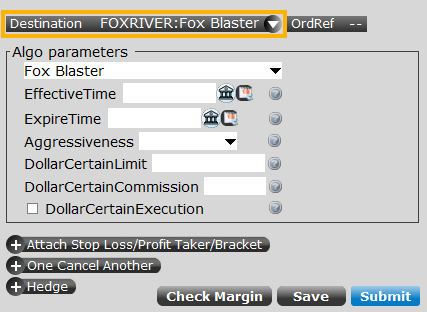
Third Party Algo Fox Dark Attack™
Products: |
Stocks, ETFs |
Platforms: |
TWS Only |
Regions: |
US Products Only |
Routing: |
Directed |
Liquidity seeking dark strategy with the ability to dynamically slide between targeted levels with a single numeric input in an effort to minimize market impact. Ability to access major dark pools and hidden liquidity at lit venues. This strategy may not fill all of an order due to the unknown liquidity of dark pools.
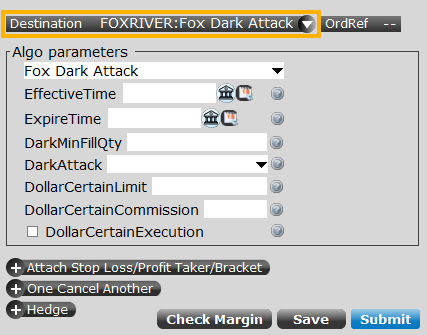
Third Party Algo Fox River Pyramid™
Products: |
Stocks, ETFs |
Platforms: |
TWS Only |
Regions: |
US Products Only |
Routing: |
Directed |
A dynamic single-order ticket strategy that changes behavior and aggressiveness based on user-defined pricing tiers. Ability to set individual POV rate, "I Would" dark setting and sweep price.
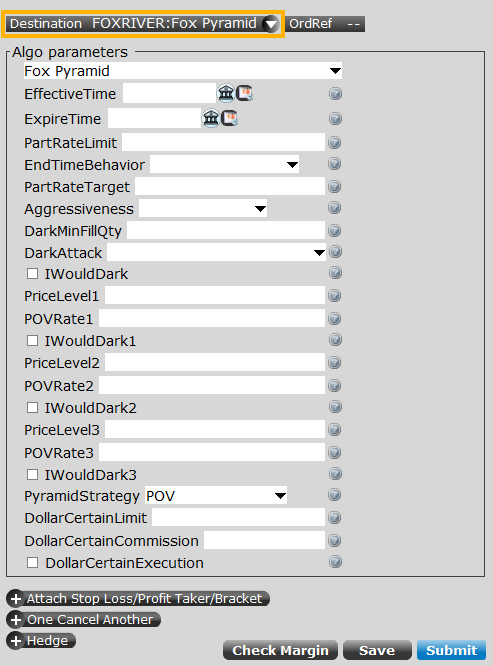
Third Party Algo Fox Smart Order Router™
Products: |
Stocks, ETFs |
Platforms: |
TWS Only |
Regions: |
US Products Only |
Routing: |
Directed |
A strategy designed to provide intelligent liquidity-taking logic that adapts to a variety of real-time factors such as order attributes, market conditions, and venue analysis. Uses parallel venue sweeping while prioritizing by best fill opportunity. Routing reaches all major lit and dark venues.
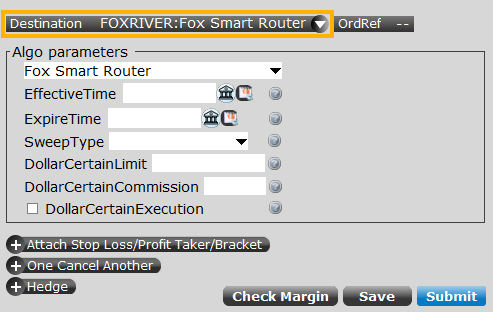
Third Party Algo Fox Spotlight™
Products: |
Stocks, ETFs |
Platforms: |
TWS Only |
Regions: |
US Products Only |
Routing: |
Directed |
An ETF-only strategy designed to minimize market impact. This algorithm is designed to assess market impact and if orders are a large percentage of ADV (average daily volume), the strategy will attempt to minimize impact while completing the order. Aims to execute large orders relative to displayed volume. Dynamic and intelligent limit calculations to market impact.
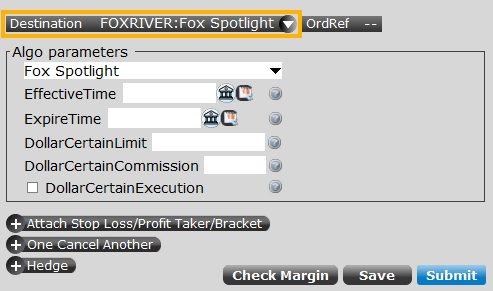
Third Party Algo Percent of Volume™
Products: |
Stocks, ETFs |
Platforms: |
TWS Only |
Regions: |
US Products Only |
Routing: |
Directed |
Percent of volume (POV) strategy designed to control execution pace by targeting a percentage of market volume. Emphasis on staying as close to the stated POV rate as possible.
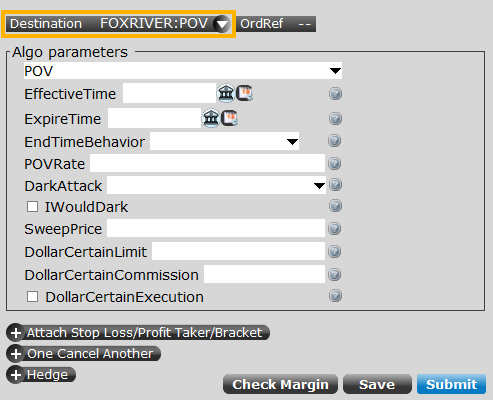
Third Party Algo Fox Alpha TWAP
Products: |
Stocks, ETFs |
Platforms: |
TWS Only |
Regions: |
US Products Only |
Routing: |
Directed |
A time-weighted algorithm that aims to evenly distribute an order over the user-specified duration using Fox River alpha signals. Allows the user flexibility to control how much leeway the model has to be off the expected fill rate. Seeks to outperform TWAP using Fox River Alpha and short-term alpha signals.
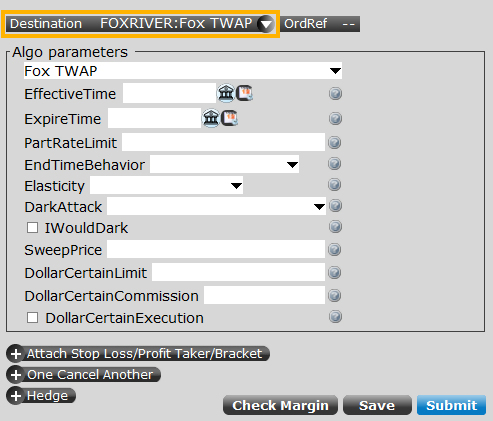
Third Party Algo Fox Standard TWAP
Products: |
Stocks, ETFs |
Platforms: |
TWS Only |
Regions: |
US Products Only |
Routing: |
Directed |
A passive time-weighted algo that aims to evenly distribute an order over the user-defined time period. Participation rate is used as a limit.
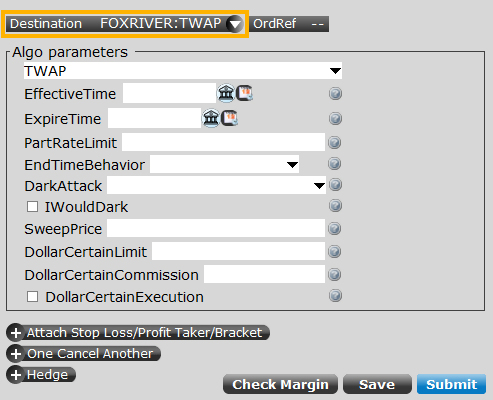
Third Party Algo Fox Alpha VWAP
Products: |
Stocks, ETFs |
Platforms: |
TWS Only |
Regions: |
US Products Only |
Routing: |
Directed |
A volume specific strategy designed to execute an order targeting best execution over a specified time frame. Allows the user flexibility to control how much the strategy has to be ahead or behind the expected volume. Using Fox short term alpha signals, this strategy is optimized for the trader looking to achieve best overall performance to the VWAP benchmark.
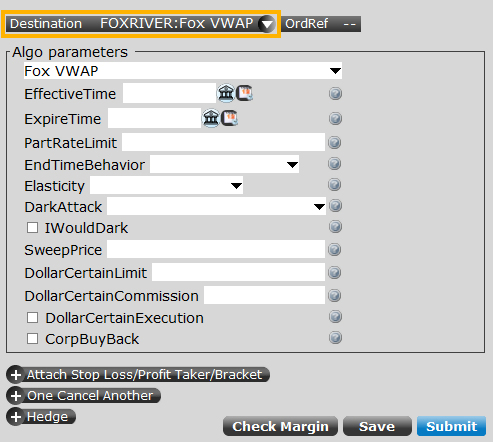
Third Party Algo Fox Standard VWAP
Products: |
Stocks, ETFs |
Platforms: |
TWS Only |
Regions: |
US Products Only |
Routing: |
Directed |
Passive volume specific strategy designed to execute an order targeting best execution over a specified time frame. Tags specifying a time frame can optionally be set. Participation rate is used as a limit.
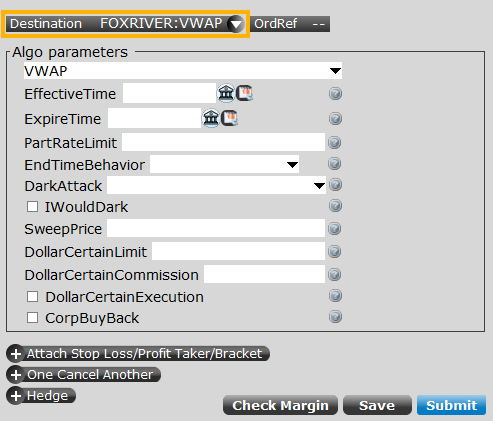
Third Party Algo QB Bolt
Products: |
Futures Only |
Platforms: |
TWS Only |
Regions: |
US Products Only |
Routing: |
Directed |
Benchmark: Arrival Price
Designed to achieve best execution across wide-ranging market conditions by striking the perfect balance between passive and aggressive fills.
Key features:
- Smart order placement techniques to distributes child orders over dynamic number of levels based on urgency and real-time volatility measures
- Continuously adjusts displayed (posted) quantity based on real-time liquidity profile
- Utilizes short-term pricing signals for next tick prediction
- Intelligently captures spread in multi-tick wide bid/offer scenarios
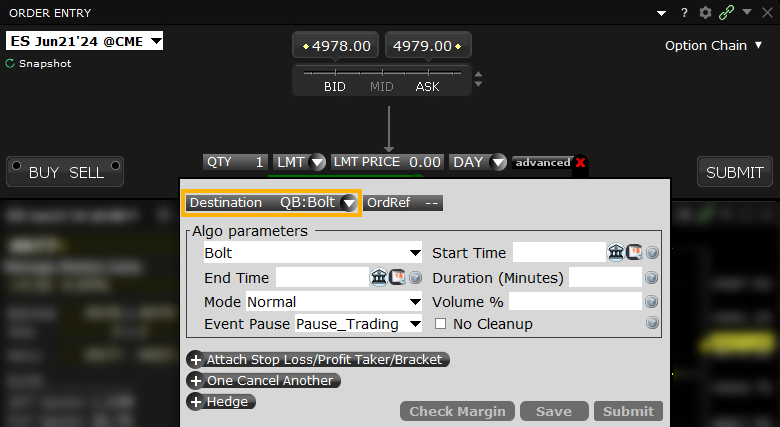
Third Party Algo QB Strobe
Products: |
Futures Only |
Platforms: |
TWS Only |
Regions: |
US Products Only |
Routing: |
Directed |
Benchmark: Volume Weighted Average Price (VWAP) or Time Weighted Average Price (TWAP)
Trade on a user-defined schedule while positioning for opportunities to capture the spread.
Key features:
- Renders specific envelope scheduling using forward-looking volatility forecasts
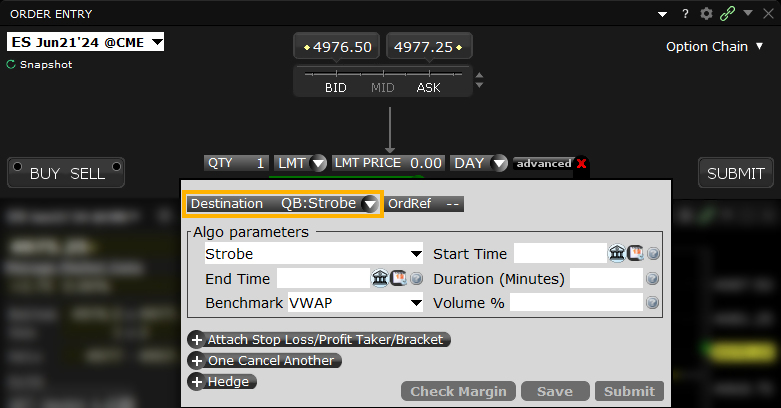
Third Party Algo QB Closer
Products: |
Futures Only |
Platforms: |
TWS Only |
Regions: |
US Products Only |
Routing: |
Directed |
Benchmark: Daily Settlement Price (Cash close for US equity index futures)
Trade optimally over time while targeting the settlement price as the benchmark.
Key features:
- Adjusted for seasonality including month end, quarter end and roll periods
- Appropriate benchmark time frame automatically selected (no user input required)
- Uses instrument-specific, 1-minute bin volume, volatility and quote size forecasting
- Optimized discretion for order commencement and completion using intelligent volume curves
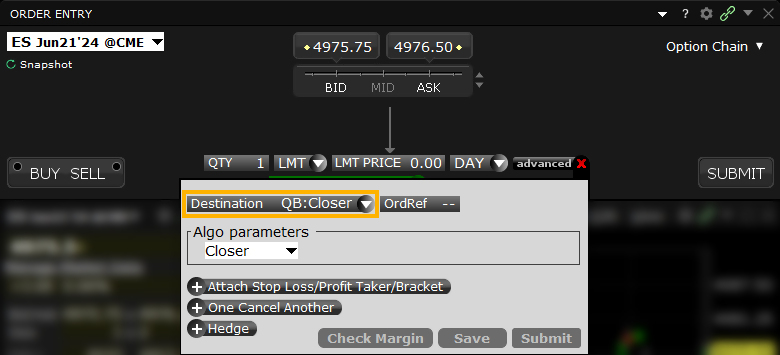
Third Party Algo QB Octane
Products: |
Futures Only |
Platforms: |
TWS Only |
Regions: |
US Products Only |
Routing: |
Directed |
Benchmark: Sweep Price
A liquidity-seeking strategy designed to optimally execute when urgent completion is the primary objective. Recommended for orders expected to have strong short-term alpha.
Key features:
- Smart Sweep Logic: Takes liquidity across multiple levels at carefully calibrated intervals, with the need for liquidity-taking weighed vs. the probability of reversion
- Liquidity Measure: Assesses the liquidity situation across the complex and not just the specific contract in isolation
- Liquidity Signals: Multiple proprietary signals for liquidity detection, including hidden liquidity