Requesting Data
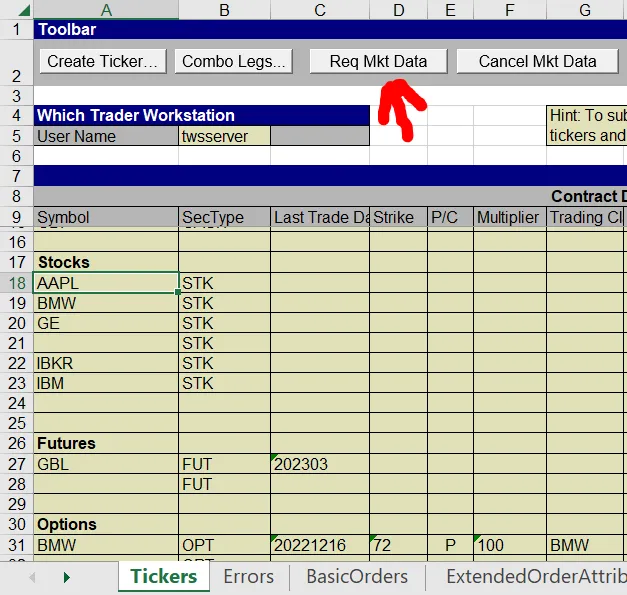
Requesting data through the Excel DDE API is quite simple in our sample structure. All that must be done for most pages is to select the row or rows of data, and select the “Request Mkt Data” button at the top. This will request data for whatever respective row is selected.