Initial Connection
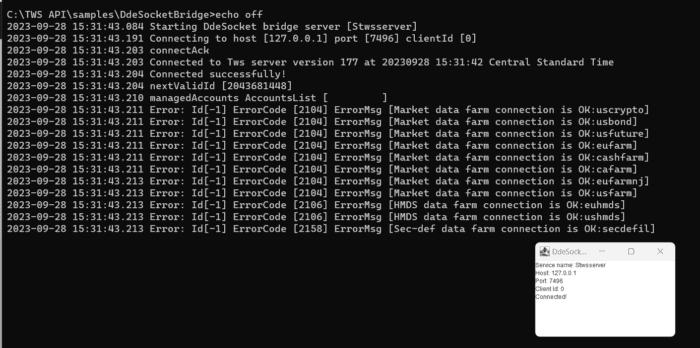
To build a connection between Excel and the TWS for DDE, users must first launch the DdeSocketBridge. This can be found in the C: drive by default, inside {TWS API}\samples\DdeSocketBridge. Double clicking the file, runDdeSocketBridge.bat, will launch the socket bridge and allow communication between the Trader Workstation and Excel.
If you have any issues connecting with the socket bridge, please see the section, DDE Socket Bridge
After launching the socket bridge and all the necessary API settings are set on TWS, as show in Configure Trader Workstation for DDE and having TWS running, we can then locate our sample sheet. Navigate to C:/TWS API/samples/Excel and select “TwsDde.xls”.