Log Out Of Your Interactive Brokers Account
Many users may utilize Interactive Brokers Live and Paper accounts on TradingView or may need to logout of TradingView to interact with other brokers. The instructions below showcase how to logout of an account so a user can [Connect with Interactive Brokers]/third-party-integrations/trading-view/connecting) using a different set of credentials.
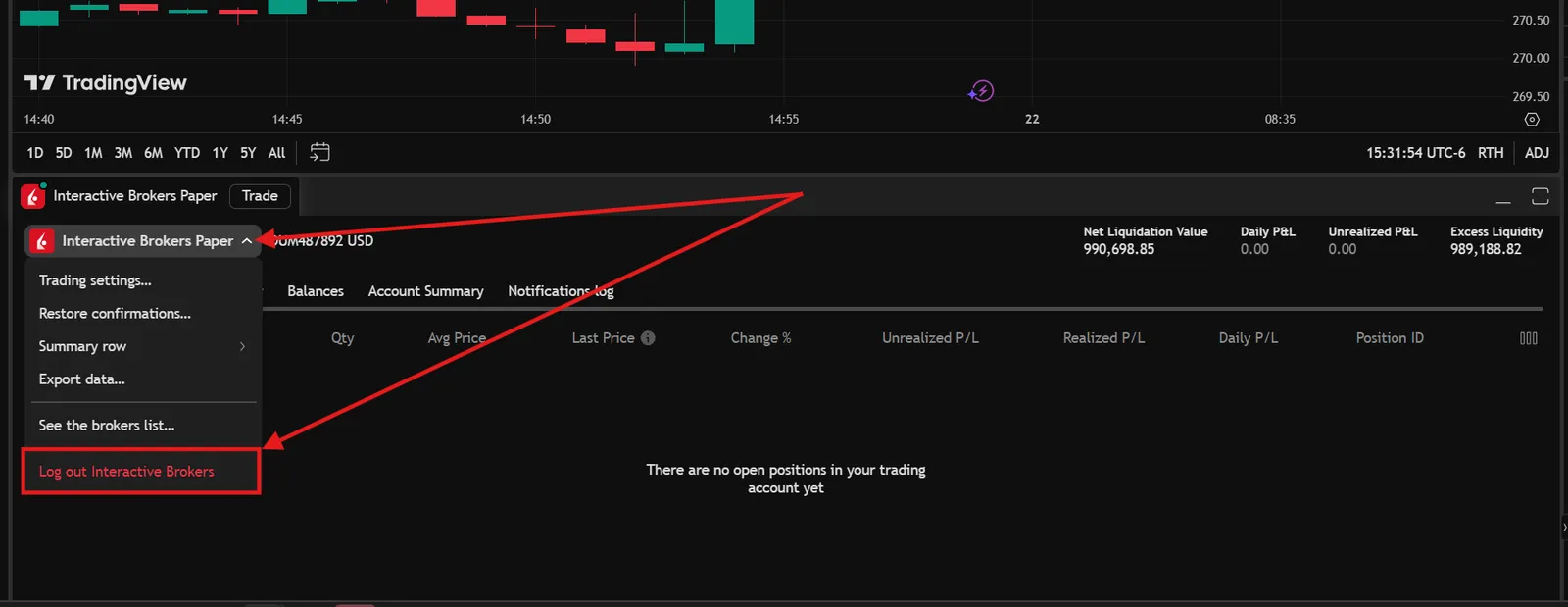
- Users would start by selecting the Interactive Brokers Live/Paper option shown in the Trading Panel next to their username.
- Next a user would need to select “Log out Interactive Brokers”.
- This will show the Trading Panel as it had appeared when first connecting with TradingView. At this point, users can select the Interactive Brokers icon to login with their credentials.