

TradingView Frequently Asked Questions
Why can’t I add a Take Profit or Stop loss to my order in TradingView?
Interactive Brokers only allows orders to be bracketed so long as the order is still open and has not been executed. Once an order has executed, no modifications or brackets can be added to an order.
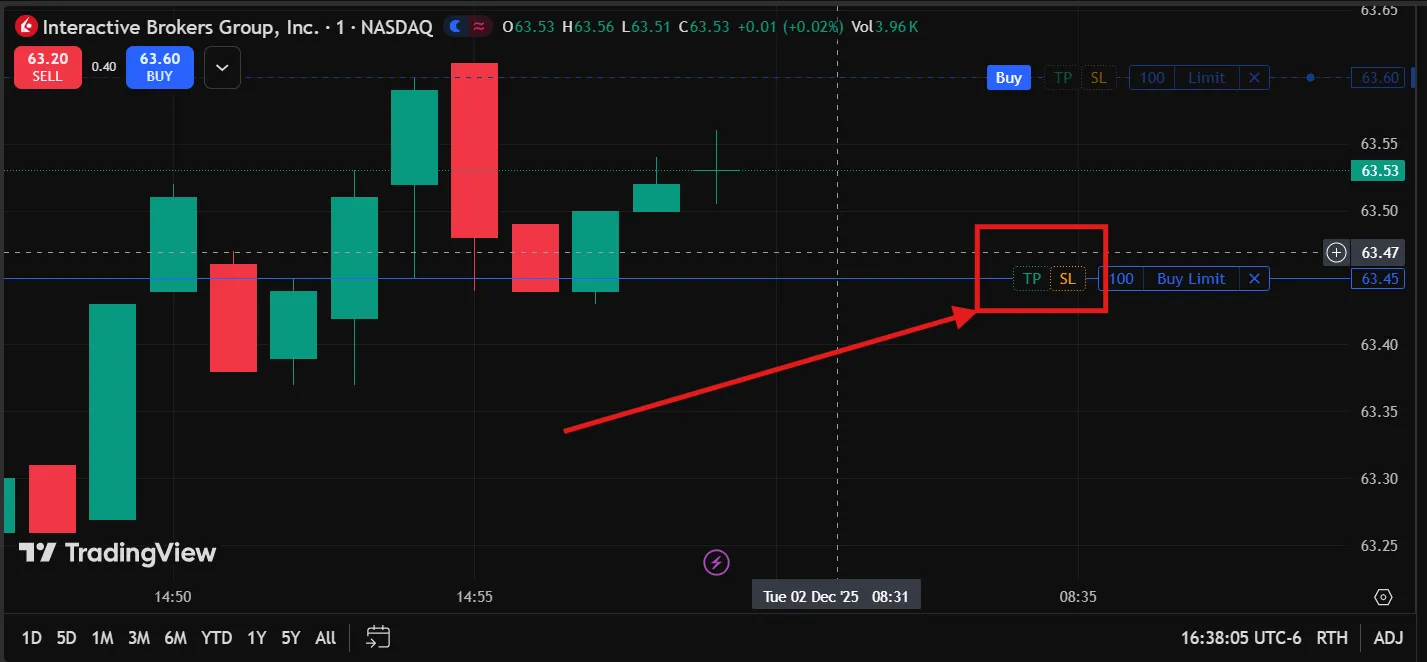
Child orders can be added to open orders on the TradingView “Trade” window, or by selecting the “TP” or “SL” icons beside your order in the chart.
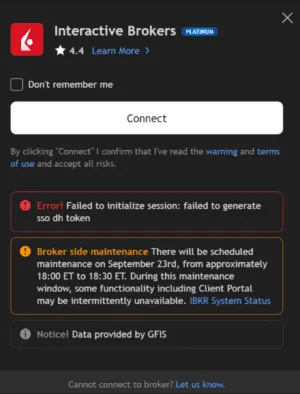
Receiving “Failed to generate sso dh token” on login
Receiving “Failed to generate sso dh token” during the login process is caused through indistinct Live and Paper trading user information.
To resolve this, the paper environment’s password must be reset to a distinct value.
- Log in to the Live environment on Client Portal
- Select the Head & Shoulders icon in the top right corner and click “Settings”
- Select “Paper Trading Account”.
- Click the “Reset Paper Trading Password” button and proceed through resetting your password.
- IMPORTANT: This will only affect the Paper Trading environment. Your Live user password will remain unchanged.
- Future attempts to log in to the Live or Paper trading environment will authenticate as expected.
Token failure for Trading View login
Can I use TradingView Pine Script during the connection between IB and TradingView?
Pine Script is not supported for Trading with Interactive Brokers. For more details, please see TradingView’s support article.
Pine script can still be used for market data indicators as it is broker-agnostic. Users interested in implementing Pine Script for this structure are welcome to contact TradingView directly for assistance, as Interactive Brokers cannot comment on the third-party implementation structure.