

Receiving "Failed to generate sso dh token" on login
Receiving “Failed to generate sso dh token” during the login process is caused through indistinct Live and Paper trading user information.
To resolve this, the paper environment’s password must be reset to a distinct value.
- Log in to the Live environment on Client Portal
- Select the Head & Shoulders icon in the top right corner and click “Settings”
- Select “Paper Trading Account”.
- Click the “Reset Paper Trading Password” button and proceed through resetting your password.
- IMPORTANT: This will only affect the Paper Trading environment. Your Live user password will remain unchanged.
- Future attempts to log in to the Live or Paper trading environment will authenticate as expected.
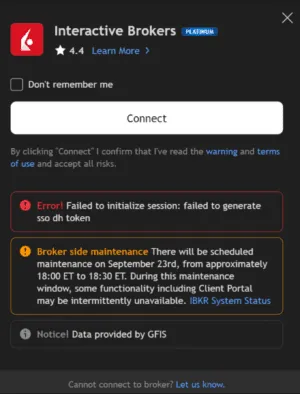
Token failure for Trading View login