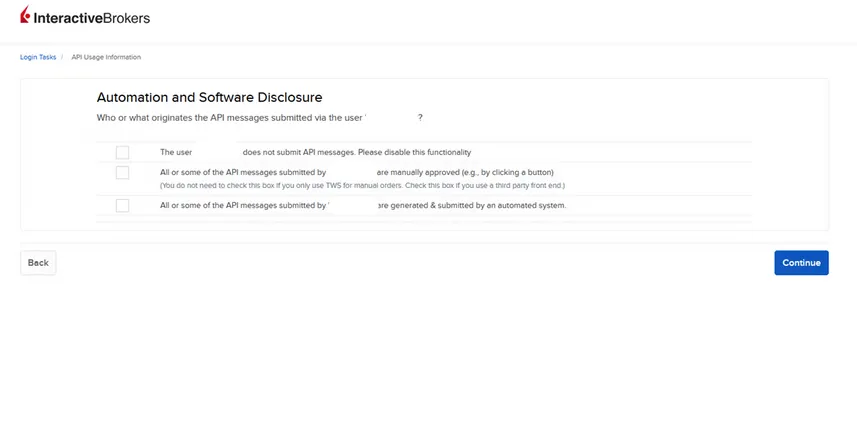
Automation and Software Disclosure
If you proceed and agree with the form, you will be prompted with three separate choices:
- The user does not submit API messages. Please disable this functionality.
- If you do not interact with the API at all, this choice will disable the API functionality moving forward.
- All or some of the API messages submitted are manually approved (e.g by clicking a button) (You do not need to check this box if you only use TWS for manual orders. Check this box if you use a third party front end).
- This option is for users who are using a Third Party Software provider to manually submit your order.
- All or Some of the API messages submitted are generated & submitted by an automated system.
- Any trader using the API to programmatically submit trades without manually approving their submission should select this option for their user.
- After selecting this option, users will need to provide any software used to place these orders and then denote who manages order submission, whether it is an individual, a rotating team of individuals, or on a per-order basis to denote the External Operator.