Create a Flex Query
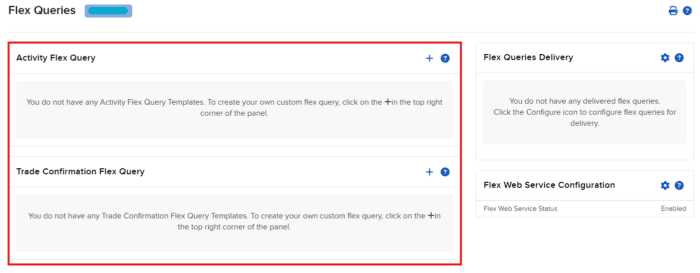
Returning to the Flex Queries page, we will now need to generate at least one Activity Flex Query or Trade Confirmation Flex Query.
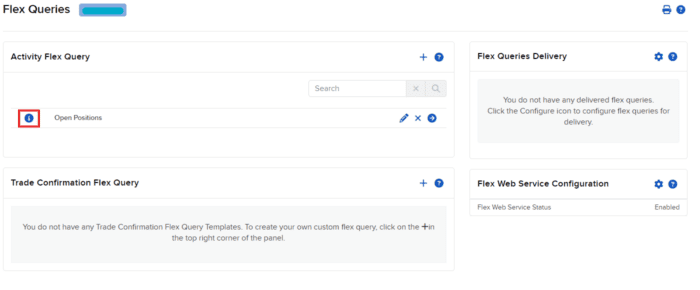
Next, click on the Info icon to the left of a Flex Query.
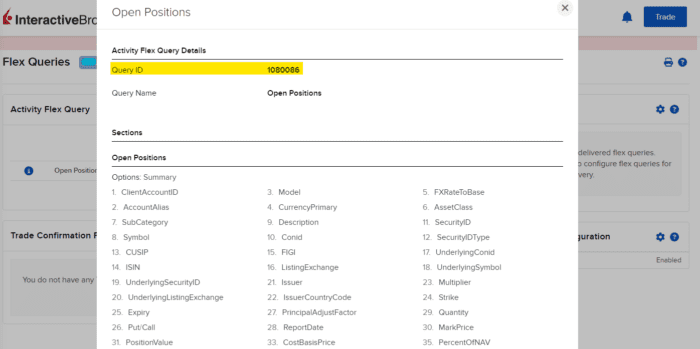
From the info pop-over, capture the Query ID number listed at the top. This will be used when generating your report.