CONVERT CURRENCY
Use the currency conversion tool to easily convert one currency to another.
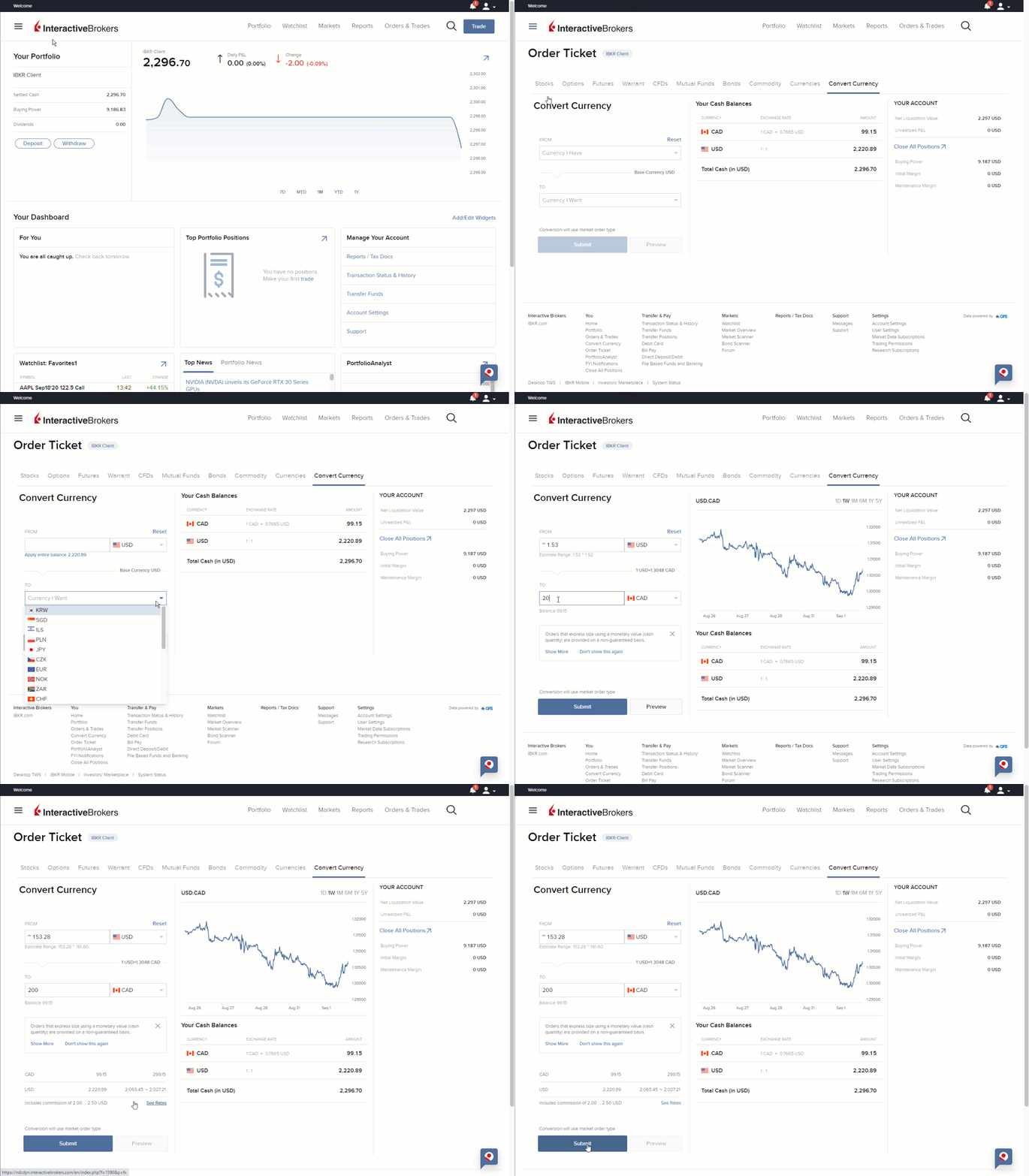
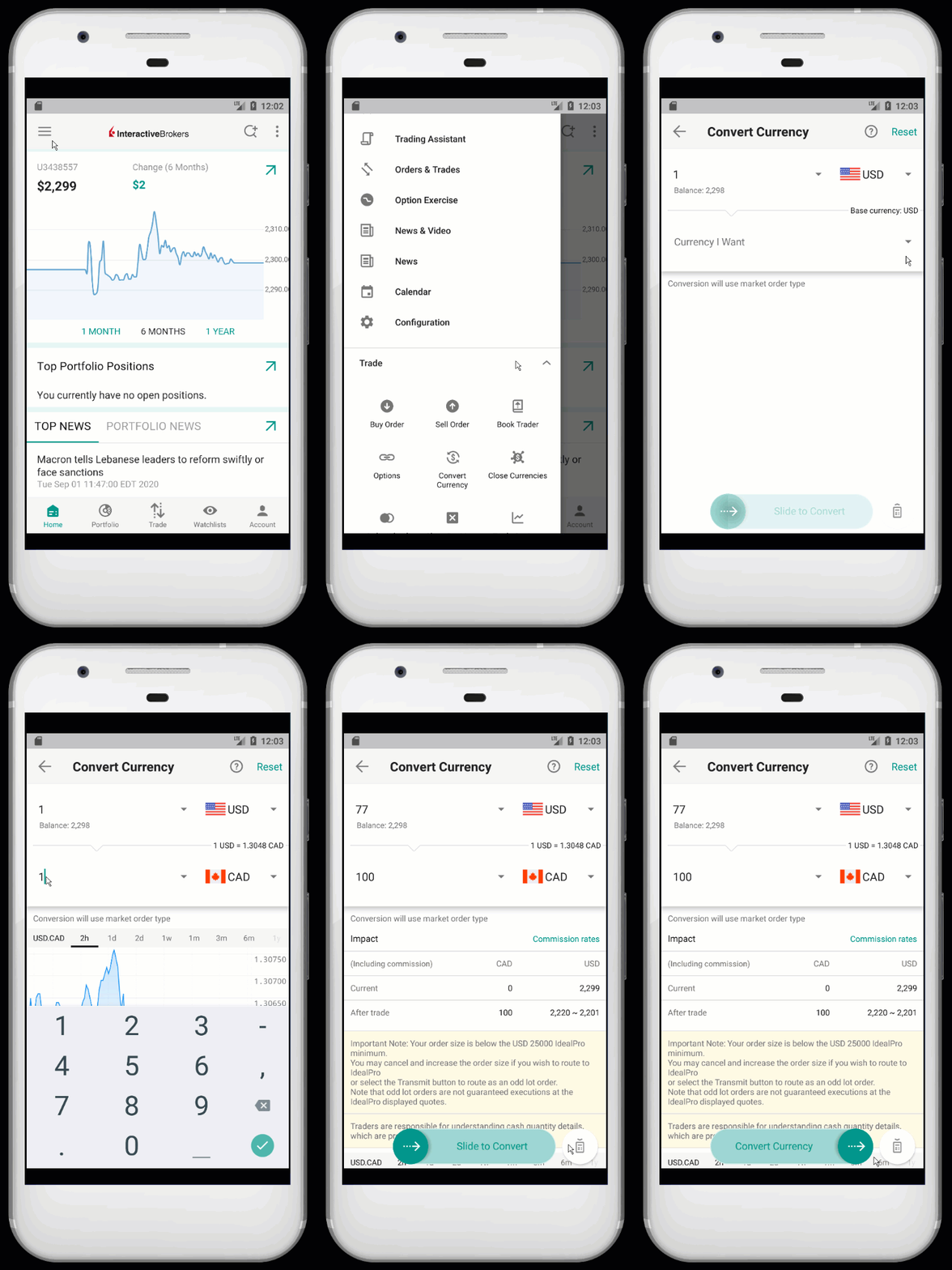
To convert currency in Client Portal simply use the button above to access the tool or follow the steps below:
- Log in to Client Portal
- Click the Trade menu followed by Convert Currency
- In the slide-out panel, click Currency I Have to see the list of currencies in which you have a positive cash balance. Select a currency
- Next, click Currency I Want and select the currency to which you want to convert
- Enter an amount in one of the two fields:
- If you know the amount of the converted currency you want, enter this value in the "To" field of the Currency I Want section.
- Alternatively, enter the amount of the original currency that you want to convert in the "From" field of the Currency I Have section.
- NOTE: The value in the field with no currency amount entered is automatically calculated.
- A market order is created to complete the conversion. Preview the order details, then Submit.
Please Note
- You must have a positive cash balance in the currency you want to convert.
Additional Information