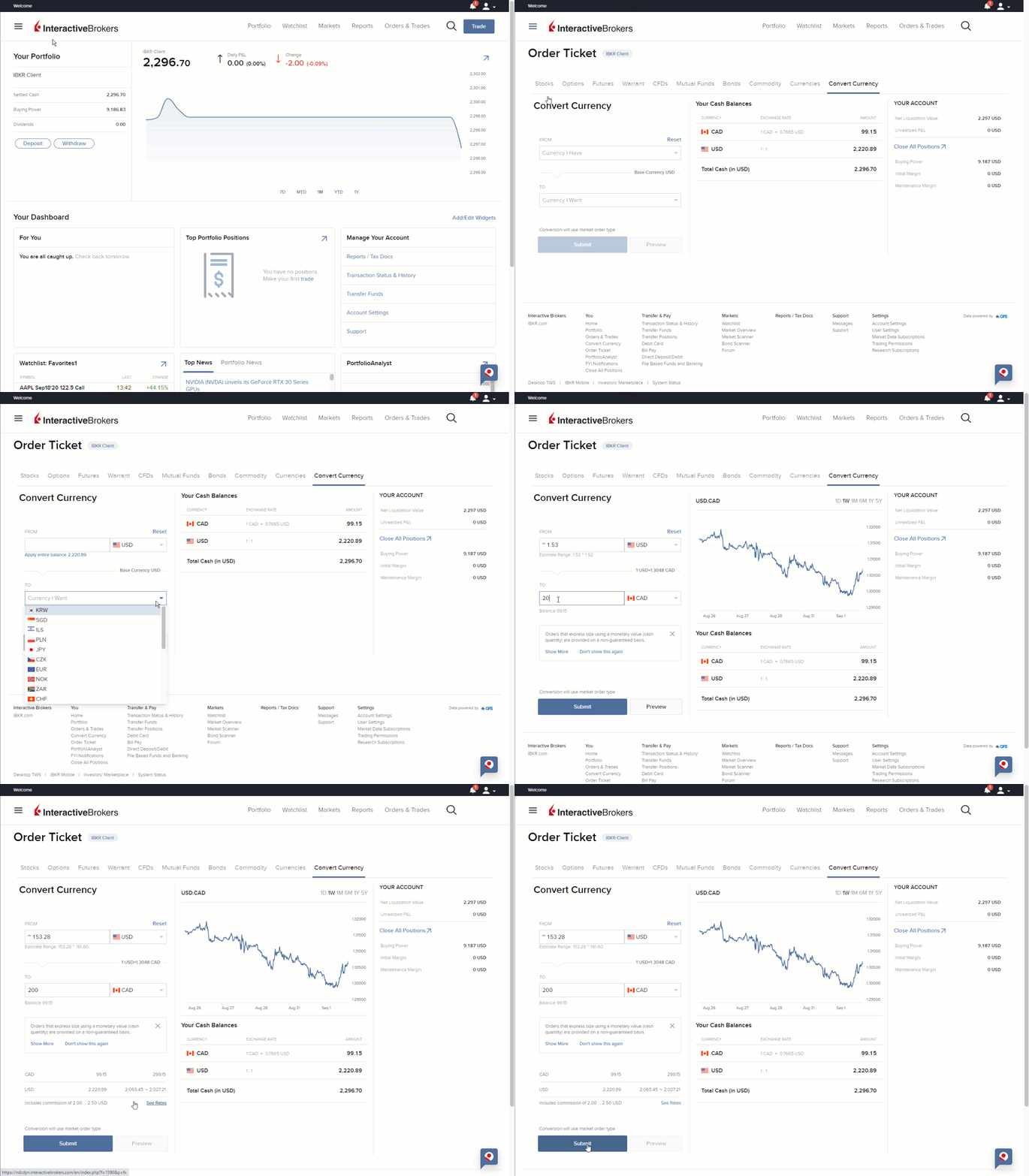
It is easy to complete currency conversions in IBKR Mobile using the currency conversion tool.
To convert currencies in IBKR Mobile:
- Tap the Account menu icon (head and shoulders) in the top left corner of the app.
- Just below the "Deposit Funds" bar, tap Convert and select Convert Currencies.
- Tap Currency I Have to see the list of currencies in which you have a positive cash balance. Select the currency to convert.
- Tap Currency I Want and select the currency to which you want to convert.
- Enter an amount in one of the two fields:
- If you know the amount of the converted currency you need, enter this value in the Currency I Want section.
- Alternatively, specify the amount of the original currency that you want to convert in the Currency I Have section.
- NOTE: The value in the field with no amount entered is automatically calculated.
- Enter an amount in one of the two fields:
- A market order is created to complete the conversion. Preview the order details, then Submit the order.
Please Note
- That you must have a positive cash balance in the currency you want to convert.
- The functionality for currency conversions for clients from China using an Android device was removed in the latest version of the IBKR Mobile downloaded from the Baidu store. This was an intentional change. In addition, clients from China will be unable to add a currency pair to their application.
Additional Information